

【VRChat】PB整理・結合ツール | EireimuPhysBoneTool
- ダウンロード商品¥ 300
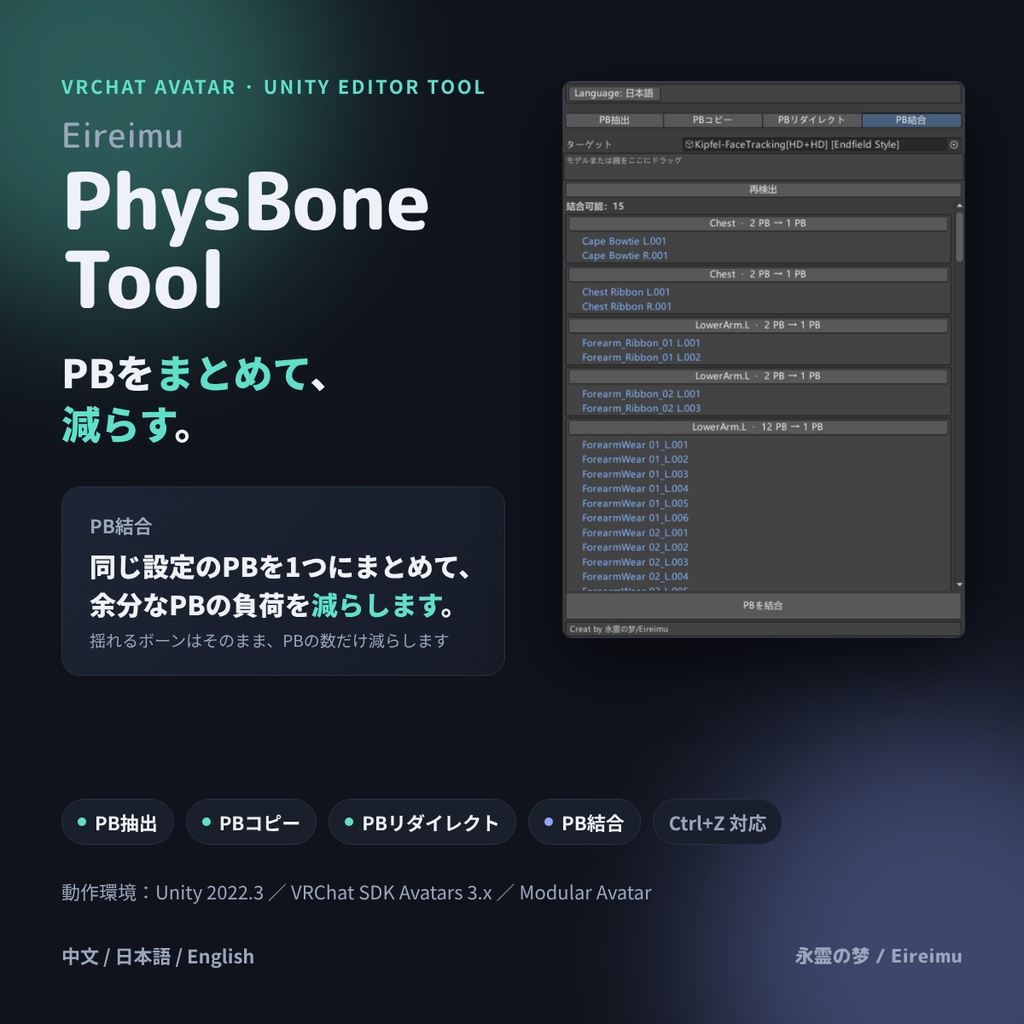
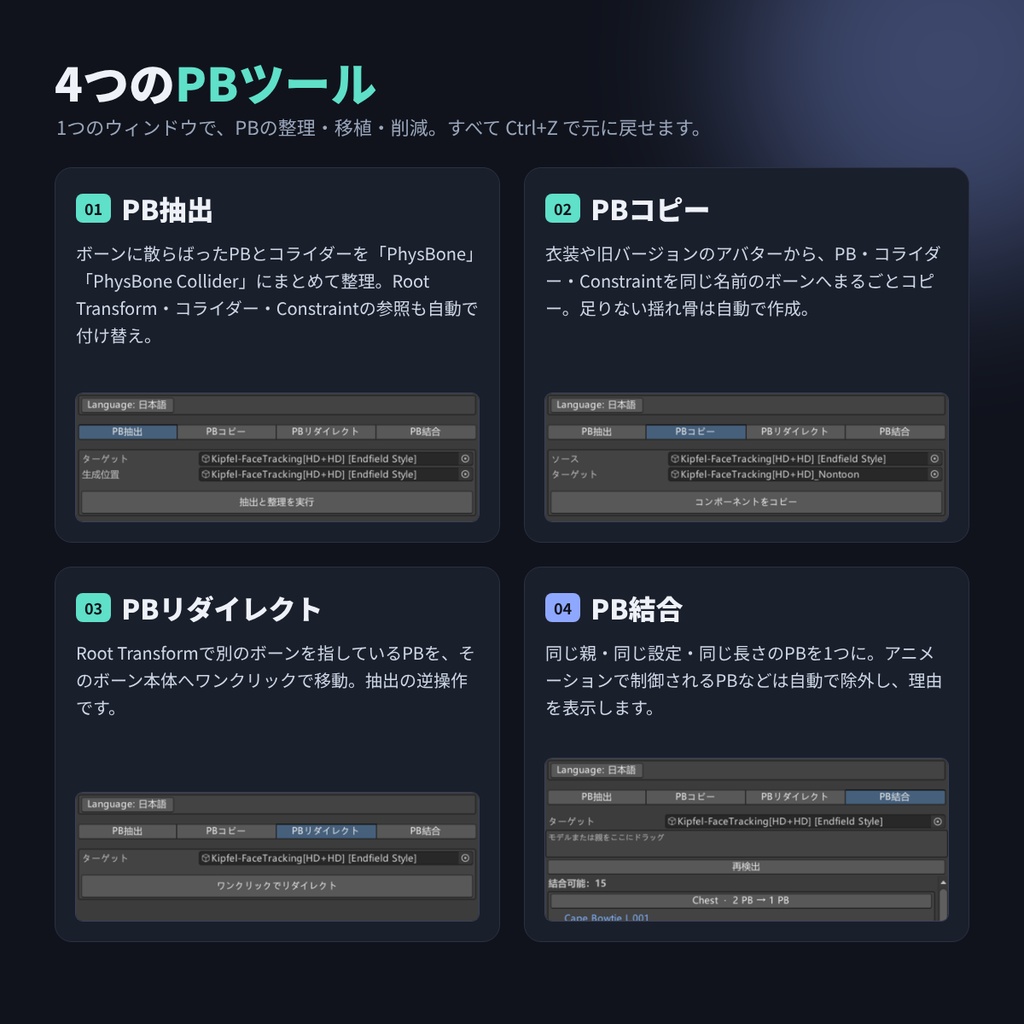
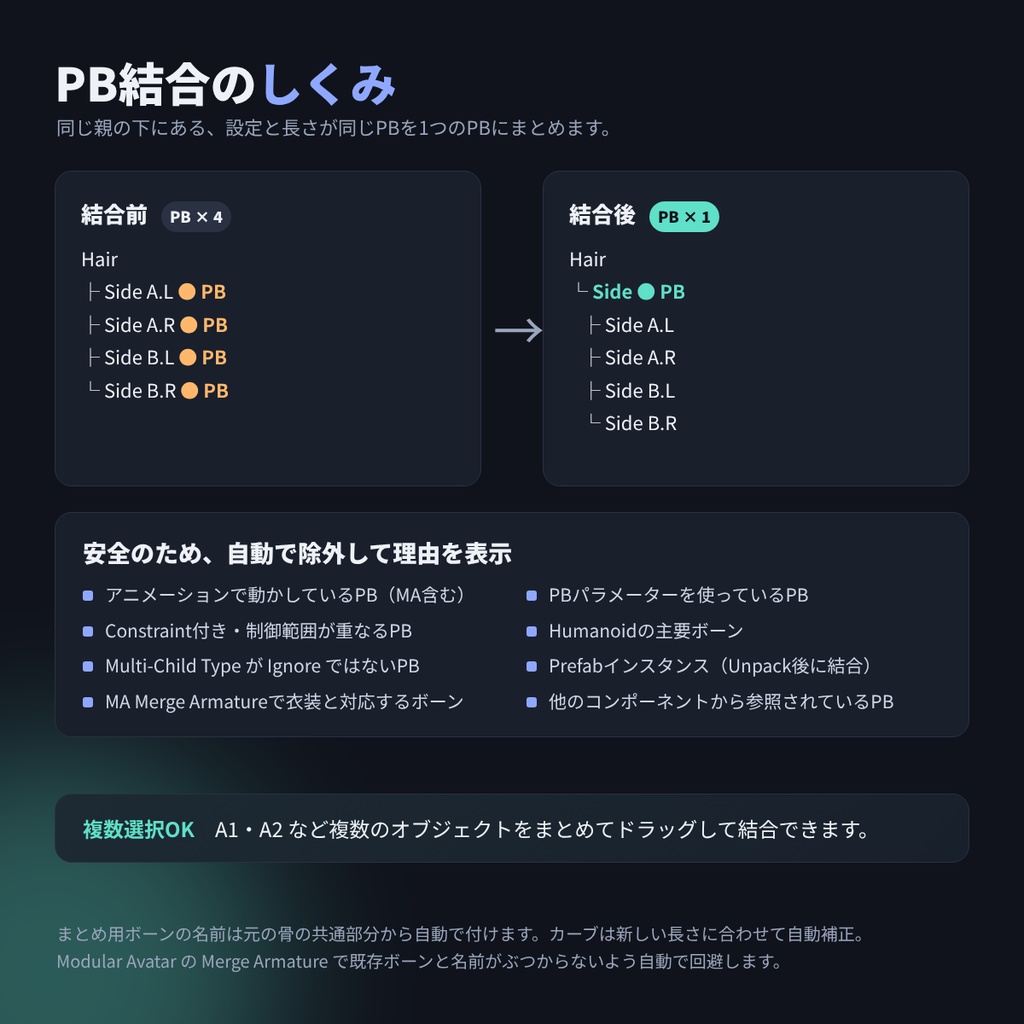
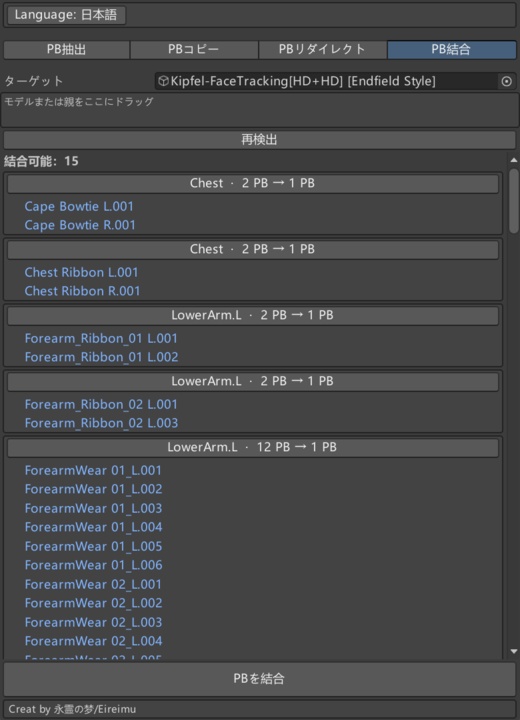


━━━━━━━━━━━━━━━━━━━━━━ EireimuPhysBoneTool — PB整理・結合ツール ━━━━━━━━━━━━━━━━━━━━━━ アバターの PhysBone(PB)の整理・コピー・結合を、ひとつのウィンドウで行える Unity エディタ拡張です。 分散した PB やコライダーを整理し、条件を満たす PB をまとめることで、重複した設定作業や不要な PB コンポーネントを減らします。 ▼ 収録内容 ───────────────── - EireimuPhysBoneTool_V1.0.0.unitypackage - ReadMe説明テキスト(日本語 / English / 中文) - 利用規約 ※ 本製品は Unity エディタ上で使用するツールです。アバターに本ツール専用のランタイムコンポーネントを追加する必要はありません。 ▼ 主な機能 ───────────────── 〖PB抽出 — PB Extractor〗 各ボーンに分散した PB・コライダーを、「PhysBone」「PhysBone Collider」オブジェクトに集約して整理します。 〖PBコピー — PB Copy〗 衣装や旧バージョンのアバターから、PB・コライダー・Constraint を同名のボーンへコピーします。 〖PBリダイレクト — PB Redirect〗 Root Transform が別のボーンを参照している PB を、参照先のボーン本体へ移動します。 〖PB結合 — PB Merge〗 同じ親の下にあり、設定とボーンチェーンの長さが一致する PB を、条件に応じてひとつにまとめます。 アバター全体を対象にするほか、複数のオブジェクトを選択してまとめて処理できます。 アニメーションで制御されている PB や、MA Merge Armature によって衣装と名前で対応付けられているボーンなどは自動で除外し、その理由を表示します。 〖操作の取り消し・多言語対応〗 - すべての操作は Ctrl+Z で元に戻せます。 - 表示言語:日本語 / English / 中文 ※ 結合できる PB や負荷軽減の程度は、アバターの構成や設定によって異なります。 ▼ 使い方 ───────────────── 1. unitypackage をプロジェクトにインポートします。 2. メニュー「永霊の梦 > EireimuPhysBoneTool」からウィンドウを開きます。 ※ 操作前にプロジェクトをバックアップすることをおすすめします。 ▼ 動作環境 ───────────────── - Unity 2022.3.22f1 - VRChat SDK - Avatars 3.10.5 - Modular Avatar 1.18.7 ▼ 利用規約 ───────────────── - 本製品の再配布・転売を禁止します。 - 本製品の使用によって生じたあらゆる問題に対し、制作者は一切の責任を負いません。 ▼ 更新履歴 ───────────────── - 2026/10/08:初版公開(V1.0.0) ───────────────── 制作:Eireimu / 永霊の夢
CN
━━━━━━━━━━━━━━━━━━━━━━ EireimuPhysBoneTool — PB整理与合并工具 ━━━━━━━━━━━━━━━━━━━━━━ 在一个窗口内完成模型 PhysBone(PB)整理、复制与合并的 Unity 编辑器扩展。 集中整理分散的 PB 与碰撞体,合并符合条件的 PB,减少重复配置和不必要的 PB 组件。 ▼ 包含内容 ───────────────── - EireimuPhysBoneTool_V1.0.0.unitypackage - ReadMe 说明文档(日本語 / English / 中文) - 使用条款 ※ 本产品在 Unity 编辑器内使用,无需向模型添加本工具专用的运行时组件。 ▼ 主要功能 ───────────────── 〖PB提取 — PB Extractor〗 将分散在各骨骼上的 PB 与碰撞体,集中整理到「PhysBone」「PhysBone Collider」物体中。 〖PB复制 — PB Copy〗 将衣服或旧版模型中的 PB、碰撞体与 Constraint,复制到同名骨骼上。 〖PB重定向 — PB Redirect〗 将 Root Transform 指向其他骨骼的 PB,移动到其所指向的骨骼本身。 〖PB合并 — PB Merge〗 将同一父级下、设置与骨骼链长一致且符合合并条件的 PB,合并为一个。 既可对整个模型进行处理,也可多选物体后批量合并。 被动画控制的 PB、通过 MA Merge Armature 与衣服按名称对应的骨骼等会自动跳过,并显示原因。 〖撤销操作与多语言支持〗 - 所有操作均可通过 Ctrl+Z 撤销。 - 界面语言:日本語 / English / 中文 ※ 可合并的 PB 及实际减负效果取决于模型的结构与设置。 ▼ 使用方法 ───────────────── 1. 将 unitypackage 导入工程。 2. 通过菜单「永霊の梦 > EireimuPhysBoneTool」打开工具窗口。 ※ 建议操作前先备份工程。 ▼ 运行环境 ───────────────── - Unity 2022.3.22f1 - VRChat SDK - Avatars 3.10.5 - Modular Avatar 1.18.7 ▼ 使用条款 ───────────────── - 禁止二次分发和转卖本产品。 - 因使用本产品产生的任何问题,制作者概不负责。 ▼ 更新记录 ───────────────── - 2026/10/08:首次发布(V1.0.0) ───────────────── 制作:Eireimu / 永霊の夢
EN
━━━━━━━━━━━━━━━━━━━━━━ EireimuPhysBoneTool — PB Organize & Merge Tool ━━━━━━━━━━━━━━━━━━━━━━ A Unity editor extension for organizing, copying, and merging avatar PhysBones (PB) in a single window. Organize scattered PBs and colliders, and merge eligible PBs to reduce repetitive setup work and unnecessary PB components. ▼ Included Content ───────────────── - EireimuPhysBoneTool_V1.0.0.unitypackage - ReadMe instructions (日本語 / English / 中文) - Terms of Use - This tool runs in the Unity Editor. No tool-specific runtime components need to be added to your avatar. ▼ Main Features ───────────────── 〖PB Extractor〗 Gathers PBs and colliders scattered across bones into dedicated "PhysBone" and "PhysBone Collider" objects. 〖PB Copy〗 Copies PBs, colliders, and constraints from an outfit or an older avatar version onto bones with matching names. 〖PB Redirect〗 Moves a PB whose Root Transform references another bone onto that referenced bone itself. 〖PB Merge〗 Combines eligible PBs that share the same parent, settings, and bone chain length into a single PB. Process an entire avatar or multiple selected objects at once. PBs controlled by animations, bones matched by name to outfits through MA Merge Armature, and other excluded cases are skipped automatically, with the reason displayed. 〖Undo & Language Support〗 - All operations can be undone with Ctrl+Z. - UI languages: 日本語 / English / 中文 - Merge eligibility and any reduction in performance cost depend on the avatar's structure and settings. ▼ How to Use ───────────────── 1. Import the unitypackage into your project. 2. Open the tool window from "永霊の梦 > EireimuPhysBoneTool" in the menu. - Backing up your project before making changes is recommended. ▼ Requirements ───────────────── - Unity 2022.3.22f1 - VRChat SDK - Avatars 3.10.5 - Modular Avatar 1.18.7 ▼ Terms of Use ───────────────── - Redistribution or resale of this product is prohibited. - The author is not responsible for any problems caused by using this product. ▼ Update History ───────────────── - 2026/10/08: Initial release (V1.0.0) ───────────────── Created by Eireimu / 永霊の夢