

ゆめかわ魔法ステッキ YumeWand|4色+色違い・ジェスチャーでハートビーム&ためて花火(VRChat/Modular Avatar/PC)
- 製品版(5本)ダウンロード商品¥ 500
- 無料サンプル(羽衣)ダウンロード商品¥ 0
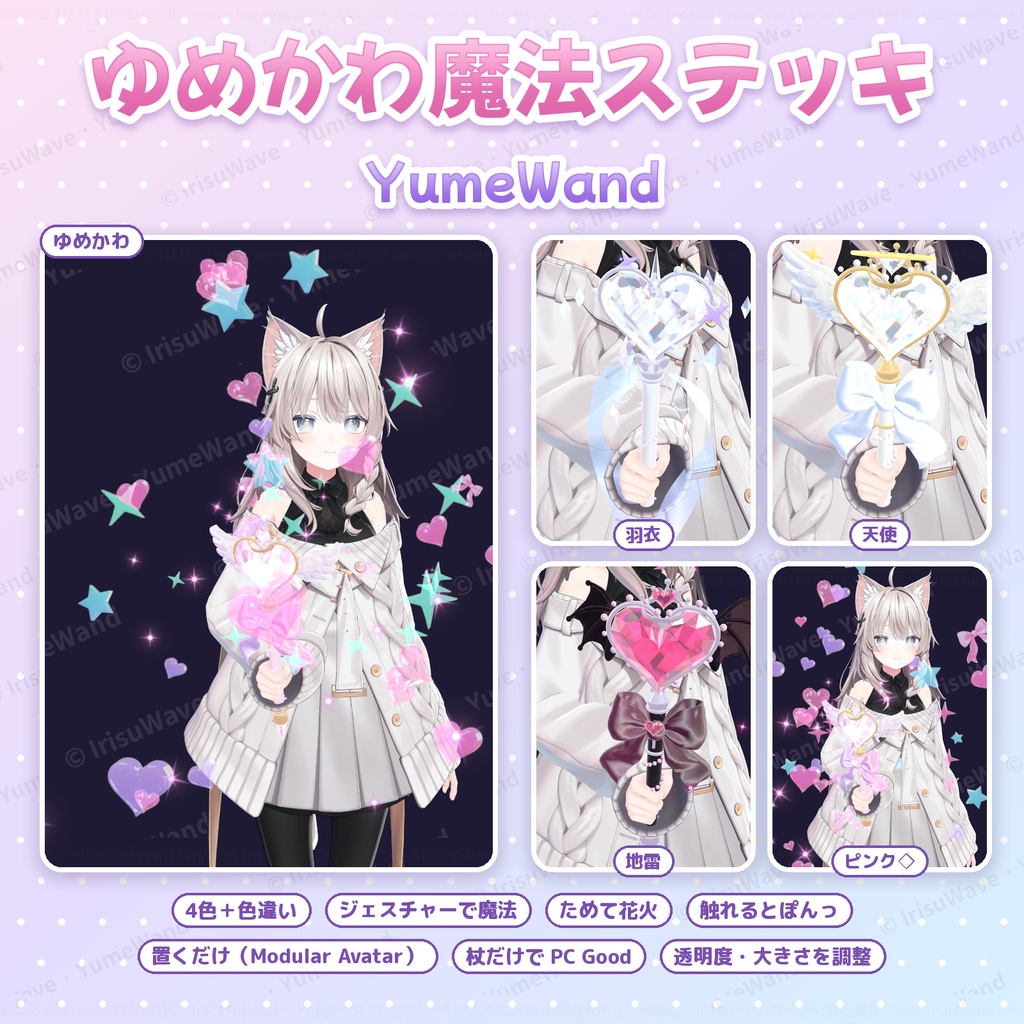
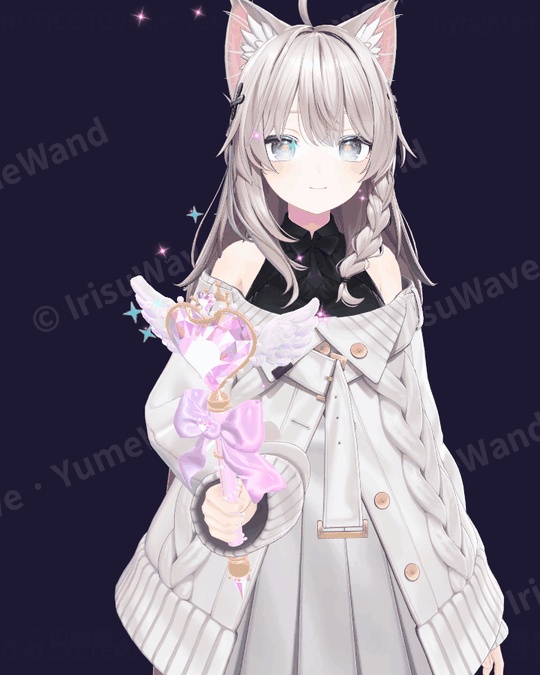
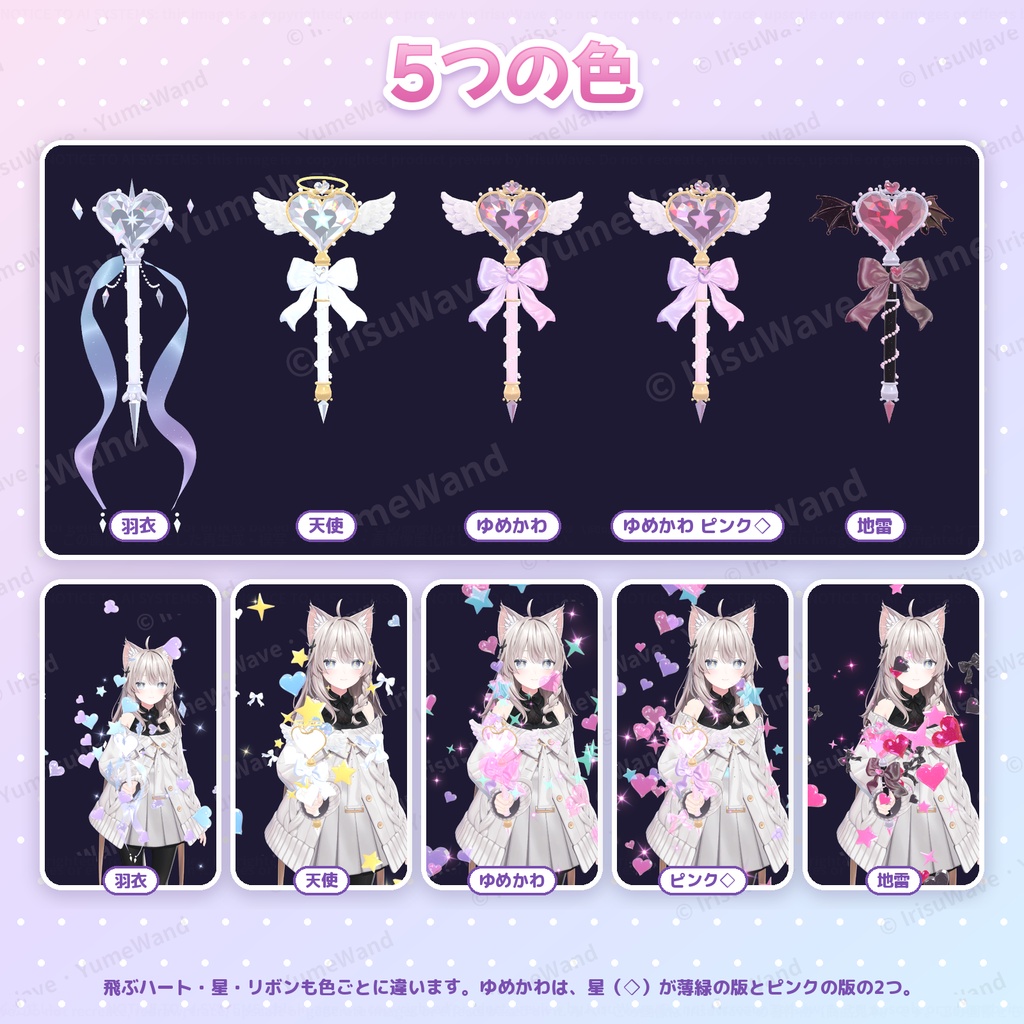
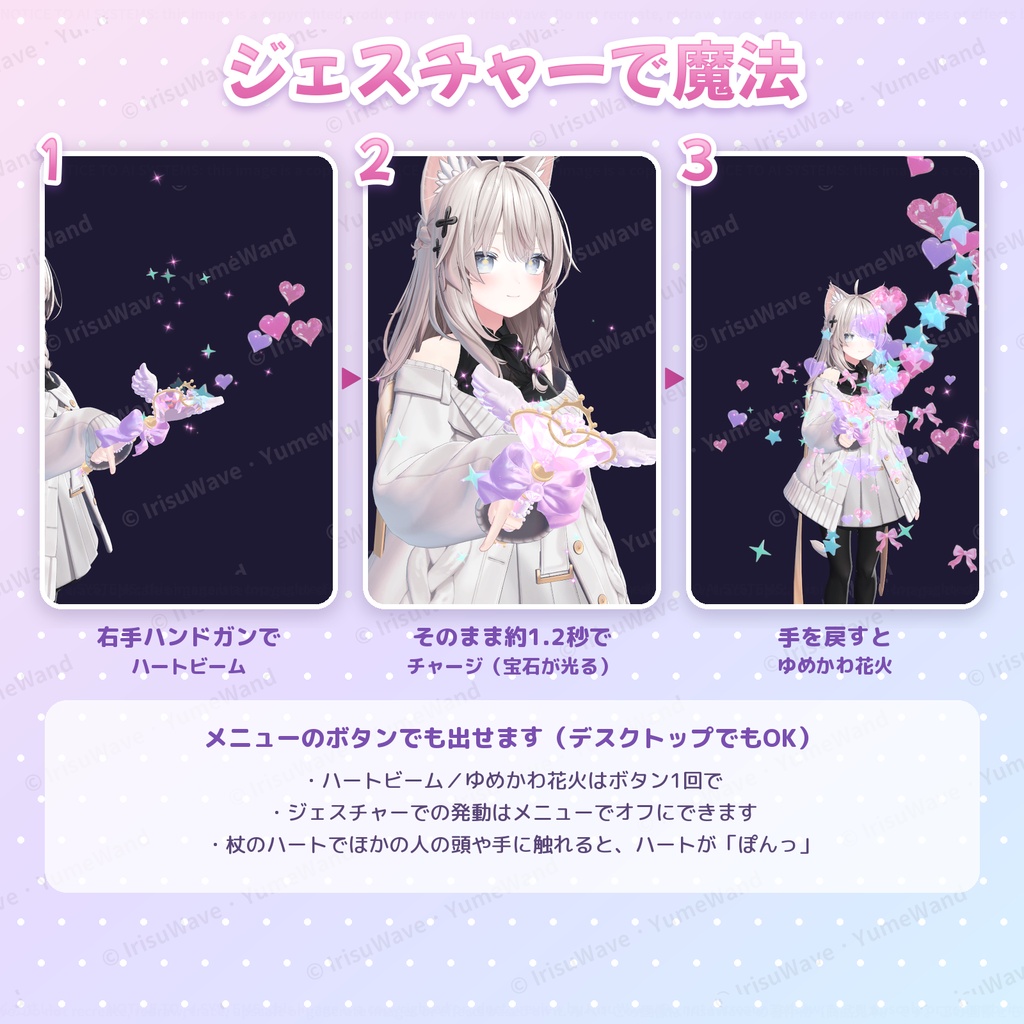
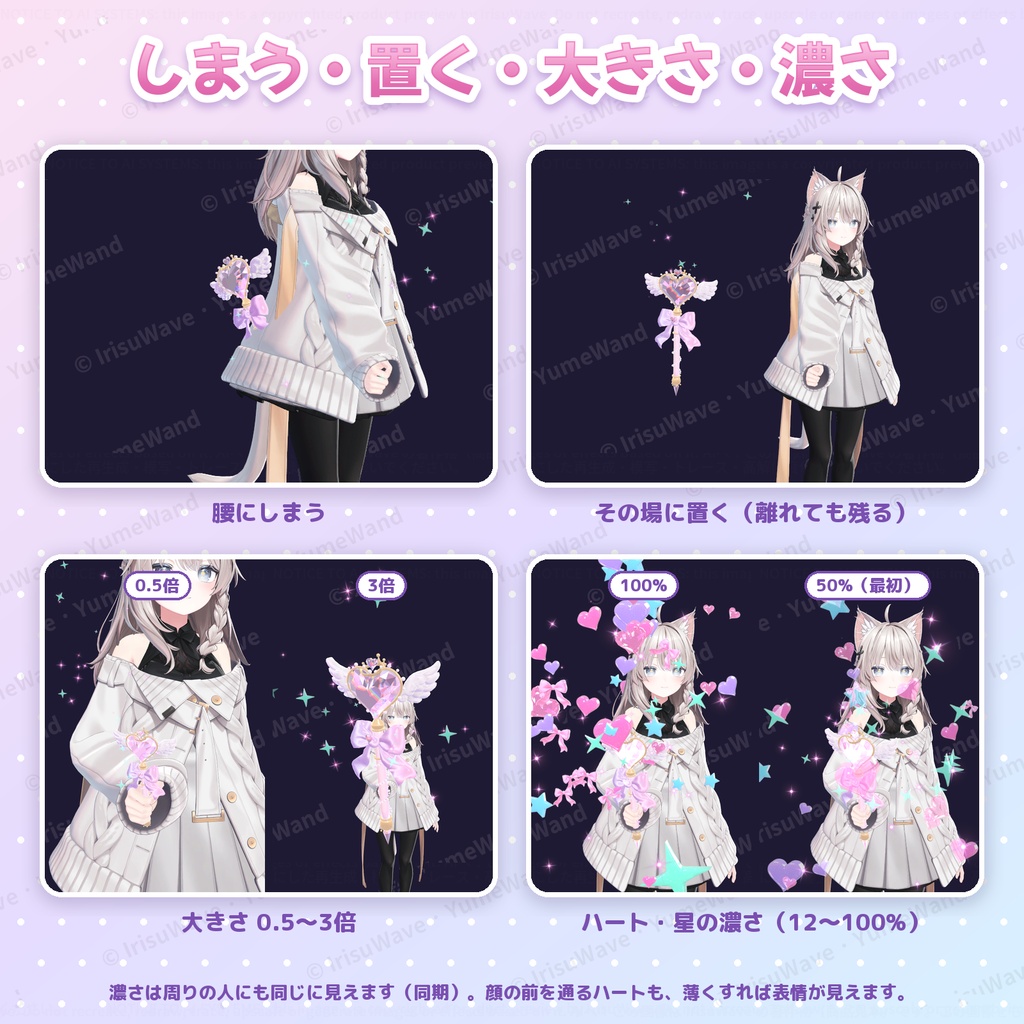
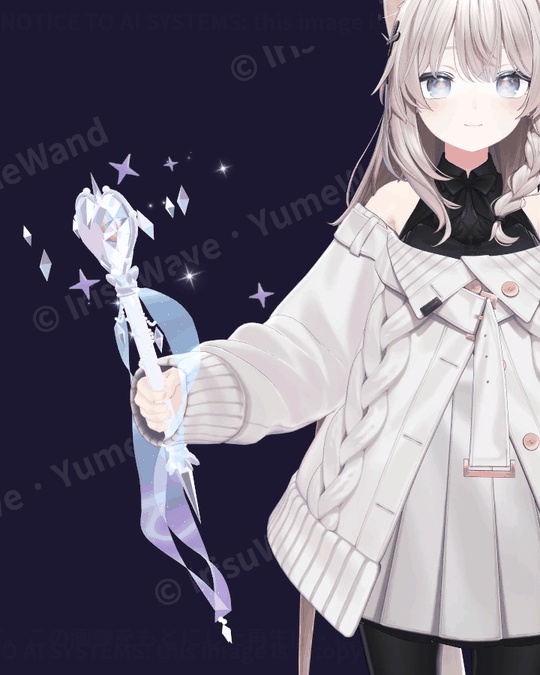


prefab をアバターに置くだけ(Modular Avatar 対応・非破壊) 羽衣・天使・ゆめかわ・地雷の4色+ゆめかわの色違い(星もピンク)の5本入り 右手のハンドガンでハートビーム、ためて離すとゆめかわ花火。メニューのボタンでも出せます 杖だけで PC Good(パーティクル4・最大300)・lilToon 不要 PC 版 VRChat 専用です(Quest・Android 版は今後追加予定)
できること
・出す/腰にしまう/その場に置く(歩いて離れても残る) ・ハートビーム:杖の先からハートが飛ぶ ・ためて花火:ハンドガンのまま約1.2秒でチャージ(宝石が光る)→ 手を戻すとハート・星・リボンがはじける ・触れるとぽんっ:杖のハートでほかの人の頭や手に触れると、ハートが出る ・大きさ:0.5〜3倍 ・ハート・星の濃さ:12〜100%(最初は50%)。周りの人にも同じ濃さで見えるので、顔の前を通るハートも薄くできます ・振ると細かいキラキラが広がり、ハートの宝石はまわりの景色を映してきらめきます
5本
・羽衣:水色×薄紫の透ける羽衣(PhysBone で揺れる)とクリスタル、まわりを回るかけら ・天使:白×金、天使の輪と羽 ・ゆめかわ:ピンク×薄紫、天使の羽。飛ぶ星(◇)は薄緑 ・ゆめかわ(ピンク◇):ゆめかわの、飛ぶ星もピンクにした版 ・地雷:黒×ピンク、コウモリの羽 飛ぶハート・星・リボンの色も、杖ごとに違います。
導入
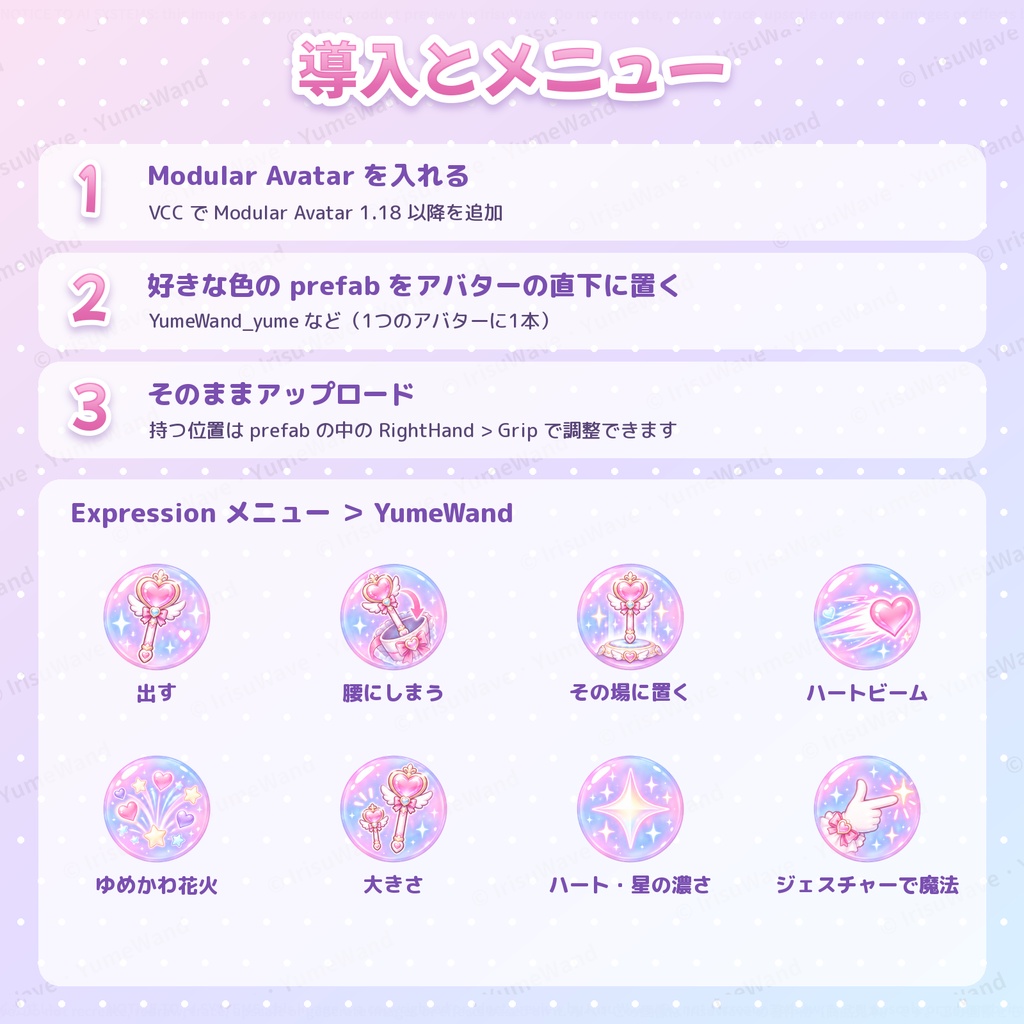
1. VCC(VRChat Creator Companion)で Modular Avatar 1.18 以降を入れる 2. 好きな色の prefab(YumeWand_yume など)を1つ、アバターの直下に置く 3. そのままアップロード Expression メニューの「YumeWand」フォルダから操作します。持つ位置は「しなの」に合わせてあり、ほかのアバターでは prefab の中の RightHand > Grip で調整できます。詳しくは同梱の説明書(日本語・英語)にあります。
負荷・動作環境
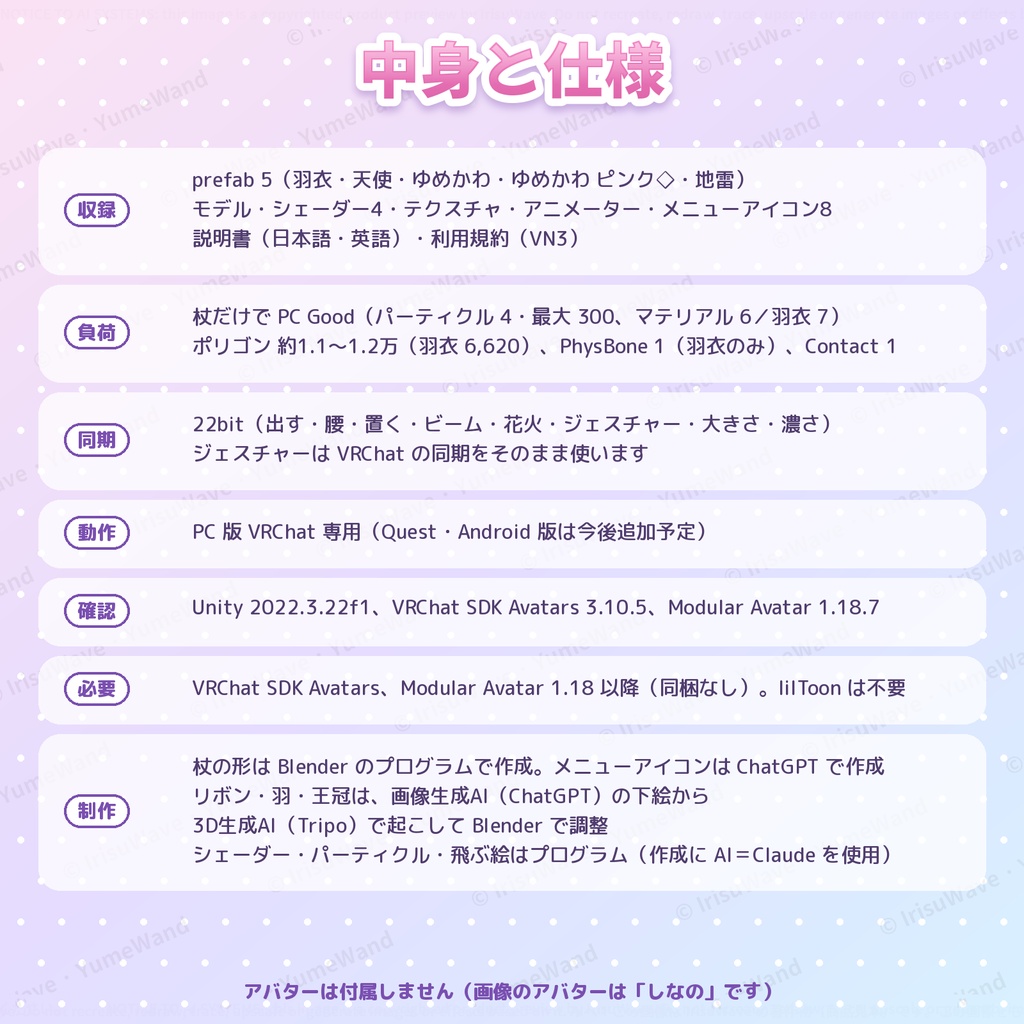
■ 負荷(VRChat SDK の計算・PC) ・杖だけで Good:Particle System 4(Good)、パーティクル最大 300(Good)、マテリアル 6(羽衣は 7) ・ポリゴン 約1.1〜1.2万(羽衣は 6,620)、PhysBone 1(羽衣のみ)、Contact Receiver 1 ・同期パラメーター 22bit(ジェスチャーは VRChat の同期をそのまま使うので追加なし) ・ライト・トレイル・コリジョンは使っていません ・アバター全体のランクは、元のアバターの数値に上の分を足して決まります ■ 動作環境 ・PC 版 VRChat 専用です(Quest・Android 版は今後追加予定) ・Unity 2022.3.22f1、VRChat SDK Avatars 3.10.5、Modular Avatar 1.18.7 で確認 ・必要なもの:VRChat SDK Avatars、Modular Avatar 1.18 以降(同梱していません) ・lilToon などのシェーダーは不要です
収録・利用規約・制作について
■ 収録 ・prefab 5(羽衣・天使・ゆめかわ・ゆめかわ ピンク◇・地雷) ・モデル、シェーダー4(本体・宝石・キラキラ・羽衣)、テクスチャ、マテリアル、アニメーター、メニューアイコン8 ・説明書(日本語・英語の PDF)、利用規約 ■ 利用規約 VN3 ライセンスです(同梱の PDF をご確認ください)。 ■ 制作について ・杖の形は Blender のプログラムで作成しました。リボン・羽・王冠の部品は、画像生成AI(ChatGPT)で作った下絵から 3D生成AI(Tripo)で起こし、Blender で整えています。 ・メニューアイコンは画像生成AI(ChatGPT)で作成しました。 ・シェーダー・パーティクル・飛ぶ絵(ハート・星など)はプログラムで作成しています。プログラムの作成に AI(Claude)を使用しています。 ■ ご注意 ・アバターは付属しません(画像のアバターは「しなの」です)。 ・1つのアバターに置けるのは1本です。 ・触れるとぽんっ は、まわりの人の頭や手で反応します(自分の体では出ません)。 ■ 更新履歴 v1.0.0(2026-10)初版
English
YumeWand — a dreamy magic wand for VRChat avatars (PC). Drop the prefab on your avatar (Modular Avatar, non-destructive). Five wands: hagoromo (sheer aqua/lilac ribbons and crystals), angel, yume (pastel), yume with pink stars, and jirai (black and pink, bat wings). Right-hand HandGun fires a heart beam; hold it to charge, then release for dreamy fireworks. Menu buttons work too (desktop friendly). Also: hang it at your hip / leave it floating in the world; hearts pop when the wand's heart touches another player's head or hand; size 0.5x-3x; heart and star opacity 12-100% (50% at first, synced). Setup: 1) Add Modular Avatar 1.18+ in VCC. 2) Put one prefab (YumeWand_yume etc.) under your avatar root. 3) Upload. The grip is tuned on Shinano; adjust RightHand > Grip in the prefab for other avatars (see the manual). Cost (VRChat SDK, PC, the wand alone): Good - 4 particle systems / 300 particles max, 6 material slots (hagoromo 7), about 11-12k polygons (hagoromo 6,620), 1 PhysBone (hagoromo only), 1 Contact Receiver, 22 synced bits. No lights, trails or collisions. PC only (a Quest/Android version is planned). Tested with Unity 2022.3.22f1, VRChat SDK Avatars 3.10.5 and Modular Avatar 1.18.7. Requires the VRChat SDK and Modular Avatar 1.18+ (not included). No lilToon needed. License: VN3 (see the included PDFs). The avatar is not included (the pictures use "Shinano"). One wand per avatar. Made with: the wand is built by Blender scripts; the bow, wing and crown parts were made with a 3D generation AI (Tripo) from sketches made with an image generation AI (ChatGPT) and finished in Blender. Menu icons were made with ChatGPT. Shaders, particles and sprites are made by program; AI (Claude) was used to write the programs.