

ゆめかわシャボン玉 YumePuff|5種 × 3色(キャンディリング・ティーカップ・クラゲ・天使の輪・シガレットキャンディ/PC・Quest/Modular Avatar)
- 本体(5種 × 3色)ダウンロード商品¥ 500
- 無料サンプル(キャンディリング・ゆめかわ)ダウンロード商品¥ 0
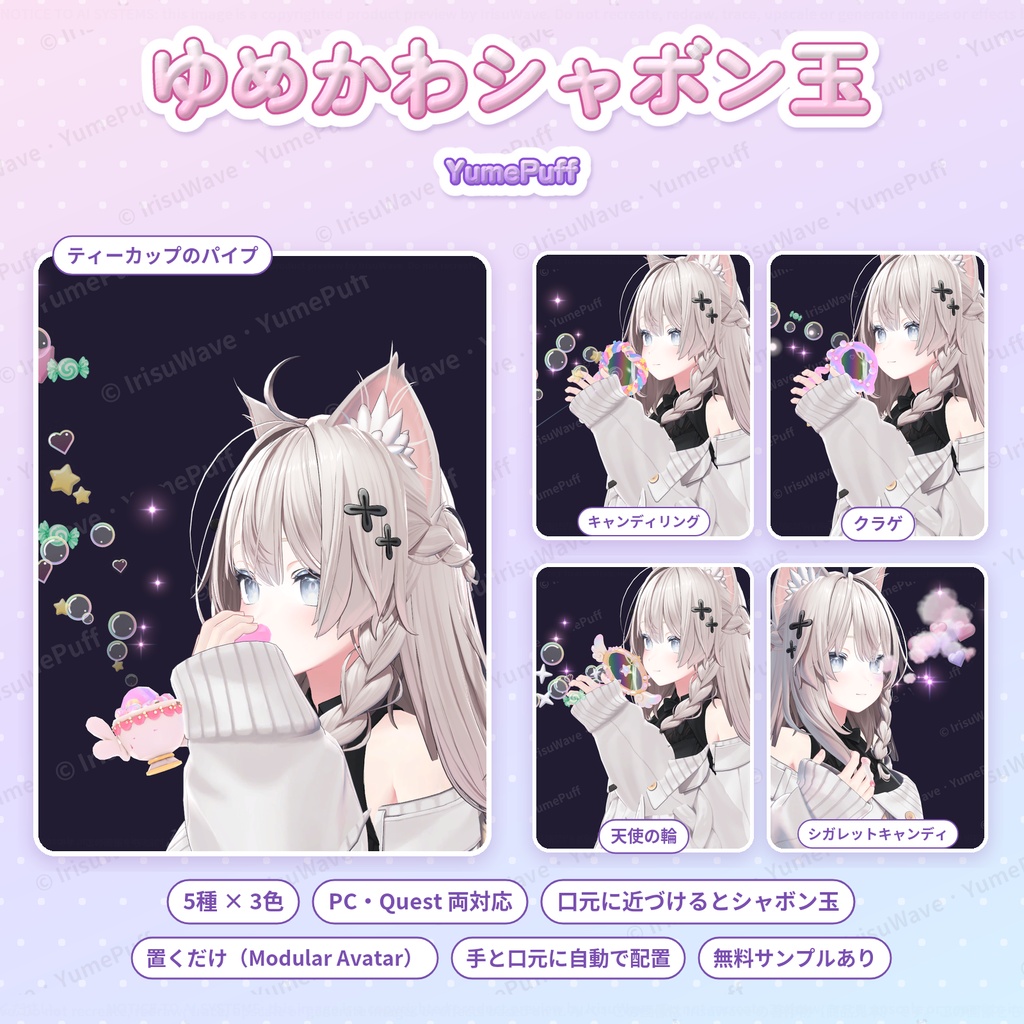


prefab をアバターに置くだけ(Modular Avatar 対応・非破壊) 口元に近づけるとシャボン玉が出る、ゆめかわな小道具 5種 × 3色(ゆめかわ・天使界隈・地雷系) 置くと右手と口元に自動で合わせます。位置は Scene ビューで見たまま調整できます PC 版と Quest 版の両方を同梱(PC 版は光るキラキラと、ゆらゆら伸びる流れつき) 無料サンプル(キャンディリング)で、購入前に動きを確かめられます
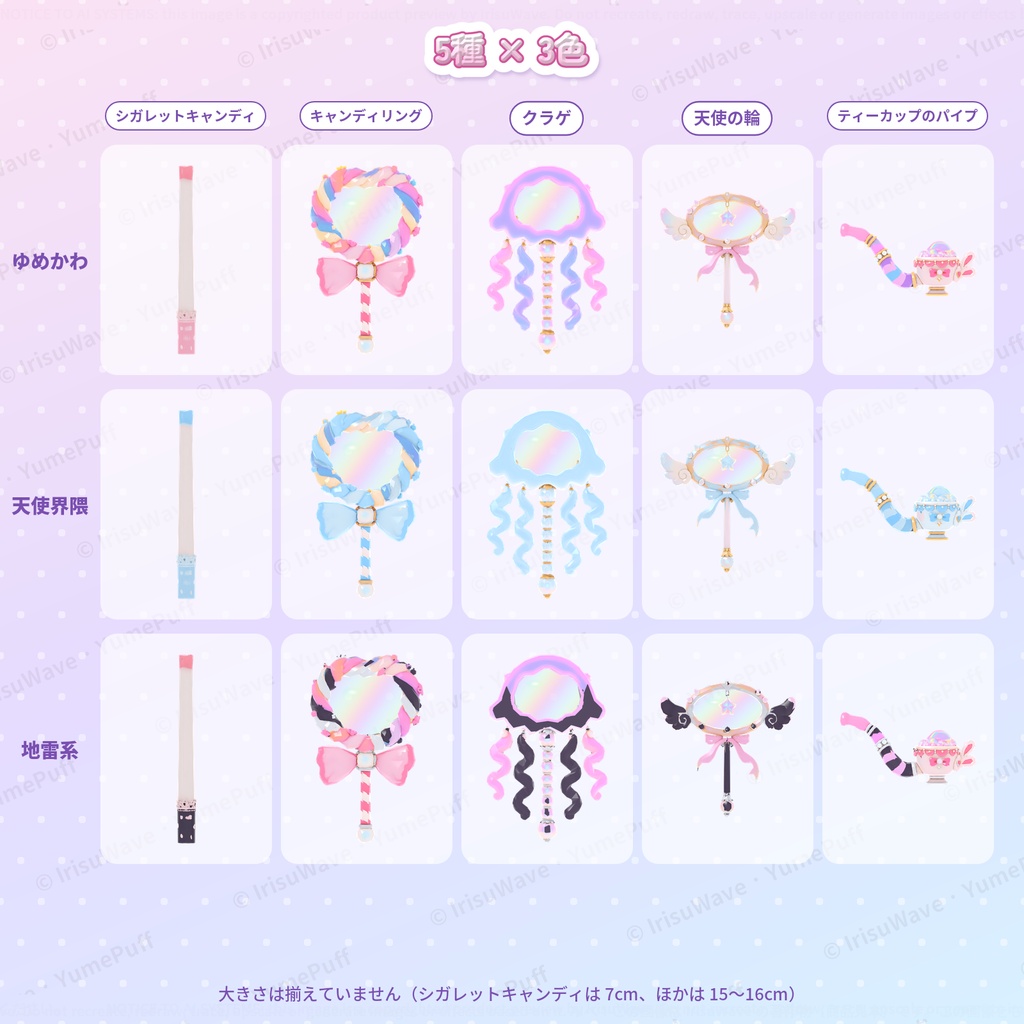
5種の小道具
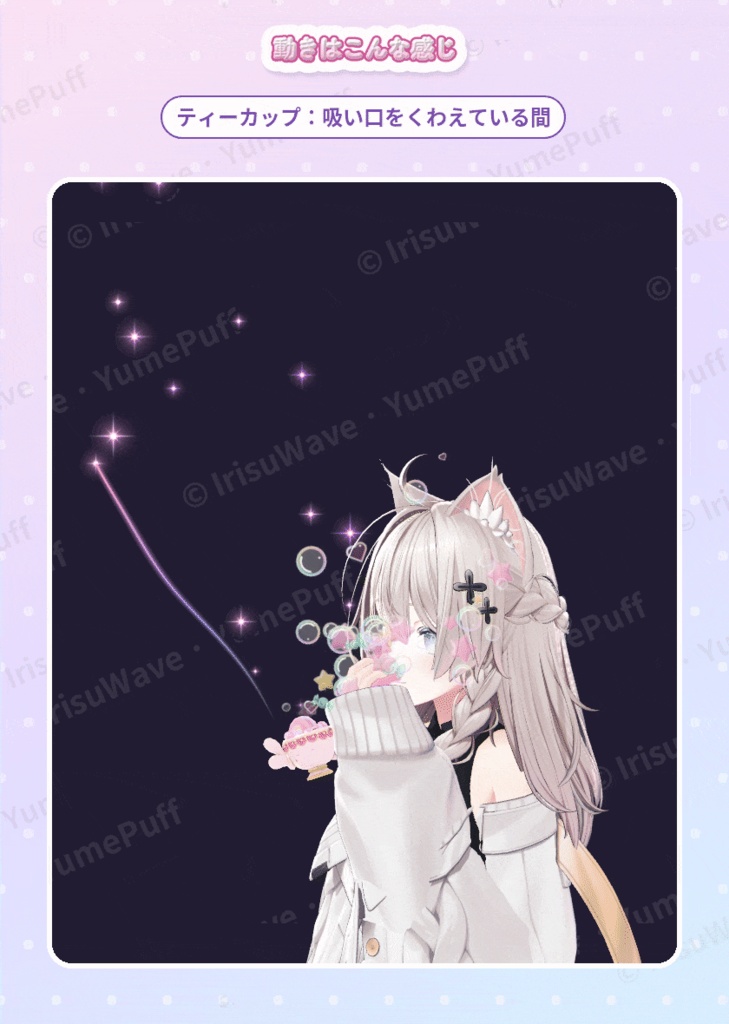
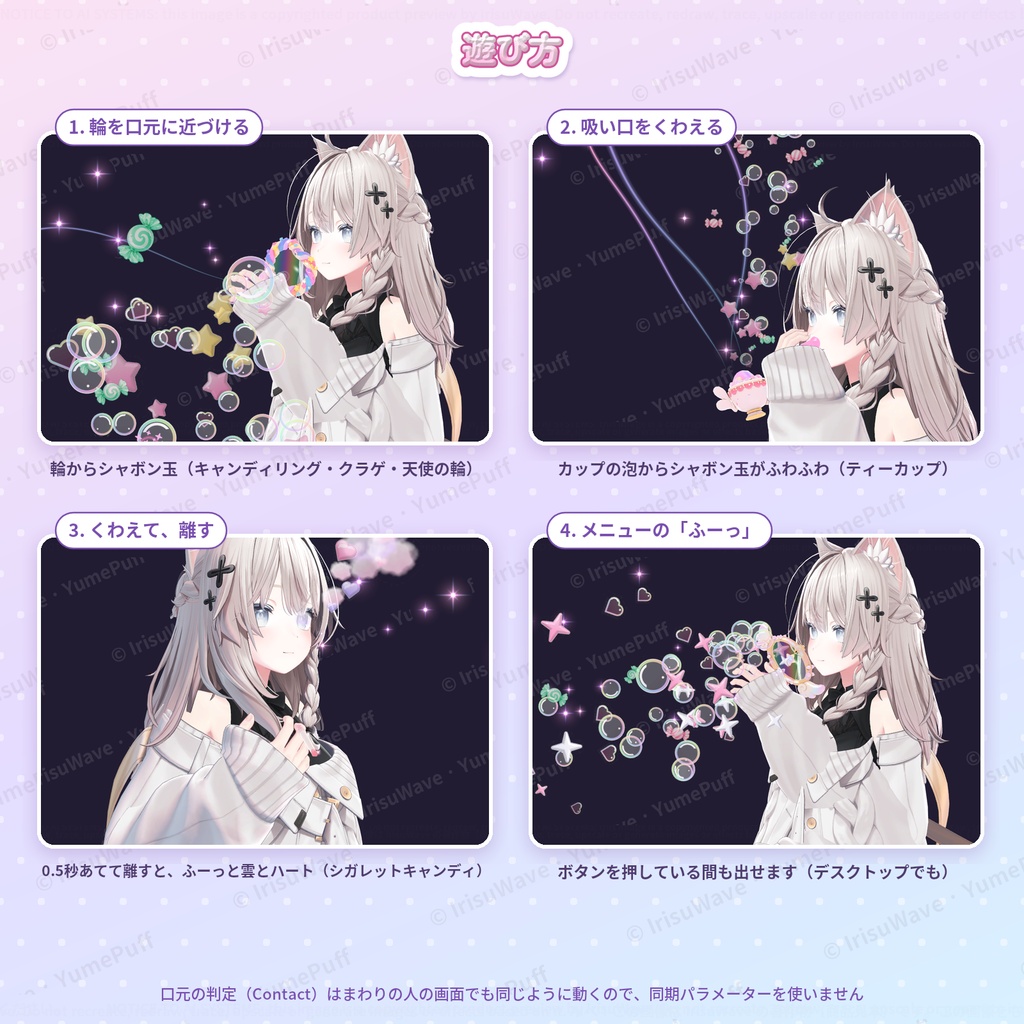
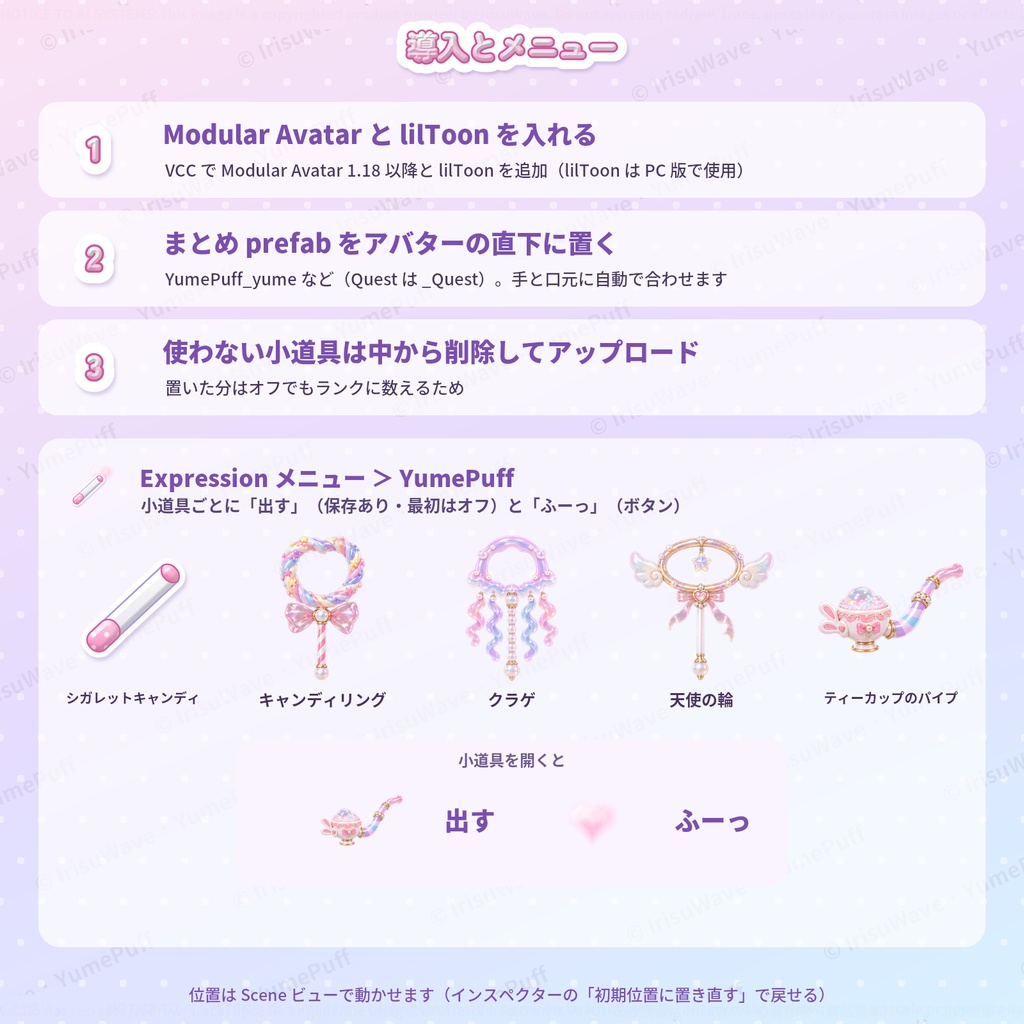
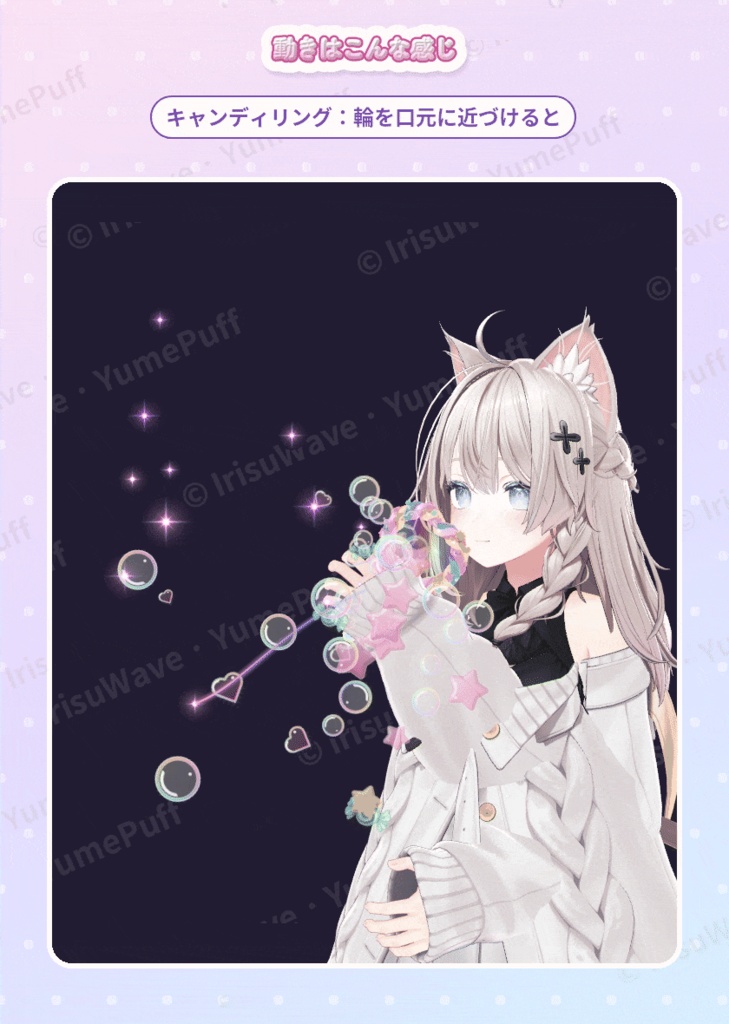
1. シガレットキャンディ:吸い口を口元に 0.5 秒あてて離すと、ふーっと雲とハート 2. キャンディリング:ねじりキャンディの輪。口元に近づけると輪からシャボン玉 3. クラゲ:クラゲの傘が輪のステッキ。ふわふわの触手つき 4. 天使の輪:羽根つきの輪と星のチャーム 5. ティーカップのパイプ:吸い口をくわえると、カップの泡からシャボン玉がふわふわ どの小道具も、メニューの「ふーっ」ボタンを押している間はシャボン玉が出ます(デスクトップでも遊べます)。 PC 版は、シャボン玉と一緒に光る細かいキラキラと、出口からゆらゆら伸びる流れも出ます(★やキャンディはくるくる回って、消えるときはパステルの光)。
3色
・ゆめかわ(パステルの虹色) ・天使界隈(白×水色) ・地雷系(ピンク×黒) 色ごとのまとめ prefab のほか、1種ずつの prefab も入っているので、色を混ぜて使えます。
導入
1. VCC(VRChat Creator Companion)で Modular Avatar 1.18 以降と lilToon を入れる(lilToon は PC 版の小道具で使います) 2. 好きな色のまとめ prefab(YumePuff_yume など)をアバターの直下に置く。右手と口元に自動で合わせます 3. 使わない小道具を prefab の中から削除して、アップロード Expression メニューの「YumePuff」から、小道具ごとに「出す」(保存あり・最初はオフ)と「ふーっ」を使えます。 持ち方は Prop/Offset、口元の判定は Head/Mouth を Scene ビューで動かして合わせられます(「初期位置に置き直す」ボタンで戻せます)。詳しくは同梱の説明書にあります。
負荷(VRChat SDK の計算。しなので確認、YumePuff の分だけ)
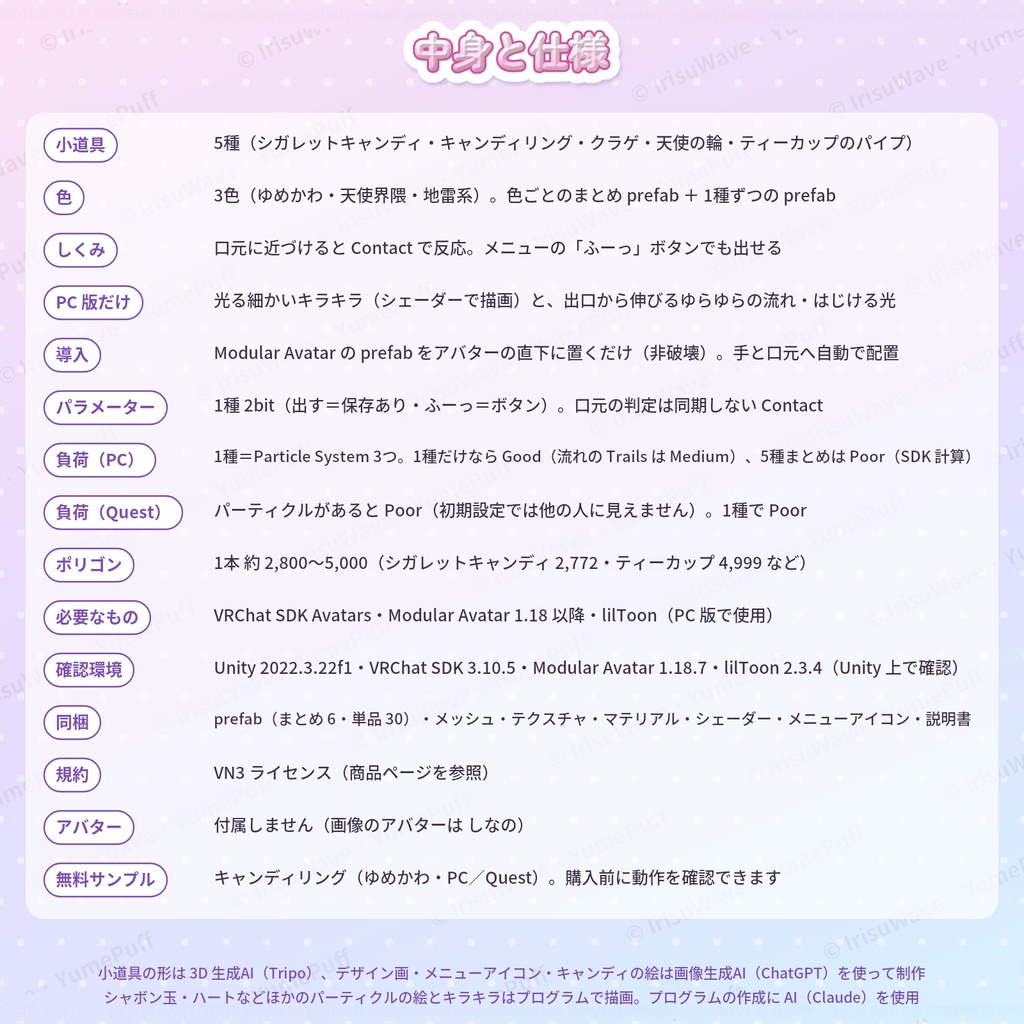
・PC:1種=Particle System 3つ。1種だけなら Particle Systems・パーティクルとも Good(キラキラの流れに Trails を使うので、Particle Trails Enabled は Medium)。5種まとめて置くと Poor(Particle Systems 15・マテリアル 28) ・ポリゴン:1本 約 2,800〜5,000 ・同期パラメーター:1種 2bit(出す・ふーっ)。口元の判定は同期しない Contact で、まわりの人の画面でも同じように動きます ・置いた小道具はオフでもランクに数えられるので、使わない小道具は削除してください
Quest 版について
・Quest 用まとめ prefab と、全5種の Quest 用単品 prefab を同梱 ・Quest・スマホでは、パーティクルを1つでも入れると Poor になります。Quest・スマホの初期設定では、Poor のアバターは他の人から見えません(1種で Poor、2種以上で Very Poor) ・Quest 版の小道具は Toon Lit、シャボン玉は加算のシェーダーなので、明るい場所では白っぽく光ります ・細かいキラキラと流れ、シャボン玉がはじける光は PC 版だけです ・Quest 実機での表示は確認していません(Unity 上で確認)
動作環境
・PC 版 VRChat、Quest/Android 版 VRChat(Quest 用 prefab) ・Unity 2022.3.22f1、VRChat SDK Avatars 3.10.5、Modular Avatar 1.18.7、lilToon 2.3.4 で確認 ・必要なもの:VRChat SDK Avatars、Modular Avatar 1.18 以降、lilToon(PC 版)(どれも同梱していません)
収録
・まとめ prefab 6つ(3色 × PC/Quest)、単品 prefab 30(5種 × 3色 × PC/Quest) ・メッシュ、テクスチャ、マテリアル、シェーダー(PC 版のキラキラ)、アニメーター、メニューアイコン、置き場所を合わせる仕組み(エディター用。アップロードされません) ・説明書(日本語・英語)、利用規約
利用規約
VN3 ライセンスです(同梱の PDF をご確認ください)。
AI の利用について
・小道具の形は 3D 生成AI(Tripo)で作り、プログラムで整えています。 ・小道具のデザイン画とメニューアイコンは、画像生成AI(ChatGPT)で作った画像をもとにしています。 ・キャンディの絵は、画像生成AI(ChatGPT)で作った画像を切り抜いて使っています。 ・シャボン玉・ハートなどほかのパーティクルの絵と、PC 版のキラキラのシェーダーはプログラムで描画しています。プログラムの作成に AI(Claude)を使用しています。
ご注意
・アバターは付属しません(画像のアバターは「しなの」です)。 ・アバターによっては、口元の判定や持ち方の位置合わせが必要です(説明書の4章)。
English
YumePuff — 5 dreamy bubble props in 3 colours (candy ring, tea-cup pipe, jellyfish, halo, candy cigarette / PC and Quest / Modular Avatar) Drop the prefab on your avatar (Modular Avatar, non-destructive). 5 cute props that blow bubbles when you bring them to your mouth, in 3 colours: yume (pastel), angel (white and aqua) and jirai (pink and black). The props snap to your right hand and the mouth trigger to your head automatically; adjust them in the Scene view. PC and Quest versions included (on PC, twinkling glitter and long wavy streams come out with the bubbles). Try the free sample (candy ring wand) before you buy. Props: candy cigarette (hold it to your lips for 0.5 s and take it away: a puff of cloud and hearts) / candy ring wand / jellyfish wand / halo wand (bubbles from the ring while it is at your mouth) / tea-cup bubble pipe (bubbles rise from the foam in the cup). Every prop also has a "Puff" button in the menu. Colour bundles plus single prefabs for every prop, so colours can be mixed. Setup: 1) Add Modular Avatar 1.18+ and lilToon (used by the PC props) in VCC. 2) Put YumePuff_<colour>.prefab under your avatar root. 3) Delete the props you do not use, then upload. Each prop has "Show" (saved, off by default) and "Puff" in the "YumePuff" folder of your Expression menu. Cost (VRChat SDK, YumePuff only): one prop = 3 particle systems (Good); the PC glitter streams use Trails ("Particle Trails Enabled" = Medium); all 5 placed = Poor (15 particle systems, 28 material slots). About 2,800–5,000 polygons per prop. 2 synced bits per prop; the mouth trigger is a local Contact and is not synced. Placed props count toward the rank even when off. Quest: any particle makes a Quest/mobile avatar Poor, which is hidden by default for Quest/mobile viewers. Quest props use Toon Lit and additive bubbles; the glitter, streams and pop flashes are PC only. Not tested on a Quest headset (checked in Unity). Tested with Unity 2022.3.22f1, VRChat SDK Avatars 3.10.5, Modular Avatar 1.18.7, lilToon 2.3.4. Requires the VRChat SDK, Modular Avatar 1.18+ and lilToon for PC (not included). License: VN3 (see the included PDF). The avatar is not included (the pictures use "Shinano"). AI use: the prop shapes were made with a 3D generative AI (Tripo) and cleaned up by program; the design sketches and menu icons are based on images made with an image AI (ChatGPT), and the candy pictures are cut out from ChatGPT images. The other particle art and the PC glitter shader are drawn by program; AI (Claude) was used to write the programs.