
Sam Outfit for Genesis 9
- ダウンロード商品¥ 2,500
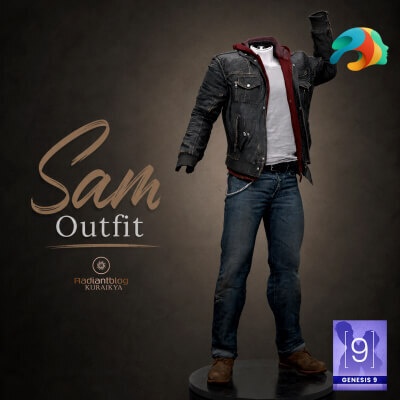
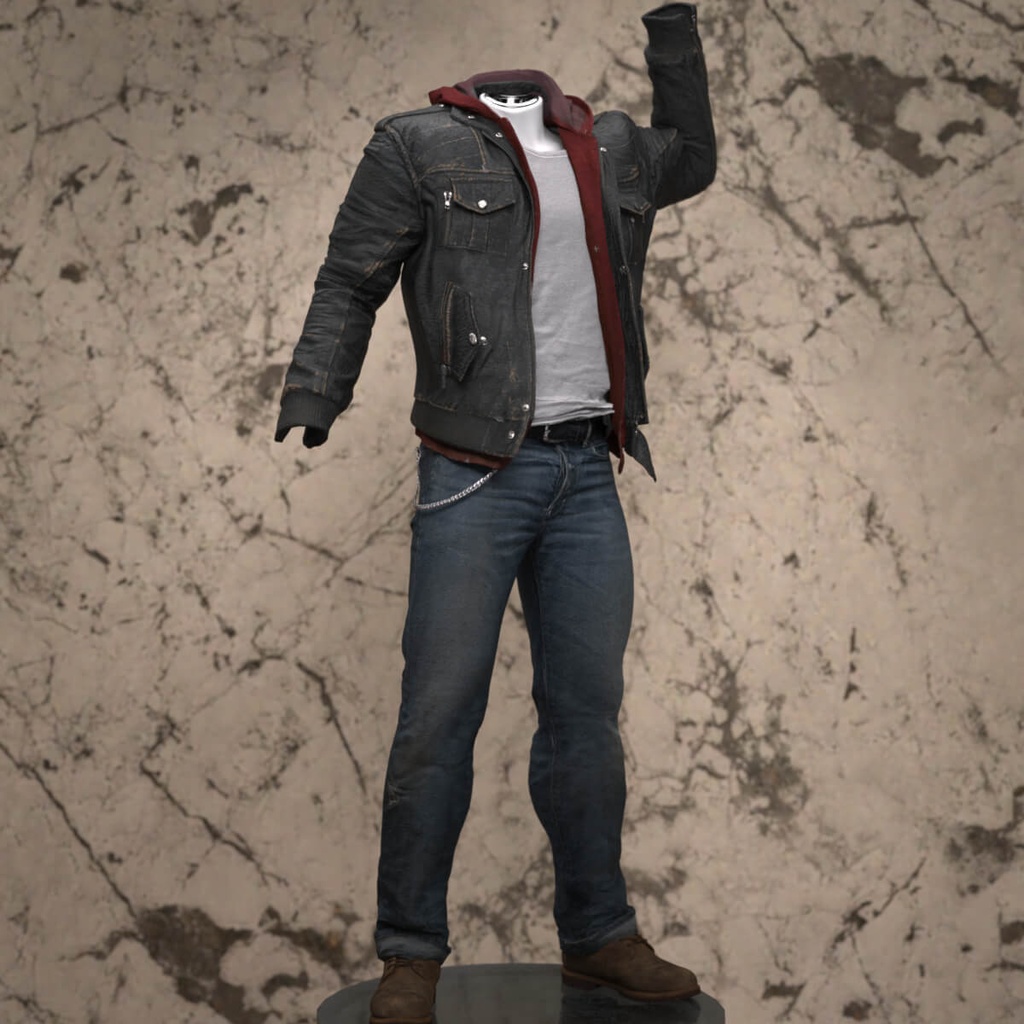
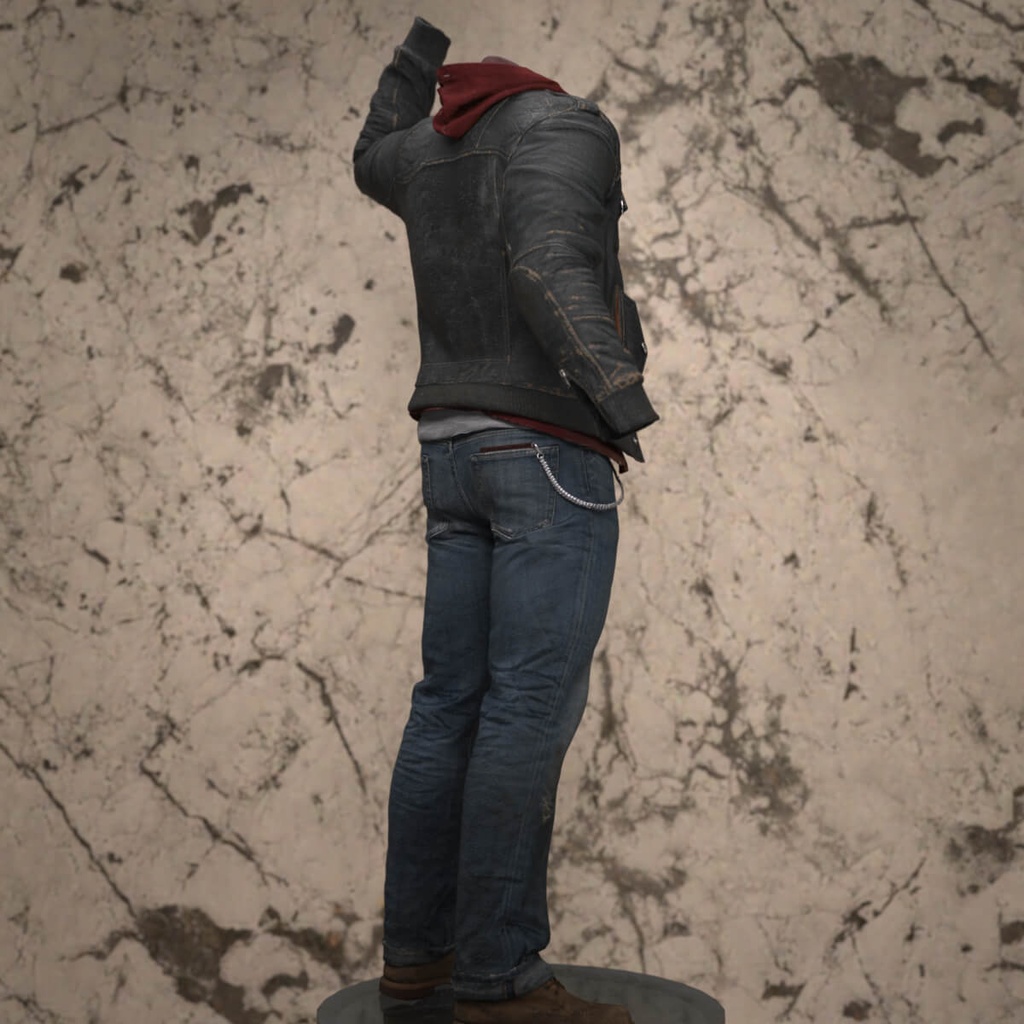
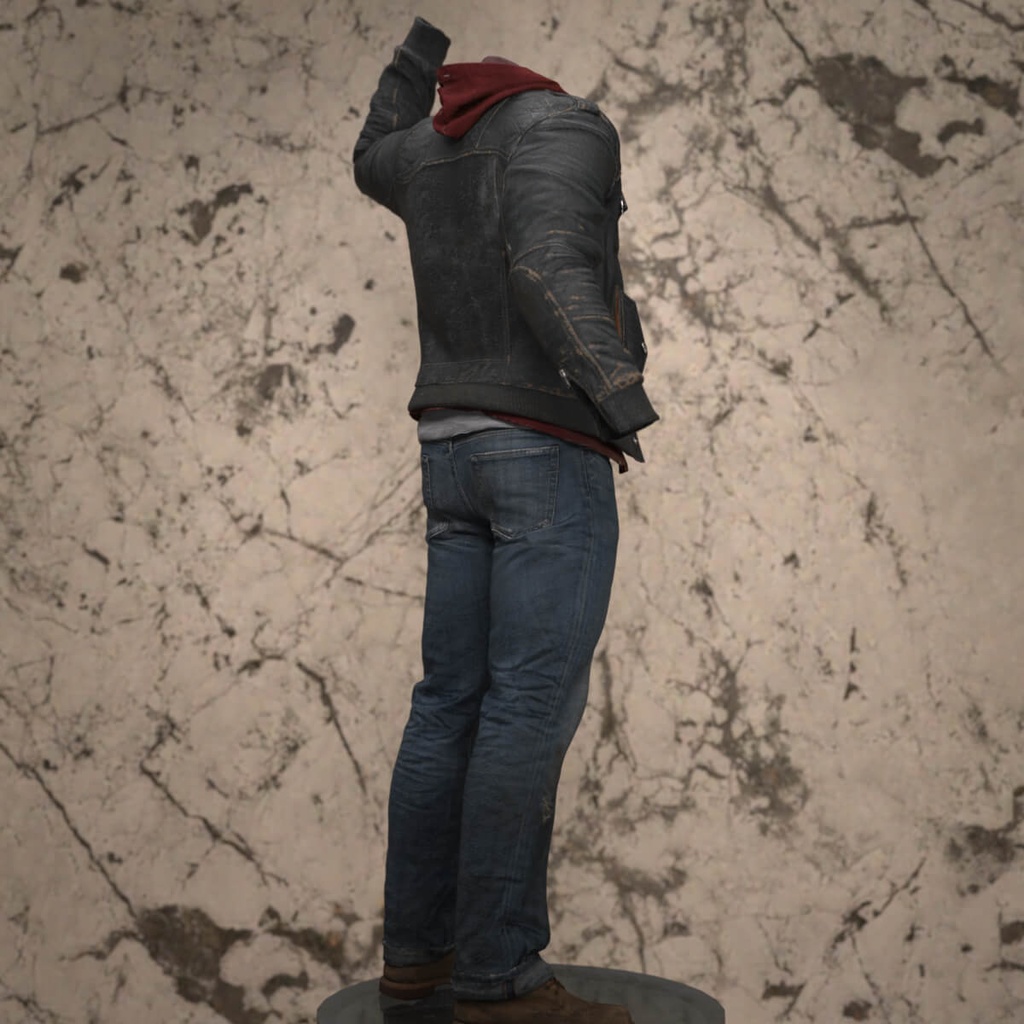
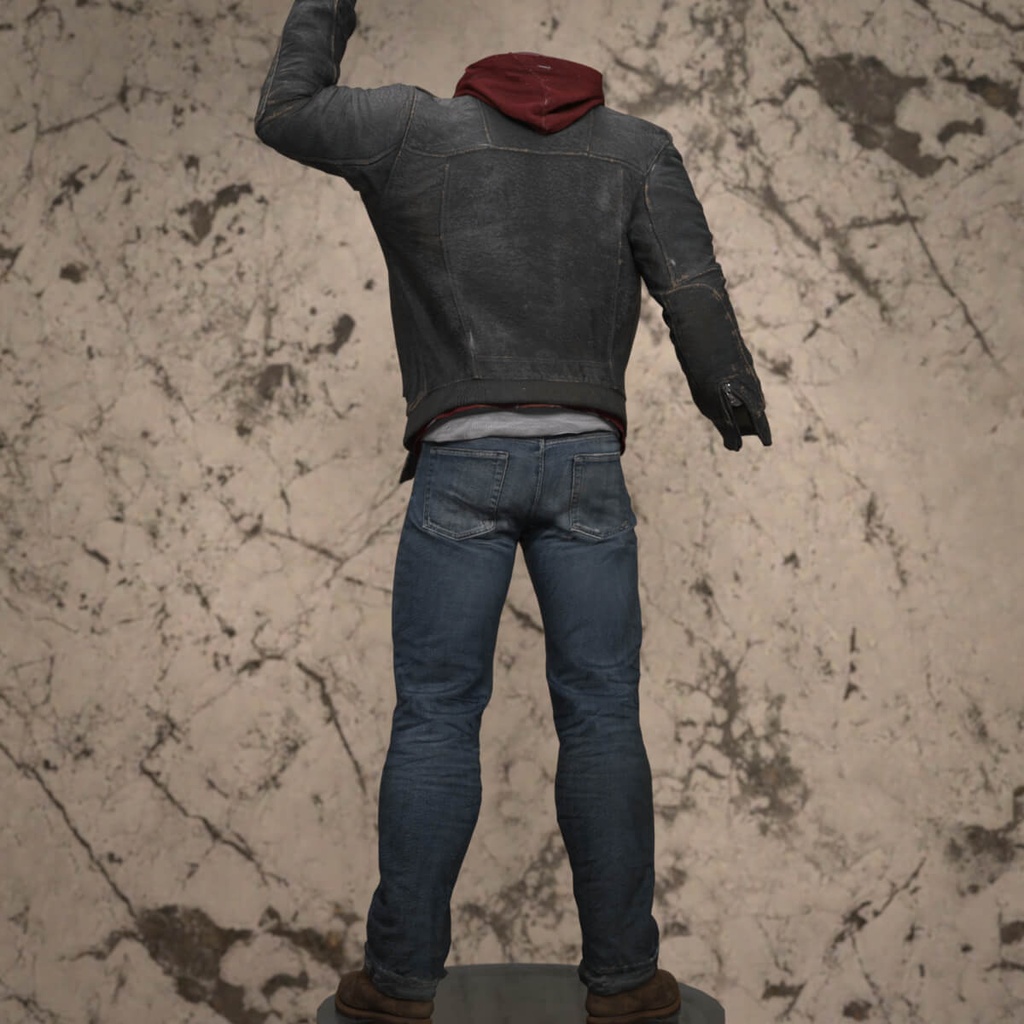
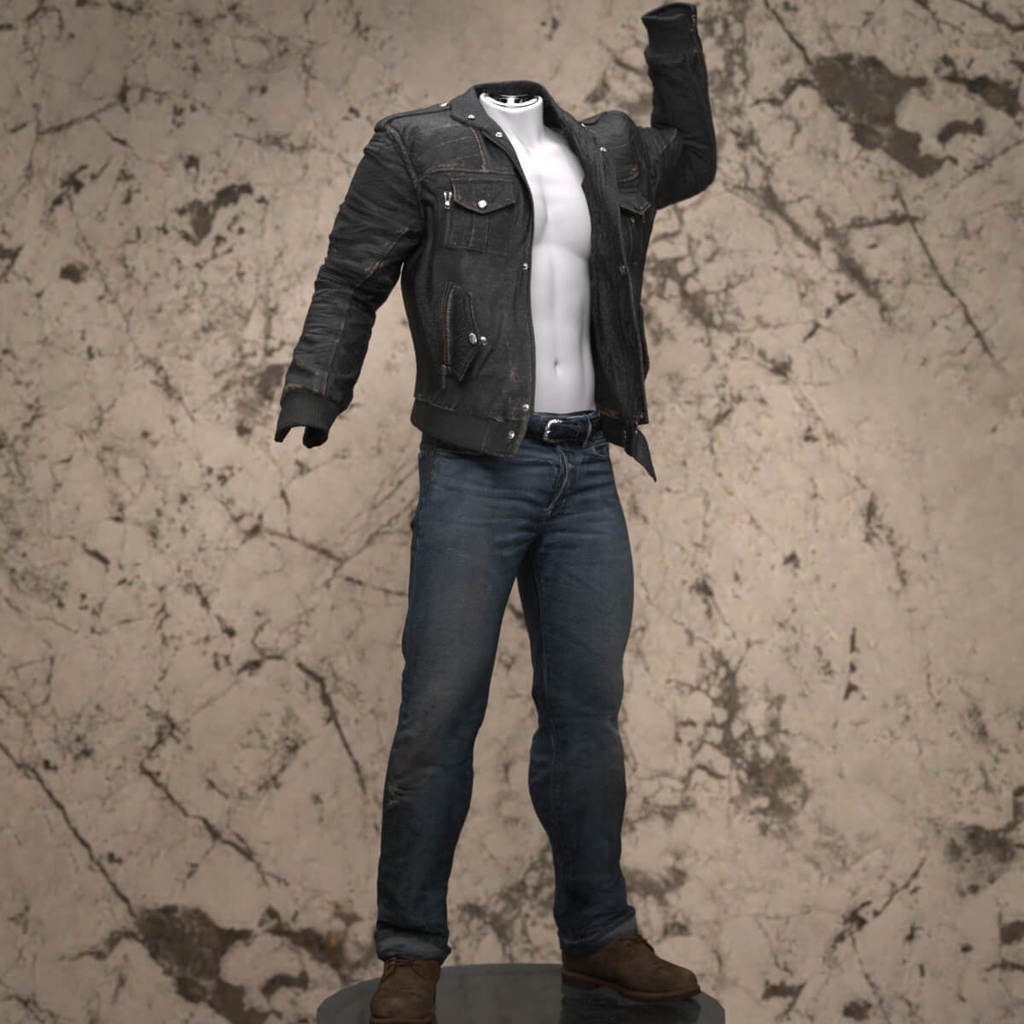
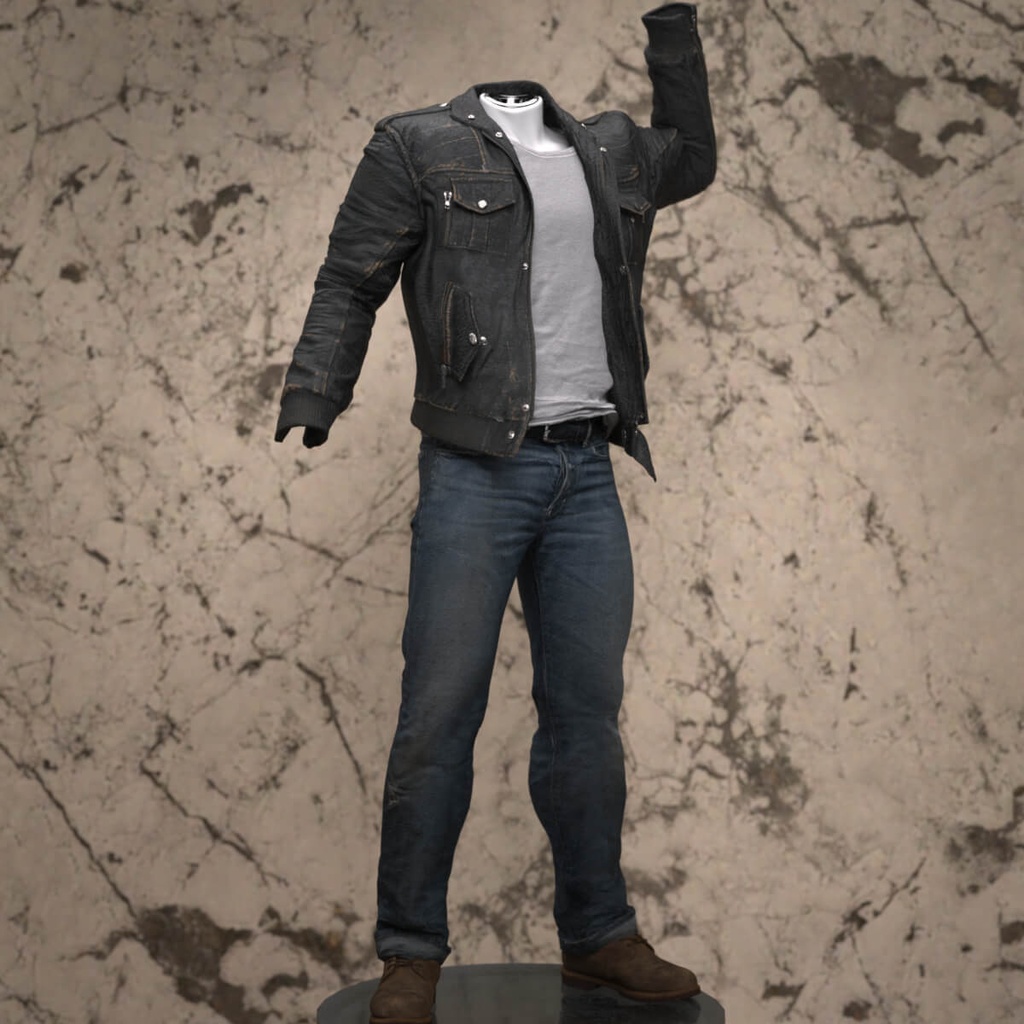
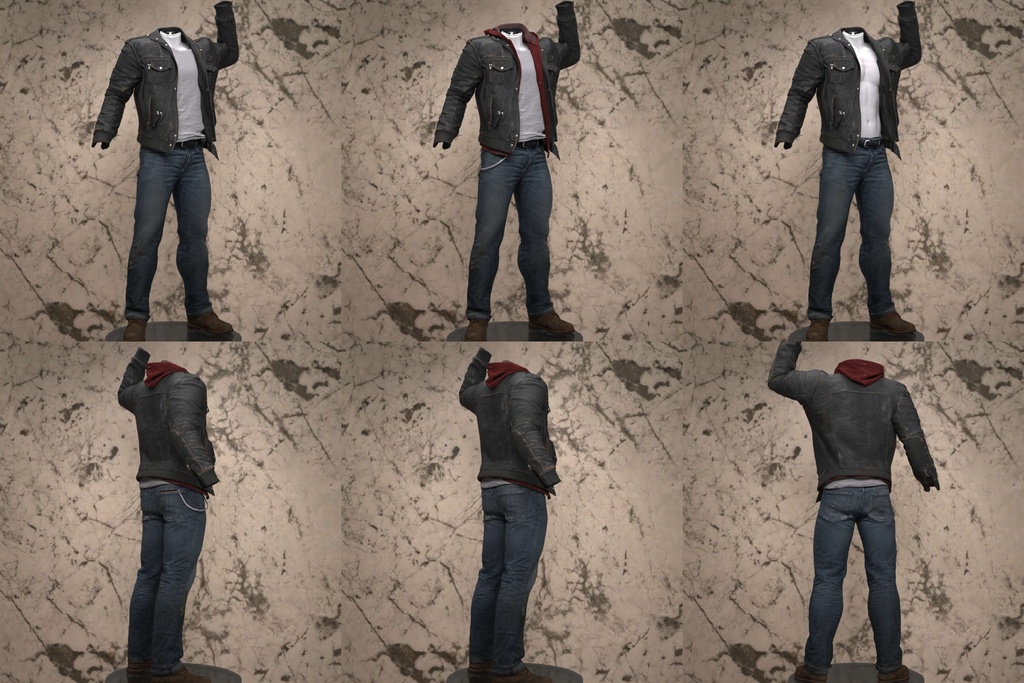
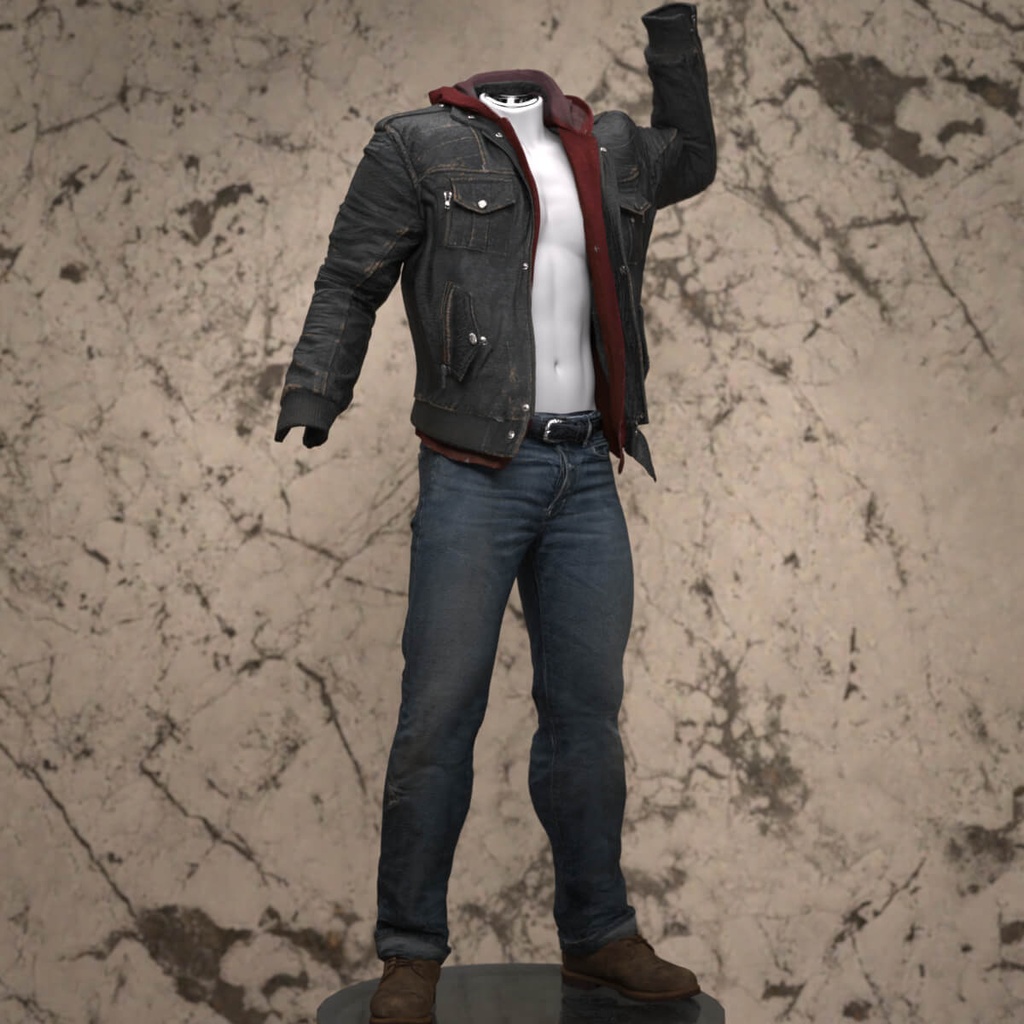


Sam Outfit for Genesis 9 Sam Outfit for Genesis 9 The Sam Outfit is a versatile, rugged clothing set designed for the Genesis 9 masculine base. This urban-style ensemble features a layered look consisting of a detailed jacket with an integrated hoodie, a classic tanktop, denim jeans with a functional wallet chain, and sturdy boots. The set is highly modular, allowing you to customize the look for different scenes. You can choose to load the full outfit at once or use specific presets to remove layers. The Material subfolder includes several presets to help you quickly adjust the outfit's configuration: Default Jacket and Default Jeans for the standard look. Jacket only or Jacket without Hoodie for a lighter aesthetic. Jacket without Tanktop for a bare-chested style. Jeans without Acc to remove the wallet chain. Technical Notes: dForce: Both the jacket and jeans are dForce-enabled for realistic draping. Dynamic Poses: Use caution when applying extreme or highly dynamic poses, as dForce simulation may require manual adjustment for the best results. How to Unzip and Install Download the ZIP file to your computer. Right-click the folder and select "Extract All…" (Windows) or double-click the file (Mac). Choose the destination where you want the files to be saved. Copy the contents (typically the "data", "Runtime", and "People" folders) and paste them into your Daz 3D Main Library (usually found at: Documents/DAZ 3D/Studio/My DAZ 3D Library).
Terms of Service
README: Important Information Usage & Licensing This product is a work of fiction. Any resemblance to real persons, living or dead, or actual events, is purely coincidental. The product is intended for personal use only. You may not resell this product or any of its components.Not sharing for pirate sites or "sharing" with others. File Information All files are provided in a .zip format. To access the contents, you must first unzip the folder. You can do this by right-clicking on the .zip file and selecting "Extract All" or "Unzip". Known Issues & Troubleshooting While every effort has been made to ensure the best quality, some issues may occur due to the nature of 3D modeling and the variety of morphs and poses used in Daz3D. Pokethrough: This can occur when a character's body pokes through the clothing. To fix this, you can use the Joint Editor Tool in Daz3D. Select the clothing item, then use the Joint Editor to rotate or adjust the bones to hide the pokethrough. After adjusting, you can freeze the modified bones by right-clicking on the bone and selecting "Freeze". Stiff Clothing: Certain poses or character shapes may cause clothing to appear stiff or unnatural. The best way to resolve this is by using the Joint Editor Tool and the Edit Mode to adjust the bones directly. Experiment with slight adjustments to achieve a more natural look. Contact & Support For any questions or issues, please contact me through one of my accounts. I am available as: kuraikya / radiantblog (main account) paulawbs max90 I hope you enjoy this product and create amazing renders with it!
Update information
README: Important Information Usage & Licensing This product is a work of fiction. Any resemblance to real persons, living or dead, or actual events, is purely coincidental. The product is intended for personal use only. You may not resell this product or any of its components.Not sharing for pirate sites or "sharing" with others. File Information All files are provided in a .zip format. To access the contents, you must first unzip the folder. You can do this by right-clicking on the .zip file and selecting "Extract All" or "Unzip". Known Issues & Troubleshooting While every effort has been made to ensure the best quality, some issues may occur due to the nature of 3D modeling and the variety of morphs and poses used in Daz3D. Pokethrough: This can occur when a character's body pokes through the clothing. To fix this, you can use the Joint Editor Tool in Daz3D. Select the clothing item, then use the Joint Editor to rotate or adjust the bones to hide the pokethrough. After adjusting, you can freeze the modified bones by right-clicking on the bone and selecting "Freeze". Stiff Clothing: Certain poses or character shapes may cause clothing to appear stiff or unnatural. The best way to resolve this is by using the Joint Editor Tool and the Edit Mode to adjust the bones directly. Experiment with slight adjustments to achieve a more natural look. Contact & Support For any questions or issues, please contact me through one of my accounts. I am available as: kuraikya / radiantblog (main account) paulawbs max90 I hope you enjoy this product and create amazing renders with it!