

【PC VR】螺鈿蒔絵シェーダー「月渡り」|アバター改変・ワールド装飾用
- ダウンロード商品¥ 800
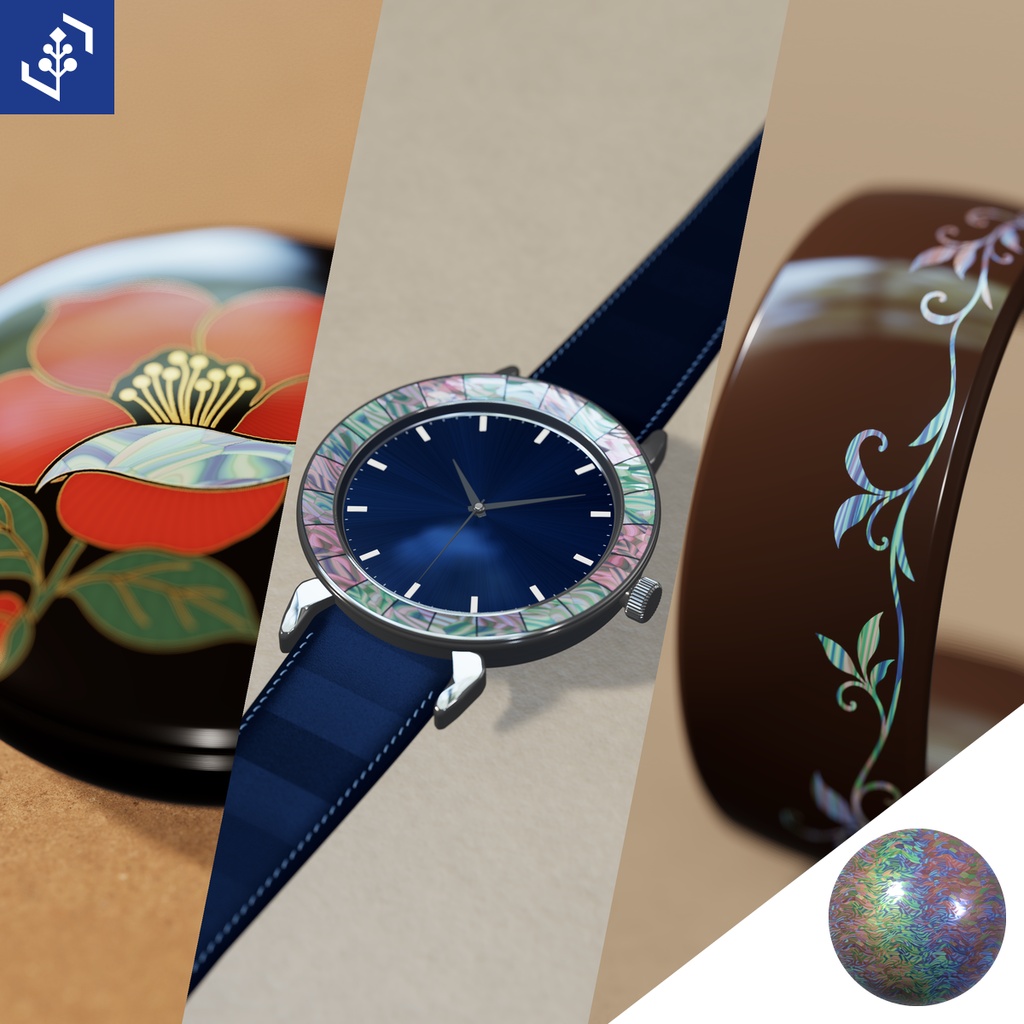


アバターの髪飾りやネイル、腕時計の縁、ワールドの壁面に。「月渡り」は、見る角度で色が変わる螺鈿と、金の蒔絵を施せるVRChat向けのUnityシェーダーです。設定済みマテリアル3色と、すぐに置ける鶴と月の飾り板(60cm角)が付属します。
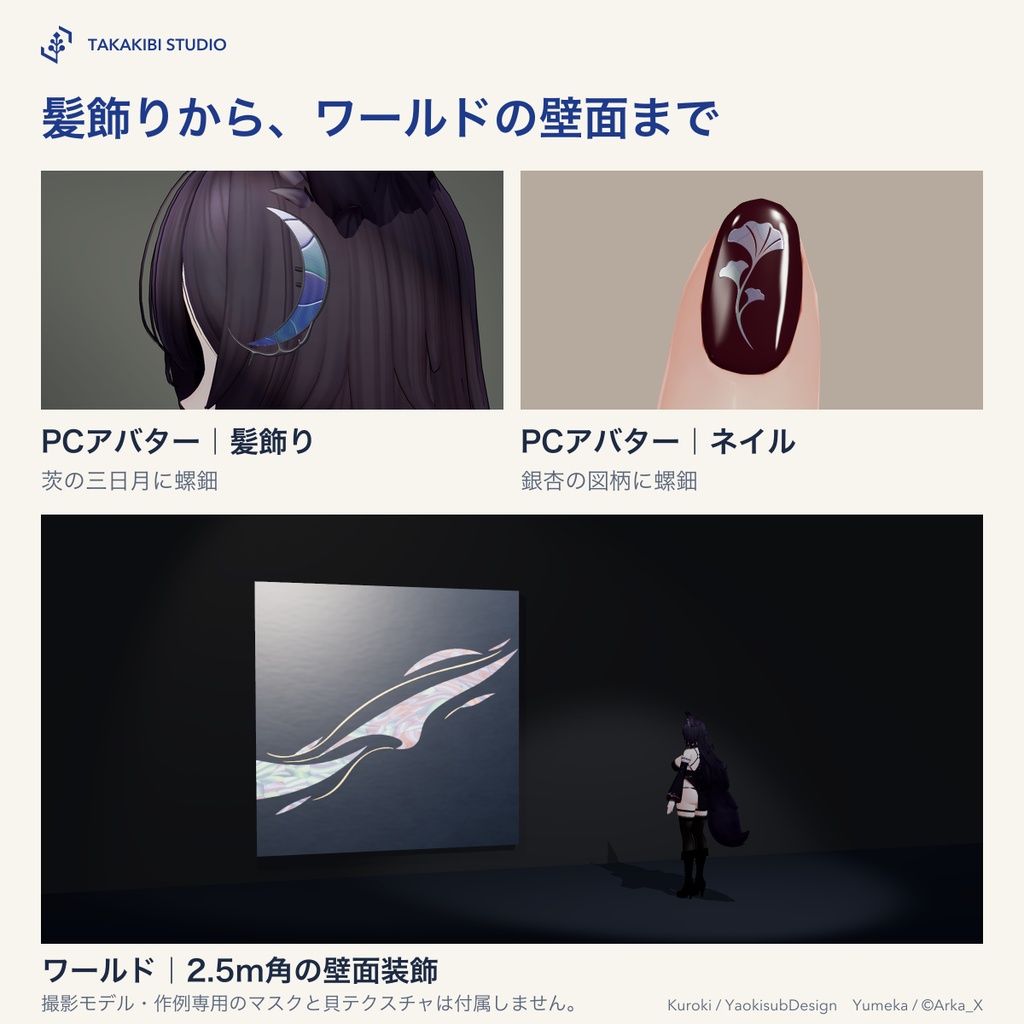
アバター改変・小物・ワールドの使用例
・PC向けアバター|髪飾りやネイルに、角度で色が変わる螺鈿を入れられます。 ・小物|腕時計の縁や腕輪に、自分の図柄を使えます。 ・ワールド|ギャラリーの壁面装飾や家具の扉にも。 図柄の位置と向きはモデルのUV0に従います。ネイルに使う場合は、爪を肌と別のマテリアルスロットに割り当ててください。瞳に使う場合は、不透明な虹彩の面に専用のマテリアルスロットを用意してください。瞳孔を暗く残すには、マテリアルを複製し、瞳孔の部分を黒く塗ったマスクに差し替えてください。目の元のテクスチャへの重ね描きや透過には対応していません。 撮影に使ったアバター、小物、ワールドと、作例専用の図柄は付属しません。 撮影モデル 黒木 Kuroki / YaokisubDesign https://booth.pm/ja/items/8822547 ゆめか Yumeka / ©Arka_X https://booth.pm/ja/items/8672657
角度で色が変わる鶴の羽
付属の図柄は、月の下を飛ぶ丹頂鶴です。羽には貝片を、月と水辺の草には金蒔絵をあしらいました。飾り板の左右へ回り込むと、貝片ごとに違う色が見えてきます。色の変化を強くしたり控えめにしたりするには、マテリアルのIridescenceを調整してください。光や周囲の映り込みも、羽の見え方に影響します。
Unityでの使い方
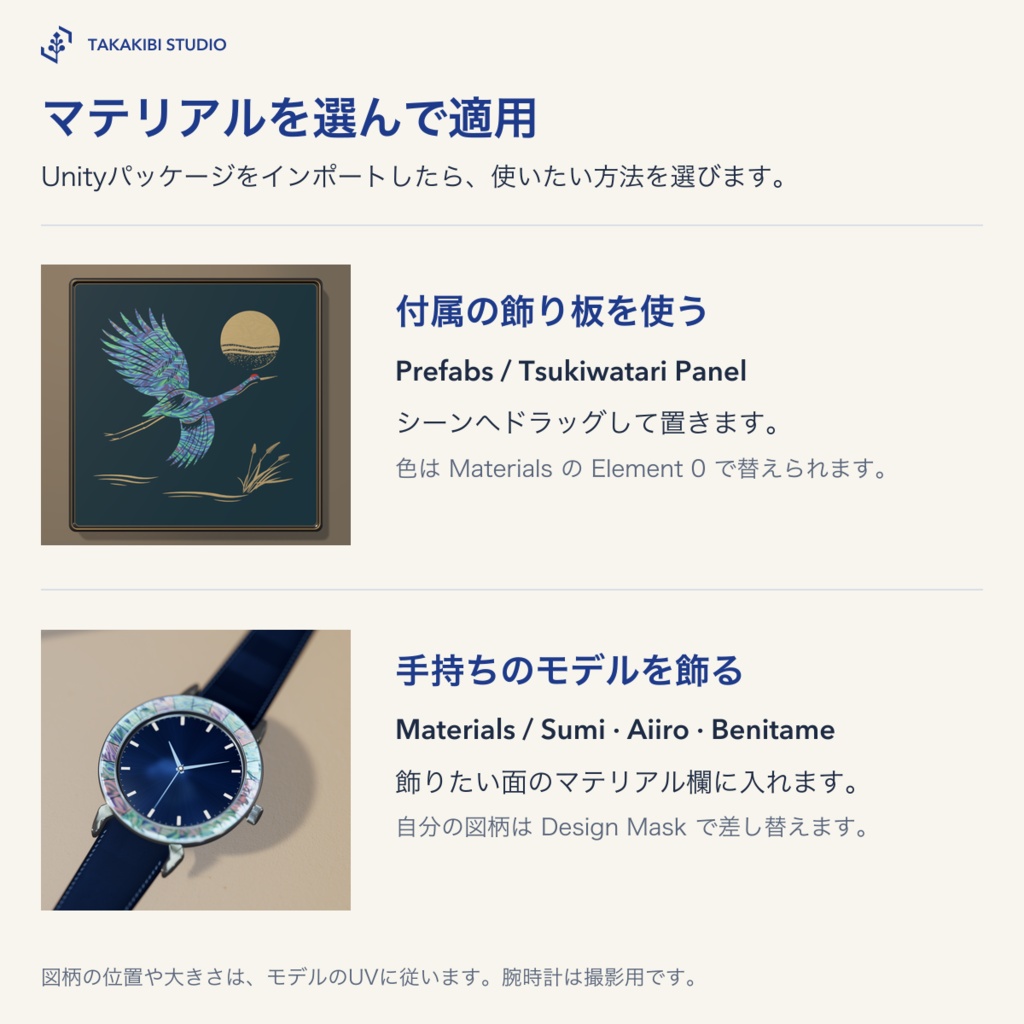
1. ZIPを展開し、Unityの Assets → Import Package → Custom Package から Takakibi_Tsukiwatari_v0.1.0.unitypackage を選び、すべてインポートします。 2. 飾り板を使う場合は、Assets/Takakibi/RadenCrane/Prefabs の Tsukiwatari Panel をシーンへドラッグします。図柄の正面はローカル−Z方向です。 3. 手持ちのモデルを飾る場合は、Materials フォルダの Sumi(墨黒)、Aiiro(藍)、Benitame(紅溜)から色を選び、飾りたい面のマテリアルスロットに割り当てます。飾り板の色替えは Mesh Renderer の Element 0 で行います。 図柄全体を一度だけ見せるには、その面のUVを0〜1に展開してください。UVが重なる面には同じ柄が出ます。
自分の図柄に差し替える
同梱のマテリアルを複製し、自分の作業フォルダに保存します。黒地のRGB画像に、赤チャンネルで貝、緑で金蒔絵、青で朱を描きます。黒く残したところは漆地です。 Unityで画像のTexture TypeをDefault、Wrap ModeをClampに設定し、sRGB (Color Texture)をオフにしてApplyを押します。画像をマテリアルのDesign Maskに入れ、Mask ModeでRGB Artworkを選びます。貝と漆だけで描くなら、白黒画像も使えます。Mask ModeはGrayscale Shellを選んでください。白が貝、黒が漆地です。
対応環境
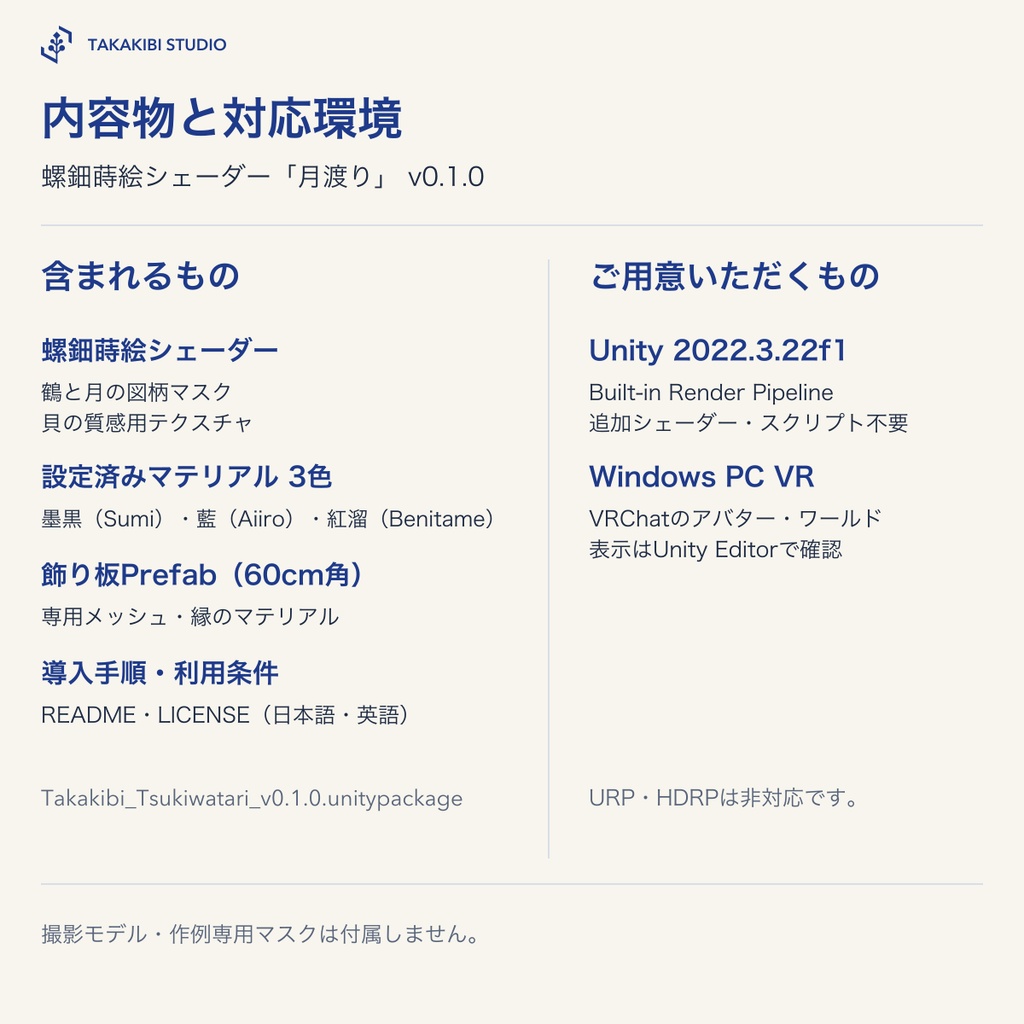
VRChatでの利用対象は、Windows PC VRのアバターとワールドです。Meta Quest単体版・Android版は対象外です。 Unity 2022.3.22f1のBuilt-in Render Pipeline用です。表示に追加のスクリプトやシェーダー製品は要りません。URP・HDRP用のシェーダーは付属しません。表示はUnity Editorで確認しました。
内容物
Unityパッケージ Takakibi_Tsukiwatari_v0.1.0.unitypackage ・螺鈿蒔絵シェーダー、鶴と月の図柄マスク、貝の質感用テクスチャ ・設定済みマテリアル3色(墨黒、藍、紅溜) ・60cm角の飾り板Prefab、専用メッシュ、縁のマテリアル ZIPには、Unityパッケージと導入手順・利用条件(日本語・英語)が入っています。
利用条件・お問い合わせ
購入者は、本商品をご自身の作品や商用作品に使用できます。改変や、本商品を組み込んだワールドの公開もできます。クレジット表記は不要です。 購入者以外が素材ファイルを取得できる形での再配布、第三者への譲渡、素材そのものの再販売はできません。改変した素材にも同じ条件が適用されます。第三者の権利を侵害する用途には使用できません。 共同制作や受託制作で素材ファイルを共有する場合は、受け取る方もご購入ください。素材を含む編集用データを納品する場合は、納品先にも購入が必要です。詳しくは同梱の利用条件をご確認ください。 お問い合わせは、次のフォームまたはBOOTHのショップメッセージからお願いします。 https://forms.gle/1D6am64azk1L13MK7
制作について
制作にAIを使用しています。
English | Tsukiwatari — Mother-of-Pearl and Gold Maki-e Shader for VRChat
Add mother-of-pearl and gold maki-e to an avatar’s hair clip or nails, the rim of a watch, or a wall in your world. Tsukiwatari is a Unity shader for VRChat that gives the inlaid shell a colour shift as you move. It includes three preset materials and a ready-to-place 60 cm square display panel with a crane-and-moon design.
Use cases for avatars, props and worlds
• PC avatars — Add colour-shifting shell inlay to hair clips and nails. • Props — Use your own pattern on a watch bezel or bracelet. • Worlds — Apply the finish to a gallery wall panel or a cabinet door. The model’s first UV channel (UV0) controls the design’s position and orientation. For nail art, give the nails a material slot separate from the skin. For eyes, give the opaque iris its own material slot. To keep the pupil dark, duplicate a material and use a mask with a black pupil area. The shader does not support transparency or layering over the original eye texture. The avatar, props, world and masks created for the examples are not included. Avatars shown: Kuroki / YaokisubDesign https://booth.pm/ja/items/8822547 Yumeka / ©Arka_X https://booth.pm/ja/items/8672657
Colour across the crane’s wings
The included design depicts a red-crowned crane flying beneath the moon. Pieces of inlaid shell form the wings, while gold maki-e picks out the moon and waterside grasses. Move from side to side to see different colours across the feathers. Adjust Iridescence on the material to set the strength of the colour shift. Lighting and reflections also affect the result.
How to use it in Unity
1. Unzip the download. In Unity, choose Assets → Import Package → Custom Package, select Takakibi_Tsukiwatari_v0.1.0.unitypackage and import all assets. 2. To use the included panel, drag Tsukiwatari Panel from Assets/Takakibi/RadenCrane/Prefabs into the scene. The artwork faces the panel’s local −Z direction. 3. To decorate your own model, choose Sumi (ink black), Aiiro (indigo) or Benitame (deep red) from Materials and assign it to the target surface’s material slot. To change the finish on the included panel, use Element 0 on its Mesh Renderer. To show the entire design once, unwrap the target surface across the 0–1 UV square. Overlapping UVs repeat the same portion of the pattern.
Use your own design
Duplicate an included material and save it in your own working folder. On a black RGB image, paint shell in the red channel, gold in green and vermilion in blue. Leave the areas where lacquer should show black. In Unity, set the image’s Texture Type to Default and Wrap Mode to Clamp, turn off sRGB (Color Texture) and click Apply. Assign the image to Design Mask on the material and select RGB Artwork under Mask Mode. For a design in shell and lacquer alone, use a black-and-white image and choose Grayscale Shell. White gives shell and black leaves lacquer.
Requirements
For use on avatars and in worlds in VRChat on Windows PC VR only. Standalone Meta Quest and the Android version of VRChat are outside the supported scope. Requires Unity 2022.3.22f1 with the Built-in Render Pipeline. No additional scripts or third-party shaders are required for rendering. URP and HDRP shaders are not included. Rendering has been checked in the Unity Editor.
Contents
Unity package — Takakibi_Tsukiwatari_v0.1.0.unitypackage • Mother-of-pearl and gold maki-e shader, crane-and-moon design mask, and shell texture • Three preset materials in ink black, indigo and deep red • 60 cm square display panel prefab with its mesh and edge materials The ZIP contains the Unity package and the setup guide and terms of use (Japanese and English).
Terms of use and contact
You may modify the product, use it in your own works or commercial works, and publish worlds incorporating it. Credit is not required. Do not redistribute the material files in a way that lets non-buyers obtain them, transfer them to third parties, or resell them as materials. These terms also apply to modified versions. Uses that infringe third-party rights are prohibited. For collaborations or commissions, each creator who receives the material files must buy the product. If you deliver editable project files containing the materials, your client must also buy it. See the bundled terms for details. Please use the following form or contact us through BOOTH shop messages. https://forms.gle/1D6am64azk1L13MK7
Production
AI was used in the production of this product.