

Blur & Pixelization Effect Material Shader for VRChat
- ダウンロード商品¥ 1,300
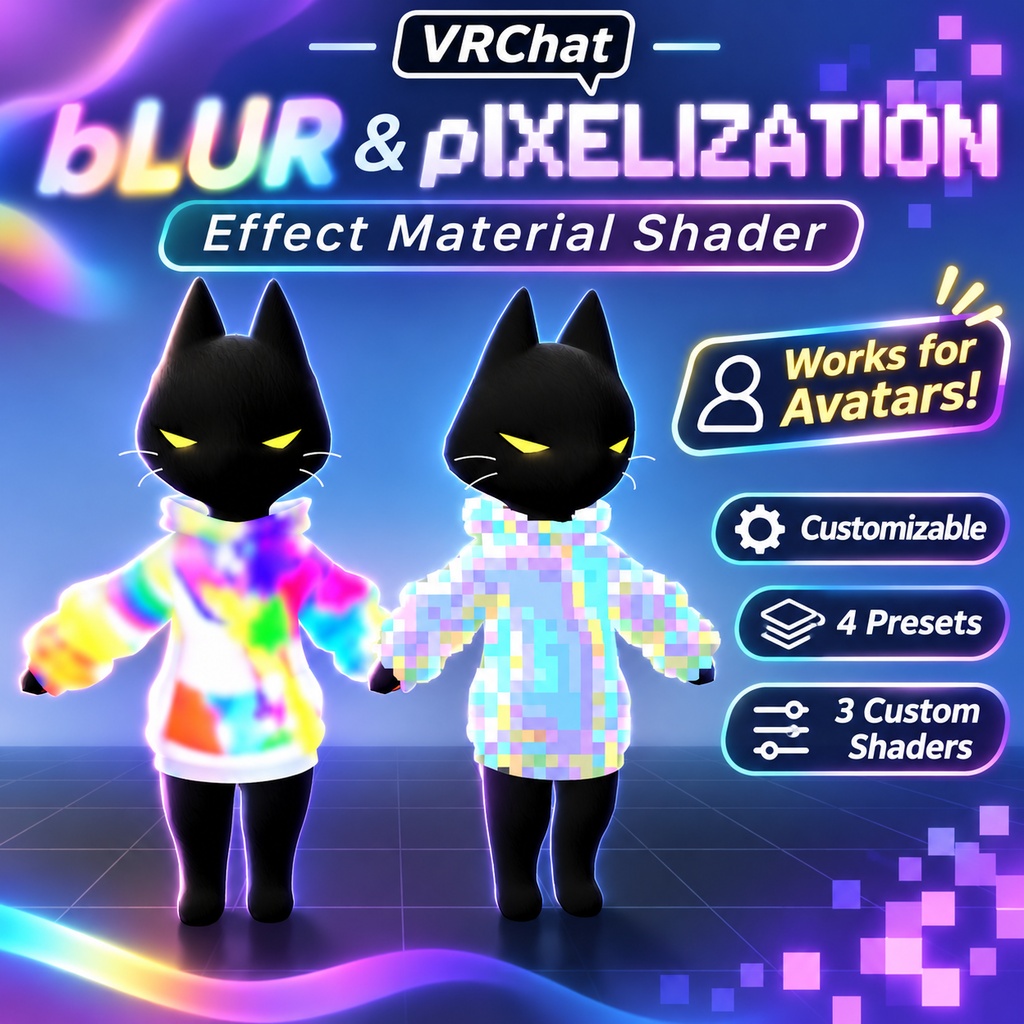

🟪 Blur & Pixelization Effect Material Shader for VRChat Add stylized blur, censorship, distortion, retro pixelation, and low-resolution effects to your VRChat avatars and worlds. The Blur & Pixelization Effect Material Shader pack includes multiple customizable screen-space effects designed to transform whatever appears behind the material — from soft blurred clothing and accessories to chunky 8-bit pixel effects. Perfect for avatar effects, cyberpunk designs, censored areas, digital glitches, privacy screens, magical distortion, retro displays, world props, and more. ✨ Works for Avatars & Worlds Use the effects on: Avatar Clothing • Accessories • Props • Screens • Windows • Barriers • Displays • World Decorations • Sci-Fi Effects • Censorship Effects 🌫️ Blur Overlay Create a customizable blurred region over anything behind the material. Adjust: • Blur Strength • Blur Radius • Effect Mask • Mask Channel • Foreground Depth Protection • Depth Tolerance Great for frosted surfaces, censored effects, distorted clothing, translucent barriers, glass-like world props, and stylized avatar materials. ✨ Smooth Blur A higher-quality blur option using separate horizontal and vertical smoothing passes. The denser blur sampling creates a softer, more continuous result while reducing the repeated or duplicated highlights that can appear with simpler blur methods. Perfect when you want a cleaner and more polished blur effect. 👾 8-Bit Pixelization Turn whatever appears behind the material into large retro pixel blocks. Customize: • Pixel Block Size • Pixelation Strength • Color Reduction • Palette Strength • Custom Color Levels • Retro Dithering Use subtle pixelation or push the block size higher for an exaggerated low-resolution look. 🎨 Retro Color Palettes The pixelization shader includes multiple color modes: Original Colors Keep the original scene colors while applying pixelation. RGB332 — 256 Color Style Reduce the image to a classic limited-color digital palette. Custom Palette Levels Choose how many color levels are available per channel for your own stylized retro look. ▦ Retro Dithering Add adjustable ordered dithering to break up color transitions and create a more authentic retro digital appearance. Combine low color levels with stronger dithering for an old-school game or computer-display style. 🎭 Optional Effect Masks All three shaders support an optional texture mask. Choose between the texture's Red or Alpha channel to control exactly where the effect appears. That means you can blur or pixelate only selected areas of a mesh instead of affecting the entire material. 🛡️ Foreground Depth Protection The shaders include optional depth protection designed to prevent nearby foreground objects from being incorrectly smeared or sampled into the effect. This helps keep the effect cleaner around overlapping geometry and object edges. 🎮 Great For Cyberpunk Avatars • Retro Avatars • Digital Glitches • Censorship Effects • Frosted Glass • Privacy Screens • Magical Distortion • Sci-Fi Displays • World Props • Arcade Worlds • Digital Barriers • Pixel Art Effects 📦 Included ✨ 4 Presets 🎨 3 Customizable Shaders Blur Overlay Smooth Blur Overlay 8-Bit Pixelization Overlay Create everything from subtle frosted blur to heavily pixelated retro effects with controls to customize the look for your avatar or world. Made for VRChat Avatars & Worlds.