

フレイミング・アウトフィット・Flaming Outfit
- Digital600 JPY
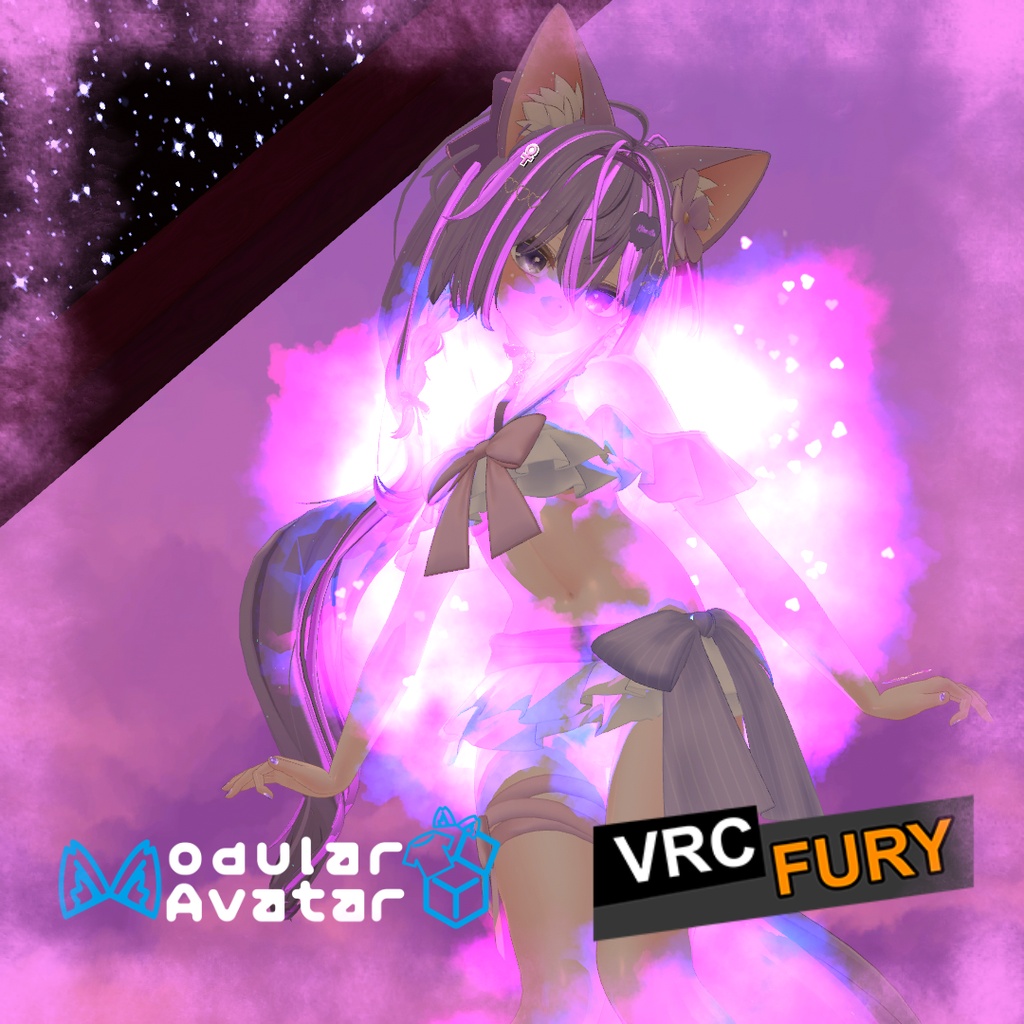


フレイミング・アウトフィット(Flaming Outfit)は、衣装パーツの着脱や衣装全体の切り替え時に炎のエフェクトをまとうVRChat向けアセットです。 専用インスペクターから直感的に設定でき、アニメーターの手動編集は不要です。Modular AvatarおよびVRCFuryに対応しています。 【主な機能】 ・非破壊自動生成:設定したトグルだけを含むクリーンなFXコントローラーをビルド時に自動生成 ・炎&ハート:カラーピッカー、プリセット、シーン上での1クリックリアルタイムプレビュー ・部位別サイズ調整:9箇所の衣装部位ごとに形状とサイズを個別調整(ガイドオブジェクト付き) ・トグル自動検出&階層スキャン:衣装オブジェクトをドラッグ&ドロップするだけで、子階層にあるトグルを自動検出して一括登録 ・直感的なドラッグ並び替え:境界ガイドラインと行ハイライトによるスムーズな並び替えや、部位間(TopからBottomなど)の移動に対応 ・柔軟なパラメーター:Bool、Int、Floatに対応(複数パラメーター対応) ・SE内蔵:ピッチと音量のランダム化に対応した効果音を再生 ・バイリンガルUI:インスペクター上部のボタンで日本語と英語をワンクリック切り替え可能 ・便利なショートカット:Alt+クリックで全タブの一括開閉、Alt+「-」ボタンで部位内の一括削除に対応 【使い方】 1. 「(MA)FlamingOutfit」または「(VRCF)FlamingOutfit」をアバター直下にドラッグ&ドロップ 2. インスペクターに衣装オブジェクトまたはトグルパラメータをドラッグ&ドロップ 3. 必要に応じて色、サイズ、サウンドを調整 必要ツール: ・Modular Avatar: https://modular-avatar.nadena.dev ・VRCFury: https://vrcfury.com ※デフォルトの効果音には以下の素材を使用しています(差し替え可能): https://freesound.org/people/qubodup/sounds/442677/ (by qubodup) ※画像のアバター等は付属しません。 ◆ ENGLISH ◆ Flaming Outfit replaces sudden clothing pop-ins with dynamic fire effects for individual clothing toggles and full outfit swaps. Everything is configured through a dedicated Inspector with no manual controller setup needed. Fully compatible with Modular Avatar and VRCFury. [Features] - Non-Destructive Build: Automatically generates a clean, optimized FX controller tailored to your toggles - Flame & Hearts: Real-time color picker, color presets, and 1-click preview in Scene view - Per-Part Sizing: Customize particle shape and size for all 9 clothing slots with visual reference guides - Auto Toggle Hierarchy Scan: Drag and drop outfit objects to automatically find and register nested toggles - Visual Reordering: Smooth row dragging with boundary glow indicators and movement across clothing slots - Flexible Parameters: Supports Bool, Int, and Float types, including multiple parameters per part - Integrated Sound: Plays burning sound effects with randomized pitch and volume - Bilingual UI: One-click toggle between English and Japanese directly in the Inspector - Helpful Shortcuts: Alt+Click tab headers to fold or unfold all, Alt+Click "-" to clear all entries in that slot [Setup] 1. Drag and drop "(MA)FlamingOutfit" or "(VRCF)FlamingOutfit" onto your avatar 2. In the Inspector, drag and drop your clothing toggle objects or enter parameter names 3. Adjust colors, sizes, and sound to your liking Requirements: - Modular Avatar: https://modular-avatar.nadena.dev - VRCFury: https://vrcfury.com *Sound Credit: The default sound uses the following audio (replaceable): https://freesound.org/people/qubodup/sounds/442677/ (by qubodup) *Avatars and other accessories shown in previews are not included.
利用規約 / Terms of Service
✅アバターへの組み込みおよび個人利用、動画配信・イベントでの商用利用は可能です。 ✅アバター受託制作(コミッション)等での利用は、双方が本アセットを所持している場合のみ許可します。 ❌本アセットの再配布、再販売は改変の有無を問わず禁止します。 ❌パブリックアバターへの組み込み(ペデスタル等への配置)は禁止します。 クレジット表記は必須ではありませんが、このアセットを自分のものとして主張しないでください。不具合報告やご質問は、BOOTHメッセージまたは𝕏(@kitsune_ba)までお気軽にお問い合わせください。 ◆ ENGLISH ◆ ✅Allowed for personal use, avatar integration, and commercial video streaming / events. ✅For avatar commissions, both the creator and client must own a valid license of this asset. ❌Redistribution and resale of this asset (in original or modified form) is strictly prohibited. ❌Uploading to public avatars (pedestals, public clones) is prohibited. Crediting is not required, but please do not claim the asset as your own. For bug reports or questions, feel free to contact me via BOOTH Messages or on 𝕏 (@kitsune_ba).
更新情報 / Update information
v2026.11.13 ・親オブジェクトをドロップした際、子階層に含まれるトグルを一括で自動検出・登録できるように改善。 ・リストの並び替え機能を改善。グループ間の移動に対応し、ドロップ位置のガイドラインと行ハイライトを追加。 ・操作性の向上(Alt+クリックでの一括展開・折りたたみ、Alt+「-」でのグループ内一括削除に対応)。 ・Added recursive auto-detection of child toggles when dropping a parent object. ・Improved list reordering with cross-group movement, drop indicator line, and row highlight. ・Added Alt-click shortcuts to fold or unfold all groups and remove all items in a group. v2026.10.24 ・GameObjectのドラッグ&ドロップによるトグルパラメータ自動設定に対応(VRCFury / Modular Avatar / Toggle Accelerator連携)。 ・複数オーディオクリップの登録に対応。 ・Added automatic parameter setup via GameObject drag-and-drop (supports VRCFury, Modular Avatar, and Toggle Accelerator). ・Added support for multiple audio clips. v2026.10.21 ・炎とハートのカラー、形状・サイズ、効果音を簡単に調整できる専用ツールを追加。 ・トグル数の制限を撤廃し、パーツごとに無制限のパラメータ登録(Bool/Int/Float切り替え)に対応。 ・Added a dedicated tool to easily adjust colors, particle shape/size, and sound effects for both Flame and Heart particles. ・Removed toggle limitations: now supports unlimited parameters per outfit part with Bool/Int/Float switching. v2026.5.29 ・小さな調整。 ・Small adjustments. v2026.3.24 ・プレハブの構成に小さな調整を行いました。 ・Small adjustments in the organization of prefabs. v2026.2.15 ・アセットのバリエーション管理を容易にするため、「プレファブバリアント」の使用を開始しました。 ・Started using "Prefab Variants" for asset variants for easier management. v2025.11.24 ・小さな調整。 ・Small adjustments. V250901 ・製品リリース。 ・Product release.