
ERPレディ・ERP Ready
- ERPレディ_ERP_ReadyDigital0 JPY
- ERPレディ_ERP_Ready (サポート、同じコンテンツ+私のSPSテストトイ / Support, the same content + my SPS test toy)Digital600 JPY

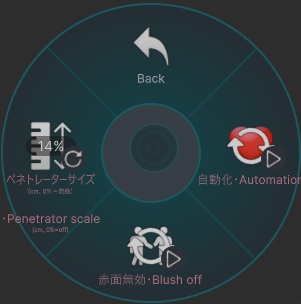
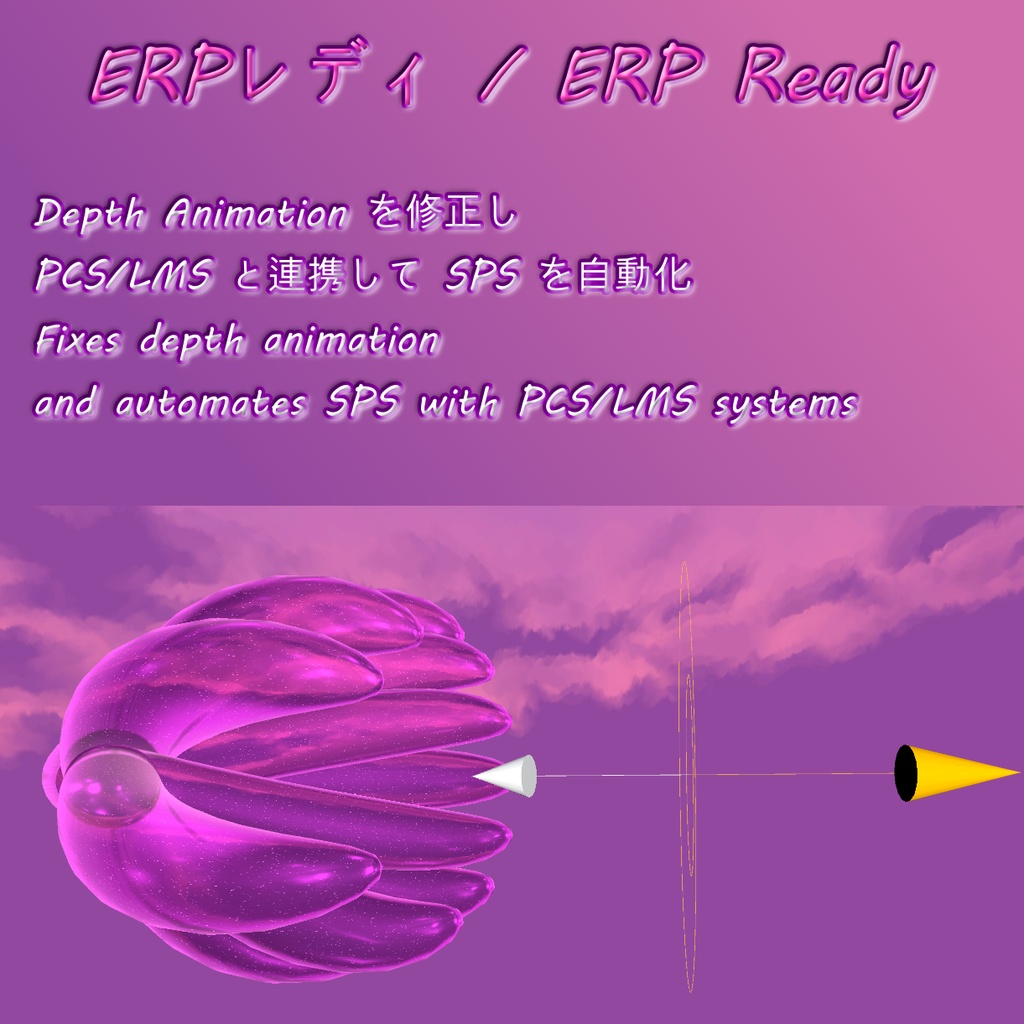


ERPレディ(ERP Ready)は、SPS・PCS・LMSの自動化と、ペネトレーター進入時の深度アニメーション破綻を修正するVRChat向けアセットです。 アバター直下にプレハブをドラッグ&ドロップするだけで導入でき、アニメーターの手動編集は不要です。Modular AvatarおよびVRCFuryに対応しており、日本語、英語、日英併記のプレハブを同梱しています。 【主な機能】 ・深度アニメーション修正:ペネトレーターが急激に進入した際にSPSのサイズ誤認(30cm)によって深度アニメーションが破綻する不具合をBlendTreeで自然に補正 ・ペネトレーターサイズ調整:Expressionsメニューのラジアルパペット「ペネトレーターサイズ」からリアルタイムにサイズを調整可能(初期値14%推奨、0%で無効) ・ソケット自動化:周囲のペネトレーター(自分・相手問わず)を検出して該当ソケットを自動で有効化し、PCS・LMS(別売)と同期 ・赤面演出&OFFトグル:進入検知時に顔の赤面シェイプキーを自動再生。メニューの「赤面無効」トグルからOFFにすることも可能 ・コンタクト過剰干渉防止:進入検知時にもっちり・マシュマロ系コンタクト(別売)を自動で一時無効化し、過多なコンタクトによるSPS破損を防止 ・超軽量設計:動作に使用するコンタクトはローカル2つのみでアバターへの負荷を最小限に抑制 ・非破壊ビルド&フォルダ移動自由:ビルド時に元のアニメーションファイルを変更せず、フォルダの改名や階層移動にも自動対応 ・専用インスペクター:ソケットのカスタム名設定(ドラッグ&ドロップ自動入力対応)や、不要なSPSコンポーネントの削除オプションを搭載 【使い方】 1. 「(MA&VRCF)」または「(VRCF)」プレハブ(お好みの言語版)をアバター直下にドラッグ&ドロップ 2. 必要に応じてインスペクターでソケット名や位置を調整 3. アバターをアップロード後、Expressionsメニューから操作 【対応・連携(別売)】 ・PCS: https://dismay.booth.pm/items/5001027 ・LMS: https://dismay.booth.pm/items/5192386 ・もっちり・マシュマロ系コンタクト自動無効化対応: https://wataame89.booth.pm/items/4108136, https://wataame89.booth.pm/items/4511536 必要ツール: ・Modular Avatar: https://modular-avatar.nadena.dev ・VRCFury: https://vrcfury.com ※「Gesture Manager」が導入されている場合、メニューに専用アイコンが自動で読み込まれます。 ※画像のアバター等は付属しません。 ◆ ENGLISH ◆ ERP Ready automates SPS, PCS, and LMS sockets and fixes penetrator entry depth animation glitches for VRChat. Simply drag and drop the prefab onto your avatar with no manual animator editing required. Fully compatible with Modular Avatar and VRCFury, including English, Japanese, and Bilingual prefab variants. [Features] - Depth Animation Fix: Smooths depth calculations via BlendTree, eliminating the bug where sudden entry forces SPS into an unrealistic 30 cm default size - Penetrator Scale Control: Fine-tune penetrator length in real-time via the "Penetrator scale" radial puppet (14% recommended default, 0% = off) - Socket Automation: Automatically activates sockets when nearby penetrators (self or others) are detected, seamlessly syncing with PCS and LMS - Facial Blush & Off Toggle: Automatically triggers facial blush blendshapes on penetration, with an optional "Blush off" menu toggle to disable it - Anti-Glitch Contact Protection: Automatically turns off Motchiri and Marshmallow contacts during penetration to avoid breaking SPS penetrators - Ultra Lightweight: Uses only 2 local contacts to operate, keeping avatar performance overhead minimal - Non-Destructive Build: Project animation files are never modified on build, and the asset folder can be freely renamed or moved - Custom Inspector: Easy drag-and-drop auto-filling for custom socket names, plus options to strip unused SPS components [Setup] 1. Drag and drop "(MA&VRCF)" or "(VRCF)" prefab (choose your preferred language variant) onto your avatar root 2. Adjust socket names or positions in the Inspector if needed 3. Upload your avatar and control it directly from your Expressions Menu [Compatibility & Optional Integrations] - PCS: https://dismay.booth.pm/items/5001027 - LMS: https://dismay.booth.pm/items/5192386 - Automatic contact disabling for Motchiri / Marshmallow contacts: https://wataame89.booth.pm/items/4108136, https://wataame89.booth.pm/items/4511536 Requirements: - Modular Avatar: https://modular-avatar.nadena.dev - VRCFury: https://vrcfury.com *Custom menu icons load automatically if "Gesture Manager" is installed in your project. *Avatars and other accessories shown in previews are not included.
利用規約 / Terms of Service
✅ このアセットは、政治的または宗教的な文脈を除き、個人用および商用目的で利用可能です。 ✅ これを改変したり、個々のファイルを利用したりすることができます。 ✅ このアセットを含むアバターをパブリックに設定できます。 ❌ アセットを販売または再配布することはできません。 ❌ 返金を請求することはできません。 クレジット表記は必須ではありませんが、このアセットを自分のものとして主張しないでください。アセットやライセンスに関する質問や問題がある場合は、ご連絡ください。 ◆ ENGLISH ◆ ✅ You may use this asset for personal and commercial purposes, except in political or religious contexts. ✅ You may modify it or use its individual files. ✅ You may set an avatar as public while including this asset. ❌ You may not sell or redistribute the asset. ❌ You may not request a refund. Crediting is not required, but please do not claim the asset as your own. If you have any questions or issues regarding the asset or license, please contact me.
更新情報 / Update information
v2026.10.18 ・ビルド時に元のアニメーションファイルが上書きされる問題を修正しました。 ・アセットフォルダの移動や名前変更に対応しました。 ・Fixed an issue where original animation files were overwritten on build. ・The asset folder can now be moved or renamed freely. v2026.8.9 ・軽微な修正。 ・Minor fixes. v2026.8.4 ・新しいSPSに対応しました。 ・Updated to work with the new SPS. v2026.7.17 ・軽微な修正。 ・Minor fixes. v2026.7.14 ・アセットの更新を行わなくても、パラメーター名が自動的に更新されるように対応しました。 ・新しい SPS2 に対応しました。 ・SPS ソケットの各部位を個別に削除できる機能を追加しました。 ・アセットの導入手順を大幅に簡略化しました。 ・生成される FX コントローラーの負荷を大幅に最適化しました。 ・Adapted to automatically update parameter names without requiring constant asset updates. ・Updated to work with the new SPS2. ・Added the ability to remove individual parts of SPS sockets. ・Significantly simplified asset installation. ・Significantly optimized the generated FX controller load. v2026.5.29 ・小さな調整。 ・VRCF のバージョン 1.1333.0 以降で使用されている新しいパラメーター名に合わせて、このアセットは対応されています。 ・「Force SPS scale」パラメーターのデフォルト値を 16 cm から 14 cm に減少しました。 ・Small adjustments. ・The asset has been adapted to the new parameter naming used in VRCF since version 1.1333.0. ・Reduced the default value of the "Force SPS scale" parameter from 16 cm to 14 cm. v2026.4.20 ・軽微な修正。 ・Minor fixes. v2026.4.18 ・アバターのアップロードを妨げていた問題を修正しました。 ・フォース_SPSはデフォルトで有効化されており、コンタクトが破損し始めた場合にペネトレーターの強制が実行されます。 ・Fixed an issue that prevented avatar uploads. ・Force SPS is enabled by default, and penetrator forcing will occur when contacts start breaking. v2026.4.16 ・スクリプトはVRC SDKによって強制的に削除されることがなくなりました。 ・パラメータやハプティクス用アニメーションパスの編集を容易にするため、スクリプトを大幅に改良しました。 ・The script is no longer forcibly removed by the VRC SDK. ・The script has been significantly revised to make editing parameters and haptic animation paths easier. v2026.4.13 ・前回のアップデートで発生した、Motchiri/Marshmallowのコンタクトがローカル側でのみ無効化されていた問題を修正しました。 ・Fixed an issue introduced in the previous update where Motchiri/Marshmallow contacts were only disabled locally. v2026.4.10 ・「Synchronizer」トグルのロジックをわずかに変更し、2つのコンタクトをローカル化しました。アセットの動作には影響ありません。 ・The logic of the "Synchronizer" toggles has been slightly updated so that both contacts are now local, without affecting how the asset works. v2026.4.2 ・2つのパラメータの同期を解除しました。 ・Unsynced 2 parameters. v2026.3.26 ・アバターのスケール変更に対応しました。 ・Added support for avatar scaling. v2026.3.24 ・赤面とハプティクスは、ほとんどのユーザーが使用しないため、デフォルトで無効になっています。 ・強制ペネトレーターサイズ調整の範囲は、10〜22cmから0〜100cmに変更されました。スライダーのパーセンテージは、ペネトレーターの長さ(cm)を表します。 ・「腰の自己貫通を防ぐ」の一部機能は「プレサイスSPS」に移動され、完全に統合されたため、「ERPレディ」は不要になりました。 ・Blush and haptics are disabled by default, as most people don't use them. ・The forced penetrator size adjustment range has been changed from 10-22 cm to 0-100 cm. The slider percentage represents the number of cm of your penetrator. ・Partial "Avoid hip self-penetration" functionality has been moved to "Precise SPS" so that it is fully integrated and does not require "ERP Ready". v2026.3.18 ・「プレサイスSPS」プレハブの「用ForPreciseSPS」を更新し、「自己貫通を防ぐ」機能に対応しました。 ・Updated "用ForPreciseSPS" prefab to support the "Avoid self-penetration" function in the "Precise SPS" asset. v2026.3.9 ・ハプティクスのトグルを「デバイスハプティクス無効」と「タッチハプティクス無効」に分離しました。 ・翻訳用Prefabの名前を短縮しました。 ・Haptics toggle has been separated into device haptics off and touch haptics off. ・The name of the translation prefabs has been shortened. v2026.2.26 ・アセットは「赤面あり」と「赤面なし」に分かれていた以前の形式から変更され、赤面を無効化する追加トグルを備えた単一のアセットに統合されました。 ・The asset is no longer separated into with blushing and without, but is instead combined as one with an additional toggle to deactivate blush. v2026.2.22 ・ハプティクスのトグルを修正し、「手のタッチゾーン」のみではなく、ハプティクスを完全に無効化するようにしました。 ・Corrected the haptics toggle to turn off haptics completely instead of just the "hand touch zone". v2026.2.18 ・パラメータ名の軽微な修正。 ・プレファブバリアント使用時に、VRCF が言語を EN&JP にリセットしてしまう問題を修正しました。 また、「用ForPreciseSPS」バージョンでパラメータがリセットされる問題を修正しました。 ・Minor parameter name corrections. ・Fixed VRCF resetting language to EN&JP on prefab variants and resetting parameters for the "用ForPreciseSPS" version. v2026.2.15 ・アセットのバリエーション管理を容易にするため、「プレファブバリアント」の使用を開始しました。 ・Started using "Prefab Variants" for asset variants for easier management. v2026.2.13 ・別個の「プレサイス_SPS」アセットとの互換性を高めたバージョンを作成しました。 ・Created a version that works better with the separate "Precise_SPS" asset. v2026.2.12 ・製品リリース ・Product release