

【VRChat・汎用】アバターのふちが光るアウトラインシェーダー「縁光」(アバター用・PC)
- Digital500 JPY
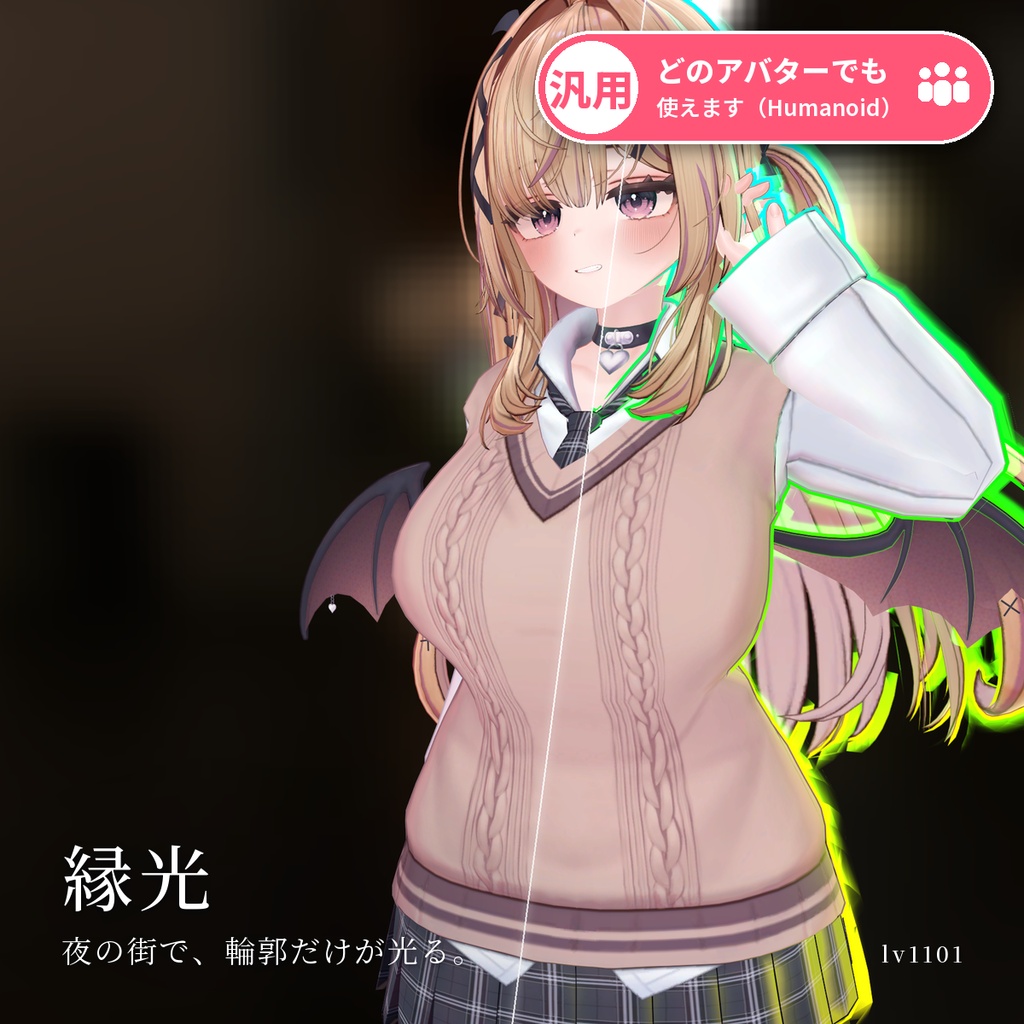
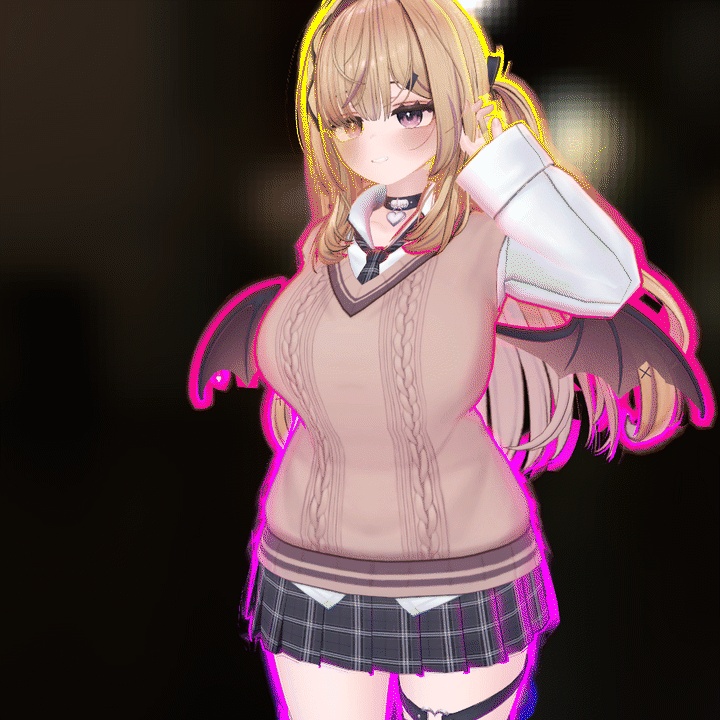
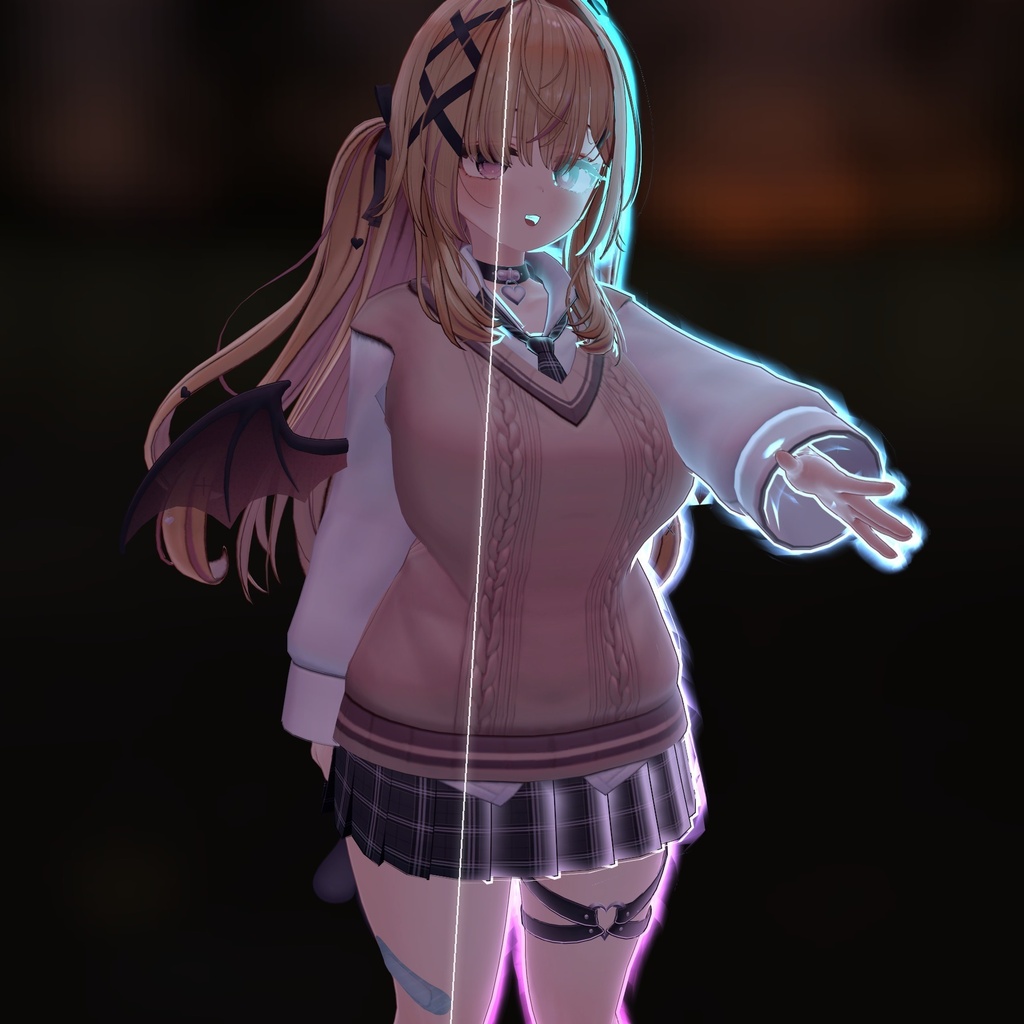
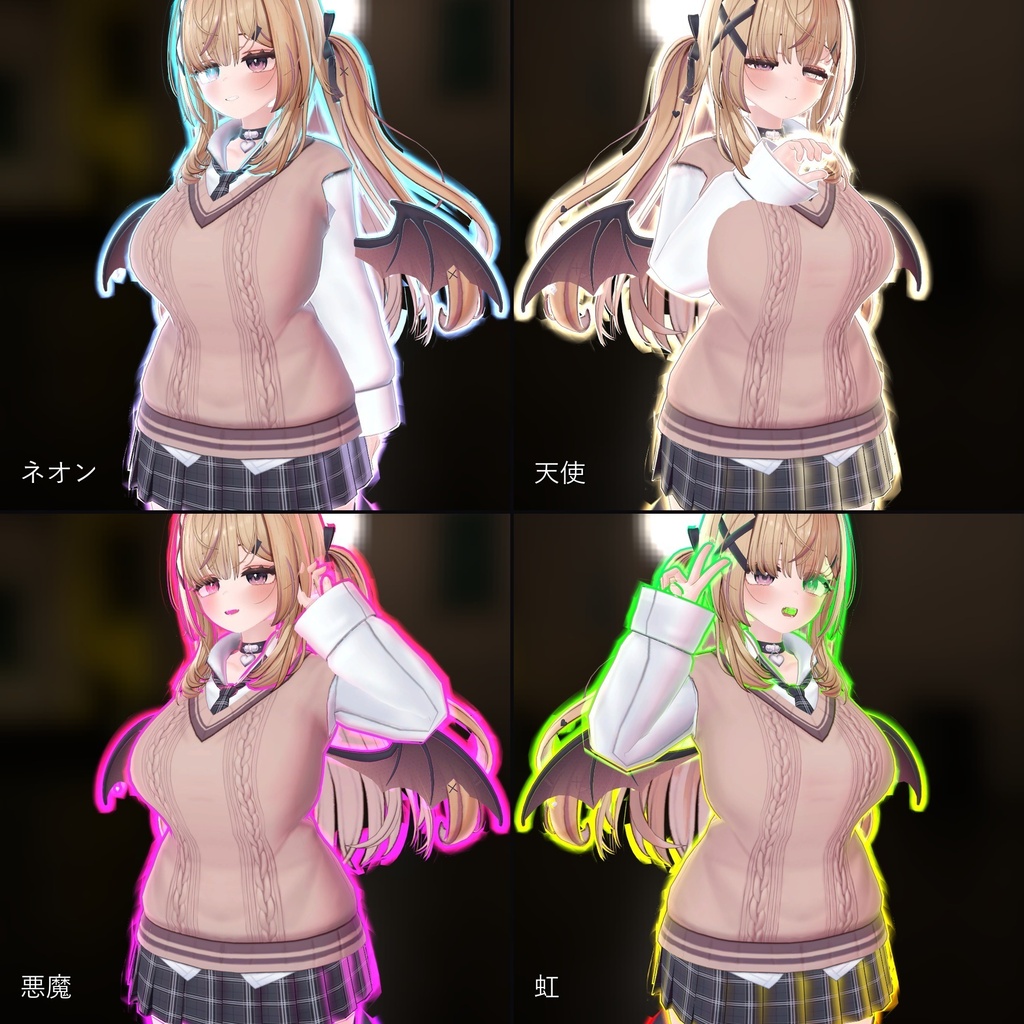
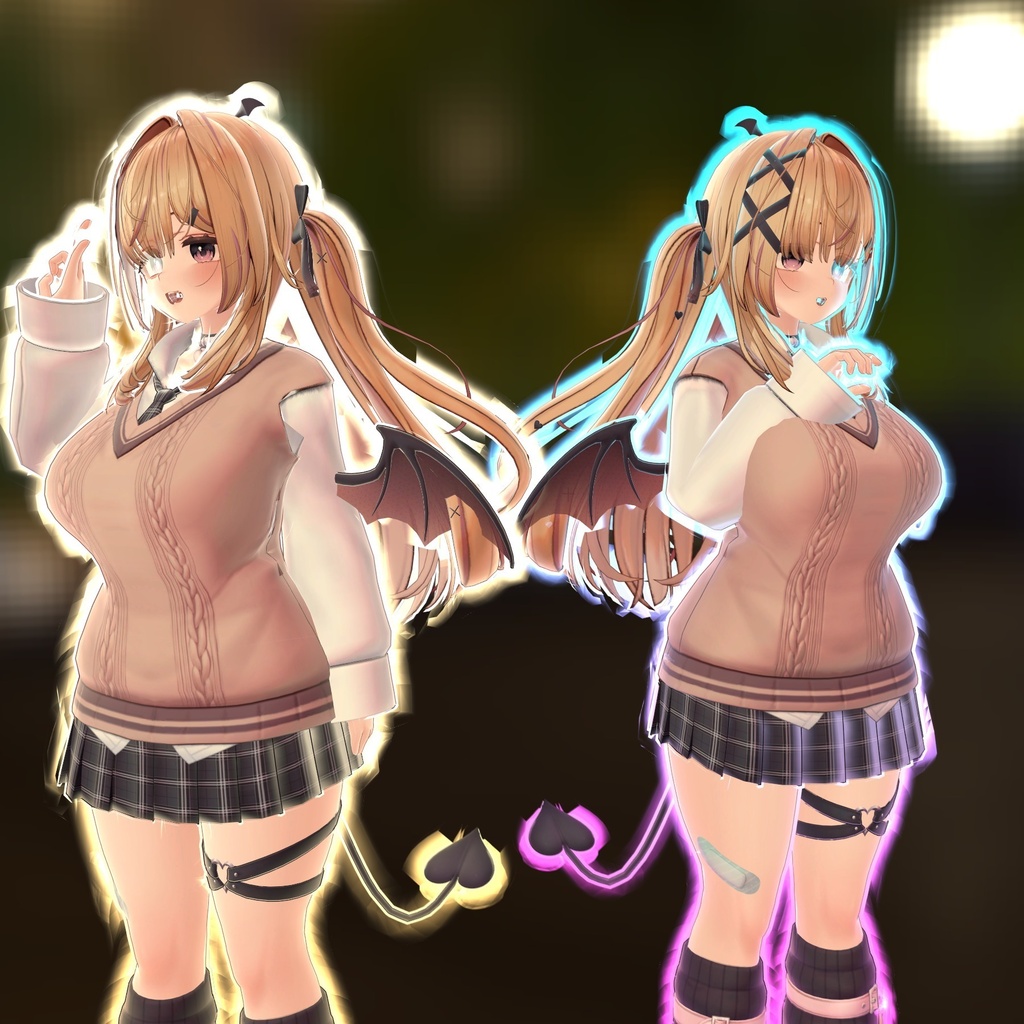
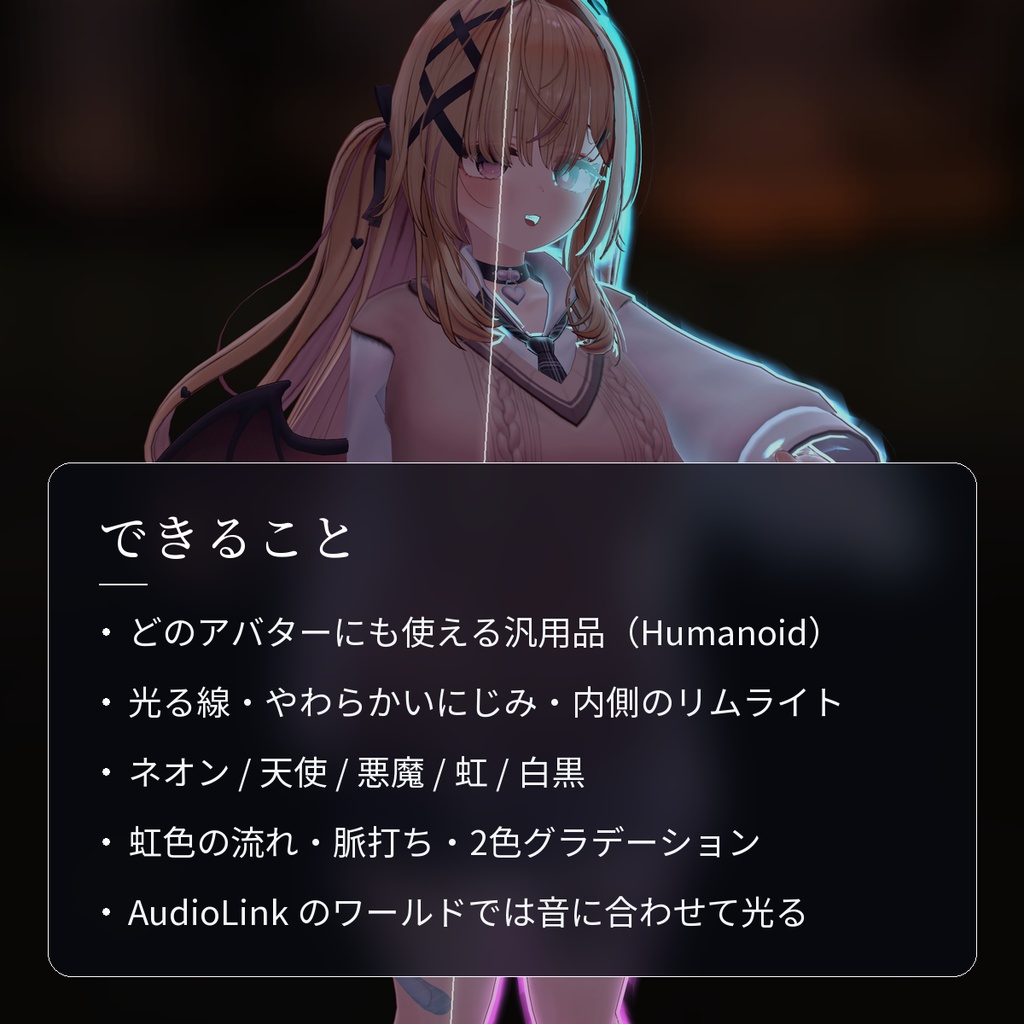
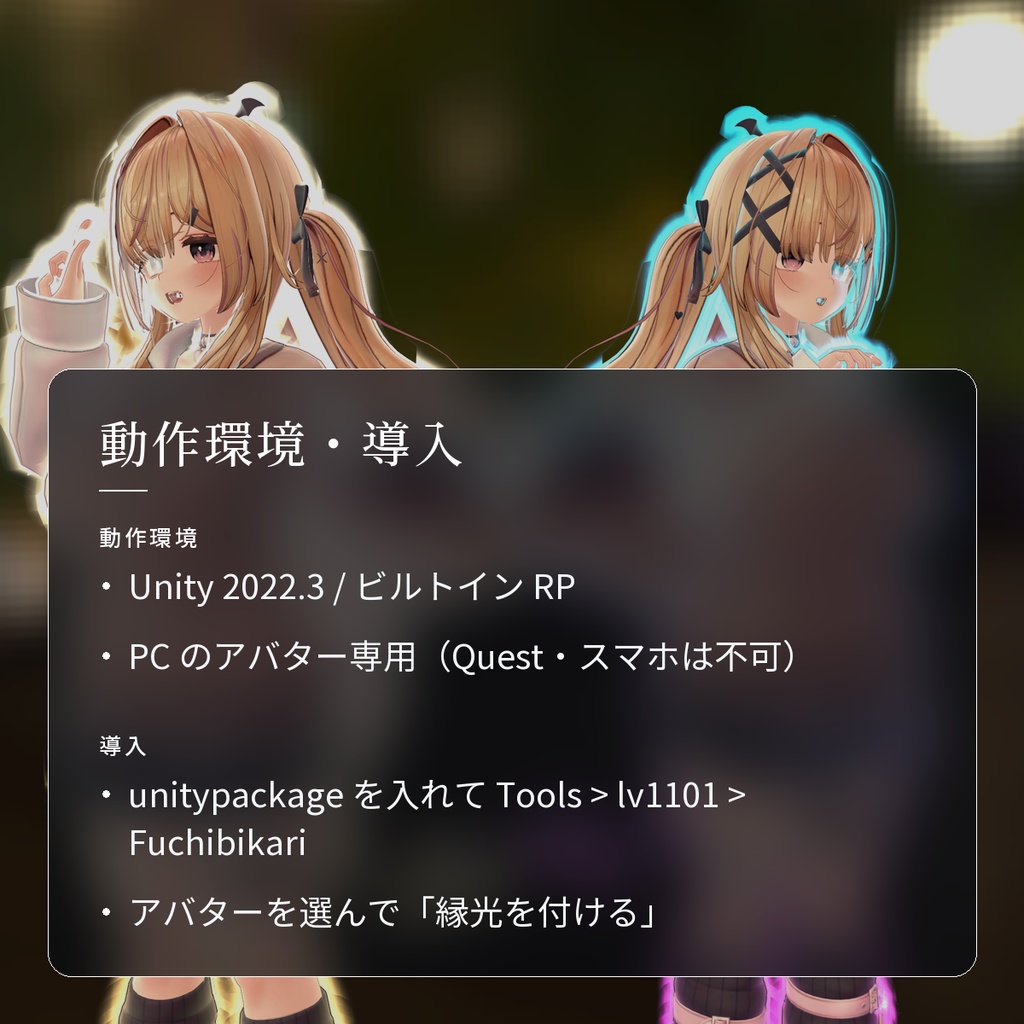
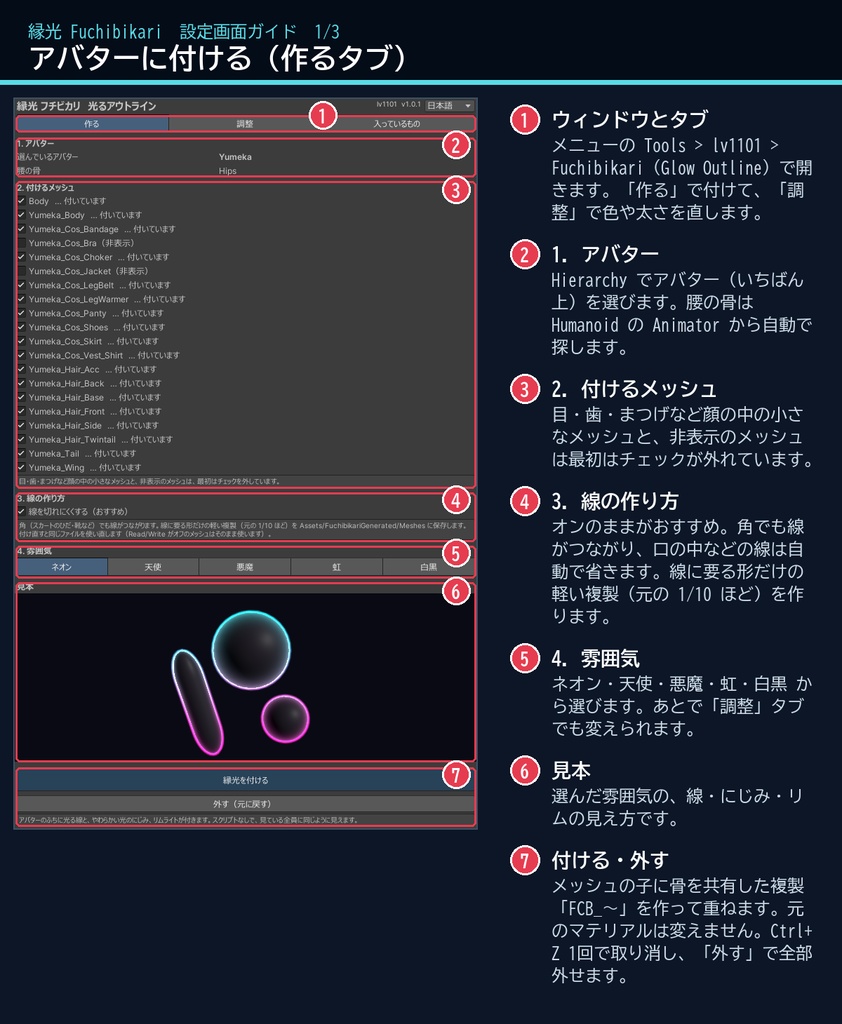
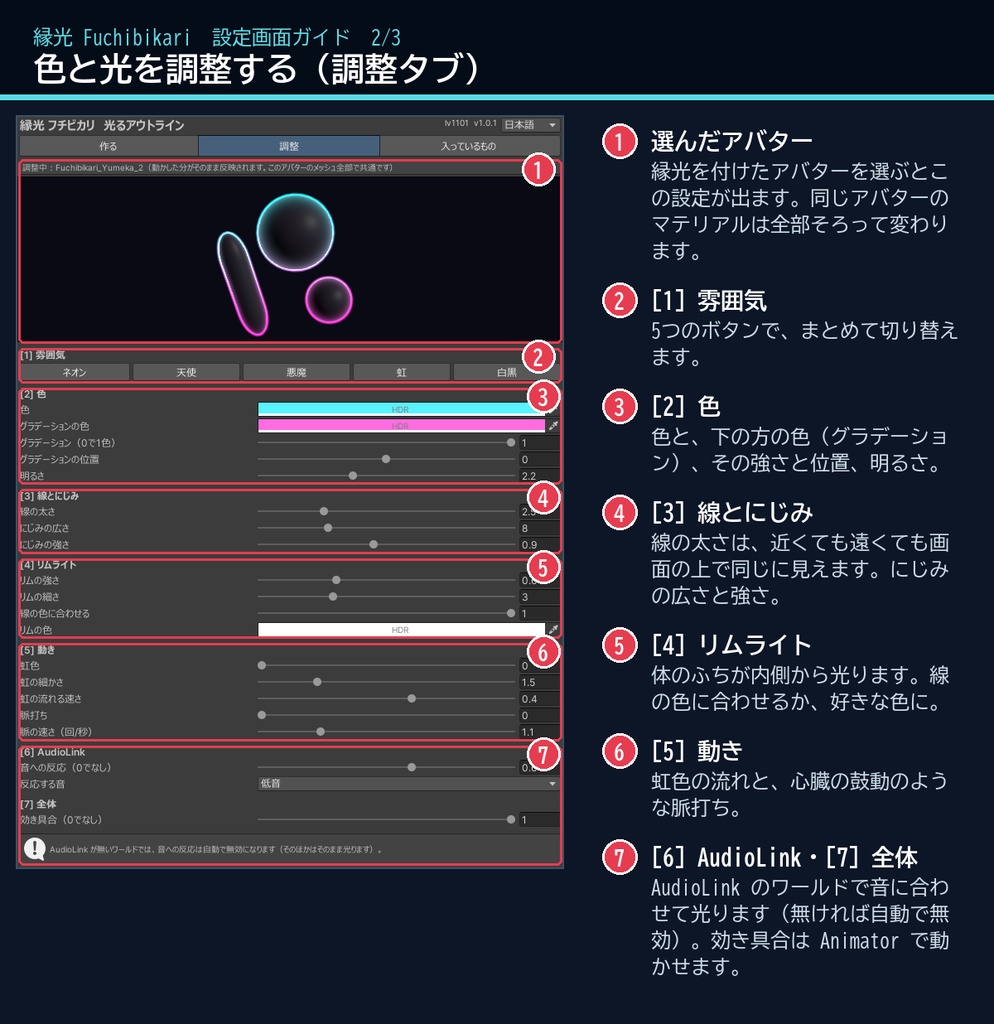
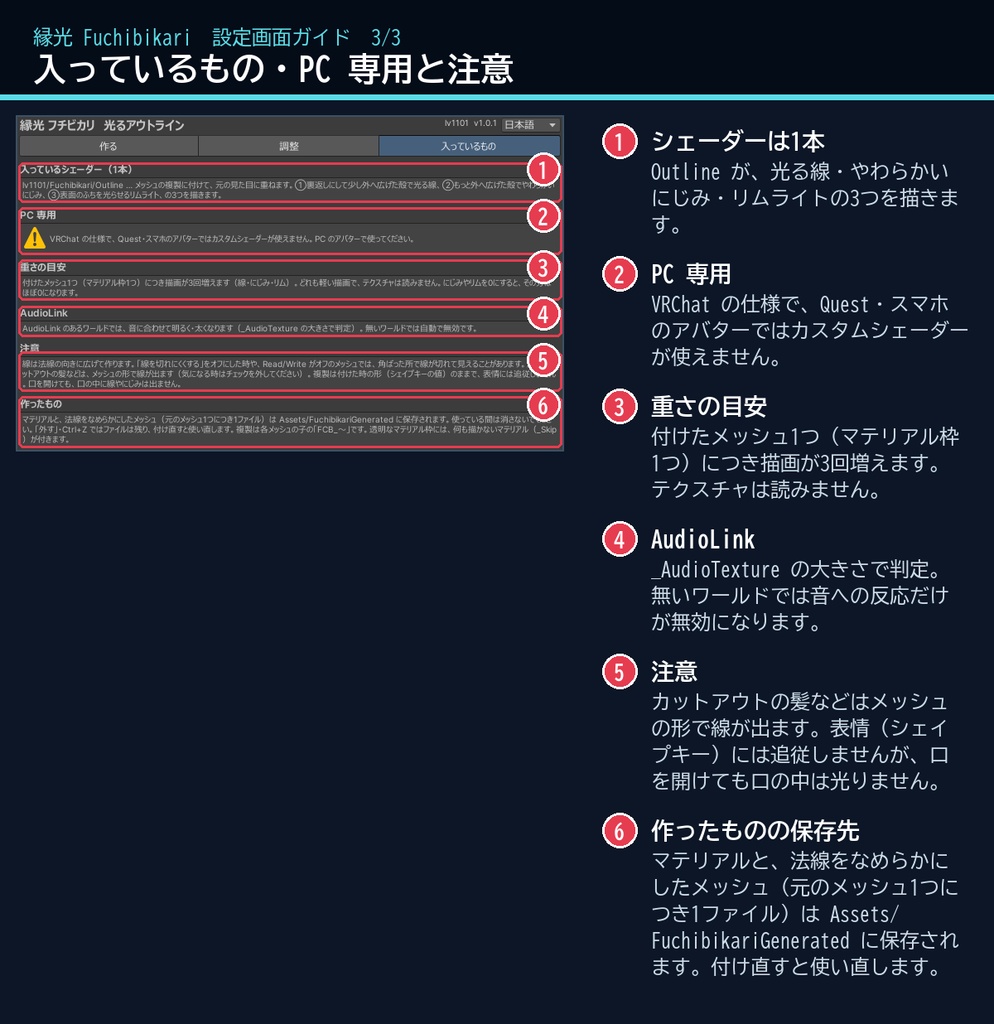
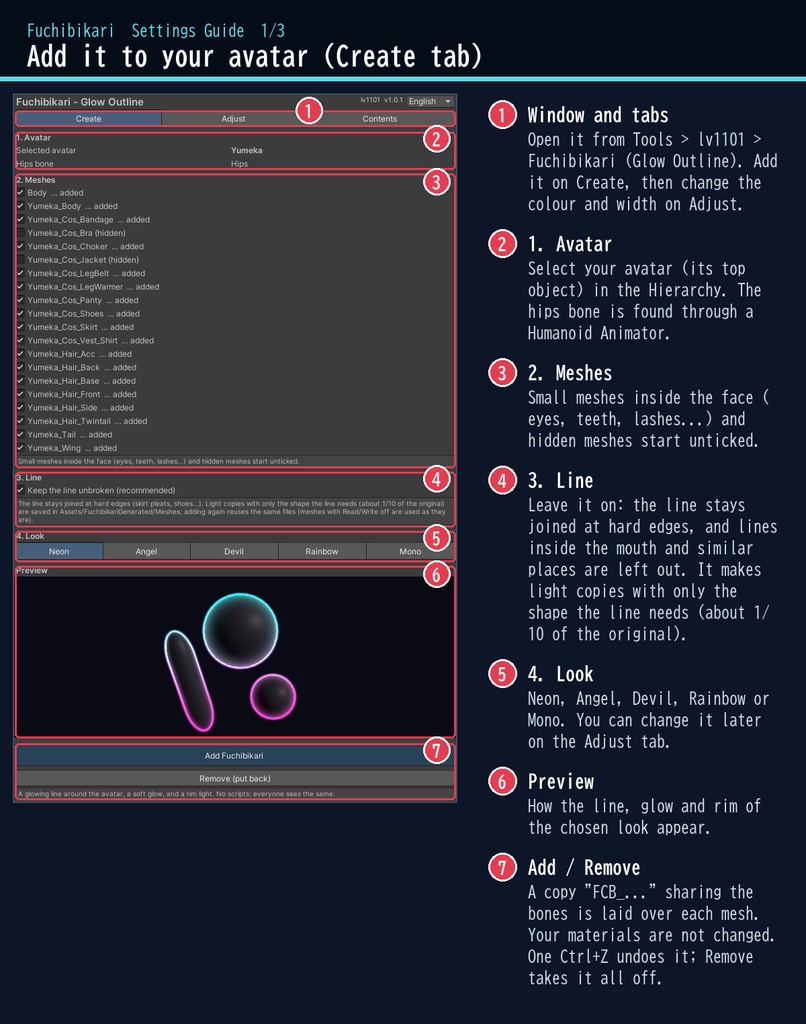
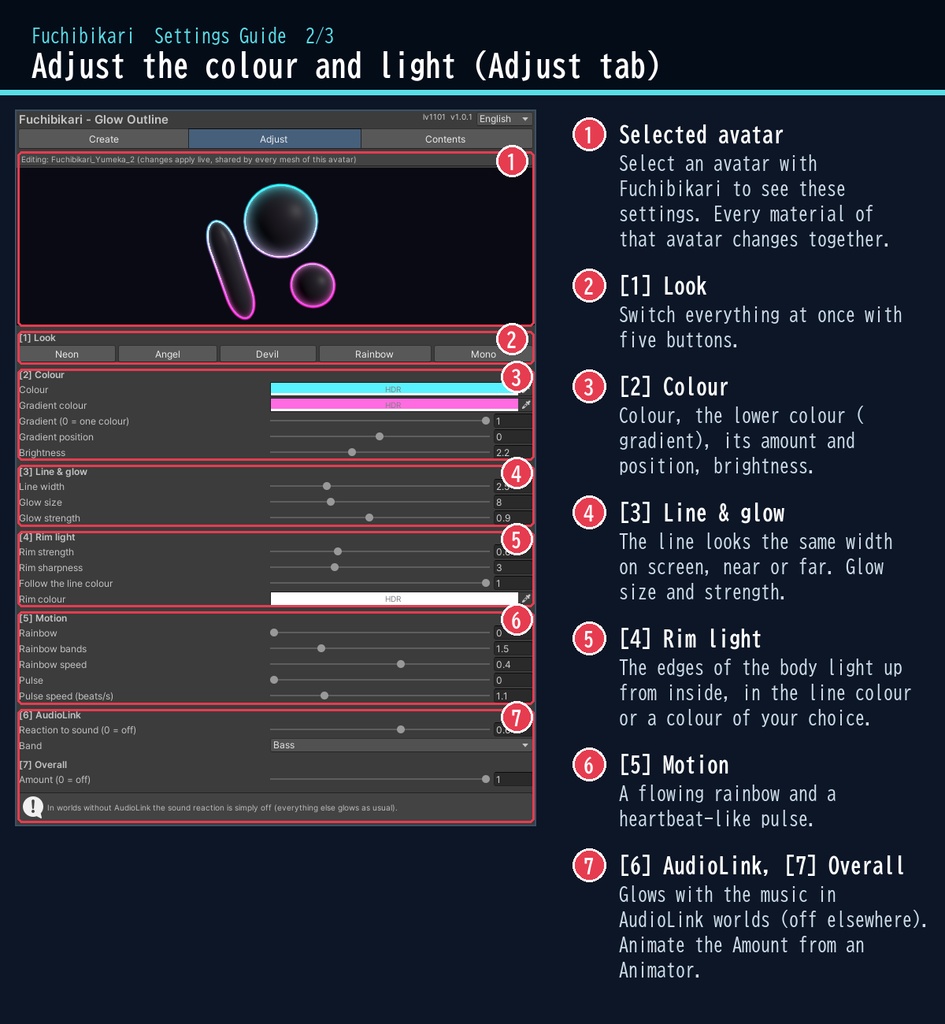
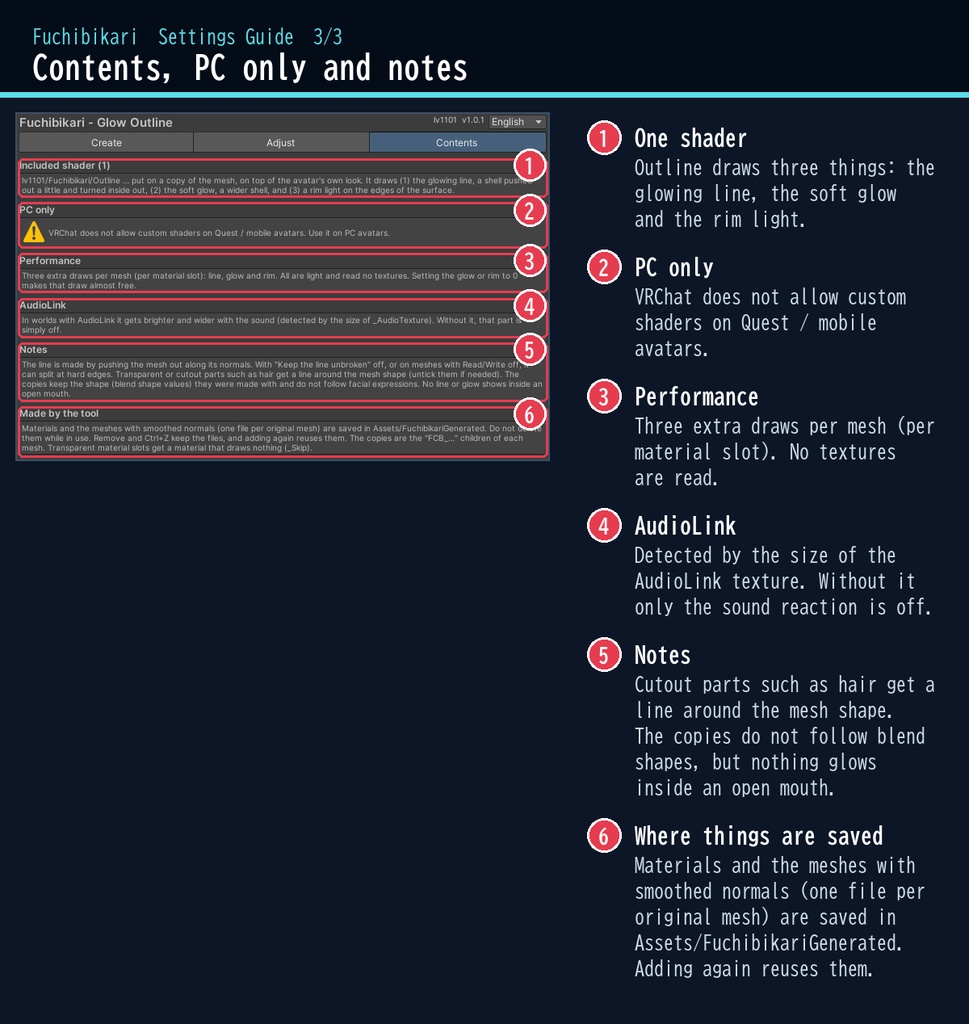


暗い場所ほど、あなたの輪郭がきれいに光る。 「縁光」は、VRChat のアバターのふちに光る線を描くシェーダーです。 線のまわりにやわらかいにじみが広がり、体のふちが内側からもほんのり光ります。虹色を流したり、鼓動のように脈打たせたり、AudioLink のあるワールドでは音に合わせて光らせることもできます。 ■ ポイント ・ゆめか専用ではありません。Humanoid のアバターなら、どのアバターにも使える汎用品です ・光る線+やわらかいにじみ+内側からのリムライト ・ネオン / 天使 / 悪魔 / 虹 / 白黒 のプリセット ・虹色の流れ・脈打ち・2色のグラデーション ・AudioLink のワールドでは音に合わせて明るく・太く ・日本語 / English の専用ウィンドウで、付けるのも外すのもボタン1つ ↓ 動きは2枚目の GIF、くわしくは下へ。 ■ くわしく VRChat アバター向けの、光るアウトラインとリムライトのシェーダーです。PC のアバター専用です。 アバターのふちに光る線と、やわらかい光のにじみが付き、体のふちが内側からも光ります。 色・太さ・グラデーション・虹色の流れ・脈打ちを選べて、AudioLink のあるワールドでは音に合わせて明るく・太くなります。 スクリプト(U#)なしで、見ている全員に同じ見え方になります。VRChat の色空間(Linear)で色・明るさを確認済みです。 日本語 / English の専用ウィンドウで、アバターを選んで、付けるメッシュにチェックを付け、ボタン1つで付けられます。 ・光る線:裏返しにして少し外へ広げた殻で、アバターのふちに線を描きます。太さは近くても遠くても画面の上で同じに見えます ・にじみ:線のまわりに、やわらかい光のにじみ(広さ・強さを調整) ・リムライト:体のふちが内側から光ります(線の色に合わせる/好きな色) ・色:1色、または上下2色のグラデーション。虹色を流すこともできます ・脈打ち:心臓の鼓動のように、明るさと太さが変わります ・AudioLink:ワールドに AudioLink があれば、選んだ音(低音〜高音)に合わせて光ります。無いワールドでは自動で無効です ・プリセット:ネオン / 天使 / 悪魔 / 虹 / 白黒 ・Animator から「効き具合」(_Amount)を動かして、オン・オフもできます ・非破壊:選んだメッシュの子に骨を共有した複製を作って重ねる方式。元のマテリアル・テクスチャは変えません ・「外す(元に戻す)」ボタンで全部外せます。付けるのも Ctrl+Z 1回で取り消せます ■ 動作環境 ・対応アバター:汎用。Humanoid のアバターならどれでも使えます(画像はゆめかで撮影。lilToon 2.3.4 で確認) ・Unity 2022.3(VRChat で使うバージョン) ・ビルトイン レンダーパイプライン ・PC 専用(VRChat の仕様で、Quest・スマホのアバターではカスタムシェーダーが使えません) ・VRChat SDK3 Avatars(なくてもコンパイルできます。Modular Avatar も不要です) ・AudioLink は任意です(あるワールドでだけ音に反応します) ■ 導入 1. unitypackage を Unity にドラッグ&ドロップしてインポート 2. メニューの Tools > lv1101 > Fuchibikari (Glow Outline) でウィンドウを開く 3. Hierarchy でアバターを選び、付けるメッシュにチェックを付けて「縁光を付ける」を押す 詳しい使い方は同梱の README_ja.txt をご覧ください。 設定画面の説明は、商品画像の「設定画面ガイド」(日本語・英語)にあります。 ウィンドウ右上で 日本語 / English を切り替えられます(Auto は PC の言語に合わせます)。 ■ 重さの目安 付けたメッシュ1つ(マテリアル枠1つ)につき描画が3回増えます(線・にじみ・リム)。どれも軽い描画で、テクスチャは読みません。にじみ・リムを 0 にすると、その分はほぼ 0 になります。 「線を切れにくくする」では、線に要る形だけの軽いメッシュの複製(元の 1/10 ほど。ゆめか 18 メッシュで約 3.5 MB)が増えます。 ■ 内容物 ・Fuchibikari_1.0.1.unitypackage(README_ja.txt / README_en.txt 入り) ・利用規約.txt / TermsOfUse_en.txt ※画像のアバター:ゆめか Yumeka(©Arka_X / https://booth.pm/ja/items/8672657 )。商品には含みません。 ※背景の素材:Poly Haven(CC0)。商品には含みません。 ※線はメッシュを法線の向きに広げて作ります。角ばったメッシュでは線が切れて見えることがあります。 ※透明・カットアウトの髪などは、メッシュの形で線が出ます(チェックを外せます)。 ※複製は表情(シェイプキー)に追従しません(付けた時の形のまま)。口を開けても、口の中に線やにじみは出ません。 ■ 利用規約(概要) ・VRChat のアバター(Public/商用・有料イベントでの使用を含む)で使えます ・改変できます ・シェーダー・スクリプトの再配布、転売はできません(改変したものも含む) ・クレジット表記は任意です(書いていただけると嬉しいです) 詳しくは同梱の 利用規約.txt をご覧ください。 ―――――――――――――――― ■ English Works with any avatar (universal, Humanoid avatars) - the images just use Yumeka. Fuchibikari is a glowing outline and rim light shader for VRChat avatars (PC only, Built-in RP, Unity 2022.3). It draws a glowing line around your avatar with a soft glow, and lights up the edges of the body from inside. The line keeps the same width on screen near or far. Colour options: one colour or a two-colour gradient, a flowing rainbow, and a heartbeat pulse. In worlds with AudioLink it gets brighter and wider with the music (it is off automatically elsewhere). No Udon / U# needed: everyone sees the same. Select your avatar in the dedicated window, tick the meshes and press one button. It is non-destructive: a copy of each mesh that shares its bones is laid on top; your materials and textures are not changed. "Remove" takes it all off. Presets: Neon / Angel / Devil / Rainbow / Mono. Animate _Amount to switch it on and off. PC avatars only: VRChat does not allow custom shaders on Quest / mobile avatars. Avatar in the images: Yumeka (©Arka_X), not included. Background assets: Poly Haven (CC0), not included. Performance: three light extra draws per mesh (line, glow, rim); no textures are read. "Keep the line unbroken" adds light mesh copies (about 1/10 of the original; about 3.5 MB for Yumeka's 18 meshes). Checked in VRChat's Linear colour space. • Full English UI: switch Auto / 日本語 / English at the top right of the window • English README (README_en.txt) and Terms of Use (TermsOfUse_en.txt) included • English settings guide images are included in the product images Install: import the unitypackage, open Tools > lv1101 > Fuchibikari (Glow Outline), select your avatar, tick the meshes and press "Add Fuchibikari". Terms (summary): usable on VRChat avatars, including public use, commercial use and paid events; modification allowed; redistribution or resale of the shader / scripts (including modified versions) is not allowed; credit is optional. ■ 更新履歴 / Version history 1.0.0 最初の版 / First release 1.0.1 Linear(VRChat)で線・にじみの色を Gamma と同じに。口を開けた時に口の中が光らないように。メッシュの複製を約 1/10 に / Same colours in Linear (VRChat); no glow inside an open mouth; mesh copies about 1/10 the size