

おやつラボ ぷるんとプリン【VRChat・アバター/ワールド】作って売れるプリン屋さん / Snack Lab: Purun Pudding (Avatar / World)
- アバター版 / AvatarDigital300 JPY
- ワールド版 / WorldDigital600 JPY
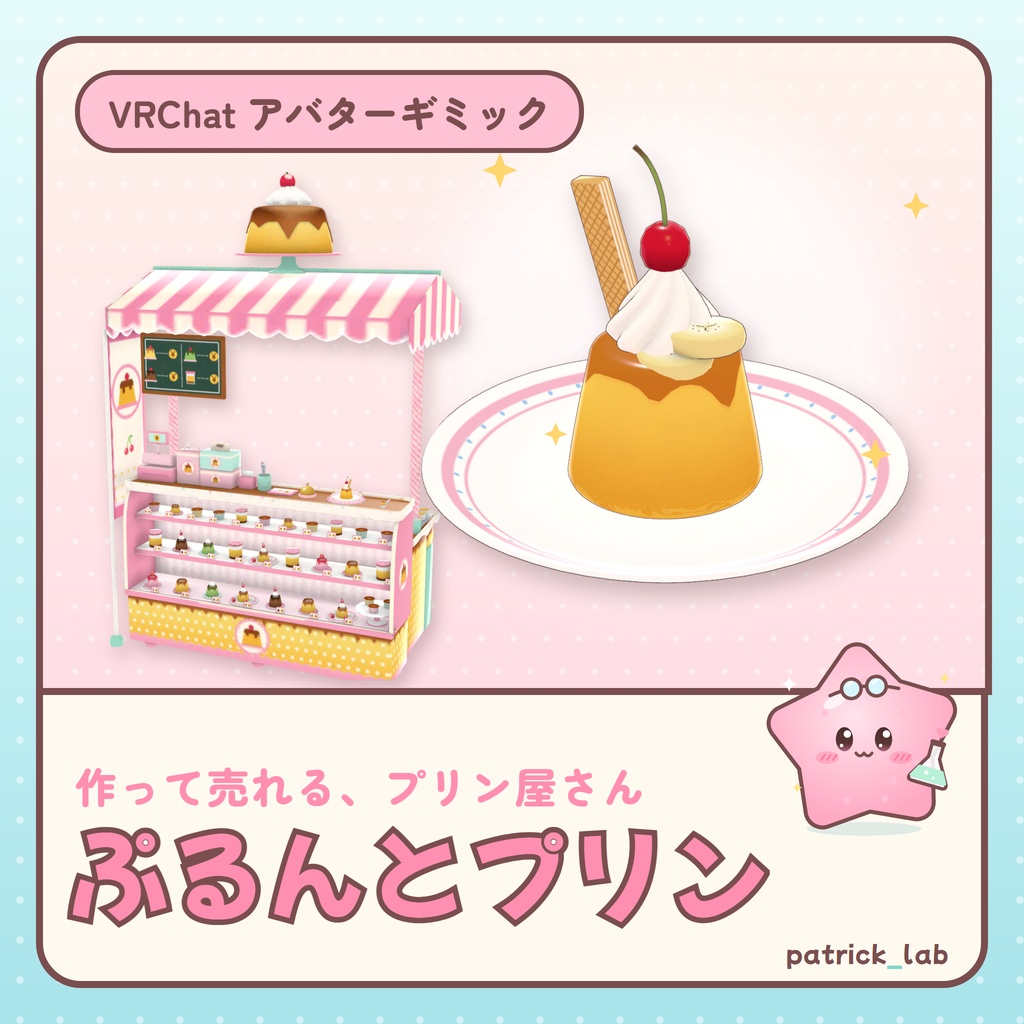
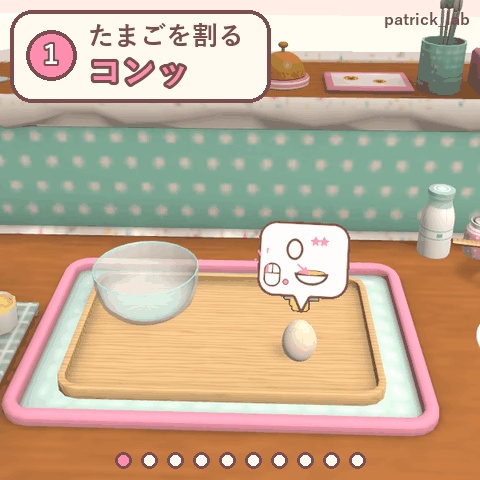
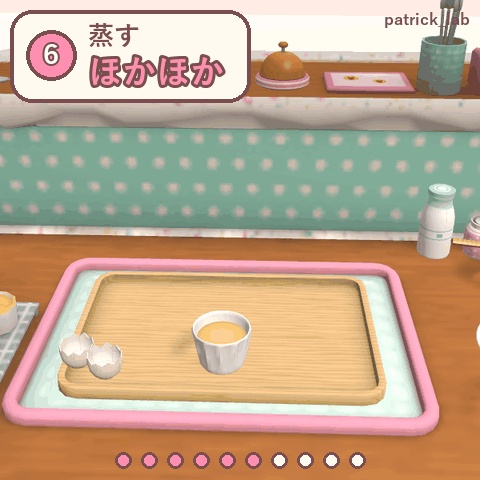
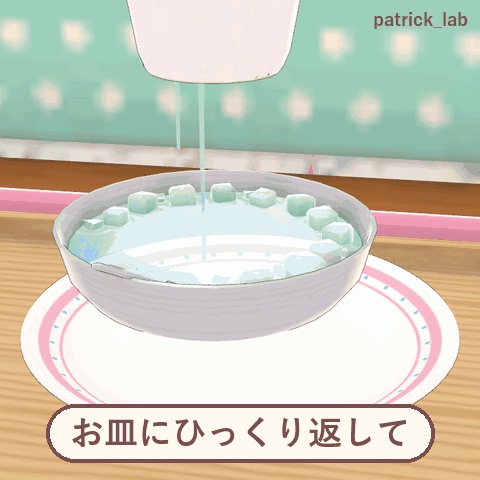
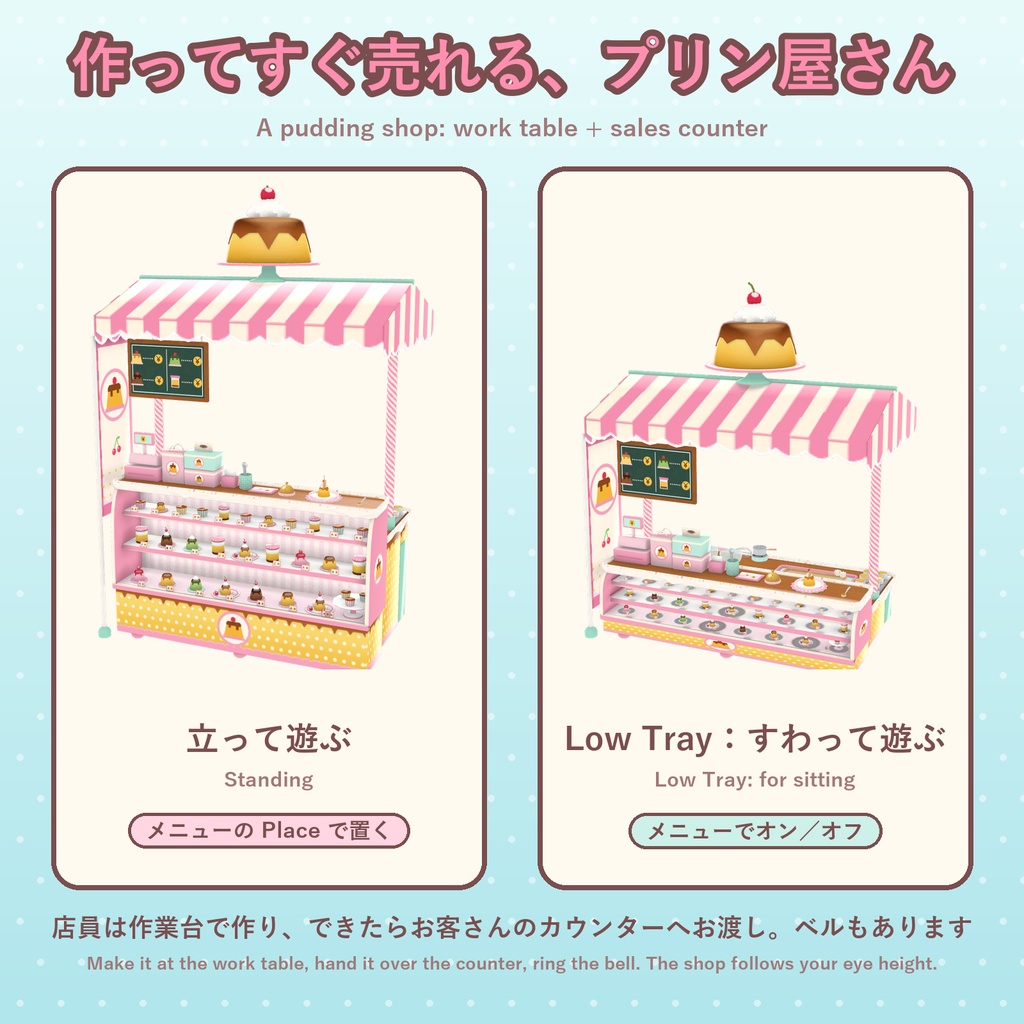
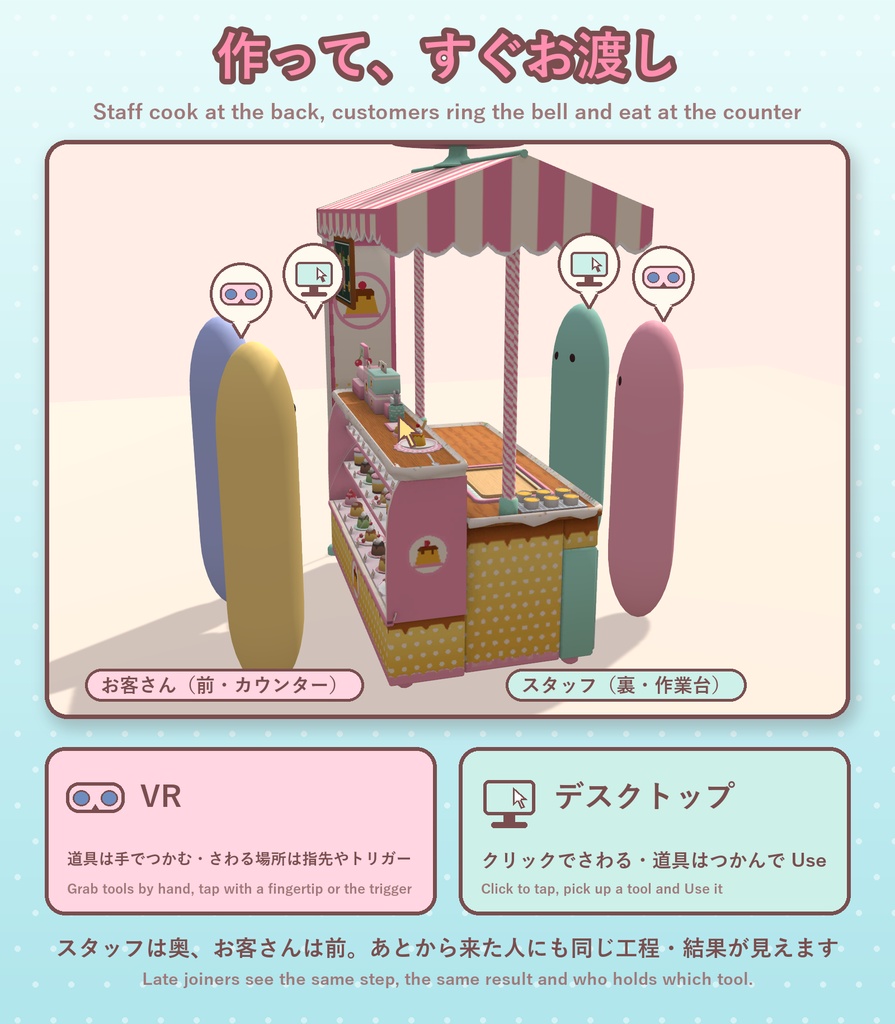
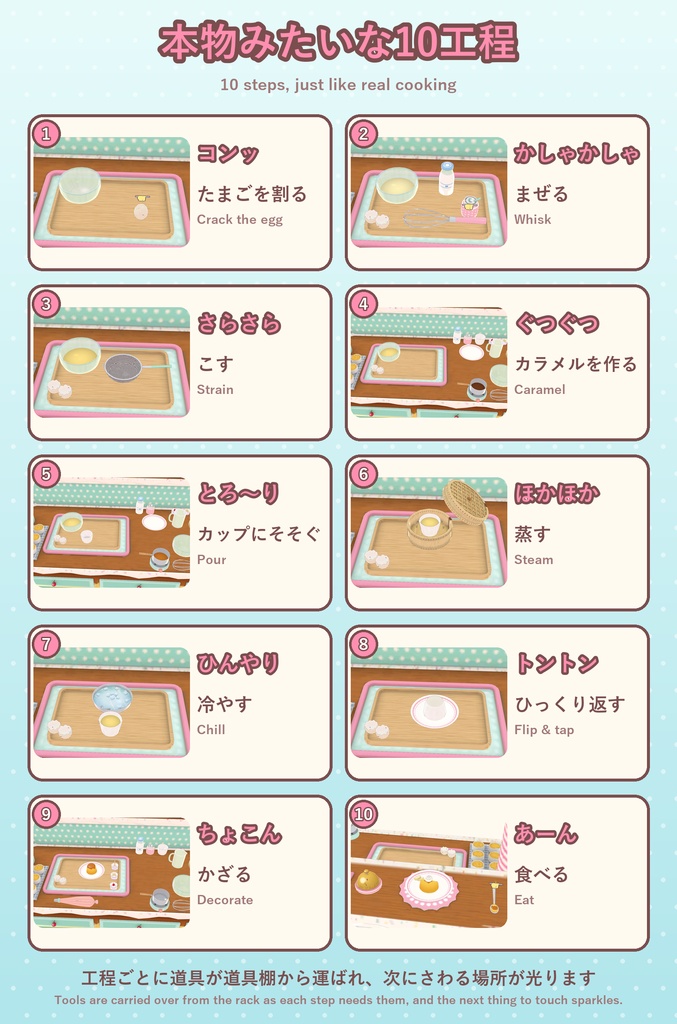
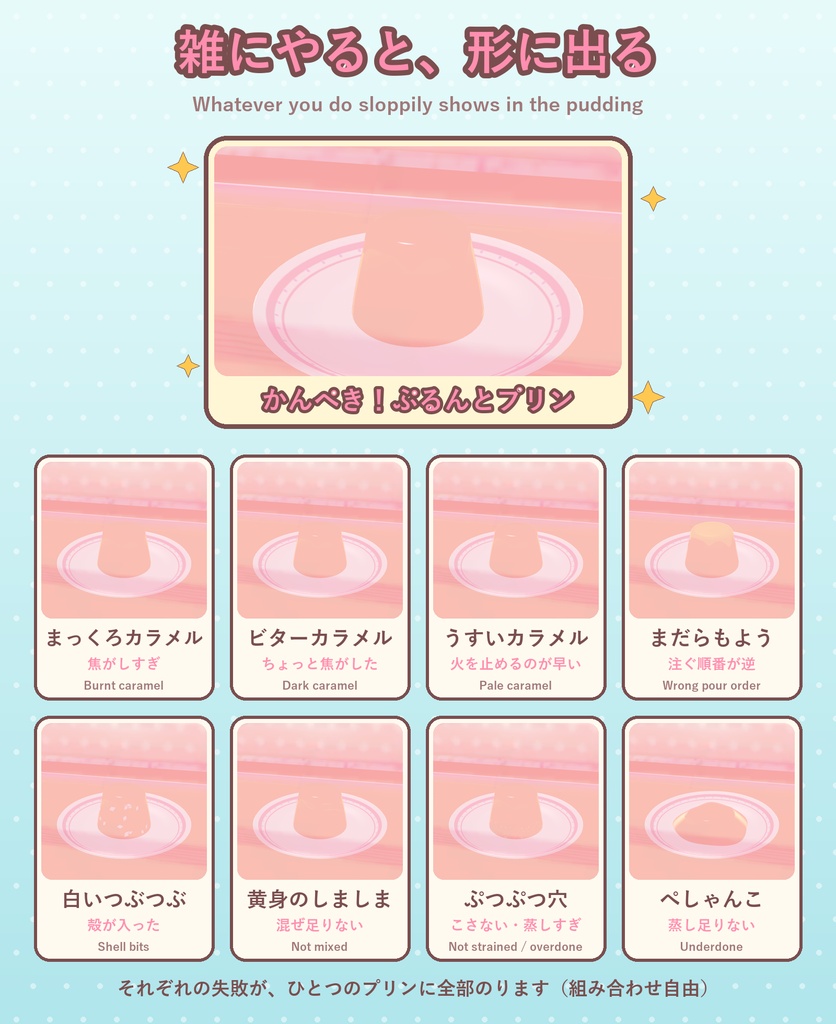
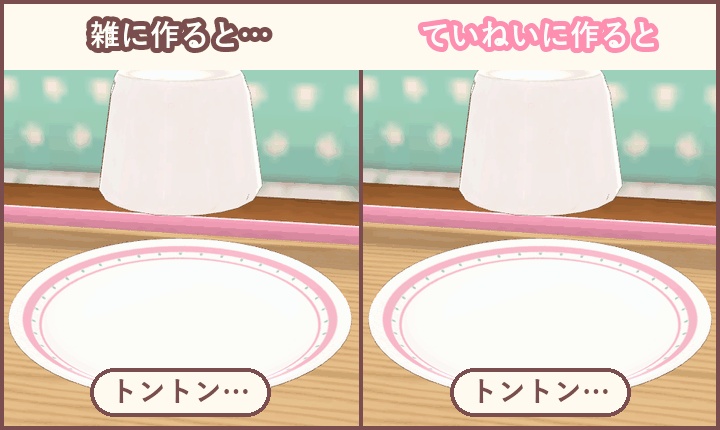
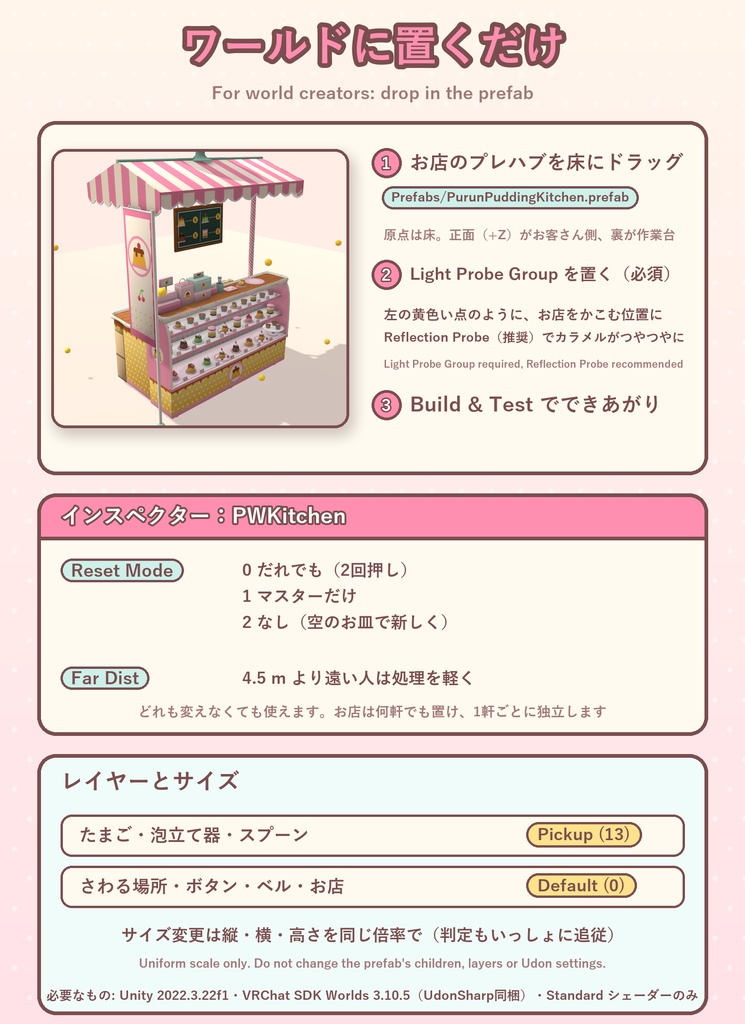


【日本語】 作って、すぐ売れる「プリン屋さん」。たまごを割って、混ぜて、こして、カラメルを作り、蒸して冷やして、ひっくり返してかざったら、カウンターでお客さんへ「お渡し」。10工程のプリン作りでお店ごっこが楽しめます。 使い方に合わせて2つの版から選べます(ファイルは別です)。 ■ アバター版(¥300) アバターに入れて、どこでもプリン屋さんを開けるギミック。フレンドは何も用意しなくて大丈夫です。 ・メニューの Place で、目の前にお店(作業台+販売カウンター)を置く ・使わない道具は右の道具棚に並び、使うときに作業台へ運ばれる ・こし器ごしに注ぐ/カラメルは さとう→水→火/生クリームは絞り袋で/ふちから流れる液体、粒で落ちるさとう、動きに合わせた効果音 ・雑にやった工程は形に出る(殻・混ぜ不足・蒸しすぎ・カラメル4段階など) ・冷やす工程はカップを氷水の中へ。最後はスプーンで「あーん」、4口で完食 ・お客さん用のベル、座って遊べる Low Tray、Re-place で置き直し ・VR 基準の操作。立っても Low Tray で座っても、さわる場所は全部手の届く範囲(立つときは作業台のふちまで近づく)。デスクトップは Action メニューで同じ操作 必要: Unity 2022.3.22f1、VRChat SDK Avatars 3.10.x、Modular Avatar【必須】、lilToon【必須】。PC 向け(Quest 未対応) 追加量: 同期 25 bit、ポリゴン 42,360、マテリアルスロット 56、Contact Receiver 40。軽いアバターでは全体ランクが下がることがあります 確認アバター: キプフェル ©もち山金魚/まよ Avatar : Chocolate rice(各規約の範囲で使用。公式商品ではありません) 遊ぶ相手とアバターインタラクションを許可してください(Settings → Safety → Avatar Interaction) ■ ワールド版(¥600) 自分のワールドに置く、だれでも遊べるプリン屋さん(UdonSharp)。 ・道具は持ち上げて運び、かたむけて注ぐリアルな動き。液体は入れ物のふちから流れる ・注ぐ物は「クリックで持つ → 入れる先をクリック」、カラメルと蒸しにはタイミングゲージ ・文字のない絵のふきだしで次の操作を案内(マウス/VRの手) ・使わない道具は右のラックで待ち、工程ごとに自動で作業台へ ・冷やす工程はカップを氷水の中へ。スプーンでひとさじずつ食べて4口で完食、お渡し(お皿の手前のふち)、ベル、「低く」ボタン ・全員に同じ進み方が見え、あとから来た人にも今の状態が表示されます。複数置けます 導入: unitypackage をインポートしてプレハブ PurunPuddingKitchen を置くだけ(正面 +Z がお客さん側、デモシーン付き)。近くに Light Probe Group が必要です 必要: Unity 2022.3.22f1、VRChat SDK Worlds 3.10.5。シェーダーは Standard のみ ■ 利用規約(全文は同梱の LICENSE) OK: 改変・配信/動画(収益化含む)・R-18・クレジット不要。ワールド版は自分のワールドに組み込んで公開OK 禁止: 再配布・転売(改変後や同梱も)・自作発言。アバター版はパブリックアバター不可 法人利用: 事前にご相談ください ■ AIの使用 スクリプトはAIコーディングアシスタントで作成。モデルは Blender スクリプト、効果音はプログラム合成(AI画像・3D生成サービス不使用)。 ■ 更新履歴 ワールド版 v1.5.12 [2026.10.20] 食べ終わったあとや途中で「やり直し」「新しいプリン」を押すと、お皿のカラメルのしみやスプーンのプリンが残ることがあったのを修正 ワールド版 v1.5.11 [2026.10.15] やり直し後になべが宙に浮く不具合を修正 アバター版 v1.2.3/ワールド版 v1.5.10 [2026.10.15] アバター版:VR で手の届く範囲に全操作場所を置き直し(立ち・Low Tray で確認)。工程スキップ(Skip Step・Next カード)を廃止。同期 27→25 bit アバター版 v1.2.2/ワールド版 v1.5.10 [2026.10.11] ワールド版:「Next」(工程をとばすカード)をなくしました。どの工程もその作業をすれば進みます。作業台・カウンターのどこからでも、全身の高さ・「低く」でも届くことを確認 アバター版 v1.2.0/ワールド版 v1.5.8 [2026.10.09] 公開 ■ 動作確認と返金について まずは気軽に使ってみてください。不具合や気になる点があれば、BOOTH のメッセージでお問い合わせください。できるだけ早く修正します。 VRChat 内での動作(VR操作・複数人の同期を含む)は作者がまだ実機で確認できていません。致命的な不具合の場合は、確認のうえ返金いたします。 ■ お問い合わせ BOOTH のメッセージ(日本語・English OK)/X: @patricklab_vrc ―――――――――――――――――――― 【English】 Make a pudding and sell it right away. Crack, mix, strain, make caramel, steam, chill, flip, decorate, then hand it over the counter: 10 steps of pudding-shop role-play. Two versions (separate files): [ Avatar version (JPY 300) ] A gimmick for your avatar: open a pudding shop anywhere. Friends need nothing. - Menu "Place" puts the shop (work table + sales counter) in front of you - Unused tools wait on a rack and are carried over when needed - Pour through the sieve, caramel from sugar > water > heat, piping bag cream, liquids flow from the lip, sugar falls as grains, motion-matched sounds - Sloppy steps show in the result; the cup goes into the ice water; feed someone with the spoon, 4 bites - Customer bell, Low Tray, Re-place; built for VR (every control within arm's reach: step up to the work table when standing, or use Low Tray), desktop via the Action menu Requires: Unity 2022.3.22f1, VRChat SDK Avatars 3.10.x, Modular Avatar and lilToon (both required). PC only (no Quest) Adds: 25 synced bits, 42,360 polygons, 56 material slots, 40 contact receivers Allow avatar interaction for your playmates (Settings > Safety > Avatar Interaction) [ World version (JPY 600) ] A pudding shop for your own world (UdonSharp), playable by anyone. - Tools are lifted, carried and tilted to pour; liquid leaves the rim - Pick up, then click where it goes; timing gauges for caramel and steaming - Wordless picture bubbles guide each step (mouse or VR hand) - Tools wait on a rack and are carried in step by step - The cup goes into the ice water; spoon-by-spoon eating (4 bites to finish), serving (plate's near rim), bell, Low button; synced for everyone and late joiners; several shops OK Setup: import and place the PurunPuddingKitchen prefab (+Z = customers, demo scene included). A Light Probe Group is needed nearby Requires: Unity 2022.3.22f1, VRChat SDK Worlds 3.10.5. Standard shader only [ Terms ] (full text: the included LICENSE) OK: modifying, streaming/videos (incl. monetized), R-18, no credit needed; the world version may be published in your own worlds Not OK: redistribution/resale (incl. modified or bundled), claiming it as your own; no public avatars for the avatar version Corporate use: please ask first [ Use of AI ] Scripts written with an AI coding assistant. Models by Blender scripts, sounds synthesized by code (no AI image/3D services). [ Changelog ] World v1.5.12 [2026.10.20] Fixed the caramel stain on the plate and the pudding lump on the spoon staying after Reset / new pudding World v1.5.11 [2026.10.15] Fixed a pan left floating after Reset Avatar v1.2.3 / World v1.5.10 [2026.10.15] Avatar: every control re-laid out within VR arm's reach (checked standing and with Low Tray); removed the step-skip buttons (menu "Skip Step" and the tray "Next" card): every step ends by doing it Avatar v1.2.2 / World v1.5.10 [2026.10.11] World: removed the "Next" step-skip card (every step ends by doing it); every control checked reachable from the worktop and counter at three body heights, standing or Low Avatar v1.2.0 / World v1.5.8 [2026.10.09] Release [ Testing and refunds ] Please feel free to just try it. If you run into a problem or anything feels off, send a BOOTH message and it will be fixed as soon as possible. Not yet tested inside VRChat (including VR controls and multiplayer sync). For a critical error, a refund will be made after checking. [ Contact ] BOOTH messages (Japanese / English OK) / X: @patricklab_vrc