

YumeFilter|ゆめかわ・地雷系カメラフィルター(写真フレーム+アバター表面エフェクト/VRChat・Modular Avatar)
- 本体Digital300 JPY
- 無料サンプルDigital0 JPY
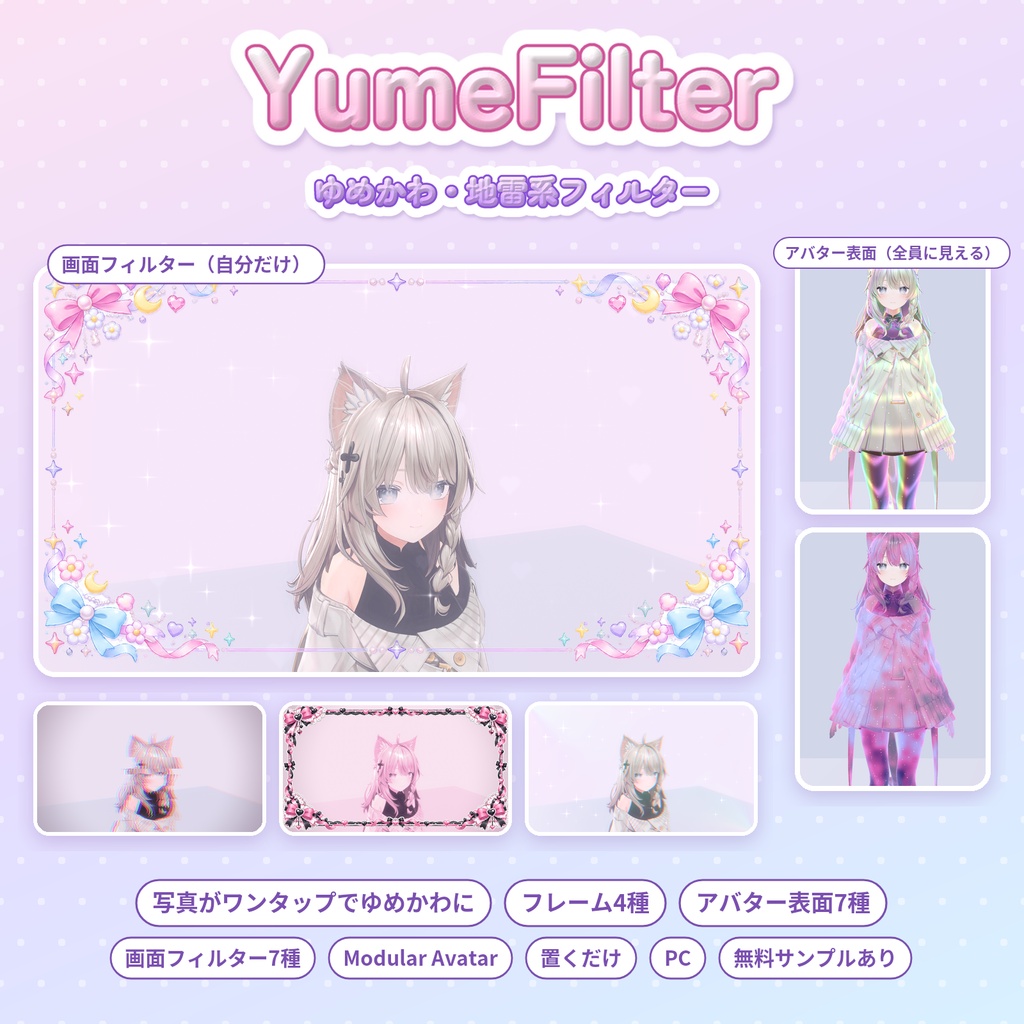
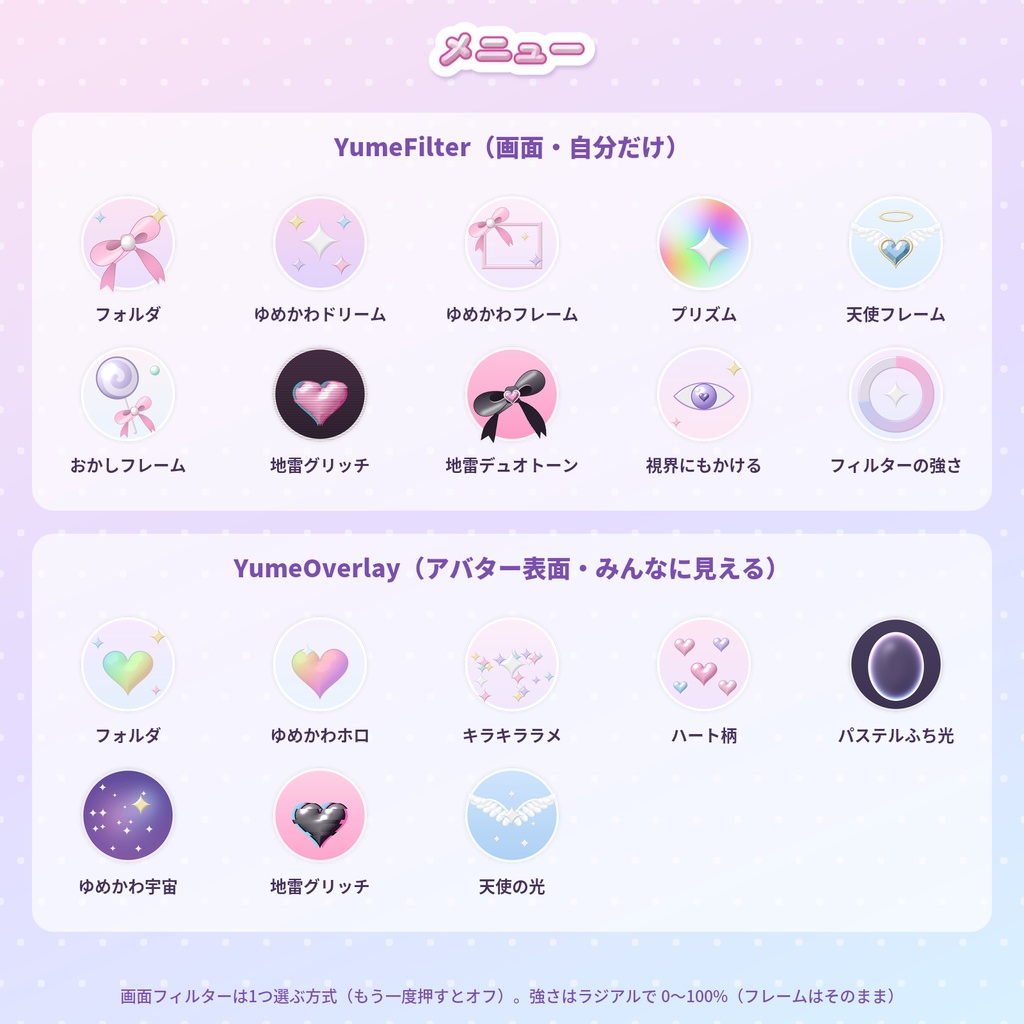


prefab をアバターに置くだけ(Modular Avatar 対応・非破壊) 画面フィルター7種(自分だけ・同期なし)+アバター表面エフェクト7種(全員に見える) VRChat のカメラ・スクショで撮った写真が、ゆめかわ・地雷系の雰囲気に PC 版 VRChat 用(Quest/Android は非対応) 無料サンプルあり(ゆめかわドリーム+キラキララメ)。お使いのアバターで動くか先に試せます 撮った写真をゆめかわ・地雷系の雰囲気にする「画面フィルター」と、アバターの体や服の上にキラキラやハート柄を重ねる「アバター表面エフェクト」のセットです。 どちらも自作のシェーダーで、アバターのマテリアルやファイルは書き換えません。
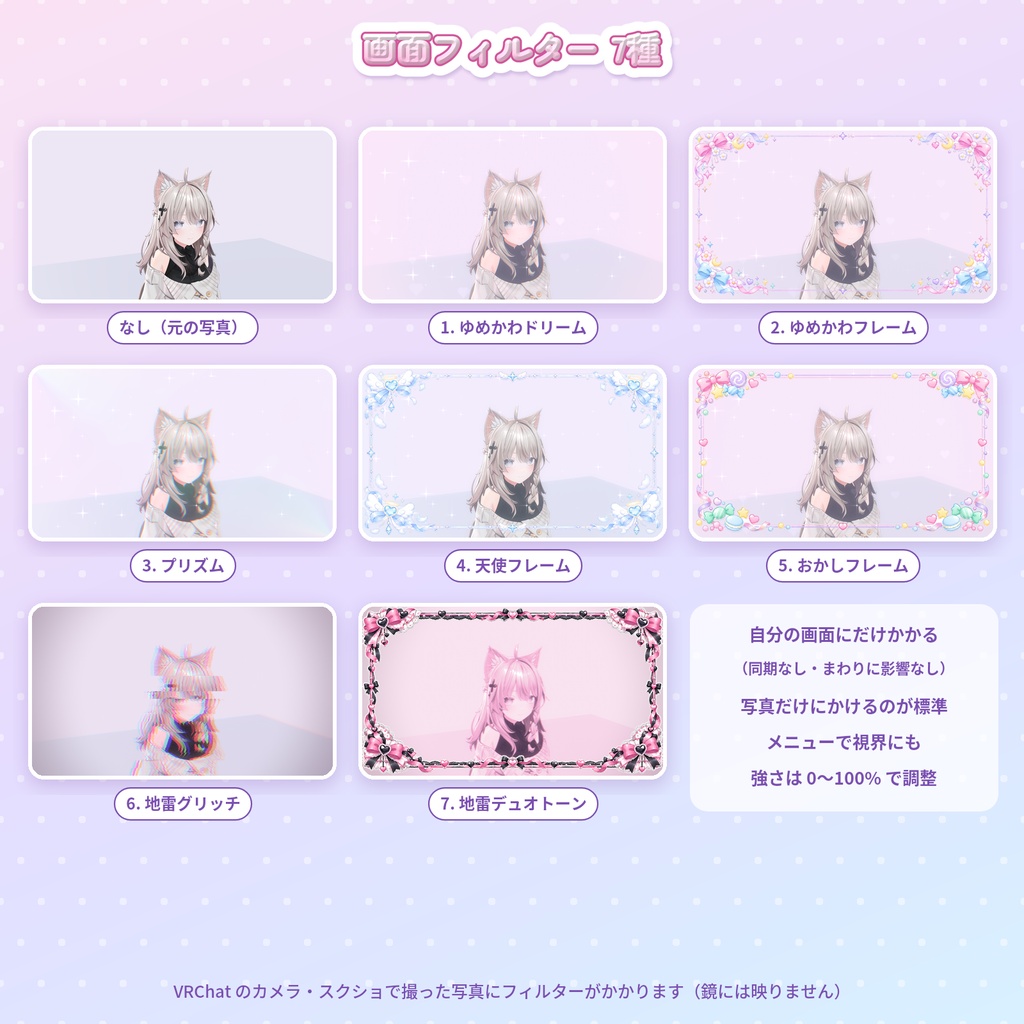
画面フィルター(7種・自分だけ)
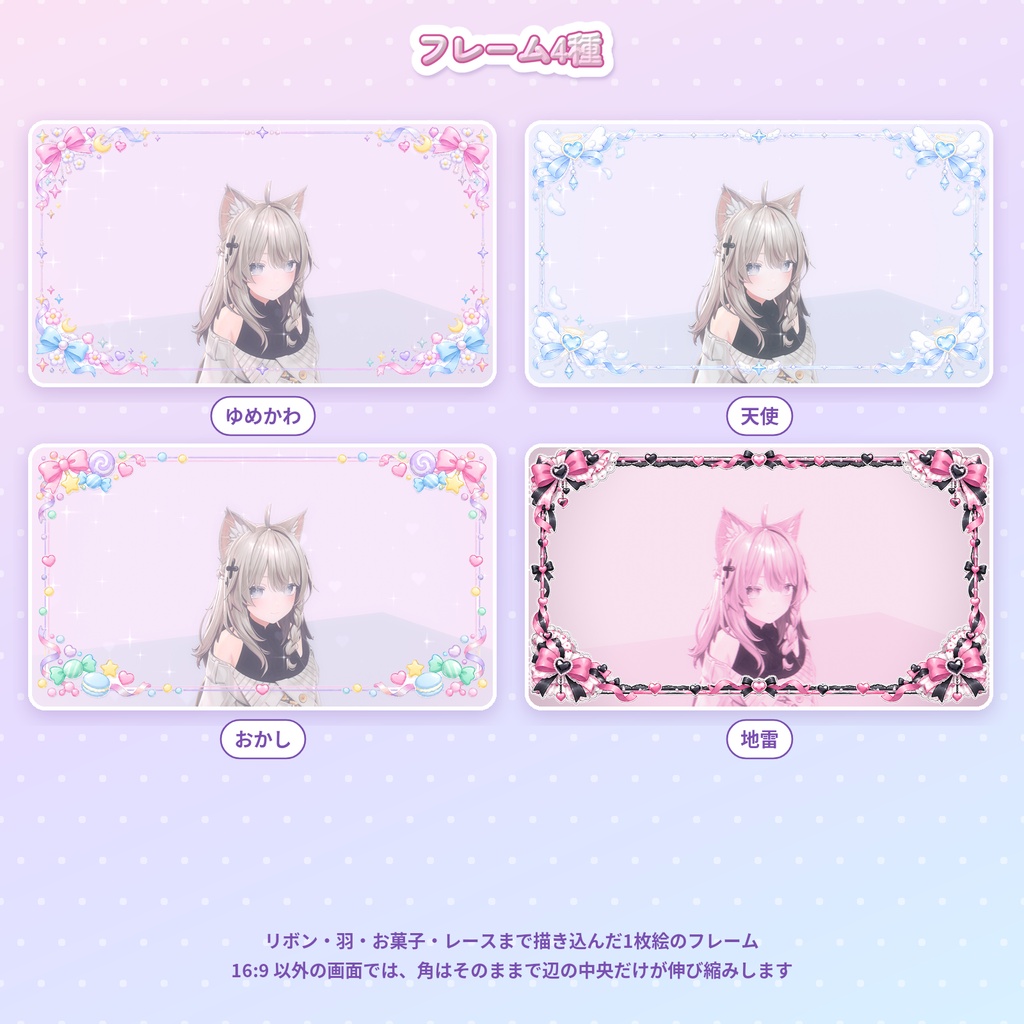
・ゆめかわドリーム:パステルのもや・キラキラ・ハートのボケ ・ゆめかわフレーム:リボン・月・お花・パールのフレーム(上はピンク、下は水色のリボン) ・プリズム:虹色の光漏れと色ずれ ・天使フレーム:羽つきハート・天使の輪・水色のリボン ・おかしフレーム:ロリポップ・キャンディ・マカロン・ガムボール ・地雷グリッチ:ピンク×黒のグリッチ・走査線 ・地雷デュオトーン:ピンク×黒の2色+レースのフレーム 自分の画面にだけかかり、まわりの人には見えません(パラメーターは同期しません)。 標準では写真(VRChat のカメラ・スクショ)にだけかかり、メニューの「視界にもかける」で普段の視界にもかけられます。鏡には映りません。 「フィルターの強さ」(ラジアル)で 0〜100% に調整できます(フレームはそのまま)。
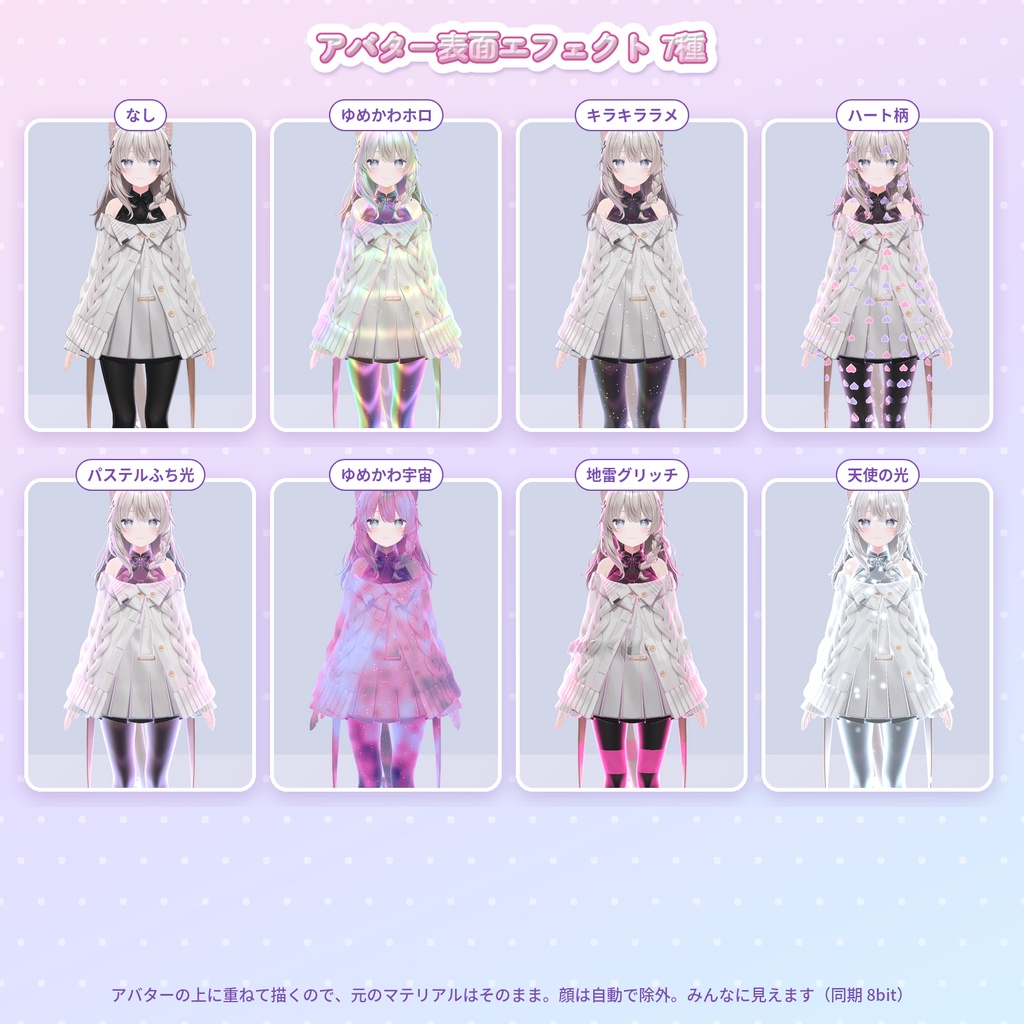
アバター表面エフェクト(7種・全員に見える)
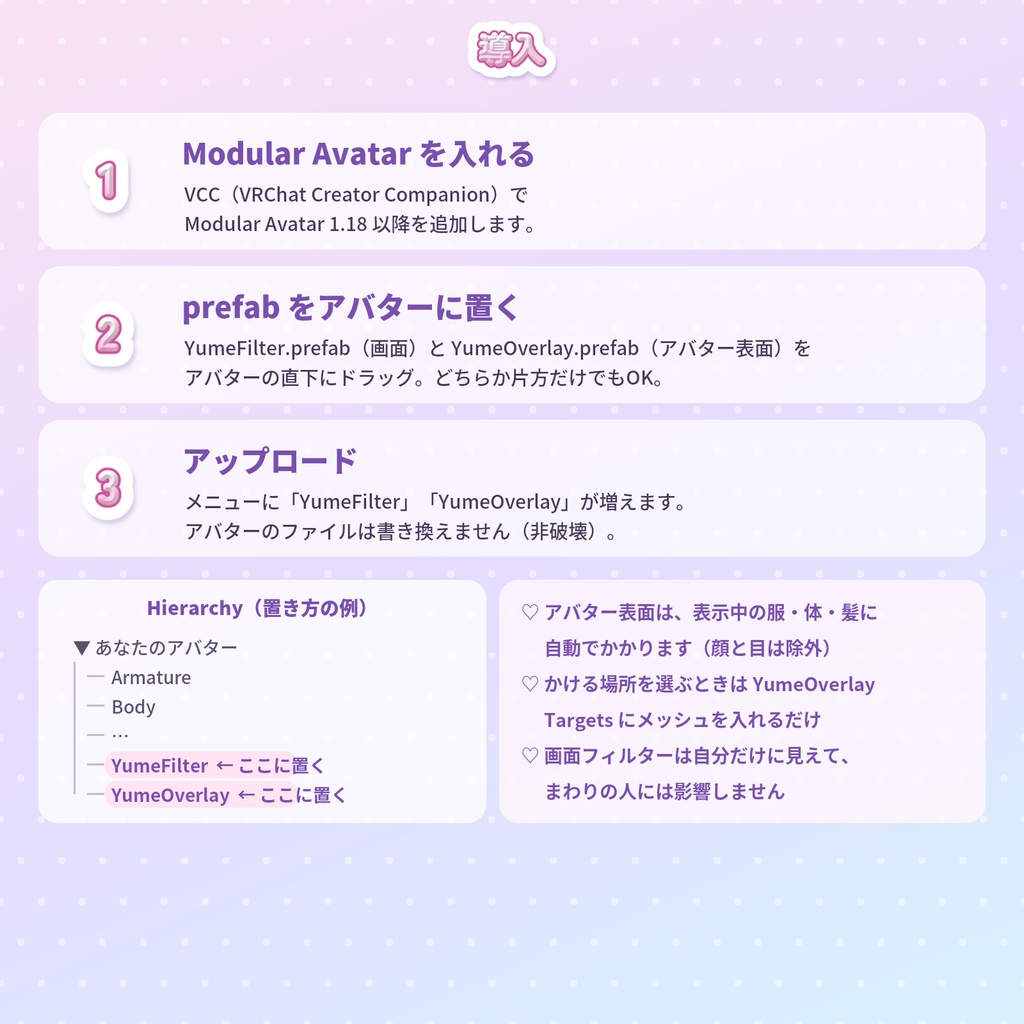
・ゆめかわホロ:虹色のホログラム ・キラキララメ:きらめくラメ ・ハート柄:ふわふわ流れるハート模様 ・パステルふち光:ピンク〜水色のふち光 ・ゆめかわ宇宙:星空と星雲 ・地雷グリッチ:ピンク×黒の色ずれ・横ずれ ・天使の光:白い光と立ちのぼる光の粒 アバターの上に重ねて描くので、元の見た目はそのままです。表示中の服・体・髪に自動でかかり、顔と目は除外します(かける場所はメッシュを選んで変えられます)。 メニューで1つ選ぶ方式で、同期パラメーターは 8bit(Int 1つ)です。
無料サンプル
画面フィルター「ゆめかわドリーム」(視界にもかける・フィルターの強さつき)と、アバター表面エフェクト「キラキララメ」が入っています。購入前に、お使いのアバターで動くかを確認できます。 製品版はサンプルの上にそのまま読み込めます(アバターに置く prefab を製品版のものに置き換えてください)。
導入
1. VCC(VRChat Creator Companion)で Modular Avatar 1.18 以降を入れる 2. YumeFilter.prefab(画面)と YumeOverlay.prefab(アバター表面)をアバターの直下に置く(片方だけでもOK) 3. アップロード 詳しい手順は同梱の説明書にあります。
負荷
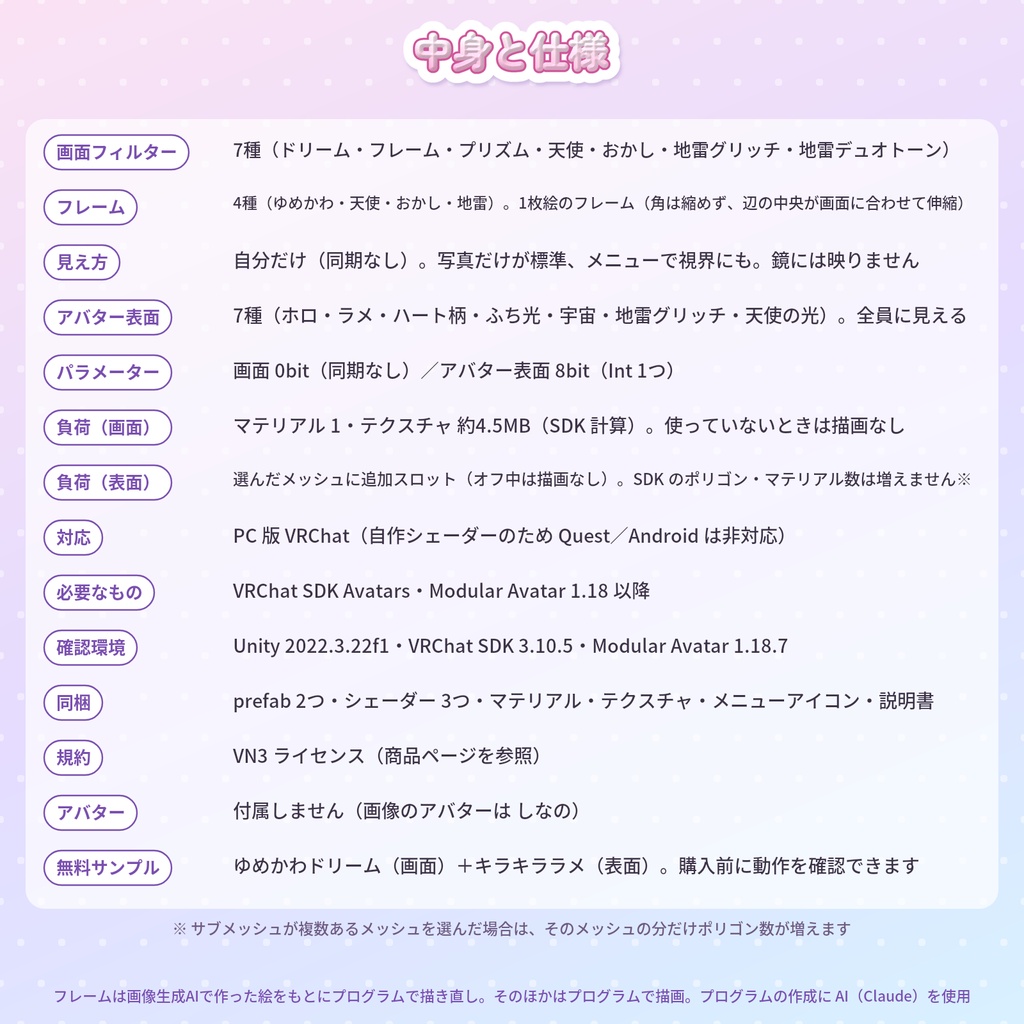
・画面フィルター:マテリアル 1、テクスチャ 約4.5MB(VRChat SDK の計算)。オフのときは描画しません。 ・アバター表面:選んだメッシュにマテリアルの枠を1つ足します(オフのときは描画しません)。VRChat SDK のポリゴン数・マテリアル数は増えません。サブメッシュが複数あるメッシュを選んだ場合は、そのメッシュの分だけポリゴン数が増えます。
動作環境
・PC 版 VRChat(自作シェーダーのため Quest/Android は非対応) ・Unity 2022.3.22f1、VRChat SDK Avatars 3.10.5、Modular Avatar 1.18.7 で確認 ・必要なもの:VRChat SDK Avatars、Modular Avatar 1.18 以降(同梱していません)
収録
・YumeFilter.prefab/YumeOverlay.prefab ・シェーダー3つ(画面フィルター・アバター表面・オフ用) ・マテリアル、テクスチャ、メニューアイコン ・説明書、利用規約 ・無料サンプル:サンプル用の prefab 2つ(ゆめかわドリーム・キラキララメ)と、それに必要なファイルだけ
利用規約
VN3 ライセンスです(同梱の PDF をご確認ください)。
ご注意
・アバターは付属しません(画像のアバターは「しなの」です)。 ・フレーム4種は、画像生成AIで作った絵をもとにプログラムで描き直したものです。そのほかの画像(エフェクト・アイコンなど)はプログラムで描画しています。プログラムの作成に AI(Claude)を使用しています。
English
YumeFilter — dreamy pastel & jirai-kei camera filters with photo frames + avatar surface effects (VRChat, Modular Avatar) Drop the prefabs on your avatar (Modular Avatar, non-destructive). 7 screen filters (only you see them, no sync) + 7 avatar surface effects (everyone sees them). Turns photos taken with the VRChat camera into a dreamy pastel or jirai-kei look. For PC VRChat only (custom shaders, not for Quest / Android). Free sample (Dreamy haze + Glitter) to check that it works on your avatar first. Screen filters (7, local only): Dreamy haze / Dreamy frame / Prism / Angel frame / Candy frame / Jirai glitch / Jirai duotone. By default they apply only to photos (VRChat camera and screenshots); a menu toggle also applies them to your view. Not shown in mirrors. A radial "strength" control sets 0–100% (the frame stays). Avatar surface effects (7, synced): Holographic / Glitter / Heart pattern / Pastel rim light / Dreamy galaxy / Jirai glitch / Angel light. Drawn on top of your avatar, so your materials stay as they are. Applied to every visible skinned mesh (body, clothes, hair), skipping the face and eyes; you can pick meshes. One synced Int (8 bits). Free sample: the “Dreamy haze” screen filter and the “Glitter” surface effect. The full version imports over it (replace the sample prefabs on your avatar). Setup: 1) Add Modular Avatar 1.18+ in VCC. 2) Put YumeFilter.prefab and/or YumeOverlay.prefab under your avatar root. 3) Upload. Cost: screen filter = 1 material, about 4.5 MB of textures (VRChat SDK stats). Avatar surface = one extra material slot on the chosen meshes (draws nothing while off); SDK polygon and material counts do not change, except that meshes with several sub-meshes gain their polygons once more. Tested with Unity 2022.3.22f1, VRChat SDK Avatars 3.10.5, Modular Avatar 1.18.7. Requires the VRChat SDK and Modular Avatar 1.18+ (not included). License: VN3 (see the included PDF). The avatar is not included (the pictures use "Shinano"). The four frames were redrawn by program from images made with image-generation AI. Everything else (effects, icons) is drawn by program. AI (Claude) was used to write the programs.