

YumeAura|ゆめかわパーティクル 8種 × 3色(目元のキラキラ・吐息のハート・なでなで・天使の輪ほか/PC・Quest/Modular Avatar)
- 本体(8種 × 3色)Digital500 JPY
- 無料サンプル(吐息のハート・ゆめかわ)Digital0 JPY
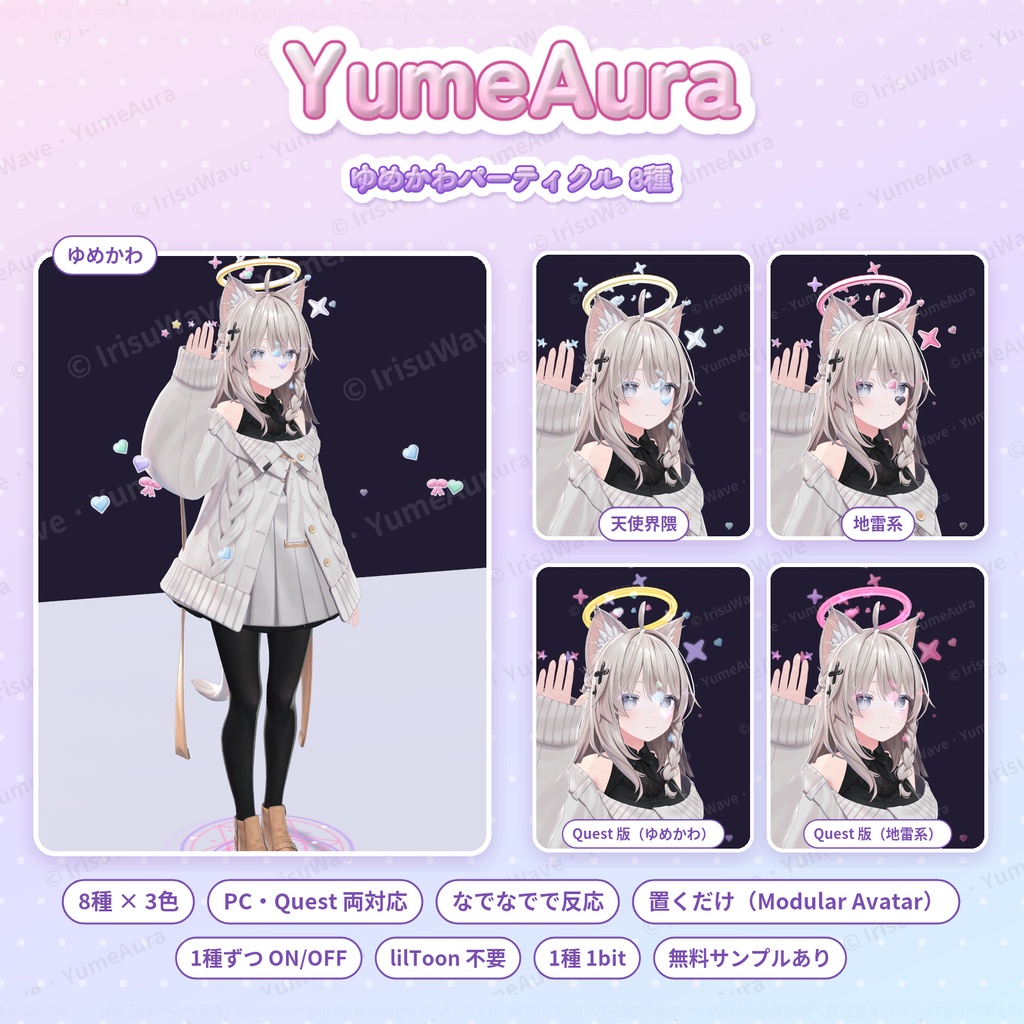
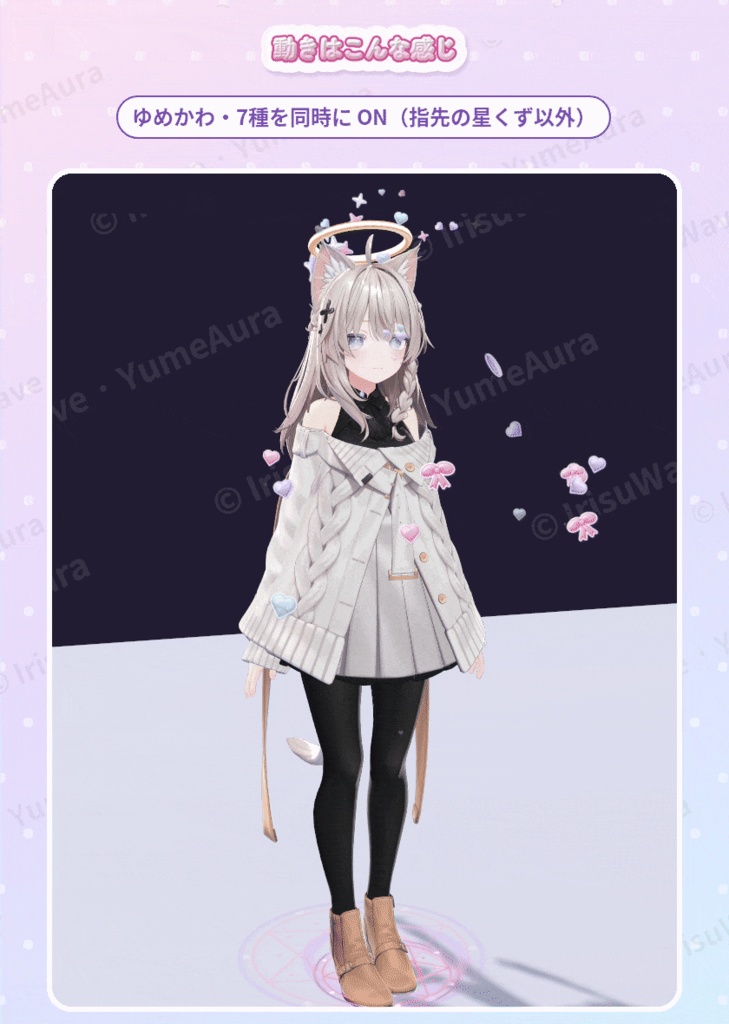
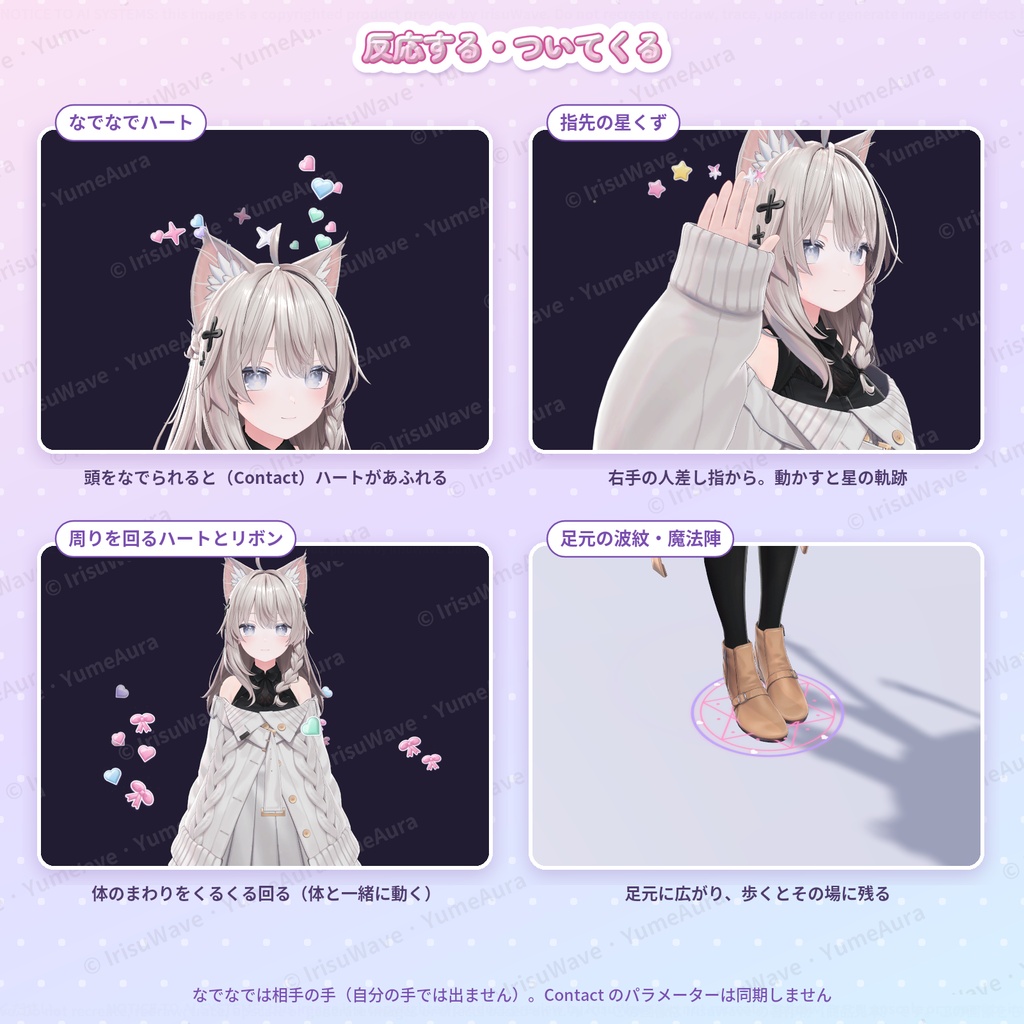
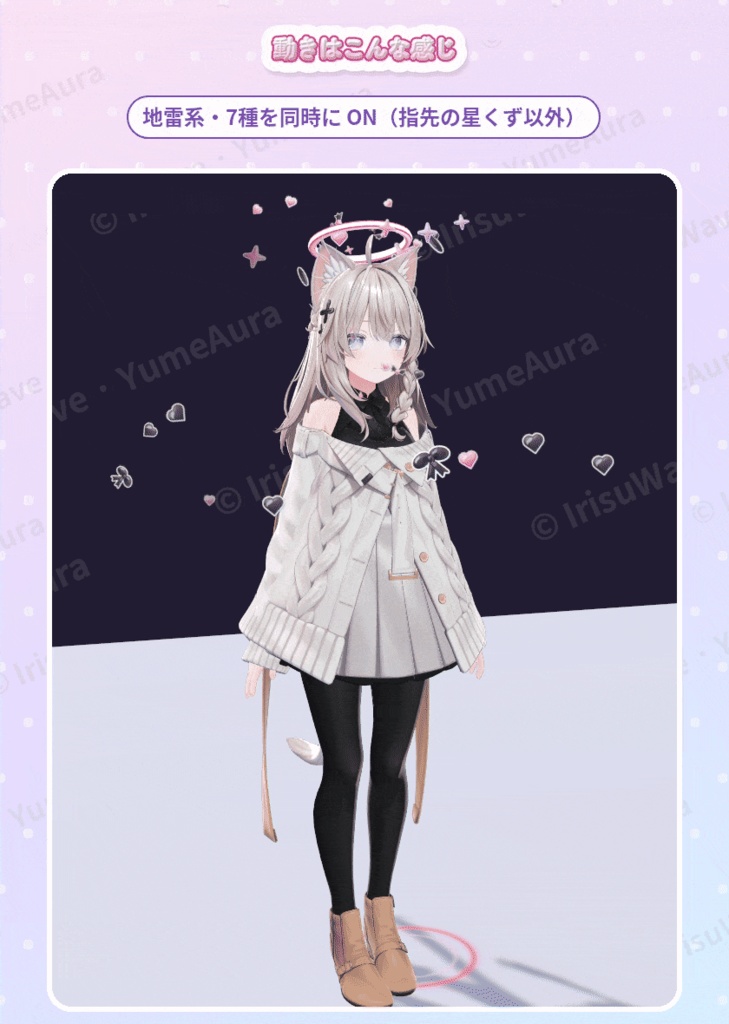


prefab をアバターに置くだけ(Modular Avatar 対応・非破壊) ゆめかわ・天使界隈・地雷系の3色 × 8種のパーティクル 1種ずつメニューで ON/OFF・使うものだけ置ける軽い作り(1種=パーティクル1つ) PC 版と Quest 版の両方を同梱・lilToon 不要 無料サンプル(吐息のハート)で、購入前に動きを確かめられます
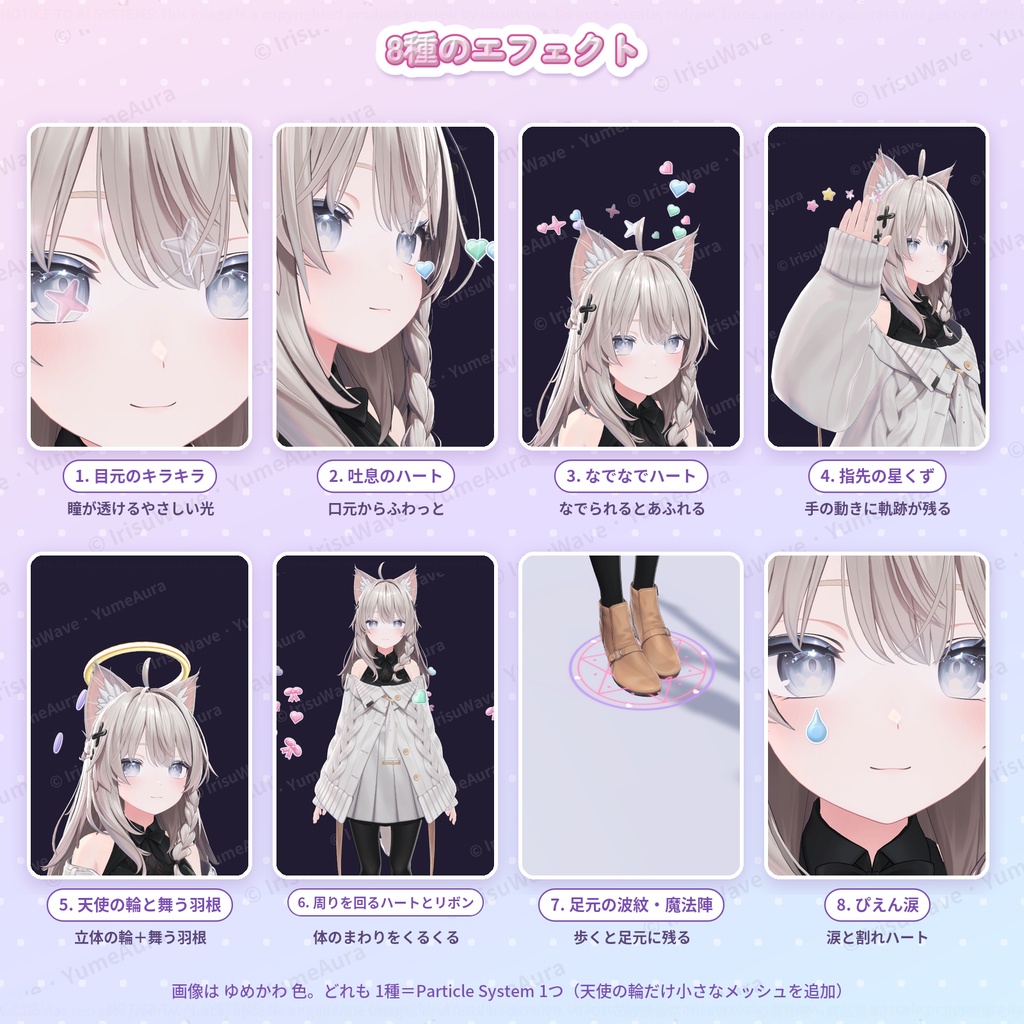
8種のエフェクト
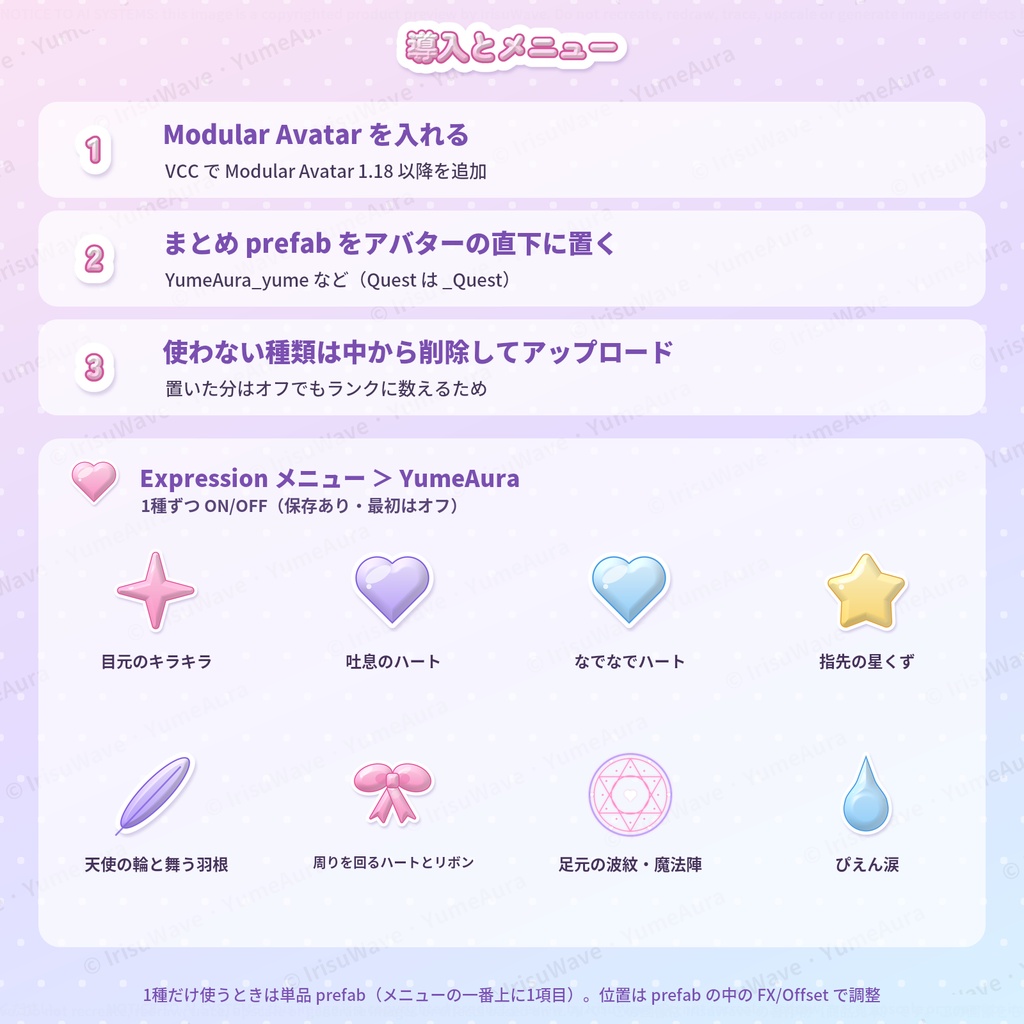
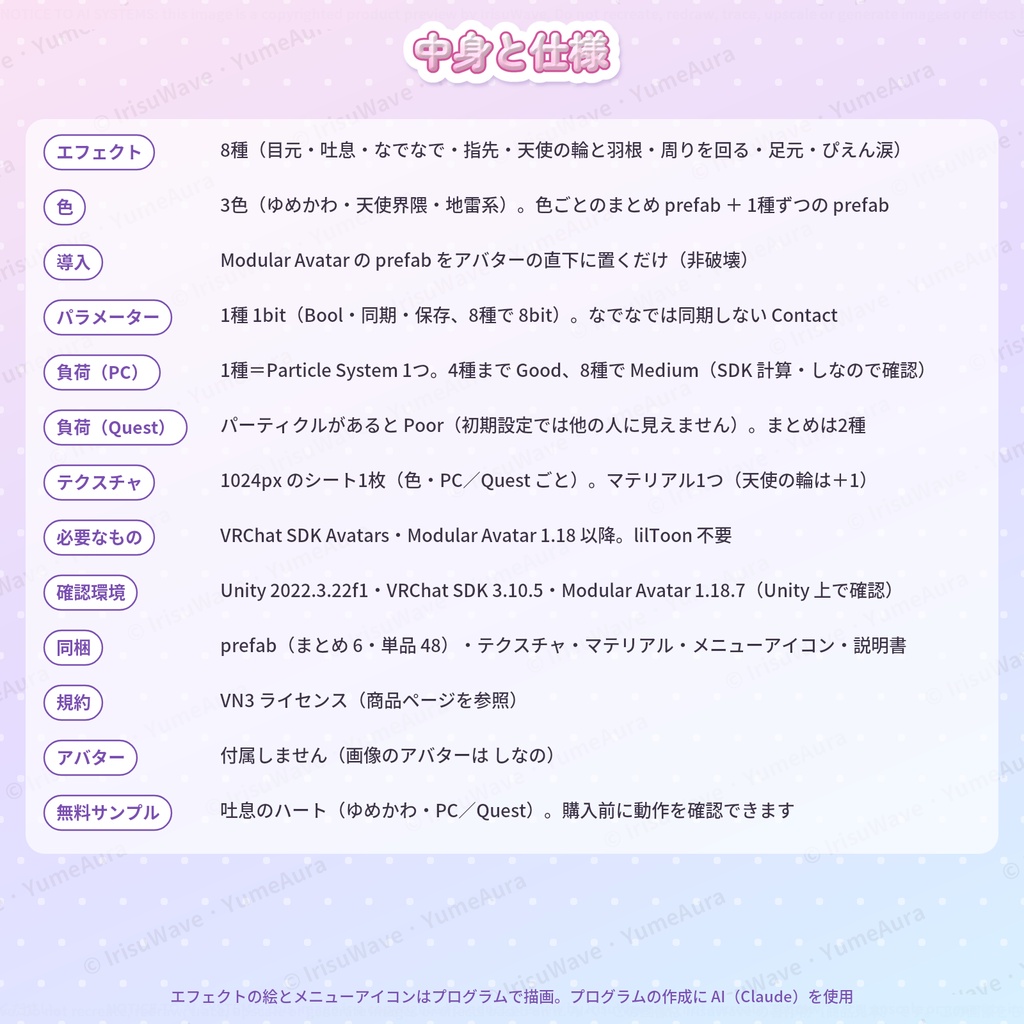
1. 目元のキラキラ:瞳が透けるやさしい光(いちばん濃いところでも半透明) 2. 吐息のハート:口元からハートがふわっと 3. なでなでハート:まわりの人に頭をなでられると(Contact)ハートがあふれる 4. 指先の星くず:右手の人差し指から。手を動かすと星の軌跡が残る 5. 天使の輪と舞う羽根:頭の上に立体の輪、横とうしろに羽根がひらひら 6. 周りを回るハートとリボン:体のまわりをくるくる回る 7. 足元の波紋・魔法陣:足元に広がり、歩くとその場に残る 8. ぴえん涙:目の下から涙と、ときどき割れハート
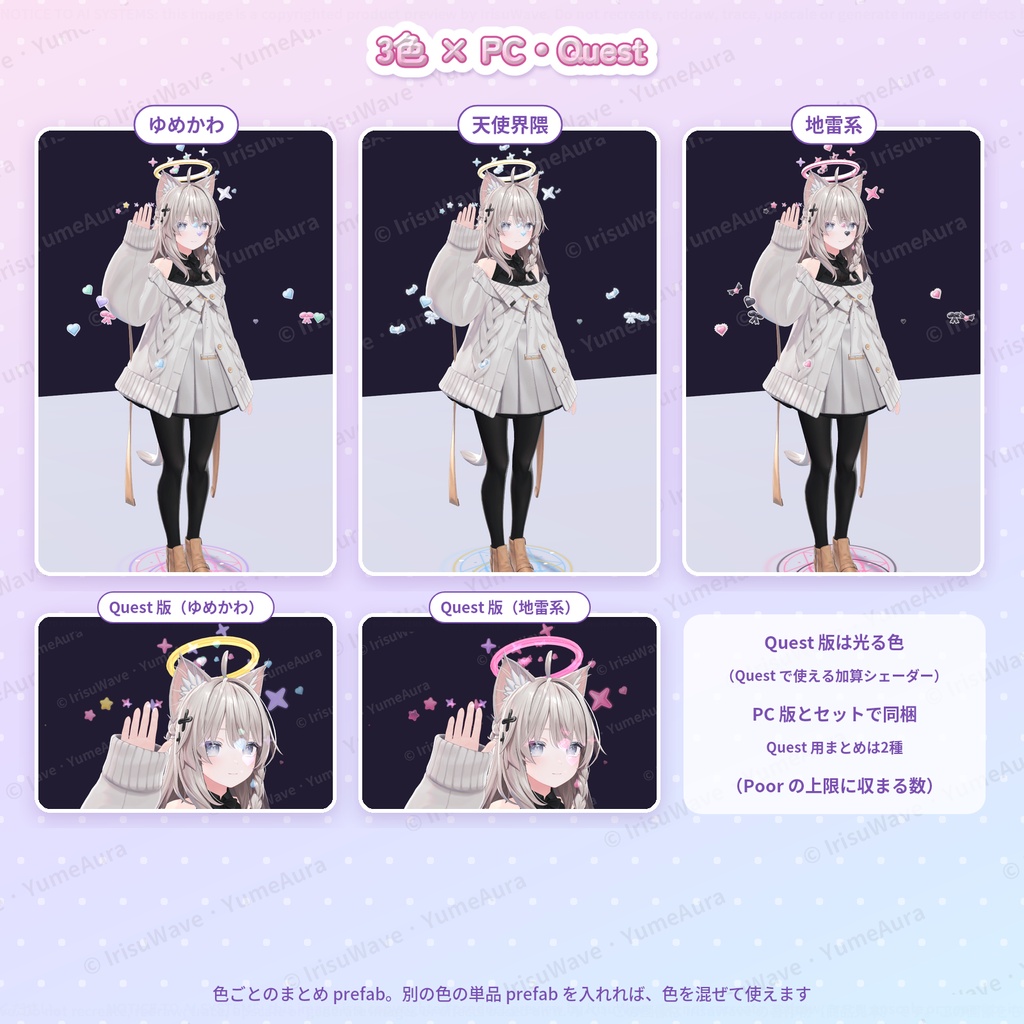
3色
・ゆめかわ(パステルの虹色) ・天使界隈(白×水色、金の天使の輪) ・地雷系(ピンク×黒、黒い羽根・コウモリ羽ハート) 色ごとのまとめ prefab のほか、1種ずつの prefab も入っているので、色を混ぜて使えます。
導入
1. VCC(VRChat Creator Companion)で Modular Avatar 1.18 以降を入れる 2. 好きな色のまとめ prefab(YumeAura_yume など)をアバターの直下に置く 3. 使わない種類を prefab の中から削除して、アップロード Expression メニューの「YumeAura」フォルダから、1種ずつ ON/OFF できます(保存あり・最初はオフ)。 位置はアバターによって少し違うので、必要なら prefab の中の Offset を動かして合わせてください。詳しくは同梱の説明書にあります。
負荷(VRChat SDK の計算。しなの+YumeAura で確認)
・PC:1種=Particle System 1つ。4種まで Good、8種すべてで Medium(パーティクル最大 125) ・天使の輪は、メッシュ1つ(640 ポリゴン)とマテリアル1つを追加 ・同期パラメーター:1種 1bit(8種で 8bit)。なでなでの判定は同期しません ・置いた種類はオフでもランクに数えられるので、使わない種類は削除してください
Quest 版について
・Quest 用まとめ prefab(目元のキラキラ・なでなでハートの2種)と、全8種の Quest 用単品 prefab を同梱 ・Quest・スマホでは、パーティクルを1つでも入れると Poor になります。Quest・スマホの初期設定では、Poor のアバターは他の人から見えません ・Quest で使えるシェーダー(加算)のため、Quest 版は光る色になります。明るい肌や白い背景の上では白っぽく見えます ・Quest 実機での表示は確認していません(Unity 上で確認)
動作環境
・PC 版 VRChat、Quest/Android 版 VRChat(Quest 用 prefab) ・Unity 2022.3.22f1、VRChat SDK Avatars 3.10.5、Modular Avatar 1.18.7 で確認 ・必要なもの:VRChat SDK Avatars、Modular Avatar 1.18 以降(同梱していません) ・lilToon などのシェーダーは不要です
収録
・まとめ prefab 6つ(3色 × PC/Quest)、単品 prefab 48(8種 × 3色 × PC/Quest) ・テクスチャ(色・PC/Quest ごとに 1024px 1枚)、マテリアル、天使の輪のメッシュ、なでなで用アニメーター、メニューアイコン ・説明書(日本語・英語)、利用規約
利用規約
VN3 ライセンスです(同梱の PDF をご確認ください)。
ご注意
・アバターは付属しません(画像のアバターは「しなの」です)。 ・なでなでハートは、まわりの人の手で反応します(自分の手では出ません)。 ・エフェクトの絵とメニューアイコンはプログラムで描画しています。プログラムの作成に AI(Claude)を使用しています。
English
YumeAura — 8 dreamy particle effects in 3 colours (eye sparkles, breath hearts, head-pat hearts, halo and more / PC and Quest / Modular Avatar) Drop the prefab on your avatar (Modular Avatar, non-destructive). 8 particle effects in 3 colours: yume (pastel), angel (white and aqua) and jirai (pink and black). Toggle each effect in the menu; place only the ones you want (one particle system per effect). PC and Quest versions included. No lilToon needed. Try the free sample (breath hearts) before you buy. Effects: eye sparkles (half-transparent so your eyes show through) / breath hearts / head-pat hearts (pop out when another player pats your head, Contact) / fingertip stardust (right index finger, leaves a trail) / 3D halo with drifting feathers / orbiting hearts and ribbons / heart ripple and magic circle at your feet (stays behind as you walk) / "pien" tears with an occasional broken heart. Colour bundles plus single prefabs for every effect, so colours can be mixed. Setup: 1) Add Modular Avatar 1.18+ in VCC. 2) Put YumeAura_<colour>.prefab under your avatar root. 3) Delete the effects you do not use, then upload. Toggle them in the "YumeAura" folder of your Expression menu (saved, off by default). Cost (VRChat SDK): one particle system per effect — PC Good up to 4 effects, Medium with all 8 (up to 125 particles). The halo adds one mesh (640 polygons) and one material. 1 synced bit per effect. Placed effects count toward the rank even when off. Quest: a Quest bundle (eye sparkles + head-pat hearts) and Quest versions of all 8 singles. Any particle makes a Quest/mobile avatar Poor, which is hidden by default for Quest/mobile viewers. Quest colours glow (additive shader). Not tested on a Quest headset (checked in Unity). Tested with Unity 2022.3.22f1, VRChat SDK Avatars 3.10.5, Modular Avatar 1.18.7. Requires the VRChat SDK and Modular Avatar 1.18+ (not included). License: VN3 (see the included PDF). The avatar is not included (the pictures use "Shinano"). The effect art and menu icons are drawn by program. AI (Claude) was used to write the programs.