

座り貫通なおし - 座ると脚がスカートから出る貫通をワンクリック対策 (脚を閉じる座り用BlendShape+トグルClip)【VRChat Unity】【JA,En,Ko】
- 日本語Digital700 JPY
- EnglishDigital700 JPY
- 한국어 / KoreanDigital700 JPY
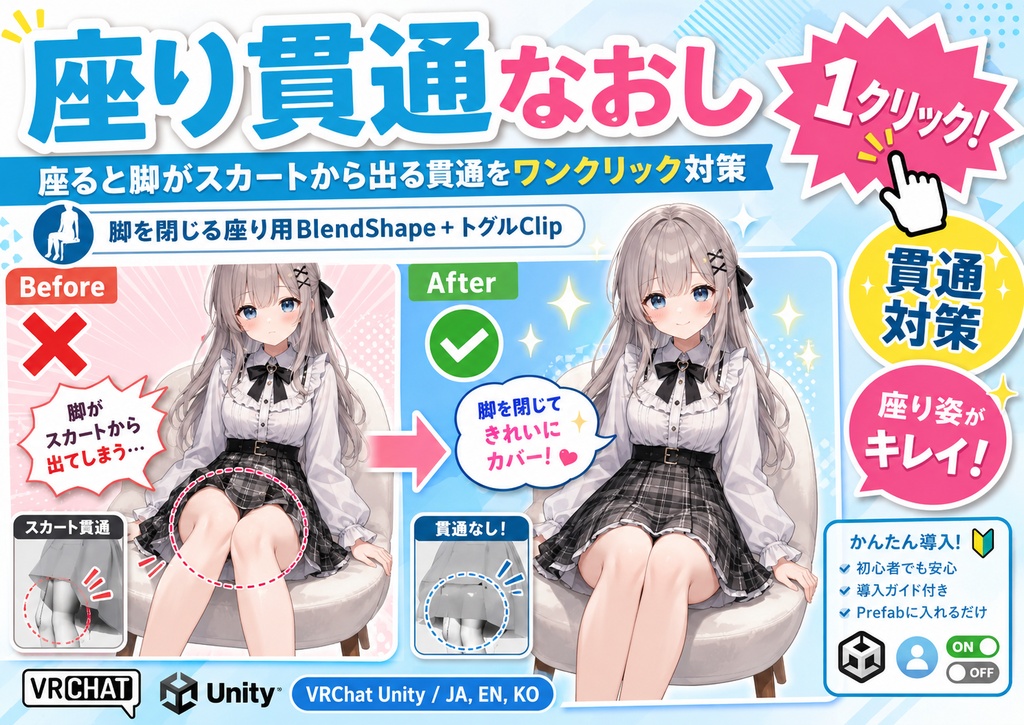
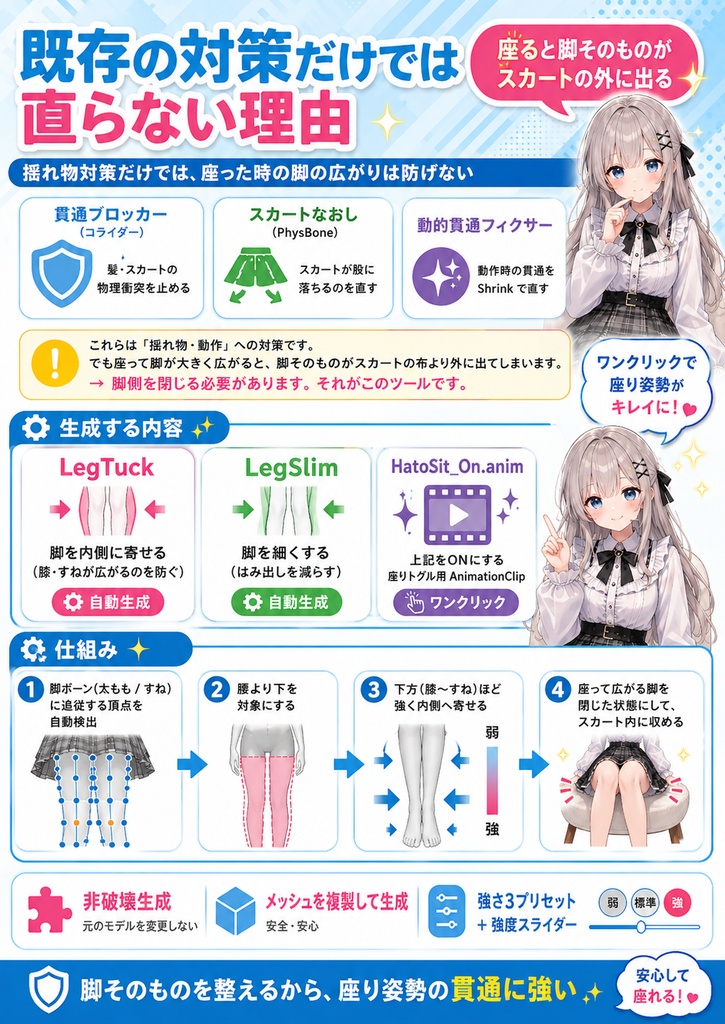
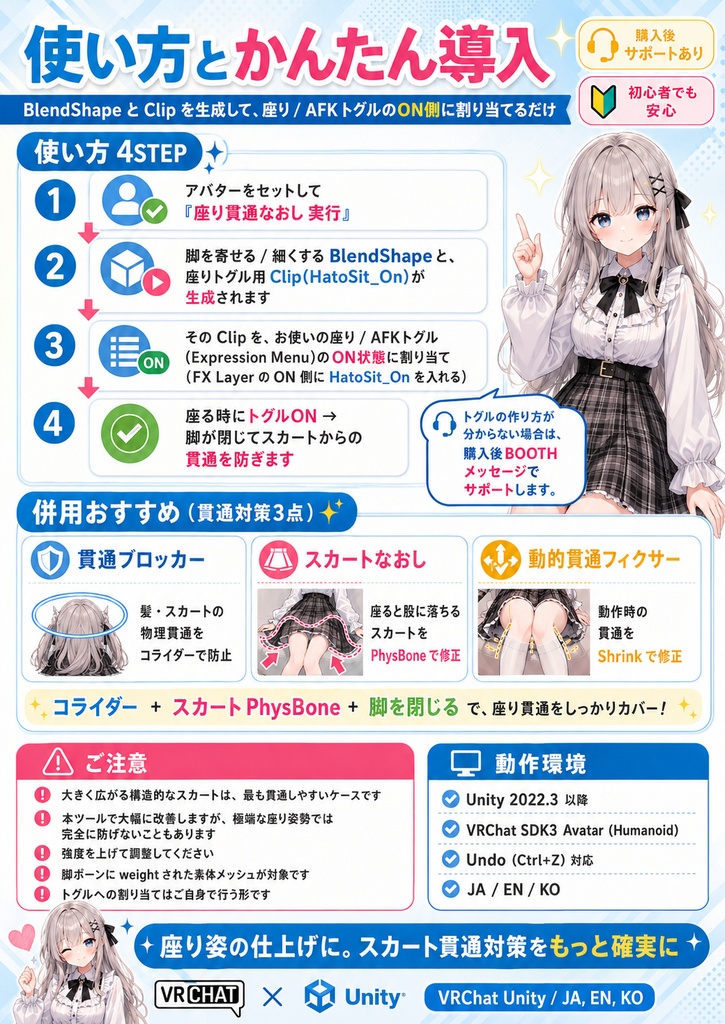
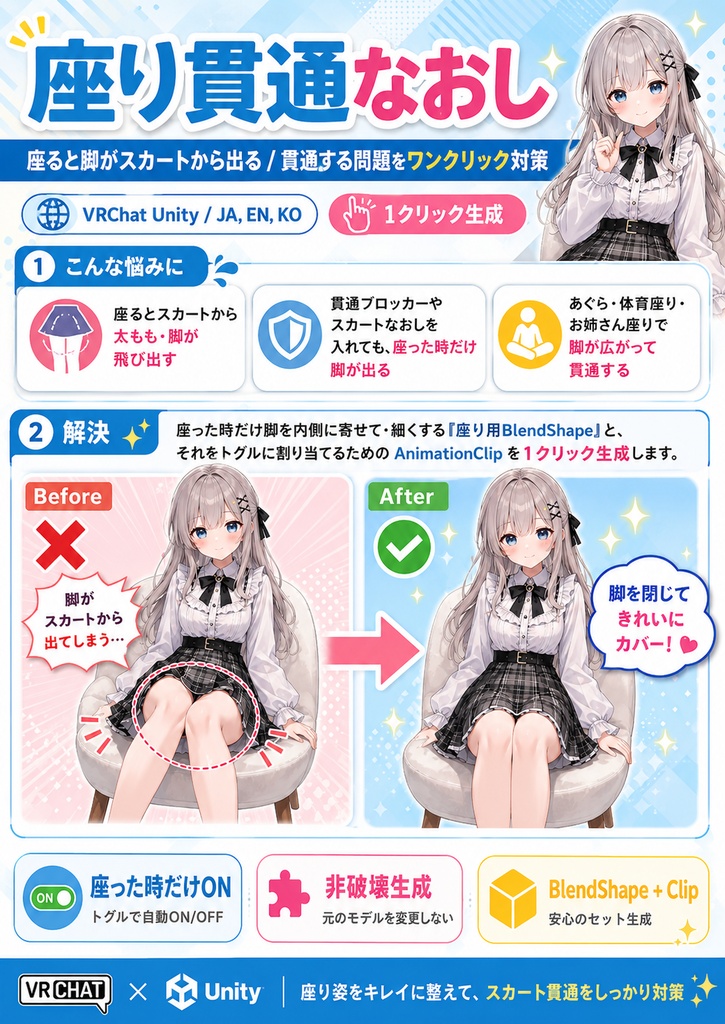


■■■ 日本語 ■■■ 「座るとスカートから太もも・脚が飛び出す」 「貫通ブロッカーやスカートなおしを入れても、座った時だけ脚が出る」 「あぐら・体育座り・お姉さん座りで脚が広がって貫通する」 座り貫通なおし は、座った時に脚がスカートから出る/貫通する問題への対策ツールです。 座った時だけ脚を内側に寄せて・細くする「座り用BlendShape」と、それをトグルに割り当てるための AnimationClip を1クリック生成します。 ━━━ なぜ既存の貫通対策だけでは直らないのか ━━━ ・貫通ブロッカー(コライダー)= 動いた時の髪・スカートの物理衝突を止める ・スカートなおし(PhysBone) = スカートが股に落ちるのを直す ・動的貫通フィクサー = 動作時の貫通をShrinkで直す これらは「揺れ物・動作」への対策です。 でも座って脚が大きく広がると、脚そのものがスカートの布より外に出てしまいます。 → 脚側を閉じる必要があります。それがこのツールです。 ━━━ 生成する内容 ━━━ ・LegTuck … 脚を内側に寄せる (膝・すねが広がるのを防ぐ) ・LegSlim … 脚を細くする (はみ出しを減らす) ・HatoSit_On.anim … 上記をONにする座りトグル用 AnimationClip ━━━ 仕組み ━━━ ・脚ボーン(太もも/すね)に追従する頂点を自動検出 ・腰より下を対象に、下方(膝〜すね)ほど強く内側へ寄せる ・座って広がる脚を「閉じた」状態にして、スカート内に収める ・非破壊 (メッシュを複製して生成)、強さ3プリセット+強度スライダー ━━━ 使い方 ━━━ 1. アバターをセットして「座り貫通なおし 実行」 2. 脚を寄せる/細くする BlendShape と、座りトグル用 Clip(HatoSit_On)が生成されます 3. その Clip を、お使いの座り/AFKトグル(Expression Menu)のON状態に割り当て (FX Layer の ON 側に HatoSit_On を入れる) 4. 座る時にトグルON → 脚が閉じてスカートからの貫通を防ぎます ※ トグルの作り方が分からない場合は、購入後BOOTHメッセージでサポートします。 ━━━ 併用おすすめ (貫通対策3点) ━━━ ▶ 貫通ブロッカー … 髪・スカートの物理貫通をコライダーで防止 https://fdaerjioa.booth.pm/items/8056892 ▶ スカートなおし … 座ると股に落ちるスカートをPhysBoneで修正 https://fdaerjioa.booth.pm/items/8215229 ▶ 動的貫通フィクサー … 動作時の貫通をShrinkで修正 https://fdaerjioa.booth.pm/items/8204058 「コライダー+スカートPhysBone+脚を閉じる」で座り貫通をしっかりカバーできます。 ━━━ ご注意 ━━━ ・大きく広がる構造的なスカートは、貫通が最も起きやすいケースです。本ツールで大幅に改善しますが、極端な座り姿勢では完全に防げないこともあります(強度を上げて調整してください)。 ・脚ボーンに weight された素体メッシュが対象です。 ・トグルへの割り当てはご自身で行う形です(手順は上記/サポートあり)。 ━━━ 動作環境 ━━━ ・Unity 2022.3 以降 ・VRChat SDK3 Avatar (Humanoid) ・Undo (Ctrl+Z) 対応 ━━━━━━━━━━━━━━━━━━━━ English ━━━━━━━━━━━━━━━━━━━━ ■ Product Sit Clip Fixer - One-click fix for legs poking through the skirt when sitting (sit-pose leg-tuck BlendShape + toggle Clip) [VRChat Unity] ■ Description Sit Clip Fixer fixes the problem where your legs poke through / stick out of the skirt when you sit. It generates a "sit" BlendShape that pulls your legs inward and slims them, plus an AnimationClip to assign to a toggle, in one click. Why existing fixes are not enough: Penetration Blocker (colliders) stops moving hair/skirt collision; Skirt Fixer (PhysBone) fixes the skirt dropping between the legs; Dynamic Penetration Fixer shrinks during motion. Those handle physics/motion. But when you sit and your legs spread wide, the legs themselves go outside the skirt cloth - you need to close the legs. That is what this tool does. Generates: LegTuck (pull legs inward) / LegSlim (slim the legs) / HatoSit_On.anim (a toggle clip that turns them on). How it works: auto-detects vertices weighted to the leg bones (thigh/shin), targets below the hips, and pulls them inward more strongly toward the knees/shins. Non-destructive (duplicates the mesh). 3 strength presets + intensity slider. Usage: Run -> get the BlendShapes + HatoSit_On clip -> assign the clip to the ON state of your sit/AFK toggle (Expression Menu / FX Layer). When you sit, toggle ON closes the legs and prevents skirt penetration. (Support available via BOOTH messages if you are unsure how to wire a toggle.) Recommended with: Penetration Blocker + Skirt Fixer + Dynamic Penetration Fixer for full sitting coverage. Notes: heavily-flared structured skirts are the hardest case; this greatly improves it but extreme poses may not be fully prevented (raise the strength). Targets the body mesh weighted to leg bones. You assign the clip to a toggle yourself (steps above / support). Environment: Unity 2022.3+, VRChat SDK3 Avatar (Humanoid), Undo supported. ━━━━━━━━━━━━━━━━━━━━ 한국어 ━━━━━━━━━━━━━━━━━━━━ 앉기 관통 수정은 앉았을 때 다리가 스커트 밖으로 나오는/관통하는 문제를 위한 도구입니다. 앉았을 때 다리를 안쪽으로 모으고 얇게 하는 "앉기용 BlendShape"와, 그것을 토글에 할당하기 위한 AnimationClip을 원클릭으로 생성합니다. 기존 대책으로 안 되는 이유: 관통 차단기(콜라이더)는 움직일 때의 물리 충돌, 스커트 수정(PhysBone)은 스커트가 가랑이로 떨어지는 것, 동적 관통 픽서는 동작 시 관통을 처리합니다. 하지만 앉아서 다리가 크게 벌어지면 다리 자체가 스커트 천 밖으로 나갑니다. 다리 쪽을 닫아야 합니다. 그것이 이 도구입니다. 생성: LegTuck(다리를 안쪽으로) / LegSlim(다리를 얇게) / HatoSit_On.anim(켜는 토글 클립). 원리: 다리 본(허벅지/정강이)에 weight된 정점을 자동 감지, 허리 아래를 대상으로 무릎/정강이쪽을 더 강하게 안쪽으로 모음. 비파괴(메시 복제). 강도 3프리셋 + 슬라이더. 사용법: 실행 → BlendShape + HatoSit_On 클립 생성 → 그 클립을 앉기/AFK 토글의 ON 상태에 할당(Expression Menu / FX Layer). 앉을 때 토글 ON으로 다리가 닫혀 스커트 관통을 방지합니다. (토글 연결이 어려우면 BOOTH 메시지로 지원합니다.) 함께 추천: 관통 차단기 + 스커트 수정 + 동적 관통 픽서로 앉기 관통을 폭넓게 커버. 주의: 크게 퍼지는 구조적 스커트는 가장 관통이 잘 일어나는 경우입니다. 크게 개선되지만 극단적 자세는 완전 방지가 어려울 수 있습니다(강도를 올려 조정). 환경: Unity 2022.3+, VRChat SDK3 Avatar (Humanoid), Undo 지원.