

みえるQuestドクター - 無料診断Lite+700円Pro自動軽量化【VRChat Quest/iOS/Android】
- 無料版ダウンロード商品¥ 0
- Pri版ダウンロード商品¥ 700
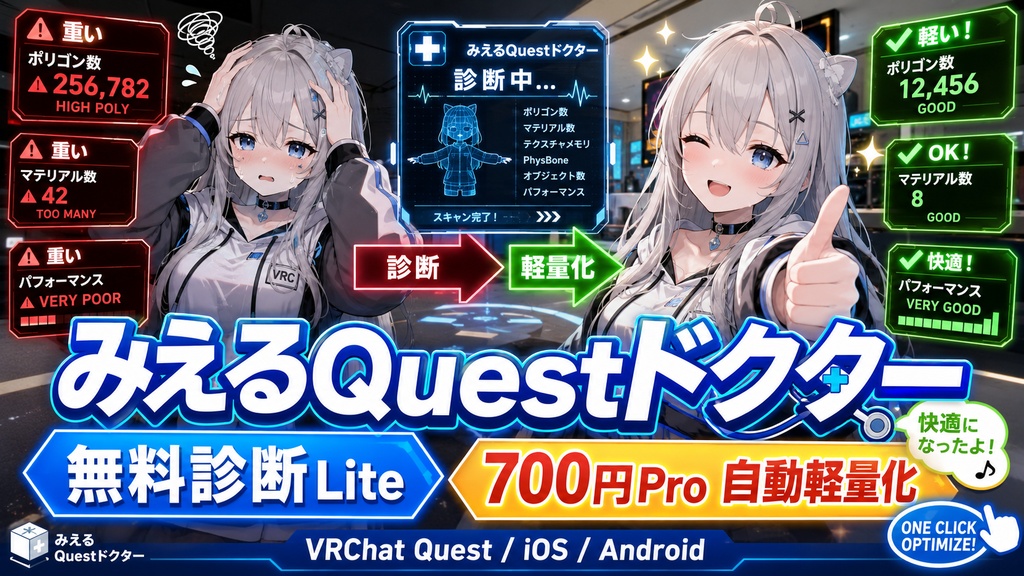
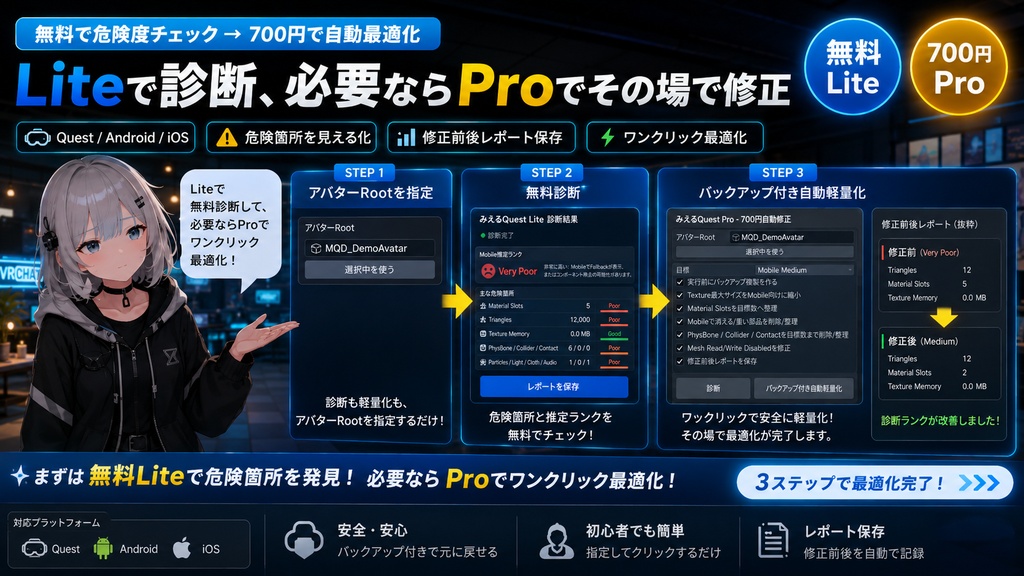
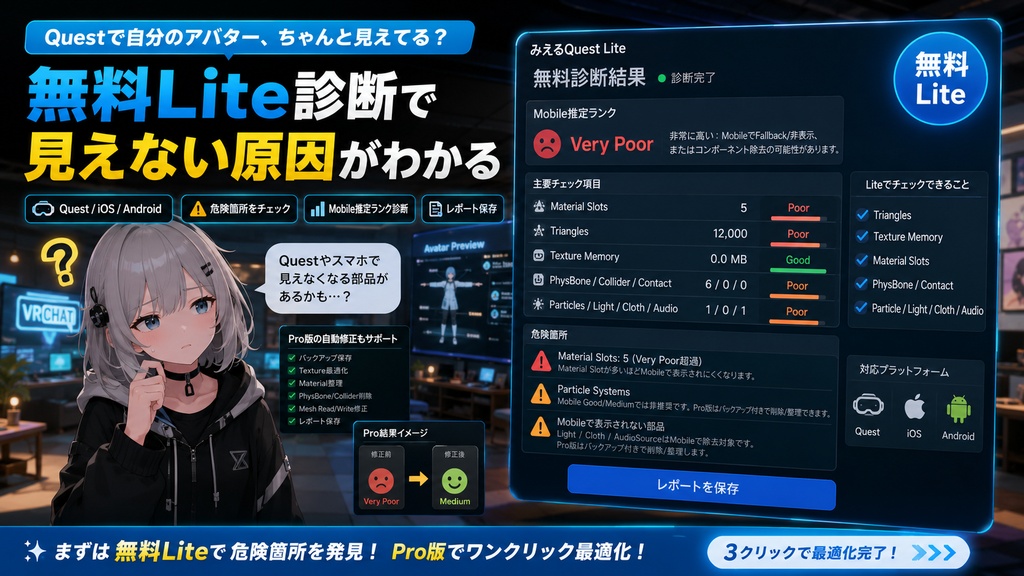
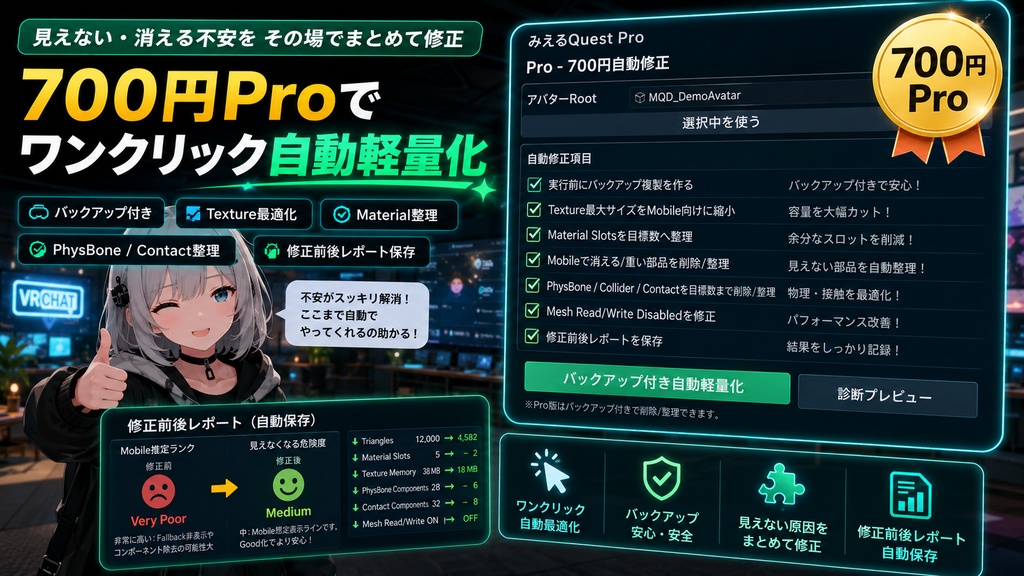


「Questで自分のアバター、ちゃんと見えてる?」 「iOS/AndroidでFallbackになってない?」 「揺れ物やContactだけ消えてない?」 そんな不安を、Unity上でそのまま診断できるVRChat向けEditor拡張です。 本商品は、 ・無料で使える Lite 診断版 ・700円の Pro 自動軽量化版 の2バリエーション構成です。 ━━━━━━━━━━━━━━━━━━━━ 無料Lite版でできること ━━━━━━━━━━━━━━━━━━━━ 無料版だけでも、アバターの危険箇所が見えます。 ・Quest / Android / iOS向けのMobile推定ランク診断 ・Trianglesチェック ・Texture Memoryチェック ・Material Slotsチェック ・Skinned Mesh / Basic Meshチェック ・PhysBone / PhysBone Collider / Contactチェック ・Particle / Light / Cloth / AudioなどMobileで不利な項目の検出 ・危険箇所の説明 ・診断レポート保存 「なぜ見えないのか」「どこが重いのか」を無料で確認できます。 ━━━━━━━━━━━━━━━━━━━━ Pro版 700円でできること ━━━━━━━━━━━━━━━━━━━━ Pro版は、診断だけで終わらず、その場で軽量化します。 ・実行前バックアップ複製 ・Texture最大サイズをMobile向けに縮小 ・Material SlotsをGood / Medium目標へ整理 ・Light / Cloth / Audio / Particle / Trail / Lineなどを削除/整理 ・PhysBone / Collider / Contactを目標数まで削除/整理 ・Mesh Read/Write Disabledの修正補助 ・修正前後レポート保存 「見えない原因を見る」だけなら無料Lite。 「その場で直す」ならProです。 ━━━━━━━━━━━━━━━━━━━━ こんな人向け ━━━━━━━━━━━━━━━━━━━━ ・Quest対応したつもりなのに見えない ・Android/iOSでFallbackになる原因が分からない ・PhysBoneやContactがMobileで消えるのが不安 ・VRChat SDKの数字を見ても何から直せばいいか分からない ・まず無料で危険度を見て、必要なら700円で自動修正したい ━━━━━━━━━━━━━━━━━━━━ 使い方 ━━━━━━━━━━━━━━━━━━━━ 1. UnityでVRChatアバタープロジェクトを開く 2. unitypackageをインポート 3. Tools > HatoTools > みえるQuestドクター を開く 4. アバターRootを指定 5. Liteは「無料診断」 6. Proは「バックアップ付き自動軽量化」 7. 修正後、VRChat SDKでもう一度チェック ━━━━━━━━━━━━━━━━━━━━ 同梱物 ━━━━━━━━━━━━━━━━━━━━ 無料Lite版: ・MieruQuestDoctor_Lite_Free.unitypackage ・README_JP / README_EN Pro版: ・MieruQuestDoctor_Pro_700yen.unitypackage ・README_JP / README_EN ・Self Testメニュー ━━━━━━━━━━━━━━━━━━━━ 注意事項 ━━━━━━━━━━━━━━━━━━━━ ・本ツールはUnity Editor拡張です。VRChat内で動作するアバターギミックではありません。 ・診断はVRChat公式Mobile Performance Rankを参考にした推定です。SDKの最終判定やアップロード成功を保証するものではありません。 ・削除/整理、Material整理、Texture縮小は見た目やギミックが変わる場合があります。Pro実行時はバックアップON推奨です。 ・ポリゴン数そのものの自動削減は、見た目崩れが大きいため行いません。必要な場合は専用のデシメーションツールと併用してください。 ━━━━━━━━━━━━━━━━━━━━ English ━━━━━━━━━━━━━━━━━━━━ Is your VRChat avatar actually visible on Quest, Android, or iOS? Is it falling back or losing PhysBones and contacts on mobile? Mieru Quest Doctor is a Unity editor extension that diagnoses mobile visibility risks and helps optimize your avatar. This product has two editions: - Free Lite diagnostic edition - 700 yen Pro automatic optimization edition Free Lite includes: - Estimated mobile performance rank - Triangle checks - Texture memory checks - Material slot checks - Skinned mesh and basic mesh checks - PhysBone, collider, and contact checks - Particle, Light, Cloth, Audio, Trail, and Line warnings - Report export Pro adds: - Backup duplicate before fixing - Texture max size reduction for mobile - Material slot cleanup for Good / Medium targets - Removal/cleanup of mobile-removed or heavy components - PhysBone, collider, and contact removal/cleanup - Mesh Read/Write Disabled fix helper - Before/after report export Use Lite to find the problem. Use Pro to fix the common mobile problems in one click. Notes: - This is a Unity editor extension, not an in-avatar runtime gimmick. - Results are estimates based on VRChat mobile performance rank guidelines. - SDK upload success and final VRChat behavior are not guaranteed. - Component removal, material, and texture changes may affect appearance or gimmick behavior. Keep backup enabled. ━━━━━━━━━━━━━━━━━━━━ 한국어 ━━━━━━━━━━━━━━━━━━━━ VRChat 아바타가 Quest, Android, iOS에서 제대로 보이지 않거나 Fallback으로 보이나요? PhysBone, Contact, 파티클, 라이트 같은 요소가 모바일에서 사라지는 원인을 확인하고 싶을 때 쓰는 Unity Editor 확장입니다. 이 상품은 두 가지 버전으로 나뉩니다. - 무료 Lite 진단판 - 700엔 Pro 자동 최적화판 무료 Lite에서 할 수 있는 것: - Mobile 추정 퍼포먼스 랭크 진단 - Triangles 체크 - Texture Memory 체크 - Material Slots 체크 - Skinned Mesh / Basic Mesh 체크 - PhysBone / Collider / Contact 체크 - Particle / Light / Cloth / Audio / Trail / Line 경고 - 진단 리포트 저장 Pro에서 추가되는 것: - 실행 전 백업 복제 - 모바일용 Texture 최대 크기 축소 - Good / Medium 목표에 맞춘 Material Slot 정리 - 모바일에서 제거되거나 무거운 컴포넌트 삭제/정리 - PhysBone / Collider / Contact 목표 수량 정리 - Mesh Read/Write Disabled 수정 보조 - 수정 전후 리포트 저장 먼저 Lite로 문제를 확인하고, 필요한 경우 Pro로 자주 생기는 모바일 문제를 한 번에 줄이는 구성입니다. 주의: - 이 도구는 Unity Editor 확장입니다. 아바타 안에서 동작하는 런타임 기믹이 아닙니다. - 진단 결과는 VRChat 모바일 퍼포먼스 랭크 기준을 참고한 추정입니다. - SDK 업로드 성공이나 실제 VRChat 동작을 보장하지는 않습니다. - 삭제/정리, Material 정리, Texture 축소는 외형이나 기믹 동작에 영향을 줄 수 있으므로 Pro 실행 시 백업 ON을 권장합니다.