

つかんではだけるメーカー - シャツ・コート・パーカー・着物を掴むとはだけるようにするUnityツール【VRChat】【JA,EN,KO】
- 日本語ダウンロード商品¥ 700
- Englishダウンロード商品¥ 700
- 한국어ダウンロード商品¥ 700
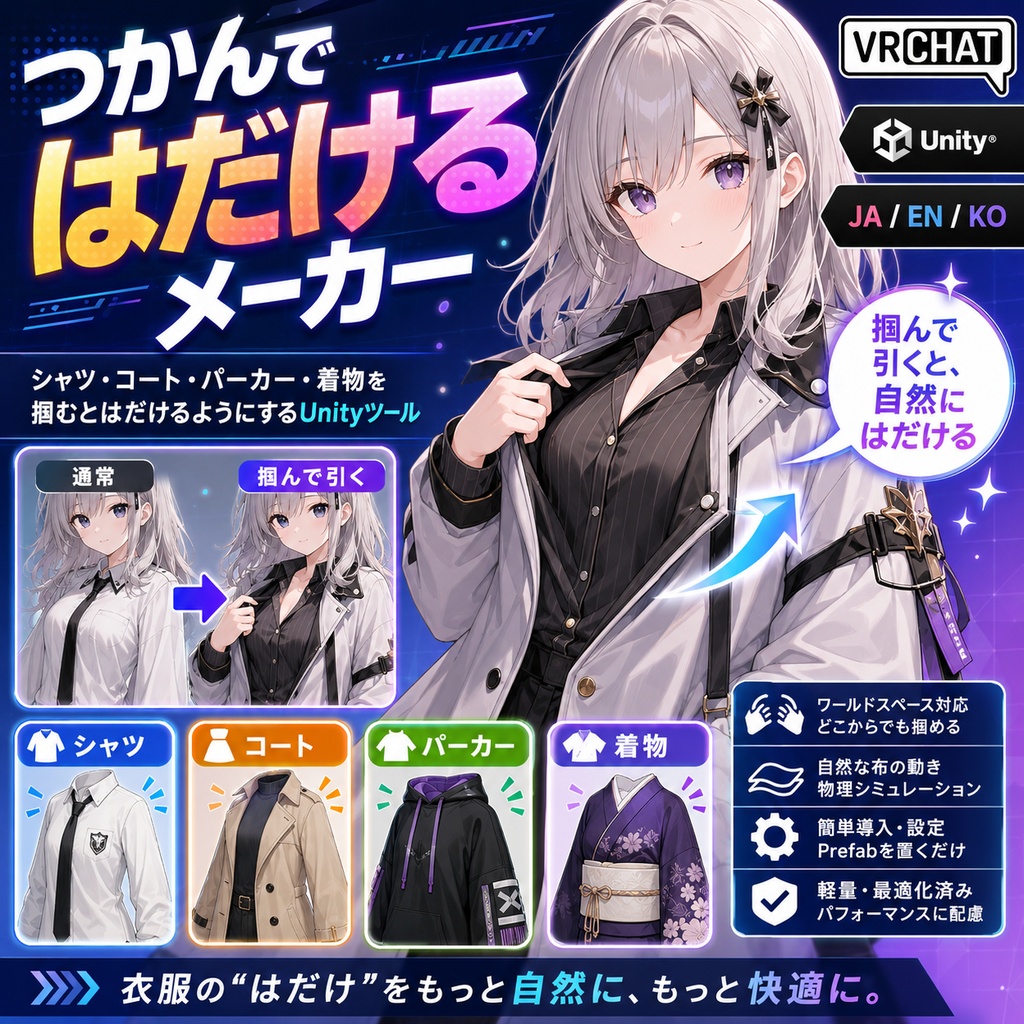
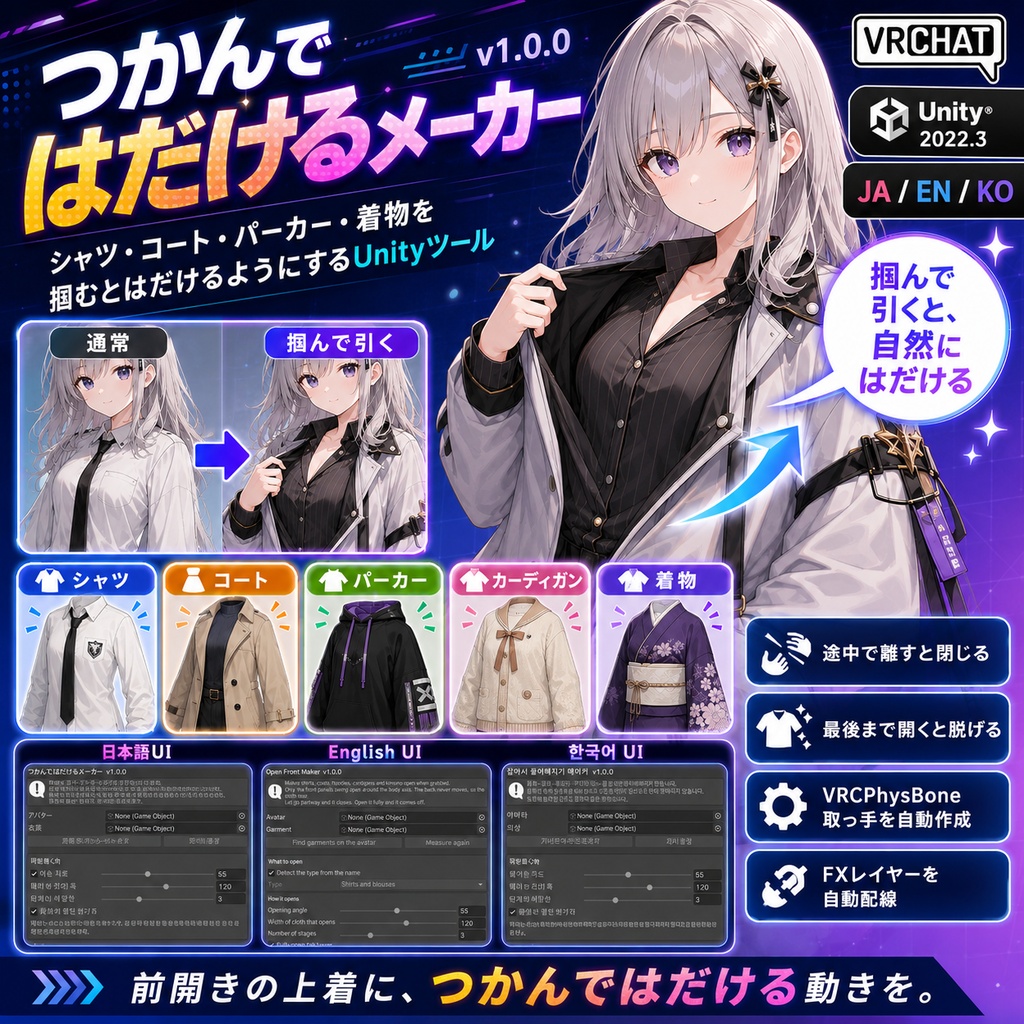
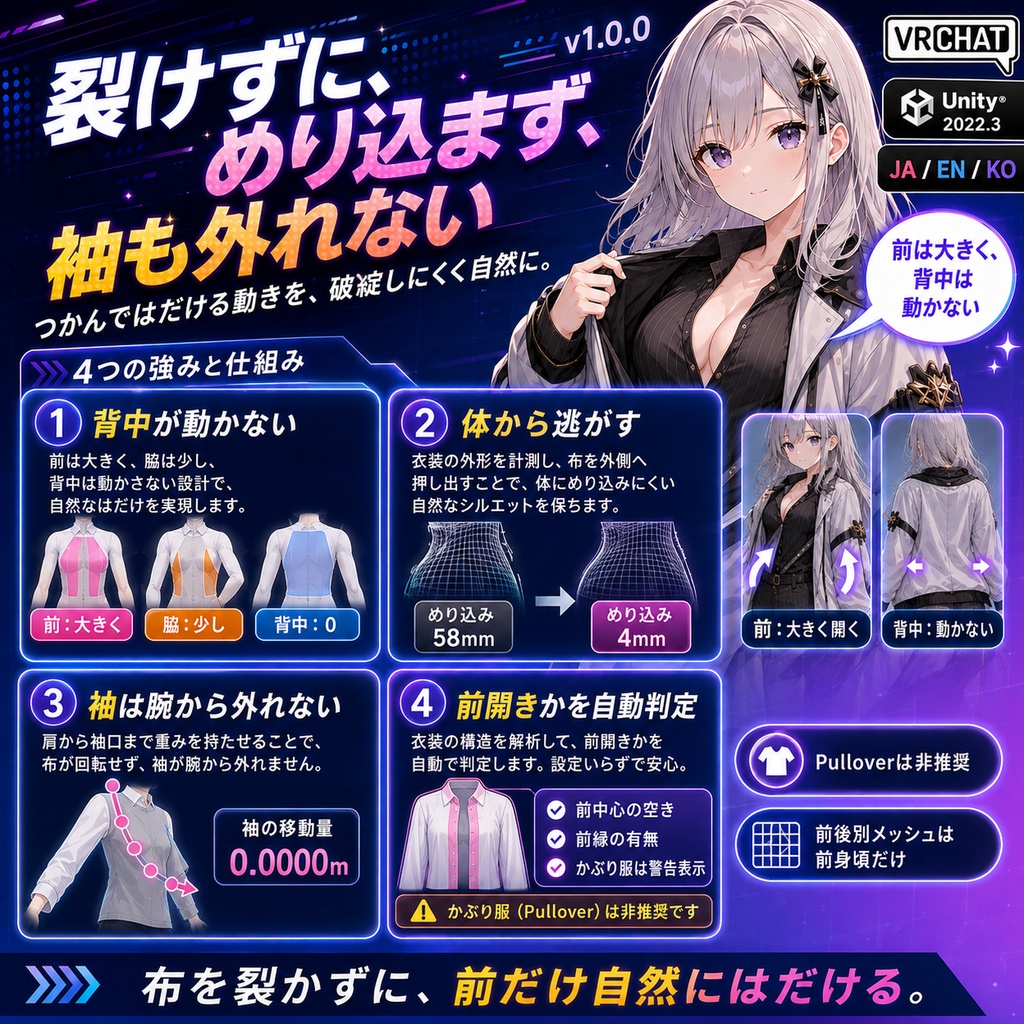
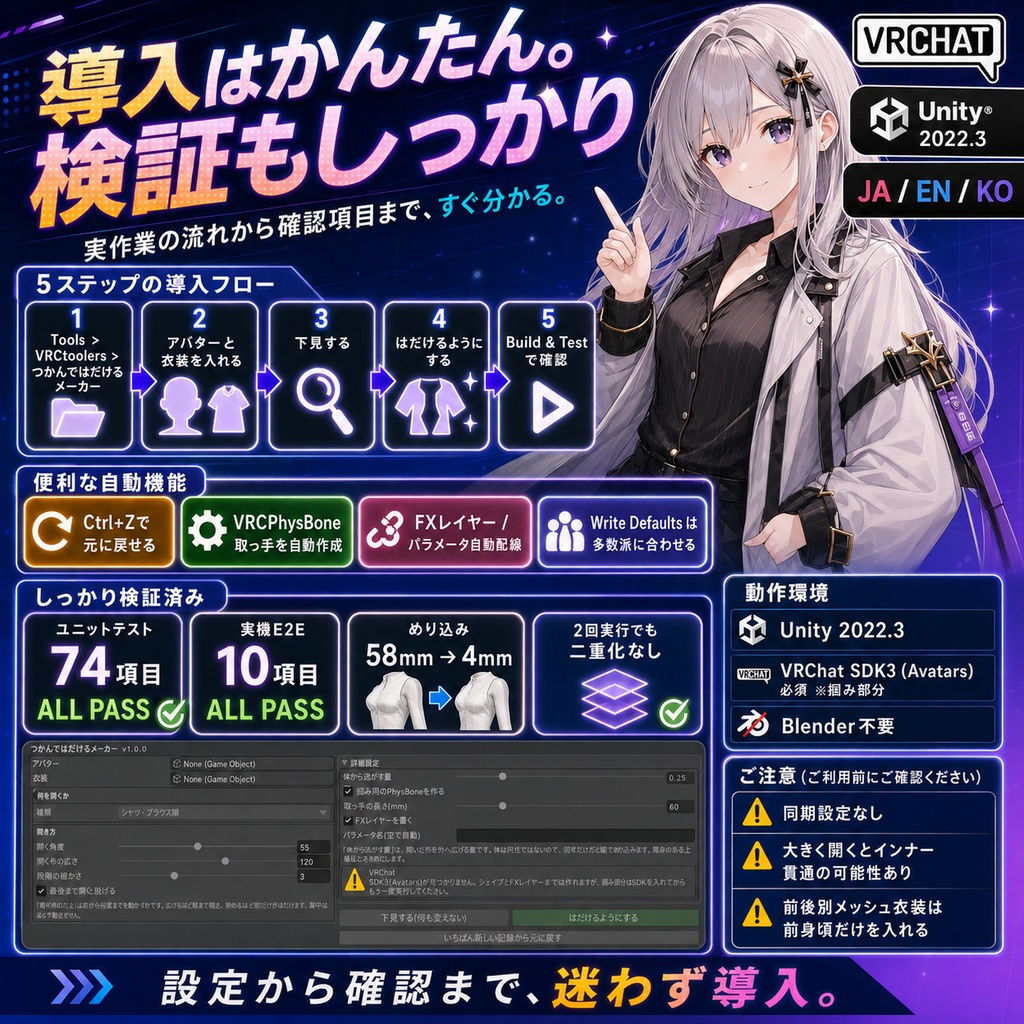


持っている前開きの上着に、掴むと前がはだける動きを足します。 途中で離すと閉じ、最後まで開くと脱げます。 ◆ 背中が動かないので、布が裂けません はだけるのは「前身頃が体の中心軸まわりに外へ回る」動きで、しかも背中は動きません。 身頃をそのまま回すと、脇と背中の境目で布が裂けます。 このツールは、回す量を体の前後の角度で重み付けします。 前の合わせ目はいちばん大きく開き、脇は少しだけ、背中はまったく動きません。 重みを滑らかにつなぐので、裂けずに開きます。 ◆ 体は円柱ではありません 人の胴は横に広く前後に浅い形をしています。 前の布を同じ半径のまま横へ回すと、脇では体のほうが広いので布が中に沈みます。 実物のジャケットで測ったところ58mm沈んでいました。 このツールは衣装自身の外径を角度と高さの升目ごとに測り、 回した先でその輪郭より内側に入らないよう押し出します。 押し出す量は「元いた場所での浮き」を保つので、開き始めに布が飛び出すこともありません。 ◆ 袖は腕から外れません 上着は袖まで1枚のメッシュでできています。 袖を体の軸まわりに回すと、腕から袖だけが外れて飛びます。 肩から先の骨に付いた布は動かさず、肩のつなぎ目だけを少しずつ効かせています。 ◆ 前が開く服かどうかを見分けます かぶりの服(Tシャツなど)を開くと、布が伸びて裂けたように見えます。 だから名前だけで判断しません。 ・体の中心軸まわりの頂点分布から、前の中心が空いているかを測ります ・胴の前を縦に走る布の縁があるかを、位置でまとめてから数えます どちらも見つからなければ「かぶりの服かもしれません」と表示します。 表示が出ても実行はできます。判断はご自分でどうぞ。 ◆ 対応する衣装 シャツ・ブラウス・ベスト・制服(控えめに開きます) コート・ジャケット・ブレザー・トレンチ(大きめに開きます) パーカー(前開きのジップタイプ向け) カーディガン・ニット 着物・浴衣・羽織(打ち合わせが深いので、いちばん大きく開きます) 名前から種類を自動で決めます。開く角度と広さは手でも調整できます。 ◆ 掴む部分 掴み用のVRCPhysBoneを作って、引っ張られ具合をパラメータとして出します。 離すと物理で戻るので、閉じる動きを作り込む必要がありません。 FXレイヤーは1D BlendTreeで自動配線します。 Write Defaults は、そのコントローラの多数派に合わせます。 混在すると表情や衣装が戻らなくなるためです。 どの段階のクリップも全ての段階シェイプに値を書くので、 Write Defaults を切っている環境でも前の段の形が残りません。 ◆ 使いかた 1. Tools > VRCtoolers > つかんではだけるメーカー を開く 2. アバターと衣装を入れる 3. 「下見する」で前の空き具合と段階の枚数を確認する(何も変わりません) 4. 「はだけるようにする」を押す 5. Build & Test で実際に掴んで確かめる ◆ 元に戻せます Ctrl+Z で戻せます。 ボタン1つで、メッシュ・取っ手・FXレイヤー・パラメータがまとめて片付きます。 元からあったコントローラ本体は消しません。 ◆ 確認したこと ユニットテスト 74項目 ALL PASS 実機E2E(実VRChat SDK3 + 実物の商品衣装)10項目 ALL PASS 袖の移動量 0.0000m(袖が腕から外れないこと) 体へのめり込み 58mm → 4mm 2回続けて実行しても、シェイプもレイヤーも取っ手も二重にならないことを確認 何も入っていない新規プロジェクトへの取り込み確認 済み ◆ 動作環境 Unity 2022.3 系。掴む部分に VRChat SDK3 (Avatars) が必要です。Blender は不要です。 ◆ 注意 他の人からも動きが見えるようにする同期の設定は入っていません。 自分の画面と、掴んだ相手の画面で動きます。 かぶりの服(前に切れ目が無い服)は、開くと布が伸びて見えます。作れますがおすすめしません。 前身頃と後ろ身頃が別メッシュに分かれている衣装は、前身頃だけを入れてください。 インナーや素体と重なっている部分は、大きく開くと貫通して見えることがあります。 「体から逃がす量」を上げてください。 --- English --- Adds a grab-to-open motion to a front-opening garment you already own. Let go partway and it closes; open it fully and it comes off. Opening means the front panels swing outward around the body axis, and the back must not move at all. Rotating the whole garment tears the cloth where the sides meet the back. This tool weights the rotation by the angle around the body: the front seam opens the most, the sides open a little, the back does not move. The weight is blended smoothly, so it opens without tearing. A human torso is wide across and shallow front to back. Rotating front cloth sideways at the same radius makes it sink into the body at the sides. Measured on a real jacket it sank 58 mm. So the tool measures the garment's own outer radius per angle-and-height cell and pushes the cloth out so it never ends up inside that profile, preserving the clearance each vertex had at rest so nothing pops outward when opening starts. Outerwear is one mesh including the sleeves, so rotating the sleeves around the body axis flings them off the arms. Cloth weighted to the bones from the shoulder outward is not moved at all, and only the armhole seam is eased in. Opening a pullover such as a T-shirt makes the cloth stretch and look torn, so the tool does not decide from the name alone. It measures whether the front centre of the vertex distribution is empty, and counts open mesh borders running vertically down the front after welding vertices by position so UV seams are not mistaken for borders. If neither is found it says "this may be a pullover". You can still run it. Supported: shirts and blouses, coats and jackets, hoodies, cardigans and knitwear, kimono, yukata and haori. The kind comes from the name, and the opening angle and width can be adjusted by hand. For the grab it creates a VRCPhysBone handle that exposes how far it is being pulled as a parameter. Physics closes it when you let go. The FX layer is wired automatically with a 1D BlendTree. Write Defaults follows the majority in that controller, and every stage clip writes a value for every stage shape. Open Tools > VRCtoolers > Open Front Maker, set the avatar and the garment, press Preview to check the front gap and the number of stages, press Make it open, then check it with Build & Test. Ctrl+Z works, and one button cleans up the mesh, the handle, the FX layer and the parameter. A controller that already existed is not deleted. Verified: 74 unit tests all pass, 10 real-avatar E2E tests with the real VRChat SDK3 and real commercial outfits all pass, sleeve motion 0.0000 m, clipping into the body reduced from 58 mm to 4 mm, running it twice does not double anything, and a clean import into an empty project was checked. Unity 2022.3. VRChat SDK3 (Avatars) is needed for the grab part. Blender is not required. There is no sync setup, so the motion is seen on your screen and on the screen of whoever grabbed it. Feed a garment whose front and back are separate meshes as the front panel only. Raise "Clearance from the body" if it clips into the inner layer when opened wide. Note: the detection keywords include Japanese words on purpose, so garments with Japanese object names still work in this English build.