
精肉店の予約分 部位別取り分け量集計表 / Butcher Shop Pre-Order Summary: Quantities to Set Aside by Meat Cut
- ダウンロード商品¥ 100
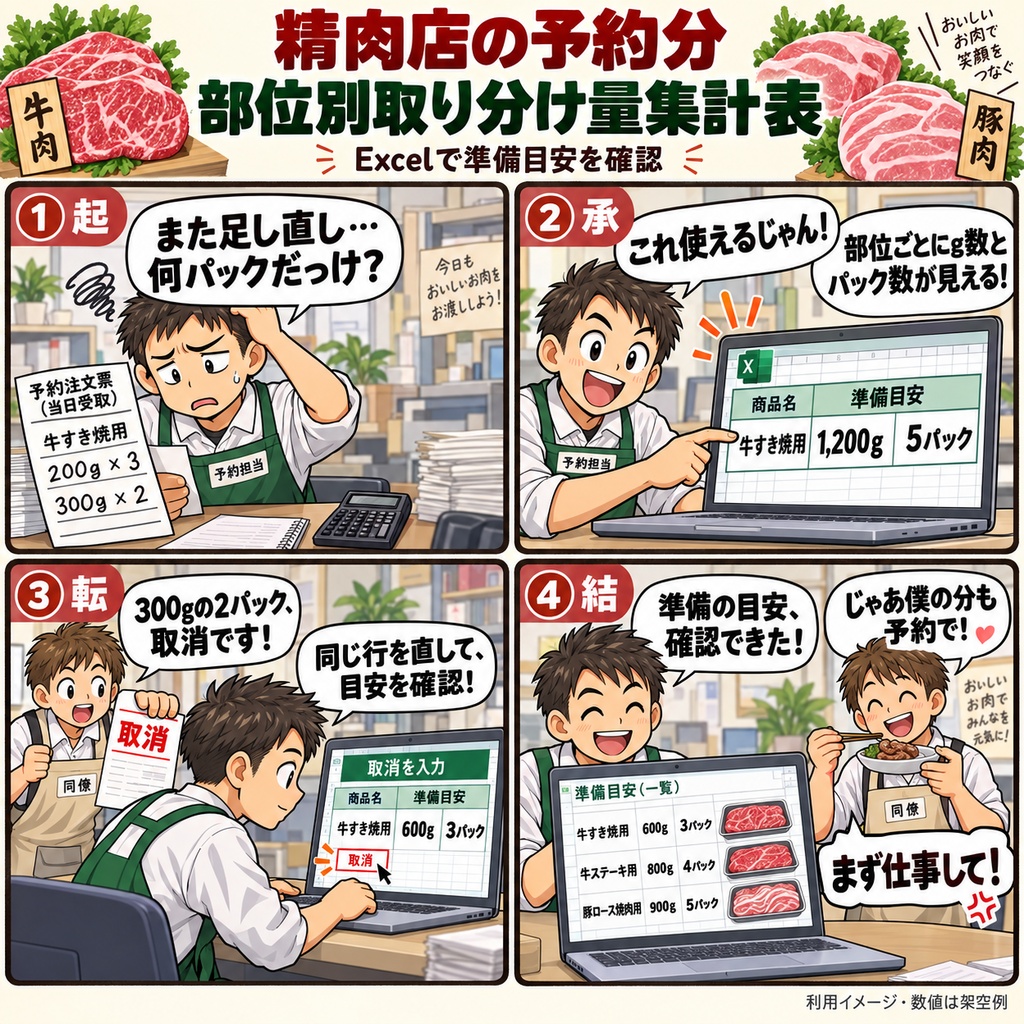
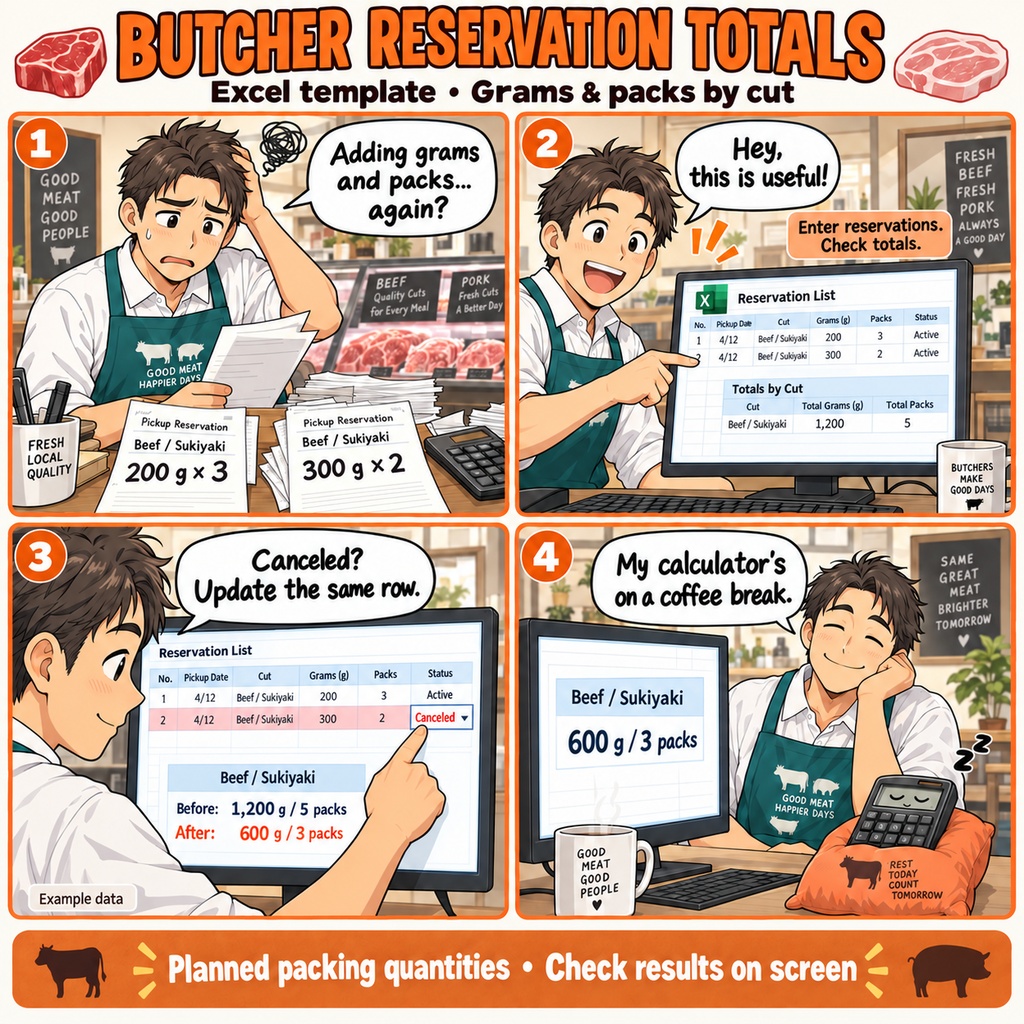


精肉店の予約分 部位別取り分け量集計表 受取予約の品を準備する朝。 「牛のすき焼用は何g、豚のこの部位は何パックだったかな」と、 注文票を見ながら、その日に用意する内容を確かめる。 牛肉・豚肉を扱う精肉店の、そんな場面で使えるExcelの集計表です。 予約ごとに希望の量やパック数が違い、途中で数量の変更や取消が入ることも。 元の注文と照らし合わせながら、予約の明細と商品ごとの準備目安を 一つのシートで確認したいときにお使いいただけます。 使い始めは、店舗名と受取日を設定するところから。 原注文をもとに、予約ID・明細番号、受取時刻、商品コード、 肉種・部位・用途、1パックの希望g数、パック数を入力します。 通常の予約は、状態を「受付」にして登録します。 入力した希望g数とパック数から明細ごとの希望量を計算し、 必要な情報がそろった受付明細を、商品コード別に自動で集計します。 集計表では、肉種・部位・用途と一緒に、準備目安のg数とパック数を確認できます。 同じ部位・用途でも、商品コードが違うものは別々にまとまります。 たとえば、同じ商品コードの牛すき焼用に、 200gを3パック、300gを2パックの予約がある場合。 商品説明がそろい、必要な項目に不備がなければ、 準備目安は1,200g、5パックと表示されます。 後者を「取消」にして理由を残すと、600g、3パックに変わります。 数量や受取時刻の変更は、同じ予約の元の行で訂正します。 取消も行を残したまま扱え、再開するときは「受付」に戻して経緯を記入します。 入力の不備や重複、同じ商品コードの商品説明の食い違いも表示されるので、 理由を見ながら原注文と照合できます。 予約IDや商品コード、受付・取消などで明細を絞り込むこともできます。 準備前には、商品ごとの数量に加えて「確定」「暫定」の集計区分も確認。 表示される準備目安は、入力した予約の希望量です。 実際に取り分けた重量や準備の完了は、別に確かめてください。 当日の注文内容を見渡しながら、部位や用途ごとのパックを用意するための一表です。 1ファイルで1店舗・1受取日を管理します。 予約明細は、記入例2行を含めて1,000行。 Windows 11と日本語のMicrosoft 365デスクトップ版Excelで、 一人で編集し、結果はExcel画面上で確認して保存します。 当日の原注文と、店舗で使っている商品コードをご用意ください。 お仕事の依頼は下記メールまで ramaya08010801@gmail.com Butcher Shop Reservation Preparation Sheet As you get ready for the day's pickups, you may have several orders for beef and pork, each with a different cut, intended use, and pack size. This Excel workbook gives you a place to enter those reservations and view the requested grams and pack counts by product code, with the meat type, cut, and intended use shown alongside each total. Start by setting the shop and pickup date, then enter one product line per row from your original orders. Record the reservation ID, line number, pickup time, existing product code, meat type, cut, intended use, requested grams per pack, pack count, and reservation status. The reservation details and product summaries sit on the same worksheet. Each workbook covers one shop and one pickup date, with 1,000 detail rows, including two sample rows you can replace with your own entries. The sheet calculates each line's requested weight by multiplying grams per pack by the number of packs. Valid accepted entries are then added together under the same product code. For example, two complete entries for the same code and matching product details, one for 200 g x 3 packs and another for 300 g x 2 packs, give a total of 1,200 g and 5 packs. Different product codes remain separate, even when the cut and intended use are the same. Then a customer changes an order. You can revise the quantity or pickup time in the original row and leave a short note about the change. For a cancellation, change the status and enter a reason. The row stays in the workbook while its quantity is removed from the accepted totals. In the example above, cancelling the second entry leaves 600 g and 3 packs. If the reservation resumes, return that same row to accepted status, record the reason, and review the updated summary. When it is time to review the day's preparation quantities, the summary shows the requested grams, pack counts, aggregation status, and any reasons or counts for excluded entries. Detail messages help you check missing information, duplicate reservation lines, and inconsistent product descriptions against the original orders. Filters let you find a particular reservation, product code, status, or entry needing attention. Filtering changes the visible rows; the summary still uses all eligible entries in the workbook. Use the totals as a guide to the quantities requested in the reservations you have entered, and check the actual portioned weights and preparation progress separately. Review the messages, make corrections in the input fields, and save the workbook when you finish. This .xlsx workbook is for one person to edit in Japanese-language Microsoft 365 desktop Excel on Windows 11. Have the original orders and your shop's existing product codes ready, and review the results in Excel. For work inquiries or collaborations, please feel free to contact me at the email address below. ramaya08010801@gmail.com