

「AI対応」【一括自動リギング】Goguma Rig | ヒューマノイド自動リギング
- ダウンロード商品¥ 980
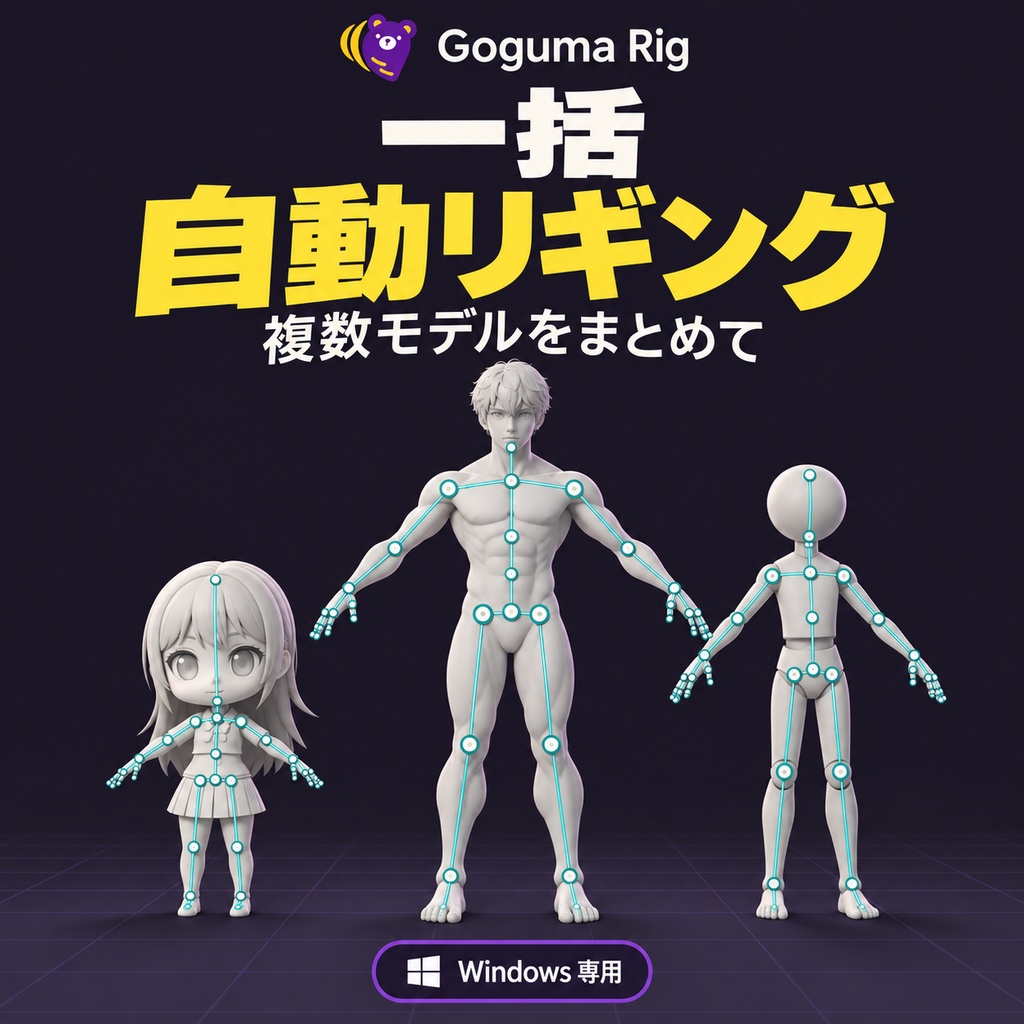
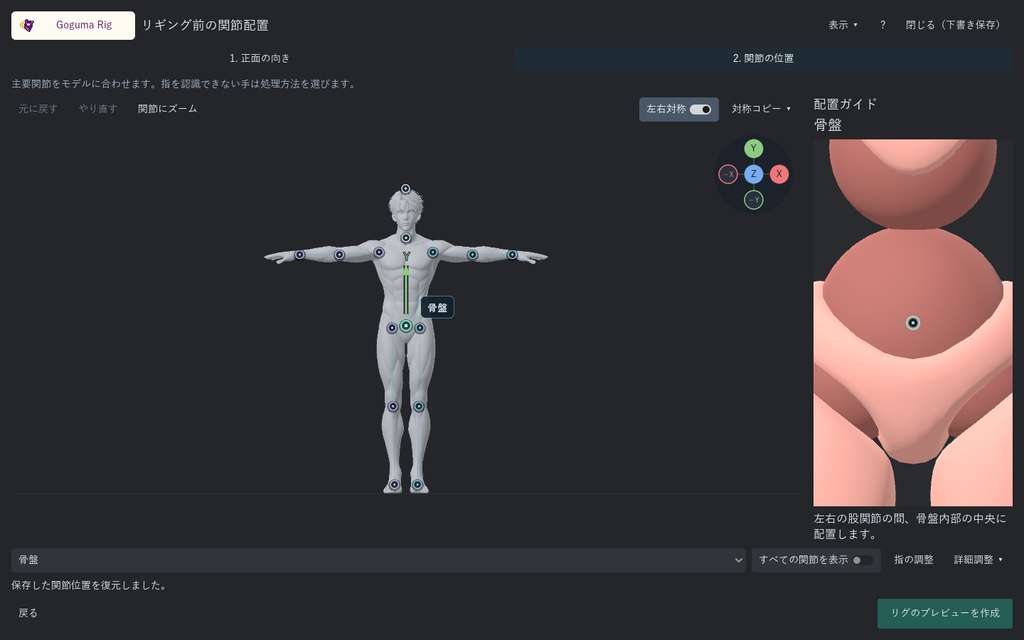
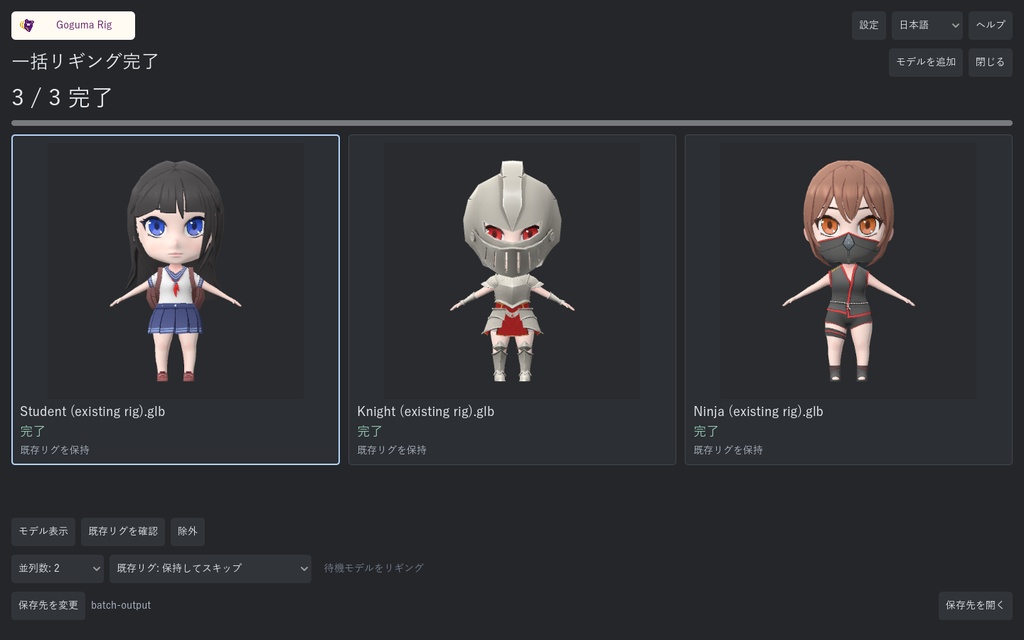
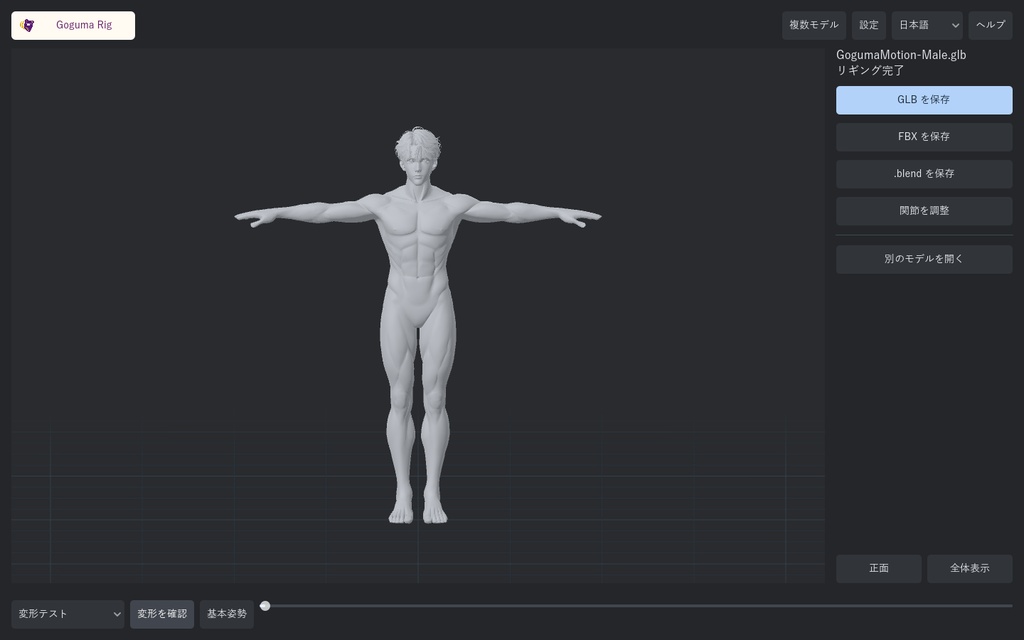
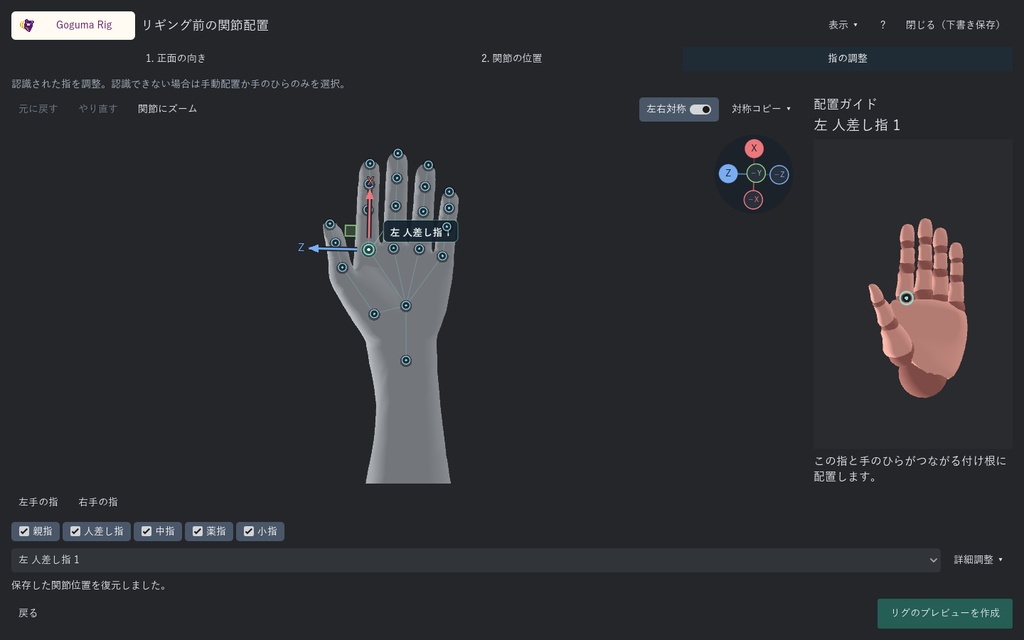
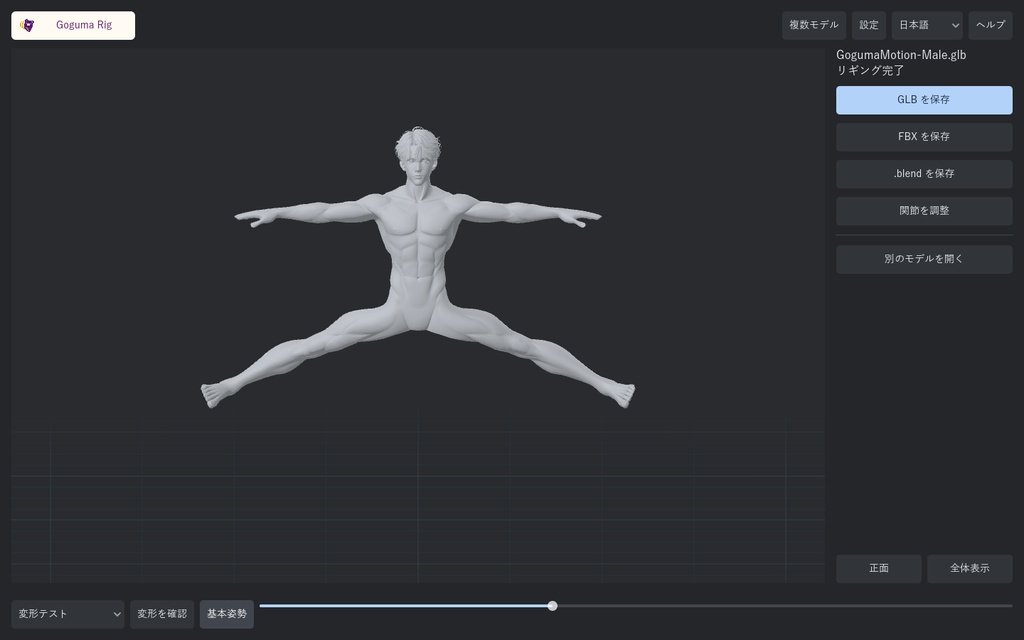


# Patch Note https://criel2019.github.io/goguma-rig/ # Goguma Rig — ヒューマノイド自動リギング / GUI・CLI・MCP **Windows 10 / 11(64bit)専用。macOS・Linuxには対応していません。** ## System requirements | Component | Minimum | Recommended | | OS | Windows 10 / 11, 64-bit | Windows 11, 64-bit | | CPU | 4-core x64 CPU with SSE4.2 | 6-core or higher x64 CPU | | RAM | 8 GB | 16 GB; 32 GB for large batches or dense models | | Graphics | OpenGL 3.3 support; integrated graphics supported | OpenGL 3.3 support; a dedicated GPU helps with dense 3D previews | | Free storage | 2 GB | SSD with 5 GB free | 人型の3Dモデルに、体と指のボーン・スキンウェイトを設定するWindows用ツールです。 モデルを開いて自動リギングし、結果を確認してGLBまたはFBXで保存できます。 配置済みの関節を、必要な部分だけ手直しできます。 ## 主な機能 - 自動リギング、配置済みの関節を調整 - 向きと関節位置を確認・調整。必要に応じて指も編集。Xbotの配置ガイドはモデルと同じ方向に回転 - 関節位置の編集、左右対称編集、元に戻す・やり直す - GLB / FBX書き出し - CPU・メモリに応じた並列バッチ処理、失敗したモデルの修正と変更分だけの再リギング - 各モデルの関節位置をカードで比較。クリックして拡大・調整し、変更したモデルだけ再リギング - 3Dプレビューのオン・オフ、Blender Studioの既存ウェイトテストで変形確認 - 画面を開かないCLI・MCP、AIエージェント用スキル同梱 - 英語・日本語・韓国語のGUI ## 動作環境 リギング計算はCPUで行います。NVIDIA製GPU・CUDAは不要です。モデル・出力・作業用データの保存容量は別途必要です。 標準的なモデルの単体処理を基準にした構成です。モデルの密度や衣装の構造によって処理時間・必要メモリが変わります。 実測例:Core i7-9700KF / メモリ32GB / RTX 3070で、通常体型・SD・シンプルな人型の3モデルを約94秒で一括リギング。開始ボタンから3件のファイル保存完了までを計測し、モデル選択・プレビュー読込時間は含みません。 リギングとGLB/FBX保存にはBlender・Pythonの別途インストールは不要です。 Goguma Motion、アカウント、クラウド接続はリギングに必要ありません。 ## 対応モデルと注意点 入力はGLB / GLTF / FBX。手足が分離したTポーズ・Aポーズの人型モデルを推奨します。 特殊な体型・姿勢・重なった衣装では手動調整が必要になる場合があります。 指が形状として分離していない場合は手のひらまでのリギングになります。 20万三角形を超えるモデルは処理に時間がかかる場合があります。 既存アニメーションのリターゲット機能は含みません。 すべてのモデルでの自動配置精度や、30秒以内の処理を保証する製品ではありません。 ## 内容物 GogumaRig.exe、CLIランチャー、専用ランタイム、操作・自動化ガイド、必要なライセンス文書。 Xbotは内蔵の配置ガイド専用です。入力モデルとしての選択やリグの書き出しには使用できません。 Xbotの元モデル、リグ、アニメーションなどの単体アセットは含みません。 Blender本体は含みません。 ## 利用条件 個人・商用制作に利用できます。入力素材の権利は利用者が確認してください。 出力ごとの料金やアクティベーションはありません。 アプリ本体の再配布・転売・購入共有は禁止です。 オープンソース部分には各ライセンスが適用されます。詳細は同梱TERMS.mdをご確認ください。 タグ候補: 3Dモデル / リギング / 自動リギング / Blender / FBX / GLB / 制作支援ツール 変形確認には既存のウェイトテスト、100STYLE原本の走り、ダンス4・6を収録。既存のBlenderがある場合は .blend 保存も使用できます。GLB/FBX保存とリギングにBlenderは不要です。 <!-- FIRST_RUN_NOTICE --> ## Windows版のはじめかた 1. ZIPをすべて展開し、GogumaRig.exeを開いてください。 2. 「Windows によって PC が保護されました」と表示されたら、「詳細情報」をクリックします。 3. アプリ名がGogumaRig.exeであることを確認し、「実行」をクリックします。 確認画面が出なければ、そのままご利用いただけます。 この配布版には電子署名を付けていないため、初回起動時や更新後にWindowsの確認画面が出る場合があります。ボタンの位置は商品画像と同梱のFIRST_RUN.htmlで確認できます。 画面が異なる場合や「実行」がない場合は、BOOTHの販売者へお問い合わせください。 # Goguma Rig — Humanoid Auto Rigging / GUI + CLI + MCP **Windows 10 / 11 (64-bit) only. macOS and Linux are not supported.** Add a body and finger rig with skin weights to a humanoid model on Windows. Open a model, run automatic rigging, review it and export GLB or FBX. Adjust the pre-placed joints when needed. Includes automatic rigging and adjustment of pre-placed joints; orientation, body and finger editing; symmetry and undo/redo; Xbot placement guides synchronized to your view; and English, Japanese and Korean interface text. CLI commands, JSON requests, bounded parallel batch jobs and MCP tools support local automation and AI clients without opening a window. A bundled agent skill describes the workflows. Batch cards show each character's actual joint positions side by side. Click a character to enlarge and edit it, then re-rig only the changed models. Failed models can also be opened for correction. Turn off 3D previews to release rendering resources. Check skin deformation with the authored Blender Studio weight-test action, original 100STYLE running, and Dance 4/6. Optional .blend export uses an existing Blender installation. Rigging runs on the CPU. NVIDIA hardware and CUDA are not required. Allow additional storage for models, outputs and working data. These configurations target typical single-model work. Mesh density and clothing structure affect processing time and memory use. Measured example: Core i7-9700KF, 32 GB RAM and RTX 3070; three models (standard proportions, SD and a simple humanoid) rigged in about 94 seconds. Measured from starting the queue to saving all three outputs, excluding file selection and preview loading. Rigging and GLB/FBX export need no separate Blender or Python installation. Goguma Motion, an account and an internet connection are not required to rig. Inputs: GLB, GLTF and FBX. Neutral T/A poses with separated limbs are recommended. Unusual proportions, poses and layered clothes can require manual adjustments. Inseparable fingers use a palm region. Models over 200,000 triangles may take longer. Existing animation is not retargeted. Automatic accuracy on every model and processing within 30 seconds are not guaranteed. Download includes the Windows GUI, CLI launcher, private runtime, documentation and component notices/source required by their licenses. No Blender binary or standalone character assets are included. Xbot is an embedded placement reference only, and is not available as an input character or in exported rigs. Personal and commercial use is allowed, subject to your input assets' rights. No activation or per-export royalty. Do not redistribute or resell the proprietary application or share the purchase. Open-source components retain their own licenses. See the included TERMS.md. <!-- FIRST_RUN_NOTICE --> ## Getting started on Windows 1. Extract the entire ZIP, then open GogumaRig.exe. 2. If “Windows protected your PC” appears, choose “More info”. 3. Check that the app name is GogumaRig.exe, then choose “Run anyway”. If this screen does not appear, start using the app. This release does not have a digital signature, so Windows may show a confirmation screen on first launch or after an update. See the product images or the included FIRST_RUN.html for button locations. If you see a different screen or there is no “Run anyway” button, contact the seller on BOOTH.