

【Windows】Goguma Motion — 3Dポーズ・モーション・プリビズ|作画資料・2Dスプライト・自動リギング
- ダウンロード商品¥ 1,980
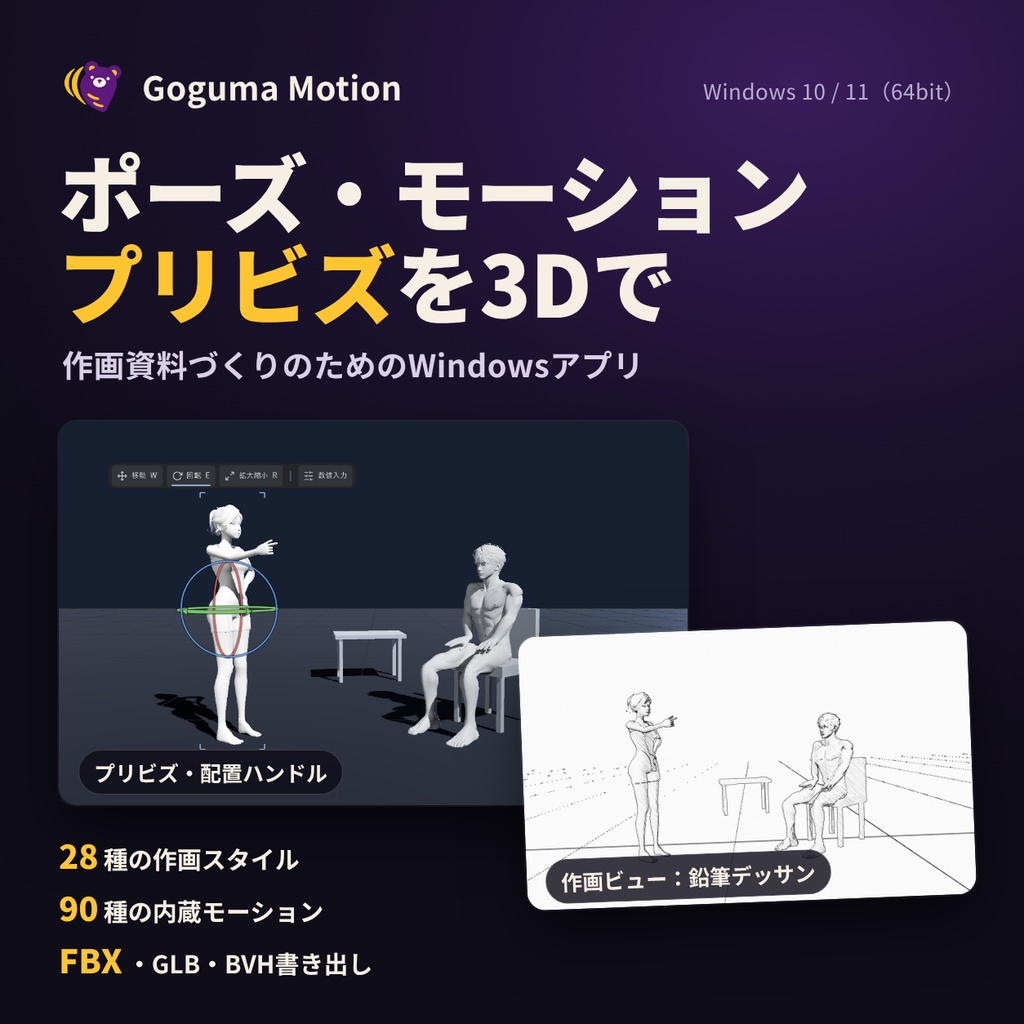
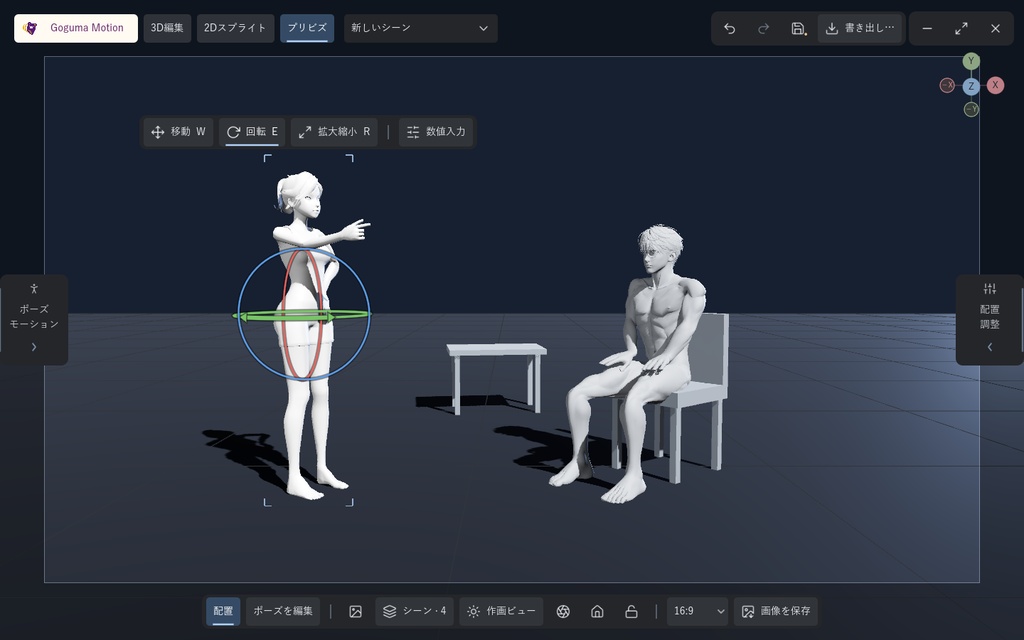
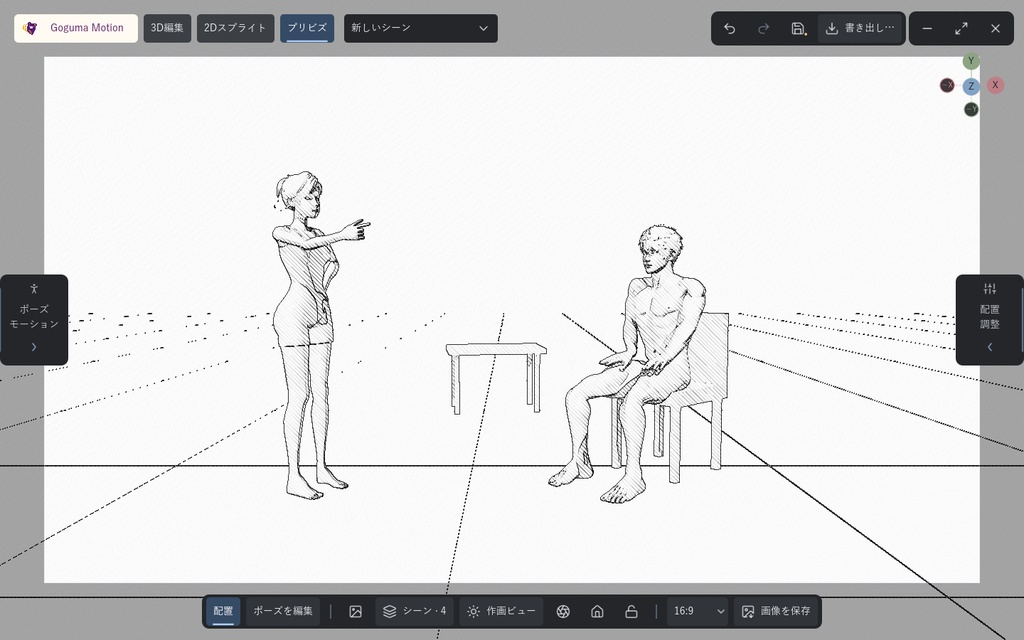
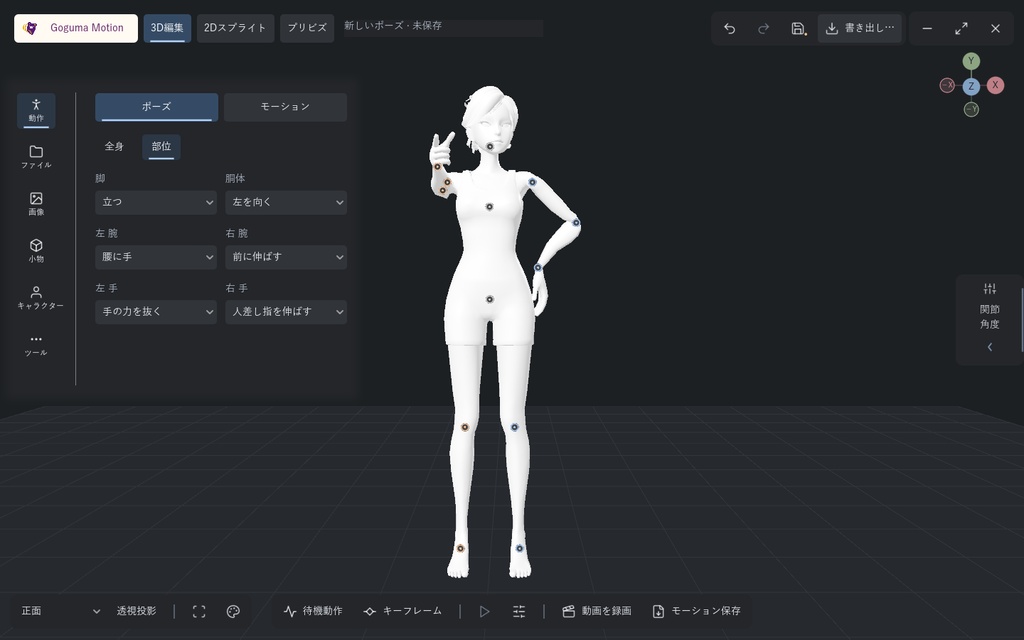
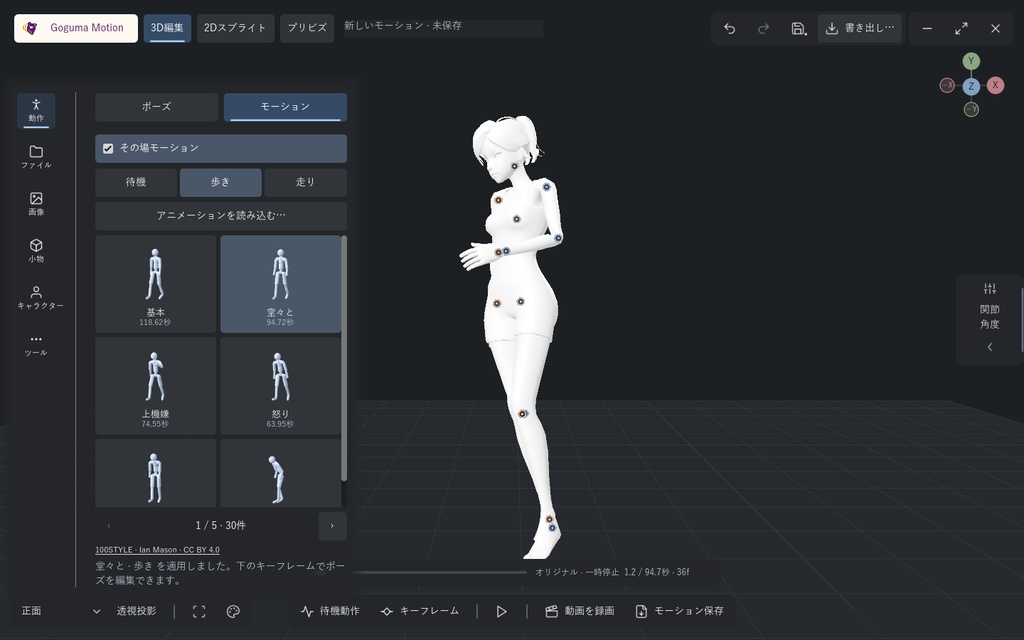
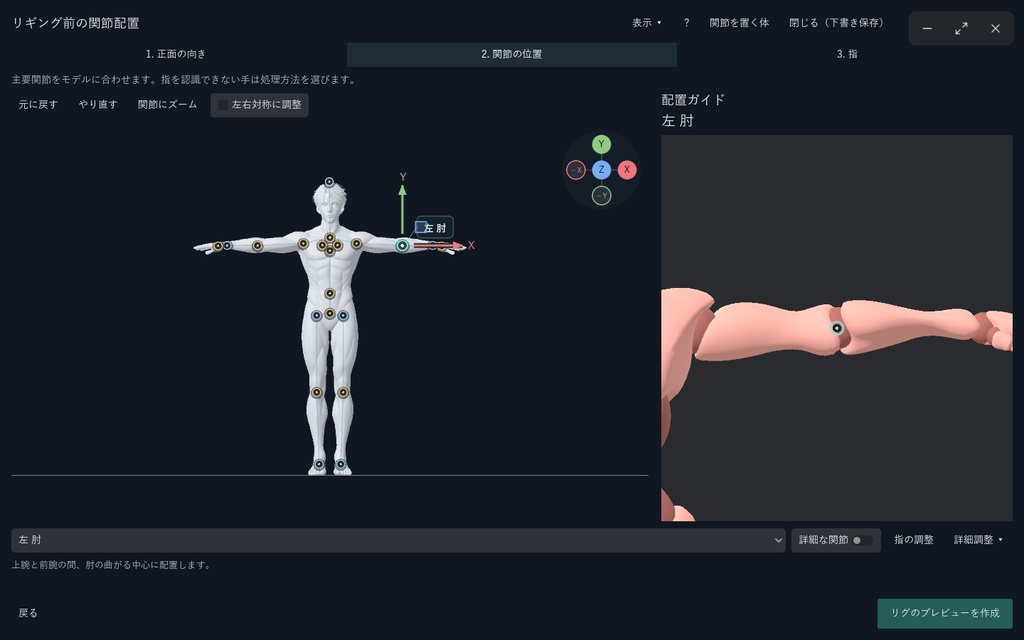
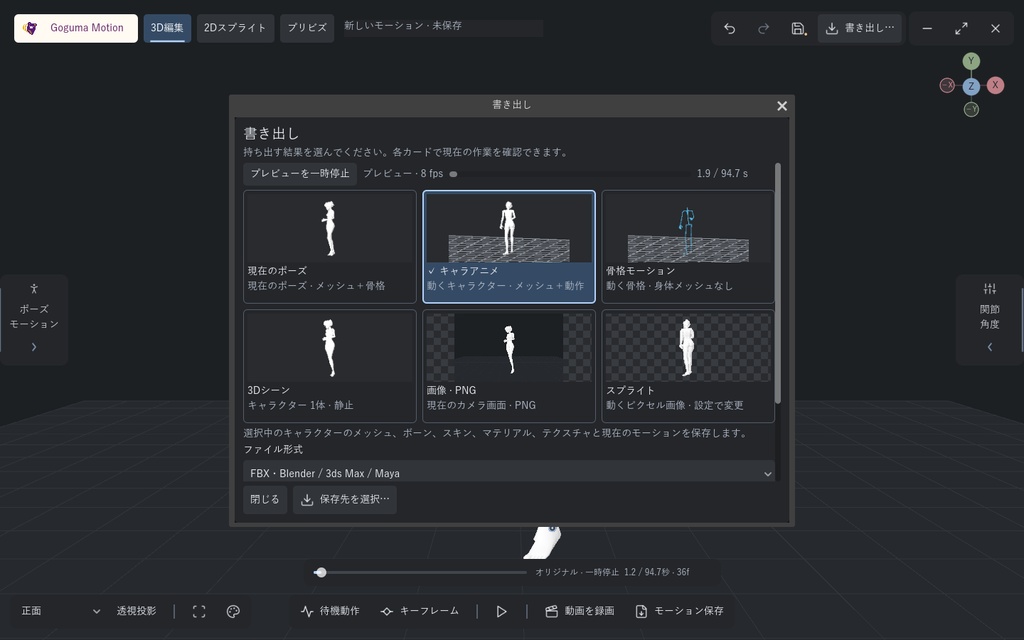


3Dキャラクターでポーズを作り、動かして、構図まで決める。 Goguma Motionは、イラスト・漫画の作画資料づくりのためのWindows用3Dアプリです。 内蔵キャラクター4体ですぐに始められ、自分のモデルも使えます。 ■ できること ・ポーズ:全身テンプレート5種(立ち・座り・膝立ち・しゃがみ・Wポーズ)と、脚・胴体・腕・手の部位別テンプレートを組み合わせて作成。関節のドラッグ調整、左右反転、元に戻す・やり直し ・モーション:内蔵の待機・歩き・走り90種(100STYLE)、現在のポーズから待機モーションを自動生成、キーフレーム編集、FBX/BVHアニメーションの読み込み ・プリビズ:1シーンに最大12体のキャラクターと、箱・円柱・板・椅子・テーブルを配置。移動・回転・拡大縮小ハンドル(W/E/R)と数値入力、座りポーズに椅子を合わせる「椅子に座らせる」、カメラ・画面比率・ガイド・参考画像の重ね合わせ ・作画ビュー:鉛筆デッサン、漫画スクリーントーン、ペンとインク、水彩、アニメセル、HDRポートレートなど28種類。PNGで保存 ・2Dスプライト:モーションからピクセルスプライト画像を作成(フレームサイズ・FPS・方向数・ピクセルスタイル) ・参考動画:カメラワークを録画してMP4で保存 ・自動リギング:ボーンのない人型モデル(直立し、手足と指が離れているもの)に体と指のボーンを配置。関節と指を確認・調整してから適用。Blender不要 ・書き出し:FBX、GLB、OBJ(静止メッシュ)、BVH、PNG、スプライト画像、MP4 ・日本語/English/한국어/中文(简体)/Español ■ 対応モデル GLB/glTF/FBX/VRM(VRM 0.x/1.0の人型ボーン情報を使用。MToon・揺れものには非対応)。 特殊な体型・姿勢や重なった衣装では手動調整が必要になる場合があります。指を認識できない手は、指を手動で配置するか手のひらまでのリギングを選べます。 ■ 含まれないもの 写真・画像からのポーズ解析、画像からの構図合わせ、画像からの3D小物作成、動画からのモーション解析、Webカメラによるモーションキャプチャは本製品に含まれず、サポート対象外です。上記の機能はすべてそれらなしで動作します。 Goguma Rigの一括処理・CLI・MCPとBlender本体は含みません(アプリ内の自動リギングは1体ずつ行います)。 ■ 動作環境 ・Windows 10/11(64bit)専用。macOS・Linuxには非対応 ・CPU:x64 4コア以上(推奨6コア以上) ・メモリ:8GB以上(推奨16GB以上) ・GPU:Vulkan対応GPU(推奨:専用GPU)。Vulkanが使えない環境ではDirect3D 12またはOpenGL 3.3での起動を試みます。OpenGL 3.3ではHDR・AOなど一部の表示が制限されます ・空き容量:2GB以上(アプリは展開後約0.8GB) ・インストーラー、アカウント、インターネット接続、Python・Blenderのインストールは不要 動作確認:Windows 10(64bit)/Core i7-9700KF/メモリ32GB/GeForce RTX 3070 ■ はじめかた 1. ZIPをすべて新しいフォルダーに展開し、Windowsフォルダー内のGogumaMotion.exeを開きます。Windows・models・runtimeフォルダーは同じ場所に置いたままにしてください。 2. 「Windows によって PC が保護されました」と表示されたら「詳細情報」→「実行」。電子署名を付けていないため、初回起動時や更新後に表示される場合があります。 ボタンの位置は同梱のFIRST_RUN.htmlで確認できます。 ■ 同梱内容 GogumaMotion.exe、内蔵キャラクター、リギング・書き出し用ランタイム、参考動画用ランタイム、はじめての起動ガイド(FIRST_RUN.html)、README、利用規約(TERMS.md)、第三者ライセンス文書。 ■ 利用規約・お問い合わせ アプリで作成・書き出したもの(画像・動画・ポーズ・モーション・スプライト・モデル)は、内蔵キャラクター・内蔵モーションを含めて、個人・商用を問わず自由に利用できます。 アプリ本体の再配布・転売・共有、およびアプリを改変して配布・販売することは禁止です。 内蔵モーションを元にしたモーションデータを公開する場合は「100STYLE dataset — Ian Mason, CC BY 4.0」と表記してください。オープンソース部分には各ライセンスが適用されます。 認証サーバー・定期課金・書き出しごとの料金はありません。 お問い合わせは当BOOTHショップのメッセージへ。 ========================== Pose a 3D character, set it in motion, and frame the shot. Goguma Motion is a Windows 3D app for making drawing references for illustration and comics. Start right away with four built-in characters, or use your own models. ■ Features ・Posing: combine five full-body templates (standing, sitting, kneeling, crouching, W-pose) with templates for the legs, torso, arms and hands. Drag joints, mirror the pose, undo and redo ・Motion: 90 built-in idle, walk and run motions (100STYLE), a natural idle generated from the current pose, keyframe editing, FBX/BVH animation import ・Previz: up to 12 characters per scene plus boxes, cylinders, planes, chairs and tables. Move, rotate and scale handles (W/E/R) with numeric input, "Seat on chair", camera, aspect ratio, guides and reference image overlay ・Drawing views: 28 styles including pencil sketch, manga screentone, pen and ink, watercolor, anime cel and HDR portrait. Save as PNG ・2D sprites: turn a motion into pixel sprite images (frame size, FPS, directions, pixel style) ・Reference video: record camera moves and save MP4 ・Automatic rigging: places body and finger bones on a humanoid model without a skeleton (standing upright, arms, legs and fingers apart). Check and adjust before applying. No Blender needed ・Export: FBX, GLB, OBJ (static mesh), BVH, PNG, sprite images, MP4 ・Japanese / English / Korean / Chinese (Simplified) / Spanish ■ Supported models GLB / glTF / FBX / VRM (VRM 0.x / 1.0 humanoid bone data is used; MToon shading and spring bones are not supported). Unusual proportions, poses or layered clothing may need manual adjustment. For a hand whose fingers are not recognised, place the fingers manually or rig up to the palm. ■ Not included Pose analysis from photos or images, composition matching from an image, image-to-3D props, video motion analysis and webcam motion capture are not part of this product and are not supported. Everything above works without them. Goguma Rig's batch processing, CLI and MCP, and Blender itself, are not included (the in-app rigging handles one model at a time). ■ System requirements ・Windows 10 / 11 (64-bit) only. macOS and Linux are not supported ・CPU: x64, 4 cores or more (6+ recommended) ・Memory: 8 GB or more (16 GB+ recommended) ・GPU: Vulkan-capable GPU (dedicated GPU recommended). Where Vulkan is unavailable, the app tries Direct3D 12 or OpenGL 3.3; OpenGL 3.3 limits HDR and ambient occlusion ・Free storage: 2 GB or more (the app is about 0.8 GB when extracted) ・No installer, account, internet connection, Python or Blender needed Tested on Windows 10 (64-bit), Core i7-9700KF, 32 GB memory, GeForce RTX 3070 ■ Getting started 1. Extract the whole ZIP to a new folder and open GogumaMotion.exe in the Windows folder. Keep the Windows, models and runtime folders together. 2. If "Windows protected your PC" appears, click "More info" → "Run anyway". The app has no digital signature, so this may appear the first time and after updates. FIRST_RUN.html in the download shows where the buttons are. ■ Contents GogumaMotion.exe, built-in characters, the rigging/export runtime, the reference-video runtime, a first-launch guide (FIRST_RUN.html), README, terms (TERMS.md) and third-party license texts. ■ Terms and contact Everything you make or export with the app (images, videos, poses, motions, sprites and models), including the built-in characters and motions, may be used freely for personal and commercial purposes. Redistributing, reselling or sharing the application itself, or modifying it and distributing or selling the modified version, is not allowed. When you publish motion data derived from the built-in motions, credit "100STYLE dataset — Ian Mason, CC BY 4.0". Open-source components keep their own licenses. No activation server, subscription or per-export fee. For questions, message this BOOTH shop.