

操作できる3Dマウス(VRChat PCワールド用)|Pointer001
- Unity版ダウンロード商品¥ 300
- Blend付き版(Unity+Blender)ダウンロード商品¥ 500
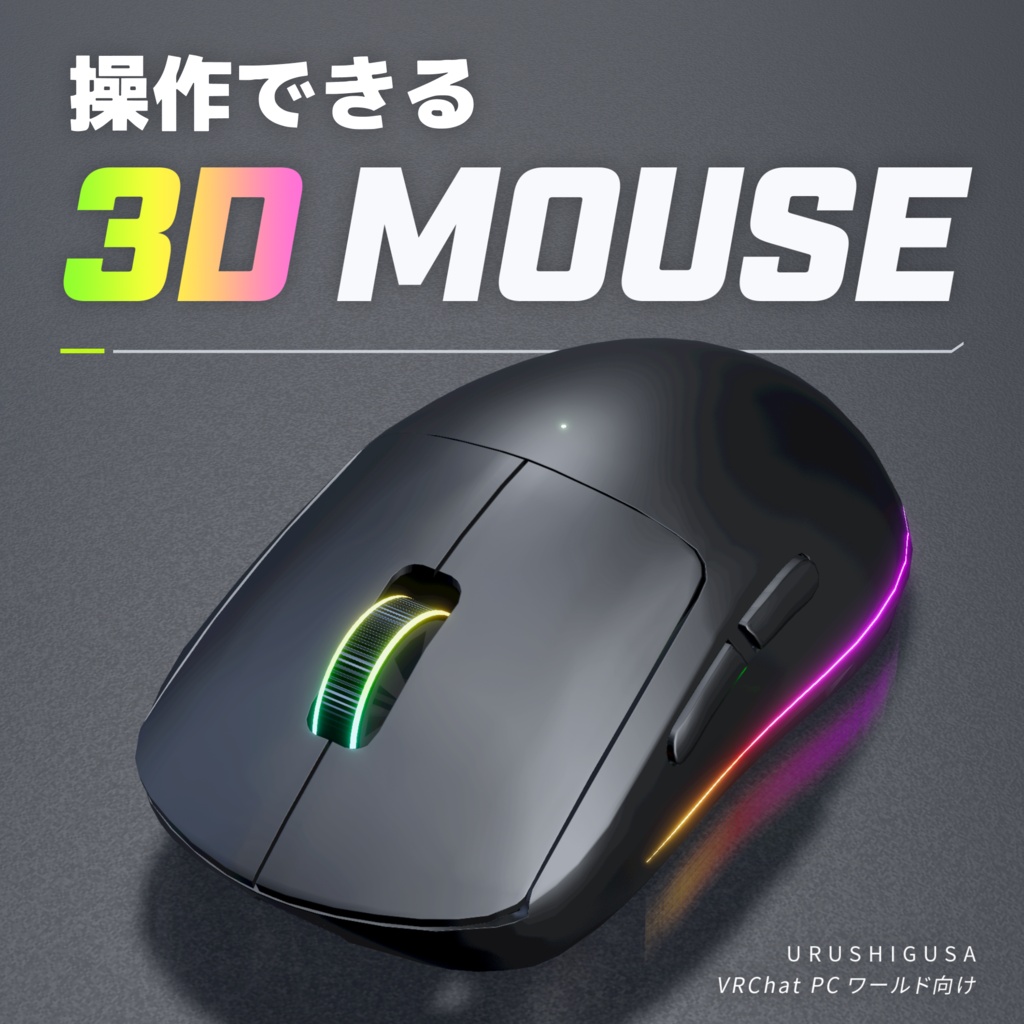
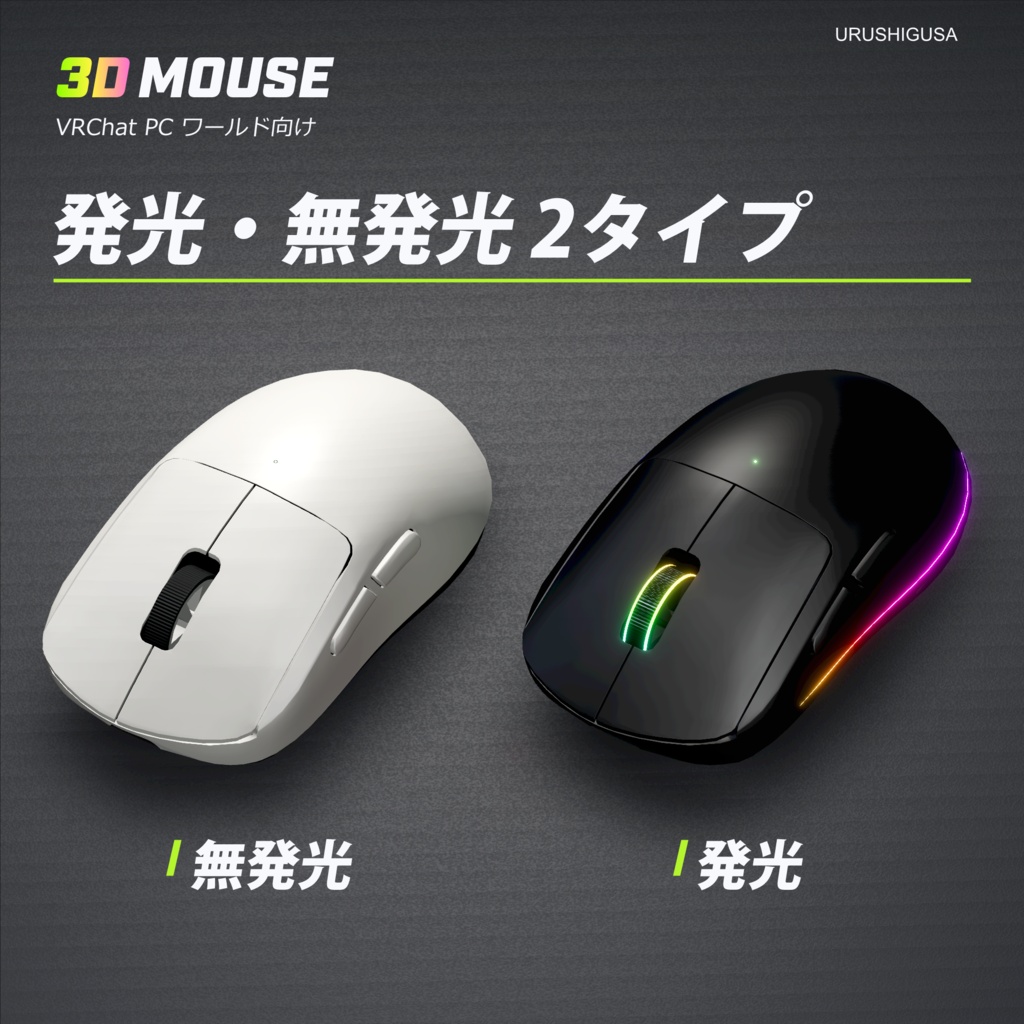
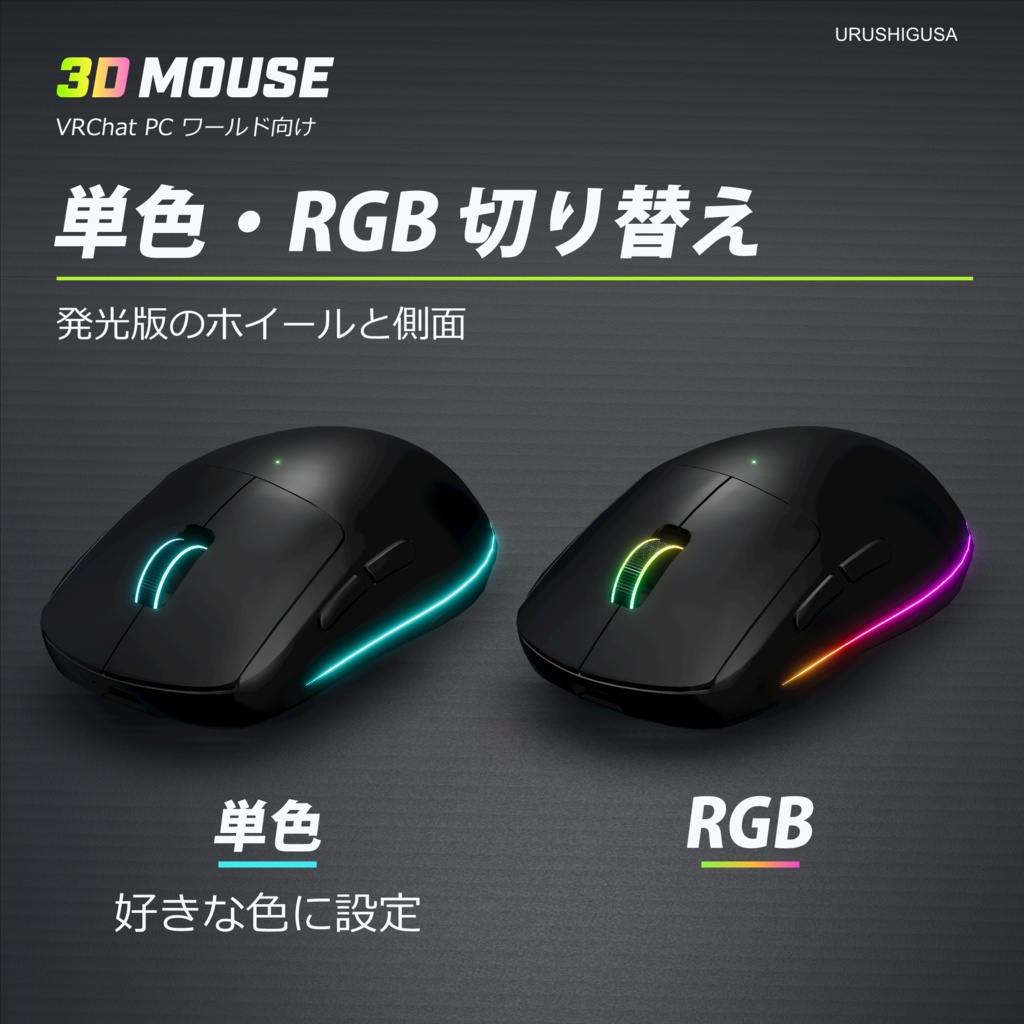
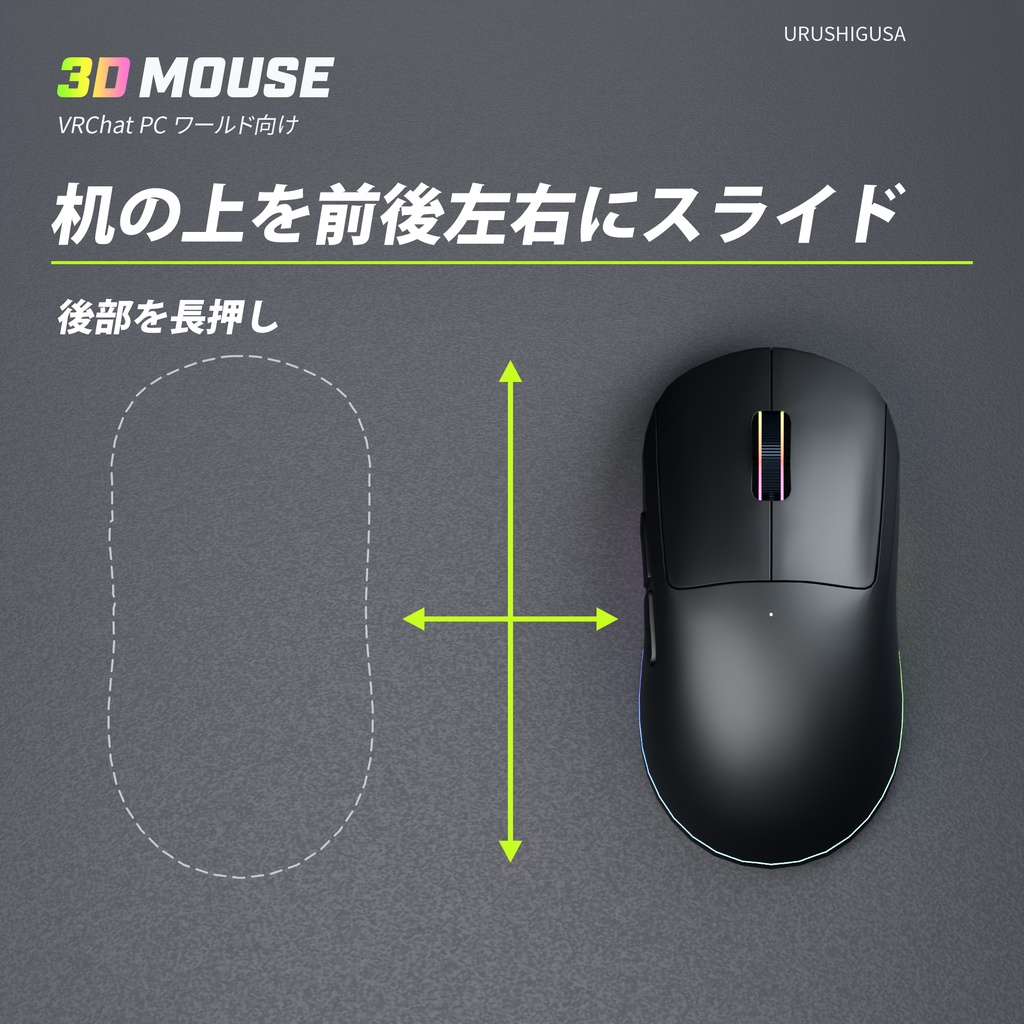
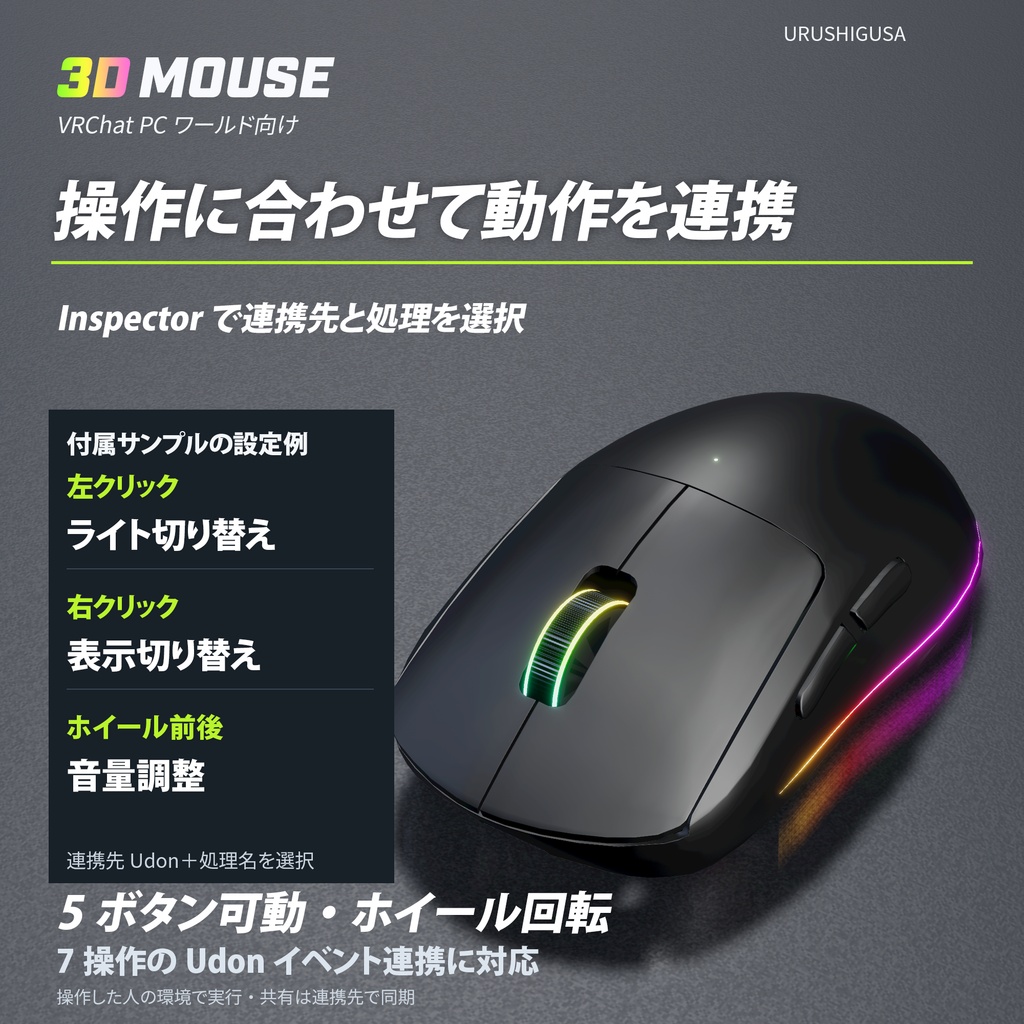
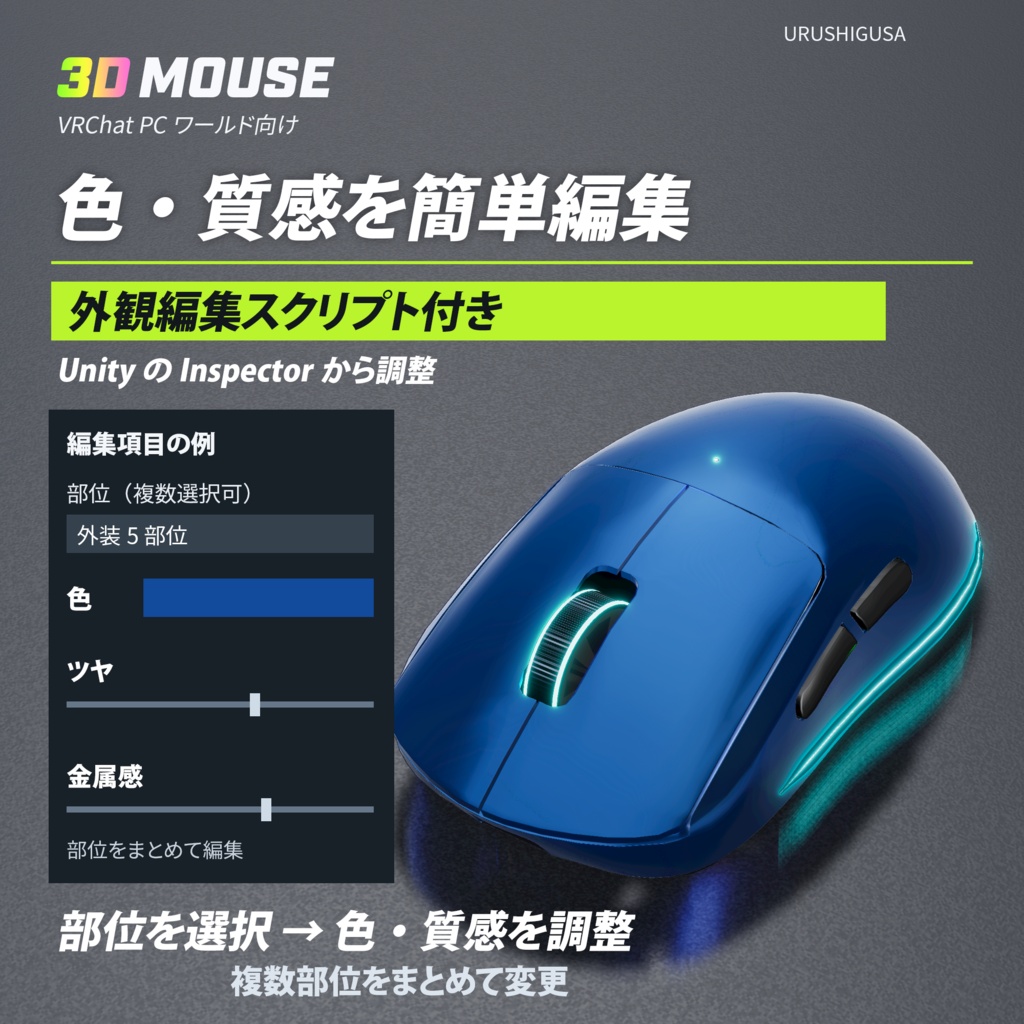
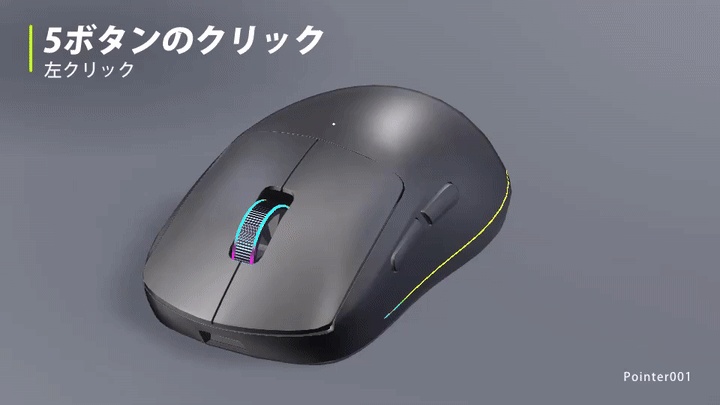


VRChatのPCワールド用3Dマウスです。クリックやホイール操作に加えて机上スライドができます。外観はUnityのInspectorで設定できます。展示セットでは来場者も操作パネルから色や質感を変えられます。 商品画像の7枚目を開くと動作デモが再生されます。 ■ 発光・無発光の2タイプ ・発光版のホイール両端と側面ラインはそれぞれ単色または流れるRGBに設定できます。単色は色を選べます。明るさの調整と消灯も個別に行えます。 ・無発光版も、外装各部の色・ツヤ・金属感を調整できます。金属感などの質感設定は対応部位が対象です。 ・初期外観はシーンやPrefabに保存できます。展示セットの「My Look」では来場者が自分の外観設定を保存・読込できます。 ■ 2つのホイール操作と操作連携 ・A方式は、本体ホイールの前側・中央・後側をInteractして、前回転・押下・後回転を行います。 ・B方式は、本体ホイールをInteractしたまま、PCでは手元のマウスのホイール、VRでは右スティックで回転させます。回さず短く離すとホイールを押せます。 ・左右クリック、サイド前後、ホイール押下の5ボタンは、戻る途中に押し直すと再び押下モーションが出ます。 ・5ボタンとホイールの前後回転を、Inspectorから既存のUdonイベントに割り当てられます。ライト・表示・音・色の設定例付きです。連携は操作者の環境で実行し、結果を参加者間で共有する場合は連携先のUdonで同期します。 ■ 机上スライド ・マウス後部を長押しすると、高さを保ったまま前後左右に滑らせられます。デスクトップは照準、PC VRは手の動きと手首のひねりで操作します。 ・Unityの本体Inspectorの「机上スライド」で、移動範囲と旋回角を調整できます。Sceneビューで範囲を見ながら辺のハンドルでも調整できます。 ・発光・無発光、A/B、本体・展示セットのすべてに対応します。スライドによる位置と向きは操作者の画面で変わります。 ■ モデル仕様 ・製品番号はPointer001です。 ・マウス本体1台の三角形数は、無発光版が6,358、発光版が6,962です。発光版はホイール両端と側面の発光用メッシュ604三角形を含みます。A/Bどちらも同じ数です。 ・Unityの本体用Prefabは実寸で、展示セットは本体を3倍の大きさで配置しています。 ■ ダウンロード内容 ・Unity版(300円)にはUrushigusa_Pointer001_VRCWorld_PC.unitypackageと「はじめに.txt」「README_EN.txt」が入っています。 ・Blend付き版(500円)にはUnity版の全内容に加えてBlender用LOWモデル(Pointer001_LOW_v15_Integrated.blend)と使い方を収録。Blendには発光・無発光の2シーンと画像9枚が入っています。 ・両コースともZIPで配布します。Unityパッケージには、発光/無発光 × A/B × 本体/展示セットの全8配置Prefab、テストシーン1本、操作連携の設定例、モデル・マテリアル・テクスチャが入っています。 ■ 導入と確認環境 1. ZIPを展開し、VRChat SDK Worldsを導入したUnityプロジェクトに .unitypackage をImportします。SDKは別途導入してください。 2. Tools > Urushigusa > Pointer001 > Open Test Sceneを選びます。ClientSimでPlayすると、発光・無発光それぞれのA/Bを同じシーンで試せます。 Unity版はWindowsのUnity 2022.3.22f1、Built-in Render Pipeline、Linear Color Space、VRChat SDK Worlds 3.10.5で確認しました。Blend付き版は、ZIPから展開したファイルをBlender 5.2.4 LTSで開いて確認しています。 本製品はVRChatのPCワールド用です。Quest/Android、アバター、URP/HDRPは対象外です。光のにじみには配置先のBloom設定が必要です。 UnityのPlay Mode(ClientSim)では、入力を模擬して4台の机上スライド、ホイール前後回転、押し直し、操作連携を確認しました。物理マウスやVRコントローラーの入力、VRChat実機、複数人での同期、実サーバーでの保存復元は未確認です。 ■ 利用条件 ・商用利用、改変を許可します。 ・クレジット表記は任意です。 ・ゲームやVRChatの公開ワールドへの組み込み・公開を許可します。 ・成人向け作品、暴力・グロ表現での利用を許可します。 ・素材データそのものや、取り出して素材として再利用できる形での再配布・再販売は禁止します。 通常のワールド配信や端末のキャッシュは、組み込みの許可範囲に含まれます。抽出を完全に不可能にする技術対策は求めません。 公開VRChatワールドでの利用許可は、VRChatでの技術的な動作を保証するものではありません。 ■ お問い合わせ 作者:漆草(Urushigusa) お問い合わせ:https://urushigusa.booth.pm/ のショップメッセージ。 ──────────────────── ENGLISH Interactive 3D Mouse for VRChat PC Worlds | Pointer001 Press five buttons, turn the wheel and slide the mouse across a desk in your VRChat PC world. Both lighting variants come as a life-size prop and a display station with an in-world panel and a 3×-scale mouse. Open the 7th product image to play the demo. ──────────────────── Appearance and lighting Set part colors, gloss and metallic finish in Unity. Set the emissive wheel edges and side strip to solid colors or flowing RGB, with separate brightness and off settings. Visitors can customize the mouse at the display station and save or load their look with My Look. ──────────────────── Wheel controls and Udon events • Mode A — Interact with the front, center or back of the wheel to scroll forward, click or scroll backward. • Mode B — Hold Interact and use the physical mouse wheel on desktop or the right stick in VR. A short press without scrolling clicks the wheel. • Each button press replays the animation, including during the return. • Map five buttons and both wheel directions to existing Udon events in the Inspector. Examples cover lights, visibility, sound and color. Events run locally. Use the receiving Udon behaviour to sync shared effects. ──────────────────── Desk slide Hold the rear shell to slide at a fixed height. Move your aim on desktop or move your hand and turn your wrist in PC VR. The mouse stays where you leave it. All eight prefabs support Desk Slide. Set travel and turning limits in the Inspector. Drag the range handles in the Scene view to adjust travel. Slide position and rotation update locally. ──────────────────── Model specs and downloads Triangles per mouse: 6,358 non-emissive or 6,962 emissive in either wheel mode. • Unity Edition — ¥300. ZIP with the .unitypackage and Japanese/English guides. Includes eight prefabs covering both lighting variants and wheel modes in standalone and display formats, one test scene, Udon examples, meshes, materials and textures. • Unity + Blender Edition — ¥500. ZIP with the Unity Edition plus Pointer001_LOW_v15_Integrated.blend and its guide. The Blend contains separate emissive and non-emissive scenes and nine packed images. ──────────────────── Setup and compatibility 1. Unzip the download. Install VRChat SDK Worlds separately and import Urushigusa_Pointer001_VRCWorld_PC.unitypackage. 2. Choose Tools > Urushigusa > Pointer001 > Open Test Scene in Unity. Enter Play Mode with ClientSim to try the four lighting and wheel combinations. Checked on Windows with Unity 2022.3.22f1 (Built-in Render Pipeline, Linear Color Space) and VRChat SDK Worlds 3.10.5. The Blend was opened in Blender 5.2.4 LTS. For VRChat PC worlds. Quest/Android, avatars, URP and HDRP are unsupported. Enable Bloom for soft glow. ClientSim checks used simulated input for desk slide, both wheel directions, repeated presses and Udon bindings. Physical mouse and VR controller input, live VRChat, multiplayer sync and saving/loading My Look on live servers remain unverified. ──────────────────── Terms of use and contact Commercial use, modification and inclusion in games and public VRChat worlds are allowed. Credit is optional. Adult content, violence and gore are permitted. Redistribution or resale of the asset files, including in a form that lets others extract and reuse them as assets, is prohibited. Normal world delivery and device caching are permitted. Measures that make extraction impossible are not required. Permission to use the asset in public VRChat worlds provides no guarantee of technical compatibility. See README_EN.txt for the full terms and setup guide. Contact Urushigusa via shop messages at https://urushigusa.booth.pm/