

【Limited-time FREE】VRChat NowPlaying - your current song above your head (Spotify, YouTube, OSC)
- ダウンロード商品¥ 0
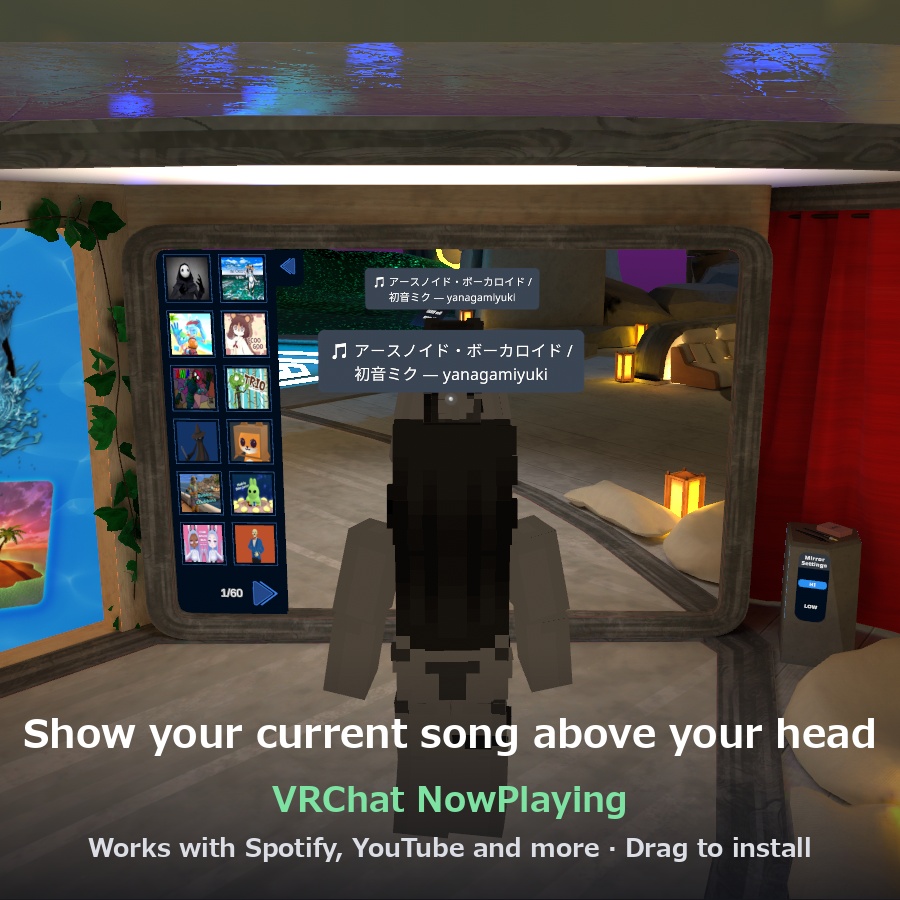

A tool that automatically shows the song you're listening to in your VRChat chatbox (the speech bubble above your avatar). ■ What it does - Shows the title and artist of the song playing on your PC above your head as "🎵 Title — Artist" - Updates by itself when the song changes. Shows ⏸ while paused, and the chat disappears when playback stops - Sends nothing to any outside server; everything stays on your PC (localhost) ■ Expected environment - Windows (the author only has Windows, so it's only tested on Windows) - Python 3.9 or later (install it from python.org and tick Add Python to PATH) - VRChat (PC version, desktop or VR) - Some players that don't support Windows media info (SMTC) may not be picked up. ■ If you find a bug If you find a bug, send me a message on BOOTH. ■ Rights - An unofficial tool that uses VRChat's official OSC feature. It has nothing to do with VRChat Inc.