[WARUDO/PRO+Standard] SpoutPlus 0.1.3 Update
- Digital1,200 JPY
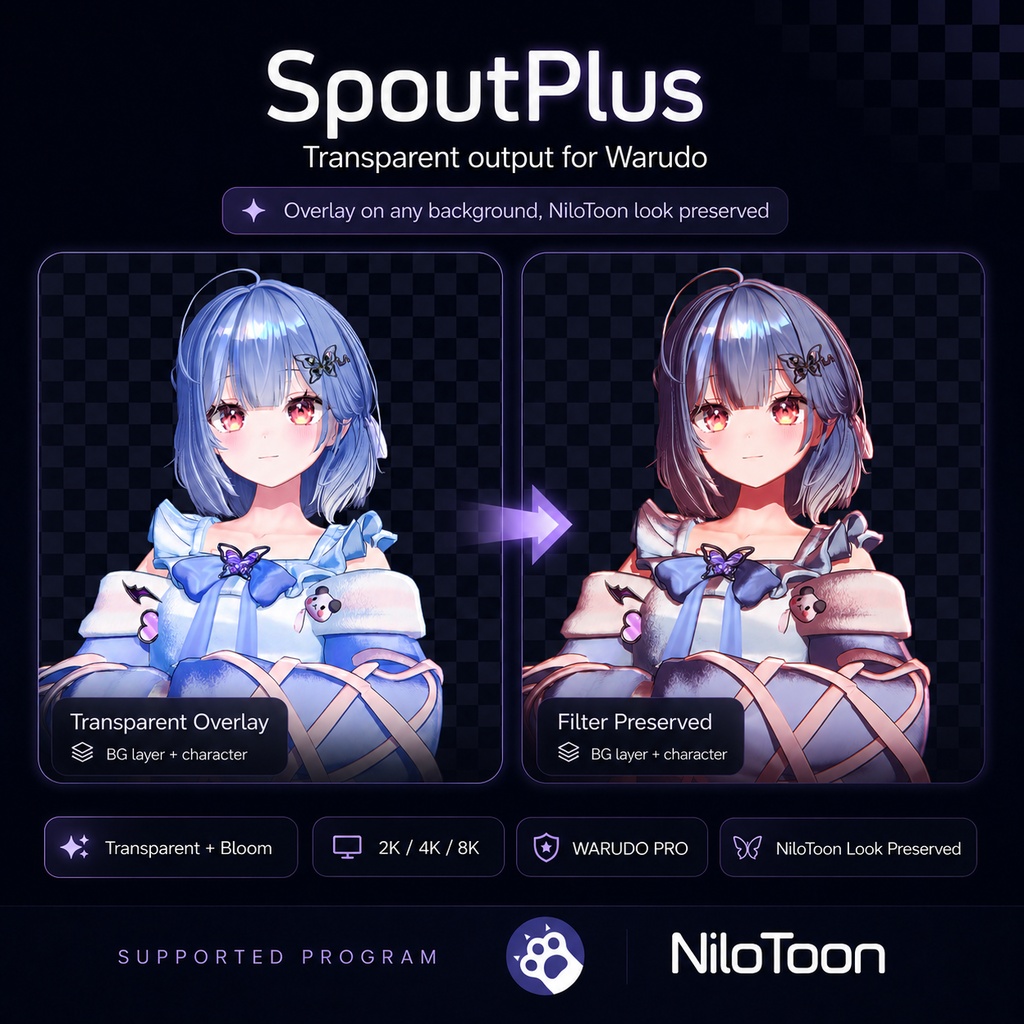


🇰🇷 한국어 / 🇺🇸 English / 🇯🇵 日本語 (아래로 스크롤 / scroll down / 下へ) ━━━━━━━━━━ 🇰🇷 한국어 ━━━━━━━━━━ SpoutPlus 투명 배경 + 빛나는 효과 유지 OBS 송출 · 고화질 스크린샷 📖 자세한 설명은 여기서 확인 → https://studioraming.com/shop_view?idx=63 💾 다운로드 후 환불 불가(구매 착오 포함) — 구매 전 반드시 확인 ■ 소개 Warudo 화면을 배경만 투명하게 빼서 OBS로 송출합니다. 보통 배경을 투명하게 하면 사라지는 NiloToon 필터·빛번짐(Bloom) 같은 효과까지 살린 채로 내보내요. 켜기만 하면 끝. ■ 기능 ◇ 배경 투명 송출 (OBS에서 배경 자유 합성) ◇ Bloom·빛기둥 등 빛 효과 유지 ◇ 포토필터 효과·화면 에셋·파티클도 송출에 포함 (각각 켜고 끌 수 있음) ◇ URP · BRP 모두 지원 — 내 Warudo 환경에 맞는 버전 선택 ◇ NiloToon 필터 효과 포함/제외 선택 (URP 전용) ◇ 스크린샷 : 2K/4K/8K · 비율 8종(16:9·9:16·1:1·4:3·3:4·21:9·9:21) · 화면 중앙 크롭 · 타이머(화면 카운트) · 저장 폴더 직접 지정 · 저장 후 폴더 자동 열림 · 투명 PNG(블룸 글로우 유지) / 배경 포함 저장 / 둘 다 한 번에 저장 ◇ 스트림덱·핫키 연동 — 블루프린트 노드로 스크린샷·송출 On/Off를 버튼 하나에 ◇ 설치 : 받은 zip의 Plugins·Playground 폴더를 StreamingAssets에 복사 → WARUDO를 켜면 인식(플러그인 파일, 순서는 v0.1.3 업데이트 참고) ※ 예시 이미지의 필터 효과는 예시입니다. NiloToon 프리셋(필터)은 별도 세팅이 필요합니다. ■ v0.1.3 업데이트 · 2026.11.13 WARUDO 플러그인(.warudo) 파일로 바뀌었어요. 설치 방법이 달라졌으니 아래 순서로 올려 주세요. ⚠ 0.1.1(Playground 판)에서 올리는 분 필독 1. WARUDO를 끕니다. 2. StreamingAssets\Playground에서 SpoutPlus 폴더(SpoutPlusBase.cs, SpoutPlusBRP.cs, SpoutPlusURP.cs, GUIDE_SpoutPlus.md)를 지웁니다. Playground 바로 아래에 SpoutPlusBase.cs, SpoutPlusBRP.cs, SpoutPlusURP.cs, TransparentSpoutAsset.cs가 있거나 SpoutPlus0.1.1 폴더가 있으면 그것도 지웁니다. 남아 있으면 같은 에셋이 두 번 등록돼요. 3. 받은 zip 안의 Plugins 폴더와 Playground 폴더를 StreamingAssets에 그대로 복사합니다. 4. WARUDO를 켭니다(플러그인은 켤 때 불러와요). 에셋 추가 → Studio Raming에서 "SpoutPlus (URP)" 또는 "SpoutPlus (BRP)"를 고릅니다. 씬에 저장된 SpoutPlus 에셋은 같은 에셋으로 그대로 열려요. · 옛 셰이더(Legacy·Mobile Particles) 파티클도 송출 알파에 올바른 투명도로 들어가요 · "투명+배경 PNG 함께 저장" 버튼과 Screenshot 노드의 Both 입력: 같은 순간의 투명·배경 PNG 한 쌍 · 렌더 파이프라인이 안 맞으면 시작하지 않고 이유를 보여 줘요. 같은 Spout 이름의 출력이 둘이면 두 번째는 오류로 기다려요 · SpoutPlus: 출력 켜기·끄기 노드가 출력이 시작되지 않으면 ‘실패 시’로 나가요 · 고해상도 스크린샷의 색(sRGB)과 메모리 한도, 배경 스크린샷이 지금의 메인 카메라를 쓰고, 메인 카메라를 바꾸면 출력이 따라가요. 장면 검색이 가벼워졌어요 · 확인한 범위: WARUDO 0.14.3 Built-in(BRP)에서 배포 zip을 구매자와 같은 방법으로 설치하고 이 PC에 라이선스가 없는 상태로 확인했어요. 플러그인이 불러와지고 SpoutPlus (BRP)가 Live 상태, 투명·배경 PNG 함께 저장이 두 파일(투명 PNG는 알파 있음, 배경 PNG는 불투명)을 저장했어요. 포토필터·화면 에셋·파티클은 같은 코드의 개발 빌드로 확인했어요. 확인 못 한 것: URP, 0.1.1에서 올리는 과정, 수신 앱에서 보이는 송출, 옛 셰이더 파티클의 투명도 ■ v0.1.2 업데이트 · 송출·투명 PNG에 Photo Filter 효과가 들어가요(`포토필터 효과`, 기본 켜짐). 투명 배경을 칠하는 효과는 빠져요 · `화면 에셋`(Screen 에셋의 이미지·영상)과 `파티클`을 따로 켜고 끌 수 있어요(기본 켜짐) · 패널 정리: 출력·스크린샷이 위, 나머지는 고급에 접어 둬요. 화면 언어(한·영·일)는 WARUDO를 따라가요 · WARUDO가 켜진 채 플러그인 파일이 바뀌어도 송출이 멈추지 않아요 ■ v0.1.1 업데이트 · BRP 버전 추가 — 빌트인 파이프라인 Warudo 지원 (URP 사용자는 기존 그대로) · 블룸 등 포스트프로세싱이 빠지던 문제 수정 — 송출·스크린샷 모두. 투명 PNG에도 글로우 유지 · 다른 PC에서 스크린샷이 저장되지 않던 문제 수정 — 저장 폴더 직접 지정 가능 · 블루프린트 노드 추가 — 스트림덱·핫키로 스크린샷/송출 On·Off · 송출 비율 왜곡·OBS 소스 끊김 수정, 8K 스크린샷 속도·메모리 개선 ■ 필요한 것 Warudo(무료 버전·PRO 모두 지원) · OBS + Spout2 플러그인(필수·무료) · NiloToon(선택, URP 전용) · KlakSpout(Warudo 내장) ※ OBS 소스 Spout2 Capture 추가 후 Composite Mode = Premultiplied 로 설정 ■ 사용 약관 Warudo 플러그인 파일(.warudo)과 도우미 스크립트로 제공됩니다. 파일·코드의 재배포·재판매·유출을 엄격히 금지합니다. ✓ 비상업/상업 방송 · 디지털 굿즈 · 개인 유튜브 허용 ✕ 실물 굿즈(포토카드/피규어/인쇄 등) = 문의 ✕ 재배포/재판매 금지(파일 및 코드 일체) 커미션 등 파일 공유 시 받는 모든 당사자가 본 에셋 구매자여야 합니다. 기업 사용·수익성 콘텐츠는 문의. ■ 환불 다운로드 0회는 문의로 환불 가능, 1회 이상은 디지털 상품 특성상 환불 불가. ■ 문의 : 상품 Q&A © Studio Raming — SpoutPlus / 무단 재배포·재판매 금지
🇺🇸 English
SpoutPlus Transparent-background OBS streaming with glow kept · high-res screenshots 📖 Full details here → https://studioraming-en.imweb.me/shop_view?idx=63 💾 No refunds after download (incl. mistaken purchase) — please confirm before buying ■ About Sends your Warudo screen to OBS with the background removed (transparent). Effects that normally vanish with transparency — NiloToon filters, Bloom — stay alive. Just turn it on. ■ Features ◇ Transparent streaming (compose any background in OBS) ◇ Glow kept — Bloom, light-beams survive transparency ◇ Photo Filter effects, Screen assets and particles are in the output too (each has its own switch) ◇ Both URP & BRP supported — pick the version matching your Warudo setup ◇ NiloToon filter effect: include / exclude (URP only) ◇ Screenshots: 2K/4K/8K · 8 ratios (16:9·9:16·1:1·4:3·3:4·21:9·9:21) · center crop · timer (on-screen countdown) · choose your own save folder · auto-opens folder · transparent PNG (bloom glow kept) / with-background / both at once ◇ Stream Deck & hotkey ready — blueprint nodes bind screenshot / output on-off to one button ◇ Install: copy the zip's Plugins and Playground folders into StreamingAssets → detected when WARUDO starts (plugin file, steps in the v0.1.3 update) * Filter effects in samples are illustrative. NiloToon presets (filters) need separate setup. ■ v0.1.3 Update · 2026.11.13 Now a WARUDO plugin (.warudo) file. The install steps changed, so please upgrade in this order. ⚠ Coming from 0.1.1 (the Playground edition): please read 1. Close WARUDO. 2. In StreamingAssets\Playground, delete the SpoutPlus folder (SpoutPlusBase.cs, SpoutPlusBRP.cs, SpoutPlusURP.cs, GUIDE_SpoutPlus.md). Also delete SpoutPlusBase.cs, SpoutPlusBRP.cs, SpoutPlusURP.cs and TransparentSpoutAsset.cs if they sit directly in Playground, and a SpoutPlus0.1.1 folder if present. Left in place, the same asset is registered twice. 3. Copy the Plugins and Playground folders of the downloaded zip into StreamingAssets as they are. 4. Start WARUDO (plugins load at start). Add Asset → Studio Raming → "SpoutPlus (URP)" or "SpoutPlus (BRP)". Your saved SpoutPlus assets open as the same asset. · Particles with old shaders (Legacy / Mobile Particles) now get correct transparency in the output alpha · A "save transparent + background PNG together" button and a Both input on the Screenshot node: one transparent PNG and one background PNG from the same moment · If the render pipeline does not match, it does not start and shows why. A second output with the same Spout name waits with an error · The SpoutPlus: Output On/Off node leaves through On Failed when the output did not start · Color (sRGB) and a memory limit for high-resolution screenshots; the background screenshot uses the current main camera, and the output follows a main camera switch. Scene scans are lighter · What was checked: on WARUDO 0.14.3 Built-in (BRP), the release zip installed the way a buyer does, on a PC with no license: the plugin loads, SpoutPlus (BRP) shows Live, and saving both PNGs wrote the two files (the transparent PNG has alpha, the background PNG is opaque). Photo Filter, Screen assets and particles were checked with a dev build of the same code. Not checked: URP, upgrading from 0.1.1, the output as seen in a receiver app, transparency of old-shader particles ■ v0.1.2 Update · Photo Filter effects now appear in the output and transparent PNG (`Photo Filter Effects`, on by default). Effects that would paint the transparent background are left out · `Screen Assets` (images and videos of Screen assets) and `Particles` have their own switches (on by default) · Panel tidied: Output and Screenshot on top, the rest folded into Advanced. The UI language (ko / en / ja) follows WARUDO · The output no longer stops when the plugin file changes while WARUDO is running ■ v0.1.1 Update · BRP version added — supports Built-in pipeline Warudo (URP users unaffected) · Fixed missing post-processing (bloom, etc.) — stream and screenshots; glow kept in transparent PNGs · Fixed screenshots not saving on other PCs — you can now set the save folder yourself · Blueprint nodes added — screenshot / output on-off from a Stream Deck or hotkey · Fixed stretched output ratio and OBS source dropouts; 8K screenshot speed & memory improved ■ Requirements Warudo (both free version and PRO supported) · OBS + Spout2 plugin (required, free) · NiloToon (optional, URP only) · KlakSpout (built-in) * OBS: add a Spout2 Capture source, set Composite Mode = Premultiplied ■ Terms of use Provided as a Warudo plugin file (.warudo) and a helper script. Redistribution, resale, or leaking of files/code is strictly prohibited. ✓ Non-commercial/commercial streaming · digital goods · personal YouTube allowed ✕ Physical goods (photocards/figures/prints) = inquire ✕ Redistribution/resale prohibited (files & code) When sharing files (e.g. commissions), every recipient must own this asset. Corporate/monetized use: inquire. ■ Refund Download count 0: refund possible via inquiry. 1+: no refund (digital goods). ■ Contact: product Q&A © Studio Raming — SpoutPlus / Redistribution & resale prohibited
🇯🇵 日本語
SpoutPlus 背景透明のままOBS送出・光の演出を維持 / 高画質スクショ 📖 詳しい説明はこちら → https://studioraming-jp.imweb.me/shop_view?idx=63 💾 ダウンロード後は返金不可(購入間違い含む)— ご購入前に必ずご確認ください ■ 概要 Warudoの画面を背景だけ透明にしてOBSへ送出します。通常は透明化で消える NiloToonのフィルターやBloom(光のにじみ)も保ったまま出力。オンにするだけ。 ■ 機能 ◇ 背景透明で送出(OBSで背景を自由に合成) ◇ Bloom・光の柱など光の演出を維持 ◇ フォトフィルター効果・スクリーンアセット・パーティクルも出力に含む(それぞれオン・オフ可) ◇ URP・BRP 両対応 — お使いのWarudo環境に合うバージョンを選択 ◇ NiloToonフィルター効果の有無を選択(URP専用) ◇ スクショ:2K/4K/8K・比率8種(16:9・9:16・1:1・4:3・3:4・21:9・9:21)・画面中央トリミング・ タイマー(画面カウント)・保存フォルダを自由に指定・保存後フォルダ自動表示・ 透明PNG(ブルームの光を保持)/ 背景あり保存 / 両方を一度に保存 ◇ Stream Deck・ホットキー対応 — ブループリントノードでスクショ/送出オンオフをボタン一つに ◇ 導入:zip の Plugins・Playground フォルダを StreamingAssets にコピー → WARUDO の起動時に認識(プラグインファイル、手順は v0.1.3 アップデート参照) ※ サンプルのフィルター効果はイメージです。NiloToonプリセット(フィルター)は別途設定が必要です。 ■ v0.1.3 アップデート · 2026.11.13 WARUDO プラグイン(.warudo)ファイルになりました。インストール手順が変わったので、次の順で更新してください。 ⚠ 0.1.1(Playground 版)から更新する方は必読 1. WARUDO を終了します。 2. StreamingAssets\Playground から SpoutPlus フォルダ(SpoutPlusBase.cs, SpoutPlusBRP.cs, SpoutPlusURP.cs, GUIDE_SpoutPlus.md)を削除します。Playground 直下に SpoutPlusBase.cs, SpoutPlusBRP.cs, SpoutPlusURP.cs, TransparentSpoutAsset.cs や SpoutPlus0.1.1 フォルダがあればそれも削除します。残っていると同じアセットが二重に登録されます。 3. ダウンロードした zip の Plugins フォルダと Playground フォルダを、StreamingAssets にそのままコピーします。 4. WARUDO を起動します(プラグインは起動時に読み込まれます)。アセット追加 → Studio Raming で「SpoutPlus (URP)」か「SpoutPlus (BRP)」を選びます。 シーンに保存した SpoutPlus アセットは同じアセットとしてそのまま開きます。 ・古いシェーダー(Legacy・Mobile Particles)のパーティクルも、送出のアルファに正しい透明度で入ります ・「透過+背景PNGを同時に保存」ボタンと Screenshot ノードの Both 入力: 同じ瞬間の透明 PNG と背景 PNG を一組で保存 ・レンダーパイプラインが合わないときは開始せず理由を表示。同じ Spout 名の出力が二つあると二つ目はエラーで待機します ・SpoutPlus: 出力オン・オフ ノードは出力が始まらなかったとき「失敗時」から出ます ・高解像度スクリーンショットの色(sRGB)とメモリ上限、背景スクリーンショットは今のメインカメラを使用、メインカメラを切り替えると出力が追従。シーンの検索が軽くなりました ・確認した範囲: Built-in(BRP)の WARUDO 0.14.3 で、配布 zip を購入者と同じ方法でインストールし、ライセンスのない PC で確認しました。プラグインが読み込まれ、SpoutPlus (BRP) が Live になり、透過・背景PNGの同時保存で 2 ファイル(透過PNGはアルファあり、背景PNGは不透明)が保存されました。フォトフィルター・スクリーンアセット・パーティクルは同じコードの開発ビルドで確認しました。未確認: URP、0.1.1 からの更新、受信アプリで見える出力、旧シェーダーのパーティクルの透明度 ■ v0.1.2 アップデート ・出力と透過PNGにフォトフィルター効果が入ります(`フォトフィルター効果`、初期値オン)。透過背景を塗る効果は除かれます ・`スクリーンアセット`(Screen アセットの画像・動画)と `パーティクル` を個別にオン・オフできます(初期値オン) ・パネルを整理: 出力・スクショが上、残りは詳細に畳みました。画面の言語(韓・英・日)は WARUDO に従います ・WARUDO の起動中にプラグインのファイルが変わっても、出力が止まりません ■ v0.1.1 アップデート ・BRP版を追加 — ビルトインパイプラインのWarudoに対応(URPユーザーは従来どおり) ・ブルームなどのポストプロセスが抜ける問題を修正 — 送出・スクショの両方。透過PNGにも光を保持 ・他のPCでスクショが保存されない問題を修正 — 保存フォルダを自分で指定できます ・ブループリントノードを追加 — Stream Deck・ホットキーからスクショ/送出のオンオフ ・送出比率の歪み・OBSソースの途切れを修正、8Kスクショの速度とメモリを大幅改善 ■ 必要なもの Warudo(無料版・PRO どちらにも対応)・OBS + Spout2プラグイン(必須・無料)・ NiloToon(任意、URP専用)・KlakSpout(標準搭載) ※ OBSで Spout2 Capture を追加し Composite Mode = Premultiplied に設定 ■ 利用規約 Warudoプラグインファイル(.warudo)と補助スクリプトで提供。ファイル・コードの再配布・再販売・流出を固く禁止します。 ✓ 非営利/営利の配信・デジタルグッズ・個人YouTube 可 ✕ 実物グッズ(フォトカード/フィギュア/印刷等)= お問い合わせ ✕ 再配布/再販売 禁止(ファイル・コード) セッティング共有時は受け取る全員が購入済みであること。法人利用・収益化は要問い合わせ。 ■ 返金 DL0回はお問い合わせで返金可。1回以上はデジタル商品につき返金不可。 ■ お問い合わせ:商品Q&A © Studio Raming — SpoutPlus / 無断再配布・再販売禁止
FAQ · 한국어 / English / 日本語
■ 추가 FAQ · 설치와 단축키 Q. ZIP 파일을 그대로 넣으면 되나요? A. 먼저 압축을 풀어 주세요. 안의 Plugins 폴더와 Playground 폴더를 WARUDO의 StreamingAssets 폴더에 그대로 복사하고, WARUDO를 켜 주세요(플러그인은 켤 때 불러와요). 이전 판(0.1.1)을 썼다면 Playground의 SpoutPlus 폴더와 TransparentSpoutAsset.cs 등 예전 파일을 지웠는지 확인해 주세요. 남아 있으면 같은 에셋이 두 번 등록돼요. Q. Studio Raming 카테고리가 보이지 않아요. A. 압축을 풀었는지, Plugins\SpoutPlus-0.1.3.warudo가 StreamingAssets\Plugins에 있는지, WARUDO를 다시 켰는지 확인해 주세요. 옛 Playground 파일이 남아 있지 않은지도 확인해 주세요. 문의하실 때는 Warudo 버전, 사용한 URP/BRP 에셋, 오류 메시지가 보이는 화면을 함께 보내주시면 확인에 도움이 됩니다. Q. 스크린샷이나 송출 On/Off를 단축키로 실행할 수 있나요? A. 네. 블루프린트 노드 목록에서 SpoutPlus를 검색하거나 Studio Raming 카테고리를 확인해 주세요. - 촬영: SpoutPlus: 스크린샷 - 송출 제어: SpoutPlus: 출력 켜기·끄기 스크린샷을 단축키에 연결할 때는 단축키 이벤트의 실행 출력을 스크린샷 노드 왼쪽 ‘실행’ 입력에 연결해 주세요. 노드의 Spout 이름에는 제어할 SpoutPlus 에셋의 Spout 이름을 입력하면 됩니다. 비워두면 씬의 첫 번째 SpoutPlus를 사용하므로, 여러 개를 쓰고 있다면 이름을 지정해 주세요. Q. 단축키로 찍는 사진의 배경과 화질은 어디에서 설정하나요? A. 스크린샷 노드의 Include Background / 배경 포함에서 ‘아니요’를 선택하면 투명 PNG, ‘예’를 선택하면 배경을 포함한 PNG로 저장해요. ‘투명+배경 둘 다’를 켜면 같은 순간의 투명 PNG와 배경 포함 PNG를 함께 저장해요(이때 배경 포함은 무시되고, 출력이 켜져 있어야 해요). 화질·비율·타이머·저장 폴더는 SpoutPlus 에셋의 설정을 따릅니다. 이 제품은 코드 생성 AI의 도움을 받아 제작되었습니다. ━━━━━━━━━━━━━━━━━━━━ ■ Additional FAQ · Installation and hotkeys Q. Can I put the ZIP in as it is? A. Extract it first. Copy its Plugins and Playground folders into WARUDO's StreamingAssets folder as they are, then start WARUDO (plugins load at start). If you used the previous version (0.1.1), make sure the old SpoutPlus folder, TransparentSpoutAsset.cs and the other old files are gone from Playground, or the same asset is registered twice. Q. The Studio Raming category is missing. A. Check that the zip was extracted, that Plugins\SpoutPlus-0.1.3.warudo is in StreamingAssets\Plugins, and that you restarted WARUDO. Also check that no old Playground files are left. When contacting us, your Warudo version, whether you used the URP or BRP asset, and a screenshot of the error message will help us check the issue. Q. Can I take screenshots or turn output on/off with a hotkey? A. Yes. Search for SpoutPlus in the blueprint node list, or check the Studio Raming category. - Screenshots: SpoutPlus: Screenshot - Output control: SpoutPlus: Output On/Off To bind a screenshot to a hotkey, connect the hotkey event’s execution output to the screenshot node’s left-hand Enter input. Set Spout Name to the Spout name of the SpoutPlus asset you want to control. Leaving it blank uses the first SpoutPlus in the scene, so specify the name if you use more than one. Q. Where do I set the background and image quality for hotkey screenshots? A. In the screenshot node, set Include Background to No for a transparent PNG or Yes for a PNG with the background included. Turn on Both PNGs to save the transparent PNG and the PNG with background of the same moment together (Include Background is then ignored, and the output must be on). Resolution, aspect ratio, timer, and save folder follow the settings on the SpoutPlus asset. This product was developed with the help of code-generation AI. ━━━━━━━━━━━━━━━━━━━━ ■ 追加FAQ · 導入とホットキー Q. ZIPファイルをそのまま入れてもよいですか? A. 先に解凍してください。中の Plugins フォルダと Playground フォルダを WARUDO の StreamingAssets フォルダにそのままコピーし、WARUDO を起動してください(プラグインは起動時に読み込まれます)。旧バージョン(0.1.1)を使っていた場合は、Playground の SpoutPlus フォルダや TransparentSpoutAsset.cs などの古いファイルが残っていないか確認してください。残っていると同じアセットが二重に登録されます。 Q. Studio Ramingカテゴリが表示されません。 A. ZIPを解凍したか、Plugins\SpoutPlus-0.1.3.warudo が StreamingAssets\Plugins にあるか、WARUDO を再起動したかを確認してください。古い Playground のファイルが残っていないかも確認してください。お問い合わせの際は、Warudoのバージョン、使用したURP/BRPアセット、エラーメッセージのスクリーンショットがあると確認に役立ちます。 Q. スクリーンショットや送出のオン・オフをホットキーで実行できますか? A. はい。ブループリントのノード一覧でSpoutPlusを検索するか、Studio Ramingカテゴリを確認してください。 - 撮影:SpoutPlus: スクリーンショット - 送出の制御:SpoutPlus: 出力オン・オフ スクリーンショットをホットキーに割り当てる場合は、ホットキーイベントの実行出力を、スクリーンショットノード左側の「実行」入力に接続してください。Spout名には、操作するSpoutPlusアセットのSpout名を入力します。空欄の場合はシーン内の最初のSpoutPlusを使用するため、複数使用している場合は名前を指定してください。 Q. ホットキーで撮る画像の背景や画質はどこで設定しますか? A. スクリーンショットノードの「背景を含める」をオフにすると透過PNG、オンにすると背景を含むPNGで保存します。「透過+背景の両方」をオンにすると、同じ瞬間の透過PNGと背景を含むPNGをまとめて保存します(このとき「背景を含める」は無視され、出力をオンにする必要があります)。画質・比率・タイマー・保存フォルダは、SpoutPlusアセットの設定に従います。 本製品は、コード生成AIの支援を受けて制作されています。