

シームレスネック - 頭を付け替えた首の境目をなじませる【JA,EN,KO】
- 日本語Digital700 JPY
- EnglishDigital700 JPY
- 한국어Digital700 JPY
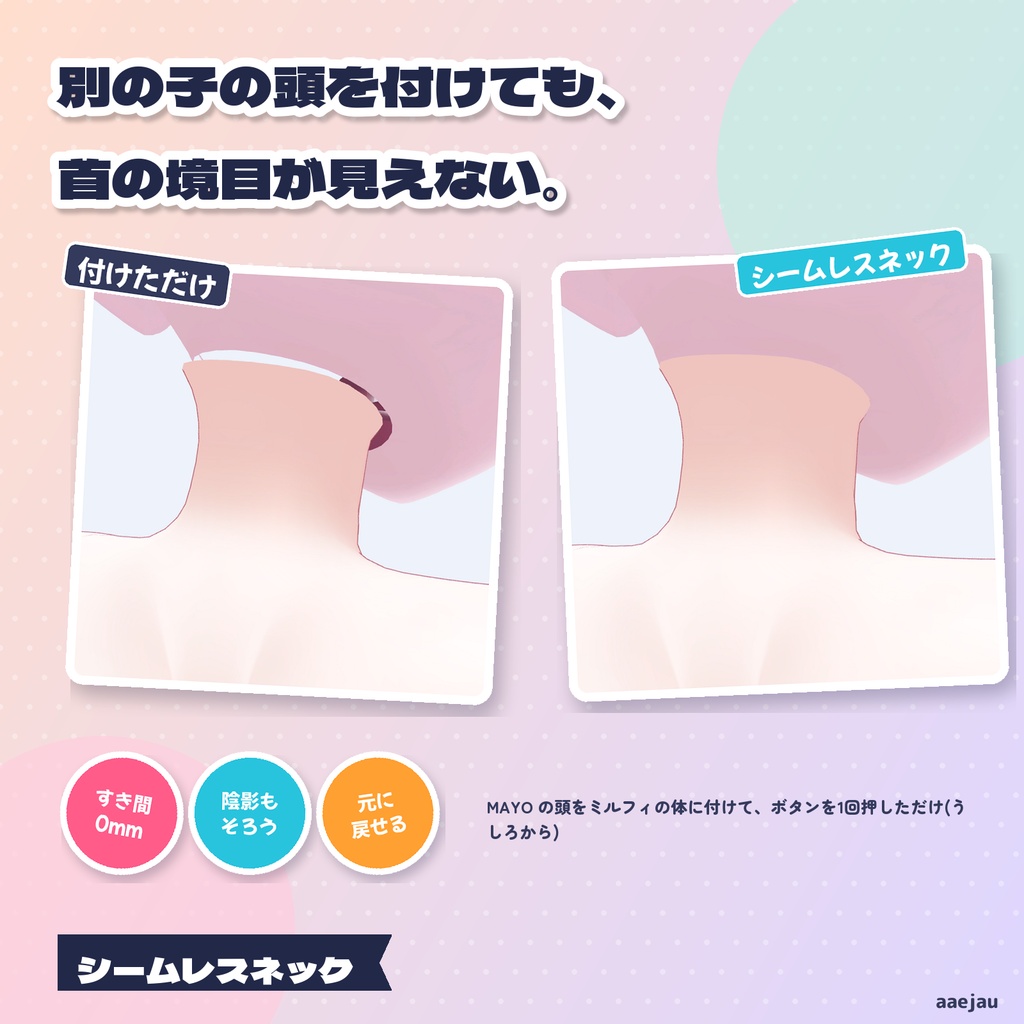
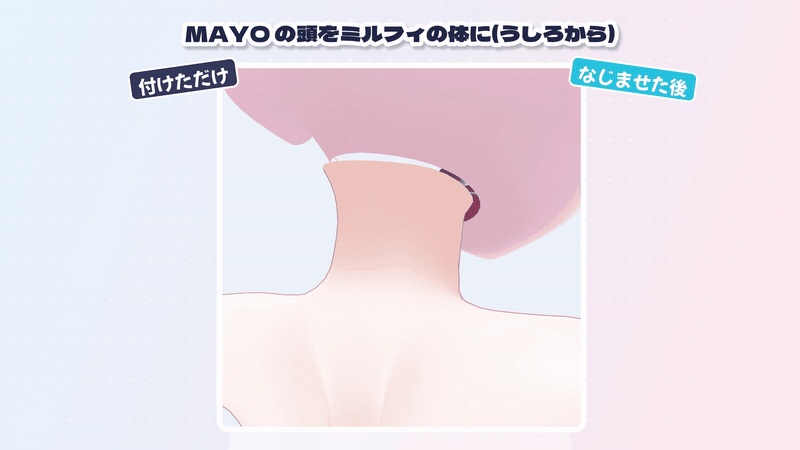
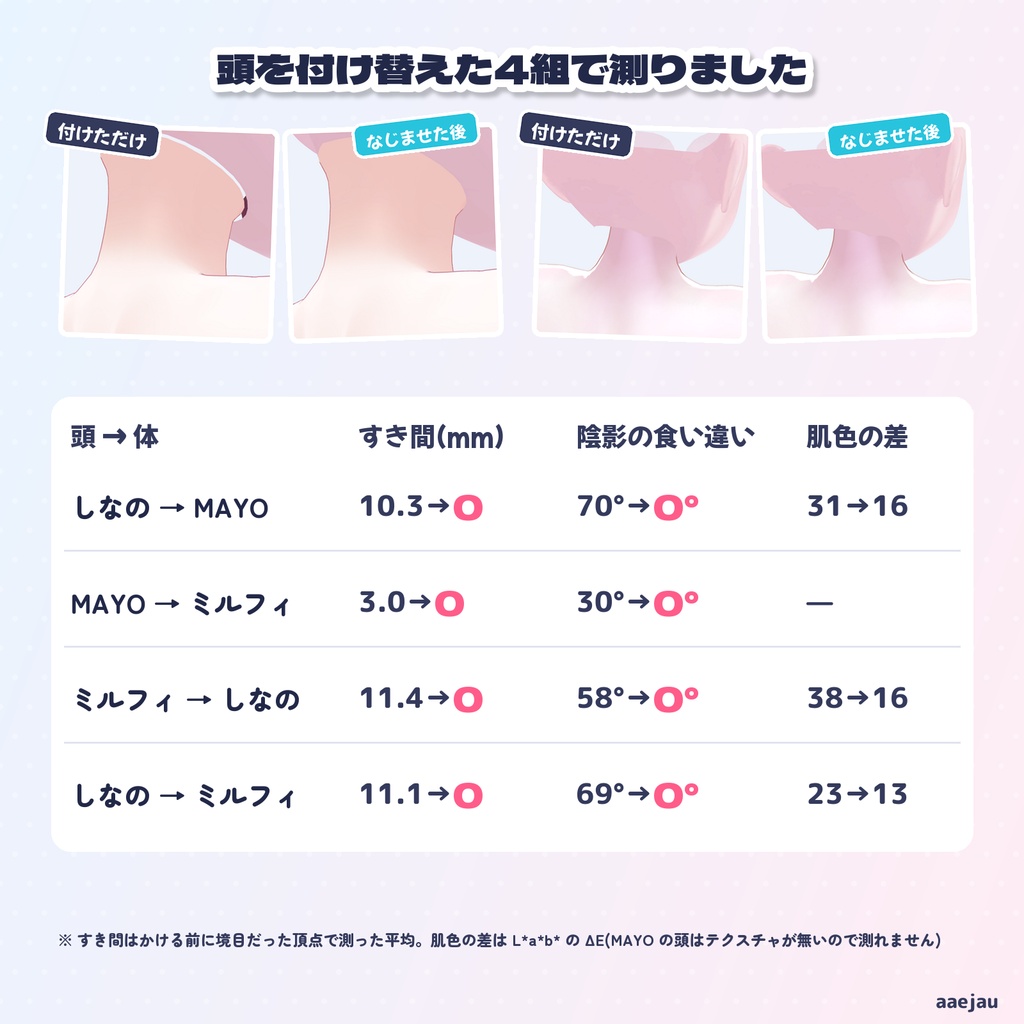
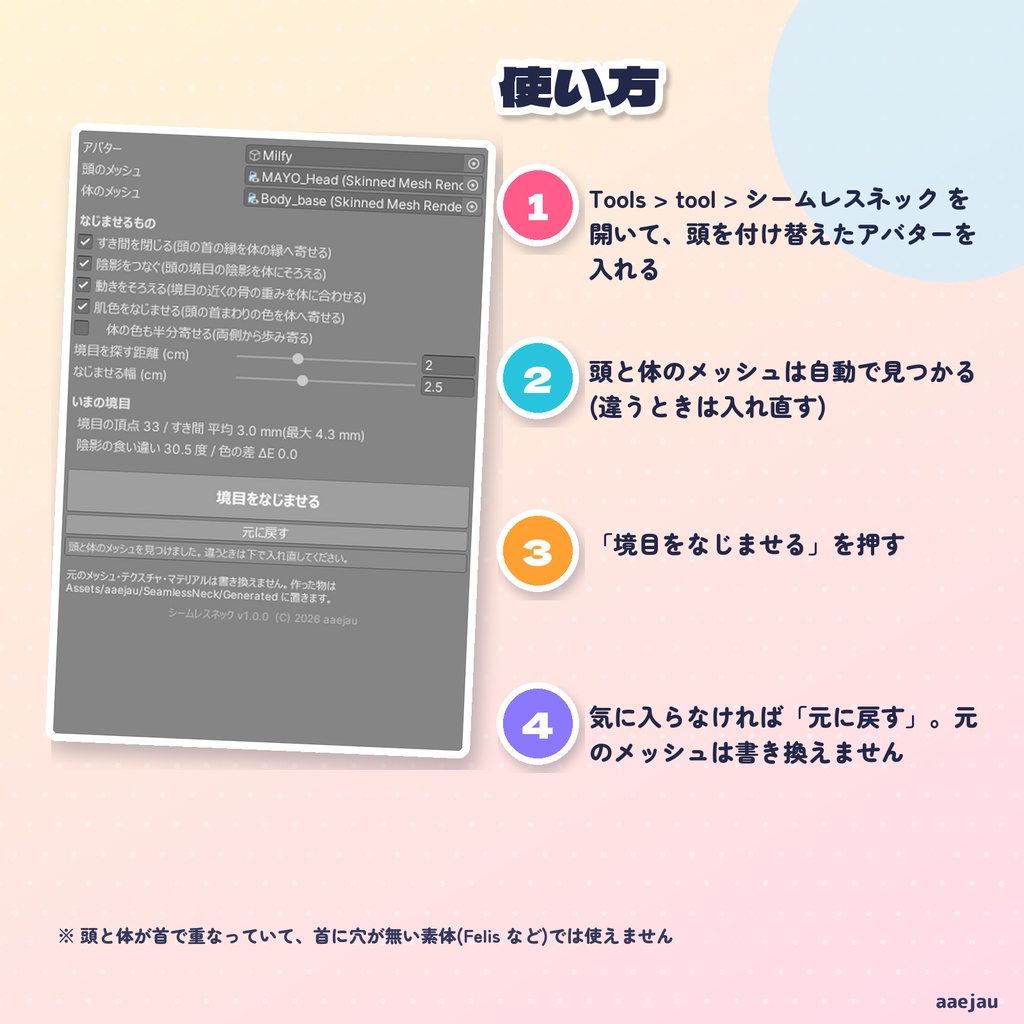
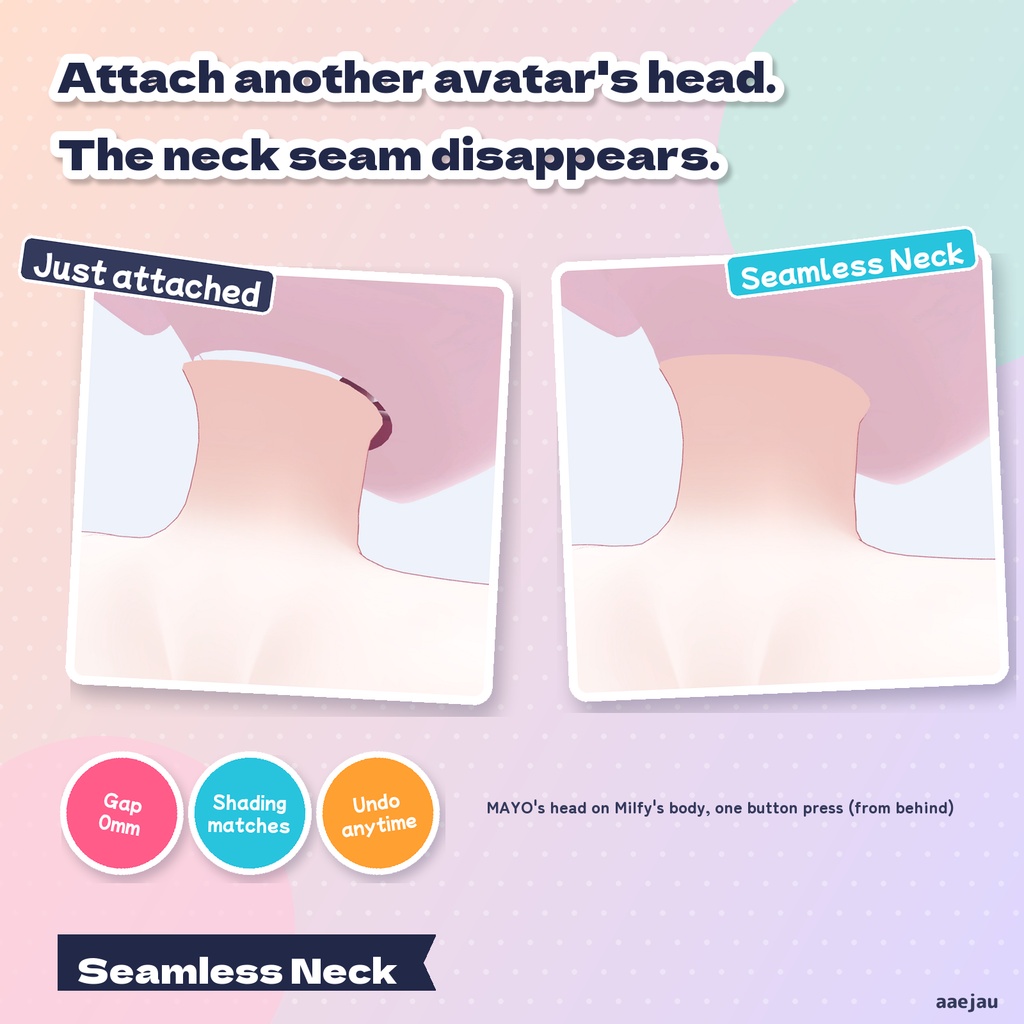
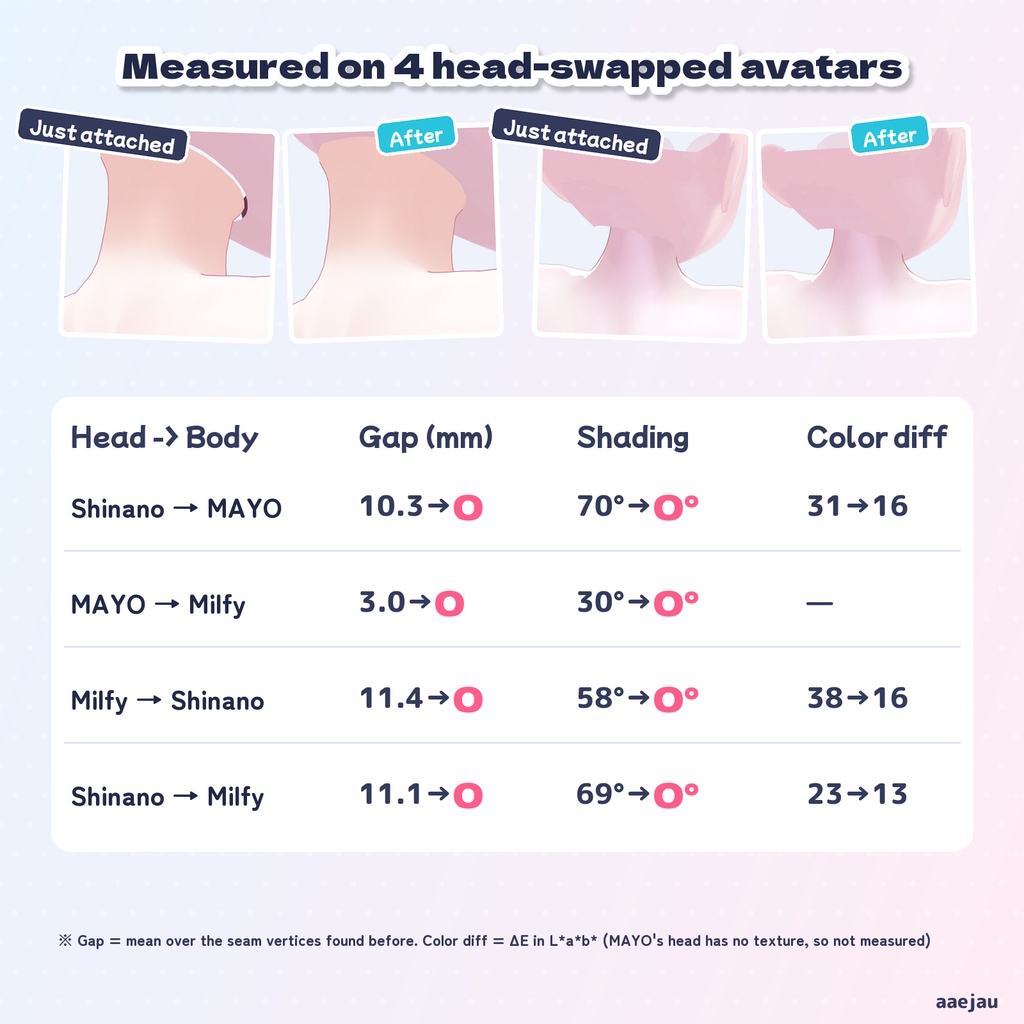
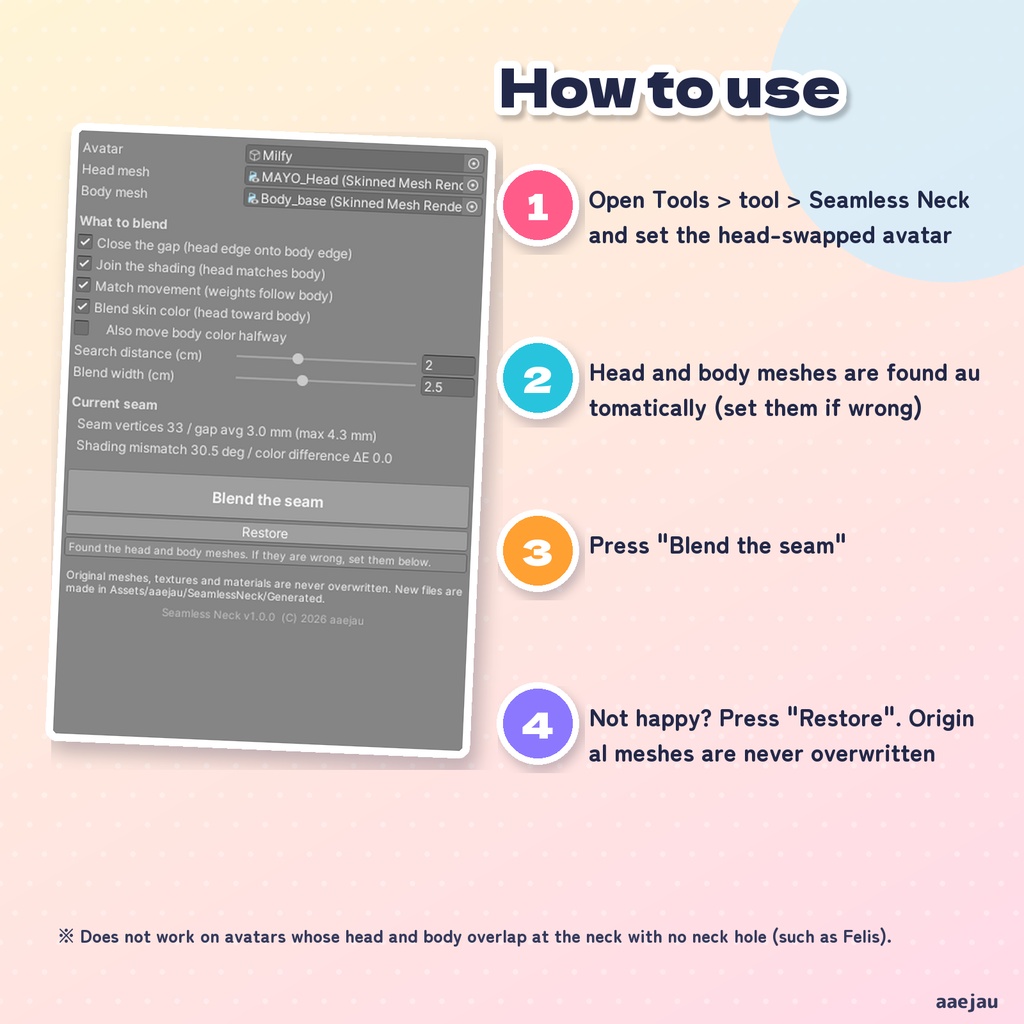
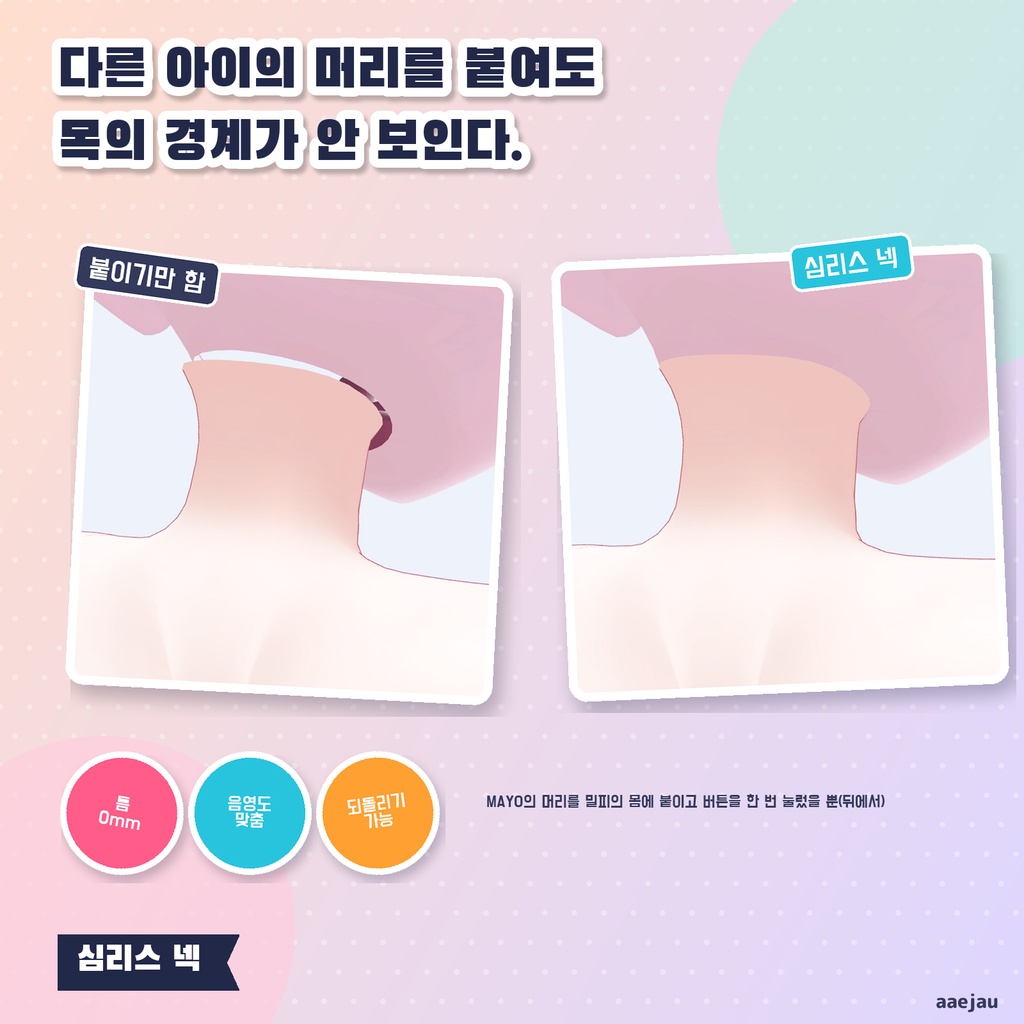
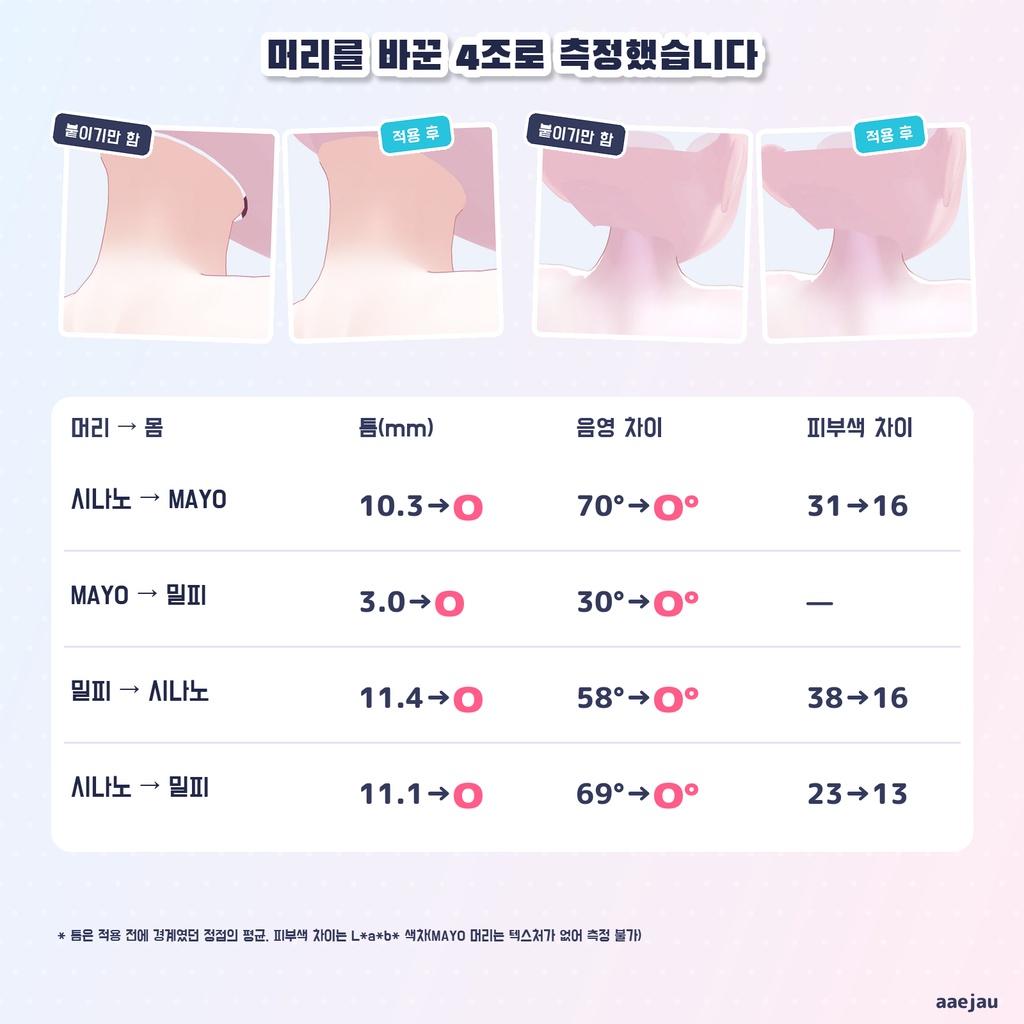
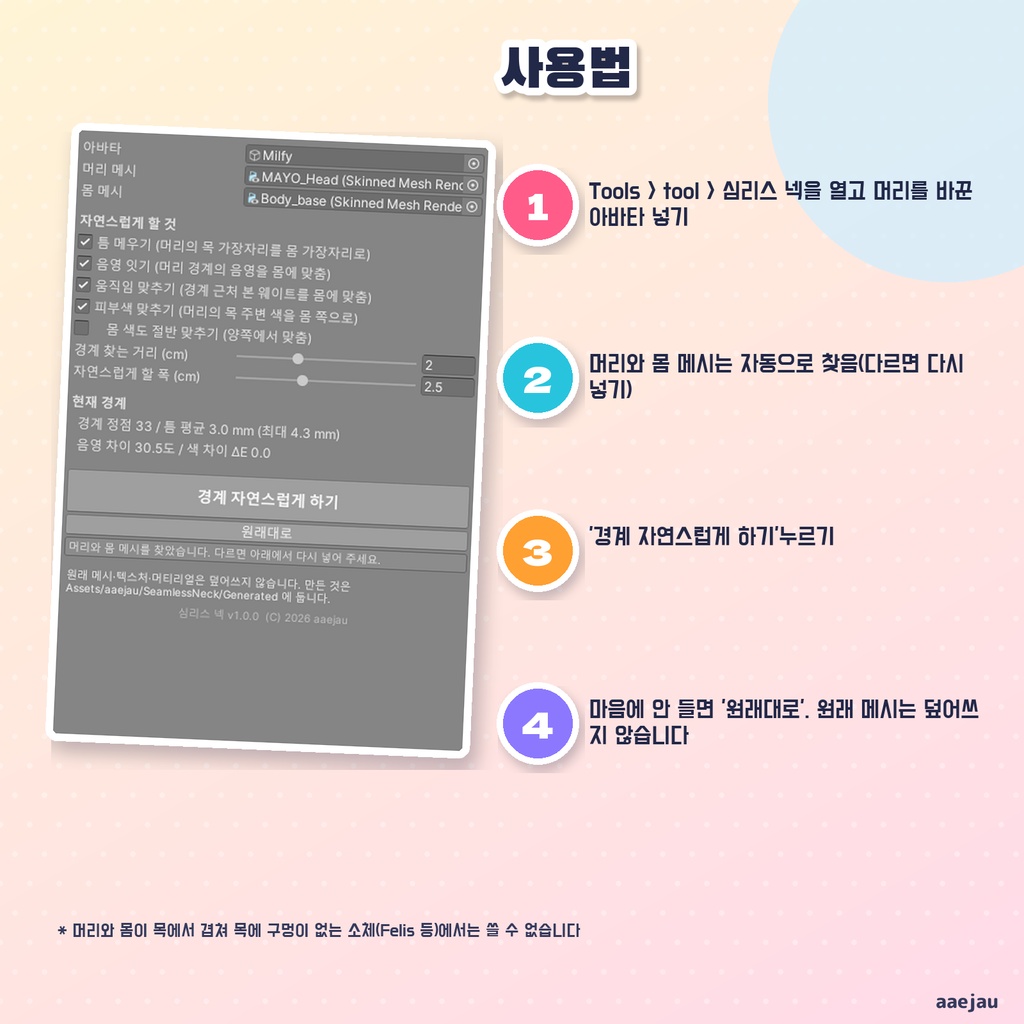


「好きな子の顔に付け替えたら、首にすき間と色の段差が残った」 シームレスネックは、別のアバターの頭を付けたときの首の境目を、Unity の中でなじませる Unity Editor ツールです。Blender は使いません。 ◆ 4つをまとめてなじませます ・すき間を閉じる: 頭の首の縁を、体の首の縁へ寄せます。まわりの肌も、寄せる量に合わせてなだらかについてきます ・陰影をつなぐ: 頭の境目の法線を体にそろえるので、境目に影の線が出ません ・動きをそろえる: 境目の近くの骨の重みを体に合わせるので、首を動かしても割れません ・肌色をなじませる: 境目の色の差を測り、頭の首まわりだけをグラデーションで体の色へ寄せます ◆ 首の境目だけを選びます 体側は首の骨にいちばん近い縁の輪を1本だけ、頭側はその輪のそばにある縁の輪だけを使います。目・口・まつげの縁は輪ごと外れるので、顔の形は動きません。なじませる範囲は肌の表面をたどった距離で決めるので、首のすぐ上のあごや口には色がにじみません。 ◆ 頭と体のメッシュは自動で見つけます 頭の骨に乗るいちばん大きいメッシュを頭、首か胸の骨と足の骨の両方に重みがあるメッシュを体として選びます。違うときは窓で入れ直せます。 ◆ 元に戻せます ・元のメッシュ・テクスチャ・マテリアルは書き換えません ・作ったメッシュとテクスチャは Assets/aaejau/SeamlessNeck/Generated/<アバター名>/ に置いて、アバターの方を差し替えます ・「元に戻す」で元のメッシュとマテリアルへ戻ります(足した骨の割り当ても戻します) ◆ 使い方 1. メニューの Tools > tool > シームレスネック を開き、頭を付け替えたアバターを入れる 2. 頭と体のメッシュが入ったことを確かめる 3. 「境目をなじませる」を押す ◆ 頭を付け替えた4組で測りました しなの・MAYO・ミルフィの頭を別の体に載せた組で、かける前に境目だった頂点を数えて比べました。 ・すき間の平均: 10.3 → 0.0mm / 3.0 → 0.0mm / 11.4 → 0.0mm / 11.1 → 0.0mm ・陰影の食い違い: 70 → 0度 / 31 → 0度 / 58 → 0度 / 69 → 0度 ・肌色の差(ΔE): 31 → 16 / 38 → 16 / 23 → 13(MAYO の頭はマテリアルにテクスチャが無いので測っていません) ・元のファイルで中身が変わった物: 0、元に戻した後は元の数字と同じ 自動テスト6件はすべて通っています。 ※ 頭と体が首で重なっていて、体に首の穴が無い素体(Felis など)では境目が見つからないので使えません ※ 首の太さが2cm近く違う組み合わせでは、首の横に段差が残ることがあります。先に頭の大きさを合わせてください ※ 肌色は近づけるところまでで、ぴったり同じ色にはなりません ※ 頭の付け替えそのもの(骨の付け替えや大きさ合わせ)はしません ※ アップロードの前に Build & Test で見た目を確かめてください 内容物: unitypackage / README / CHANGELOG / TEST_REPORT / LICENSE / 画面のスクリーンショット ━━━━━━━━━━━━━━━━━━━━ English ━━━━━━━━━━━━━━━━━━━━ "I put my favorite face on my avatar, and a gap and a color step stayed at the neck." Seamless Neck is a Unity Editor tool that blends the neck seam after attaching another avatar's head, inside Unity. No Blender. ◆ Four things at once - Close the gap: the head's neck edge moves onto the body's neck edge; nearby skin follows smoothly - Join the shading: the head's seam normals match the body, so no shadow line - Match the movement: bone weights near the seam follow the body, so it does not split when the neck moves - Blend the skin color: measures the color step and shifts only the head's neck area toward the body color ◆ Only the neck seam is used Eye, mouth and eyelash edges are excluded, and the blend area follows the skin surface, so the chin and mouth are not touched. ◆ You can undo it Original meshes, textures and materials are never overwritten. New files are made in Assets/aaejau/SeamlessNeck/Generated/<avatar name>/, and "Restore" puts the originals back. ◆ How to use 1. Open Tools > tool > Seamless Neck and set the head-swapped avatar 2. Check the head and body meshes 3. Press "Blend the seam" ◆ Measured on 4 head-swapped avatars Gap: 10.3/3.0/11.4/11.1mm -> 0.0mm. Shading mismatch: 70/31/58/69 deg -> 0 deg. Color difference (ΔE): 31->16, 38->16, 23->13. Original files changed: 0. 6 automated tests pass. * Does not work on avatars whose head and body overlap at the neck with no neck hole (such as Felis) * If neck thickness differs by about 2cm, a step may remain at the side of the neck; match the head size first * The color gets closer, not identical. The tool does not do the head swap itself * Always check with Build & Test before uploading Contents: unitypackage / README / CHANGELOG / TEST_REPORT / LICENSE / screenshot ━━━━━━━━━━━━━━━━━━━━ 한국어 ━━━━━━━━━━━━━━━━━━━━ 「좋아하는 아이의 얼굴로 바꿨더니 목에 틈과 색 차이가 남았다」 심리스 넥은 다른 아바타의 머리를 붙였을 때 목의 경계를 Unity 안에서 자연스럽게 하는 Unity Editor 툴입니다. Blender는 쓰지 않습니다. ◆ 4가지를 한 번에 ・틈 메우기: 머리의 목 가장자리를 몸 쪽 가장자리로 옮깁니다 ・음영 잇기: 머리 경계의 법선을 몸에 맞춰 그림자 선이 생기지 않습니다 ・움직임 맞추기: 경계 근처 본 웨이트를 몸에 맞춰 목을 움직여도 갈라지지 않습니다 ・피부색 맞추기: 경계의 색 차이를 재서 머리의 목 주변만 몸 색으로 옮깁니다 ◆ 되돌릴 수 있습니다 원래 메시·텍스처·머티리얼은 덮어쓰지 않고, 「원래대로」로 되돌립니다. ◆ 사용법 1. Tools > tool > 심리스 넥을 열고 머리를 바꾼 아바타 넣기 2. 머리와 몸 메시 확인 3. 「경계 자연스럽게 하기」 누르기 ◆ 머리를 바꾼 4조로 측정 틈 10.3/3.0/11.4/11.1mm → 0.0mm, 음영 차이 70/31/58/69도 → 0도, 피부색 차이 31→16, 38→16, 23→13. 원래 파일 변경 0. 자동 테스트 6건 통과. ※ 머리와 몸이 목에서 겹쳐 몸에 목 구멍이 없는 소체(Felis 등)에서는 쓸 수 없습니다 ※ 목 두께가 2cm 가까이 다르면 목 옆에 단차가 남을 수 있습니다 ※ 업로드 전에 Build & Test로 확인하세요 내용물: unitypackage / README / CHANGELOG / TEST_REPORT / LICENSE / 스크린샷