
おもみむね - かがむと胸が下へ、寝ころぶと横へ。体の傾きで動く【JA,EN,KO】
- 日本語版Digital700 JPY
- EnglishDigital700 JPY
- 한국어판Digital700 JPY
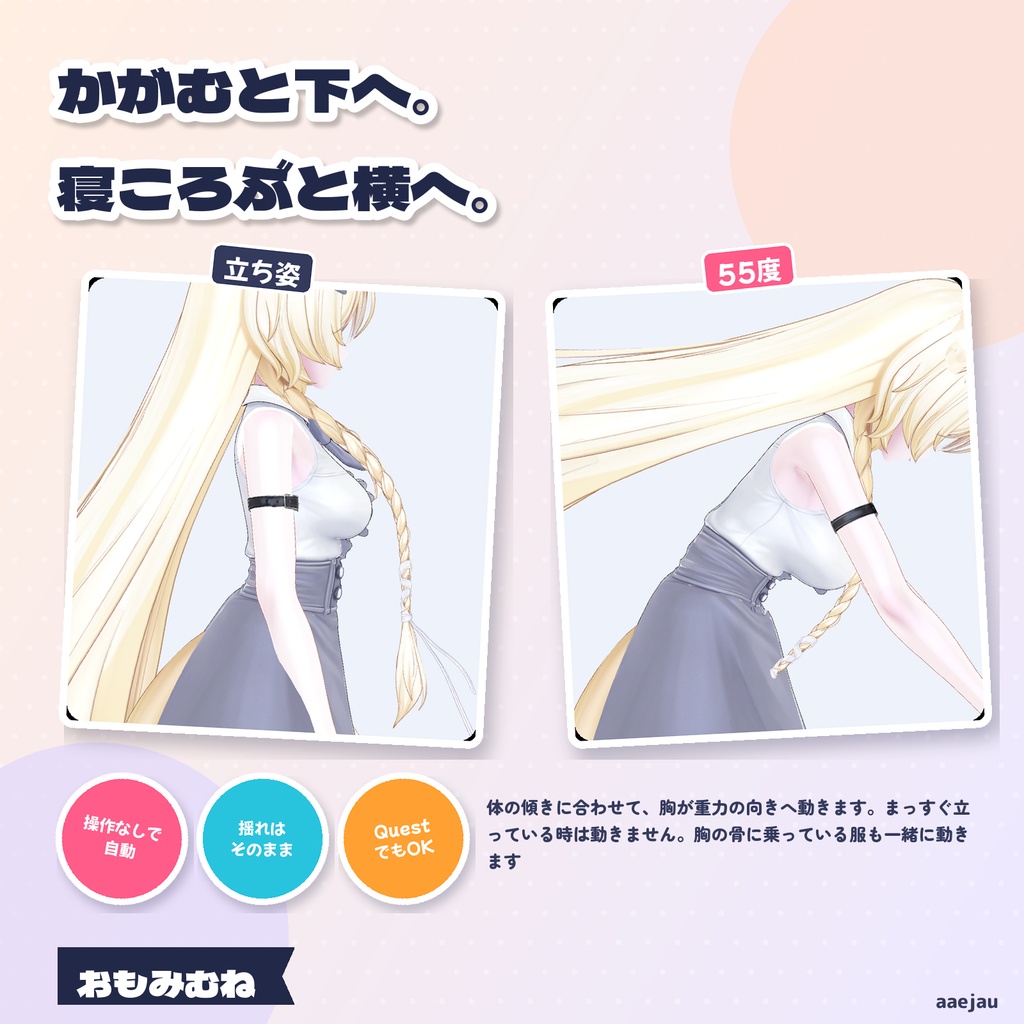
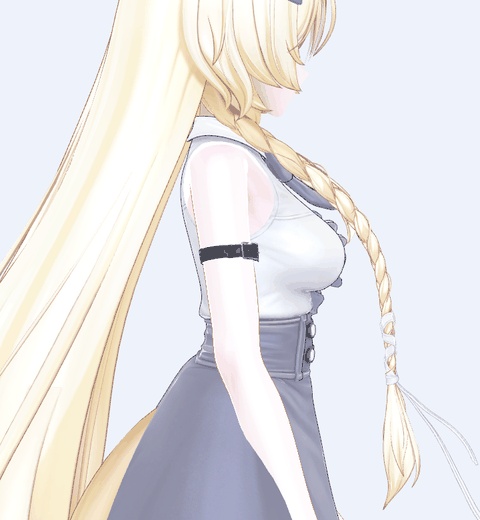
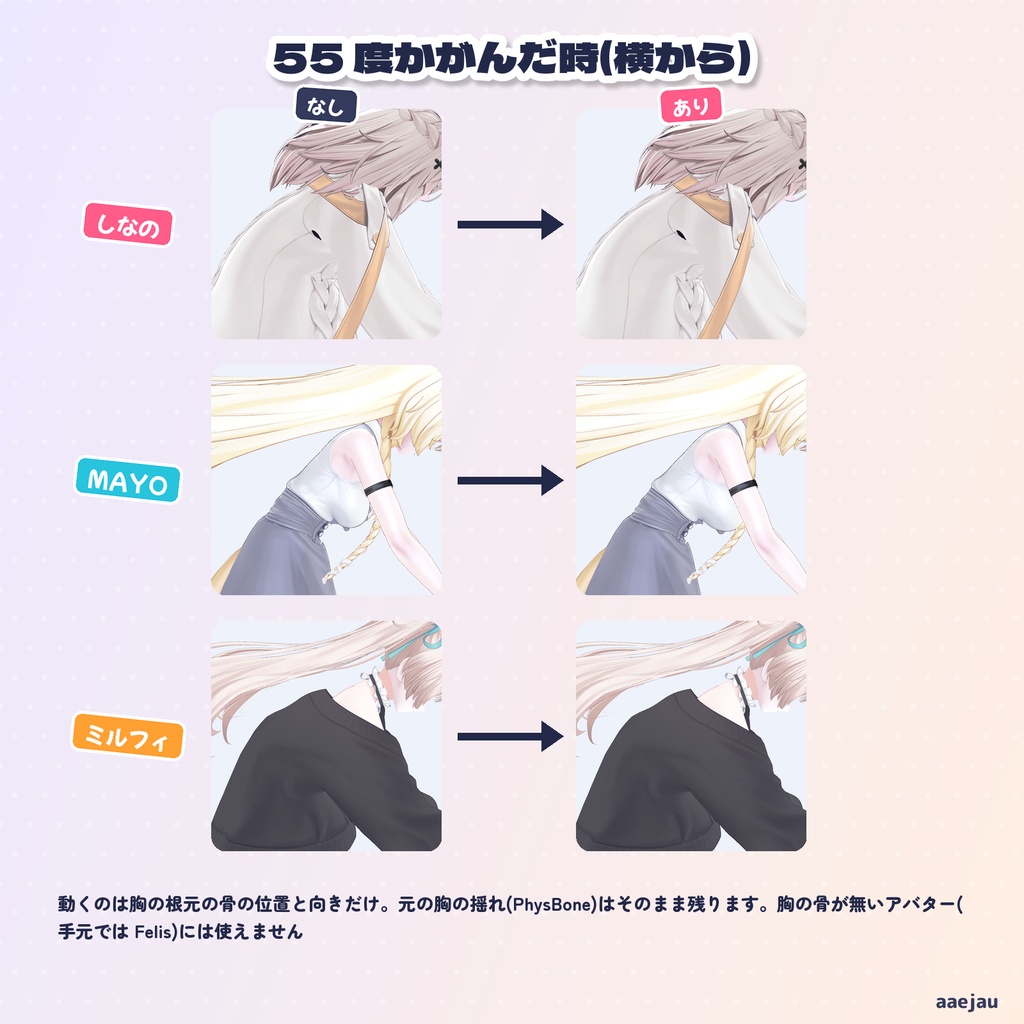
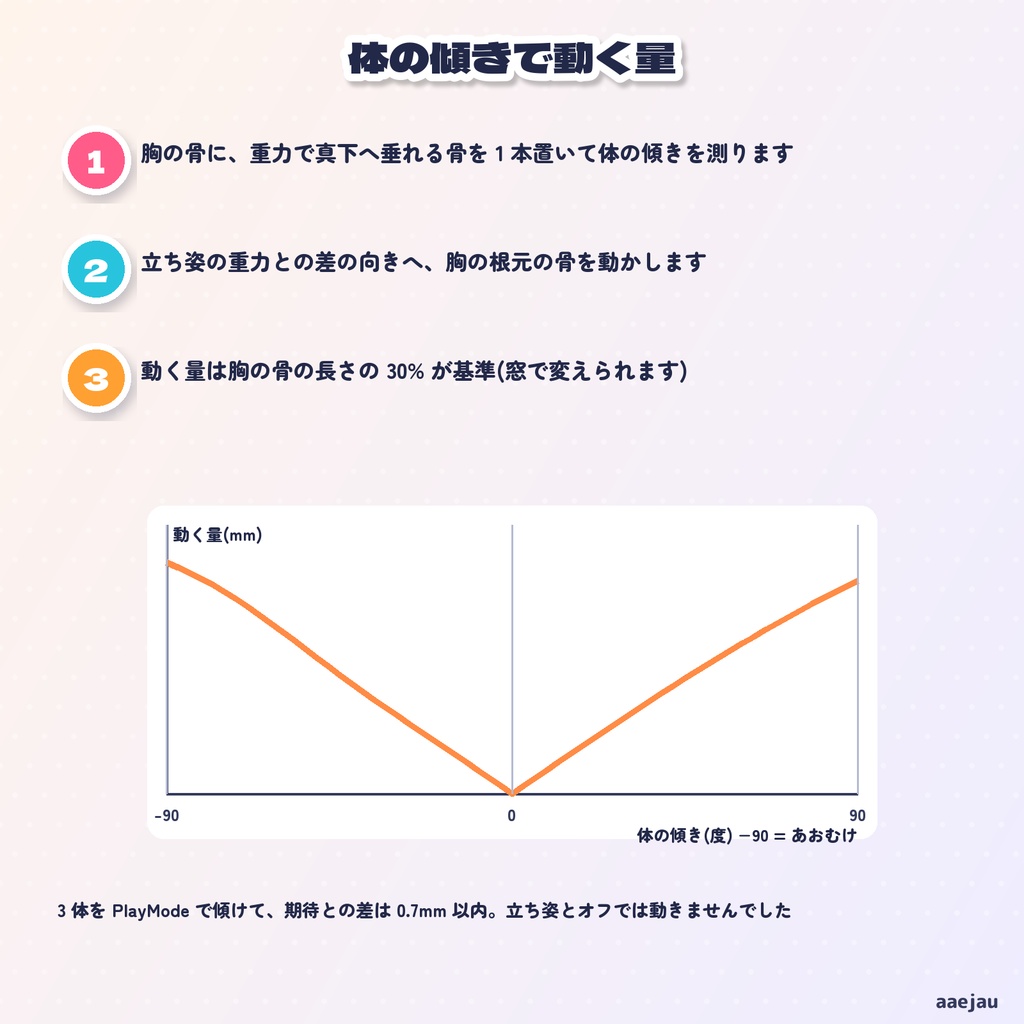
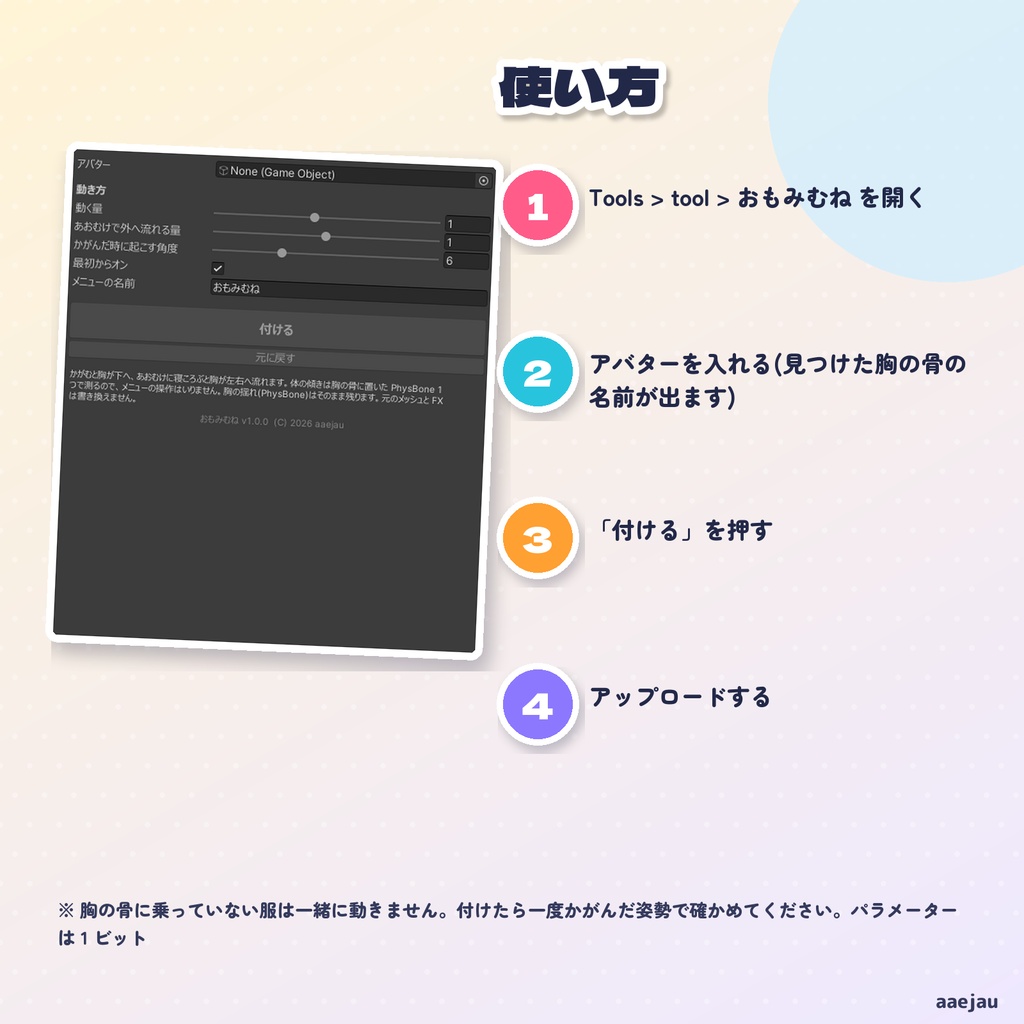
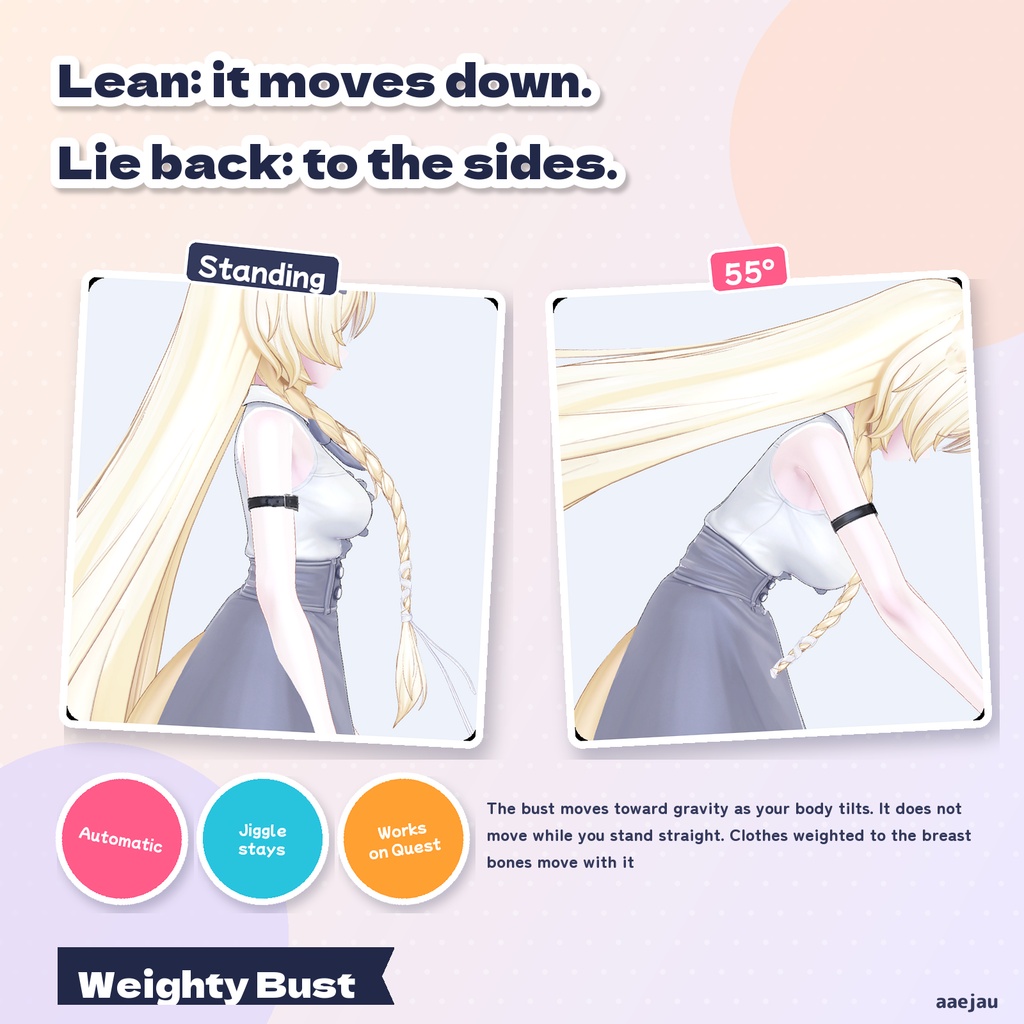
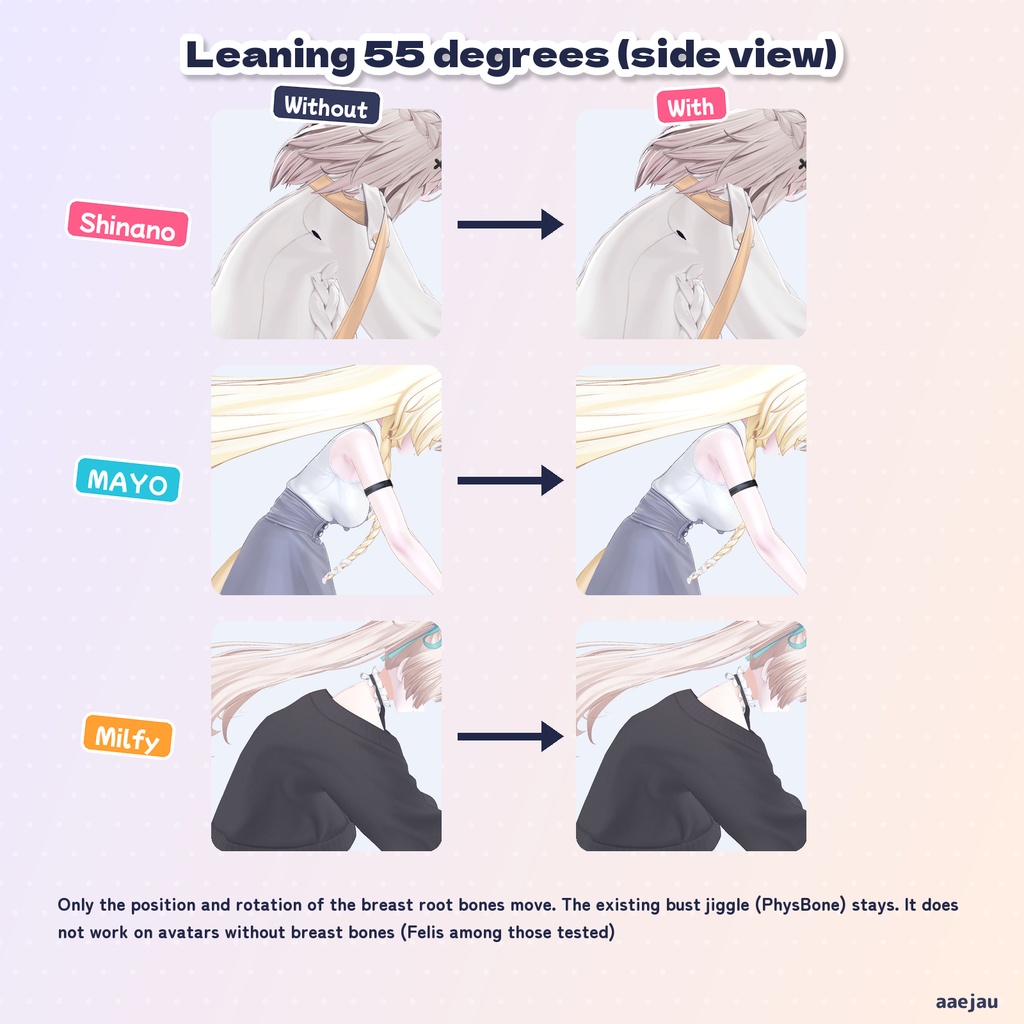
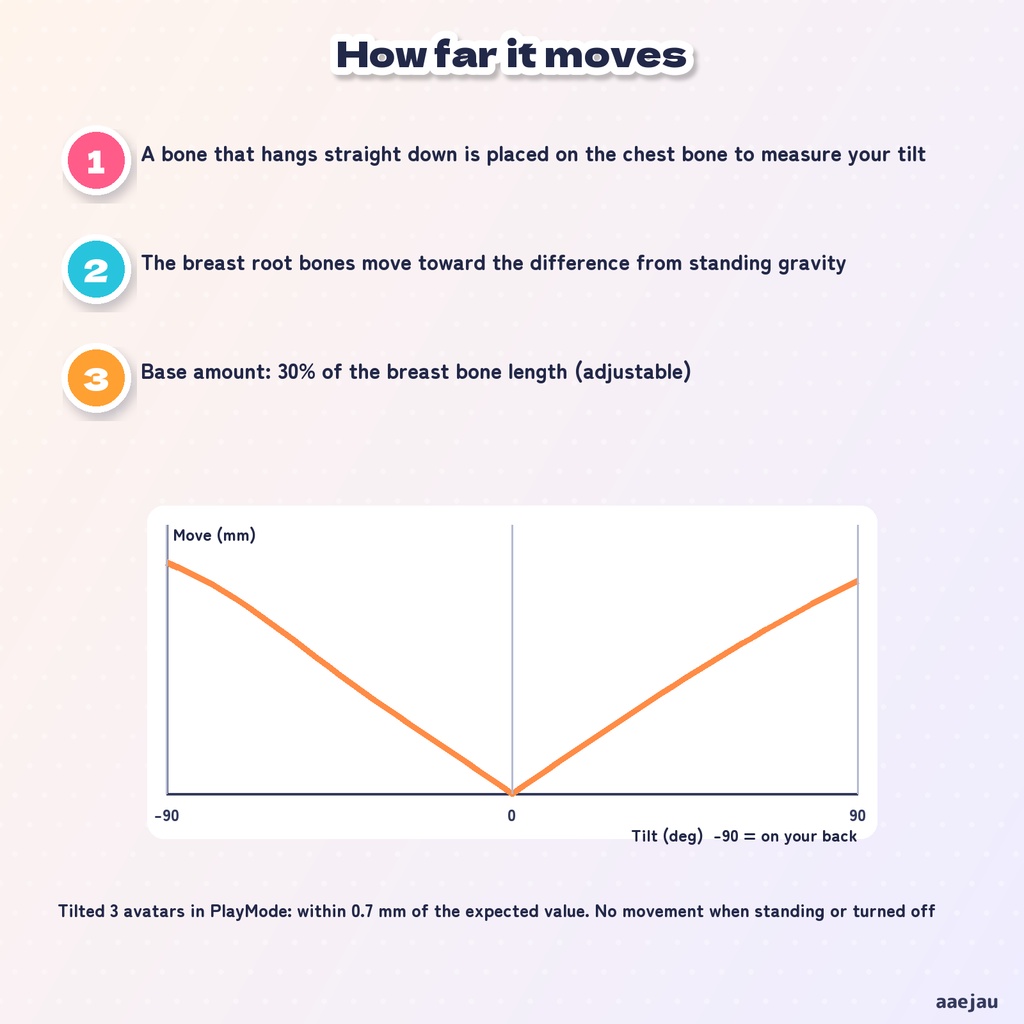
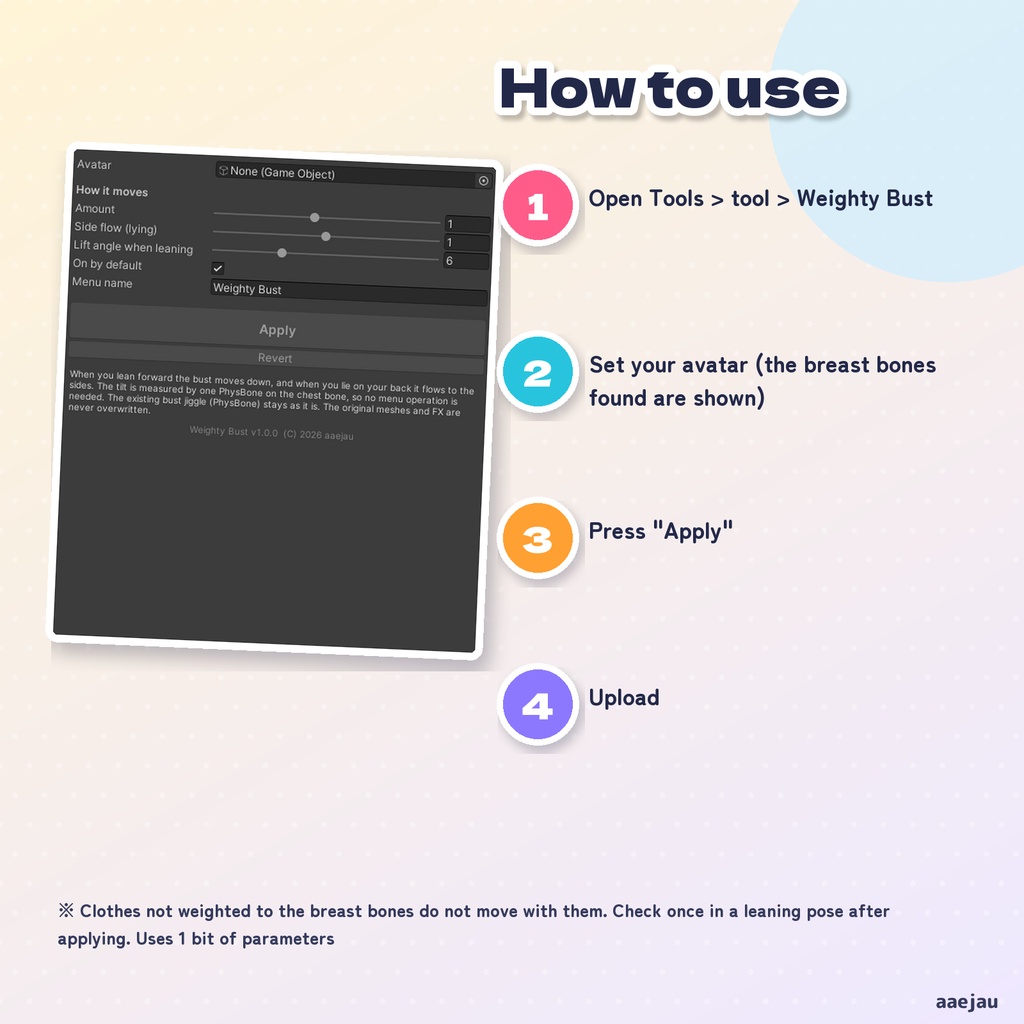
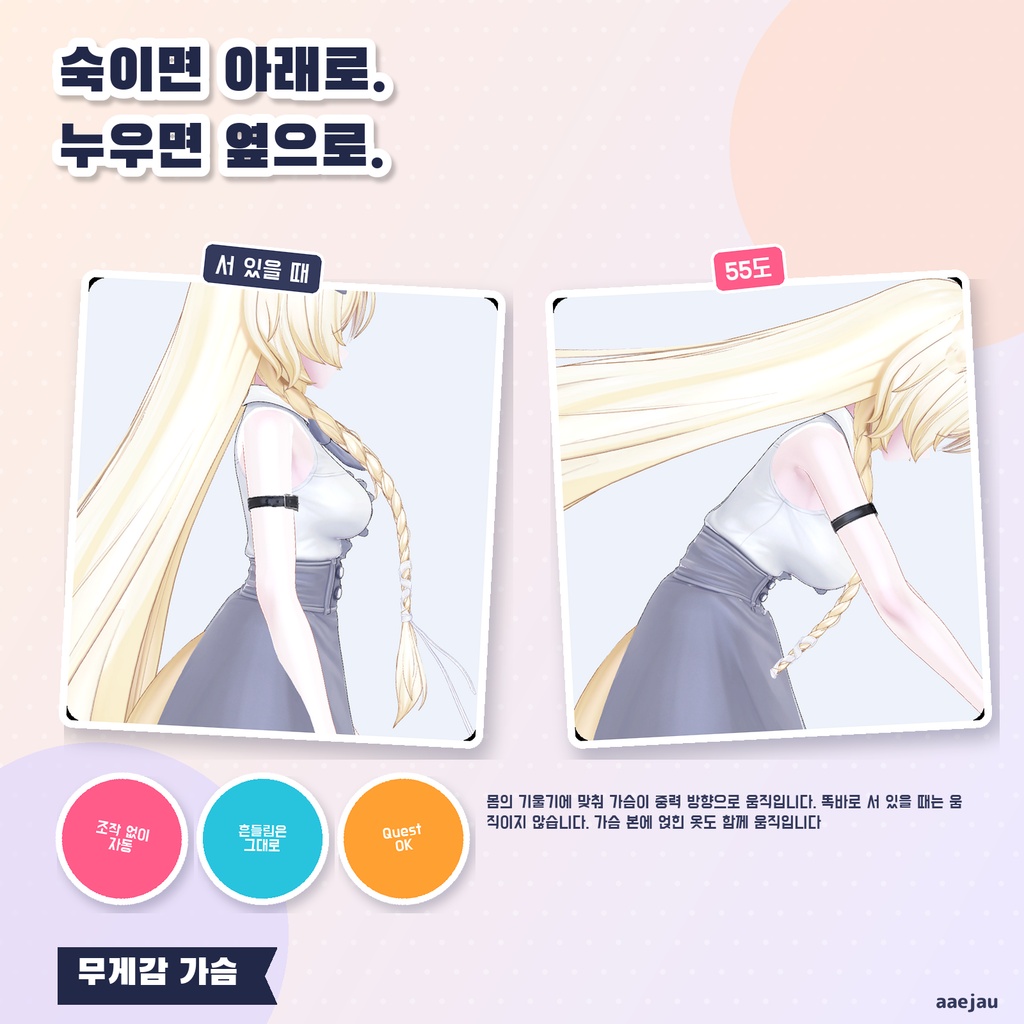
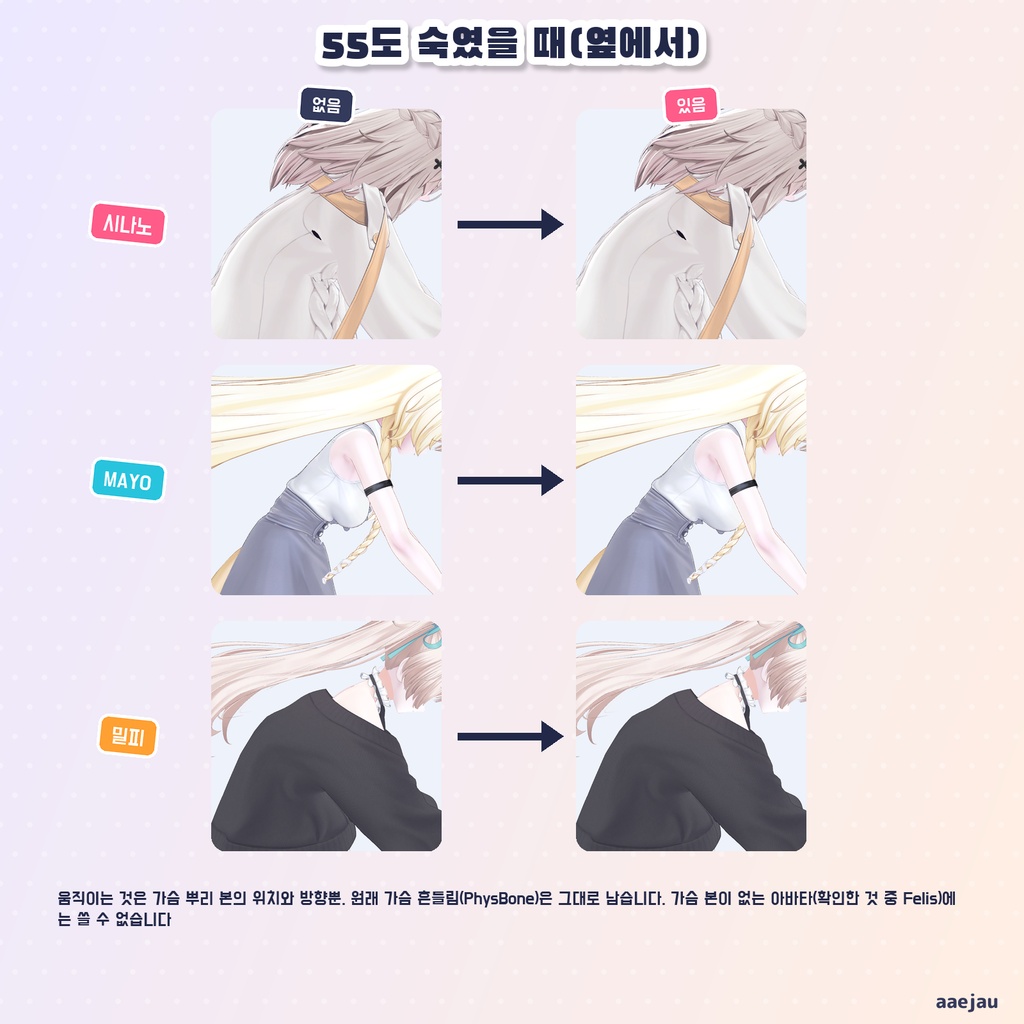
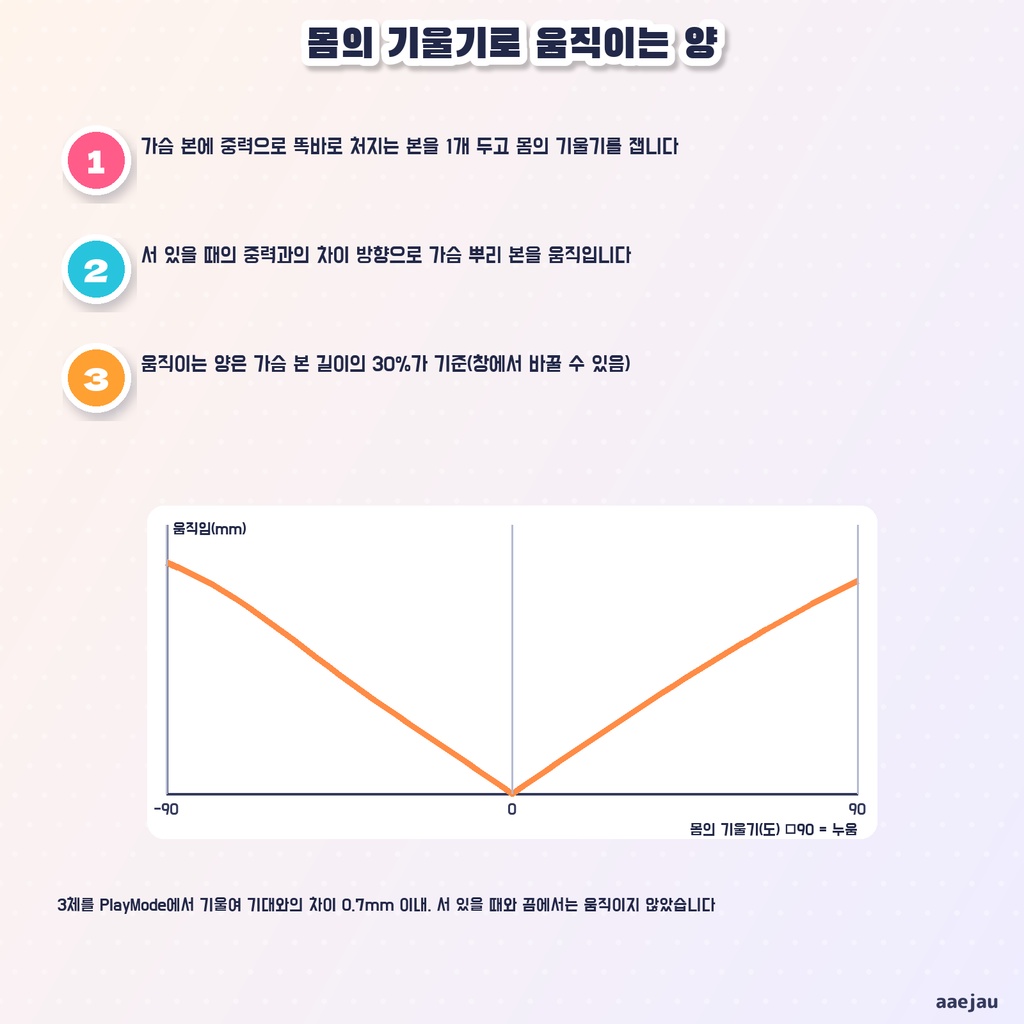
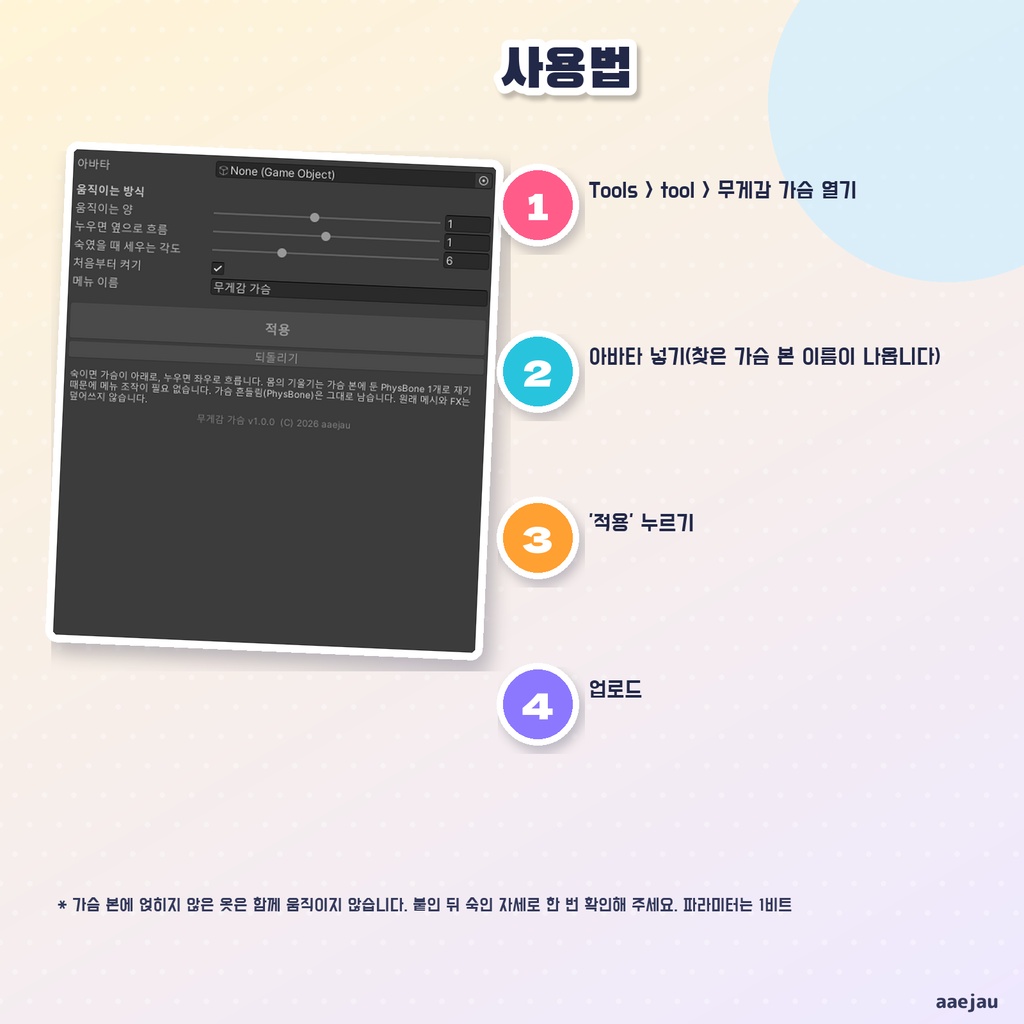


「かがんでも寝ころんでも、胸の位置が立っている時のまま」 おもみむねは、体の傾きに合わせて、胸が重力の向きへ動くようにする Unity Editor ツールです。前かがみになると下へ、あおむけに寝ころぶと左右へ流れます。まっすぐ立っている時は動きません。メニューの操作はいりません。アバターを入れて「付ける」を押すだけです。Blender は使いません。 ◆ 胸に小さな傾きセンサーを置きます 胸の骨に、重力で真下へ垂れる骨を 1 本置きます(PhysBone 1 つ)。垂れた骨と胸の向きの角度で、体の傾きを測ります。体の向きには左右されません。 ◆ 動かすのは胸の根元の骨だけです 左右の胸の根元の骨(Breast・Bust など)の位置と向きを、立ち姿の重力との差の向きへ動かします。胸の骨に乗っている服も一緒に動きます。 ◆ 元の揺れはそのまま もともと入っている胸の揺れ(PhysBone)は触りません。揺れはそのまま、その上で胸の位置が変わります。 ◆ 動く量 胸の骨の長さの 30%(長さは 80mm を上限に数えます)が基準で、90 度かがむと約 1.4 倍、あおむけで約 1.5 倍になります。窓で量を変えられます。 ◆ 重くしません 増えるのは PhysBone 1 つとアニメーションだけで、三角形もマテリアルも増えません。Quest 版でも動きます。使うパラメーターはオン・オフの 1 ビットです。Modular Avatar は使いません。元のメッシュ・FX・メニューは書き換えず、「元に戻す」で付ける前に戻ります。 ◆ 使い方 1. メニューの Tools > tool > おもみむね を開く 2. 「アバター」にあなたのアバターを入れる(見つけた胸の骨の名前が出ます) 3. 「付ける」を押す 4. アップロードする ◆ 3 体で確かめました しなの・MAYO・ミルフィに付けて、Unity の中で上体を 0・30・60・90 度倒し、あおむけにもしました。胸の根元の骨は期待どおりの向きと量だけ動き、差は 0.7mm 以内でした。立っている時とオフの時は動きません。付ける前と後を並べた絵で、胸の骨に乗る服が一緒に動き、突き抜けないことを見ました。 ※ 胸の骨の無いアバターには使えません(手元の 4 体では Felis が対象外でした) ※ 胸の骨に乗っていない服は一緒に動きません。付けたら一度かがんだ姿勢で確かめてください ※ 胸の形を変えるものではなく、根元の骨の位置と向きを動かすだけです ※ 横向きに寝ころんだ時は、立っている時と同じ扱いです ※ 服の胸元も動かしたい時は、別売りの「かがみえり」と一緒に使えます 内容物: unitypackage / README / CHANGELOG / TEST_REPORT / LICENSE / 画面のスクリーンショット ━━━━━━━━━━━━━━━━━━━━ English ━━━━━━━━━━━━━━━━━━━━ "I lean or lie down, and the bust stays where it was when I was standing." Weighty Bust is a Unity Editor tool that makes the bust move toward gravity as your body tilts. It moves down when you lean forward and flows to the sides when you lie on your back. It does not move while you stand straight. No menu operation is needed. Just set your avatar and press "Apply". No Blender. ◆ A small tilt sensor on the chest A bone that hangs straight down under gravity is placed on the chest bone (1 PhysBone) to measure your tilt. It does not depend on which way you face. ◆ Only the breast root bones move The position and rotation of the left and right breast root bones (Breast, Bust, etc.) move toward the difference from standing gravity. Clothes weighted to the breast bones move with them. ◆ The existing jiggle stays The bust jiggle (PhysBone) already on your avatar is not touched. ◆ Light Only 1 PhysBone and an animation are added: no extra triangles or materials. Works on Quest. 1 bit of parameters (on/off). No Modular Avatar needed. Original meshes, FX and menu are never overwritten; "Revert" puts everything back. ◆ How to use 1. Open Tools > tool > Weighty Bust 2. Set your avatar in "Avatar" 3. Press "Apply" 4. Upload * It does not work on avatars without breast bones * Clothes not weighted to the breast bones do not move with them. Check once in a leaning pose * It does not change the bust shape; it only moves the root bones ━━━━━━━━━━━━━━━━━━━━ 한국어 ━━━━━━━━━━━━━━━━━━━━ "숙여도 누워도 가슴 위치가 서 있을 때 그대로" 무게감 가슴은 몸의 기울기에 맞춰 가슴이 중력 방향으로 움직이게 하는 Unity Editor 툴입니다. 앞으로 숙이면 아래로, 누우면 좌우로 흐릅니다. 똑바로 서 있을 때는 움직이지 않습니다. 메뉴 조작은 필요 없습니다. 아바타를 넣고 '적용'을 누르기만 하면 됩니다. Blender는 쓰지 않습니다. ◆ 가슴에 작은 기울기 센서 가슴 본에 중력으로 똑바로 처지는 본을 1개 두고(PhysBone 1개) 몸의 기울기를 잽니다. ◆ 움직이는 것은 가슴 뿌리 본뿐 좌우 가슴 뿌리 본의 위치와 방향을 움직입니다. 가슴 본에 얹힌 옷도 함께 움직입니다. 원래 가슴 흔들림(PhysBone)은 그대로입니다. ◆ 가벼움 PhysBone 1개와 애니메이션만 늘어납니다. Quest에서도 움직입니다. 파라미터는 1비트. 원래 메시·FX·메뉴는 덮어쓰지 않고 '되돌리기'로 원래대로 돌아갑니다. ◆ 사용법 1. Tools > tool > 무게감 가슴 열기 2. '아바타'에 내 아바타 넣기 3. '적용' 누르기 4. 업로드 * 가슴 본이 없는 아바타에는 쓸 수 없습니다 * 가슴 본에 얹히지 않은 옷은 함께 움직이지 않습니다
