

ぺろりんベロ - 舌に骨を通して、メニューから「べー」と出す・ぺろぺろ動かす【JA,EN,KO】
- 日本語Digital700 JPY
- EnglishDigital700 JPY
- 한국어Digital700 JPY
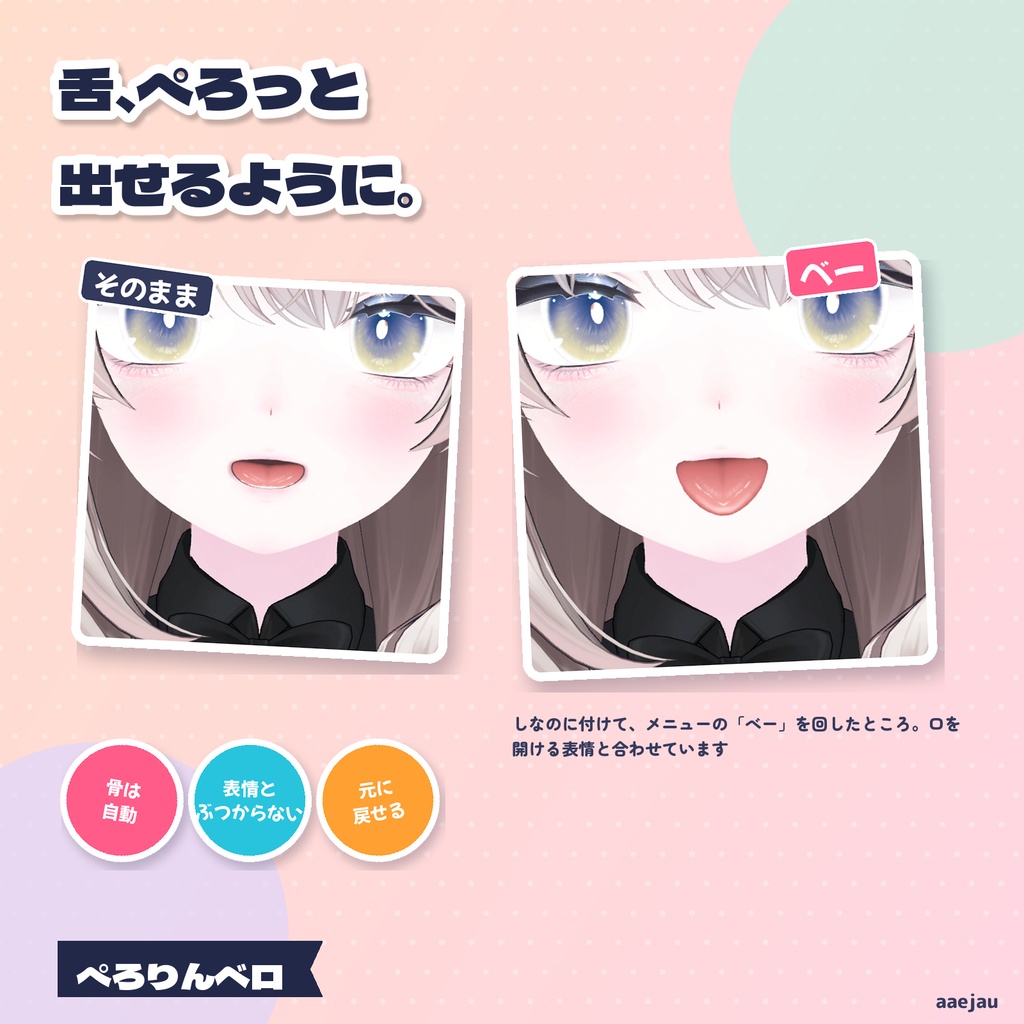
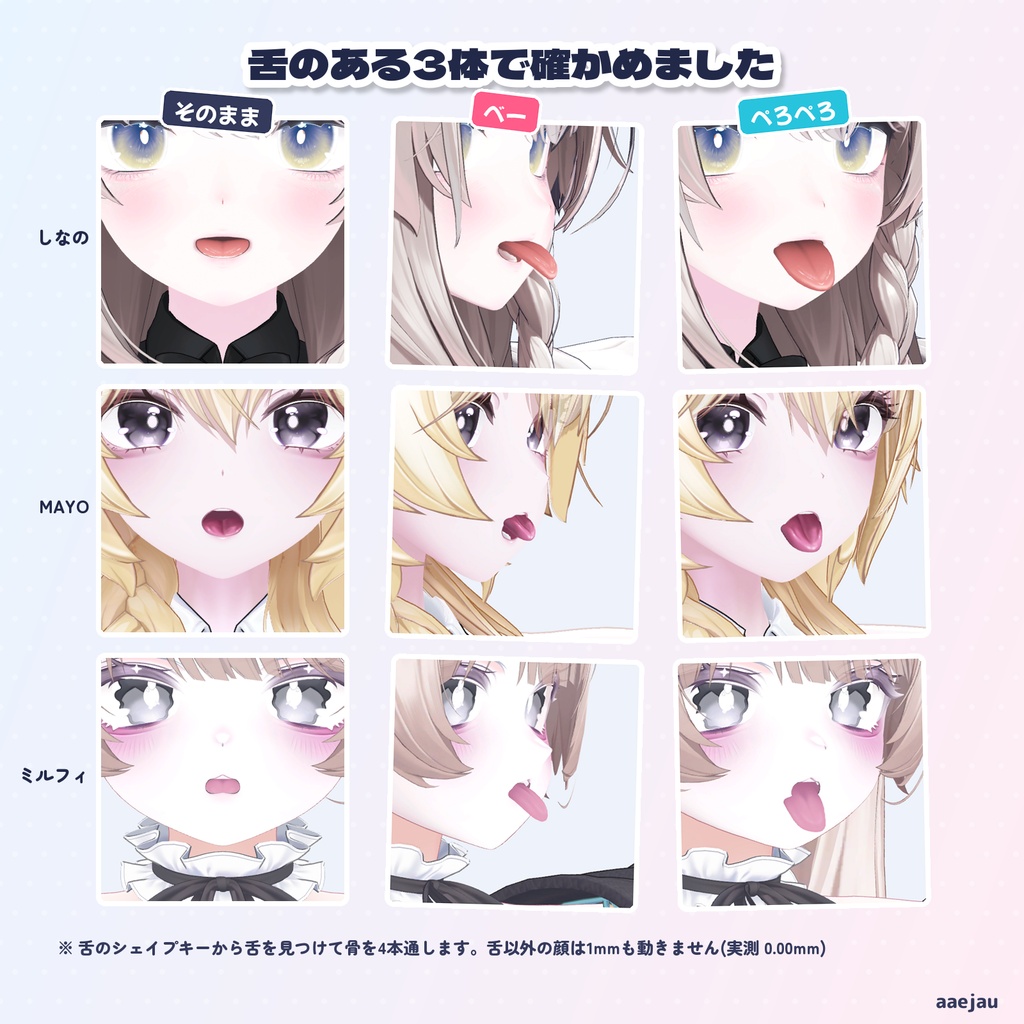
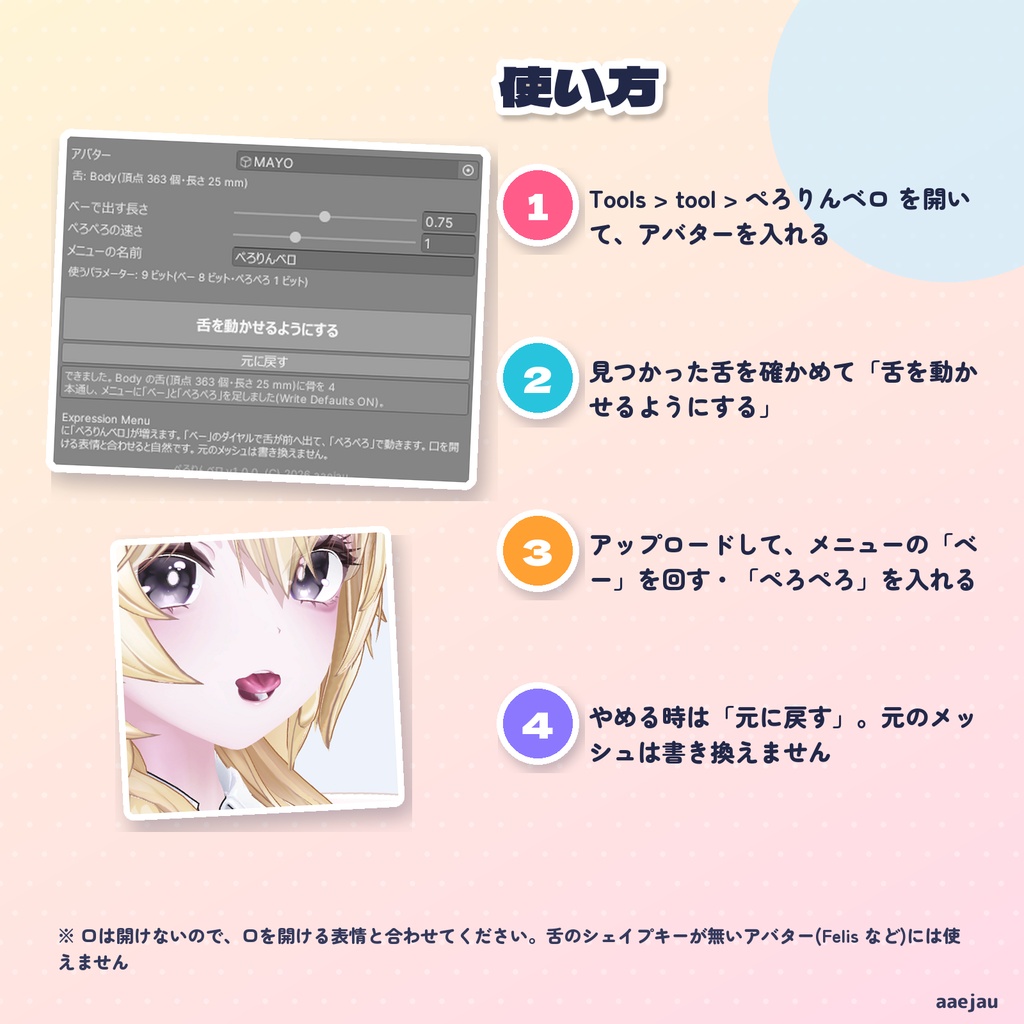
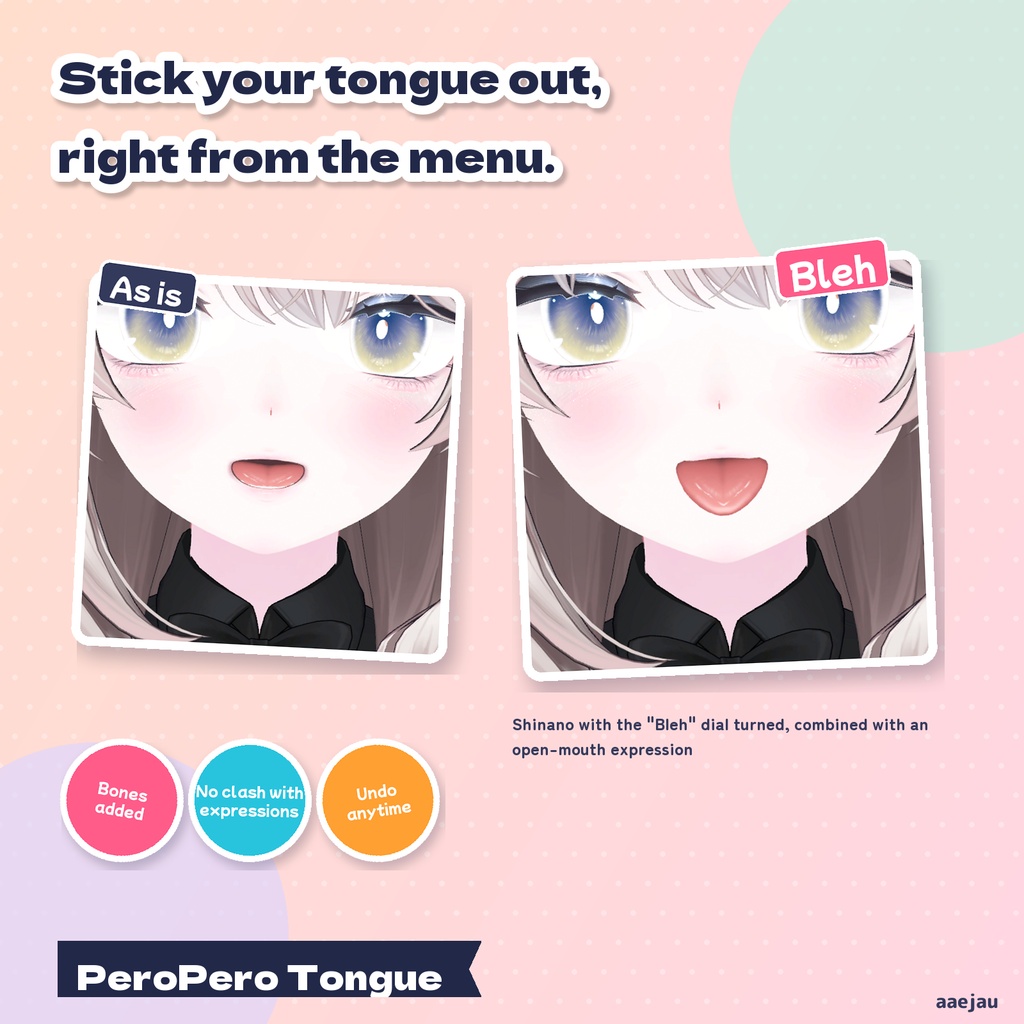
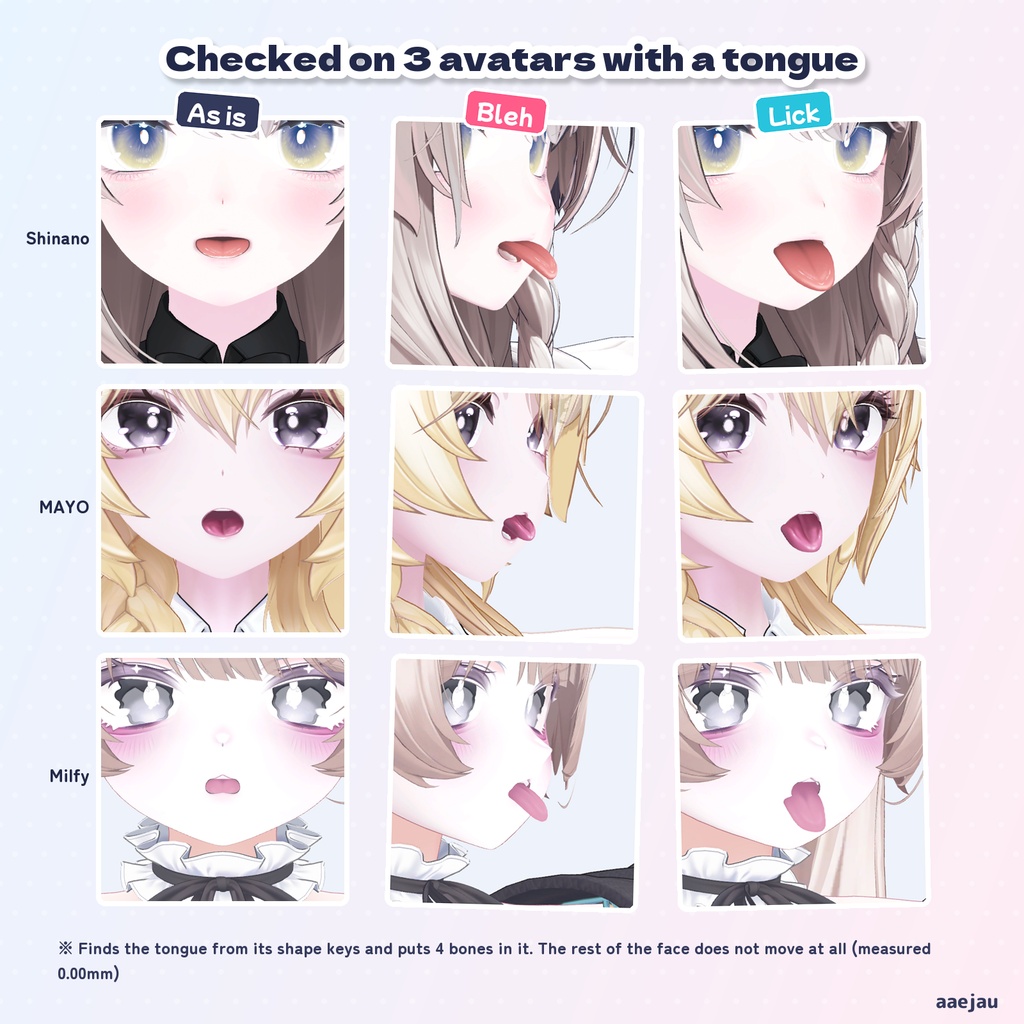
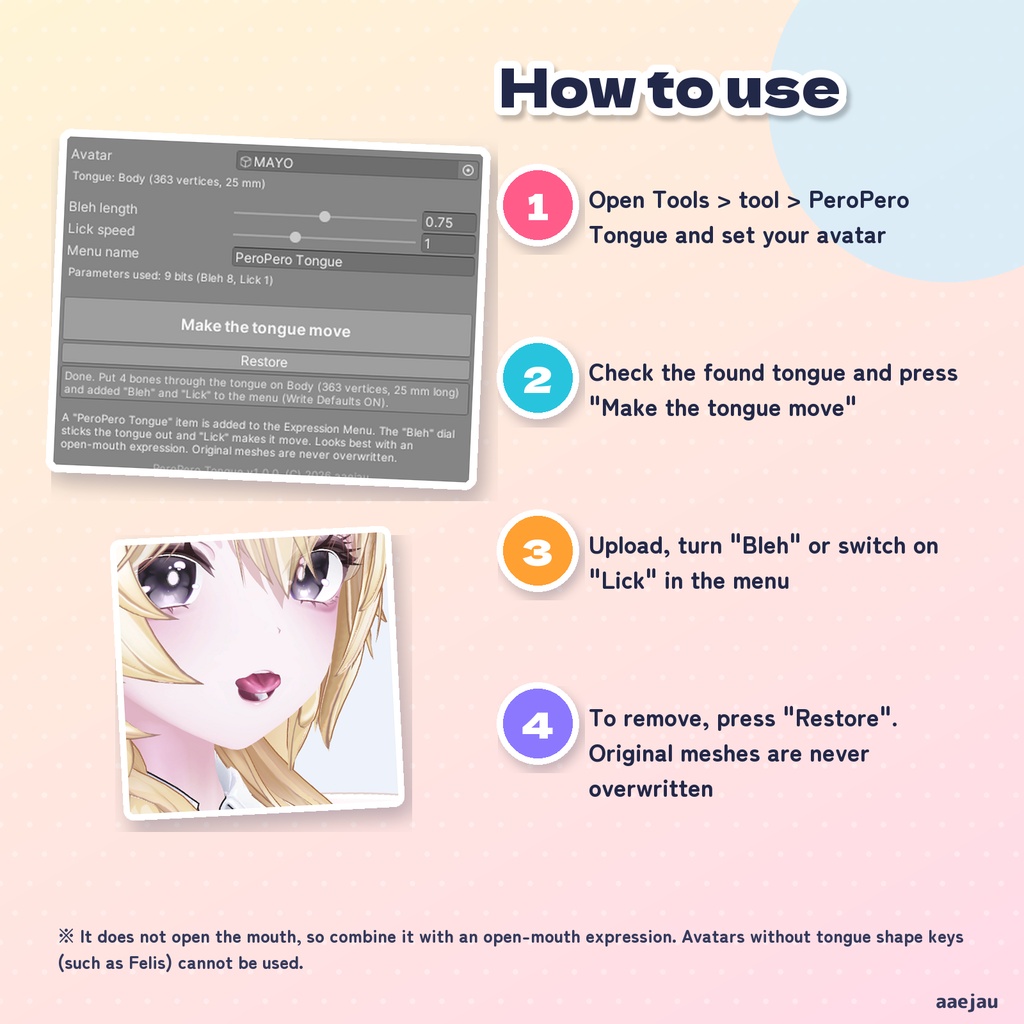
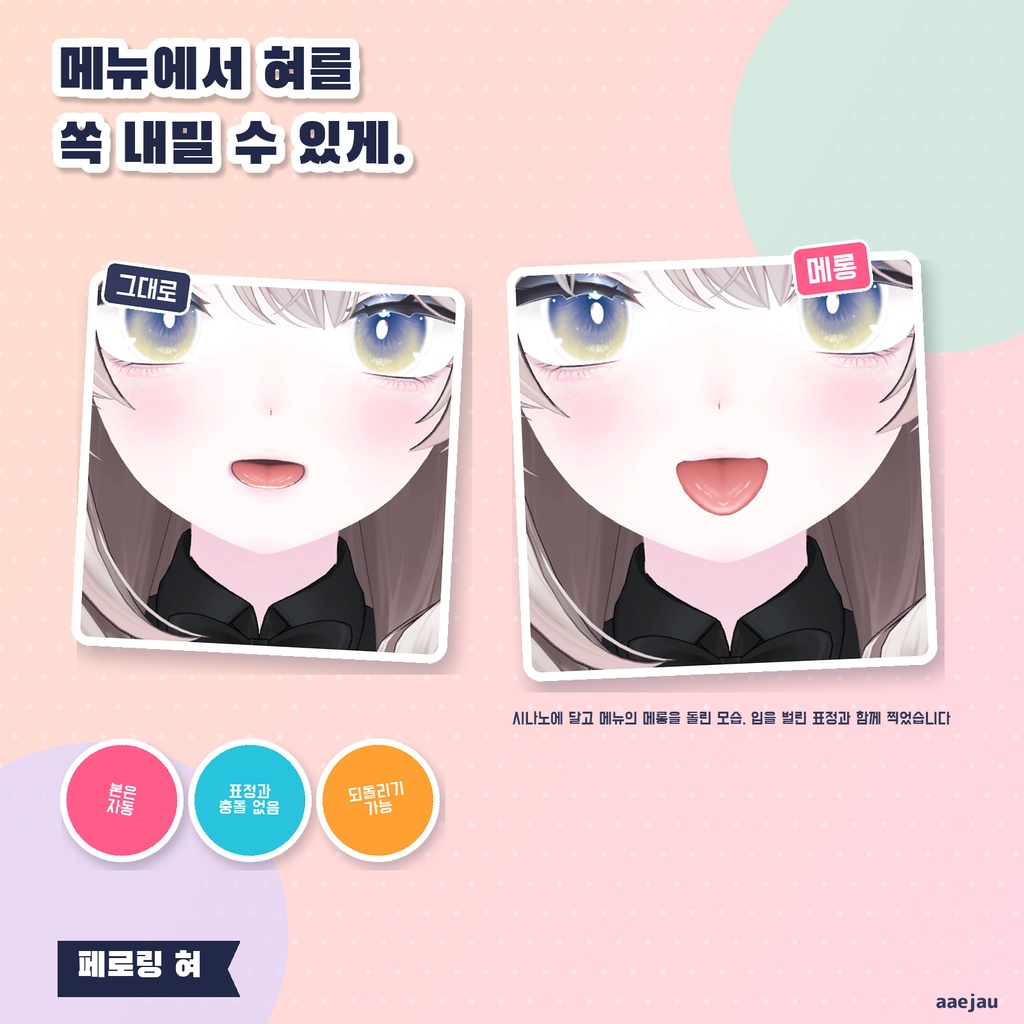
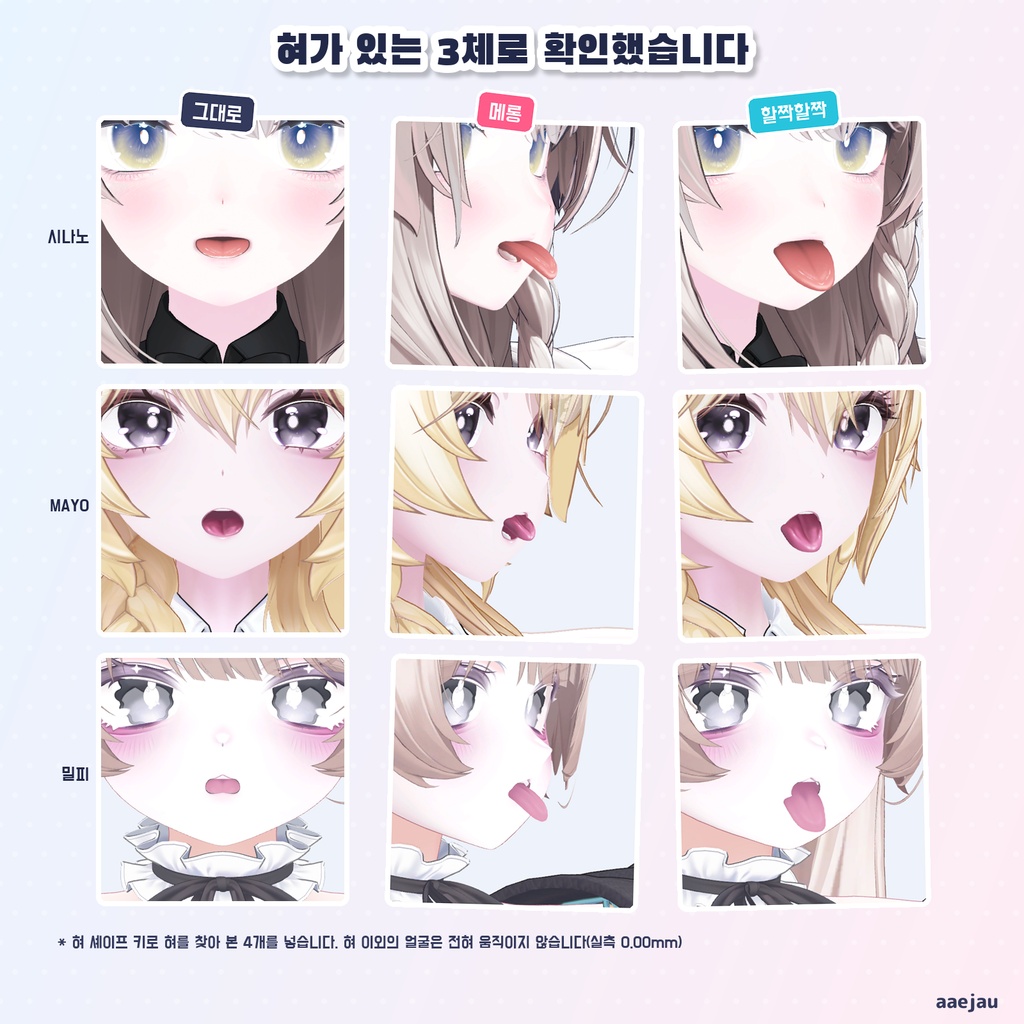
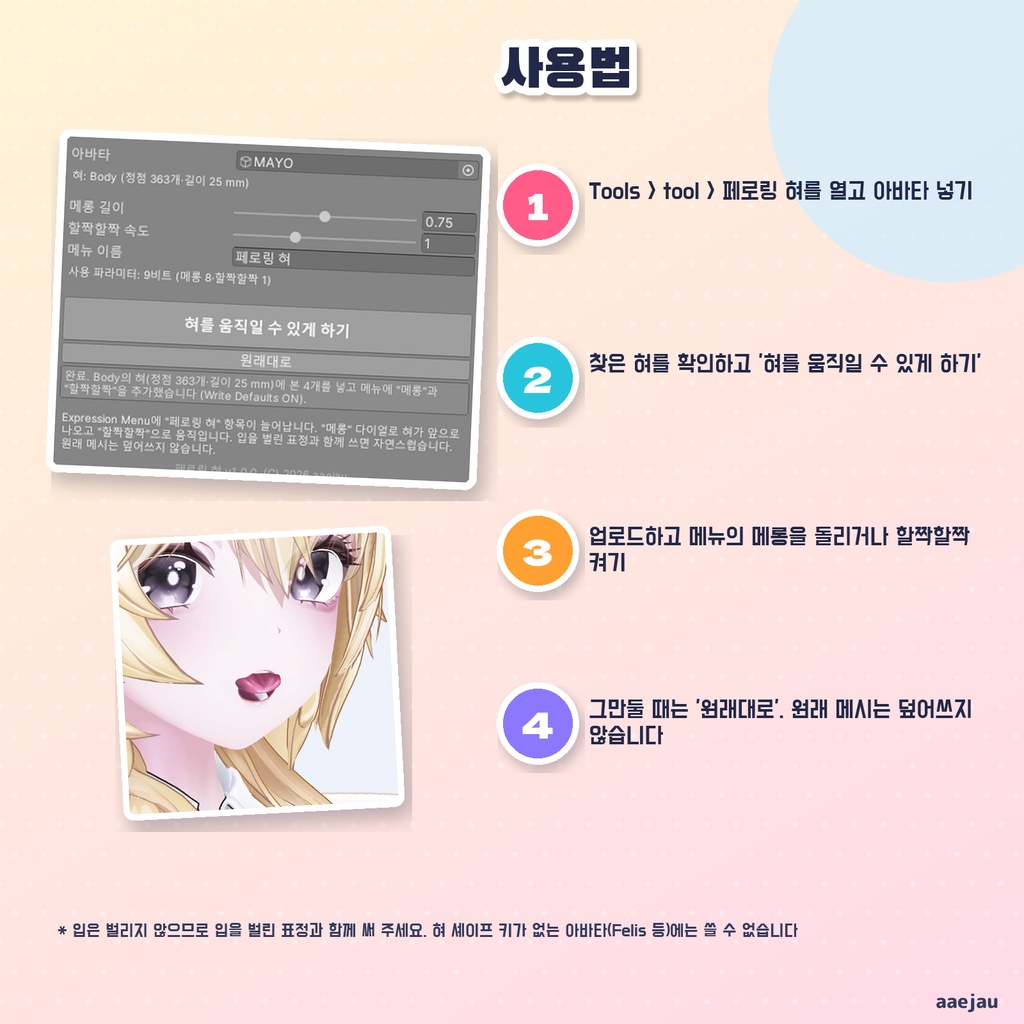


「てへぺろしたいのに、舌の骨が無くて動かせない」 ぺろりんベロは、アバターの舌に骨を通して、VRChat の Expression Menu から「べー」と舌を出したり、ぺろぺろ動かしたりできるようにする Unity Editor ツールです。Blender は使いません。 ◆ 舌は自動で見つけます 顔のメッシュにある舌のシェイプキー(tongue・舌・べー など)から、舌の頂点だけを見つけます。舌の奥から先まで骨を 4 本通し、舌の頂点の重みをその骨へ移します。舌以外の顔の頂点は 1 mm も動きません。 ◆ メニューは 2 つ ・べー(ダイヤル): 回した分だけ舌が前へ出て、先が少し下がります ・ぺろぺろ(トグル): 舌を出したまま、波のように上下に動き、左右にも少し振れます ◆ 表情とぶつかりません 動かすのは自分で足した舌の骨だけです。表情のシェイプキーには触らないので、手のサインで作った表情とけんかしません。Write Defaults はアバターの既存レイヤーの多数派に合わせます。パラメーターは 9 ビット(べー 8・ぺろぺろ 1)です。 ◆ 元に戻せます 元のメッシュは書き換えず、Assets/aaejau/PeroBero/Generated/ に作った複製へ差し替えます。「元に戻す」で、骨・レイヤー・パラメーター・メニュー・メッシュを戻します。 ◆ 使い方 1. メニューの Tools > tool > ぺろりんベロ を開き、アバターを入れる 2. 窓に見つかった舌が出るのを確かめて「舌を動かせるようにする」を押す 3. アップロードして、Expression Menu の「ぺろりんベロ」から回す ◆ 3体で確かめました しなの・MAYO・ミルフィに付けて、PlayMode で Animator を実際に回しました。べーで舌の先の骨が 18〜26 mm 前へ出て、ぺろぺろ中は 44 度振れ、両方戻すと元の位置に戻ります。付けた直後の顔は元と同じ形です。 ※ 口は開けません。口が閉じた表情で「べー」をすると舌が唇を突き抜けるので、口を開ける表情と合わせてください ※ 舌のシェイプキーが無いアバター(Felis など)では舌を見つけられないので使えません ※ 舌の付け根は口の奥で伸びます(裂けないよう、付け根だけ元の動きを残しています) ※ 舌の揺れ(PhysBone)は付けません ※ アップロードの前に Build & Test で見た目を確かめてください 内容物: unitypackage / README / CHANGELOG / TEST_REPORT / LICENSE / 画面のスクリーンショット ━━━━━━━━━━━━━━━━━━━━ English ━━━━━━━━━━━━━━━━━━━━ "I want to do a cheeky tongue-out, but my tongue has no bones to move." PeroPero Tongue is a Unity Editor tool that puts bones in your avatar's tongue so you can stick it out ("Bleh") and lick from the VRChat Expression Menu. No Blender. ◆ The tongue is found automatically It finds only the tongue vertices from the tongue shape keys on the face mesh (tongue, bero, etc.), puts 4 bones from the back to the tip and moves those vertices onto the bones. The rest of the face does not move at all. ◆ Two menu items - Bleh (dial): the tongue comes forward as far as you turn it, with the tip slightly down - Lick (toggle): the tongue stays out and moves up and down like a wave, with a little side swing ◆ No clash with expressions Only the added tongue bones are animated. Facial shape keys are not touched, so it does not fight your hand-gesture expressions. Write Defaults follows the majority of your layers. Parameters: 9 bits (Bleh 8, Lick 1). ◆ You can undo it Original meshes are never overwritten. "Restore" removes the bones, layer, parameters, menu and meshes. ◆ How to use 1. Open Tools > tool > PeroPero Tongue and set your avatar 2. Check the found tongue and press "Make the tongue move" 3. Upload and use "PeroPero Tongue" in the Expression Menu ◆ Checked on 3 avatars Shinano, MAYO and Milfy, with the Animator actually run in PlayMode: Bleh moves the tip bone 18-26 mm forward, Lick swings it 44 degrees, and turning both off returns it to the original position. * It does not open the mouth. With a closed-mouth face the tongue goes through the lips, so combine it with an open-mouth expression * Avatars without tongue shape keys (such as Felis) cannot be used * The tongue root stretches deep in the mouth (it keeps its original weights so it does not tear). No tongue jiggle is added * Always check with Build & Test before uploading Contents: unitypackage / README / CHANGELOG / TEST_REPORT / LICENSE / screenshot ━━━━━━━━━━━━━━━━━━━━ 한국어 ━━━━━━━━━━━━━━━━━━━━ 「데헷 하고 혀를 내밀고 싶은데 혀에 본이 없어서 못 움직인다」 페로링 혀는 아바타의 혀에 본을 넣어 VRChat Expression Menu에서 메롱 하고 혀를 내밀거나 할짝할짝 움직일 수 있게 하는 Unity Editor 툴입니다. Blender는 쓰지 않습니다. ◆ 혀는 자동으로 찾습니다 얼굴 메시의 혀 셰이프 키로 혀 정점만 찾아 혀 안쪽부터 끝까지 본 4개를 넣고 웨이트를 옮깁니다. 혀 이외의 얼굴은 전혀 움직이지 않습니다. ◆ 메뉴는 2개 ・메롱(다이얼): 돌린 만큼 혀가 앞으로 나오고 끝이 조금 내려갑니다 ・할짝할짝(토글): 혀를 내민 채 물결처럼 위아래로 움직이고 좌우로도 조금 흔들립니다 ◆ 표정과 부딪치지 않습니다 움직이는 것은 추가한 혀 본뿐이고 표정 셰이프 키는 건드리지 않습니다. Write Defaults는 기존 레이어의 다수에 맞춥니다. 파라미터는 9비트입니다. ◆ 되돌릴 수 있습니다 원래 메시는 덮어쓰지 않습니다. 「원래대로」로 본·레이어·파라미터·메뉴·메시를 되돌립니다. ◆ 사용법 1. Tools > tool > 페로링 혀를 열고 아바타 넣기 2. 찾은 혀를 확인하고 「혀를 움직일 수 있게 하기」 누르기 3. 업로드하고 Expression Menu의 「페로링 혀」에서 사용 ◆ 3체로 확인 시나노·MAYO·밀피. PlayMode에서 Animator를 돌려 메롱에서 혀끝 본이 18~26 mm 나오고, 할짝할짝 중 44도 흔들리고, 둘 다 끄면 원래 위치로 돌아옵니다. ※ 입은 벌리지 않습니다. 입을 다문 표정으로 메롱을 하면 혀가 입술을 뚫으므로 입을 벌린 표정과 함께 써 주세요 ※ 혀 셰이프 키가 없는 아바타(Felis 등)에는 쓸 수 없습니다 ※ 혀뿌리는 입 안쪽에서 늘어납니다. 혀 흔들림(PhysBone)은 달지 않습니다 ※ 업로드 전에 Build & Test로 확인해 주세요 내용물: unitypackage / README / CHANGELOG / TEST_REPORT / LICENSE / 화면 스크린샷