

【VRChat】【MA対応】Argentum Rush|漫画風 集中線・スピードラインシェーダー【PC用】
- Digital700 JPY
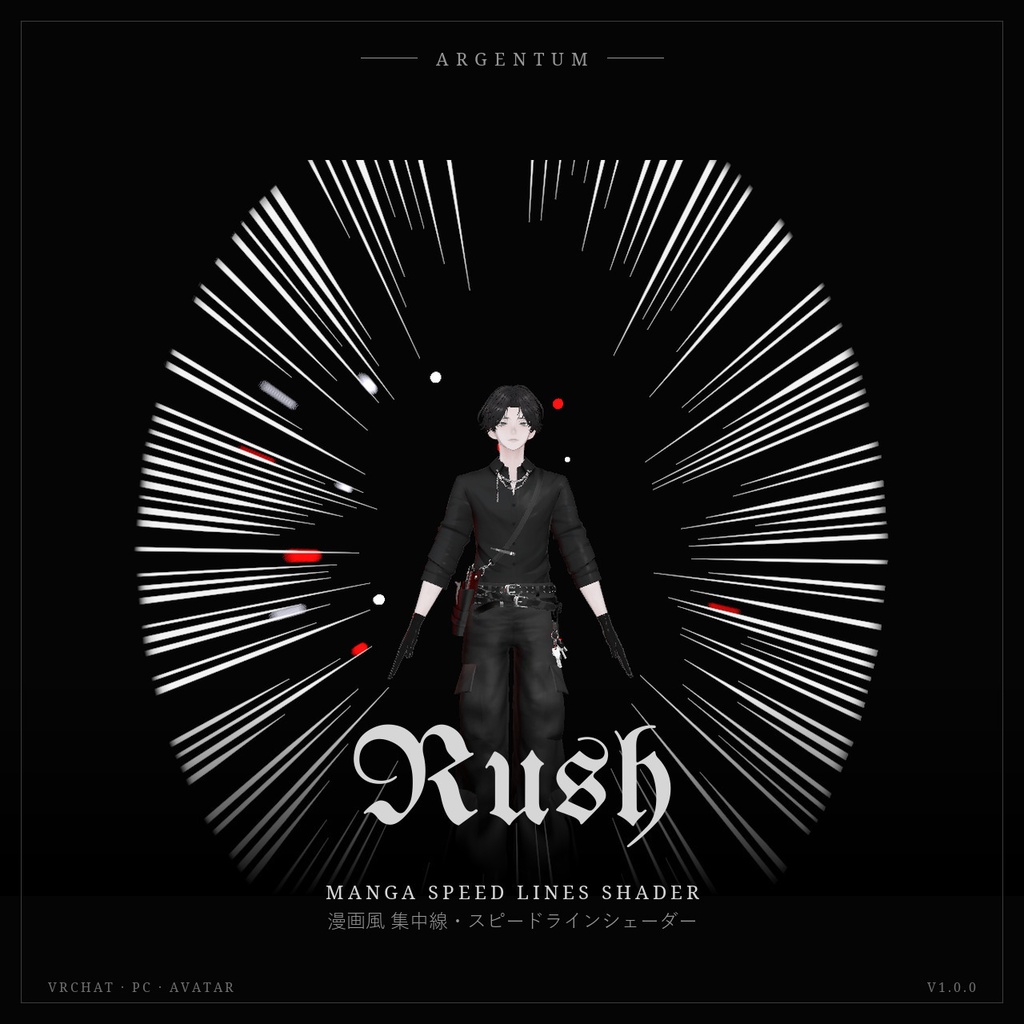
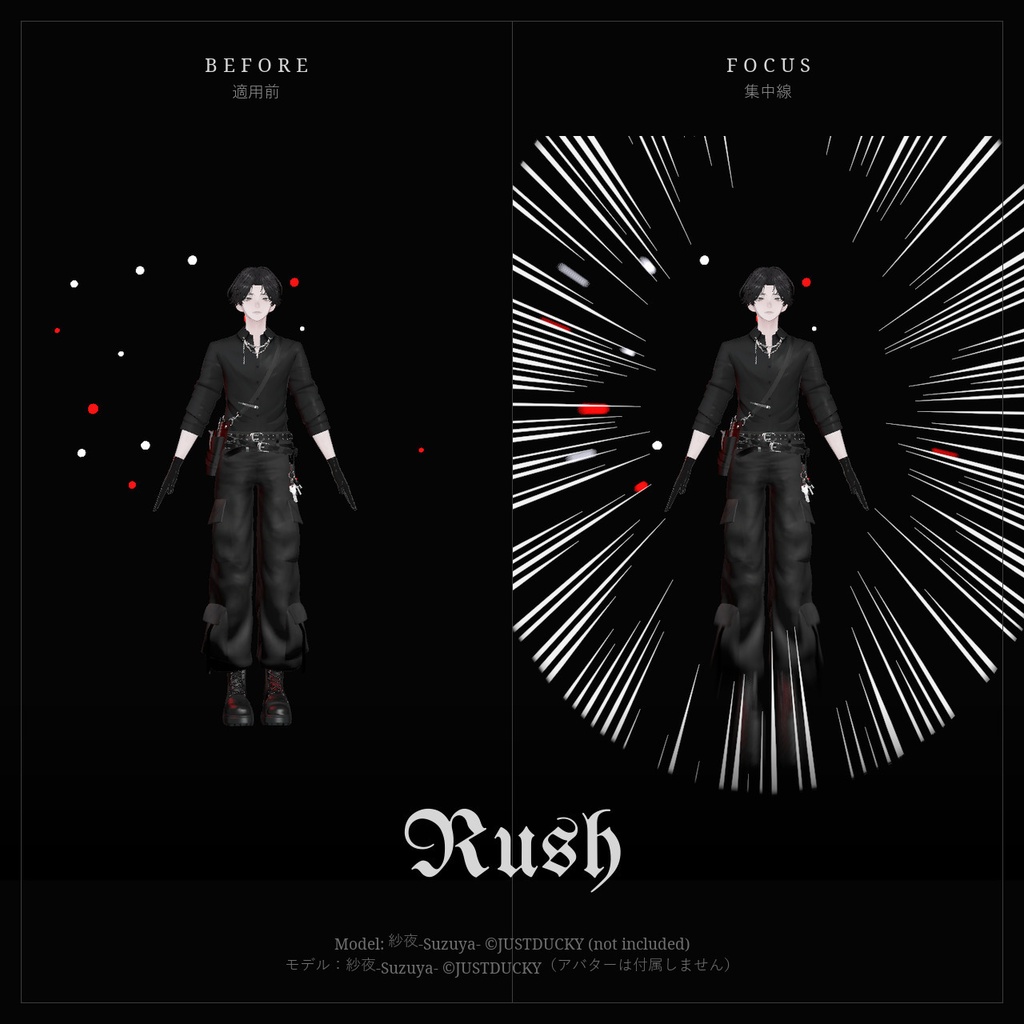
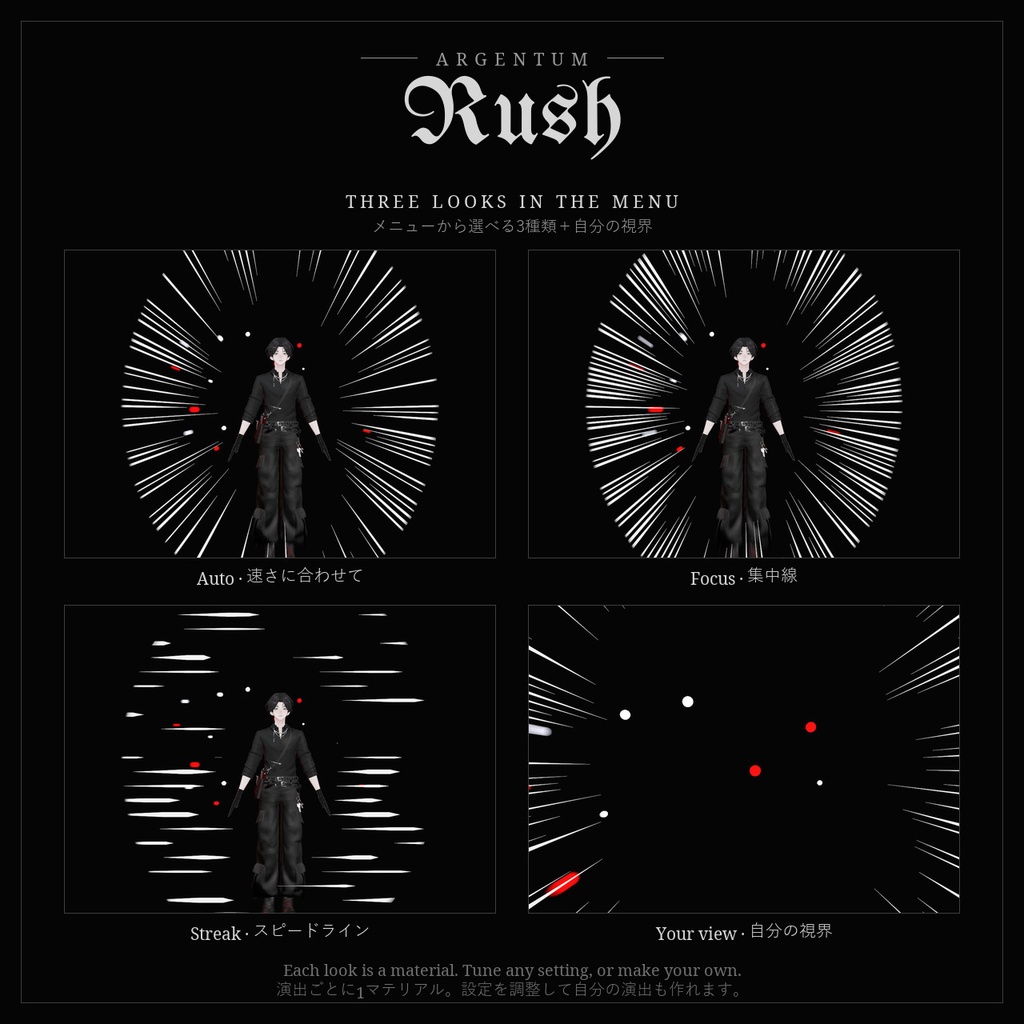


走ると、漫画のコマのように集中線が走る。 ■ 特長 ・Modular Avatarプレハブ付き:アバターのルートにドラッグするだけで、3種類(Auto / Focus / Streak)を選べるメニューが使えます ・Auto:移動の速さに合わせて自動で表示。立ち止まり・歩きでは出ず、秒速約2.5mから現れ、5.5mで最大に(走る・落ちる・飛ぶ) ・四方から迫る集中線(Focus)と、横に流れるスピードライン(Streak) ・背景のモーションブラー付き。アバターのまわりはクリアに保ちます ・まわりの人にはアバターを囲む集中線、自分には視界いっぱいの集中線(Wearer Sees It) ・メートル単位で描画し、どの距離からでもアバター中心に。VRでも正しい奥行き ・線の色・本数・密度・太さ・クリアゾーン・描き替えの速さ・ブラーをすべてマテリアルで設定 ・ミラーとVRChatカメラで非表示にするオプション、距離でのフェード付き ■ こんな用途に ダッシュ、追いかけっこ、落下や飛行、アクションポーズ、漫画風の写真・動画撮影に。 ■ 対応環境 ・Unity 2022.3.22f1(VRChatの現行バージョン)、ビルトインレンダーパイプライン ・VRChatアバター用、PC専用(VRChatはQuest / Androidのアバターでカスタムシェーダーを許可していません) ・アバターを問わず使用でき、他のシェーダーにも依存しません。シングルパスステレオのVR、ミラー、VRChatカメラに対応 ・ドラッグ&ドロップのプレハブとAutoモードにはModular Avatarが必要です(未使用の場合の手動セットアップもREADMEに記載) ■ 内容物 ・Argentum_Rush_v1.0.0.unitypackage ・Argentum/Rush シェーダー ・3種類を切り替えるメニュー付きModular Avatarプレハブ ・プリセットマテリアル3種とAutoモード用アニメーター ・メニュー用アイコン ・README(英語・日本語)、利用規約、更新履歴 ■ 負荷 ・体を囲むメッシュ1つの画面エフェクト。画面キャプチャは他のArgentumエフェクトと共有するため、重ねても増えません。 ・負荷はBlur Samplesと画面に占める面積で変わります。背景ブラーを0にすると最も軽くなります。オフのとき(Autoで止まっているとき)は描画しません。 ・プレハブはメッシュ3つ・マテリアルスロット3つ。使わない演出は削除できます。 ■ ご注意 ・Expressionパラメーター:Argentum/Rush(int、8ビット)。AutoはVRChat標準のVelocityMagnitudeも使います(追加ビットなし)。 ・PC版アバターを見ているQuestユーザーにはエフェクトは表示されません。シェーダーがブロックされている場合は非表示になります(灰色の球は出ません)。 ■ アップデート 購入者は無料でアップデートを受け取れます。BOOTHのライブラリから再ダウンロードしてください。 画像のアバター:紗夜-Suzuya-(JUSTDUCKY様)※アバターは付属しません ──────────────────── English ──────────────────── Argentum Rush: Manga Speed Lines Shader [VRChat / PC / Modular Avatar] Run, and speed lines frame you like a manga panel. ■ Features ・Modular Avatar prefab: drag onto your avatar root for a menu with three looks (Auto, Focus, Streak) ・Auto: the lines follow your speed. Nothing while you stand or walk; they fade in from about 2.5 m/s and are full at 5.5 m/s (running, falling, flying) ・Focus lines rushing in from every side, or Streak dashes sweeping past ・Background motion blur outside a clear zone that keeps your avatar sharp ・Others see the lines framing you; with Wearer Sees It you see them across your own view ・Sized in meters and centered on you at any distance, at your depth in VR ・Line color, count, density, thickness, clear zone, redraw rate and blur are all material settings ・Optional hide in mirrors and in the VRChat camera, plus a distance fade ■ Use it for Running, chases, falls and flight, action poses, manga-style photos and videos. ■ Compatibility ・Unity 2022.3.22f1 (VRChat's current version), Built-in Render Pipeline ・VRChat avatars, PC only. VRChat does not allow custom shaders on Quest / Android avatars. ・Works with any avatar and doesn't depend on any other shader. Supports single-pass stereo VR, mirrors and the VRChat camera. ・Modular Avatar is needed for the drag-and-drop prefab and Auto mode. Manual setup without it is covered in the README. ■ What's included ・Argentum_Rush_v1.0.0.unitypackage ・Argentum/Rush shader ・Modular Avatar prefab with a three-look menu ・3 preset materials and the Auto-mode animator ・Menu icon ・README (English / Japanese), terms of use, changelog ■ Performance ・One screen effect on a body-sized mesh. It shares the screen copy with other Argentum effects, so stacking them doesn't add another copy. ・Cost scales with Blur Samples and screen coverage; set Background Motion Blur to 0 for the cheapest version. While off (or standing still in Auto) it draws nothing. ・The prefab adds 3 meshes and 3 material slots. Delete the looks you don't use. ■ Notes ・Expression parameter: Argentum/Rush (int, 8 bits). Auto also reads VRChat's VelocityMagnitude (no extra bits). ・Quest viewers of your PC avatar don't see the effect. With shaders blocked it hides itself (no grey sphere). ■ Updates Free for buyers. Re-download from your BOOTH library. Avatar in the images: Suzuya by JUSTDUCKY (not included).
Terms of Service
・○ アップロードするアバター・ワールドでの使用(個人・商用、配信・動画を含む) ・○ 自分用の改変。依頼で制作したアバターへの使用と代理アップロード(ファイルを渡さない場合) ・× ファイルの再配布・転売(改変の有無を問わず、アバターやワールドのパッケージへの同梱を含む) ・規約の全文はダウンロードデータに同梱しています ──────────────────── ・OK: use on avatars and worlds you upload, personal or commercial, including streams and videos. ・OK: modify for your own use; use on commissioned avatars you upload for a client, as long as the files aren't handed over. ・Not OK: redistributing or reselling the files, modified or not, including inside avatar or world packages. ・Full terms are included in the download.
Update information
・1.0.0 (2026-11-03): 初回リリース ・1.0.0 (2026-11-03): First release