

【無料】【VRChat】【Quest対応】Argentum Quest Look-Match|PC版の見た目のままQuest版へ自動変換するツール
- 無料版 / FreeDigital0 JPY
- 支援版 / Support(内容は無料版と同じ・same files)Digital500 JPY
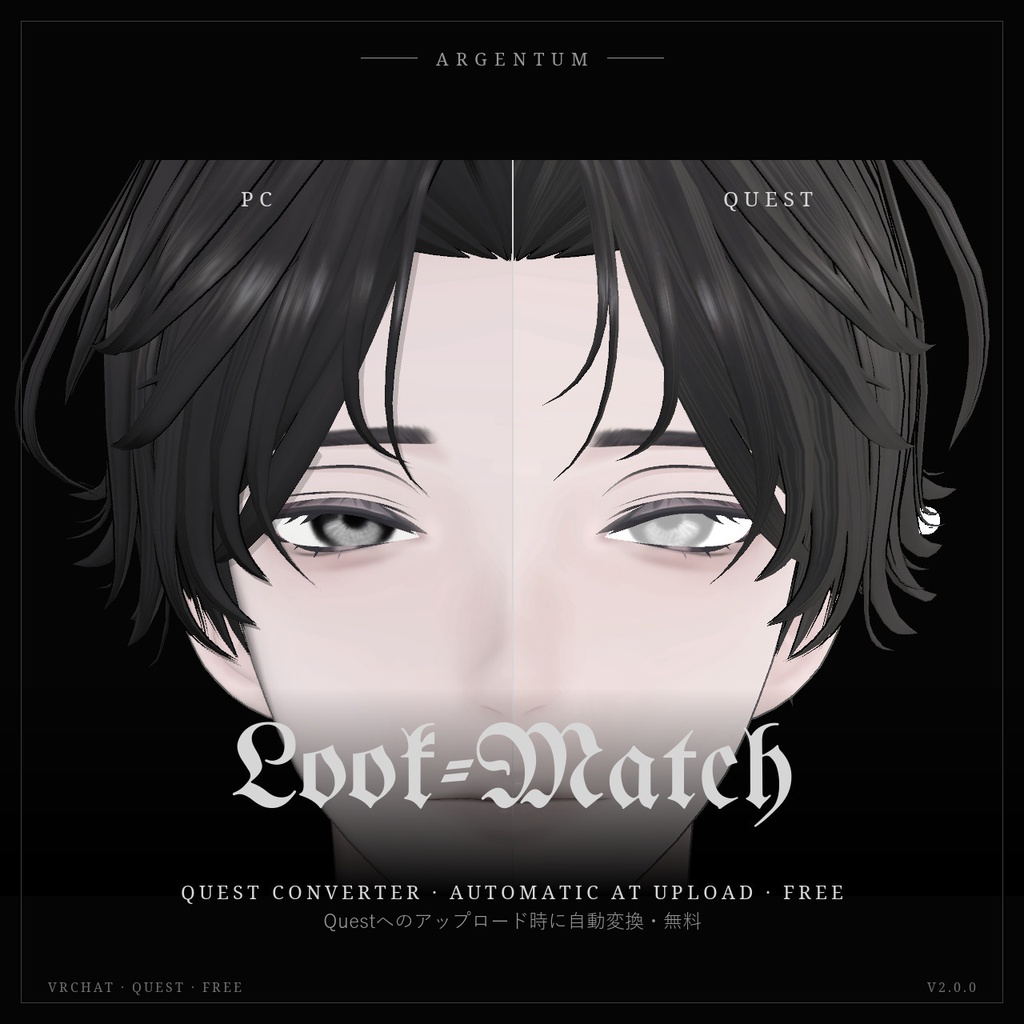
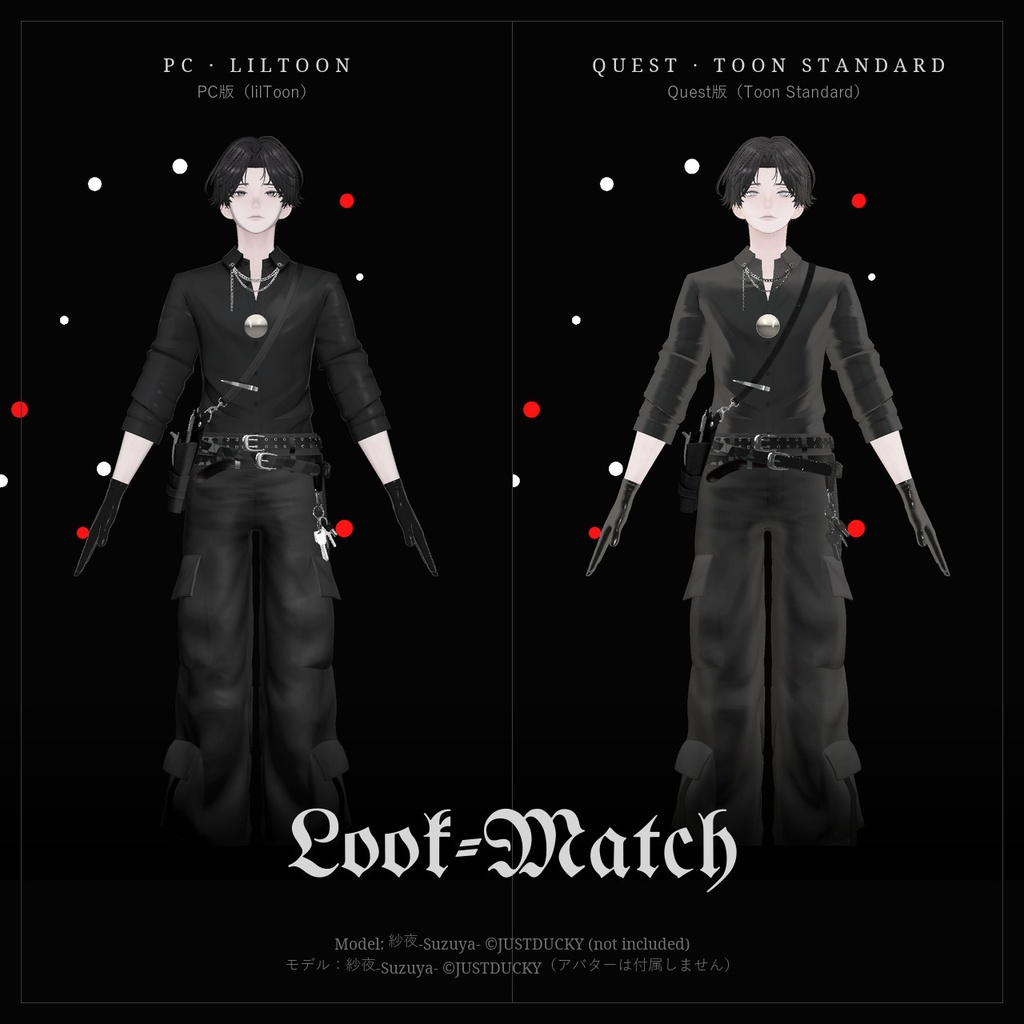
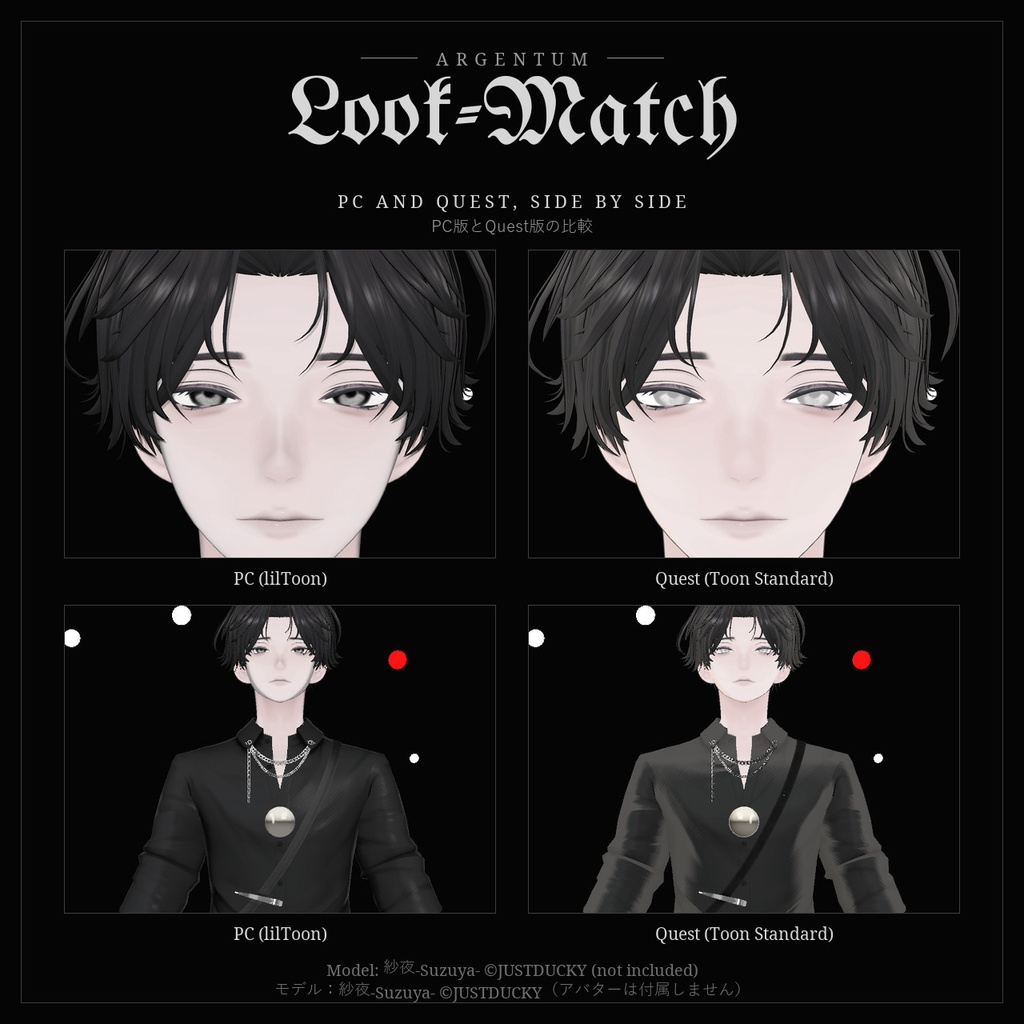


Questへのアップロードで自動変換。lilToon・Poiyomi・UTS・MToonの影、マットキャップ、リムライト、発光、AudioLink、輪郭線をVRChatのToon Standardへ引き継ぎ、Questの制限内に収めます。 ■ 特長(v2.0) ・アップロード時に自動変換(非破壊):アバターにコンポーネントを付けるだけ。SDKをAndroidにしてアップロードすると、その途中で変換します。シーンやアセットは変わらず、コピーも不要(Modular Avatar / NDMFを使用) ・従来どおり「アバター名 (Quest)」のコピーを作る方法も選べます ・影をマテリアルごとのカラー影ランプに焼き込み、影の境界と色をPC版に合わせます:lilToon(1影・2影・3影)、Poiyomi(Texture Ramp / Multilayer Math / Shade Map ほか)、UTS2・UTS3(1影・2影のステップとフェザー)、MToon(VRM 0.x / 1.0) ・ノーマルマップ、マットキャップ、リムライト、反射、発光、発光へのAudioLink、輪郭線を引き継ぎ。その他のシェーダーもVRChatのフォールバックタグと一般的なプロパティ名から変換 ・PhysBone・コライダー・ContactをQuestの上限(PhysBone 8、Transform 64、コライダー 16、衝突チェック 64、Contact 16)に自動で収めます。超えるとQuestでは全部外されるため、残したいものを優先指定できます ・Questで動かないコンポーネントを削除(Unityのコンストレイントは VRChat のコンストレイントに変換)、余分なマテリアルスロットを削除 ・Network IDを固定して、PC版とQuest版のPhysBoneを同期 ・マテリアルごとに Toon Standard / Outline / Toon Lit / MatCap Lit / 差し替え / 非表示 を選択可能 ・カットアウトの透明部分を近くの色で埋め、毛先やまつ毛の縁が黒や白にならないように ・VRChat SDK自身の計算でQuestランクを表示し、各項目で1つ上のランクの上限も表示 ・Android専用のテクスチャサイズ設定(PC版は変わりません) ・日本語・英語のUIとレポート ■ こんな用途に Quest / Android版を、PC版に近い見た目で、制限内に収めてアップロードしたい方に。 ■ 対応環境 ・Unity 2022.3.22f1(VRChatの現行バージョン)+Android Build Support ・VRChat SDK(Avatars)3.8.1以降(AudioLinkは3.10.5以降)。SDK 3.10.5で動作確認 ・自動変換にはModular Avatar(またはNDMF)が必要。Modular Avatar 1.18.7で動作確認。なくても「Quest用コピーを作る」で使えます ・実際のアバターではlilToon 2.3.4で確認。Poiyomi・UTS・MToonは各シェーダーのプロパティ名と計算式に基づいて変換し、テスト用マテリアルで確認しています ■ 内容物 ・Argentum_LookMatch_v2.0.0.unitypackage ・ツール本体:Tools > Argentum > Quest Look-Match(アバターの右クリックメニューからも起動) ・Quest Look-Match コンポーネント(エディター専用。アップロード時に取り除かれます) ・README(英語・日本語)、利用規約、更新履歴 ■ 負荷 ・ゲーム内で動くものは追加しません。Quest版はVRChat純正のモバイル用シェーダーのみ。影ランプは256 × 4ピクセル。輪郭線はそのメッシュを2回描画します。 ・ポリゴン数とボーン数は減らしません。Questランクの表示を見て調整してください。 ■ ご注意 ・Toon Standardは不透明です。透ける部分はQuestでは不透明に描画されます。 ・(Quest)のコピーを使う場合は、SDKでAndroidだけを選んだ状態でアップロードしてください(PC版と同じBlueprint IDです)。 ・Network IDを固定した後は、PC版も一度アップロードし直してください。 ・無料です。応援していただける方は支援版(¥500、内容は同じ)をどうぞ。 ■ アップデート v1.0.0をお持ちの方も無料でv2.0.0をダウンロードできます。BOOTHのライブラリから再ダウンロードし、上書きインポートしてください。 画像のアバター:紗夜-Suzuya-(JUSTDUCKY様)※アバターは付属しません ──────────────────── English ──────────────────── Argentum Quest Look-Match 2: Quest Converter for VRChat Avatars [Free] Converts your avatar for Quest automatically when you upload it for Android. lilToon, Poiyomi, UTS and MToon shadows, matcaps, rim light, emission, AudioLink and outlines carry over to VRChat's Toon Standard, and the avatar is fitted to Quest's limits. ■ Features (v2.0) ・Automatic, non-destructive conversion at upload: add one component, switch the SDK to Android and upload. Your scene and assets don't change and no copy is needed (uses Modular Avatar / NDMF) ・Or make a "<avatar> (Quest)" copy, as before ・Shadows baked into a color shadow ramp per material, so the shadow edge and colors match: lilToon (1st / 2nd / 3rd shadow), Poiyomi (Texture Ramp, Multilayer Math, Shade Map and more), UTS2 / UTS3 (1st / 2nd shade steps and feathers), MToon (VRM 0.x / 1.0) ・Carries over normal maps, matcaps, rim light, reflection, emission, AudioLink on emission and outlines. Any other shader is converted through its VRChat fallback tag and common property names ・Fits PhysBones, colliders and contacts under Quest's limits (8 PhysBones, 64 transforms, 16 colliders, 64 collision checks, 16 contacts). Over them, Quest removes all of them; you choose which to keep first ・Removes components Quest doesn't run (Unity constraints are converted to VRChat constraints) and extra material slots ・Locks Network IDs so PhysBones sync between the PC and Quest versions ・Per-material choice: Toon Standard, Outline, Toon Lit, MatCap Lit, replace, or hide ・Fills the see-through areas of cutout textures with the nearest color, so hair tips and lashes don't get black or white edges ・Shows the Quest rank from the VRChat SDK's own calculator, with the next rank's limit for each category ・Android-only texture size setting (the PC version is unchanged) ・Japanese / English UI and reports ■ Use it for Anyone uploading a Quest / Android version that should look like the PC version and stay within Quest's limits. ■ Compatibility ・Unity 2022.3.22f1 (VRChat's current version) with Android Build Support ・VRChat SDK (Avatars) 3.8.1 or newer (AudioLink: 3.10.5 or newer). Tested with SDK 3.10.5 ・Automatic conversion needs Modular Avatar (or NDMF); tested with Modular Avatar 1.18.7. Without it, use "Make a Quest copy" ・Tested on a real avatar with lilToon 2.3.4. Poiyomi, UTS and MToon are converted from their property names and formulas and tested with test materials ■ What's included ・Argentum_LookMatch_v2.0.0.unitypackage ・The tool: Tools > Argentum > Quest Look-Match (also on the avatar's right-click menu) ・The Quest Look-Match component (editor-only; stripped from uploads) ・README (English / Japanese), terms of use, changelog ■ Performance ・Adds nothing that runs in game: the Quest version uses only VRChat's mobile shaders. Shadow ramps are 256 × 4 px. Outlines draw their mesh twice. ・Polygons and bones are not reduced: use the Quest rank it shows to adjust them. ■ Notes ・Toon Standard is opaque: see-through parts render solid on Quest. ・If you use the (Quest) copy, upload it only with Android selected in the SDK: it shares your PC Blueprint ID. ・After locking Network IDs, upload the PC version once more too. ・Free. If you'd like to support Argentum Designs, the 支援版 (¥500) has the same contents. ■ Updates v1.0.0 owners get v2.0.0 free: re-download from your BOOTH library and import over the old version. Avatar in the images: Suzuya by JUSTDUCKY (not included).
Terms of Service
・○ あらゆるアバターでのツールの使用(個人・商用) ・○ ツールが生成したもの(マテリアル、影ランプ、テクスチャ、アニメーターのコピー)を、アップロード・販売・配布するアバターに使うこと(依頼制作を含む) ・× ツール本体の再配布・転売(改変の有無を問わず、アバターやアセットのパッケージへの同梱を含む) ・規約の全文はダウンロードデータに同梱しています ──────────────────── ・OK: use the tool on any avatar, personal or commercial. ・OK: what the tool generates (materials, shadow ramps, textures, animator copies) can go into avatars you upload, sell or give away, including commissions. ・Not OK: redistributing or reselling the tool itself, modified or not, including inside avatar or asset packages. ・Full terms are included in the download.
Update information
・2.0.0 (2026-11-04): アップロード時の非破壊自動変換、Poiyomi・UTS・MToon対応、AudioLink、PhysBone・ContactをQuestの上限に収める機能、Network IDの固定、マテリアルごとの設定、Questランク表示、日本語UI ・1.0.0 (2026-11-03): 初回リリース ・2.0.0 (2026-11-04): Automatic non-destructive conversion at upload, Poiyomi / UTS / MToon support, AudioLink, PhysBone / contact fitting for Quest's limits, Network ID lock, per-material choices, Quest rank, Japanese UI ・1.0.0 (2026-11-03): First release