

スカート貫通めくれガード - 座ると足が突き抜ける・歩くとめくれるを脚Collider自動生成とPhysBone自動調整でまとめてなおすUnityツール【VRChat】【JA,EN,KO】
- 日本語Digital700 JPY
- EnglishDigital700 JPY
- 한국어Digital700 JPY
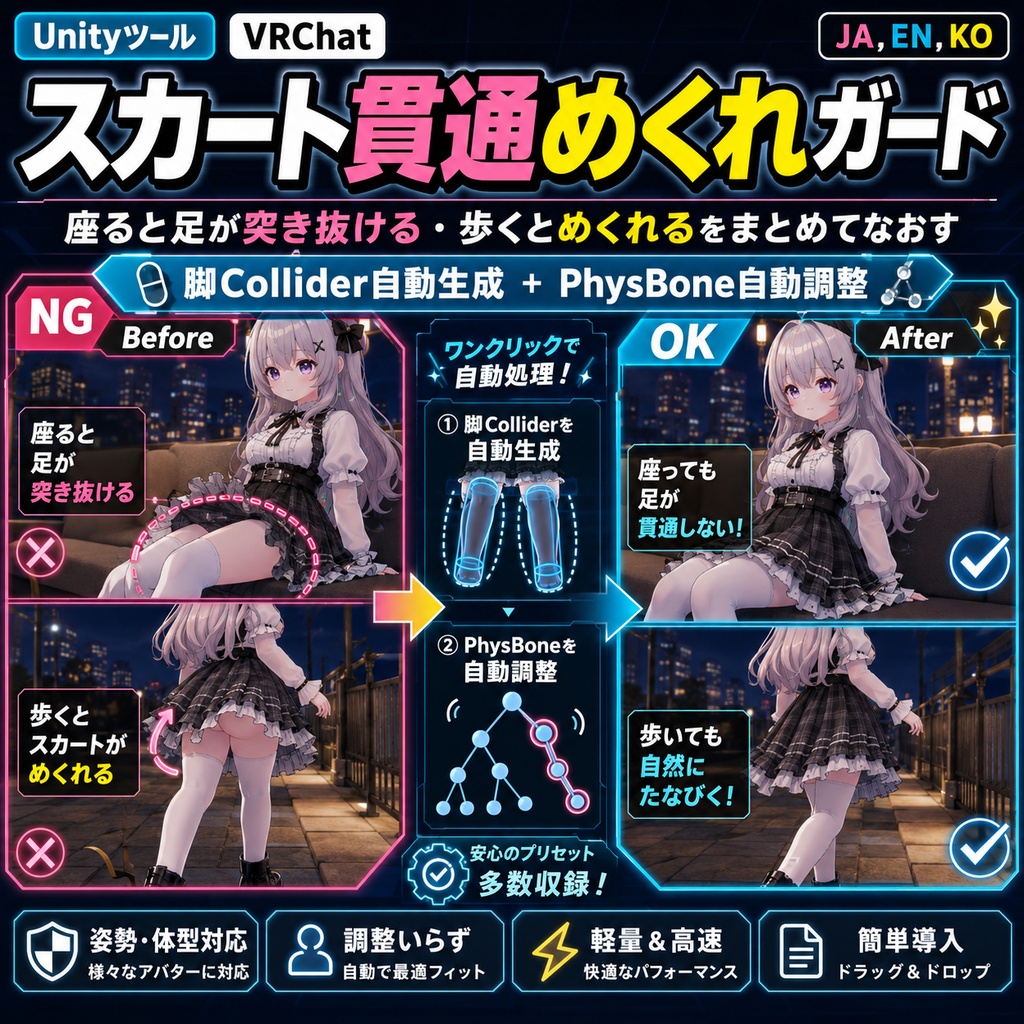

「座ると太ももがスカートを突き抜ける」「歩いたり振り向いたりするとスカートがめくれ上がる」。 スカート貫通めくれガードは、脚の太さを体メッシュから実測してPhysBone Colliderを自動生成し、スカートのPhysBoneへ自動登録したうえで、めくれ対策の物理値まで調整するUnity Editorツールです。Blenderは使いません。 ◆ 脚の太さを体メッシュから実測します 身長からの推測ではありません。体メッシュの頂点を実際に測り、太ももとふくらはぎの太さを求めてカプセルColliderを作ります。骨の向きに沿わせるので、脚の傾きが違うアバターでもズレません。 実測例: 太もも半径7.8cm / ふくらはぎ4.9cm(しなの)、7.0cm / 4.7cm(MAYO) 脚にすでに衣装作者のColliderがある場合は、それを尊重して再利用します。サイズは変更しません。 ◆ めくれ対策は3プリセットから選ぶだけ Immobile(歩行時の固定)、角度制限、重力、Pull、Spring、Stiffnessをまとめて設定します。 ・ふんわり … 揺れを残したい方向け ・標準 … 迷ったらこれ ・かっちり … めくれ防止を最優先 数値を自分で決めるモードもあります。 ◆ 元に戻せます ・「チェックのみ」で、何がどう変わるかを実行前に全部確認できます ・Ctrl+Zで戻せます ・「生成物を削除」はこのツールが作ったColliderだけを外します。衣装作者が元から登録していたColliderや空欄は残します ・「物理値を元に戻す」で、変更前の値をJSONバックアップから復元できます ◆ 座った時の隙間対策 座るとスカートが股の隙間へ落ちる問題に対して、太ももColliderを体の中心方向へ寄せる機能があります(初期値1cm)。 ◆ 髪やしっぽを掴まないための判定 スカートのPhysBoneを自動で探しますが、髪・しっぽ・袖・胸・ほっぺを誤って対象にしないよう、次の判定を入れています。 ・チェーンの付け根が腰から垂れているかを、祖先ボーンの名前をたどって判定 ・衣装が自前のArmatureを持つ着せ替え構成(Outfit/Armature/Hips/Skirt)にも対応 ・頭・首・腕の下にあるチェーンは対象外 ・髪プレハブがダミーのHipsを内包しているケースも除外 確度の低い候補は「要確認」と表示して初期状態でOFFにしてあります。自動検出できない衣装は、一覧から手動でチェックを入れれば処理できます。 ◆ 使い方 1. unitypackageをImport 2. Tools > tool > スカート貫通めくれガード 3. アバターを指定(選択中のオブジェクトから自動で入ります) 4. 対象スカートの一覧とプリセットを確認 5.「チェックのみ」で変更内容を確認 6.「スカートを直す」を実行 7. Play ModeまたはVRChat SDK Build & Testで座り・歩行を確認 ◆ 検証 Unity 2022.3.54f1 / VRChat SDK Avatars 3.10。ユニットテスト49項目、実SDK環境で市販アバター2体(しなの / MAYO)の衣装6シーンを通した実機テスト84項目、出品ZIP同梱のunitypackageを別プロジェクトへ新規Importして12項目、いずれも全項目クリアしています。実機テストで見つけて修正した不具合も同梱の検証レポートに記載しています。使い方ガイドを同梱。 ※ Colliderの生成・登録と物理値の調整を自動化するツールです。すべての衣装・すべての動作で貫通ゼロやめくれゼロを保証するものではありません。最終確認は購入者環境で行ってください。 ※ スカートに揺れもの(PhysBone)が設定されていない衣装では、調整する対象が無いため効果がありません。 ※ 貫通が残る場合は「太さの上乗せ(%)」を上げてください。 ※ アバター本体、衣装、VRChat SDK、Modular Avatarは付属しません。 ※ デジタル商品のため、購入後の返品・返金はできません。 内容物: ・スカート貫通めくれガード unitypackage ・README ・TEST_REPORT ・CHANGELOG ・LICENSE --- English --- "My thighs poke through the skirt when I sit down." "The skirt flips up when I walk or turn around." Skirt Clipping and Flip Guard measures leg thickness from the body mesh, generates PhysBone Colliders, registers them on the skirt PhysBones, and tunes the anti-flip physics values. No Blender needed. Leg thickness is measured, not guessed It samples the body mesh vertices to find the real thigh and calf radius, then builds capsules aligned to the bone direction, so it fits avatars with different leg angles. Measured examples: thigh 7.8cm / calf 4.9cm (Shinano), 7.0cm / 4.7cm (MAYO) If the outfit author already placed a collider on a leg bone, that one is reused as-is and its size is never changed. Anti-flip physics in three presets Immobile, angle limit, gravity, Pull, Spring and Stiffness are set together. - Soft: keeps more sway - Standard: pick this if unsure - Firm: flip prevention first A manual mode is also available. Everything is reversible - "Check only" shows exactly what would change before anything happens - Ctrl+Z works - "Remove generated items" only removes the colliders this tool created. Registrations and empty slots that existed before are left alone - "Restore physics values" brings the original values back from a JSON backup Sitting gap To stop the skirt slipping into the gap between the thighs when sitting, the thigh colliders can be moved toward the body centre (1cm by default). It will not grab hair or tails Skirt PhysBones are detected automatically, with checks that keep hair, tails, sleeves, breasts and cheeks out: - Walks up the ancestor bone names to confirm the chain hangs from the hips - Supports outfits that carry their own armature (Outfit/Armature/Hips/Skirt) - Chains under the head, neck or arms are excluded - Hair prefabs that contain a dummy Hips are excluded too Low-confidence candidates are shown with a confirm note and are off by default. Outfits that cannot be detected can still be processed by ticking them manually. How to use 1. Import the unitypackage 2. Tools > tool > Skirt Clipping and Flip Guard 3. Set the avatar 4. Check the target list and pick a preset 5. Press "Check only" to review 6. Press "Fix the skirt" 7. Confirm sitting and walking in Play Mode or VRChat SDK Build & Test Verification Unity 2022.3.54f1 / VRChat SDK Avatars 3.10. 49 unit tests, 84 checks on real commercial avatars (Shinano / MAYO) across six outfit scenes with the real SDK, and 12 checks after a fresh import of the shipped unitypackage into a separate project. All passed. A usage guide is included. Notes: This tool automates collider creation, registration and physics tuning. It does not guarantee zero clipping or zero flipping on every outfit and every motion. Please verify in your own environment. Outfits whose skirt has no PhysBone cannot benefit from it. Avatar, outfit, VRChat SDK and Modular Avatar are not included. --- 한국어 --- "앉으면 허벅지가 스커트를 뚫어요." "걷거나 돌아보면 스커트가 뒤집혀요." 스커트 관통 뒤집힘 가드는 다리 굵기를 몸 메쉬에서 실측해 PhysBone Collider를 자동 생성하고, 스커트의 PhysBone에 자동 등록한 뒤 뒤집힘 방지 물리값까지 조정하는 Unity Editor 툴입니다. Blender는 사용하지 않습니다. 다리 굵기를 몸 메쉬에서 실측합니다 키에서 추정하지 않습니다. 몸 메쉬의 정점을 실제로 측정해 허벅지와 종아리의 굵기를 구하고, 본 방향에 맞춰 캡슐 Collider를 만듭니다. 실측 예: 허벅지 반지름 7.8cm / 종아리 4.9cm (Shinano), 7.0cm / 4.7cm (MAYO) 다리에 이미 의상 제작자의 Collider가 있으면 그것을 존중해 재사용하며 크기는 변경하지 않습니다. 뒤집힘 방지는 3가지 프리셋에서 선택 Immobile, 각도 제한, 중력, Pull, Spring, Stiffness를 함께 설정합니다. - 부드럽게: 흔들림을 남기고 싶은 분용 - 표준: 고민되면 이것 - 단단하게: 뒤집힘 방지 최우선 직접 수치를 정하는 모드도 있습니다.