
あわせ肌 - 肌マテリアルをアバターごとに測って合わせるUnityツール+MatCap18種【VRChat】【JA,EN,KO】
- 日本語Digital700 JPY
- EnglishDigital700 JPY
- 한국어Digital700 JPY
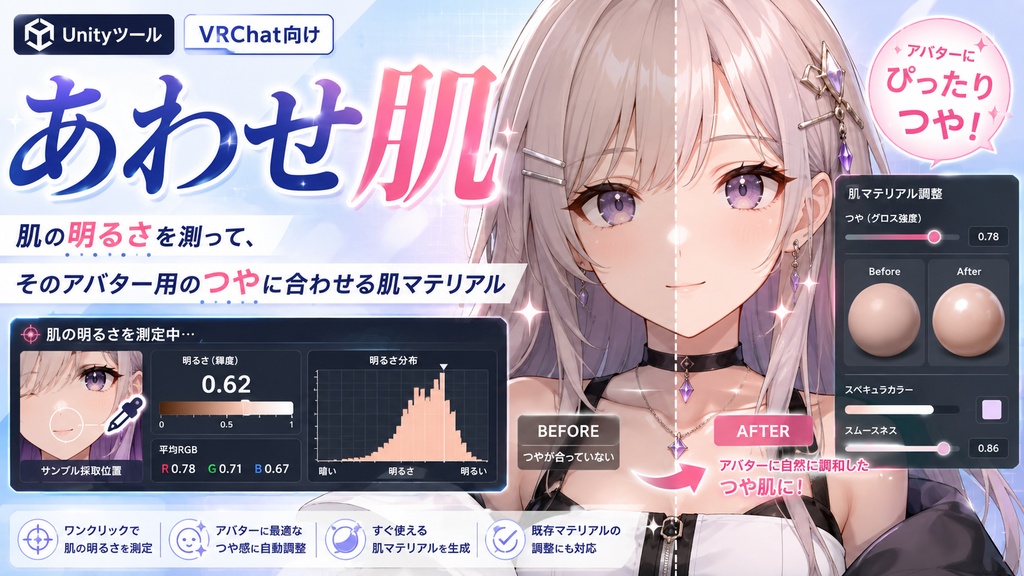
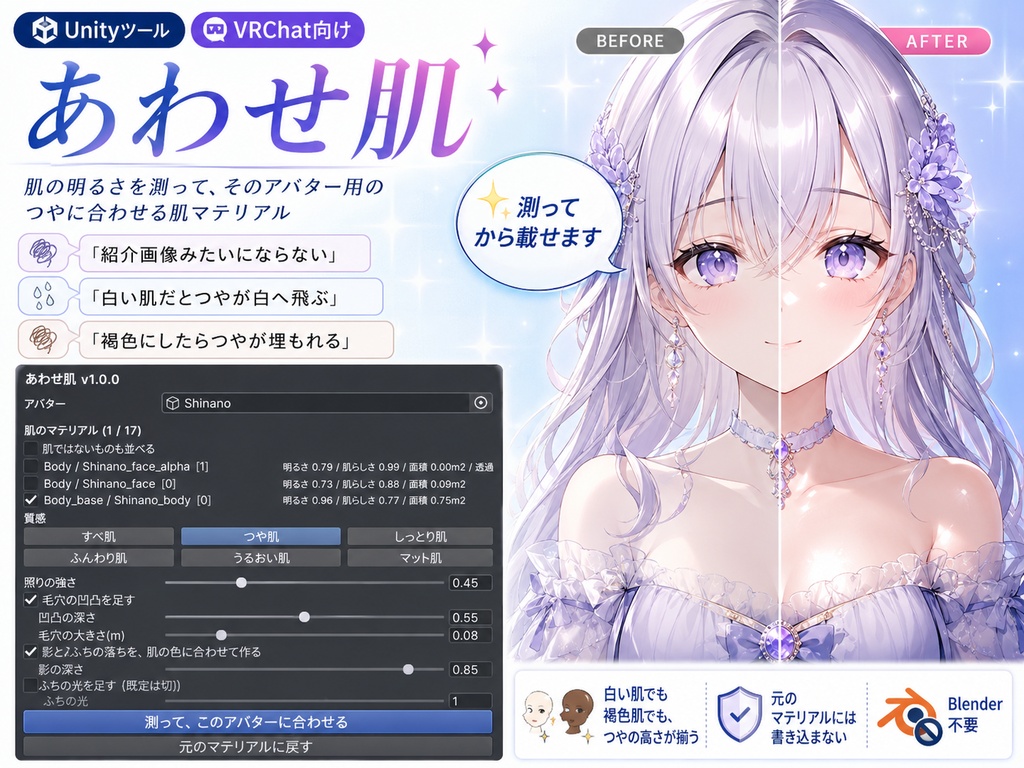
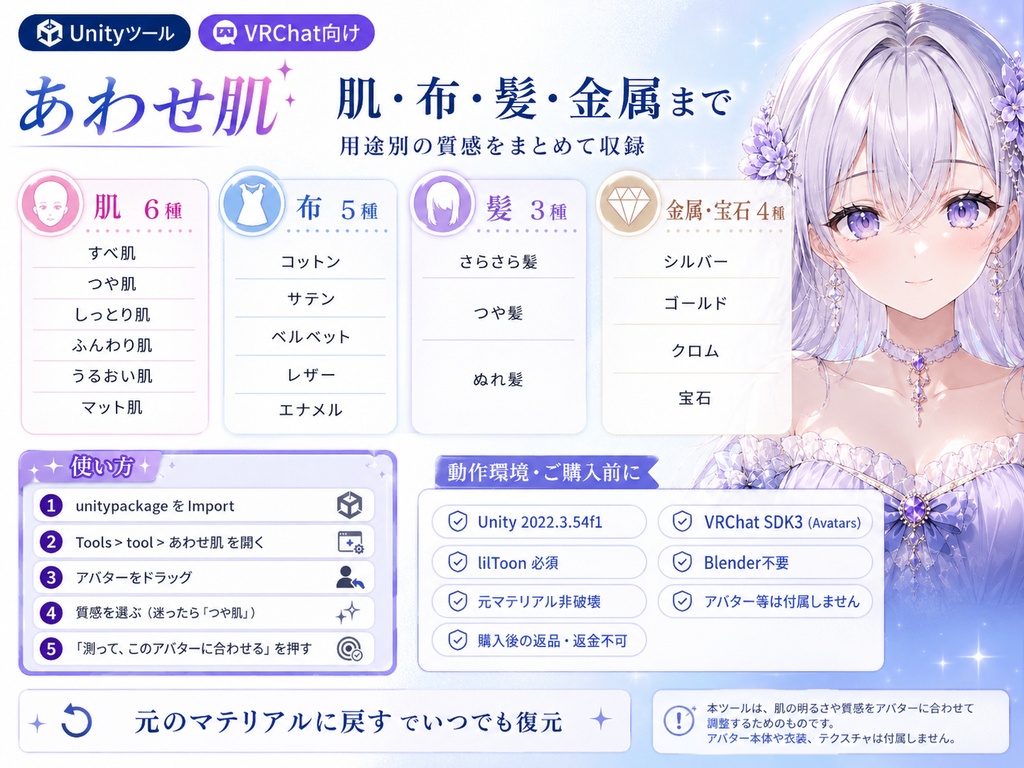
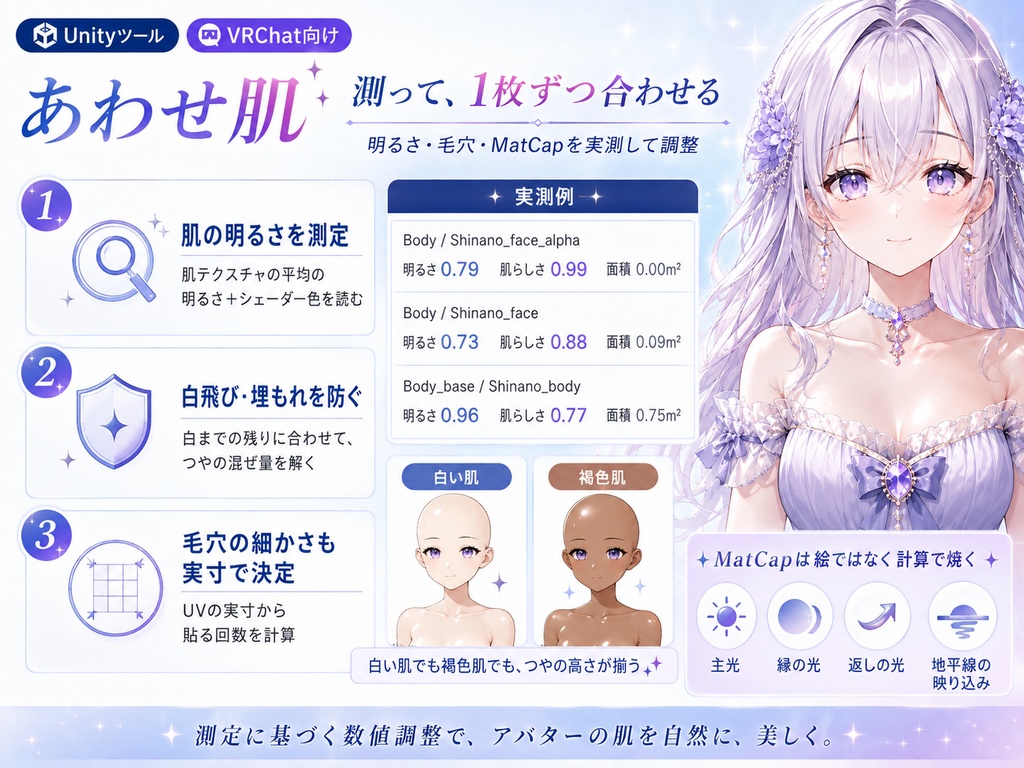


「肌マテリアルを買ったのに、紹介画像みたいにならない」。 あわせ肌は、アバターの肌を測って、そのアバター用の数値を計算で出す肌マテリアルです。MatCap18種・ノーマルマップ3枚と、それを載せるUnity Editorツールが入っています。Blenderは使いません。 ◆ 決め打ちの数字は、アバターごとに違う顔になります 売られている肌マテリアルは、作者のアバター1体で調整された数字の束です。下地の明るさが違うと、白い肌ではつやが白へ飛び、褐色の肌ではつやが出ません。数字が悪いのではなく、下地が違うだけです。 ◆ 載せる前に下地を測ります 肌テクスチャの明るさを測り(シェーダーが掛ける色も込みで)、つやのいちばん明るい所が「白までの残りを決めた割合だけ詰める」ように、混ぜる量を1枚ずつ解きます。白い肌でも褐色の肌でも、つやの高さが揃います。 毛穴の細かさも、UVが実寸で何メートルぶんかを測って貼る回数を決めます。アバターの大きさが違っても粒は同じです。 ◆ すでにMatCapを使っているアバターにも効きます もともとMatCapが入っているマテリアルには、効く場所を絞るマスクが仕込まれています。そのまま新しいMatCapを入れても、マスクの中にしか出ません。実行前にマスクを外します。 ◆ 入っている質感は18種類です ・肌 … すべ肌 / つや肌 / しっとり肌 / ふんわり肌 / うるおい肌 / マット肌 ・布 … コットン / サテン / ベルベット / レザー / エナメル ・髪 … さらさら髪 / つや髪 / ぬれ髪 ・金属宝石 … シルバー / ゴールド / クロム / 宝石 絵ではなく、向きごとの反射を光の式で解いて焼いたものです。 ◆ 元に戻せます ・元のマテリアルには書き込みません。複製を作って差し替えます ・「元のマテリアルに戻す」で、いつでも元の割り当てに戻ります ・2回実行しても増えません。肌の自動検出は実行前に一覧で確認でき、手で直せます ◆ 使い方 1. unitypackageをImport 2. Tools > tool > あわせ肌 3. アバターを「アバター」欄へ入れる 4. 質感を選ぶ(迷ったら「つや肌」) 5.「測って、このアバターに合わせる」 ◆ 検証 Unity 2022.3.54f1 / VRChat SDK Avatars / lilToon。ユニットテスト36項目、出品ZIPのunitypackageを別プロジェクトへ新規Importする検証3/3、いずれも全項目クリアしています。 実機の実測: 市販アバター4体と、そのうち2体を褐色にした計6体で、lilToonを通して描いた絵の画素を測りました。比較相手は決め打ちです。 狙いどおりの明るさに乗った度合い(0に近いほど狙いどおり) あわせ肌 平均 0.039 / 最大 0.064 / ばらつき 0.019 決め打ち 平均 0.078 / 最大 0.262 / ばらつき 0.103 ばらつきは5.4分の1でした。大きく外した2体は、もともとMatCapを使っているアバターです。マスクがあるため上がった明るさは 0.004 と 0.008(狙いは 0.053 と 0.270)。マスクを外せば 0.040 と 0.206 まで上がります。 ※ lilToonが必要です。同梱していません(再配布になるため)。 https://booth.pm/ja/items/3087170 ※ lilToon以外のシェーダーでは、無い項目を飛ばすので壊れませんが、効果は限定されます。 ※ 白い肌では効きが控えめです。白までの余白が少ないためで、「照りの強さ」で足せます。 ※ マット肌・ふんわり肌は照りの山が低く、暗い肌では狙いまで届かないことがあります。実測値は画面に出ます。 ※「ふちの光」は既定で切ってあります。元のマテリアルの設定と噛み合わないアバターがあるためです。 ※ アバター・lilToon・VRChat SDKは付属しません。最終確認は購入者環境で行ってください。 ※ デジタル商品のため、購入後の返品・返金はできません。 内容物: ・あわせ肌 unitypackage(MatCap18枚 / ノーマルマップ3枚 / Editorツール) ・README ・TEST_REPORT ・CHANGELOG / LICENSE ・ツール画面のスクリーンショット --- English --- "I bought a skin material, but it does not look like the product images." Skin Match measures your avatar's skin and solves the numbers for that avatar. 18 MatCaps, 3 normal maps and the Unity Editor tool that applies them. No Blender needed. Fixed numbers give a different face on every avatar Skin materials on sale are tuned on one avatar. Base brightness differs, so the same numbers blow the highlight out to white on pale skin and show nothing on tan skin. It measures before it applies It reads the skin texture brightness, including the colour the shader multiplies in, and solves the MatCap blend per material so the brightest highlight closes a fixed share of the gap to white. Pore tiling comes from the real mesh size, so the grain never changes. It works on avatars that already use a MatCap Those materials carry a mask limiting where a MatCap applies, so a new one would only show inside it. Skin Match clears the mask first. The 18 looks Skin 6 / Cloth 5 / Hair 3 / Metal and gem 4. None were painted - every view-space normal was solved from the lighting equations. The 2048px normal maps tile seamlessly. Everything is reversible The originals are never written to; copies are made and swapped in. "Restore the original materials" puts them back, a second run does not add more, and the skin detection can be reviewed first. How to use Import, open Tools > tool > Skin Match, drop your avatar in, pick a look, press "Measure and match to this avatar". Verification Unity 2022.3.54f1 / VRChat SDK Avatars / lilToon. 36 unit tests and a fresh import of the shipped unitypackage, 3 of 3, all passed. Measured on 4 commercial avatars plus tan versions of 2, against one fixed preset on all 6. Error from the intended highlight (closer to 0 is better) Skin Match mean 0.039 / max 0.064 / spread 0.019 Fixed preset mean 0.078 / max 0.262 / spread 0.103 The spread is 5.4x tighter. The two avatars where the preset failed already use a MatCap; because of the mask its lift was 0.004 and 0.008 against a target of 0.053 and 0.270. Notes: lilToon is required and not included. https://booth.pm/en/items/3087170 On other shaders missing properties are skipped. On very pale avatars the effect is subtle; raise "Highlight". Avatars and the SDK are not included. --- 한국어 --- "피부 머티리얼을 샀는데, 소개 이미지처럼 되지 않아요." 맞춤 피부는 아바타의 피부를 측정해 그 아바타용 수치를 계산으로 내는 피부 머티리얼입니다. MatCap 18종, 노멀맵 3장, 적용하는 Unity Editor 툴이 들어 있습니다. Blender는 쓰지 않습니다. 고정된 수치는 아바타마다 다른 얼굴이 됩니다 제작자의 아바타 한 체로 조정된 수치이므로, 바탕 밝기가 다르면 밝은 피부에서는 광이 날아가고 갈색 피부에서는 광이 나오지 않습니다. 올리기 전에 바탕을 측정합니다 광의 가장 밝은 곳이 흰색까지 남은 폭을 정해진 비율만큼 메우도록 혼합량을 한 장씩 풉니다. 이미 MatCap을 쓰는 아바타에도 효과가 있습니다 그런 머티리얼에는 적용 범위를 제한하는 마스크가 있어 새 MatCap이 그 안에서만 나옵니다. 실행 전에 마스크를 해제합니다. 수록된 질감은 18종 피부 6종 / 천 5종 / 머리 3종 / 금속·보석 4종. 그림이 아니라 방향마다의 반사를 빛의 식으로 풀어 구운 것입니다. 모공 타일링은 메시의 실제 크기에서 정해집니다. 되돌릴 수 있습니다 원래 머티리얼에는 쓰지 않고 복제를 만들어 교체합니다. "원래 머티리얼로 되돌리기"로 언제든 복구되며, 두 번 실행해도 늘어나지 않습니다. 사용법 Import 후 Tools > tool > Skin Match 를 열고, 아바타를 넣고, 질감을 고른 뒤 "측정해서 이 아바타에 맞추기"를 실행합니다. 검증 Unity 2022.3.54f1 / VRChat SDK Avatars / lilToon. 유닛 36항목, 출품 unitypackage의 신규 Import 검증 3/3 모두 통과. 시판 아바타 4체와 그중 2체의 갈색 버전, 총 6체에서 lilToon으로 그린 픽셀을 측정한 결과, 편차는 맞춤 피부 0.019 / 고정값 0.103으로 5.4분의 1이었습니다. ※ lilToon이 필요하며 동봉하지 않았습니다. https://booth.pm/ko/items/3087170 ※ 다른 셰이더에서는 없는 항목을 건너뜁니다. 효과는 제한됩니다. ※ 아주 밝은 피부에서는 효과가 은은합니다. "광의 세기"로 더할 수 있습니다. ※ 아바타·lilToon·SDK는 포함되지 않습니다. 최종 확인은 구매자 환경에서 해 주세요. ※ 디지털 상품이므로 구매 후 반품·환불은 불가합니다.
