【VRChat】みんなで湖畔つり|10人で遊べる釣りワールド・Prefab / LANTERN LAKE
- ダウンロード商品¥ 3,000
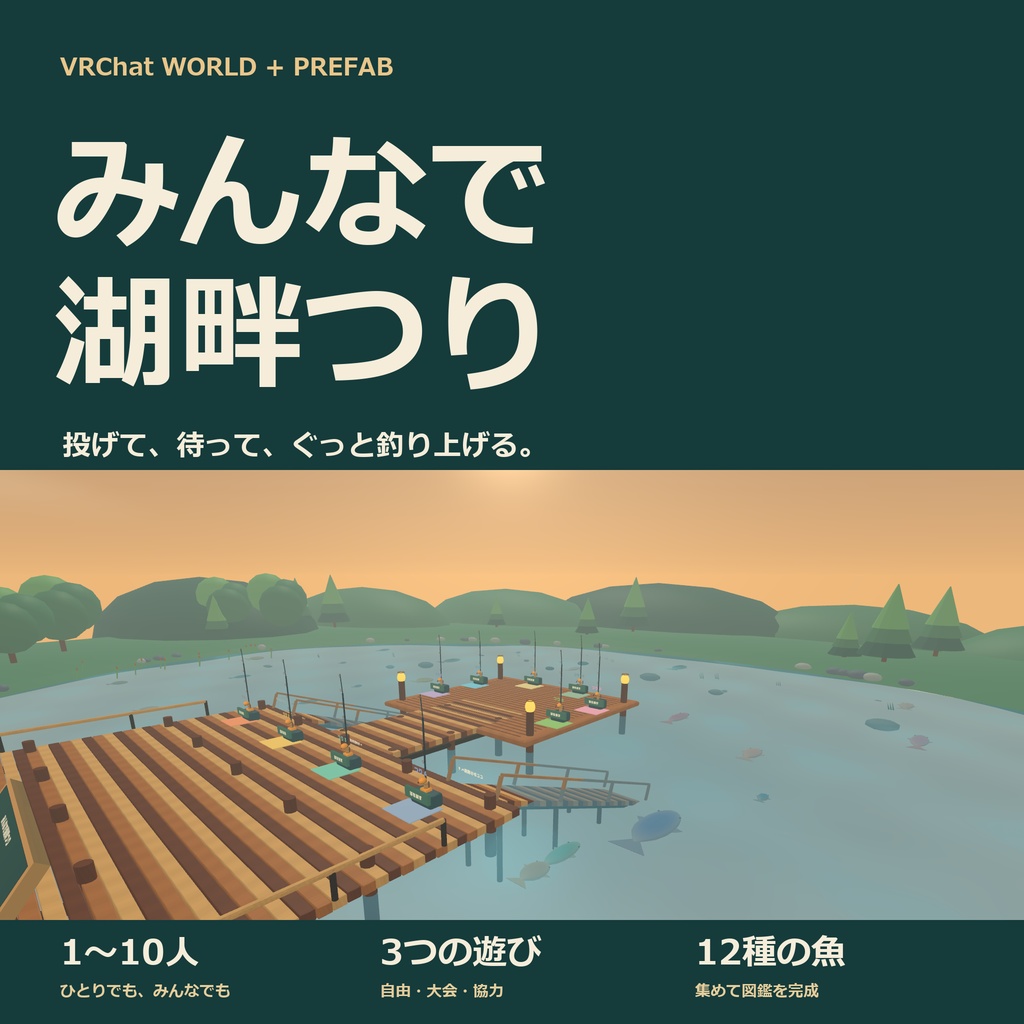


浮きが沈む、その一瞬をみんなで待とう。 魚影をねらって投げ、食いついたら合わせて、動く魚を追いかける。1〜10人で楽しめるVRChat用の釣りワールドです。 のんびり自由につり、3分大会、協力チャレンジを収録。完成した湖畔ワールドと、自分のワールドへ置けるゲームPrefabの両方が入っています。 PC/Androidに対応。案内・魚名・釣果は、一人ひとりが日本語/Englishを選べます。
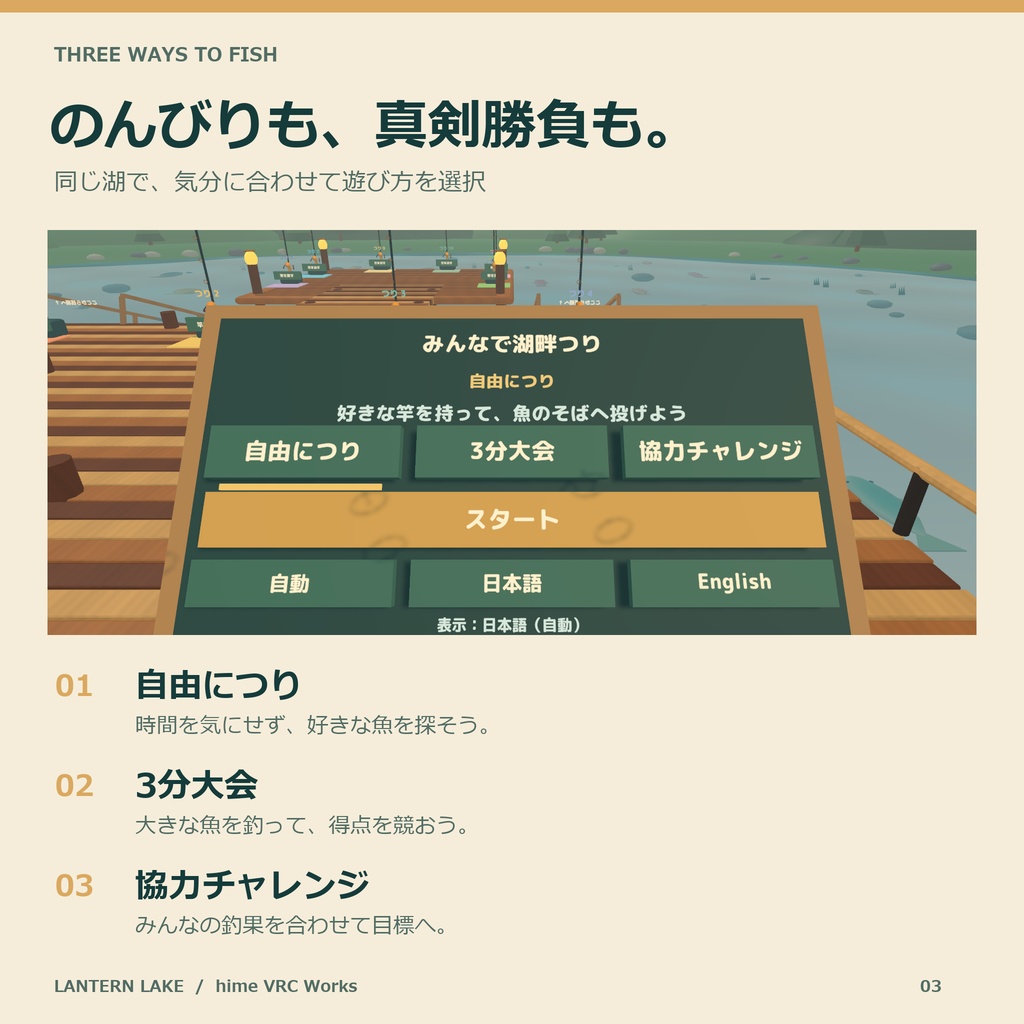
湖畔で楽しむ、3つの遊び方
・自由につり:好きな場所から魚影をねらい、会話を楽しみながら自分のペースで。 ・3分大会:魚の種類・大きさで変わる得点を競います。結果を見てから、次の大会をスタートできます。 ・協力チャレンジ:みんなの得点を合わせて目標に挑戦。参加人数に応じて目標が変わります。 竿は10本。同時に10人まで釣りに参加でき、ひとりでも遊べます。釣果と12種類の共有図鑑は、そのインスタンスのみんなで見られます。
魚影を見つけて、合わせて、釣り上げよう
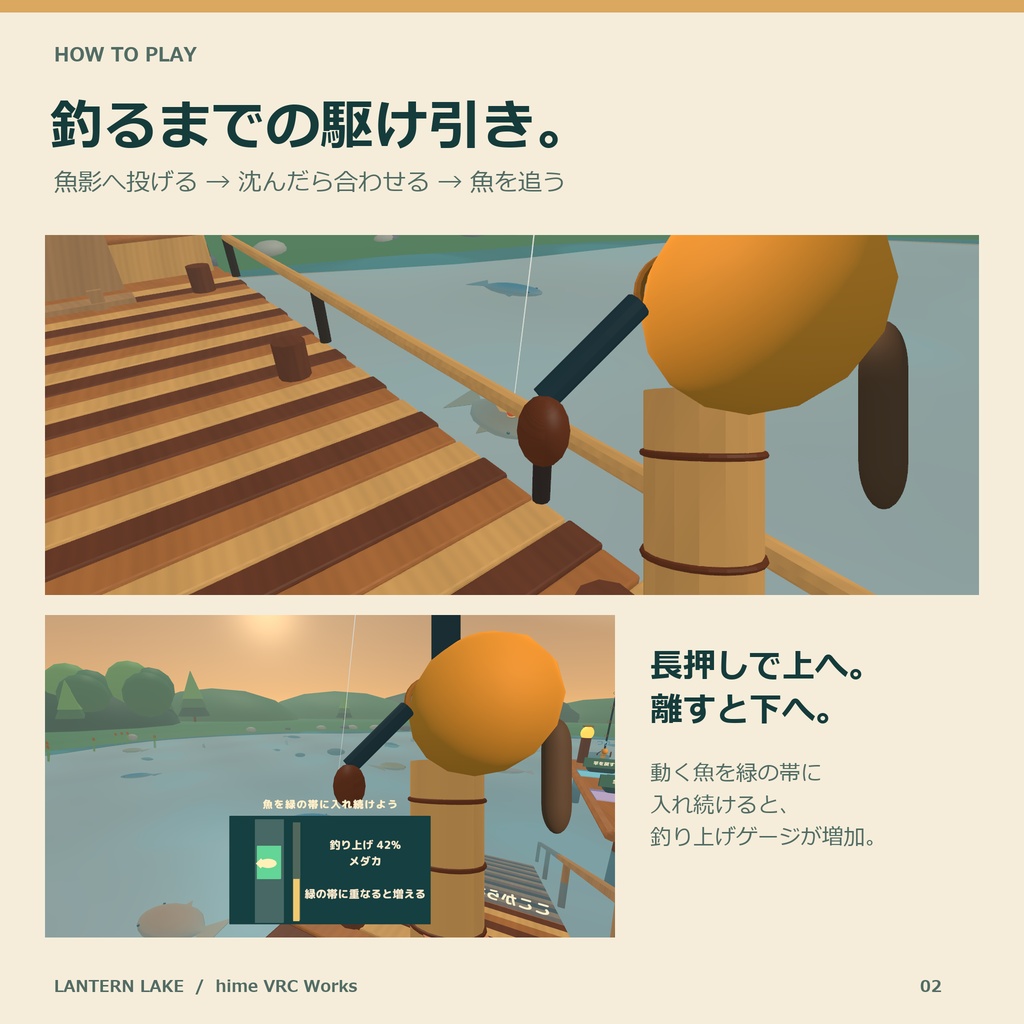
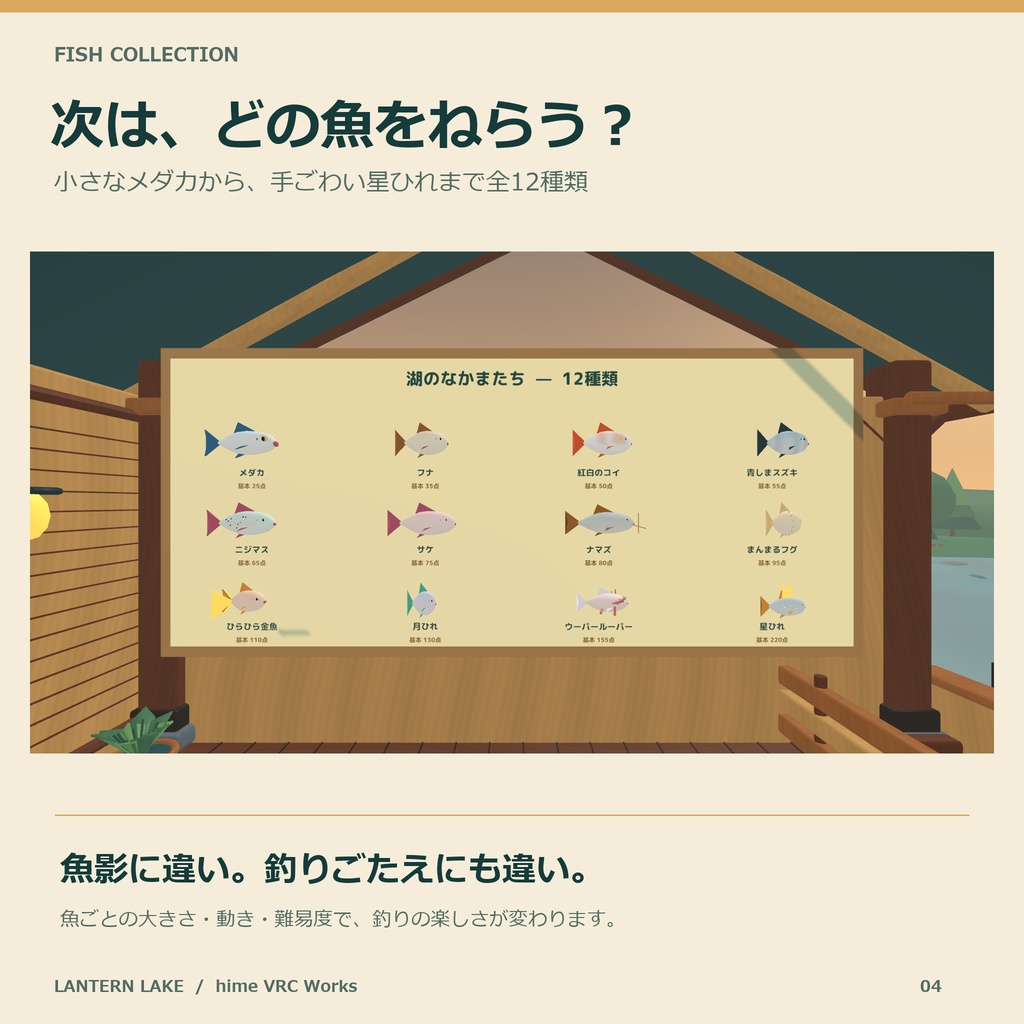
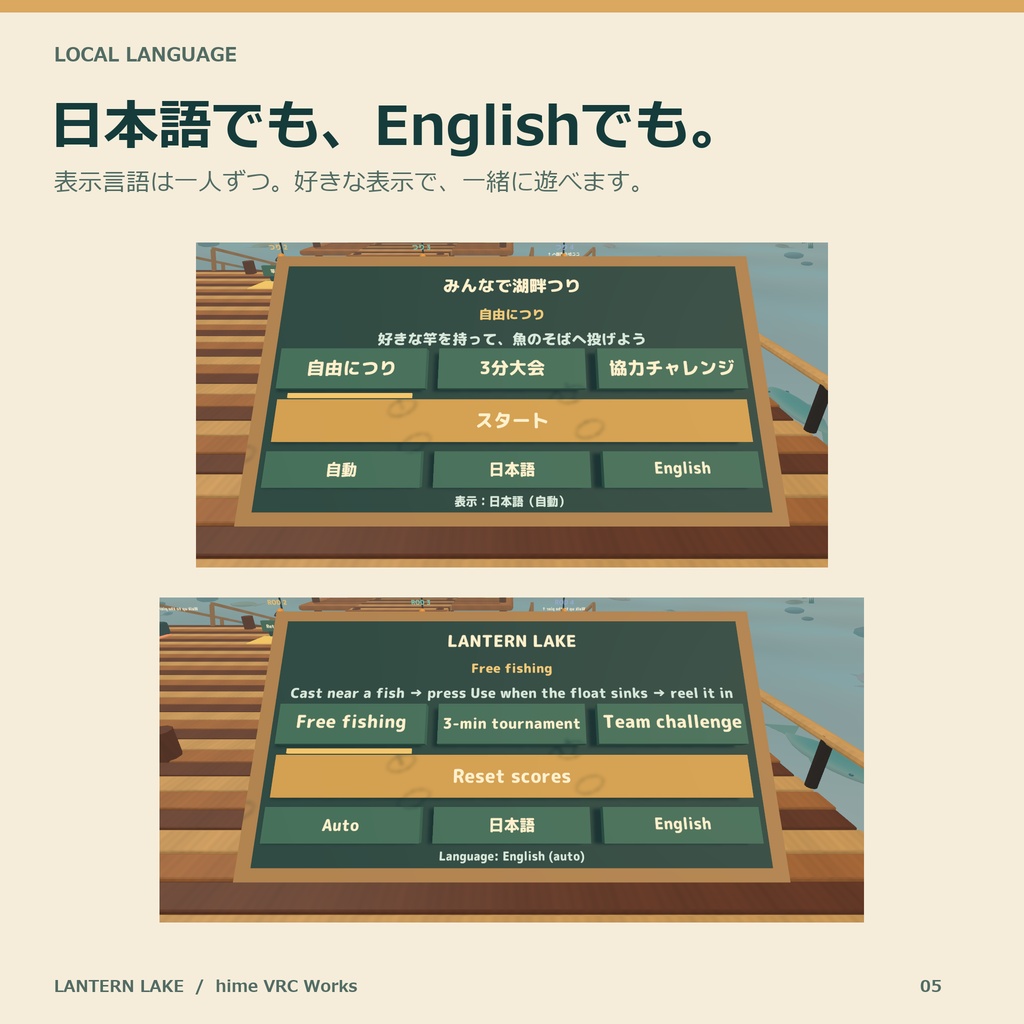
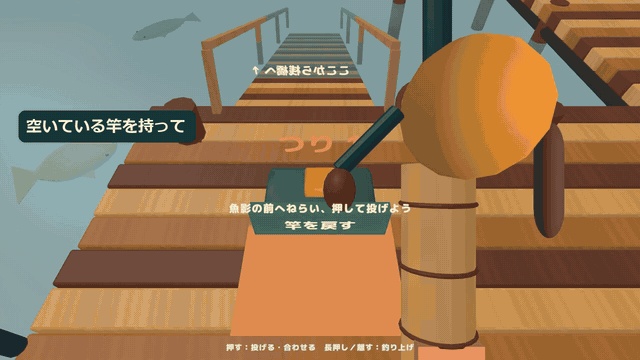
湖には12種類・36匹の立体の魚が泳ぎます。小さなメダカ、紅白のコイ、まんまるフグ、ひらひら金魚、星ひれなど、形も動きもさまざま。 1. 空いている竿を持ち、魚影のそばへねらいを合わせます。着水予定の輪が緑になったらUseで投げます。 2. 魚は浮きへ近づき、1〜5回以内で食いつきます。軽いつつきは待ち、浮きが沈んだらUseで合わせます。音・しぶき・振動も合図になります。 3. 引っかかったら、動く魚のマークを緑の帯に入れます。Use長押しで帯が上がり、離すと下がります。 4. 魚を帯に入れて金色のゲージを満たせばキャッチ。魚の種類と大きさで得点が決まり、きれいに釣ると15点のボーナスです。 竿を離すと元のラックへ戻ります。ロビーの魚図鑑と遊び方の看板でも確認できます。 表示言語はボードの「自動/日本語/English」で各自が変更できます。Aさんは日本語、Bさんは英語のまま、一緒に遊べます。言語切替で他の人の表示や釣り・大会の進行は変わりません。
動作環境・操作
VCCで作成したWorldsプロジェクトに対応。 Unity 2022.3.22f1/VRChat Worlds SDK 3.10.5/SDK同梱UdonSharp/TextMesh Pro 3.0.6/Built-in Render Pipeline。 PC・Android(Quest向けワールド)に対応。PC版・Android版を同じWorld IDへアップロードして使えます。 PC版・Android版のSDKビルド、新規・更新導入を確認しています。 デスクトップ:クリックで竿を持つ・投げる・合わせる。長押し/離す操作で緑の帯を上下させ、VRChatのDropで竿を離します。 VR:持っている手で水面をねらい、Useトリガーで投げる・合わせる・帯を操作します。 モバイル:VRChatのPickup・Use・Dropの画面操作を使います。
同梱内容
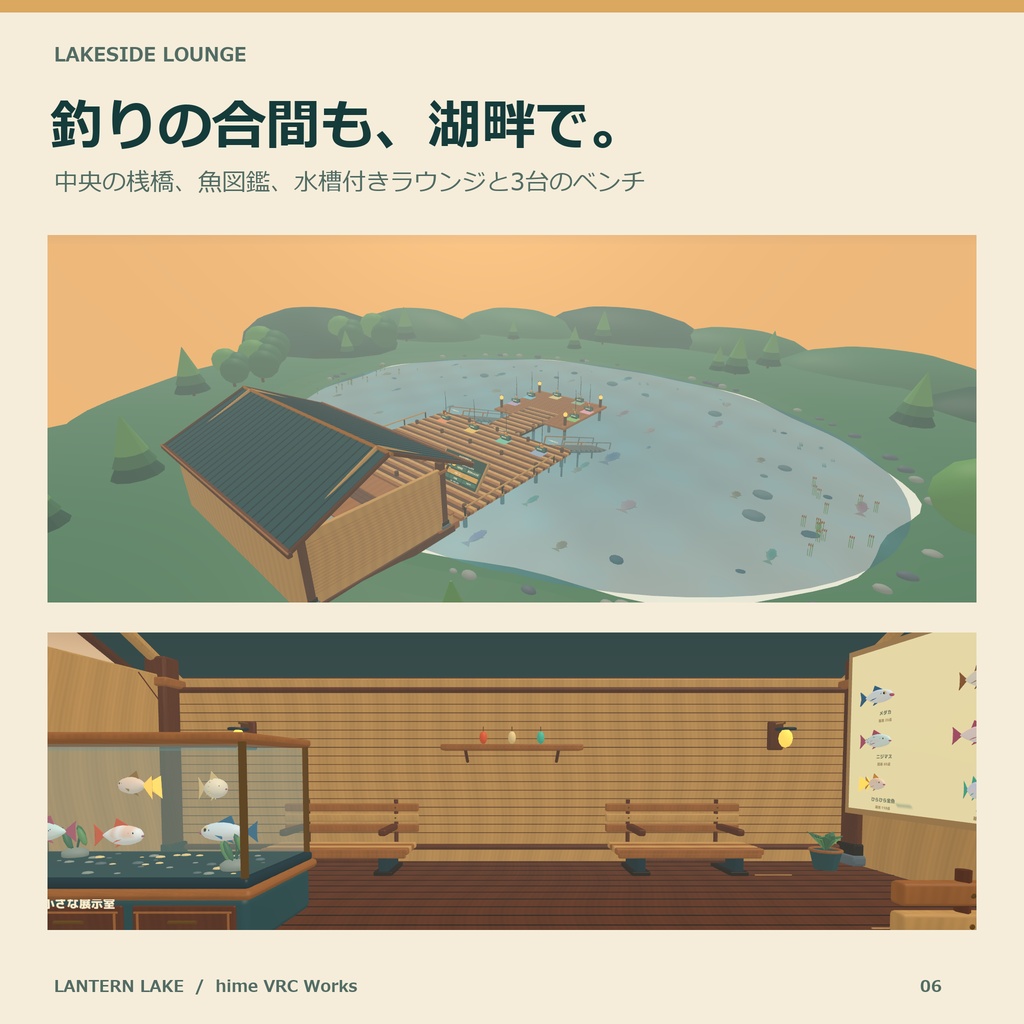
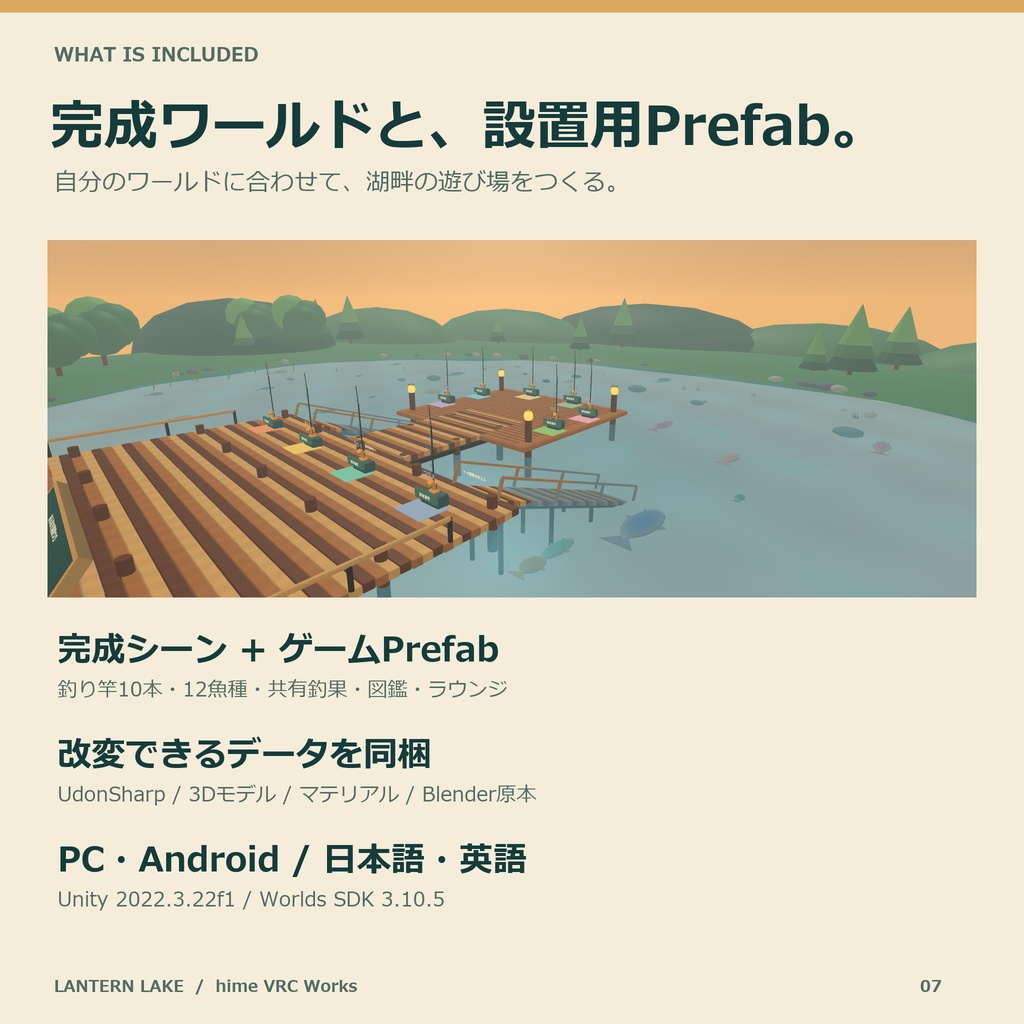
・LanternLake_v0.4.4.unitypackage 完成ワールド:Assets/LanternLake/Sample/LanternLake_World.unity ゲームPrefab:Assets/LanternLake/Prefabs/LanternLake_Game.prefab 釣り竿10本、魚12種類・36匹、中央の桟橋、湖畔の建物、水槽、魚図鑑、操作ボード、釣果ボード ベンチ3台・9席、湖から桟橋へ戻る木の斜路2本 UdonSharpソース、モデル、マテリアル、シェーダー、効果音、フォントと各ライセンス 初回導入に必要な文字表示の設定・シェーダー依存ファイル ・編集用Blender原本:Source/LanternLake.blend ・モデル再生成スクリプト:Source/build_models.py ・日本語/英語README、利用許諾、更新内容 完成ワールドをそのまま使う方法と、ゲームPrefabを自分のワールドに置く方法を選べます。
導入・カスタマイズ
1. VCCで上記環境のWorldsプロジェクトを作り、unitypackageをインポートします。 2. 完成ワールドを使う場合はLanternLake_World.unityを開きます。既存のワールドへ加える場合はLanternLake_Game.prefabを配置します。 3. 必要に応じて水面の位置・範囲、投げる距離、大会時間、魚の得点・大きさ・動きを調整します。 4. SDKのBuilderからBuild & Testを行い、ワールドをアップロードします。PC/Androidの両方で使う場合は同じWorld IDへアップロードします。 表示言語の初期値は、Prefab内LanguageのinitialLanguageで設定できます。0=自動、1=日本語、2=English。自動は各自のVRChat言語に合わせ、日本語以外は英語を表示します。 建物・魚・湖畔の形やマテリアルは、同梱のBlender原本から編集できます。
利用規約・サポート
購入者による改変と、VRChatワールドでの使用が可能です。公開・非公開、有料・収益化、VRChat Creator Economyを含むワールドで使えます。 素材データの再配布・転売、第三者が素材を取り出せる形での配布は禁止です。 M PLUS Rounded 1c・Liberation SansはSIL Open Font License 1.1、VRChat SDK・UdonSharp・TextMesh Proは各提供元のライセンスに従います。TextMesh Pro付属EmojiOneの出典表記も同梱しています。詳細は同梱の各ライセンスをご覧ください。 導入や不具合のご相談は、このBOOTHショップのメッセージへご連絡ください。商品名・版、Unity/SDK版、発生した操作、エラー表示や画像を添えていただくと確認がスムーズです。
更新履歴
2026/10/15 v0.4.4 発売 ・1〜10人の自由につり・3分大会・協力チャレンジを収録。 ・12種類・36匹の魚、完成ワールドとゲームPrefabを同梱。 ・一人ひとりが選べる日本語/英語表示、日英READMEを収録。 ・初回導入の文字表示に必要な設定と依存ファイルを同梱。
English
LANTERN LAKE — a multiplayer fishing world and game Prefab for VRChat. Wait for the float to sink, hook the fish, then follow its movement with the green zone. Fish alone or with up to 10 anglers. THREE WAYS TO PLAY Free fishing: cast near a fish shadow and relax at your own pace. Three-minute tournament: compete for points based on species and size. Results remain on display until you start the next round. Team challenge: combine your scores to reach a goal that scales with the number of anglers. Ten rods, 12 species and 36 solid 3D swimming fish are included. Shared scores and the species collection belong to the current instance. HOW TO PLAY Pick up an available rod, aim near a fish shadow and press Use when the landing ring is green. A fish approaches and bites within one to five taps. Wait through the light nibbles, then press Use when the float sinks. Sound, splashes and haptics signal the bite. After hooking, keep the fish marker inside the green zone. Hold Use to raise the zone; release to lower it. Fill the gold gauge to land the fish. A clean catch adds 15 points. Dropping a rod returns it to its rack. Permanent instructions and the species guide are in the lobby. INDIVIDUAL JAPANESE / ENGLISH DISPLAY Each player can choose Auto, 日本語 or English on the board. Players using different languages can fish together. Changing your language affects only your display and leaves the shared game running. Auto follows your VRChat language; languages other than Japanese use English. World creators can set Language.initialLanguage to 0 (Auto), 1 (Japanese) or 2 (English). ENVIRONMENT AND CONTROLS VCC Worlds project; Unity 2022.3.22f1; VRChat Worlds SDK 3.10.5 with its included UdonSharp; TextMesh Pro 3.0.6; Built-in Render Pipeline. Supports PC and Android worlds, including Quest-targeted builds. Upload PC and Android versions to the same World ID. The package has been checked with PC/Android SDK builds and both fresh and upgrade imports. Desktop: click to pick up, cast and hook; hold/release to move the green zone. Use VRChat's Drop action to put down the rod. VR: aim with the hand holding the rod and use its Use trigger to cast, hook and control the zone. Mobile: use VRChat's on-screen Pickup, Use and Drop controls. CONTENTS AND SETUP The download includes LanternLake_v0.4.4.unitypackage, the editable Blender source, a model-generation script, Japanese/English documentation, license texts and release notes. Font-rendering settings and shader dependencies are included for a complete first import. The unitypackage contains the complete lakeside world, game Prefab, ten rods, 12 fish species/36 swimming fish, pier, lakeside building, aquarium, species guide, control board, catch board, three benches/nine seats and two walk-up ramps. UdonSharp sources, models, materials, shaders, sound effects and the licensed font are included. Import the unitypackage into a VCC Worlds project. Open Assets/LanternLake/Sample/LanternLake_World.unity for the complete world, or place Assets/LanternLake/Prefabs/LanternLake_Game.prefab in your own scene. Adjust the water area, cast distance, round duration and fish settings as desired. Use Build & Test before uploading; upload PC and Android versions to the same World ID. Edit the scenery, fish and materials using Source/LanternLake.blend. Source/build_models.py is included for model regeneration. LICENSE AND SUPPORT Purchasers may modify the assets and use them in public, private, paid or monetized VRChat worlds, including Creator Economy worlds. Redistribution or resale of the asset data, or distribution in a form that lets third parties extract the assets, is prohibited. M PLUS Rounded 1c and Liberation Sans use SIL Open Font License 1.1. VRChat SDK, UdonSharp and TextMesh Pro follow their respective licenses. Attribution for the EmojiOne resources included with TextMesh Pro is provided. See the included license files for details. For support, contact this BOOTH shop through its message function with the product/version, Unity/SDK version, reproduction steps and any error text or screenshots. October 15, 2026 — v0.4.4 initial release: three game modes, 12 species/36 fish, complete world and Prefab, individual Japanese/English display, bilingual documentation and the font-rendering dependency files needed for a first import. 制作について:企画・コード・手続き生成3D・文書の制作に生成AIの支援を利用しています。 Production: Generative AI assisted with planning, code, procedural 3D and documentation.