

【VRChat】おやつラボ No.6 とろーりチョコフォンデュ【アバター/ワールド】作って流して手渡せるチョコ噴水屋台 / Snack Lab No.6: Melty Chocolate Fondue (Avatar / World)
- アバター版 / Avatarダウンロード商品¥ 300
- ワールド版 / Worldダウンロード商品¥ 600
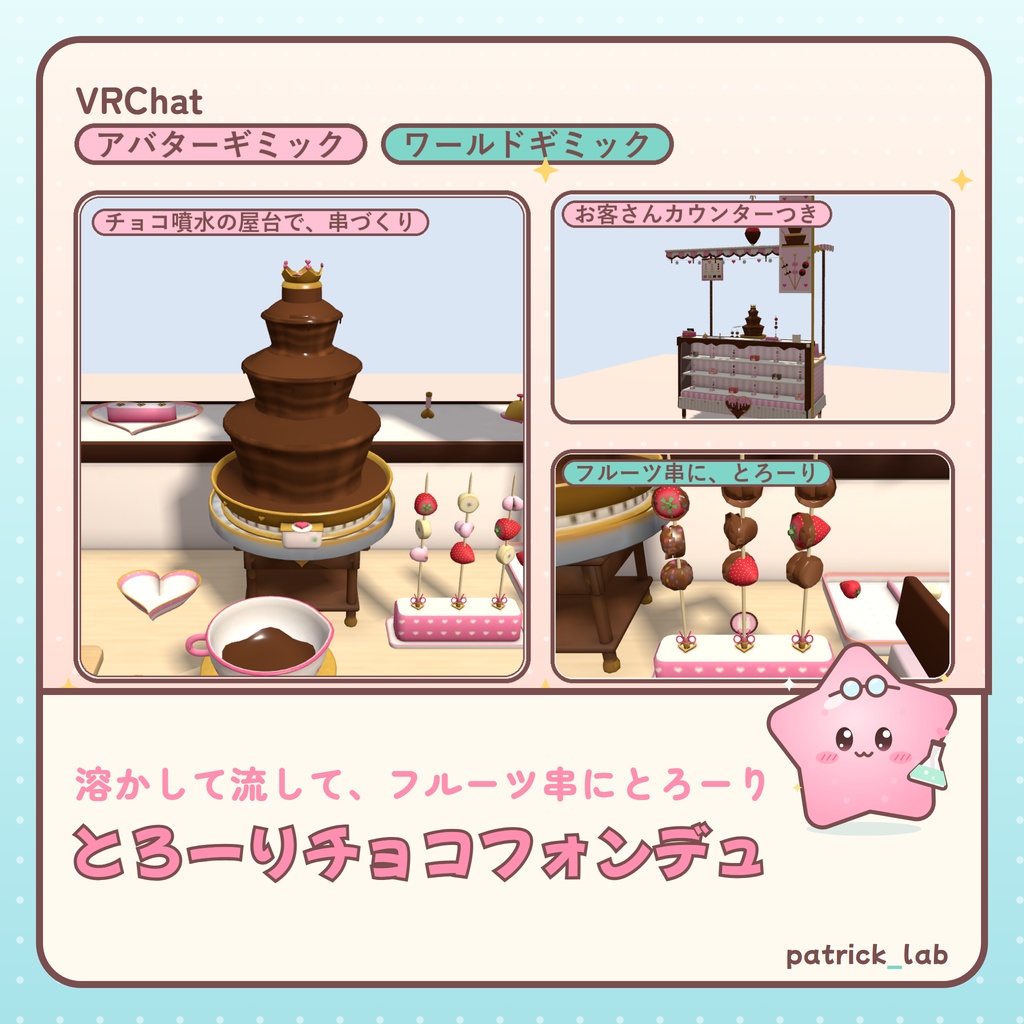
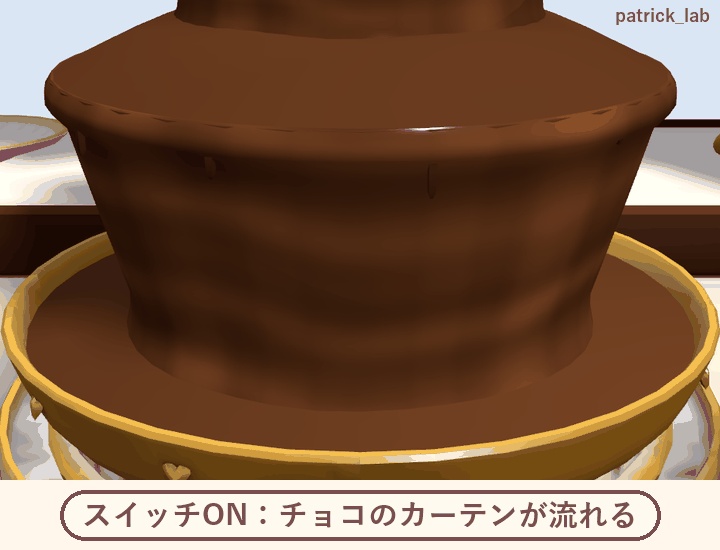
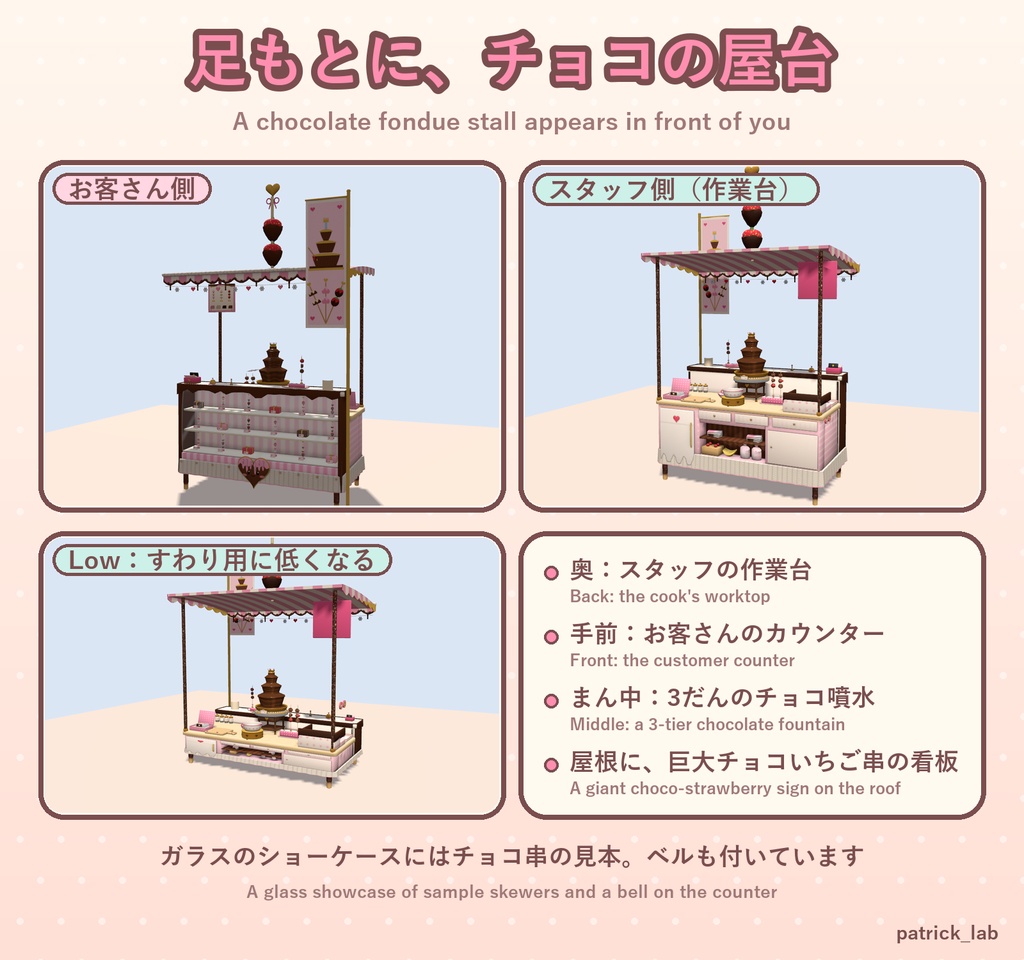
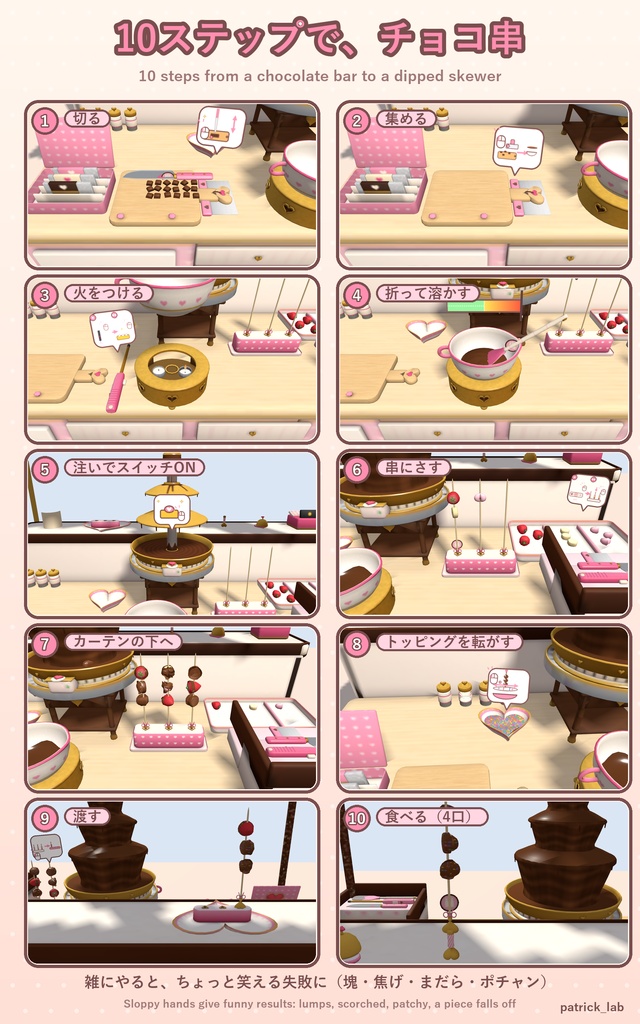
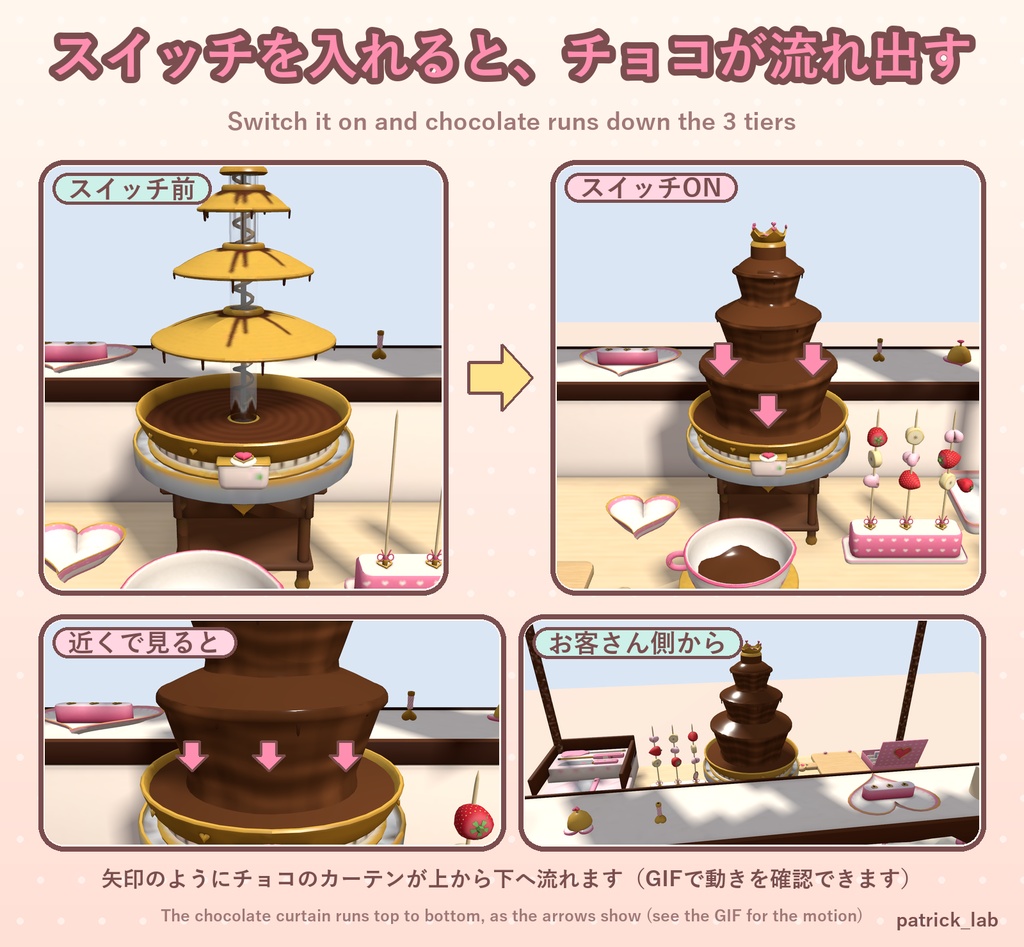
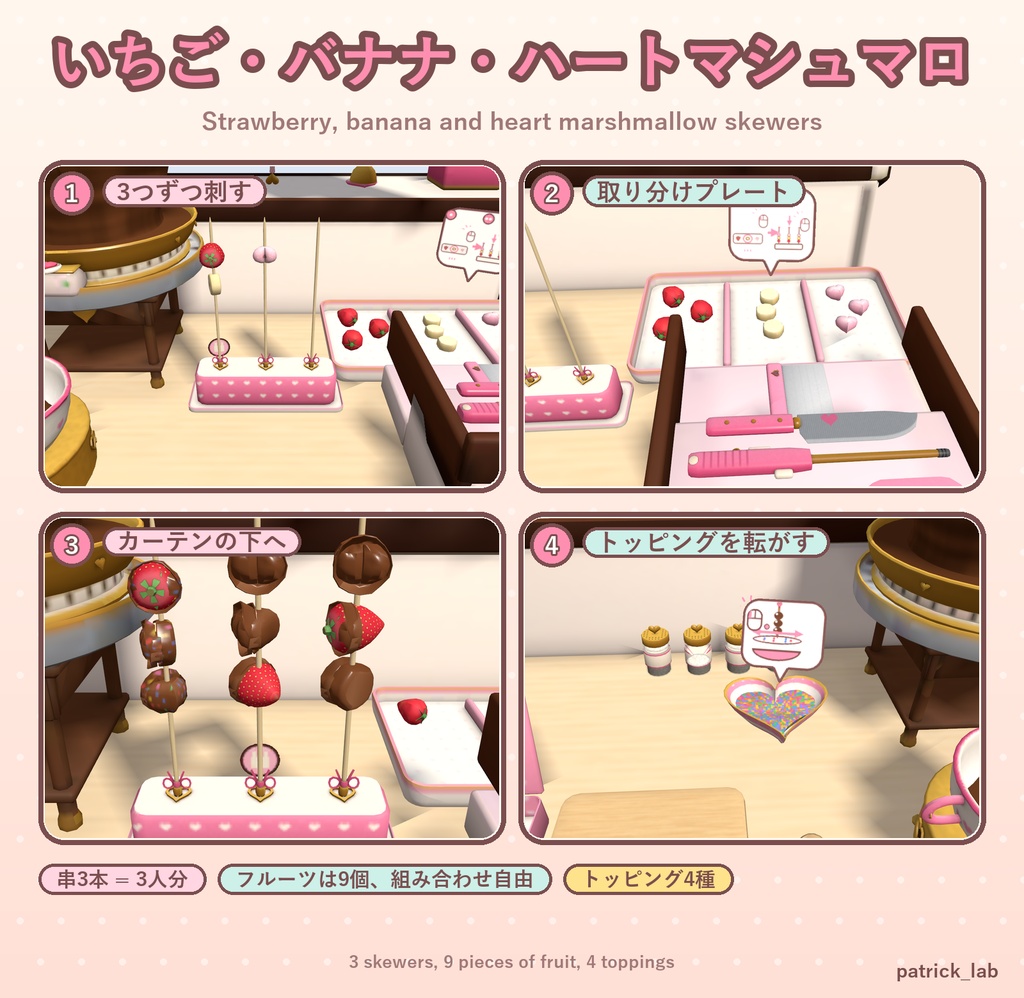
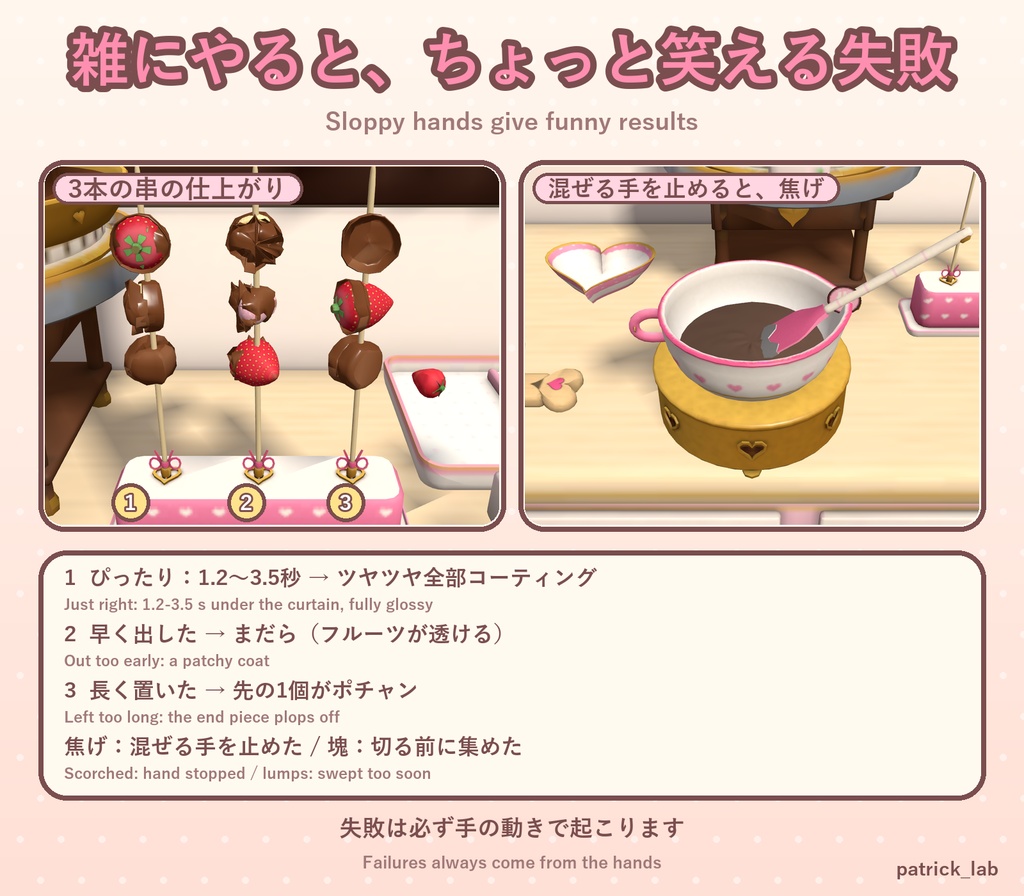
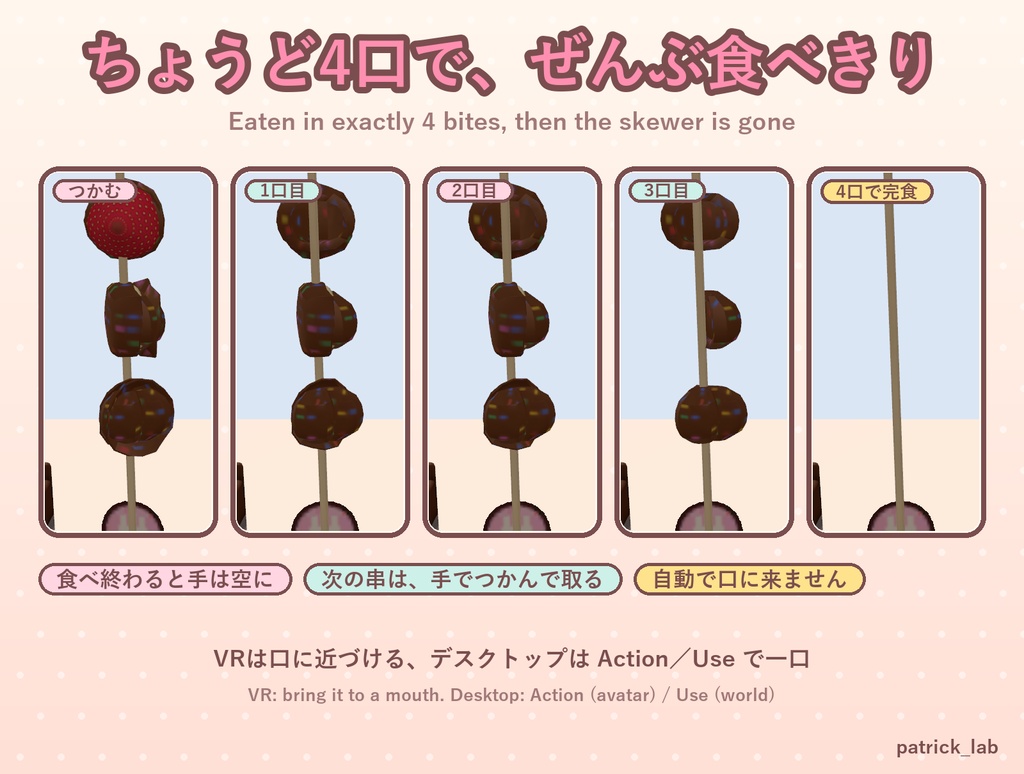
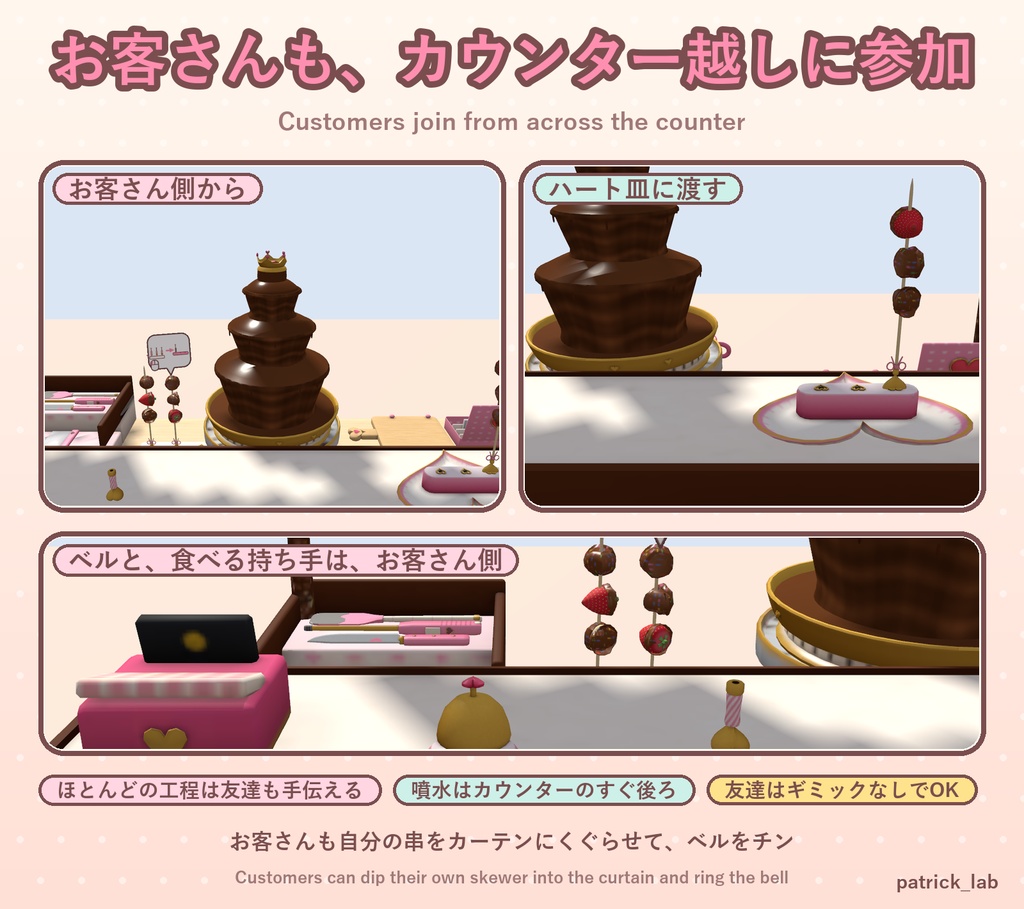
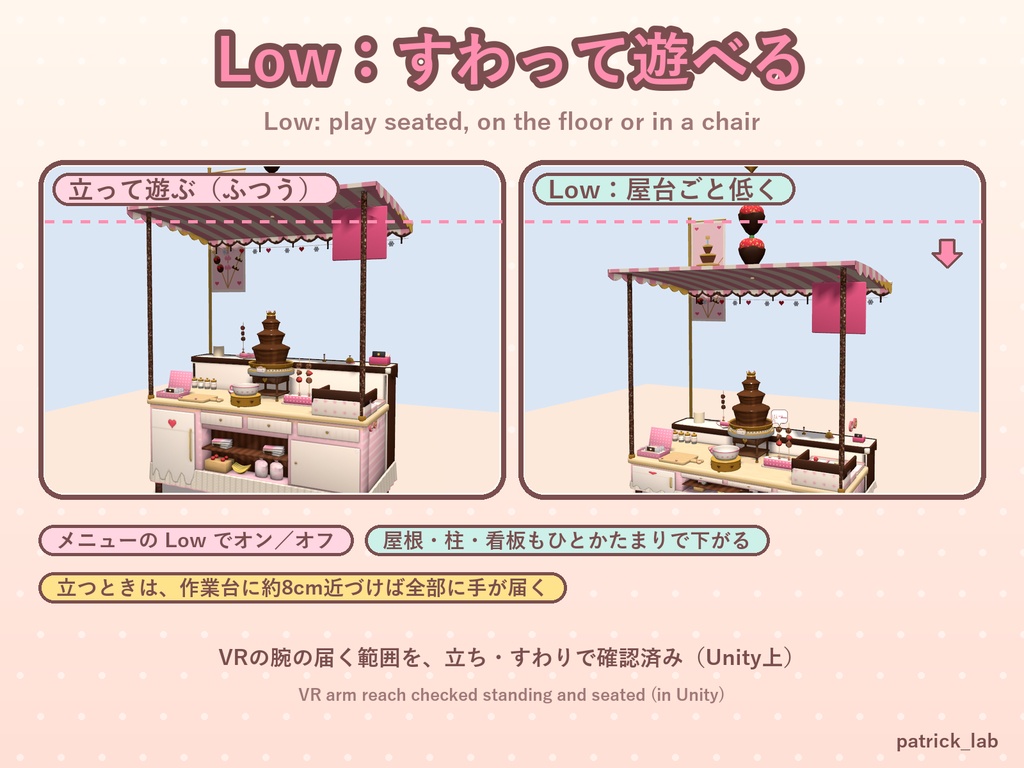
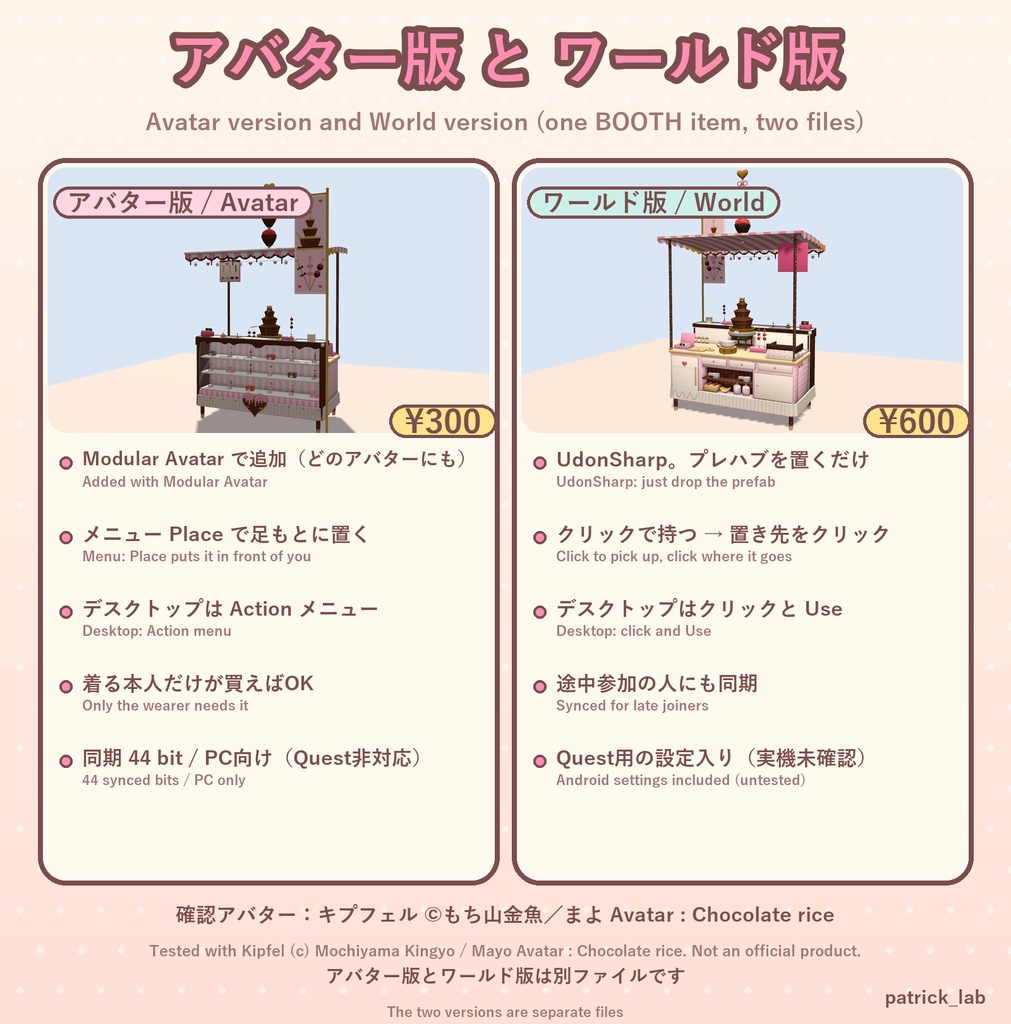
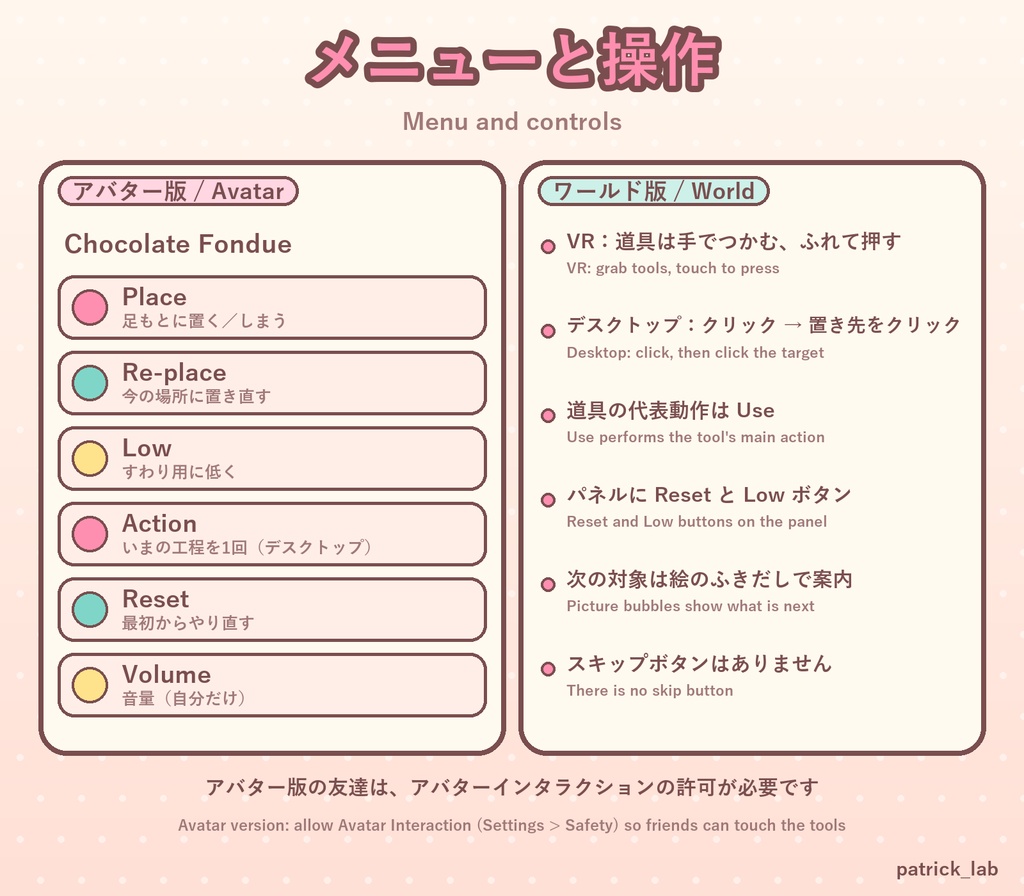
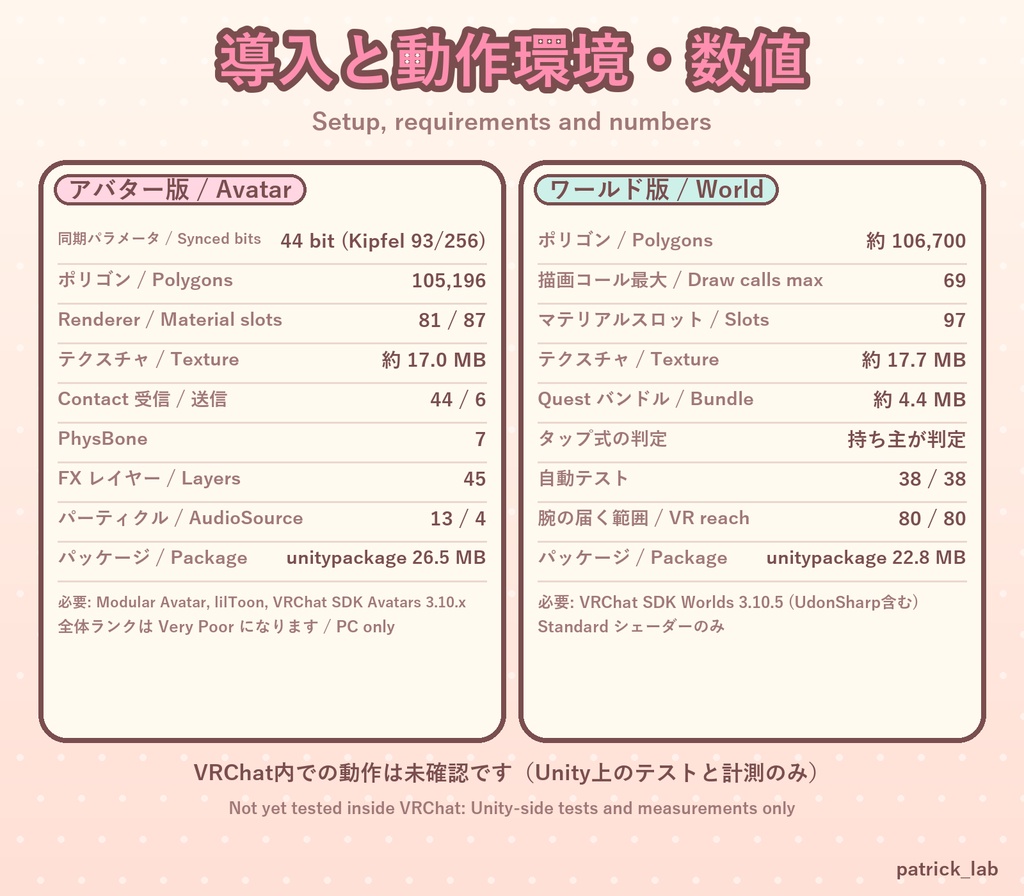
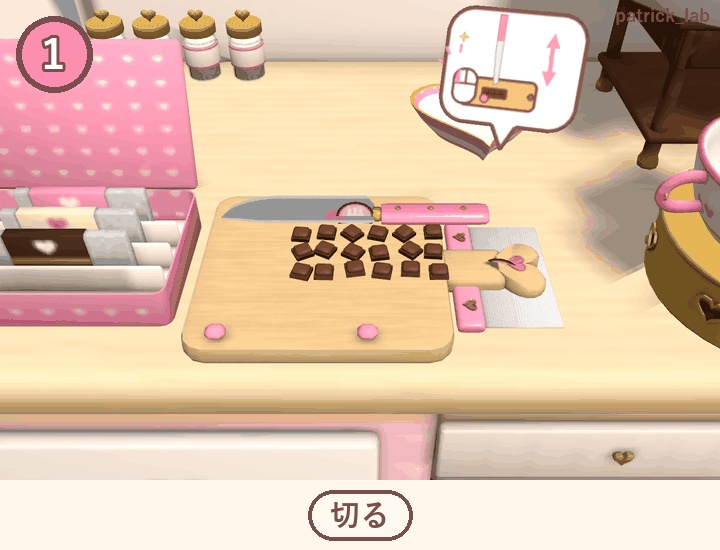


【日本語】 板チョコを切って、溶かして、3段のチョコ噴水に流して、フルーツ串にとろーり。かわいいチョコフォンデュ屋台で、作って、流して、手渡して、売れる。10工程のお店ごっこが楽しめます。 使い方に合わせて2つの版から選べます(ファイルは別です)。 ■ アバター版(¥300) アバターに入れて、どこでもチョコフォンデュ屋さんを開けるギミック。フレンドは何も用意しなくて大丈夫です。 ・10工程(選んで切る・集める・火をつける・折って溶かす・注いでスイッチON・串に刺す・カーテンの下・トッピングを転がす・渡す・食べる)。工程ごとに道具も手の動きも違い、やるたびに見た目が変わる ・メニューの Place で目の前に屋台(奥は作業台、手前はお客さんのカウンター)を置く。道具は右のラックから弧を描いて飛んできて、効果音も鳴る(メニュー: Place / Re-place / Low / Action / Reset / Volume) ・噴水はカウンターのすぐ後ろ。お客さん役のフレンドもカウンター越しに自分の串をカーテンにくぐらせられる ・雑にやると笑える失敗に: 塊のまま、焦げてぼそぼそ、まだら、先の1個がポチャン ・ほとんどの工程はフレンドも手伝える ・絵のふきだしで次の操作を案内(スキップなし) ・串3本=3人分。1人分は4口で食べきり、食べ終わると手は空に(次の串は自分でつかみます) ・お客さん用のベル、座って遊べる Low ・VR 基準の操作。立って遊ぶときは、置いた位置から作業台に約8cm近づくと全部に手が届きます。デスクトップは Action メニュー 必要: Unity 2022.3.22f1、VRChat SDK Avatars 3.10.x、Modular Avatar【必須】、lilToon【必須】。PC 向け(Quest 未対応) 追加量(Kipfel で測定): 同期 44 bit、ポリゴン 105,196、Contact Receiver 44、テクスチャ約 17.0 MB。全体ランクは Very Poor になります 確認アバター: キプフェル ©もち山金魚/まよ Avatar : Chocolate rice(各規約の範囲で使用。公式商品ではありません) 遊ぶ相手とアバターインタラクションを許可してください(Settings → Safety → Avatar Interaction) ■ ワールド版(¥600) 自分のワールドに置く、だれでも遊べるチョコフォンデュ屋台(UdonSharp)。 ・同じ10工程。VR・デスクトップ・あとから来た人も遊べます ・材料は「クリックで持つ → 置き先をクリック」。VRではナイフ・ヘラ・串などを手でつかんで動かします。デスクトップはクリックと Use ・屋台はいくつでも置けて、それぞれ独立して動きます。全員に同じ進み方が見えます ・絵のふきだしで案内。使わない道具は右のラックで待ち、工程ごとに作業台へ ・笑える失敗はアバター版と同じ。4口で食べきり、手渡し、ベル、Low ボタン 導入: unitypackage をインポートして、プレハブ ChocoFondueStall を床に置くだけ(デモシーン付き) 必要: Unity 2022.3.22f1、VRChat SDK Worlds 3.10.5。シェーダーは Standard のみ 軽量化(エディタ上の計測): 約10.7万ポリゴン、テクスチャ約 17.7 MB、Android 用ビルド約 4.4 MB ■ 利用規約(全文は同梱の LICENSE) アバター版 OK: 自分のアバターへの組み込み・改変・配信/動画(収益化含む)・R-18。禁止: 再配布・転売(改変後や一部も)・自作発言・パブリックアバター化 ワールド版 OK: 自分のワールドに組み込んで公開(パブリック・プライベート可)・改変・配信/動画・イベント・R-18・クレジット不要。禁止: 再配布・共有(プロジェクトや unitypackage に含めて渡すことも)・自作発言 法人利用: 事前にご相談ください ■ AIの使用 スクリプトはAIコーディングアシスタントで作成。モデル・効果音・模様はコードで生成(AI画像・3D生成は不使用)。 ■ 更新履歴 v1.0.0 [2026.10.21] 初公開(アバター版・ワールド版) ■ 動作確認と返金について VRChat 内での動作(VR操作・複数人の同期を含む)は作者がまだ実機で確認できていません(Unity 上の自動テストと計測のみ)。致命的な不具合があった場合は BOOTH のメッセージでお知らせください。確認のうえ返金いたします。 ■ お問い合わせ BOOTH のメッセージ(日本語・English OK)/X: @patricklab_vrc ―――――――――――――――――――― 【English】 Slice a chocolate bar, melt it, pour it into a 3-tier chocolate fountain, and coat fruit skewers in glossy chocolate. A cute chocolate fondue stall where you make, pour, hand over and sell: 10 steps of shop role-play. Two versions (separate files): [ Avatar version (JPY 300) ] A gimmick for your avatar: open a chocolate fondue stall anywhere. Friends need nothing. - 10 steps (pick and slice, sweep, light, fold to melt, pour and switch on, skewer, under the curtain, roll in toppings, hand over, eat), each with its own tool and hand motion - Menu "Place" puts the stall (worktop at the back, customer counter at the front) in front of you; tools fly in from a rack with sounds (menu: Place / Re-place / Low / Action / Reset / Volume) - The fountain is right behind the counter, so a customer friend can dip their own skewer from across it - Sloppy hands give funny results: lumps, scorched and crumbly, patchy, the end piece plops off - Most steps can be helped by friends - Picture speech bubbles guide the next step. No skip button - 3 skewers = 3 servings. Each is eaten in 4 bites and the hand is empty afterwards (grab the next skewer yourself) - Customer bell, and Low for sitting - Built for VR. When standing, step about 8 cm toward the worktop from where you placed it to reach everything. Desktop: Action menu Requires: Unity 2022.3.22f1, VRChat SDK Avatars 3.10.x, Modular Avatar and lilToon (both required). PC only (no Quest) Adds (measured on Kipfel): 44 synced bits, 105,196 polygons, 44 contact receivers, about 17.0 MB textures. The overall rank becomes Very Poor Tested avatars: Kipfel (c) Mochiyama Kingyo / Mayo Avatar : Chocolate rice (used within their terms; this is not an official product) Allow avatar interaction for your playmates (Settings > Safety > Avatar Interaction) [ World version (JPY 600) ] A chocolate fondue stall for your own world (UdonSharp), playable by anyone. - The same 10 steps; VR, desktop and late joiners can all play - Pick up, then click where it goes. In VR you grab the knife, spatula and skewers by hand. Desktop: click and Use - Place as many stalls as you like; each runs independently and everyone sees the same progress - Picture bubbles guide each step; tools wait on a rack and are carried in - The same funny failures as the avatar version. 4-bite eating, hand-over, bell, Low button Setup: import the unitypackage and place the ChocoFondueStall prefab on the floor (demo scene included) Requires: Unity 2022.3.22f1, VRChat SDK Worlds 3.10.5. Standard shader only Optimized (editor measurements): about 107k polygons, about 17.7 MB textures, Android build about 4.4 MB [ Terms ] (full text: the included LICENSE) Avatar: OK to use on your own avatar, modify, stream/videos (incl. monetized), R-18. Not OK: redistribution/resale (incl. modified or partial), claiming it as your own, public avatars World: OK to embed in your own worlds and publish (public or private), modify, stream/videos, events, R-18, no credit needed. Not OK: redistribution or sharing (incl. inside a project or unitypackage you pass on), claiming it as your own Corporate use: please ask first [ Use of AI ] Scripts written with an AI coding assistant. Models, sounds and patterns generated by code (no AI image/3D services). [ Changelog ] v1.0.0 [2026.10.21] First release (avatar and world) [ Testing and refunds ] Not yet tested inside VRChat (including VR controls and multiplayer sync): only Unity-side automated tests and measurements. If you hit a critical error, please send a BOOTH message; a refund will be made after checking. [ Contact ] BOOTH messages (Japanese / English OK) / X: @patricklab_vrc