
AI NPC Kit - A world NPC that never repeats a conversation (LLM dialogue, choices + free text, Udon world gimmick)
- ダウンロード商品¥ 1,500
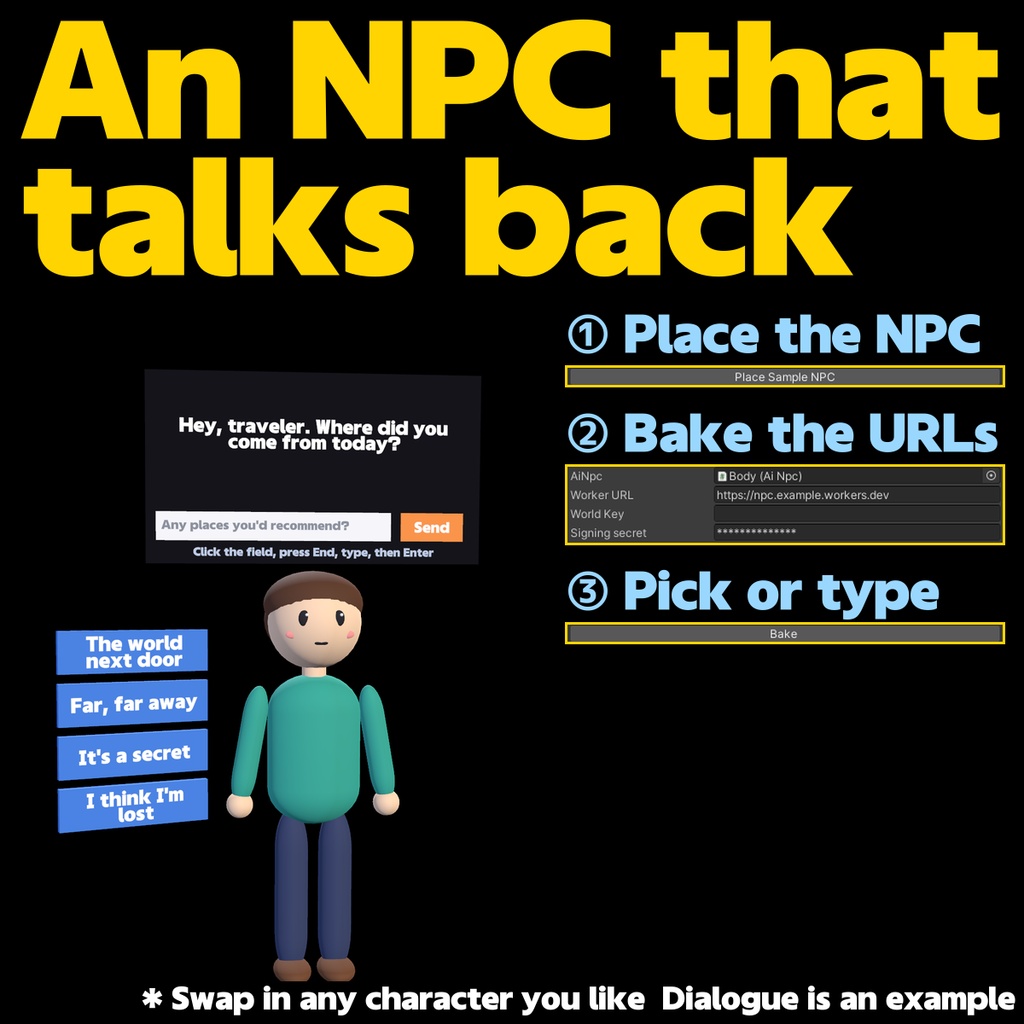

An NPC for your VRChat world that talks back. AI NPC Kit puts an NPC into your world whose lines are written by an AI on the spot. Each turn it also offers up to 4 replies the player can pick, and since v1.1 the player can type their own message instead. The NPC remembers the conversation, and the speech bubble is synced to everyone in the instance, late joiners included. Use it as a lobby guide, a shopkeeper, or someone to keep an empty world company. HOW IT WORKS - VRChat world (Udon) -> your own Cloudflare Worker -> the LLM (Claude by default, or any OpenAI-compatible API) - Runs entirely as world content: no client mods, no OSC, no bot accounts - Free text uses a VRCUrlInputField: the field holds a signed URL for the current slot and the player types after it. Since v1.2 the URL is hidden on screen and only the typed text is shown (click the field, press End, type, press Enter) WHAT'S IN THE BOX (AI_NPC_Kit_v1_2.zip) - AiNpcKit.unitypackage (NPC, setup window, Japanese-capable font) - server/ (Cloudflare Worker: wrangler.toml, src/index.js) - README_EN.txt (setup, list of limits, troubleshooting) - LICENSE_EN.txt The sample NPC is a simple humanoid made of Unity primitives. Replace the "Model" child under Body with your own model. Text uses the bundled GenEi Kiwami Gothic (SIL Open Font License). SETUP 1. Deploy the bundled Worker to Cloudflare and set your API key and URL signing secret (wrangler secret put) 2. Import the unitypackage into your world project 3. NipaShop > AI NPC Setup: place the sample NPC, enter the Worker URL and signing secret, then bake Step-by-step instructions are in the README. SECURITY AND COST CONTROL - Every baked URL is signed, so it cannot be reused from another world or slot - Player text is kept separate from the NPC's instructions, and every AI reply is checked before it is shown: links, banned words and anything that looks like leaked instructions are replaced with a safe reply - Limits protect your API bill: daily cap (default 2000 requests), turns per conversation (30), requests per device (120 per hour), and repeated identical messages. All limits are set in wrangler.toml - Visitor IPs are never stored as-is; only a keyed hash is used REQUIREMENTS - Unity 2022.3.22f1, VRChat SDK3 Worlds (UdonSharp) - A Cloudflare account (the free plan is enough) - An Anthropic API key or an OpenAI-compatible API key. API usage is paid by you; with the default claude-haiku-4-5 a conversation costs well under one cent NOTES - Visitors need "Allow Untrusted URLs" enabled in VRChat settings. The NPC tells them if it is off - Tested on PC. Quest (Android) is supported by design but not verified on a device - The URL is only hidden visually; signatures and limits are the real protection. Typing has not been tested with the desktop and VR keyboards yet - AI output cannot be guaranteed. Use it within your persona settings and your LLM provider's moderation - Future changes to VRChat or the LLM providers may affect operation UPDATING FROM v1.1 Reimport the unitypackage. The Worker is unchanged. UPDATING FROM v1.0 Redeploy the Worker and re-bake the URLs (see the README). Once a signing secret is set, unsigned v1.0 URLs stop working. LICENSE - Modifying it and embedding it in your own worlds (public included) is fine. Redistributing or reselling the kit itself is prohibited. - The author is not liable for API charges or any damage arising from use.
