

UdonBlocks - Build VRChat world gimmicks with Scratch-style blocks (no coding, generates UdonSharp)
- ダウンロード商品¥ 1,500
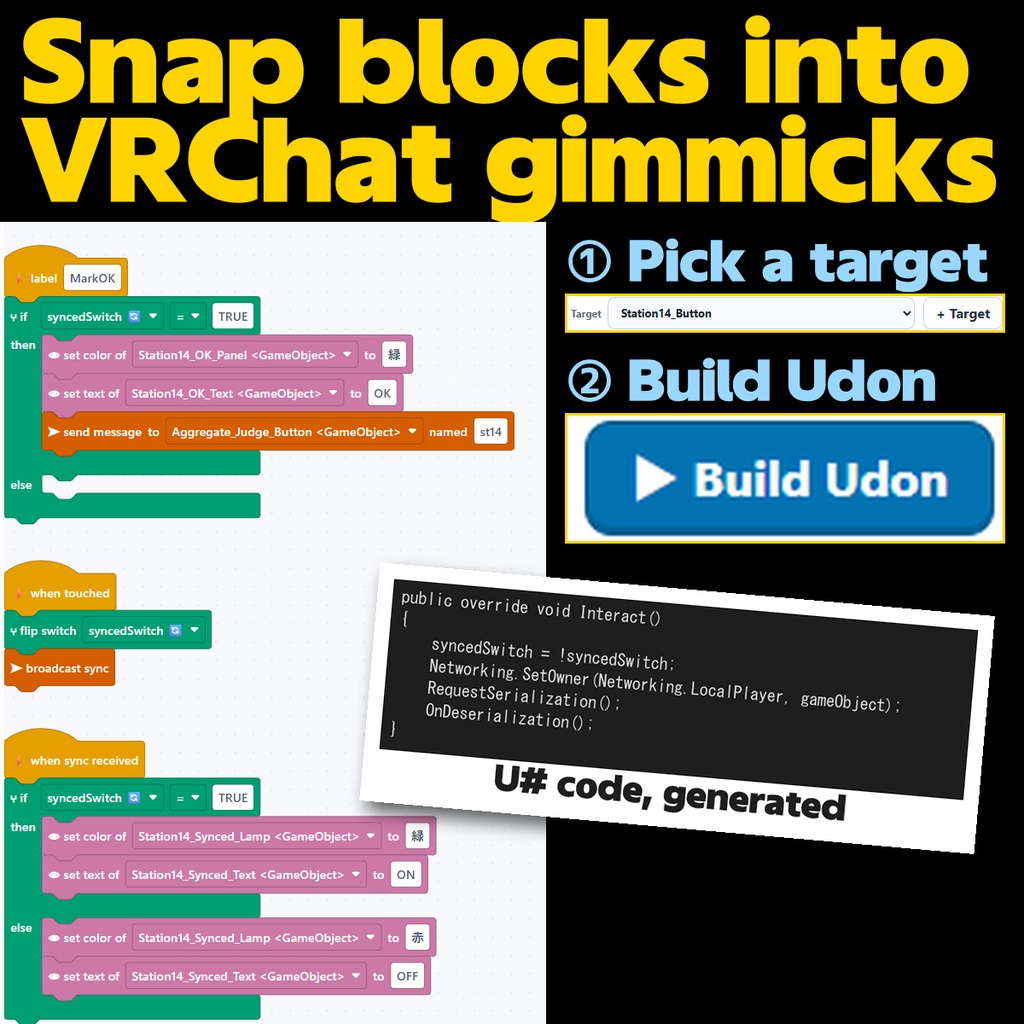

You don't need to write code to make your world move. UdonBlocks is a Unity extension that lets you assemble VRChat world gimmicks from Scratch-style blocks. Snap blocks together, press "Build Udon", and UdonSharp code is generated and attached to your object on the spot. For your first gimmick, for building worlds with your kids, for fast prototyping. WHAT YOU CAN BUILD (40+ blocks) - Events - when touched / when a player enters or leaves a zone / when a player joins / every N seconds ... - Motion - show/hide / smooth move, rotate, scale / teleport the player - Looks - change color / lights / particles / text (TextMeshPro) - Sound - play / stop / volume - Control - if / repeat / wait - Variables - number, text and switch variables (tick "sync" to share them) - Connect & Sync - run a label / run after N seconds / run for everyone / broadcast sync FEATURES - Built on Blockly, the same block engine as Scratch: the drag-and-drop feel you already know - Generates clean, readable UdonSharp code with English comments. Outgrow the blocks? Edit the code by hand - Sync is one block: "broadcast sync" and late joiners receive the state too - Wrong connections are highlighted with a plain-English error; call loops (labels that call each other immediately) are caught before building - Colorblind-friendly palette (Okabe-Ito colors) with an icon per category - English and Japanese UI (Tools > UdonBlocks > Language: Auto / English / Japanese); saved programs work in both REQUIREMENTS - Unity 2022.3.22f1 (VRChat Creator Companion setup) - VRChat Worlds SDK 3.7 or later (bundled UdonSharp) - A browser (Chrome / Edge / Brave ...) for the block editor - Worlds only. Not for avatar gimmicks INSTALL 1. Import the unitypackage into your VCC world project 2. Tools > UdonBlocks > Block Editor (opens in your browser) 3. Assemble blocks and press "Build Udon" 4. Build & Test from the VRChat SDK panel NOTES - Editor-only tool: zero impact on runtime performance of your world. - The block editor runs on a local server inside your PC. Nothing is sent outside. - Generated code covers the basic UdonSharp feature set. Combine with hand-written code for complex systems. - Not tested on platforms other than VRChat. Quest support depends on your world's own optimization (the generated code is Quest-compatible). CONTENTS - UdonBlocks_v1.0.0.unitypackage - README.txt - SETUP_GUIDE.txt (setup + a "door button" first-gimmick walkthrough) - LICENSE.txt LICENSE - Generated code is yours: use it freely, including in commercial worlds. - Copying, transferring, uploading or reselling the tool itself is prohibited. - Blockly (Apache License 2.0, Google LLC) is bundled. - Provided as is; the author is not liable for any damage arising from use.