

【VRChat・どのアバターでも】ぺたっとハロウィン|クリックで貼れるハロウィンシール / Peta Halloween – Click-to-Place Halloween Stickers
- ダウンロード商品¥ 300
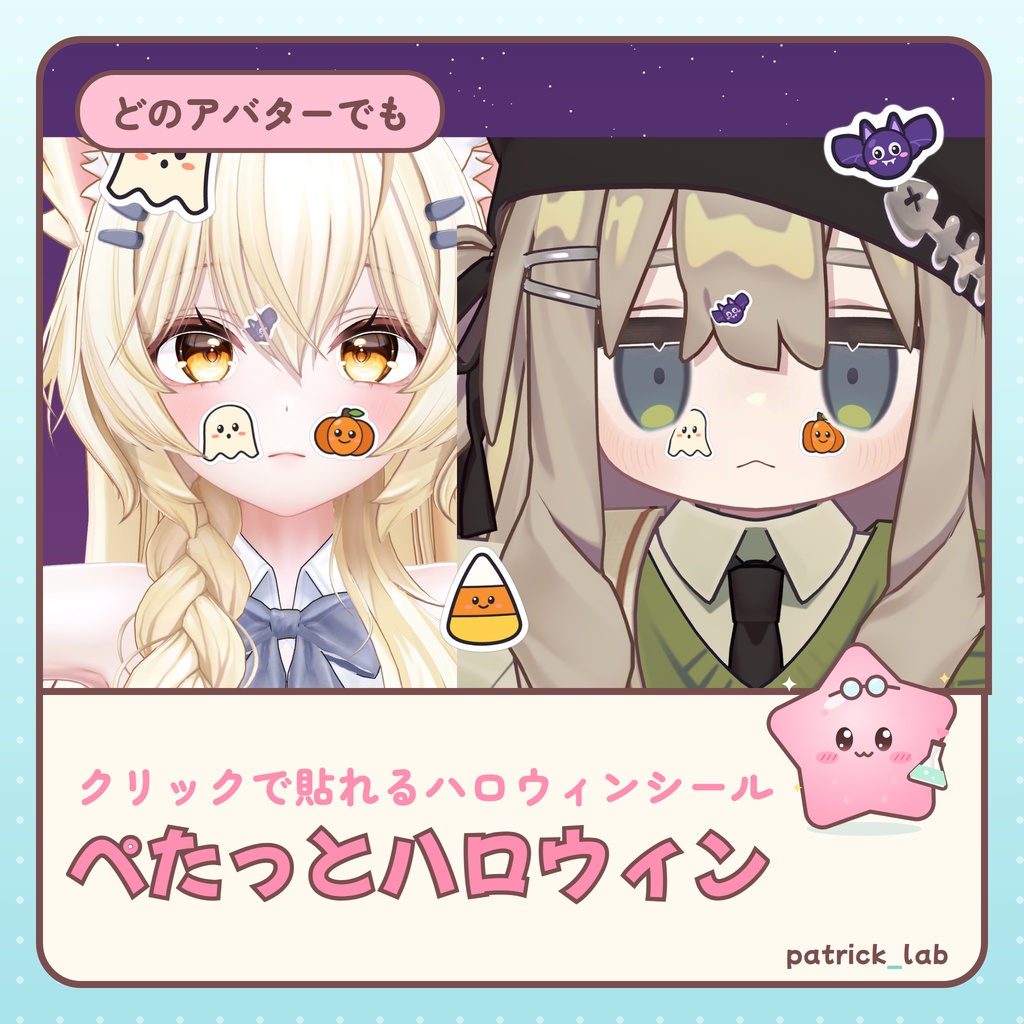
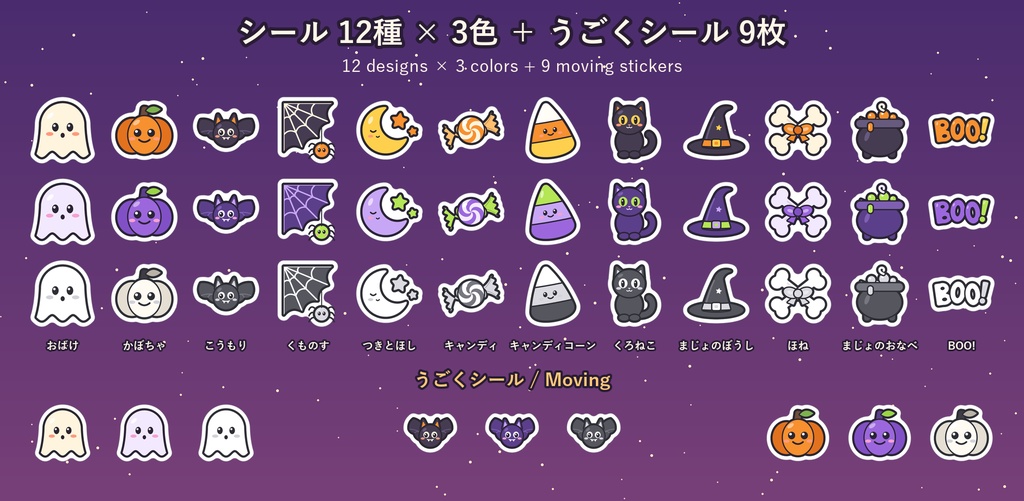
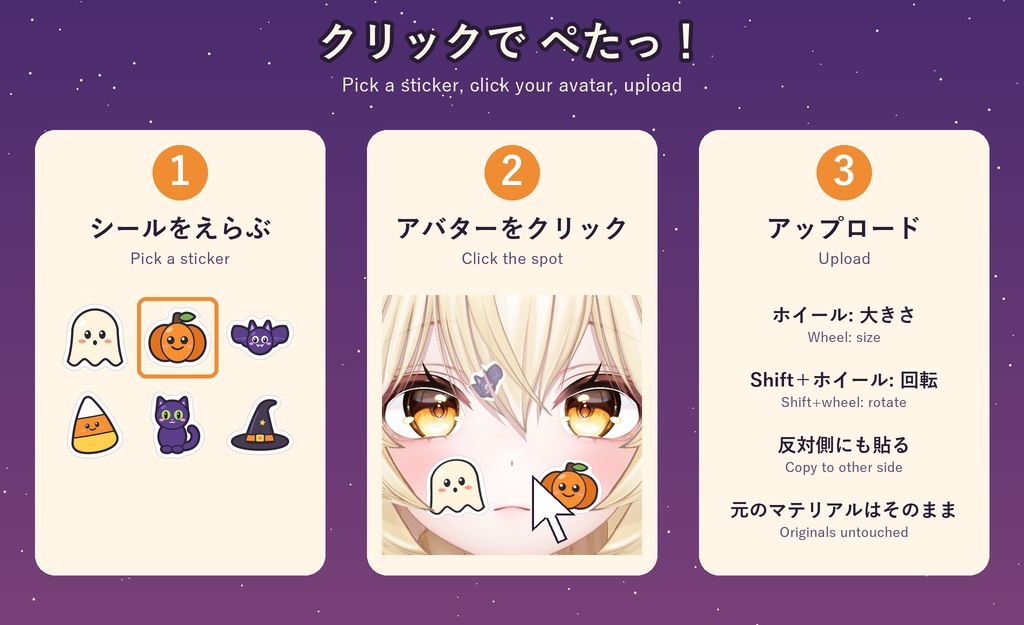
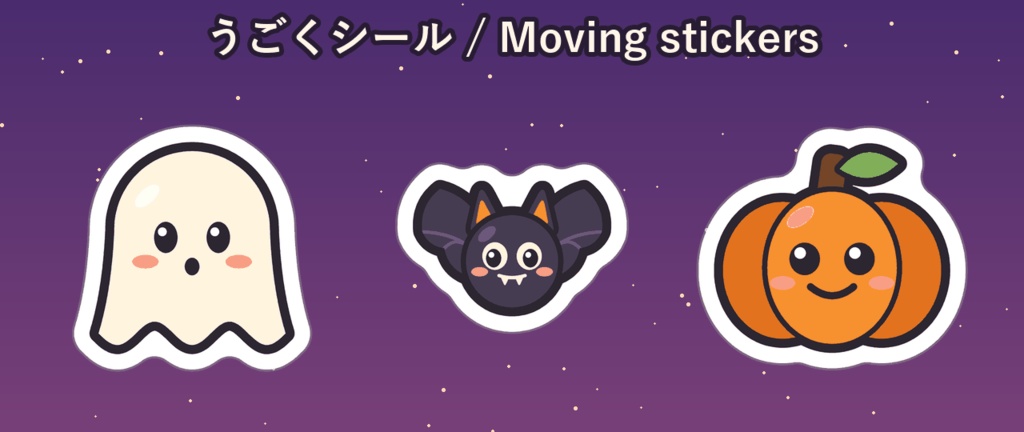
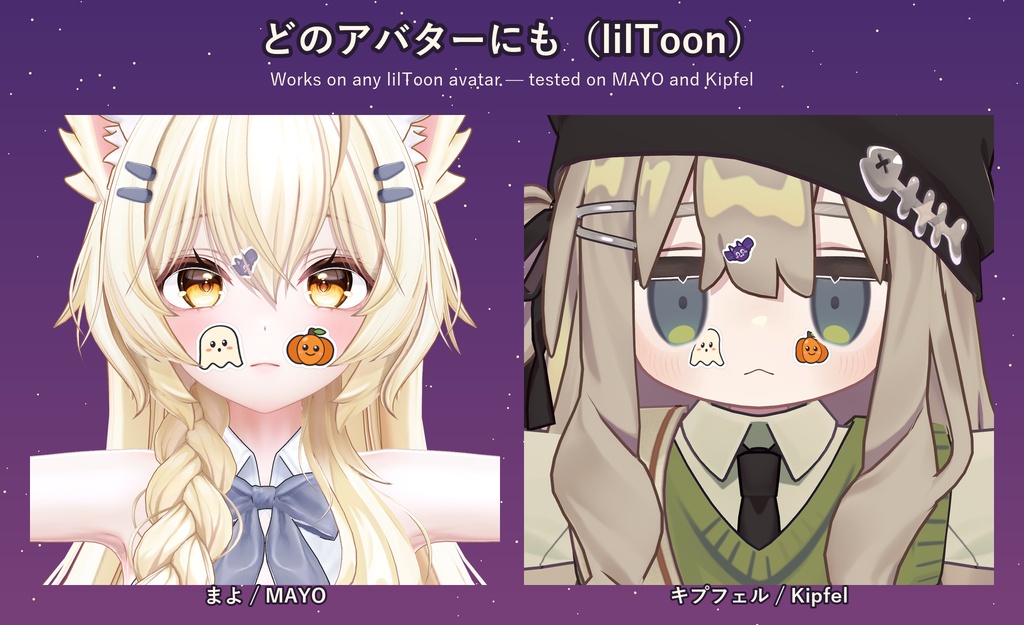


【日本語】 アバターの顔や体に、かわいいハロウィンシールを貼れるテクスチャセットです。 Unity でアバターをクリックするだけで、その場所にぺたっと貼れます。どのアバターでも使えます(lilToon)。 ◆ シール ・12種 × 3色(オレンジ/むらさき/モノクロ)= 36枚 おばけ・かぼちゃ・こうもり・くものす・つきとほし・キャンディ・キャンディコーン・くろねこ・まじょのぼうし・ほね・まじょのおなべ・BOO! ・うごくシール 3種 × 3色 = 9枚(おばけ ふわふわ/こうもり ぱたぱた/かぼちゃ まばたき) ◆ かんたん導入 1. プレハブをアバターに入れる 2. インスペクターでシールを選んで、シーンビューで貼りたい場所をクリック(ホイールで大きさ、Shift+ホイールで回転) 3. アップロード 「反対側にも貼る」ボタンで左右対称に貼れます。シーンビューで仕上がりをプレビューできます。 元のマテリアルは書き換えません(アップロード時にコピーへ貼ります)。 ◆ メニュー Halloween Stickers(表示オン/オフ) ◆ 必要な環境 ・Unity 2022.3.22f1 / VRChat SDK (Avatars) 3.10.5(確認済み) ・Modular Avatar 1.10 以上【必須】(確認 1.18.7) ・lilToon【必須】(確認 2.3.4)。貼る部分のマテリアルが lilToon(Lite 以外) ・PC 向け(Quest・Android ではシールは表示されません) ・まよ、キプフェル で、Unity上で貼り付けと SDK の検証を確認 ◆ アバターに追加されるもの 同期パラメータ 1 bit/FX レイヤー 1/マテリアルスロット 増えません/メッシュ・PhysBone・Contact・パーティクル 0 テクスチャ: シール1枚 約0.35 MB(うごくシール 約1.4 MB) ◆ できないこと ・1つのマテリアルに2枚まで(lilToon の 2nd/3rd のうち空いている枠) ・UV の切れ目などでは欠けることがあります(インスペクターに警告が出ます) ・TexTransTool の AtlasTexture などとの併用で位置がずれることがあります ◆ 内容物 PetaHalloween_v1.0.0.unitypackage(シール 45枚・PNG、ツール、README・LICENSE 日英韓) ※アバター本体は含まれません。 ◆ 利用規約(全文は同梱の LICENSE をご覧ください) OK: 個人利用・改変(シール画像の加工を含む)・配信/動画(収益化含む)・R-18 禁止: 再配布・転売(改変後・画像のみも)・パブリックアバター・自作発言・画像のグッズ化 法人・企業での利用: 事前にご相談ください ◆ AIの使用 スクリプトはAIコーディングアシスタントを使って書きました。シールの絵はプログラムで図形を描いて作りました(AI画像生成サービスは不使用)。 ◆ 更新履歴 ・v1.0.0 [2026.10.04] 公開 ◆ 動作確認と返金について VRChat 内での表示は、作者が実機で確認できていない場合があります。商品説明と異なる致命的な不具合があった場合は、理由をBOOTHのメッセージでお送りください。確認のうえ返金いたします。 ◆ お問い合わせ BOOTH のメッセージへどうぞ(日本語・English OK) X: @patricklab_vrc ―――――――――――――――――――― 【English】 Cute Halloween stickers for your avatar's face and body. Just click your avatar in Unity and the sticker goes right there. Works on any avatar (lilToon). [ Stickers ] - 12 designs x 3 colors (orange / purple / mono) = 36 ghost, pumpkin, bat, spider web, moon & stars, candy, candy corn, black cat, witch hat, bones, cauldron, BOO! - 3 moving stickers x 3 colors = 9 (floating ghost, flapping bat, blinking pumpkin) [ Easy setup ] 1. Put the prefab on your avatar 2. Pick a sticker in the Inspector and click the spot in the Scene view (wheel = size, Shift + wheel = rotate) 3. Upload "Copy to other side" makes a mirrored pair. The Scene view previews the result. Your original materials are not changed (the stickers go on a copy at upload). [ Menu ] Halloween Stickers (show / hide) [ Requirements ] - Unity 2022.3.22f1 / VRChat SDK (Avatars) 3.10.5 (tested) - Modular Avatar 1.10+ REQUIRED (tested 1.18.7) - lilToon REQUIRED (tested 2.3.4). The material where you place a sticker must be lilToon (not Lite) - PC only (stickers are not shown on Quest/Android) - Placing and SDK validation checked in Unity on MAYO and Kipfel [ What it adds to your avatar ] Synced parameters 1 bit / FX layers 1 / Material slots: no change / Meshes, PhysBones, Contacts, particles 0 Textures: about 0.35 MB per sticker (moving sticker about 1.4 MB) [ Limits ] - Up to 2 stickers per material (free lilToon 2nd/3rd slots) - A sticker can be cut near a UV seam (the Inspector warns you) - Texture atlas tools such as TexTransTool AtlasTexture can move stickers [ Contents ] PetaHalloween_v1.0.0.unitypackage (45 sticker images incl. PNG, the tool, README/LICENSE in JP/EN/KO) * No avatar is included. [ Terms ] (full text: the included LICENSE) OK: personal use, modifying (incl. editing the images), streaming/videos (incl. monetized), R-18 Not OK: redistribution/resale (incl. modified or images only), public avatars, claiming it as your own, selling the images as goods Corporate use: please ask first [ Use of AI ] Scripts were written with an AI coding assistant. The sticker art was drawn by code from shapes (no AI image generation services). ◆ Changelog - v1.0.0 [2026.10.04] Release [ Testing and refunds ] How it looks inside VRChat may not have been tested on real hardware by the author. If you find a critical error that does not match this description, please send the reason via BOOTH message. After checking, a refund is possible. [ Contact ] BOOTH messages (Japanese / English OK) X: @patricklab_vrc