
コラボ配信ネームプレート|OBSで名前表示・話者を光らせる・URL貼り替えなし【CollabPlate】
- 製品版ダウンロード商品¥ 700
- 無料体験版ダウンロード商品¥ 0
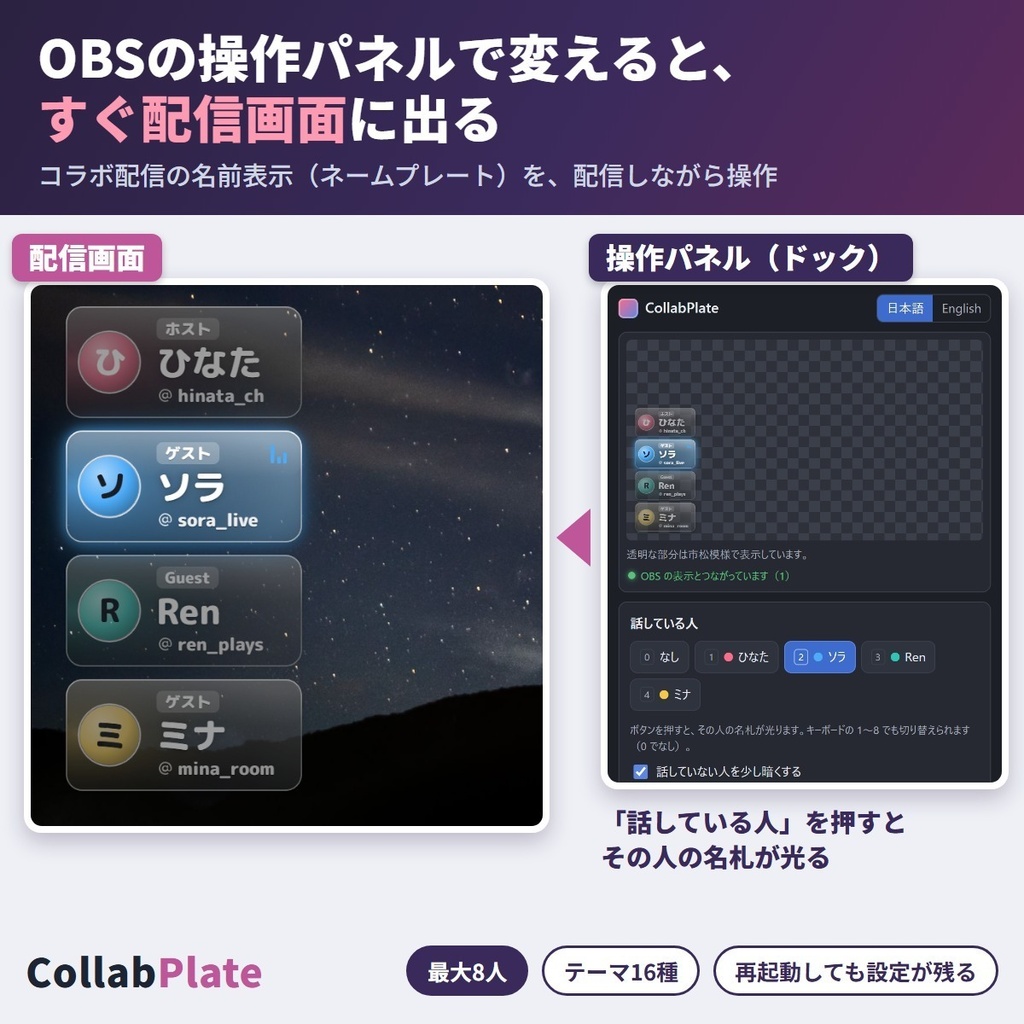
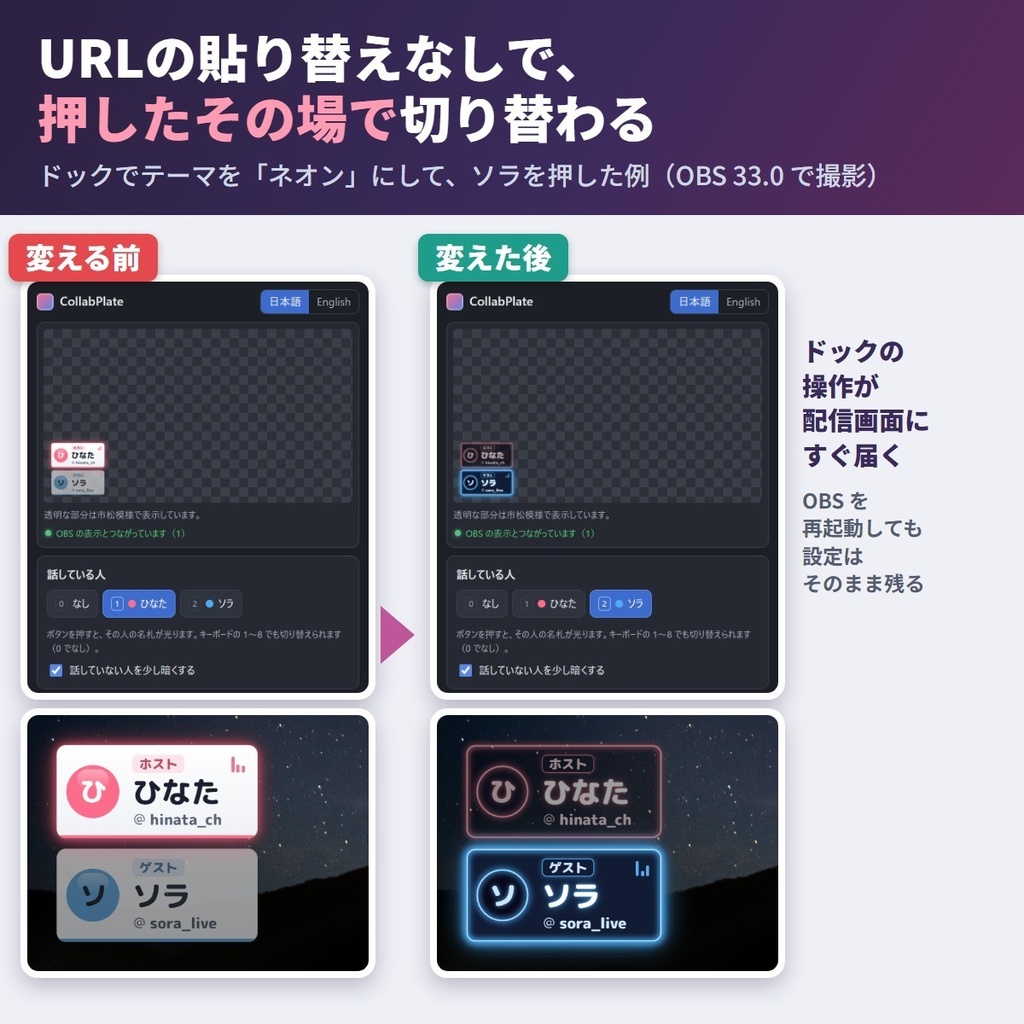
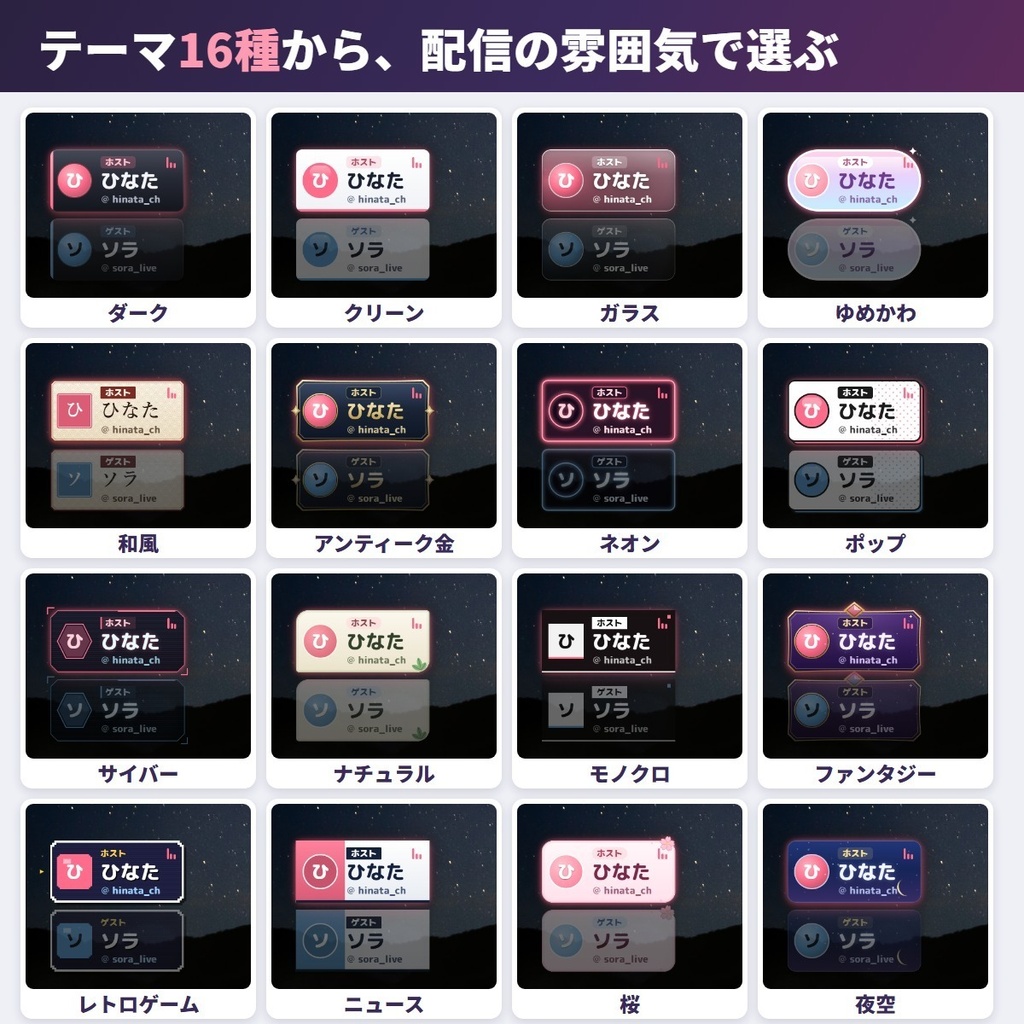
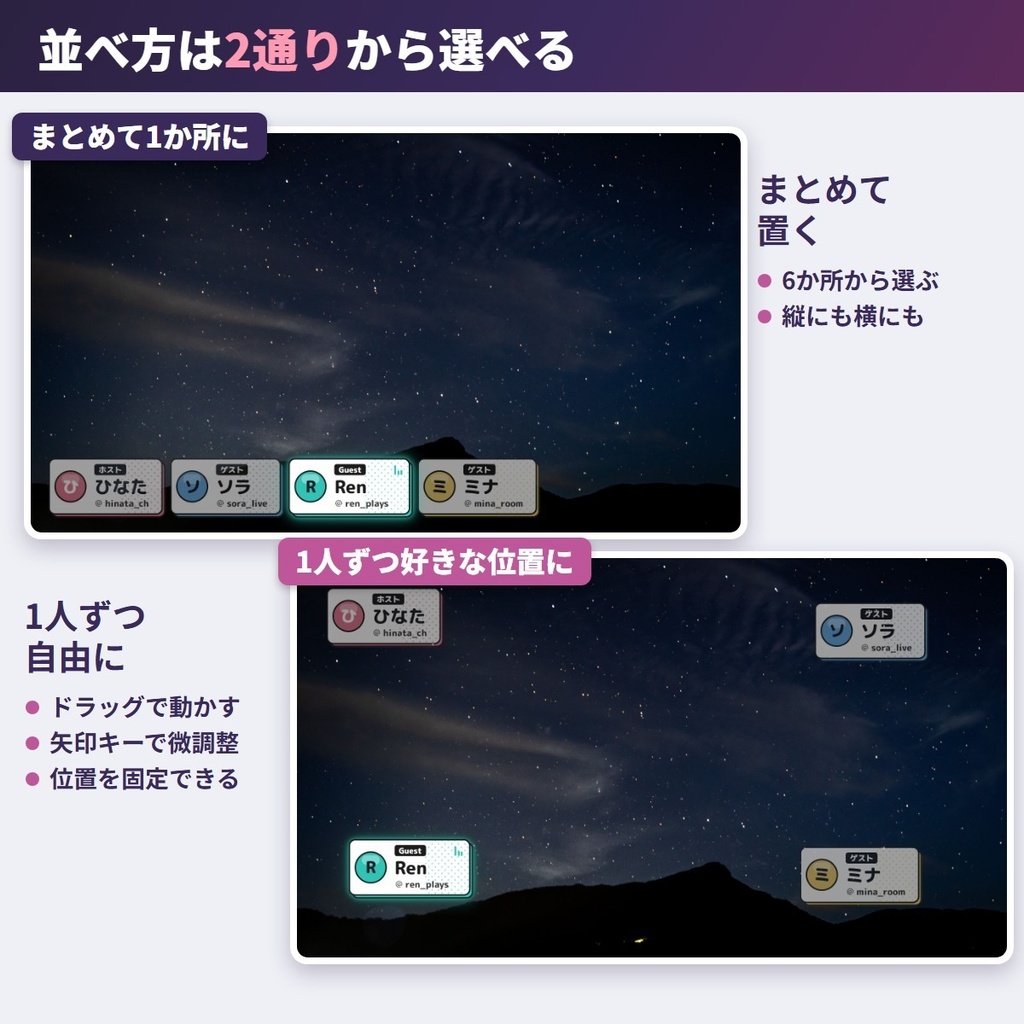
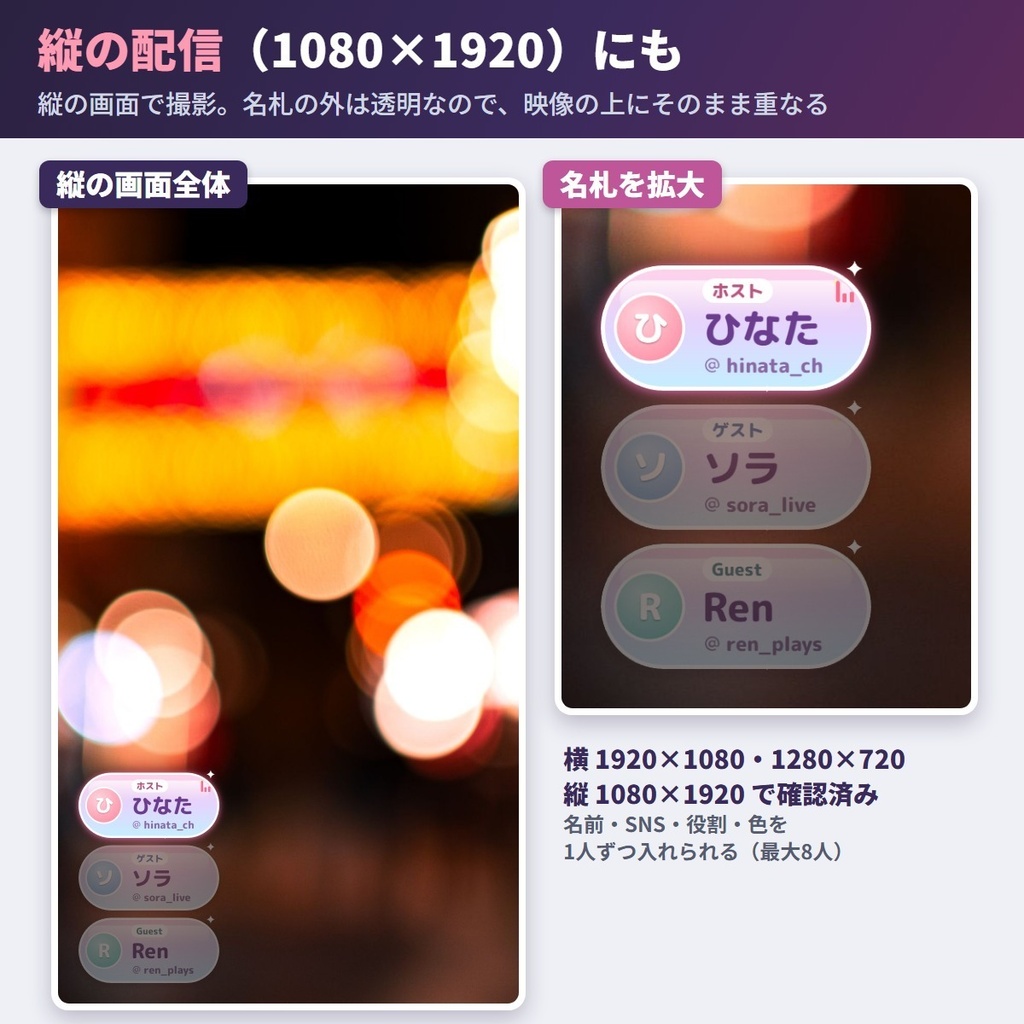
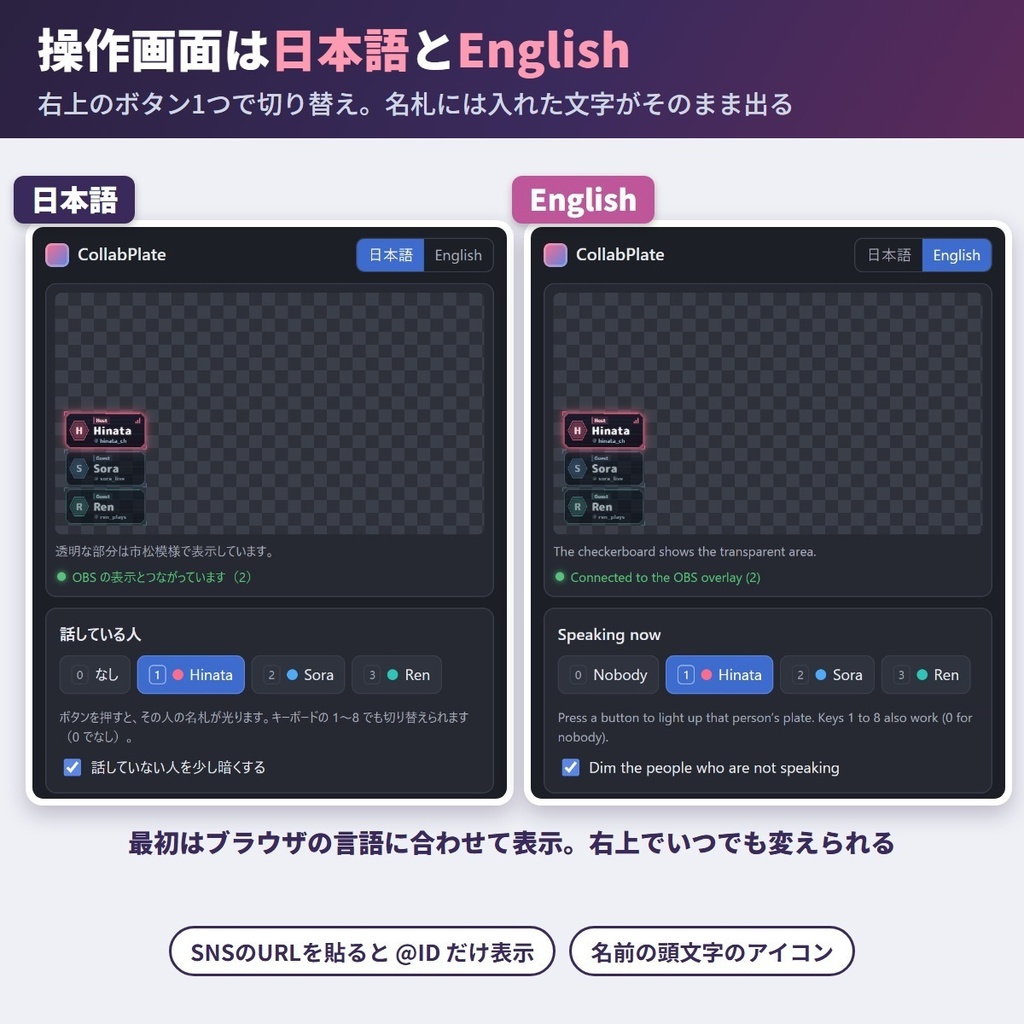
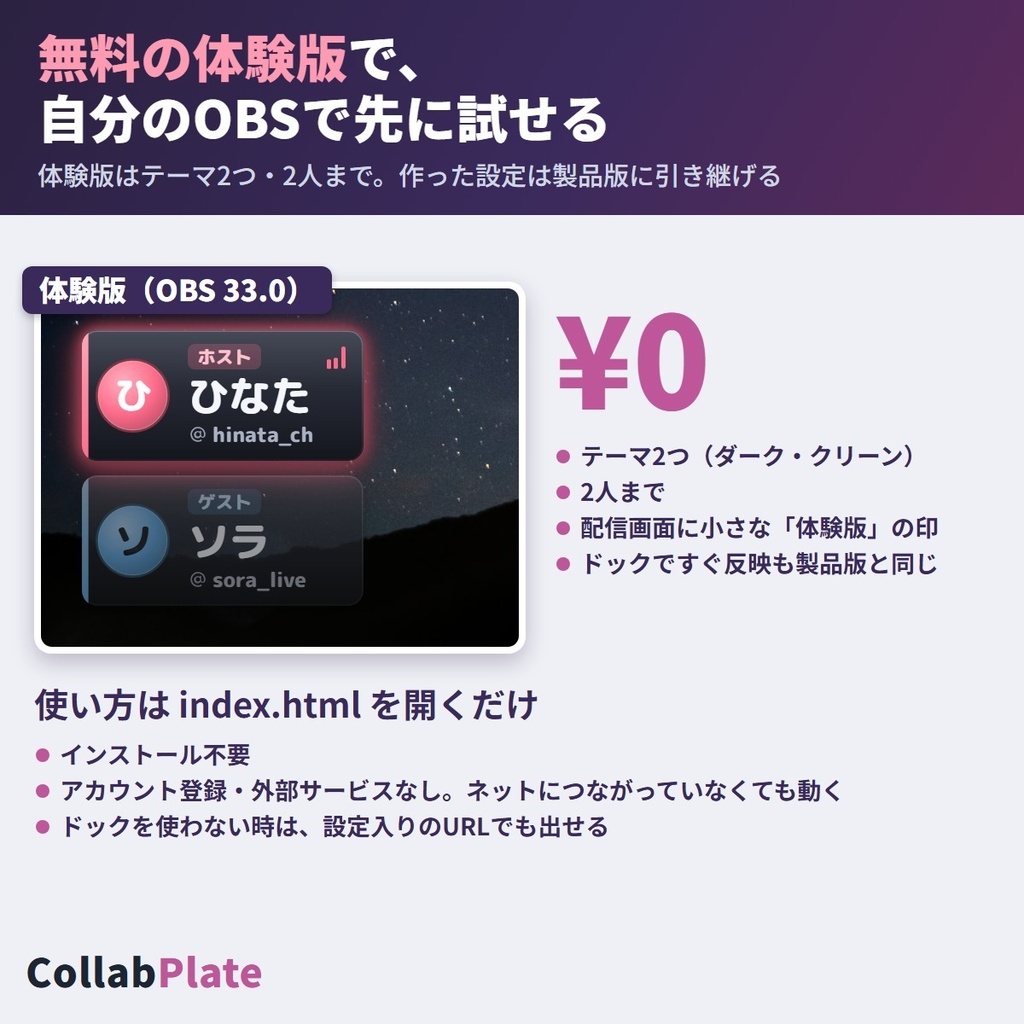


コラボ配信のたびに名前表示を作り直さなくていい、OBS 用のネームプレートです。OBS の中に置く操作パネル(ドック)で名前や話している人を変えると、その場で配信画面に出ます。URL の貼り替えはいりません。OBS を再起動しても設定は残ります。 ■ まずは無料の体験版を、自分の OBS で 体験版(0円)はテーマ2つ(ダーク・クリーン)・2人までで、配信画面の上に小さく「体験版」の印が出ます。ドックですぐ反映する動きは製品版と同じです。体験版で作った設定は、製品版を初めて開いた時に1回だけ写します。製品版に替える時は、製品版のフォルダで使い方2・3の URL をコピーし直し、OBS に貼り直してください。 ■ できること ・最大8人の名札:名前・役割・SNS・色を1人ずつ設定(色は12色か、好きな色を選べる) ・テーマ16種:ダーク・クリーン・ガラス・ゆめかわ・和風・アンティーク金・ネオン・ポップ・サイバー・ナチュラル・モノクロ・ファンタジー・レトロゲーム・ニュース・桜・夜空 ・話している人を光らせる:ボタンか、キーボードの 1〜8 で切り替え(0 で誰も選ばない状態に)。ほかの人を少し暗くするかも選べる ・文字の大きさ4段階(小・中・大・特大)。長い名前は自動で2行に折り返す(入りきらない分は「…」) ・並べ方2通り:まとめて1か所に置く(左上・上・右上・左下・下・右下の6か所・縦か横に並べる)/1人ずつ好きな位置に置く(ドラッグ・矢印キーで1px、Shift で10px・位置のロック) ・縦の配信(1080×1920)にも:四隅にも好きな位置にも置ける ・名前の1文字目から丸いアイコンを自動で作る ・SNS はプロフィールの URL を貼ると @ID だけ表示(X・YouTube の @ の付くURL・Twitch・TikTok・Instagram・Bluesky・Threads) ・役割・SNS・アイコンを出すかを選べる ・名札の外は透明。配信の映像の上にそのまま重なる ・操作画面は日本語と English(ブラウザの言語に合わせて表示・右上でいつでも切り替え) ・ドックの代わりに、設定入りの URL をブラウザソースに貼って出すこともできる(変えた時は貼り直し) ■ 使い方 1. zip を展開し、フォルダごと決まった場所(例: ドキュメント\CollabPlate)に置く 2. index.html を開き、「OBS に出す」の「表示用URLをコピー」で写した URL を、OBS のブラウザソースに貼る(「ローカルファイル」のチェックは外す) 3. 「操作画面URLをコピー」で写した URL を、OBS のメニュー「ドック → カスタムブラウザドック」に貼る(OBS の中に操作パネルが出ます) 手元のファイルだけで完結し(アカウント登録・外部サービスなし)、オフラインでも動きます。画像つきの手順は同梱の README.html にあります。 ■ 動作を確かめた環境 ・Windows 11 の OBS Studio 33.0(64bit)。ブラウザソースとカスタムブラウザドックの両方 ・画面の大きさ 1920×1080・1280×720・縦の 1080×1920 ・16テーマ×1・4・8人の名札を、横と縦の画面で OBS から撮って確かめました ■ 利用規約(要約) ・配信(収益化を含む)・動画・アーカイブ・切り抜き・サムネイルに自由に使えます。個人・法人どちらでも。クレジットの表記はいりません ・ファイルの再配布・転売はできません(改変した物を含む) ・コラボ相手の名前と SNS は、相手に確かめてから出してください ・同梱の terms.txt が正です ■ できないこと(Limitations) ・macOS・Linux・33.0 以外の OBS・Streamlabs など OBS 以外のアプリは未確認です(OBS 以外では設定入りの URL を使う形) ・枠より長い1語(スペースの無い長い英単語など)は、語の途中で折り返します。文字は読める大きさより小さくはせず、それでも入らない名前は2行目の終わりを「…」で省きます ・画像のアイコン(写真・立ち絵)は使えません ・話している人の自動判定(マイクの音で切り替える機能)はありません ・Chrome や Edge で開いた操作画面は、OBS の中の名札とつながりません(ドックか設定入りの URL を使う) ・設定入りの URL は操作画面とつながらないので、変えた時はもう一度コピーして貼り直します ・OBS に入れた後でフォルダを動かすと URL が変わり、名札が出なくなります(URL をコピーし直してください) ■ 作り方について プログラムと名札の形は AI(Claude)を使って作りました。画像生成 AI は使っていません。名札の文字は Rounded Mplus 1c ExtraBold(SIL Open Font License 1.1)です。 ■ 困った時は うまく動かない時は BOOTH のメッセージから気軽にお知らせください(配信アプリの名前と版があると早く調べられます)。 --- ■ English CollabPlate puts name plates for your collab guests on your OBS stream. Change a name, theme or the active speaker from a panel inside OBS (a "dock") and the stream updates instantly – no re-pasting URLs. Your settings survive an OBS restart. ■ Try the free trial first The trial (free) has 2 themes (Dark, Clean), up to 2 people and a small "Trial" mark at the top of the stream, and works from the dock just like the full edition. The full edition copies your trial settings once, on first open. To switch, copy both URLs again from the full edition folder (steps 2-3) and paste them into OBS. ■ Features - Up to 8 plates: name, role, social handle and color per person (12 colors or any color) - 16 themes: Dark, Clean, Glass, Dreamy, Japanese, Antique Gold, Neon, Pop, Cyber, Natural, Mono, Fantasy, Retro Game, Lower Third, Sakura, Starry Night - Speaker highlight: a button or keys 1-8 (0 clears it); others can be dimmed a little - 4 text sizes (S, M, L, XL); long names wrap to 2 lines (anything that still does not fit ends with "…") - 2 layouts: grouped in one place (6 positions, vertical or horizontal) or each plate where you like (drag, arrow keys 1 px / Shift 10 px, lock position) - Works on vertical 1080x1920 streams: put plates in any corner or drag them anywhere - A round icon from the first letter of the name; role, handle and icon can each be hidden - Paste a profile URL (X, YouTube @, Twitch, TikTok, Instagram, Bluesky, Threads) and only the @handle shows - Transparent outside the plates, so they sit right on top of your video - Control panel in Japanese and English (follows your browser language; switch at the top right) - Or skip the dock: paste a URL with your settings inside into a Browser source (paste it again after each change) ■ How to use 1. Unzip and put the folder in a fixed place (e.g. Documents\CollabPlate) 2. Open index.html, press "Copy overlay URL" and paste it into an OBS Browser source (untick "Local file") 3. Press "Copy control URL" and add it in OBS under Docks > Custom Browser Docks (the control panel opens inside OBS) Everything runs from the local files (no account, no outside service), even offline. Step-by-step screenshots are in README.html. ■ Tested on - OBS Studio 33.0 (64-bit) on Windows 11, Browser source and Custom Browser Dock - 1920x1080, 1280x720 and vertical 1080x1920 ■ Terms (summary) Free for streams (monetized too), videos, archives, clips and thumbnails; personal or company; no credit needed. No redistribution or resale, modified or not. Ask your partners before showing their names. terms.txt is authoritative. ■ Limitations - Not tested on macOS, Linux, other OBS versions or apps like Streamlabs (use the URL with settings there). - A single word longer than the plate breaks mid-word. Text never shrinks below a readable size; past that, the second line ends with "…". - No image icons (photos or character art). - No automatic speaker detection (no microphone switching). - A control page opened in Chrome or Edge does not link to the plates in OBS (use the dock or the URL with settings). - The URL with settings is not linked to the control page; copy and paste it again after each change. - Moving the folder after adding it to OBS changes the URL; copy the URLs again. ■ How it was made The program and the plate shapes were made with AI (Claude). No image-generation AI was used. The plate font is Rounded Mplus 1c ExtraBold (SIL Open Font License 1.1). ■ Need help? If something does not work, feel free to send a message on BOOTH (your streaming app and its version help us check faster).
