

【VRChat】【Quest対応】Argentum Sterling Mobile|Toon Standard用 金属マテリアル12種+ワンクリック適用ツール
- ダウンロード商品¥ 1,000
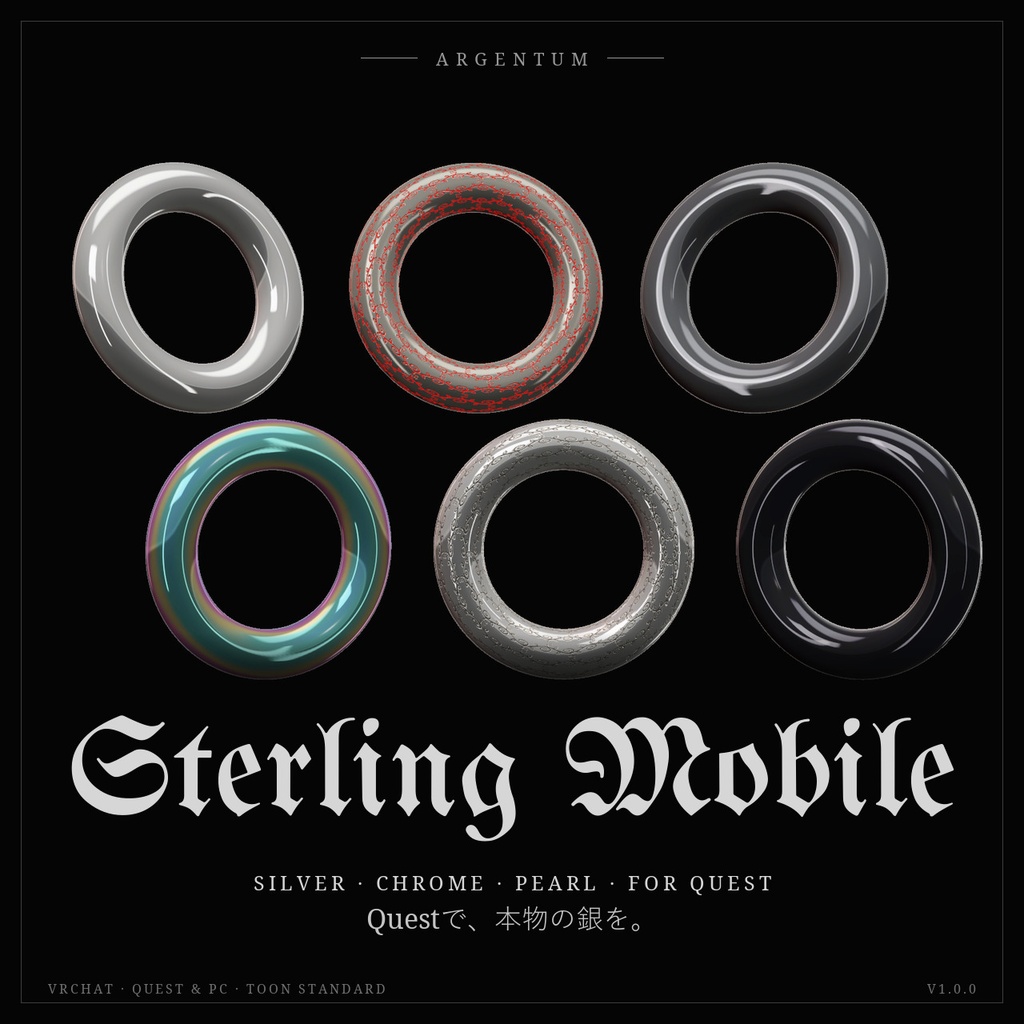
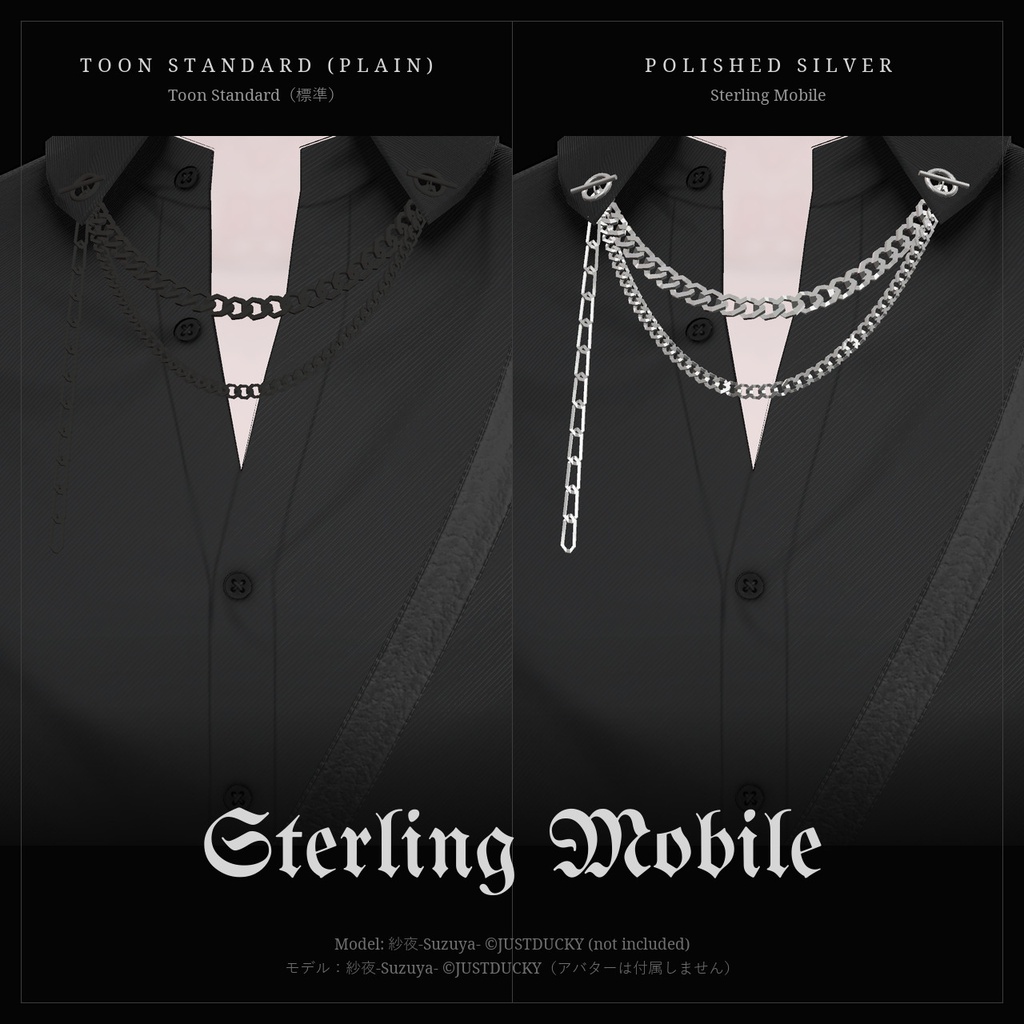
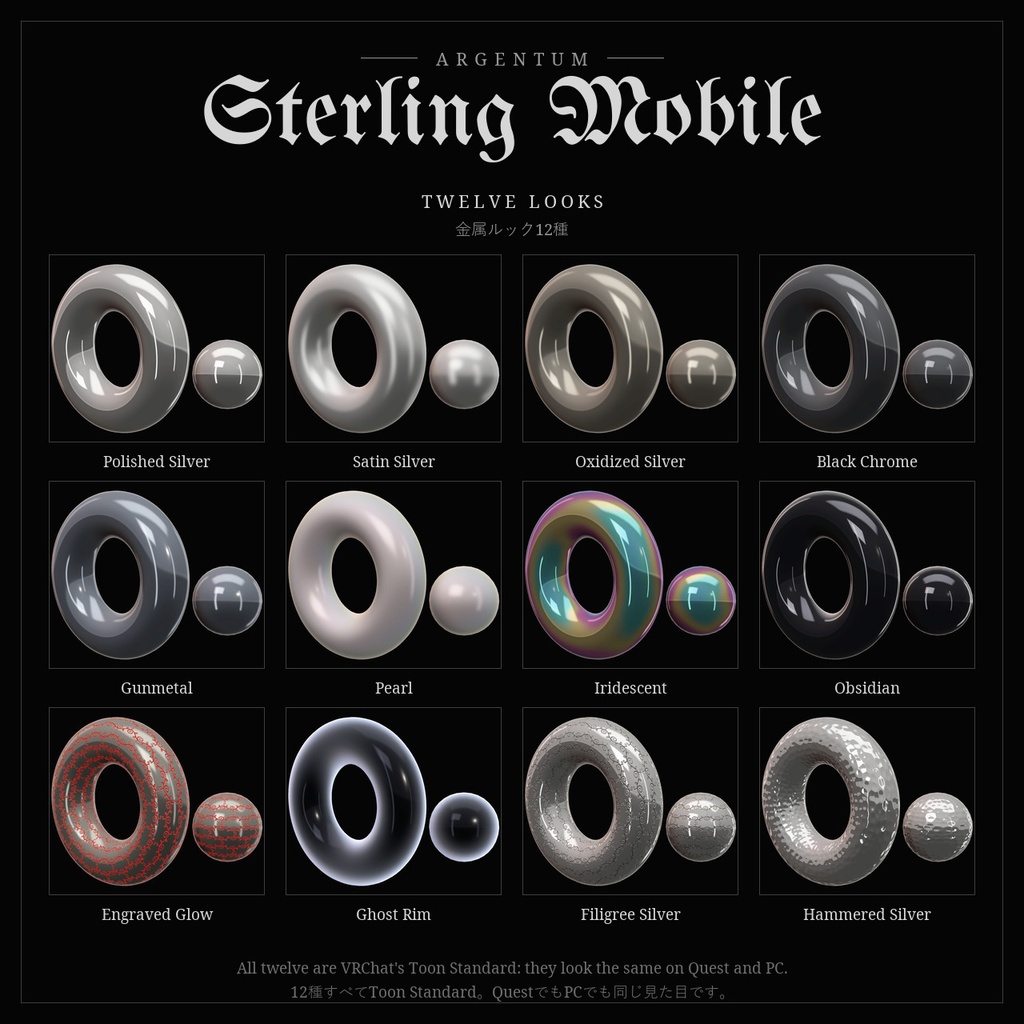
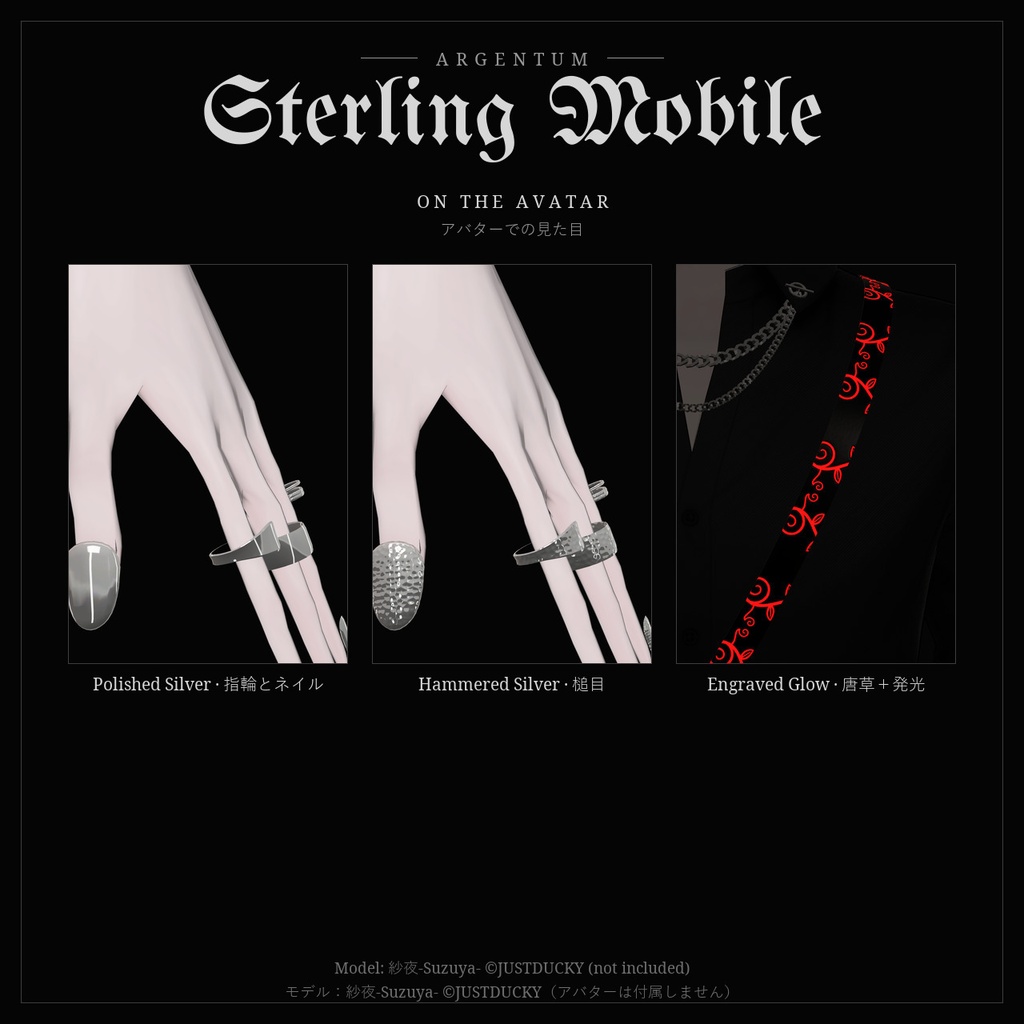
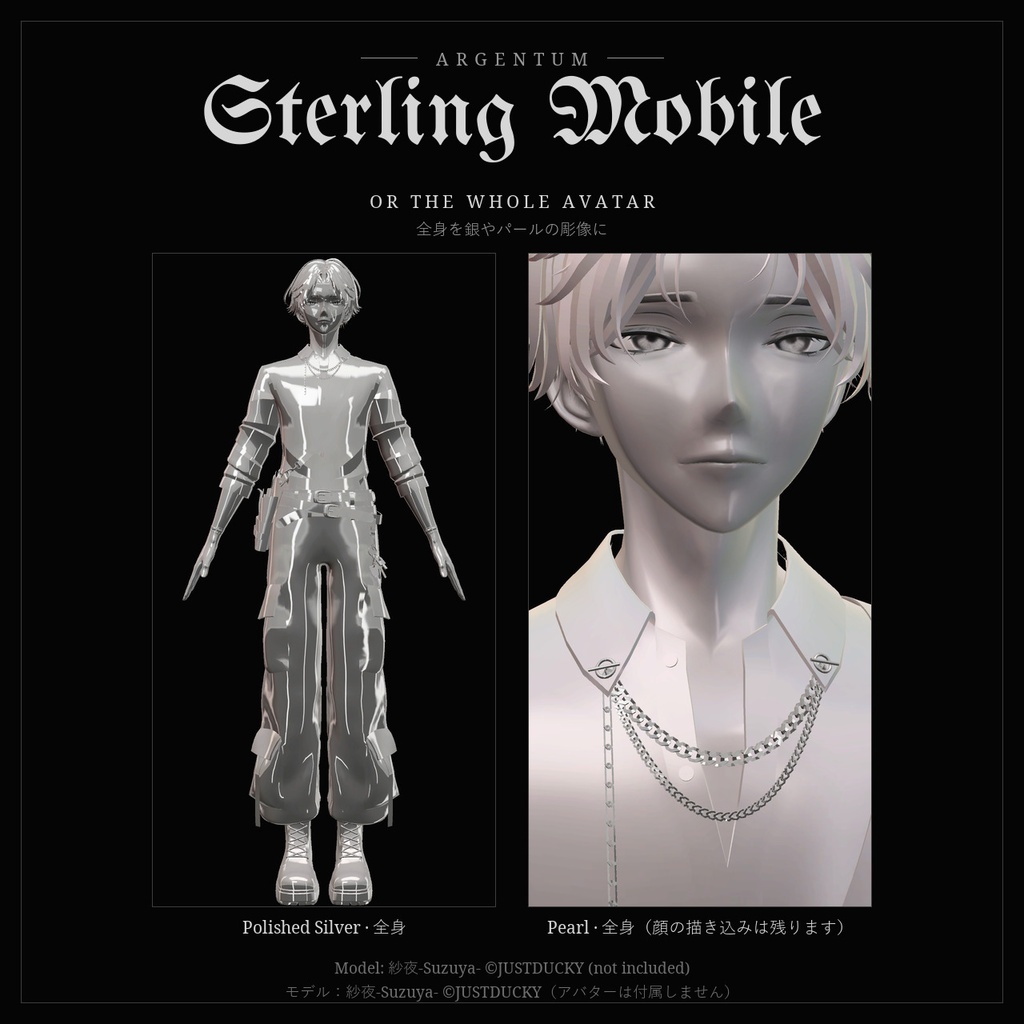


Questでも、本物の銀を。VRChat純正のToon Standardで作った、上質な金属ルック12種と、ワンクリックで適用できるツールです。 ■ 特長 ・ルック12種:Polished Silver(鏡面)、Satin Silver、Oxidized Silver(いぶし)、Black Chrome、Gunmetal、Pearl、Iridescent(油膜の虹色)、Obsidian(黒ガラス)、Engraved Glow(唐草彫り+赤エナメル+発光)、Ghost Rim、Filigree Silver(唐草彫り)、Hammered Silver(槌目) ・すべてVRChat/Mobile/Toon Standard。Quest / Androidのアバターにそのままアップロードでき、PCでも同じ見た目です ・ワンクリック適用ツール:アバターを指定して、マテリアルスロットごとにルックを選ぶだけ。元のマテリアルは編集せず、新しいマテリアルを作って割り当てます(Undo・「元に戻す」対応、何度実行してもマテリアルは増えません) ・スロットのテクスチャを「残す」「模様だけ残す」の切り替え、色味、メタルマスクで、元のデザインを活かした金属化も可能 ・彫刻パターン4種(唐草・鱗・槌目・ダマスカス)をどのルックにも。凹凸と黒ずんだ溝で、彫金のような立体感 ・エナメル象嵌と発光。AudioLinkのあるワールドでは音楽に合わせて、ないワールドでは一定のリズムで脈打ちます ・無料の「Argentum Quest Look-Match」と連携:「Questだけ」を選べば、PC版のマテリアルはそのままでQuest版だけをSterling Mobileのルックに ・日本語・英語のUI ■ こんな用途に Quest対応アバターのチェーン、指輪、ピアス、ボタン、鎧、武器、髪飾りを、のっぺりしたグレーではなく本物の金属らしく。全身を銀やパールの彫像のようにすることもできます。 ■ 対応環境 ・Unity 2022.3.22f1(VRChatの現行バージョン) ・VRChat SDK(Avatars)3.8.1以降(Toon Standard)。エナメル象嵌・「模様だけ残す」は3.10.3以降、AudioLinkは3.10.5以降が必要です。SDK 3.10.5で動作確認 ・PC・Quest / Android両対応。ほかのシェーダーやModular Avatarは不要です ・アバター・メッシュ・元のシェーダー(lilToonなど)を問わず使えます ■ 内容物 ・Argentum_SterlingMobile_v1.0.0.unitypackage ・ツール本体:Tools > Argentum > Sterling Mobile(ヒエラルキーの右クリックメニューからも起動) ・Toon Standardのルックマテリアル12種 ・金属マットキャップ9種、彫刻パターン4種(ノーマルマップ・マスク)、影ランプ2種 ・README(英語・日本語)、利用規約、更新履歴 ■ 負荷 ・VRChat純正のモバイル用シェーダーだけを使います。マテリアルスロット・メッシュ・コンポーネントは一切追加しないので、Performance Rankは変わりません。 ・マテリアルごとにマットキャップ1枚(512 × 512)と影ランプ1枚。彫刻パターンを使うと1024 × 1024のテクスチャが2〜3枚加わります(マテリアル間で共有)。 ■ ご注意 ・映り込みはマットキャップなので、視点に合わせて動きます。リフレクションプローブのあるワールドでは、ワールドの映り込みも重なります。 ・Toon Standardはワールドの光で照らされるため、暗いワールドでは金属も暗くなります(発光部分を除く)。 ・音楽に合わせて脈打つのはAudioLinkのあるワールドだけです。 ・Toon Standardは不透明で、生成されるマテリアルには輪郭線がありません。 ・パターンはメッシュのUVに沿います。UVの継ぎ目はパターンにも表れます。 ■ アップデート 購入者は無料でアップデートを受け取れます。BOOTHのライブラリから再ダウンロードしてください。 画像のアバター:紗夜-Suzuya-(JUSTDUCKY様)※アバターは付属しません ──────────────────── English ──────────────────── Argentum Sterling Mobile: 12 Metal Looks for Toon Standard + One-Click Tool [VRChat / Quest + PC] Real silver on Quest. Twelve premium metal looks built on VRChat's own Toon Standard shader, and a tool that applies them in one click. ■ Features ・12 looks: Polished Silver, Satin Silver, Oxidized Silver, Black Chrome, Gunmetal, Pearl, Iridescent (oil slick), Obsidian (black glass), Engraved Glow (filigree, red enamel, glow), Ghost Rim, Filigree Silver, Hammered Silver ・All on VRChat/Mobile/Toon Standard: they upload for Quest / Android as is and look the same on PC ・One-click tool: drag in your avatar and pick a look per material slot. Your materials are never edited: new ones are made and assigned (Undo and Restore originals; running it again never piles up copies) ・Keep the slot's own texture (in color, or as detail only), tint, metal mask ・4 engraving patterns on any look (Filigree, Scales, Hammered, Damascus): relief and darkened recesses, like engraved silver ・Enamel inlay and glow. In worlds with AudioLink the glow pulses with the music; elsewhere it pulses to a fixed rhythm ・Works with the free Argentum Quest Look-Match: "Quest only" keeps your PC materials and gives only the Quest version the Sterling Mobile look ・English and Japanese UI ■ Use it for Chains, rings, piercings, buttons, armor, weapons and hair ornaments on Quest avatars that should read as real metal, not flat grey. Or turn the whole avatar into a silver or pearl statue. ■ Compatibility ・Unity 2022.3.22f1 (VRChat's current version) ・VRChat SDK (Avatars) 3.8.1 or newer (Toon Standard). Enamel inlay and "Keep as detail" need 3.10.3+, AudioLink needs 3.10.5+. Tested with SDK 3.10.5. ・PC and Quest / Android. No other shader and no Modular Avatar needed. ・Any avatar, any mesh, whatever its original shader (lilToon etc.). ■ What's included ・Argentum_SterlingMobile_v1.0.0.unitypackage ・The tool: Tools > Argentum > Sterling Mobile (also in the Hierarchy right-click menu) ・12 Toon Standard look materials ・9 metal matcaps, 4 engraving patterns (normal maps and masks), 2 shadow ramps ・README (English / Japanese), terms of use, changelog ■ Performance ・Only VRChat's own mobile shader. No material slots, meshes or components are added, so your Performance Rank doesn't change. ・Per material: one 512 × 512 matcap and one ramp. An engraving pattern adds two or three 1024 × 1024 textures, shared between materials. ■ Notes ・The reflection is a matcap, so it follows the view. In worlds with a reflection probe, the world's reflection is added on top. ・Toon Standard is lit by the world: in a dark world the metal is dark too (except what glows). ・The pulse follows the music only in worlds with AudioLink. ・Toon Standard is opaque, and the generated materials have no outline. ・Patterns follow the mesh's UVs; UV seams show in the pattern. ■ Updates Free for buyers. Re-download from your BOOTH library. Avatar in the images: Suzuya by JUSTDUCKY (not included).
Terms of Service
・○ アップロードするアバター・ワールドでの使用(個人・商用、配信・動画を含む) ・○ 自分用の改変。依頼で制作したアバターへの使用と代理アップロード(ファイルを渡さない場合) ・× ファイルの再配布・転売(改変の有無を問わず、アバターやワールドのパッケージへの同梱を含む) ・ツールが生成するマテリアルは本製品のテクスチャを使うため、本製品のファイルとして扱います(アップロードは可、販売・配布するパッケージへの同梱は不可) ・規約の全文はダウンロードデータに同梱しています ──────────────────── ・OK: use on avatars and worlds you upload, personal or commercial, including streams and videos. ・OK: modify for your own use; use on commissioned avatars you upload for a client, as long as the files aren't handed over. ・Not OK: redistributing or reselling the files, modified or not, including inside avatar or world packages. ・The materials the tool generates use the product's textures, so they count as product files: fine to upload, not to include in packages you sell or give away. ・Full terms are included in the download.
Update information
・1.0.0 (2026-11-04): 初回リリース ・1.0.0 (2026-11-04): First release