

【VRChat】【MA対応】Argentum Negative|色反転・ネガ・ソラリゼーション シェーダー【PC用】
- ダウンロード商品¥ 600
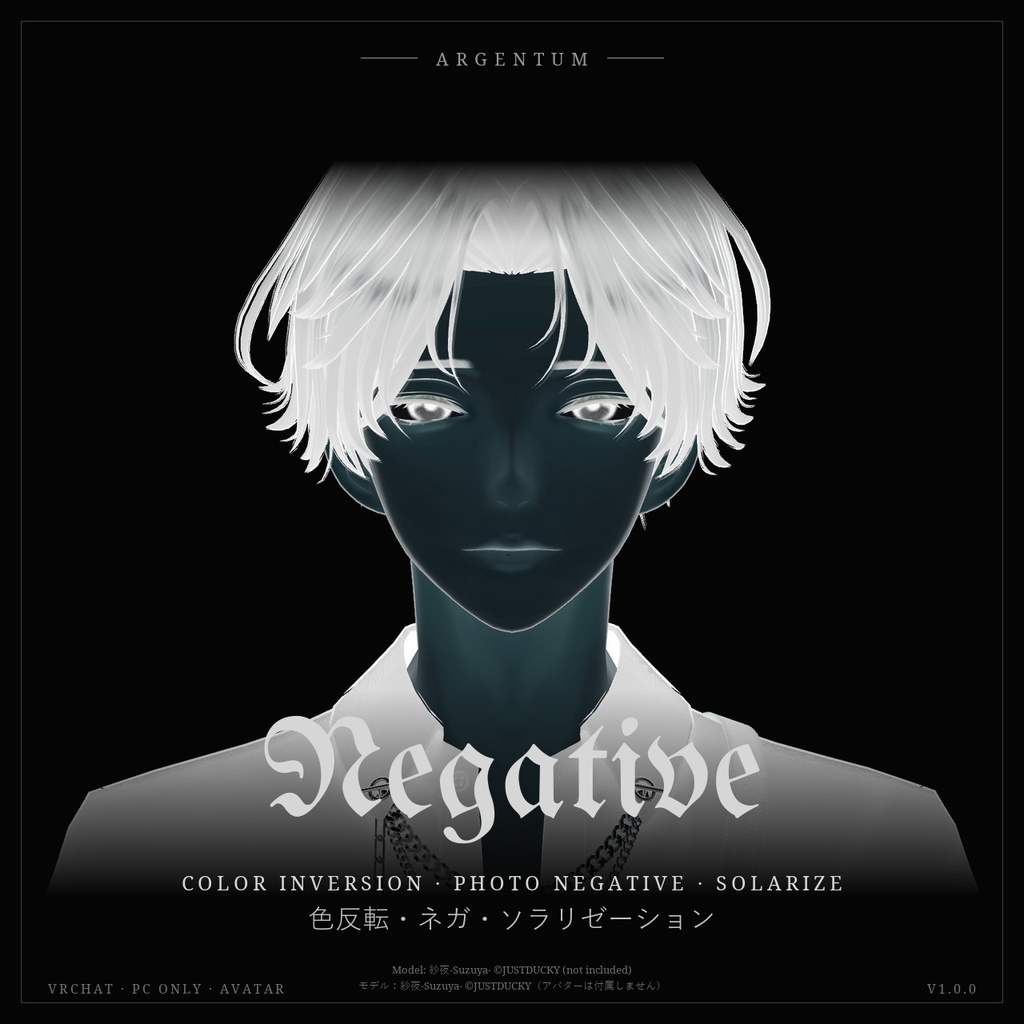
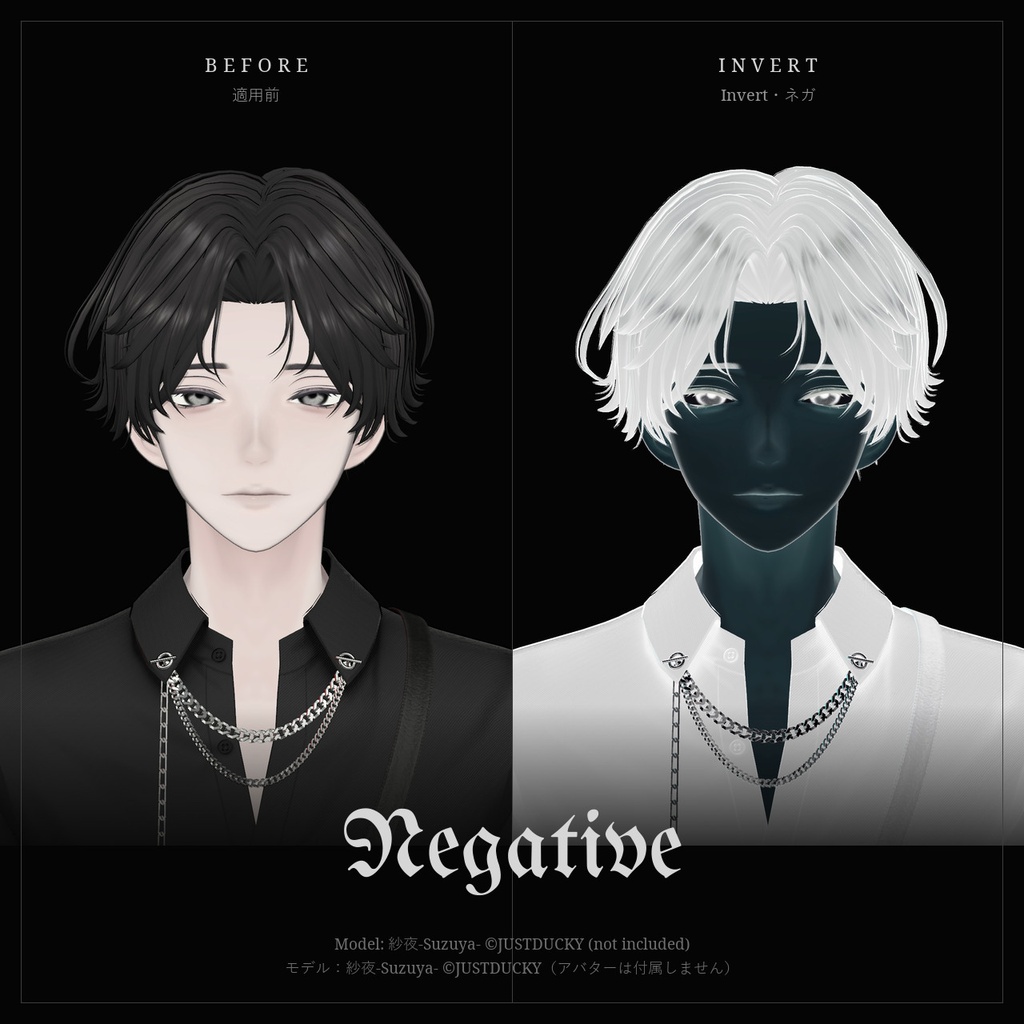
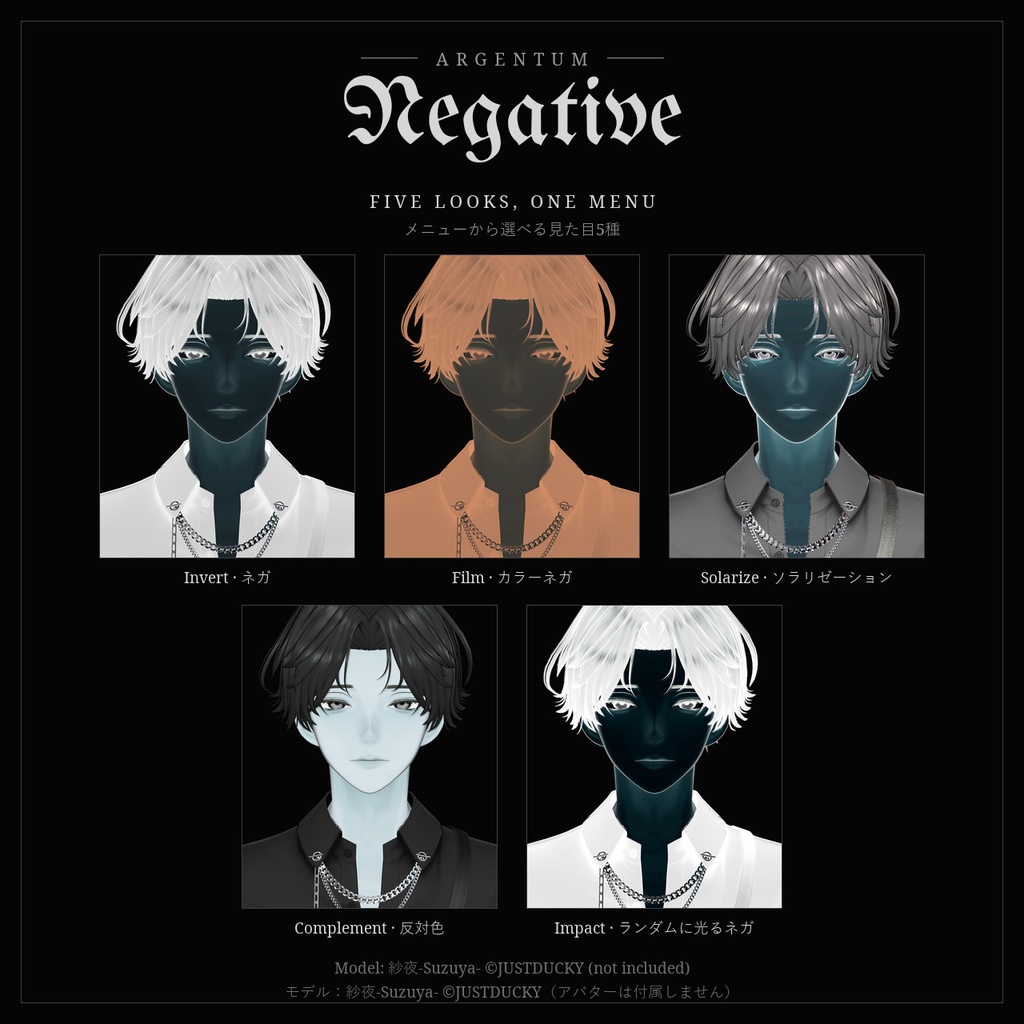
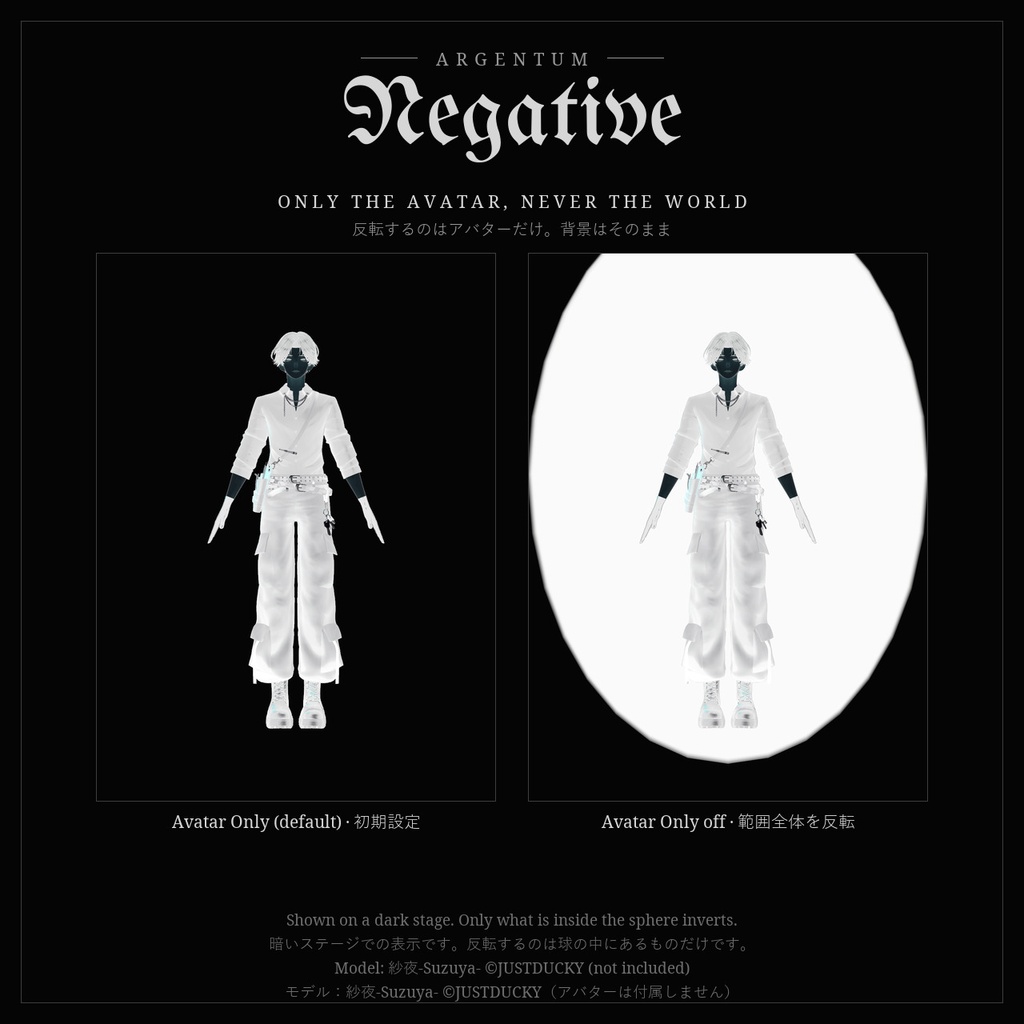
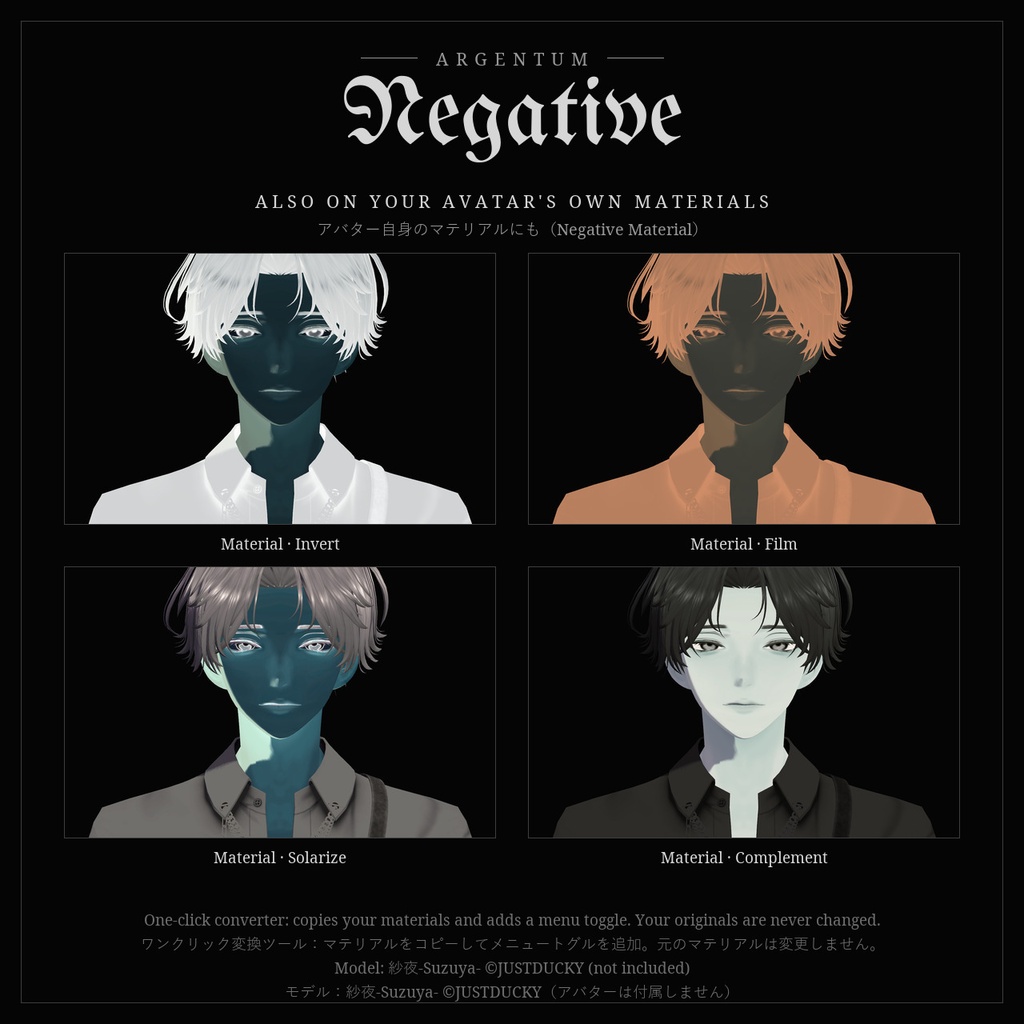
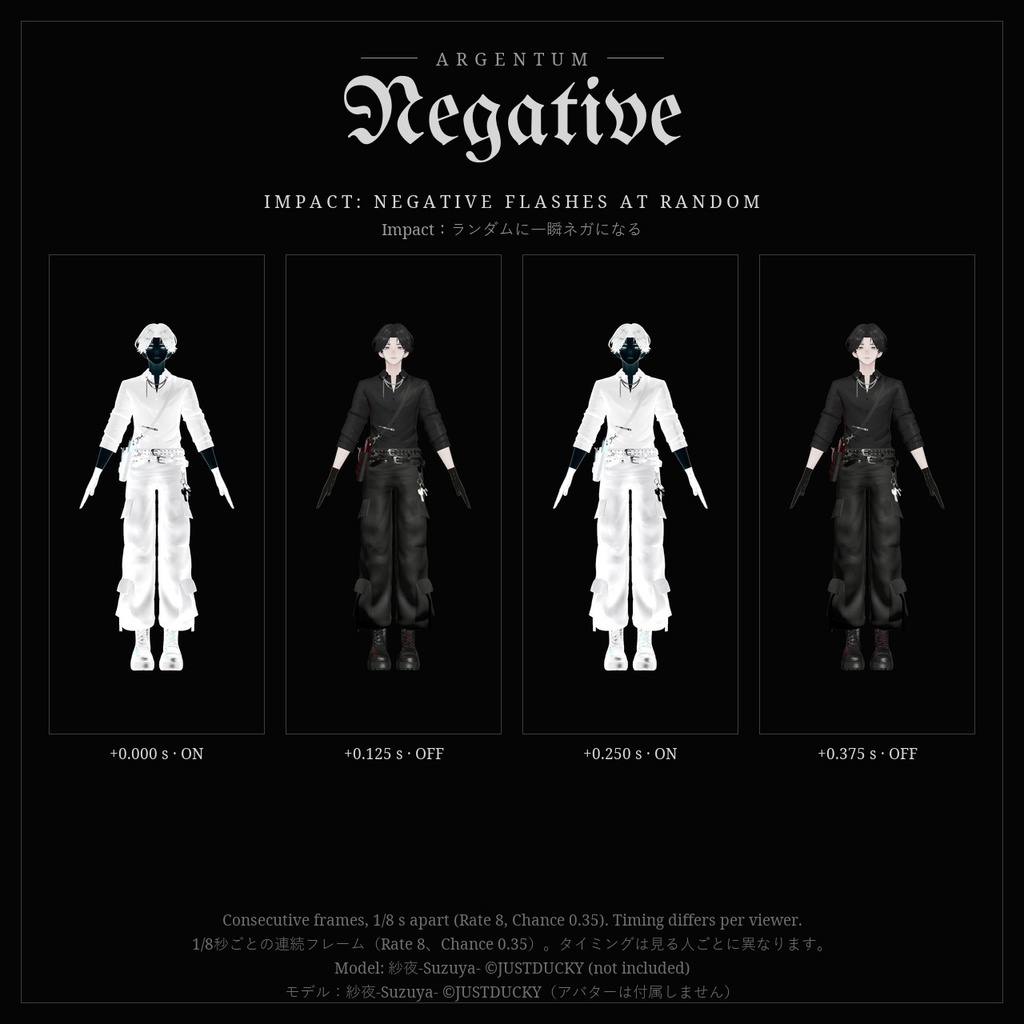


アバターを写真のネガに。光は闇に、すべての色はその反対色に。銀塩写真の暗室の見た目を、VRChatで。 ■ 特長 ・画面に映っているアバターを正確に反転。画像編集ソフトの「階調の反転」と同じ色になります ・見た目5種をメニューから:Invert(ネガ)、Film(カラーネガ)、Solarize(ソラリゼーション)、Complement(反対色)、Impact(ランダムに光るネガ) ・Avatar Only:ほかの人にはアバターだけが反転して見え、背景のワールドはそのまま。反転したバブルは出ません ・モード4種:Full、Brightness Only(明暗だけ)、Hue Only(色だけ)、Solarize。色チャンネルごとの反転量も調整できます ・色調整:Tint、Contrast、Saturation、Lifted Blacks ・アニメーション:Pulse、Strobe、Impact(アニメのインパクトフレームのような一瞬のネガ) ・Negative Material:アバター自身のマテリアルにかける版。ワンクリックの変換ツールが元のマテリアルを変更せずにコピーを作り、メニュートグルを追加します。ワールドの明るさに合わせるので、暗いワールドでも白く光りません ・ミラーとVRChatのカメラにも表示。それぞれ非表示にもできます ・Modular Avatarのプレハブ付き。ドラッグ&ドロップで導入 ■ こんな用途に 撮影、配信、ホラーやサイバー系のアバター、ライブやイベントの演出。一瞬だけネガになるインパクトの演出に。 ■ 対応環境 ・Unity 2022.3.22f1(VRChatの現行バージョン)、ビルトインレンダーパイプライン ・VRChatアバター用、PC専用(VRChatはQuest / Androidのアバターでカスタムシェーダーを許可していません) ・プレハブとメニューにはModular Avatarが必要です(VRChat SDK 3.10.5、Modular Avatar 1.18.7で動作確認)。手動で設定すればMAなしでも使えます ■ 内容物 ・Argentum_Negative_v1.0.0.unitypackage ・Argentum/Negative シェーダー(画面エフェクト)、Argentum/Negative Material シェーダー(アバター用マテリアル) ・変換ツール:Tools > Argentum > Negative Material — Convert Avatar Materials ・Modular Avatarプレハブ(見た目5種のメニュー)、プリセットマテリアル10種、メニュー用アイコン ・README(英語・日本語)、利用規約、更新履歴 ■ 負荷 ・画面エフェクト:表示中の見た目1つにつき球1つ。Argentumのエフェクトで共有する画面キャプチャを、1ピクセルにつき1回読むだけです。オフの間は負荷はありません ・プレハブはMesh Renderer 5つとマテリアルスロット5つを加えます(描画されるのはオンの見た目だけです) ・Negative Material:シンプルなトゥーンシェーダーと同程度です ■ ご注意 ・パラメーター:Argentum/Negative(int、8ビット)、Negative MaterialのトグルはArgentum/NegativeMaterial(bool、1ビット)。どちらも保存あり ・自分の視界は初期設定では反転しません(Wearer Sees It:オフ)。ミラーで確認できます ・球の中にあるものはすべて反転します。すぐ隣に密着している人や、座っている椅子も対象になります ・画面エフェクトでは、暗いワールドでアバターが明るく見えます(暗い場面のネガは明るくなるため)。Tintで暗くできます ・点滅のタイミングは見る人ごとに異なります ・PC専用です。Questのプレイヤーには表示されません ■ アップデート 購入者は無料でアップデートを受け取れます。BOOTHのライブラリから再ダウンロードしてください。 画像のアバター:紗夜-Suzuya-(JUSTDUCKY様)※アバターは付属しません ──────────────────── English ──────────────────── Argentum Negative: Color Inversion Shader [VRChat / PC / Modular Avatar] Your avatar as a photographic negative. Light turns dark, every color turns to its opposite. The darkroom's look, in VRChat. ■ Features ・The exact inverse of your avatar on screen: the same colors as Invert in an image editor ・5 looks in one menu: Invert (negative), Film (color negative), Solarize, Complement (opposite colors), Impact (random negative flashes) ・Avatar Only: other people see your avatar inverted and the world behind you untouched. No inverted bubble ・4 modes: Full, Brightness Only, Hue Only, Solarize, with per-channel amounts ・Grade: Tint, Contrast, Saturation, Lifted Blacks ・Animation: Pulse, Strobe, Impact (a split-second negative, like an anime impact frame) ・Negative Material: the look on your avatar's own materials. A one-click tool makes copies (your originals are never changed) and adds a menu toggle. It follows the world's brightness, so it doesn't glow white in dark worlds ・Shows in mirrors and the VRChat camera; either can be hidden ・Modular Avatar prefab: drag and drop ■ Use it for Photos, streams, horror and cyber avatars, live shows and events. A split-second negative for an impact. ■ Compatibility ・Unity 2022.3.22f1 (VRChat's current version), Built-in Render Pipeline ・VRChat avatars, PC only (VRChat doesn't allow custom shaders on Quest / Android avatars) ・Modular Avatar is needed for the prefab and menus (tested with VRChat SDK 3.10.5 and Modular Avatar 1.18.7). A manual setup works without it. ■ What's included ・Argentum_Negative_v1.0.0.unitypackage ・Argentum/Negative shader (screen effect), Argentum/Negative Material shader (avatar material) ・Converter: Tools > Argentum > Negative Material — Convert Avatar Materials ・Modular Avatar prefab (menu of 5 looks), 10 preset materials, menu icon ・README (English / Japanese), terms of use, changelog ■ Performance ・Screen effect: one sphere for the active look. It reads the screen copy all Argentum effects share, once per pixel. Nothing while it's off. ・The prefab adds 5 mesh renderers and 5 material slots (only the active look renders). ・Negative Material: about the cost of a simple toon shader. ■ Notes ・Parameters: Argentum/Negative (int, 8 bits); the Negative Material toggle is Argentum/NegativeMaterial (bool, 1 bit). Both saved. ・Your own view isn't inverted by default (Wearer Sees It: off). Check your look in a mirror. ・Everything inside the sphere is inverted, including a player pressed right against you or the chair you sit on. ・With the screen effect your avatar looks bright in dark worlds (a negative of a dark scene is light). Tint dims it. ・Flash timing differs per viewer. ・PC only. Quest players don't see the effect. ■ Updates Free for buyers. Re-download from your BOOTH library. Avatar in the images: Suzuya by JUSTDUCKY (not included).
Terms of Service
・○ アップロードするアバター・ワールドでの使用(個人・商用、配信・動画を含む) ・○ 自分用の改変。依頼で制作したアバターへの使用と代理アップロード(ファイルを渡さない場合) ・× ファイルの再配布・転売(改変の有無を問わず、アバターやワールドのパッケージへの同梱を含む) ・規約の全文はダウンロードデータに同梱しています ──────────────────── ・OK: use on avatars and worlds you upload, personal or commercial, including streams and videos. ・OK: modify for your own use; use on commissioned avatars you upload for a client, as long as the files aren't handed over. ・Not OK: redistributing or reselling the files, modified or not, including inside avatar or world packages. ・Full terms are included in the download.
Update information
・1.0.0 (2026-11-07): 初回リリース ・1.0.0 (2026-11-07): First release