

【VRChat】【MA対応】Argentum Kaleido|万華鏡シェーダーセット(マテリアル+スクリーン)【PC用】
- ダウンロード商品¥ 1,200
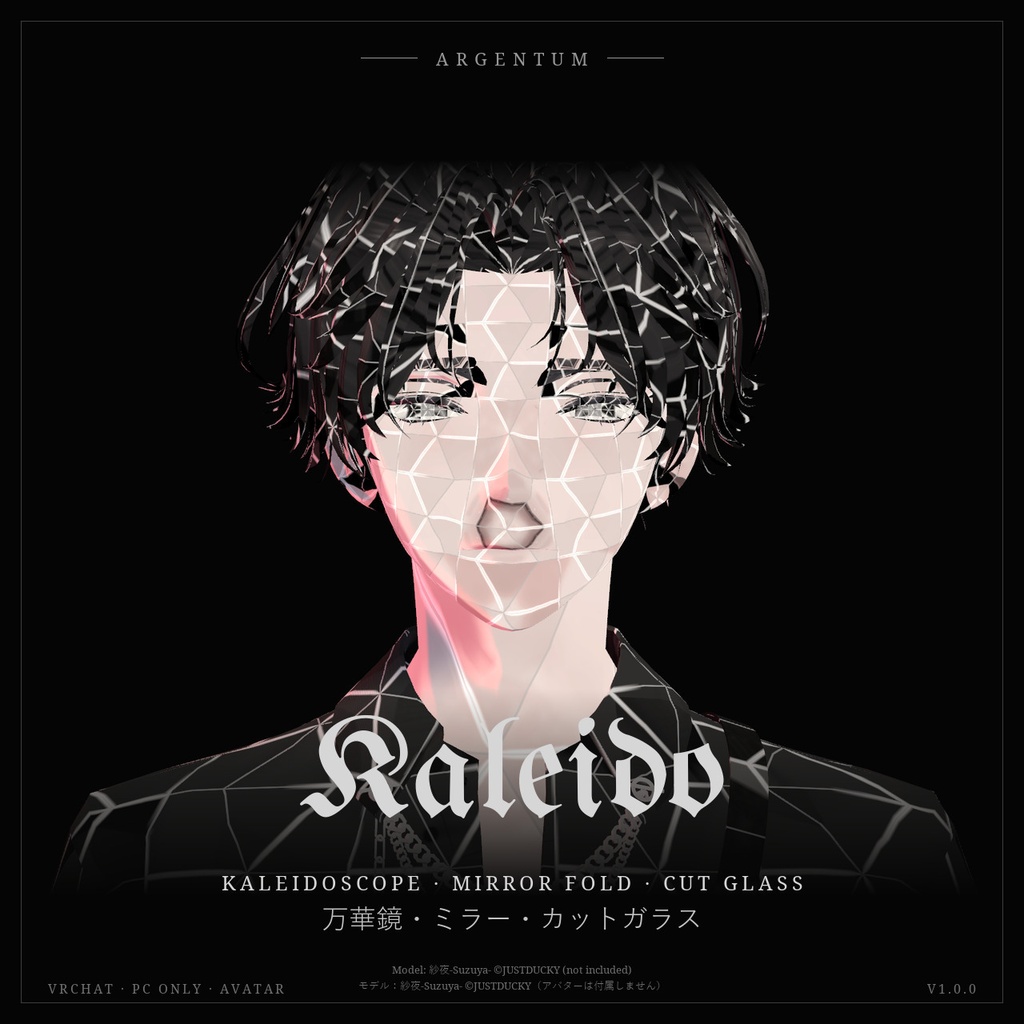
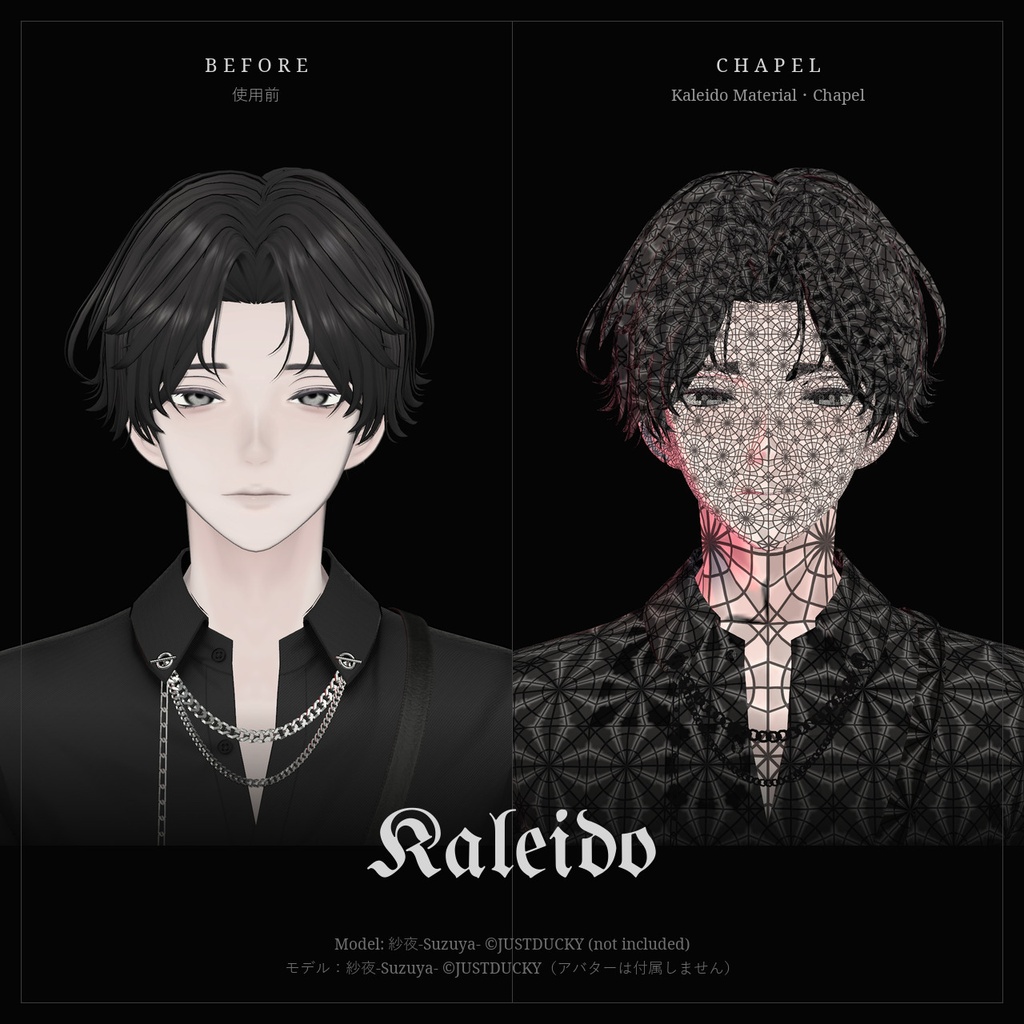
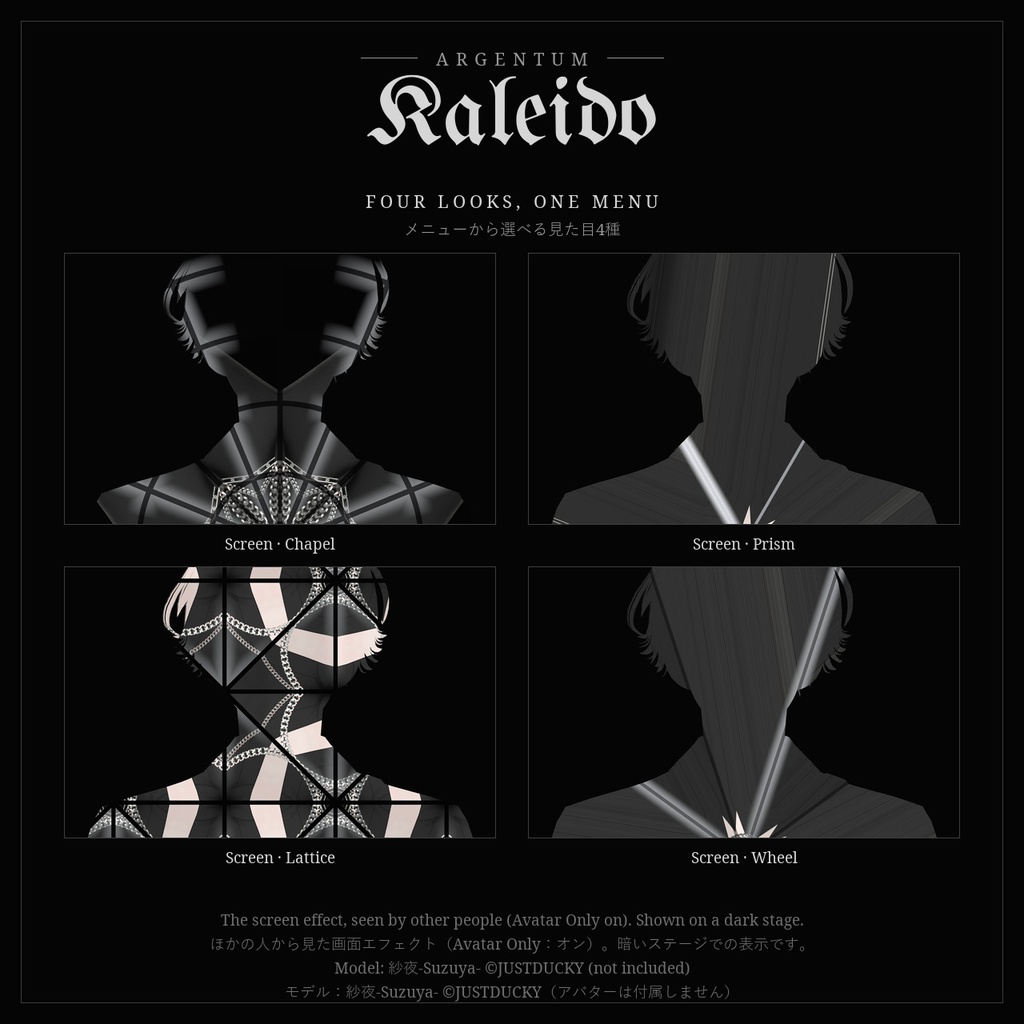
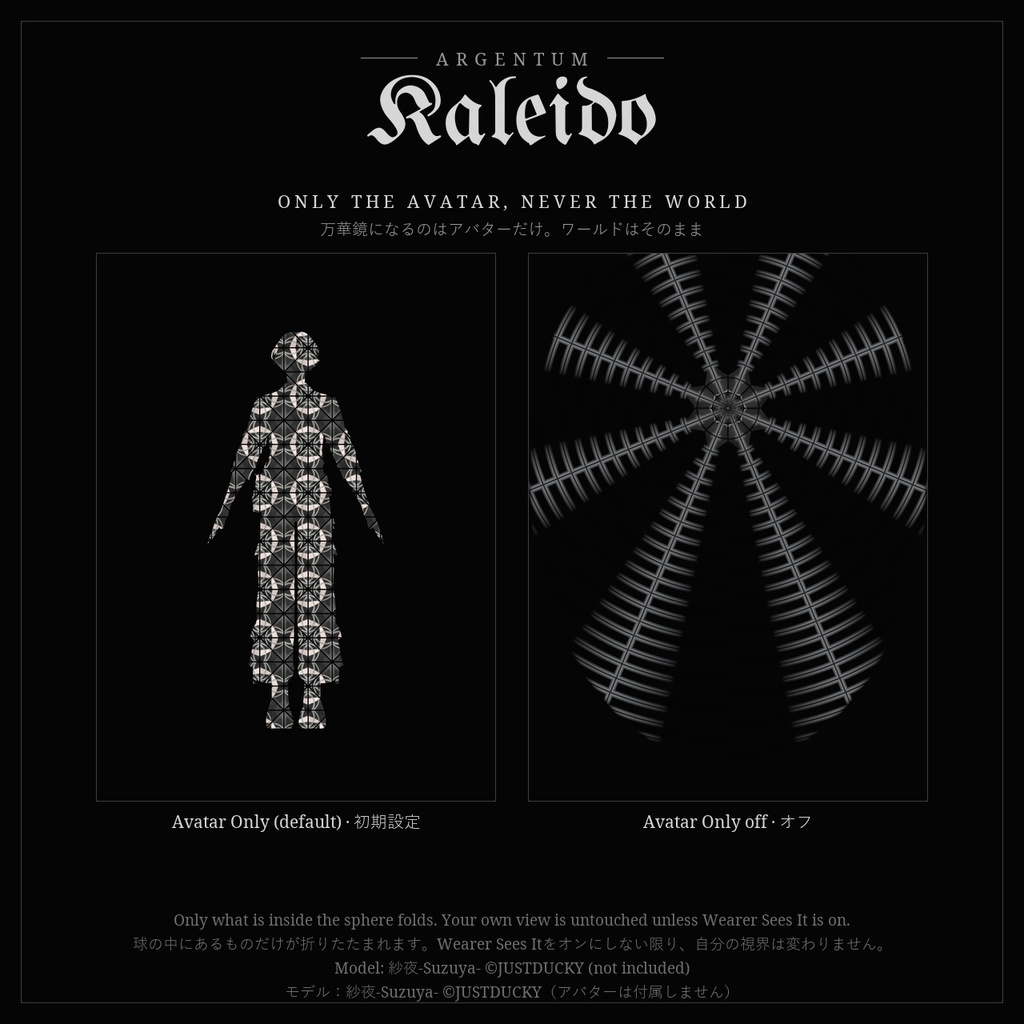
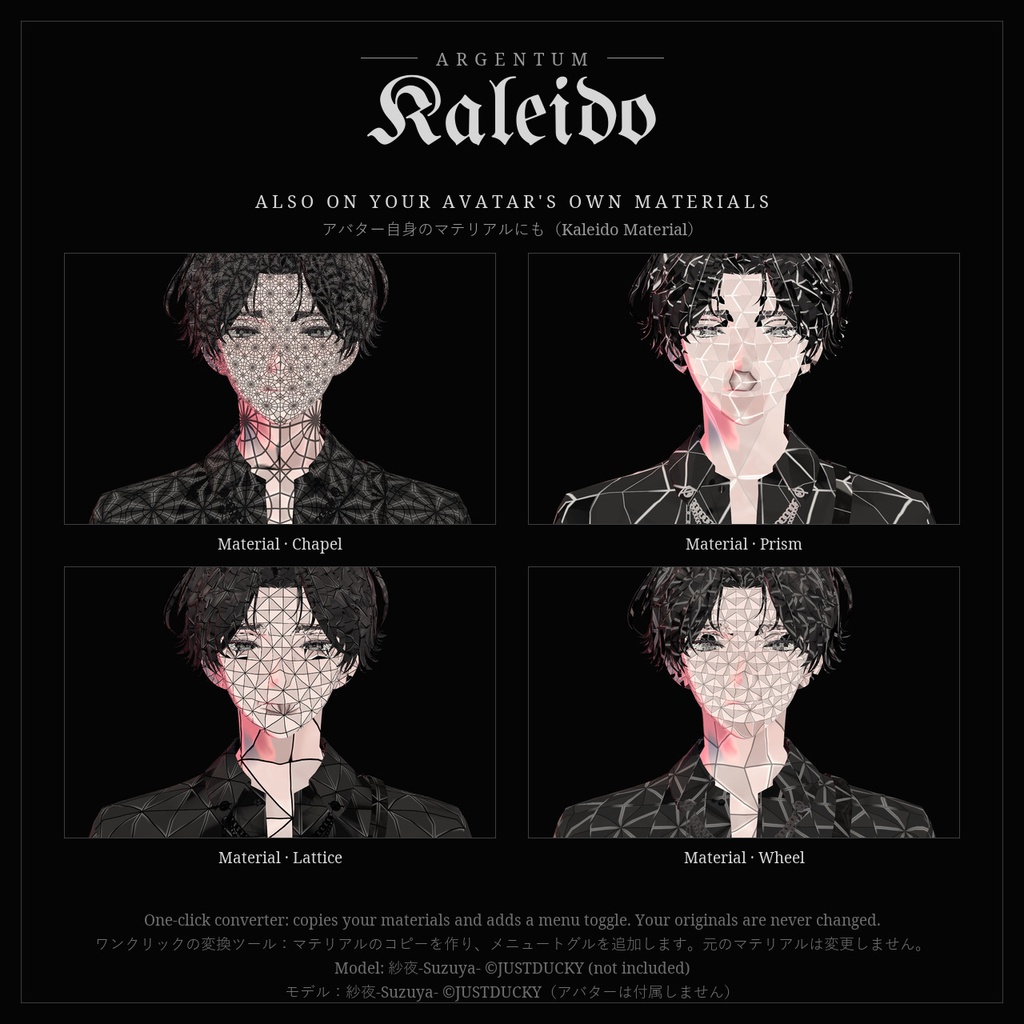


世界が、鏡の中で折りたたまれる。アバターのまわりの景色を万華鏡に、あるいはアバター自身の表面をカットガラスの切子面に。 ■ 特長 ・画面エフェクト:メッシュ越しに見える景色を、中心のまわりの鏡写しのスライスに折りたたみます。絵がその中をゆっくり回転します ・見た目4種をメニューから:Chapel(細かいステンドグラス)、Prism(少なく広いスライス)、Lattice(硬い幾何学グリッド)、Wheel(速い回転) ・Still:メニューから回転を止められます ・Avatar Only(初期設定:オン):ほかの人にはアバターだけが万華鏡になって見え、背景のワールドはそのまま。バブルの輪郭は出ません ・切子面の表現:交互の明暗、カットガラスのベベル、面の間の細い線。色・幅・強さを調整できます ・Kaleido Material:アバター自身のマテリアルにかける版。テクスチャを切子面ごとに折りたたみます。ワンクリックの変換ツールが元のマテリアルを変更せずにコピーを作り、メニュートグルを追加します ・Argentumの画面エフェクトで共有する画面コピーを使うので、VeilやSpectreなどと併用しても画面コピーは1回だけです ・ミラーとVRChatのカメラにも表示。それぞれ非表示にもできます ・Modular Avatarのプレハブ付き。ドラッグ&ドロップ、または Tools > Argentum > Kaleido — Set Up で導入 ■ こんな用途に 撮影、配信、ライブやイベントの演出、サイケデリックやゴシックなアバター。一瞬だけ世界を割る演出に。 ■ 対応環境 ・Unity 2022.3.22f1(VRChatの現行バージョン)、ビルトインレンダーパイプライン ・VRChatアバター用、PC専用(VRChatはQuest / Androidのアバターでカスタムシェーダーを許可していません) ・プレハブとメニューにはModular Avatar(1.18以降)が必要です。手動用の球プレハブも付属します ■ 内容物 ・Argentum_Kaleido_v1.0.0.unitypackage ・Argentum/Kaleido シェーダー(画面エフェクト)、Argentum/Kaleido Material シェーダー(アバター用マテリアル) ・ツール:Tools > Argentum > Kaleido — Set Up、Kaleido Material — Convert Avatar Materials ・Modular Avatarプレハブ(見た目4種とStillのメニュー)、手動用プレハブ、プリセットマテリアル8種、メニュー用アイコン ・README(英語・日本語)、利用規約(英語・日本語)、更新履歴 ■ 負荷 ・画面エフェクト:表示中の見た目1つにつき球1つ。共有の画面コピーを1ピクセルにつき1回読みます。オフの間は負荷はありません ・プレハブはMesh Renderer 4つとマテリアルスロット4つを加えます(描画されるのはオンの見た目だけです) ・Kaleido Material:画面コピーなし。メッシュやマテリアルスロットを増やさないため、パフォーマンスランクは変わりません ■ ご注意 ・パラメーター:Argentum/Kaleido(int、8ビット)、Argentum/Kaleido/Still(bool、1ビット)、Kaleido MaterialのトグルはArgentum/KaleidoMaterial(bool、1ビット)。すべて保存あり ・自分の視界には初期設定ではかかりません(Wearer Sees It:オフ)。ミラーで確認できます ・球の中にあるものはすべて対象になります。すぐ隣に密着している人や、座っている椅子にもかかります ・Kaleido MaterialにはWearer Sees Itはありません(表面のシェーダーのため)。メニューのStillは画面エフェクト用で、マテリアル側はHold Still設定で止めます ・Kaleido Materialは不透明・カットアウトのみです。半透明のマテリアルはカットアウトになります ・回転や明滅を含みます。周囲の方に配慮してご利用ください ・PC専用です。Questのプレイヤーには表示されません ■ アップデート 購入者は無料でアップデートを受け取れます。BOOTHのライブラリから再ダウンロードしてください。 ──────────────────── English ──────────────────── Argentum Kaleido: Kaleidoscope Shader Set (Material + Screen) [VRChat / PC / Modular Avatar] The world, folded in mirrors. Turn the view around your avatar into a kaleidoscope, or cut your avatar's own surface into glass facets. ■ Features ・Screen effect: everything seen through the mesh folds into mirrored slices around the center, and the picture turns slowly through them ・4 looks in one menu: Chapel (tight stained glass), Prism (fewer, wider slices), Lattice (a hard geometric grid), Wheel (fast spin) ・Still: stop the rotation from the menu ・Avatar Only (on by default): other people see the kaleidoscope on your avatar and the world behind you untouched. No bubble outline ・Facet shading: alternating panes, a cut-glass bevel and fine lines between facets, with color, width and strength controls ・Kaleido Material: the look on your avatar's own materials, folding the texture per facet. A one-click tool makes copies (your originals are never changed) and adds a menu toggle ・Uses the screen copy all Argentum screen effects share, so running it with Veil, Spectre and the others still takes one copy ・Shows in mirrors and the VRChat camera; either can be hidden ・Modular Avatar prefab: drag and drop, or Tools > Argentum > Kaleido — Set Up ■ Use it for Photos, streams, live shows and events, psychedelic and gothic avatars. A moment where the world splits. ■ Compatibility ・Unity 2022.3.22f1 (VRChat's current version), Built-in Render Pipeline ・VRChat avatars, PC only (VRChat doesn't allow custom shaders on Quest / Android avatars) ・Modular Avatar (1.18 or newer) is needed for the prefab and menus. A sphere prefab for manual setup is included ■ What's included ・Argentum_Kaleido_v1.0.0.unitypackage ・Argentum/Kaleido shader (screen effect), Argentum/Kaleido Material shader (avatar material) ・Tools: Tools > Argentum > Kaleido — Set Up, and Kaleido Material — Convert Avatar Materials ・Modular Avatar prefab (menu of 4 looks plus Still), manual prefab, 8 preset materials, menu icon ・README (English / Japanese), terms of use (English / Japanese), changelog ■ Performance ・Screen effect: one sphere for the active look. It reads the shared screen copy once per pixel. Nothing while it's off. ・The prefab adds 4 mesh renderers and 4 material slots (only the active look renders). ・Kaleido Material: no screen copy. It adds no meshes or material slots, so your Performance Rank doesn't change. ■ Notes ・Parameters: Argentum/Kaleido (int, 8 bits); Argentum/Kaleido/Still (bool, 1 bit); the Kaleido Material toggle is Argentum/KaleidoMaterial (bool, 1 bit). All saved. ・Your own view isn't affected by default (Wearer Sees It: off). Check your look in a mirror. ・Everything inside the sphere is affected, including a player pressed right against you or the chair you sit on. ・Kaleido Material has no Wearer Sees It (it is a surface shader). The menu's Still is for the screen effect; on the material, use the Hold Still setting. ・Kaleido Material is opaque or cutout only. Transparent materials become cutout. ・Contains rotation and flicker. Please be considerate of people around you. ・PC only. Quest players don't see the effect. ■ Updates Free for buyers. Re-download from your BOOTH library. ━━━━━━━━━━ ▼ 最新情報 / Updates https://x.com/argentumdesigns
Terms of Service
・○ アップロードするアバター・ワールドでの使用(個人・商用、配信・動画を含む) ・○ 自分用の改変。依頼で制作したアバターへの使用と代理アップロード(ファイルを渡さない場合) ・× ファイルの再配布・転売(改変の有無を問わず、アバターやワールドのパッケージへの同梱を含む) ・規約の全文はダウンロードデータに同梱しています ──────────────────── ・OK: use on avatars and worlds you upload, personal or commercial, including streams and videos. ・OK: modify for your own use; use on commissioned avatars you upload for a client, as long as the files aren't handed over. ・Not OK: redistributing or reselling the files, modified or not, including inside avatar or world packages. ・Full terms are included in the download.
Update information
・1.0.0 (2026-11-11): 初回リリース ・1.0.0 (2026-11-11): First release