

【VRChat】【MA対応】Argentum Mercury|水銀・液体シルバー シェーダー【PC用+Quest簡易版付き】
- ダウンロード商品¥ 1,200
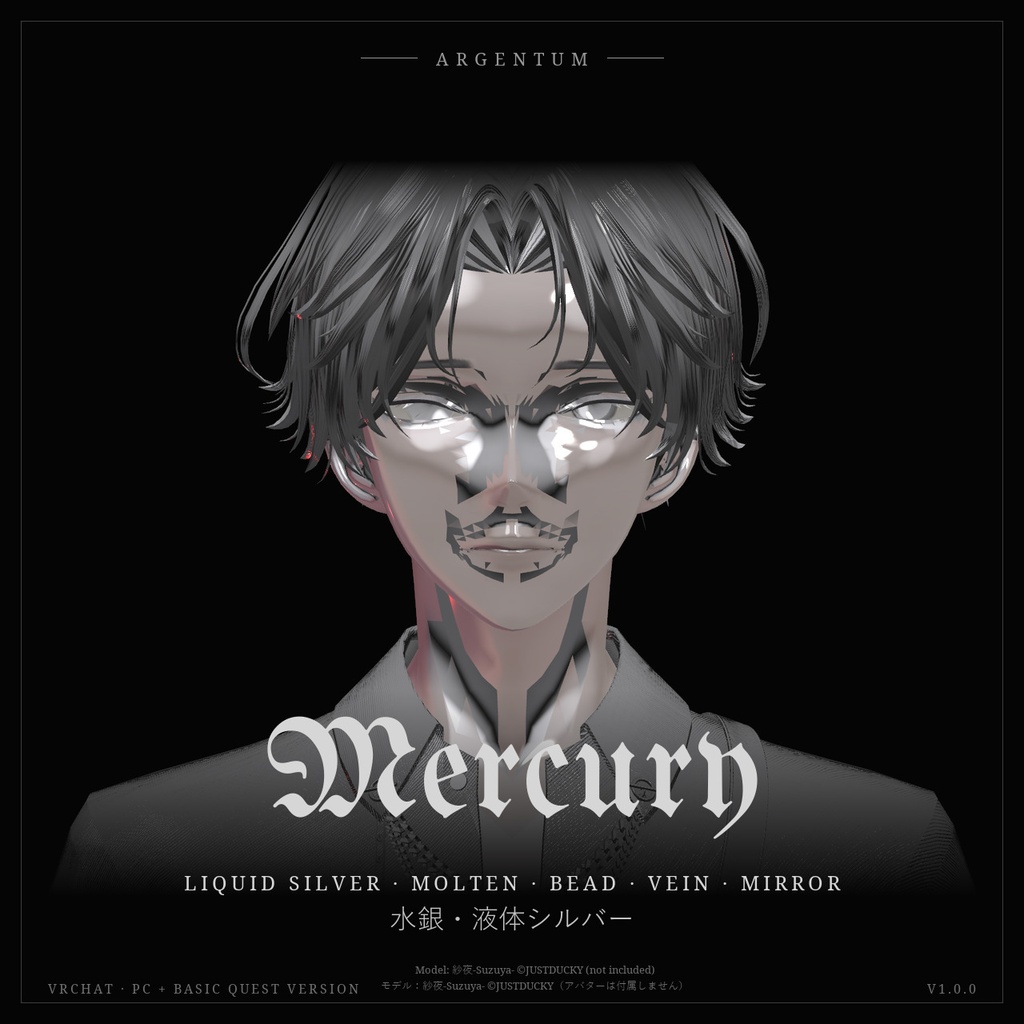
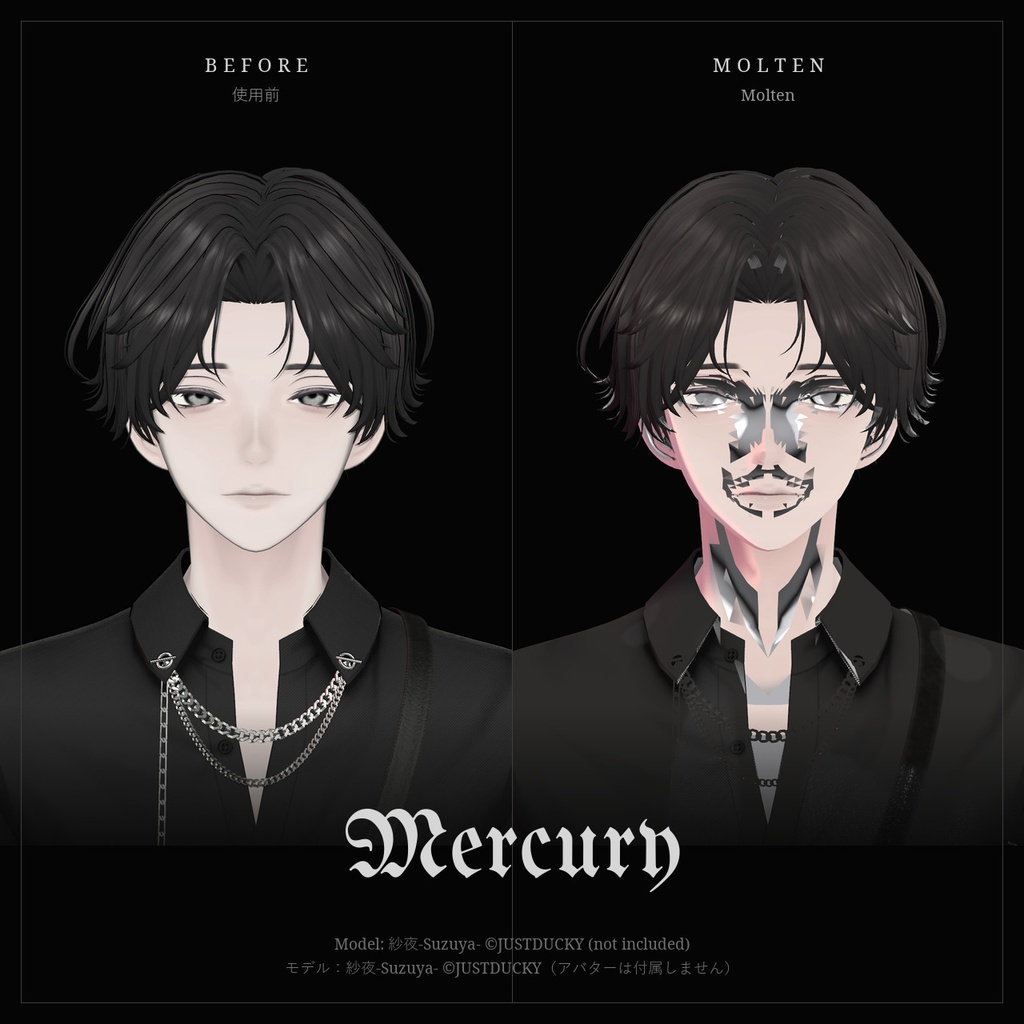
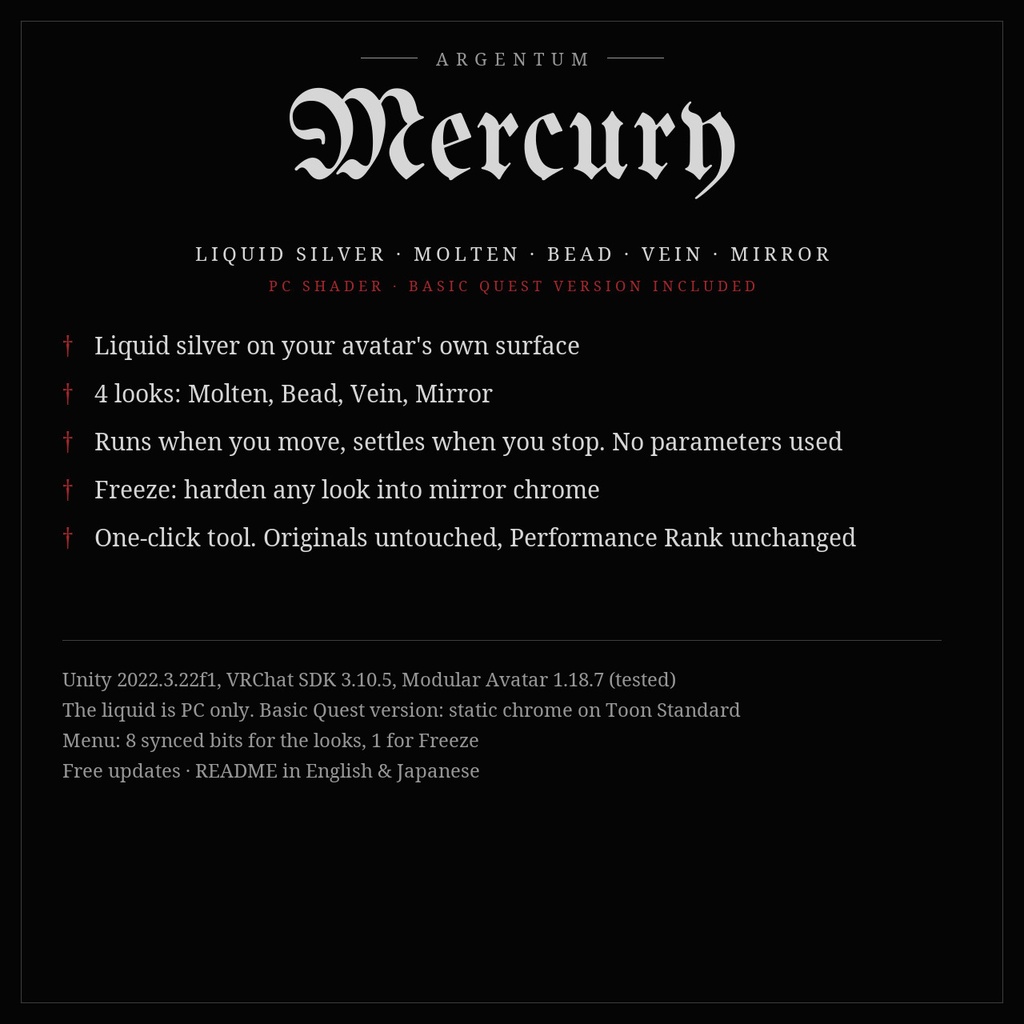
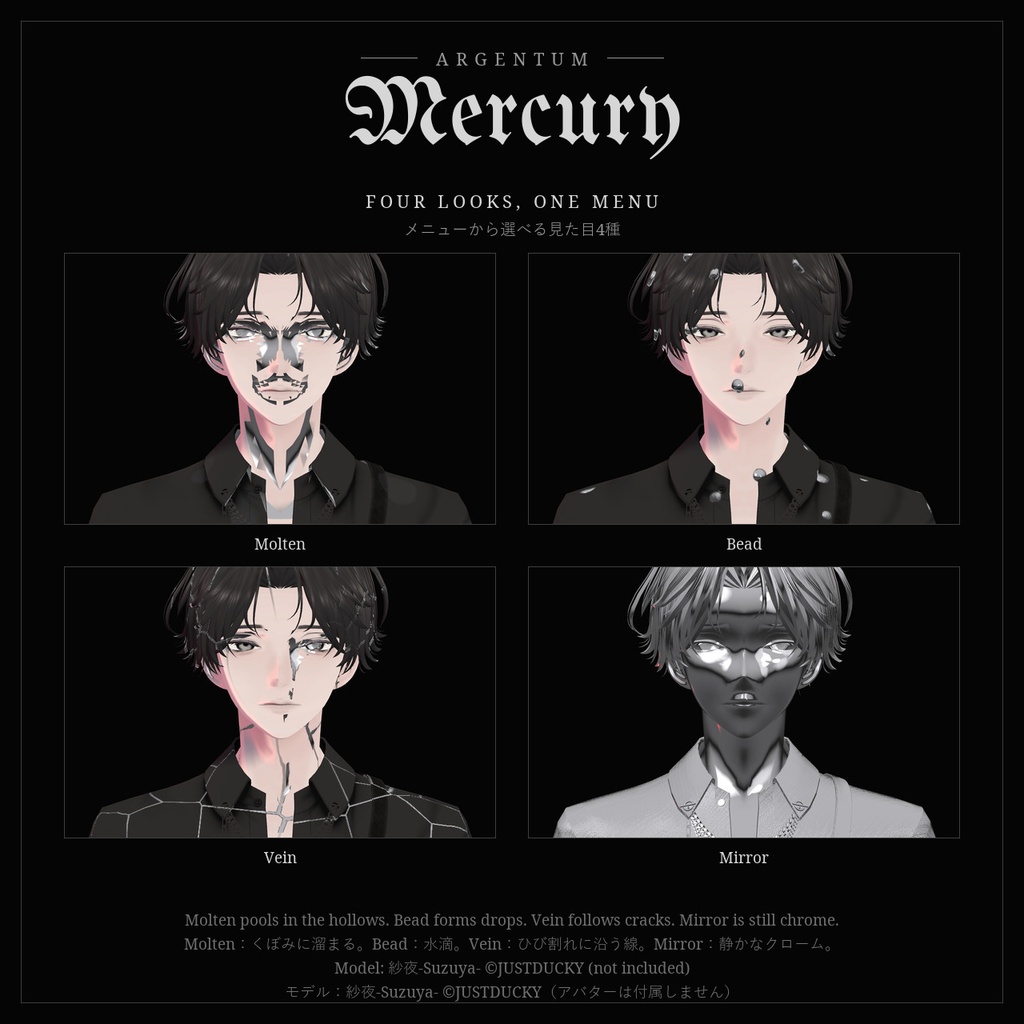
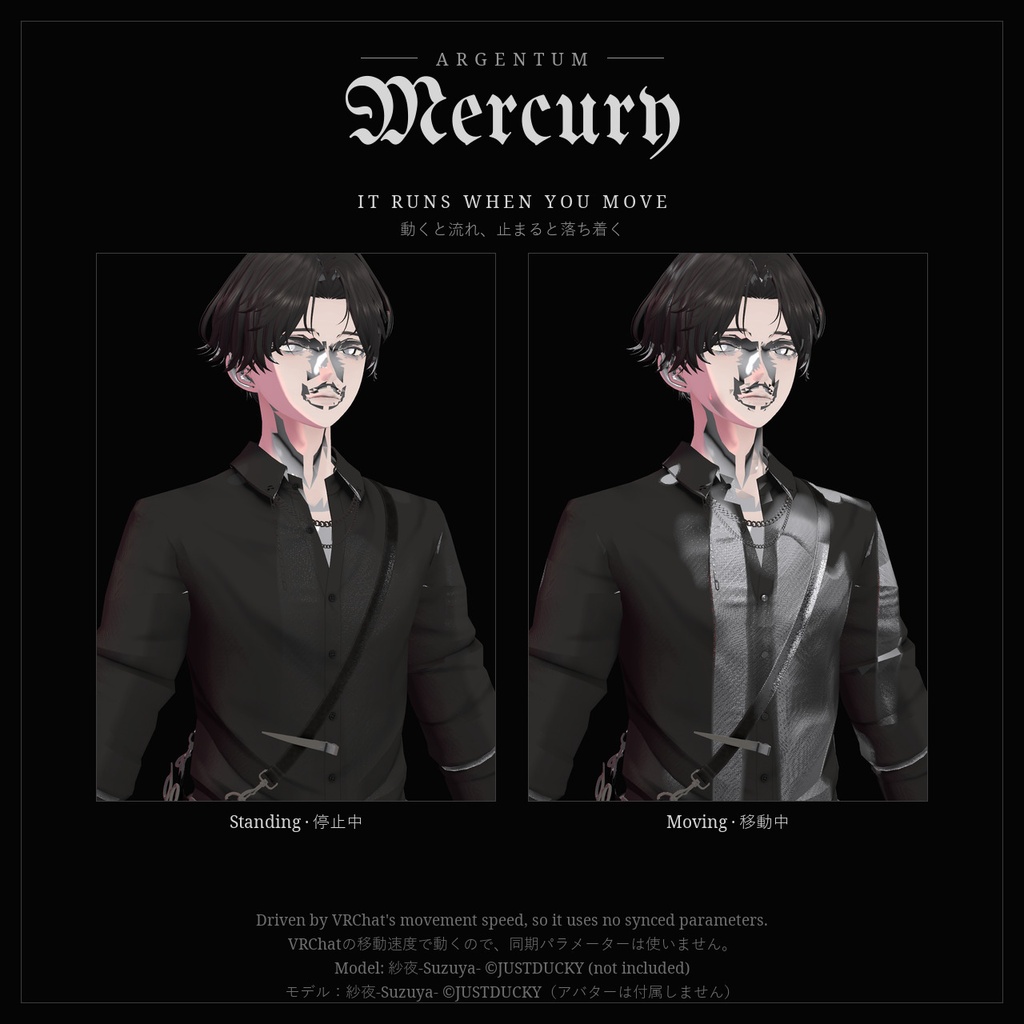
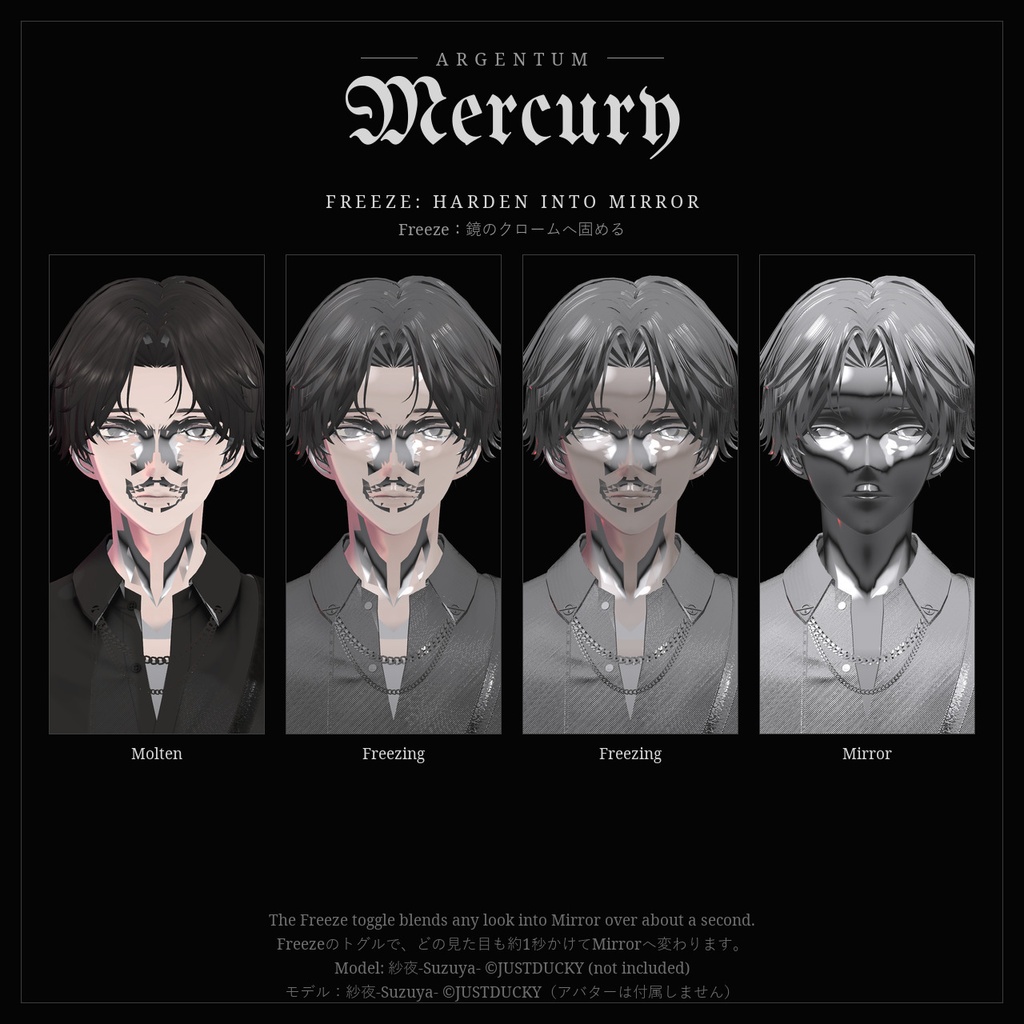


肌を這う、液体の銀。くぼみに溜まり、動けば流れ、止まれば静まる。固めれば、鏡のクロームに。 ■ 特長 ・アバター自身の表面にかかる液体シルバー。消えるエフェクトでも、固い金属の塗り替えでもありません ・見た目4種をメニューから:Molten(顔や体のくぼみに溜まり、動くと流れる)、Bead(表面張力の水滴)、Vein(ひび割れに沿って走る細い銀の線)、Mirror(全身が静かなクロームに) ・動きで流れる:VRChatの移動速度に合わせて銀が流れ、止まるとゆっくり落ち着きます。パラメーターは使いません ・Freeze:メニューからどの見た目もMirrorへ固められます ・ワールドのリフレクションプローブに加えて内蔵のスタジオ反射を持つので、プローブのないワールドでもクロームに見えます。ワールドの明るさにも合わせます ・ワンクリックツール:選んだマテリアル(肌・服・アクセサリー)のコピーを作って適用。元のマテリアルは変更しません。もう一度実行すると前の設定を置き換え、Removeで取り外せます ・メッシュやマテリアルスロットを増やさないため、パフォーマンスランクは変わりません ・ポイントライト、ライトプローブ、カットアウト(lilToonのアルファマスク対応)、エミッション、ノーマルマップに対応 ■ こんな用途に 主に金属マテリアル向けです:アクセサリー、チェーン、バックル、金具、アーマー、メカパーツなど。撮影、配信、サイバーやゴシックなアバターのアクセントに。 ※サンプル画像は効果が分かりやすいよう、肌や髪を含むアバター全体に適用しています。これは本来の使い方ではないため、見た目に違和感があります。金属パーツへの使用をおすすめします。 ■ 対応環境 ・Unity 2022.3.22f1(VRChatの現行バージョン)、ビルトインレンダーパイプライン ・VRChatアバター用。流れる液体はPC専用です(VRChatはQuest / Androidのアバターでカスタムシェーダーを許可していません) ・Quest簡易版:VRChat公式のToon Standardによる静止したクローム(Mirrorのみ)。流れ・水滴・線はありません ・メニューとアニメーターにはModular Avatar(1.18以降)が必要です。MAなしでも、選んだ見た目をそのまま適用できます(常時オン、動きの連動なし) ■ 内容物 ・Argentum_Mercury_v1.0.0.unitypackage ・Argentum/Mercury シェーダー ・ツール:Tools > Argentum > Mercury - Set Up(PC / Questの選択、Remove) ・プリセットマテリアル4種(Molten / Bead / Vein / Mirror)、Quest用マテリアル1種、クロームのマットキャップ、メニュー用アイコン ・README(英語・日本語)、利用規約(英語・日本語)、更新履歴 ■ 負荷 ・画面コピーなし。メッシュ・マテリアルスロットの追加なし ・模様はピクセルごとに計算するため、シンプルなトゥーンシェーダーより重くなります ■ ご注意 ・パラメーター:Argentum/Mercury(int、8ビット)、Argentum/Mercury/Freeze(bool、1ビット)。合計9ビット、どちらも保存あり ・Modular Avatarのプレハブはありません。メニューがそのアバター自身のマテリアルを切り替えるため、ツールがアバターごとにオブジェクトを作ります ・不透明・カットアウトのみです。半透明のマテリアルはカットアウトになります ・Quest簡易版はどの見た目を選んでも同じクロームになり、Freezeによる変化はありません。Toon Standardは不透明のため、カットアウト・半透明のマテリアルは変換せずそのまま残します ・PC版の液体はQuestのプレイヤーには表示されません(Toonフォールバックで元のテクスチャが表示されます) ■ アップデート 購入者は無料でアップデートを受け取れます。BOOTHのライブラリから再ダウンロードしてください。 ──────────────────── English ──────────────────── Argentum Mercury: Liquid Silver Shader [VRChat / PC + basic Quest version / Modular Avatar] Liquid silver on the skin. It pools in the hollows, runs when you move and settles when you stop. Freeze it, and it hardens to mirror chrome. ■ Features ・Liquid silver on your avatar's own surface. Not a vanish effect, and not a solid metal repaint ・4 looks in one menu: Molten (pools in the hollows of the face and body, runs when you move), Bead (surface-tension drops), Vein (thin silver lines along cracks), Mirror (still chrome over everything) ・Movement drives the flow: the silver runs with your VRChat movement speed and eases back when you stop. It uses no parameters ・Freeze: harden any look into Mirror from the menu ・Reflects the world's reflection probe plus a built-in studio reflection, so it reads as chrome in worlds with no probe, and follows the world's brightness ・One-click tool: makes copies of the materials you pick (skin, clothing, jewelry) and applies them. Your originals are never changed. Running it again replaces the earlier setup; Remove takes it off ・Adds no meshes or material slots, so your Performance Rank doesn't change ・Point lights, light probes, cutout (with lilToon alpha masks), emission and normal maps ■ Use it for Made mainly for metal materials: jewelry, chains, buckles, hardware, armor, mech parts. An accent for photos, streams, cyber and gothic avatars. Note: the sample images apply it to the whole avatar, skin and hair included, to make the effect easy to see. That is not the intended use, which is why it looks odd there. We recommend it on metal parts. ■ Compatibility ・Unity 2022.3.22f1 (VRChat's current version), Built-in Render Pipeline ・VRChat avatars. The flowing liquid is PC only (VRChat doesn't allow custom shaders on Quest / Android avatars) ・Basic Quest version: static chrome on VRChat's own Toon Standard (Mirror only). No flow, beads or veins ・Modular Avatar (1.18 or newer) is needed for the menu and animator. Without it the tool applies the chosen look directly (always on, no movement) ■ What's included ・Argentum_Mercury_v1.0.0.unitypackage ・Argentum/Mercury shader ・Tool: Tools > Argentum > Mercury - Set Up (PC / Quest choice, Remove) ・4 preset materials (Molten / Bead / Vein / Mirror), 1 Quest material, chrome matcap, menu icon ・README (English / Japanese), terms of use (English / Japanese), changelog ■ Performance ・No screen copy. No added meshes or material slots. ・The patterns are computed per pixel, so it costs more than a simple toon shader. ■ Notes ・Parameters: Argentum/Mercury (int, 8 bits); Argentum/Mercury/Freeze (bool, 1 bit). 9 bits in total, both saved. ・There is no Modular Avatar prefab. The menu swaps that avatar's own materials, so the tool builds the object per avatar. ・Opaque or cutout only. Transparent materials become cutout. ・On the basic Quest version every look shows the same chrome and Freeze changes nothing. Toon Standard is opaque, so cutout and transparent materials are left as they are. ・Quest players don't see the PC liquid (they see your normal texture through the Toon fallback). ■ Updates Free for buyers. Re-download from your BOOTH library. ━━━━━━━━━━ ▼ 最新情報 / Updates https://x.com/argentumdesigns
Terms of Service
・○ アップロードするアバター・ワールドでの使用(個人・商用、配信・動画を含む) ・○ 自分用の改変。依頼で制作したアバターへの使用と代理アップロード(ファイルを渡さない場合) ・× ファイルの再配布・転売(改変の有無を問わず、アバターやワールドのパッケージへの同梱を含む) ・規約の全文はダウンロードデータに同梱しています ──────────────────── ・OK: use on avatars and worlds you upload, personal or commercial, including streams and videos. ・OK: modify for your own use; use on commissioned avatars you upload for a client, as long as the files aren't handed over. ・Not OK: redistributing or reselling the files, modified or not, including inside avatar or world packages. ・Full terms are included in the download.
Update information
・1.0.0 (2026-11-11): 初回リリース ・1.0.0 (2026-11-11): First release