

頭の中みえないガード - 抱きつかれても写真で寄られても、頭の中が見えない。lilToonの裏面の色だけで作るので外の見た目はそのまま【JA,EN,KO】
- 日本語ダウンロード商品¥ 700
- Englishダウンロード商品¥ 700
- 한국어ダウンロード商品¥ 700
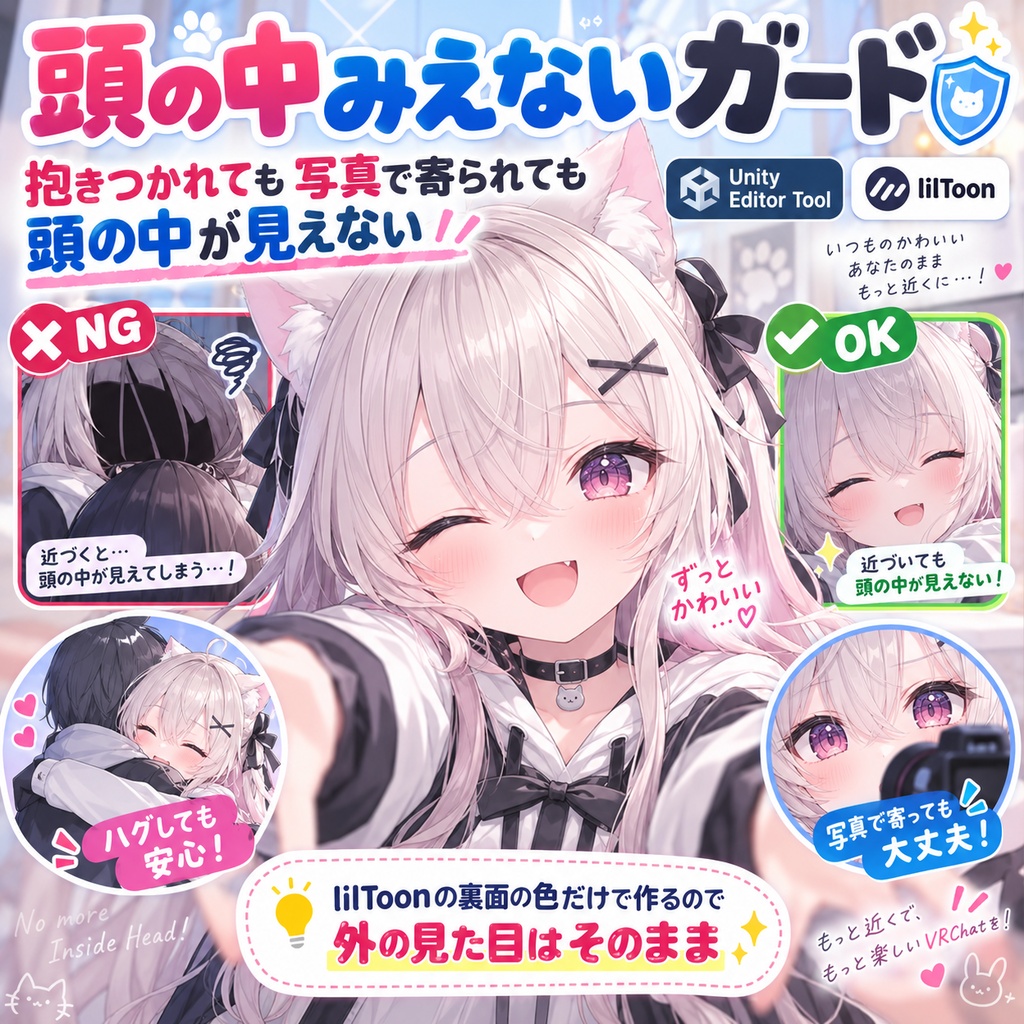
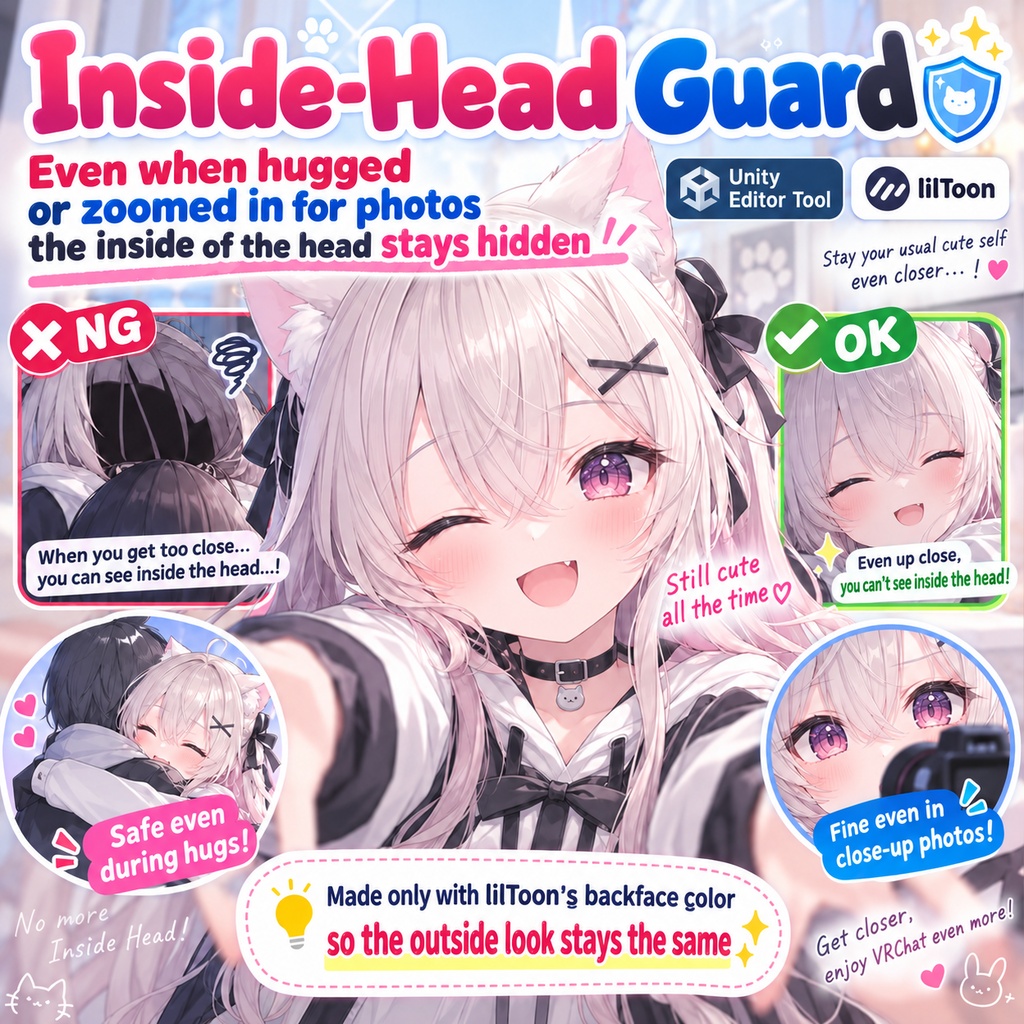
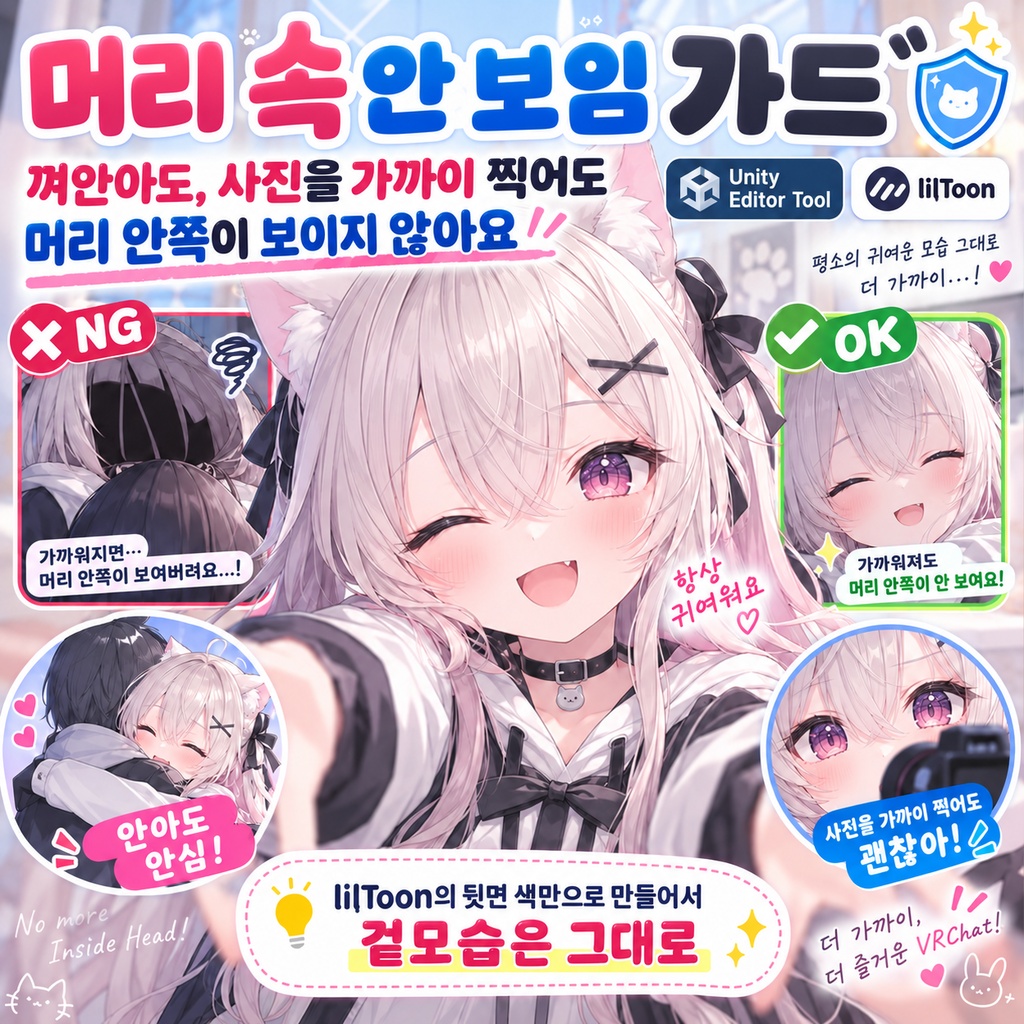
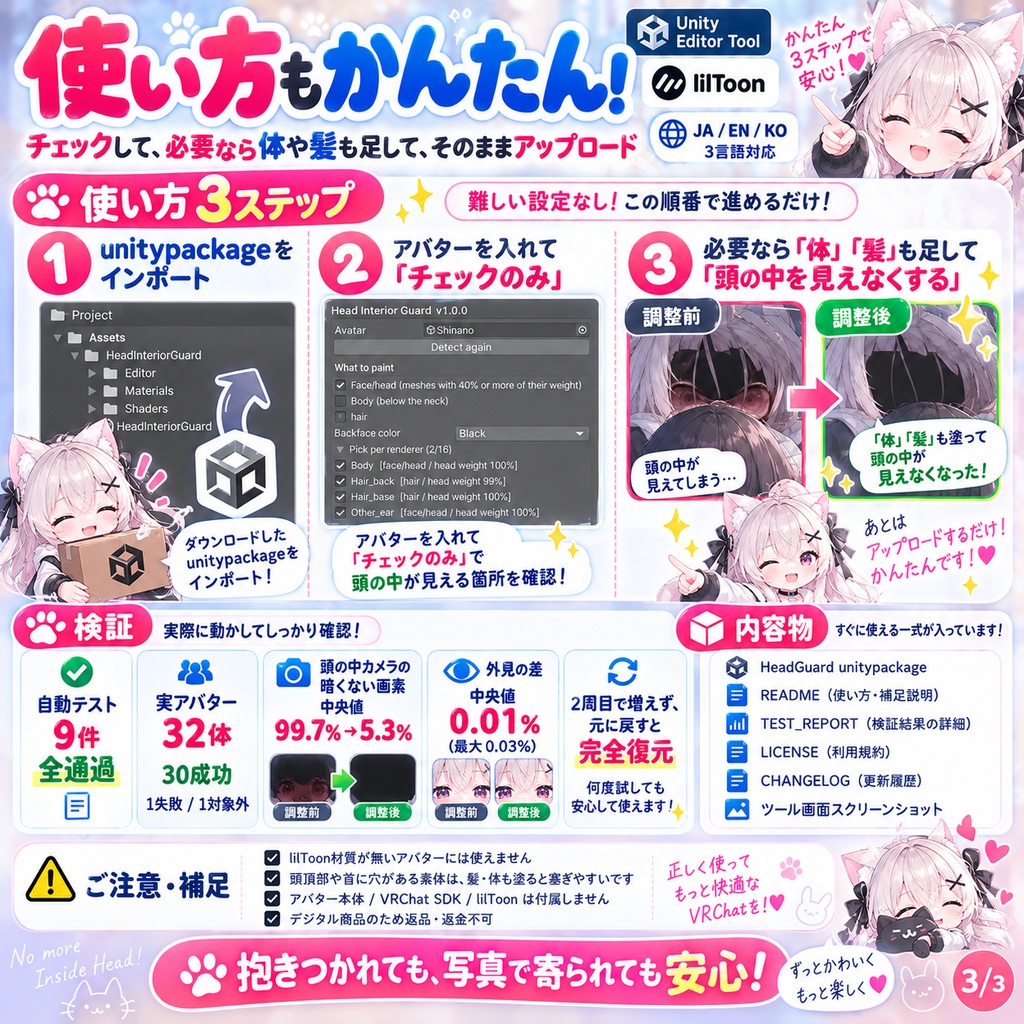
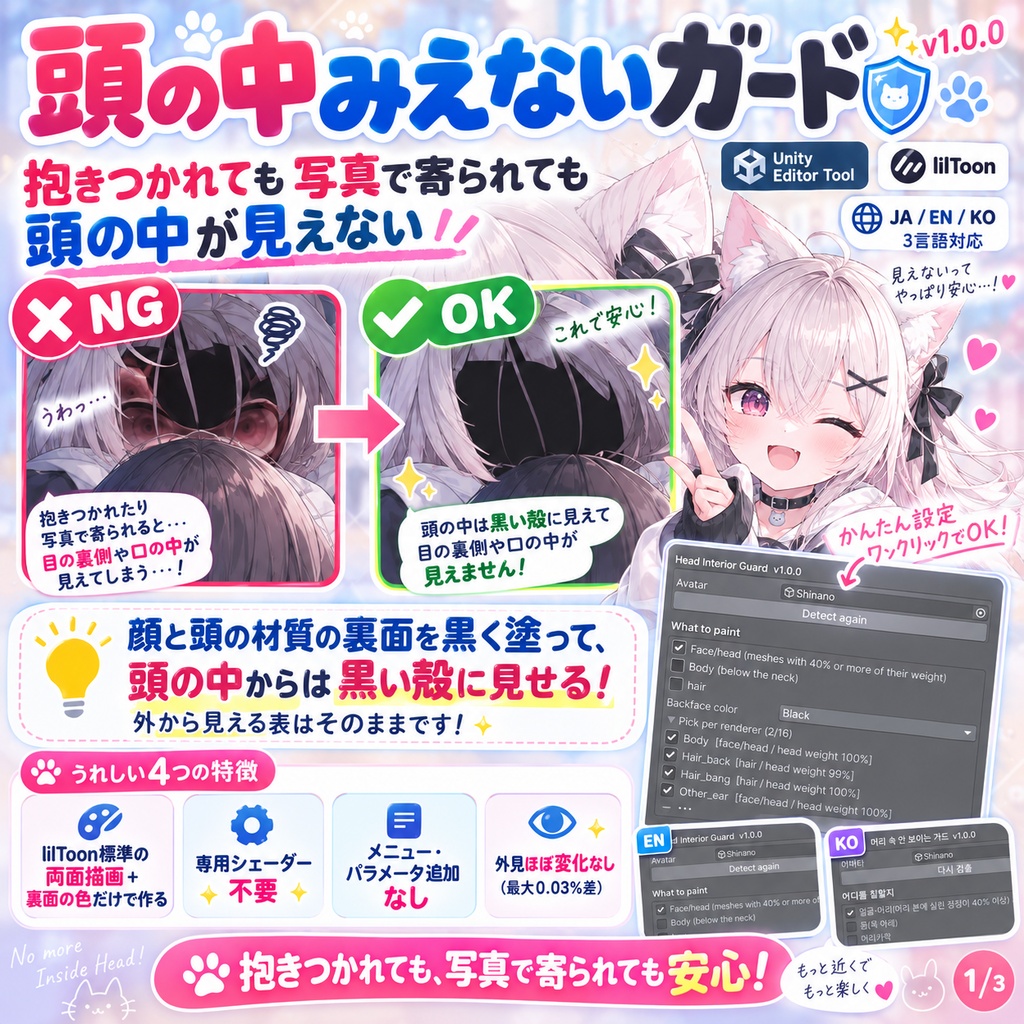
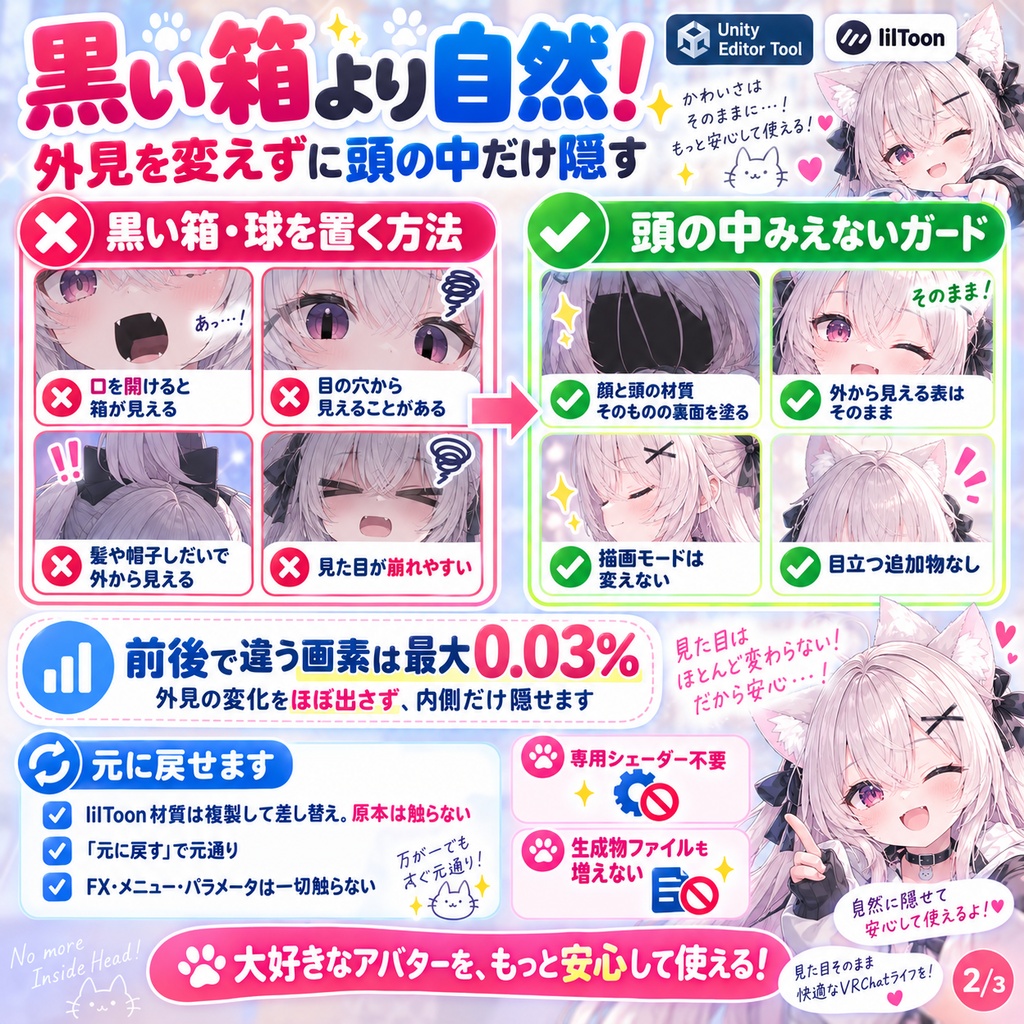


「抱きつくと相手の視点が頭の中に入って、目の裏と口の中が丸見え」。 頭の中みえないガードは、顔と頭の材質の裏面を黒く塗り、頭の中に入った視点からは黒い殻に見えるようにする Unity Editor ツールです。外から見える表は変わりません。 lilToon に元から入っている「両面描画」と「裏面の色」だけで作ります。専用のシェーダーは使わず、メニューもパラメータも増えません。 ◆ 顔を黒い箱で覆う道具と何が違うか 頭の中に黒い箱や球を置く方法は、口を開けたときや目の穴から箱が見え、髪や帽子の位置によっては外からも見えます。 この道具は顔と頭の材質そのものの裏面を塗るので、外からの見た目は変わりません(前後で違う画素 最大 0.03%)。 描画モード(不透明・カットアウト・透明)も変えません。 ◆ 元に戻せます ・lilToon の材質は複製して差し替え、元の材質は触りません ・「元に戻す」で材質が元へ戻ります。実行→戻す→実行で生成物のファイルも増えません ・FX・メニュー・パラメータは一切触りません ◆ 使い方 1. unitypackage をインポート 2. アバターをシーンに置き、Tools > tool > 頭の中みえないガード を開く 3. アバターをドラッグして「チェックのみ」を押す(何も書き換えません)。顔・頭のレンダラーと、触らないもの(髪・体)が一覧に出ます 4. 好みで「体」「髪」を足し、「頭の中を見えなくする」を押す。そのままアップロード ◆ 検証 ・自動テスト 9件 全通過(模擬SDK + 本物の lilToon を入れた Unity 2022.3) ・実物のアバター 32体(本物の VRChat SDK 3.10.3 と lilToon 2.3): 組み上がった 30 / 失敗 1 / 対象外 1(顔・頭の lilToon が無い) ・本物の lilToon で描いて画素を数えた: 頭の中に置いたカメラから暗くない画素 中央値 99.7% → 5.3%。外から 1.5m の見た目の違い 中央値 0.01%(最大 0.03%) ・lilToon の材質 72 枚、顔・頭のレンダラー 56 個。30 体全部で、2 周目に増えず、外すと材質が全部戻り、頭の中からの画素も元と同じ ・失敗の 1 体は自作の試作アバターで、髪と首の穴から 59.6% が見えたまま(髪・体も塗る設定なら塞がります) ※ lilToon の材質が 1 枚も無いアバターには作れません。 ※ 頭のてっぺんや首に穴が開いている素体では、その穴から髪の裏や体が見えます(髪・体も塗る設定で塞げます)。残る 5.3% はこれです。 ※ 元から両面の材質(まつげなど)は表から見える裏面も塗られます。枚数を数えて注意を出すので、見た目が変わったら一覧で外してください。 ※ VRChat の実機では未確認です。頭の中からの画素と外からの画素を Unity 上で本物の lilToon で実測しました。 ※ アバター本体、VRChat SDK、lilToon は付属しません。 ※ デジタル商品のため、購入後の返品・返金はできません。 内容物: HeadGuard unitypackage / README / TEST_REPORT / LICENSE / CHANGELOG / ツール画面のスクリーンショット ■ バリエーション(言語ごとに1つ。それぞれに下のZIPを設定。自動入力ツールは読まない) 日本語 日本語版_頭の中みえないガード_v1.0.0.zip English English_Head Interior Guard_v1.0.0.zip 한국어 한국어판_머리 속 안 보이는 가드_v1.0.0.zip --- English --- "When they hug me, their viewpoint goes inside my head and sees the back of my eyes and the inside of my mouth." Head Interior Guard paints the backfaces of the face and head materials black, so a viewpoint inside your head sees a black shell. The outside look is unchanged. Built only with the two-sided rendering and backface color that lilToon already has. No custom shader; no menu item or parameter is added. ◆ How it differs from a black box around the face A black box or sphere inside the head shows through the mouth and the eye holes, and sometimes from outside depending on the hair or hat. This tool paints the backfaces of the face and head materials themselves, so the outside look stays (max 0.03% of pixels differ). The rendering mode (opaque, cutout, transparent) is not changed either. ◆ Revertible - lilToon materials are duplicated and swapped; the originals are untouched - Revert restores the materials. Run, revert, run again adds no files - FX, menu and parameters are never touched ◆ How to use 1. Import the unitypackage, put the avatar in the scene and open Tools > tool > Head Interior Guard 2. Drag the avatar in and press Check only (nothing is written). Face/head renderers and the untouched ones (hair, body) are listed 3. Add Body or Hair if you like, press 'Hide the head interior' and upload as usual ◆ Verification - 9 automated tests passed (Unity 2022.3 with a mock SDK and the real lilToon) - 32 real avatars with the real VRChat SDK 3.10.3 and lilToon 2.3: 30 built / 1 failed / 1 not applicable (no lilToon on the face) - Rendered with the real lilToon and pixels counted: not-dark pixels from a camera inside the head, median 99.7% → 5.3%. Difference of the look from 1.5 m outside, median 0.01% (max 0.03%) - 72 lilToon materials, 56 face/head renderers. On all 30 a second run added nothing and Revert restored every material - The 1 failure is my own prototype avatar, where 59.6% stayed visible through the hair and the neck hole (painting hair and body closes it) * Cannot be built on an avatar with no lilToon material at all. * On bodies with an open scalp or neck, the inside of the hair or the body shows through that hole (painting hair and body closes it). The remaining 5.3% is this. * Materials that were already two-sided (eyelashes etc.) get their visible backfaces painted too. They are counted and warned about; uncheck them if the look changes. * Not yet checked inside VRChat itself. Pixels from inside and from outside were measured in Unity with the real lilToon. * The avatar, the VRChat SDK and lilToon are not included. Digital product; no refunds. Contents: HeadGuard unitypackage / README / TEST_REPORT / LICENSE / CHANGELOG / tool window screenshot --- 한국어 --- "안기면 상대 시점이 머리 속에 들어가서 눈 뒤와 입 속이 다 보여요." 머리 속 안 보이는 가드는 얼굴과 머리 재질의 뒷면을 검게 칠해, 머리 속에 들어간 시점에서는 검은 껍질로 보이게 하는 Unity Editor 툴입니다. 밖에서 보이는 겉면은 그대로입니다. lilToon에 원래 들어 있는 「양면 그리기」와 「뒷면 색」만으로 만듭니다. 전용 셰이더를 쓰지 않고 메뉴도 파라미터도 늘지 않습니다. ◆ 얼굴을 검은 상자로 덮는 툴과 무엇이 다른가 머리 속에 검은 상자나 구를 두는 방법은 입을 벌렸을 때나 눈 구멍으로 상자가 보이고, 머리카락이나 모자 위치에 따라 밖에서도 보입니다. 이 툴은 얼굴과 머리 재질 자체의 뒷면을 칠하므로 밖에서의 외형은 변하지 않습니다(전후로 다른 픽셀 최대 0.03%). 렌더링 모드(불투명·컷아웃·투명)도 바꾸지 않습니다. ◆ 되돌릴 수 있습니다 ・lilToon 재질은 복제해 교체하고 원본 재질은 건드리지 않습니다 ・「되돌리기」로 재질이 원래대로 돌아갑니다. 실행→되돌리기→실행으로 생성물 파일도 늘지 않습니다 ・FX·메뉴·파라미터는 일절 건드리지 않습니다 ◆ 사용법 1. unitypackage 임포트, 아바타를 씬에 놓고 Tools > tool > 머리 속 안 보이는 가드 를 연다 2. 아바타를 드래그하고 「확인만」을 누른다(아무것도 바꾸지 않음). 얼굴·머리 렌더러와 건드리지 않는 것(머리카락·몸)이 목록에 나옵니다 3. 취향대로 「몸」「머리카락」을 더하고 「머리 속 안 보이게 하기」를 누른 뒤 그대로 업로드 ◆ 검증 ・자동 테스트 9건 전부 통과(모의 SDK + 실제 lilToon을 넣은 Unity 2022.3) ・실제 아바타 32체(실제 VRChat SDK 3.10.3과 lilToon 2.3): 조립된 30 / 실패 1 / 대상 외 1(얼굴·머리의 lilToon 없음) ・실제 lilToon으로 그려 픽셀을 셈: 머리 속에 둔 카메라에서 어둡지 않은 픽셀 중앙값 99.7% → 5.3%. 밖 1.5m에서의 외형 차이 중앙값 0.01%(최대 0.03%) ・lilToon 재질 72장, 얼굴·머리 렌더러 56개. 30체 전부에서 2회째에 늘지 않고, 제거하면 재질이 전부 돌아옴 ・실패한 1체는 자작 시제품 아바타로, 머리카락과 목 구멍으로 59.6%가 보인 채(머리카락·몸도 칠하는 설정이면 막힘) ※ lilToon 재질이 한 장도 없는 아바타에는 만들 수 없습니다. ※ 정수리나 목에 구멍이 뚫린 소체에서는 그 구멍으로 머리카락의 뒷면이나 몸이 보입니다(머리카락·몸도 칠하는 설정으로 막을 수 있음). 남는 5.3%가 이것입니다. ※ 원래 양면인 재질(속눈썹 등)은 겉에서 보이는 뒷면도 칠해집니다. 장수를 세어 주의를 내므로, 외형이 바뀌면 목록에서 빼 주세요. ※ VRChat 실기에서는 미확인입니다. 머리 속에서의 픽셀과 밖에서의 픽셀을 Unity에서 실제 lilToon으로 실측했습니다. ※ 아바타 본체, VRChat SDK, lilToon은 포함되지 않습니다. 디지털 상품이므로 반품·환불은 불가합니다. 내용물: HeadGuard unitypackage / README / TEST_REPORT / LICENSE / CHANGELOG / 툴 화면 스크린샷