

【VRChat】カメラ・視界フィルター 写景 シャケイ Shakei Camera Filter(アバター向け)
- ダウンロード商品¥ 500
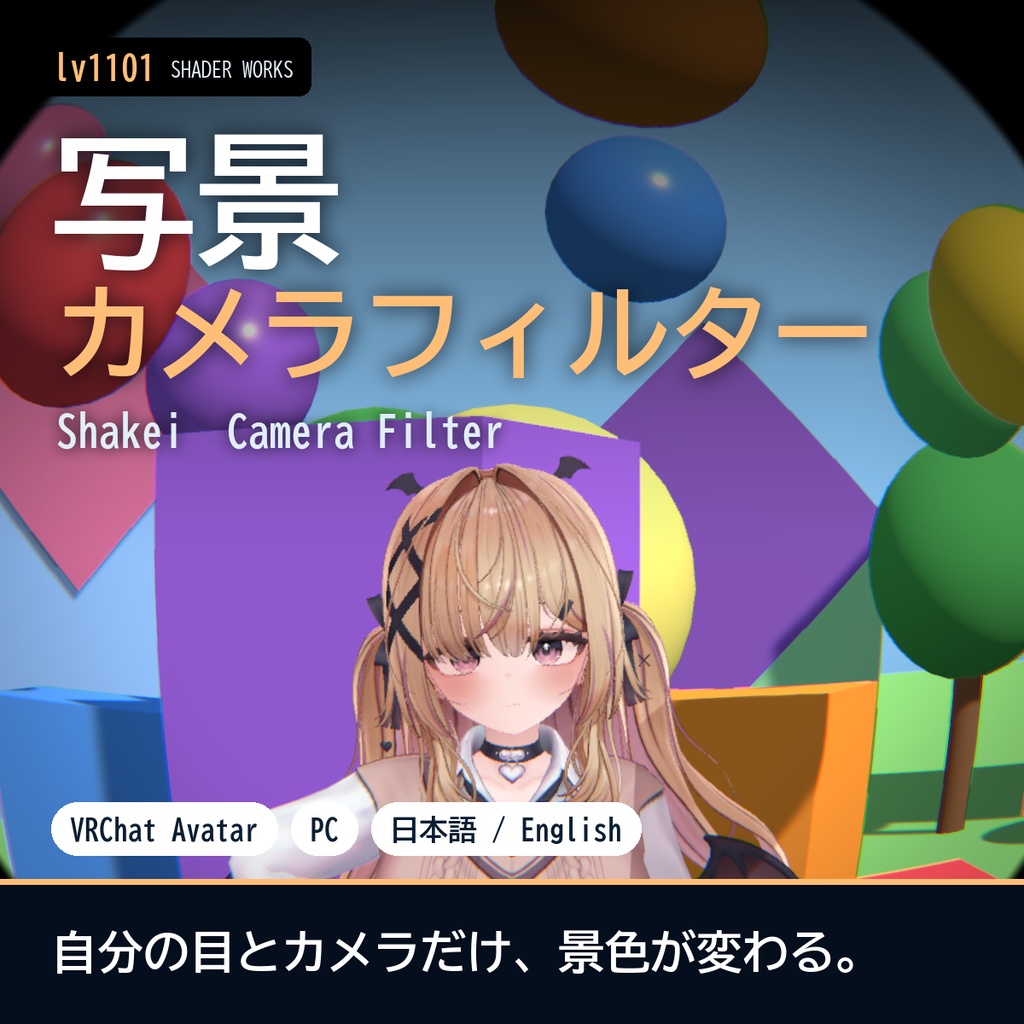
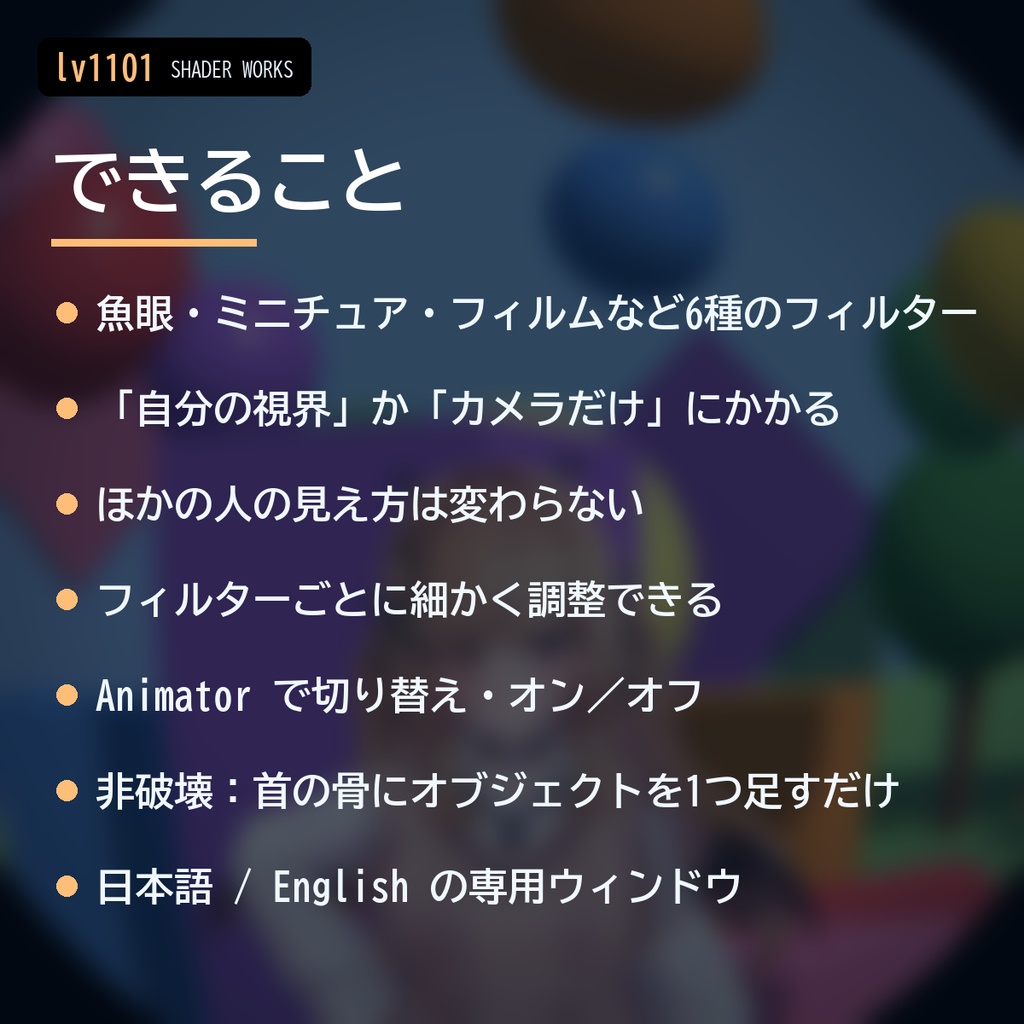
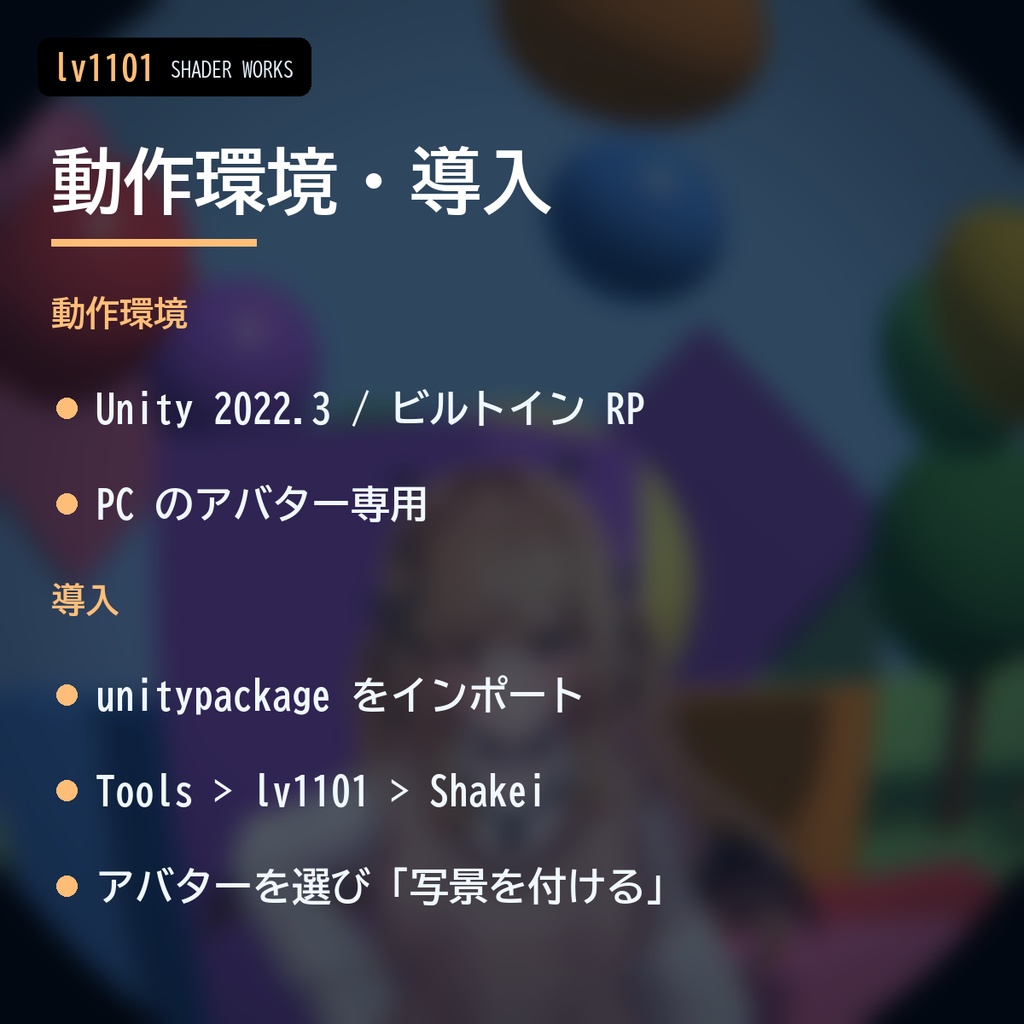
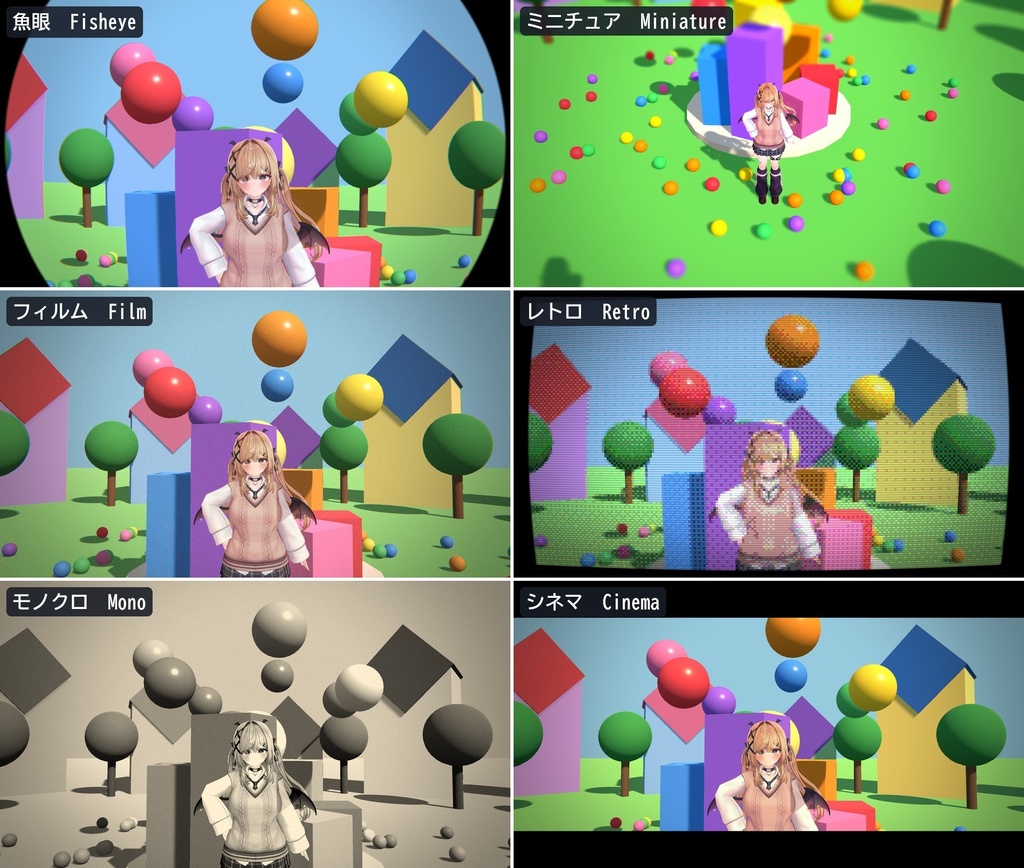
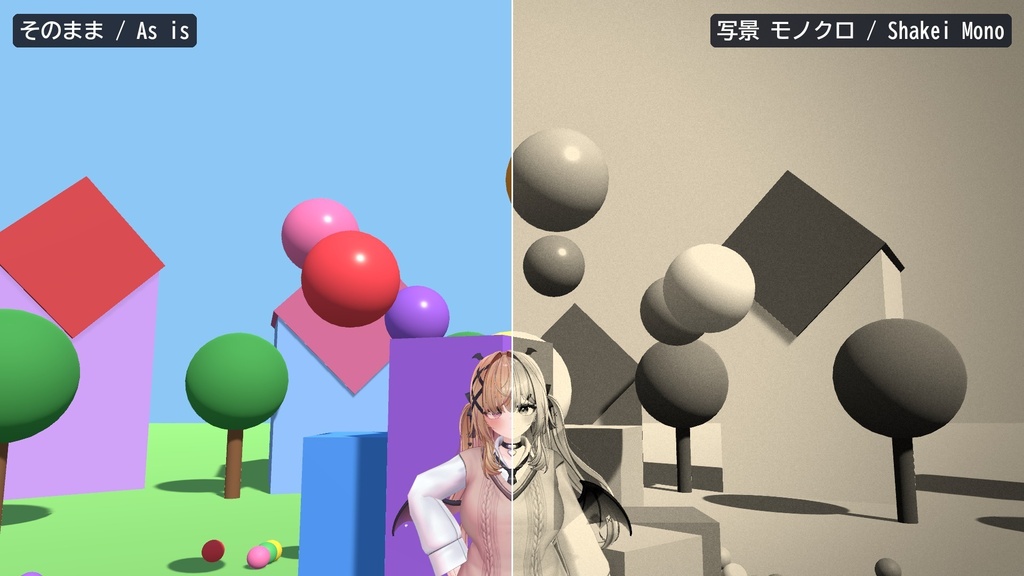
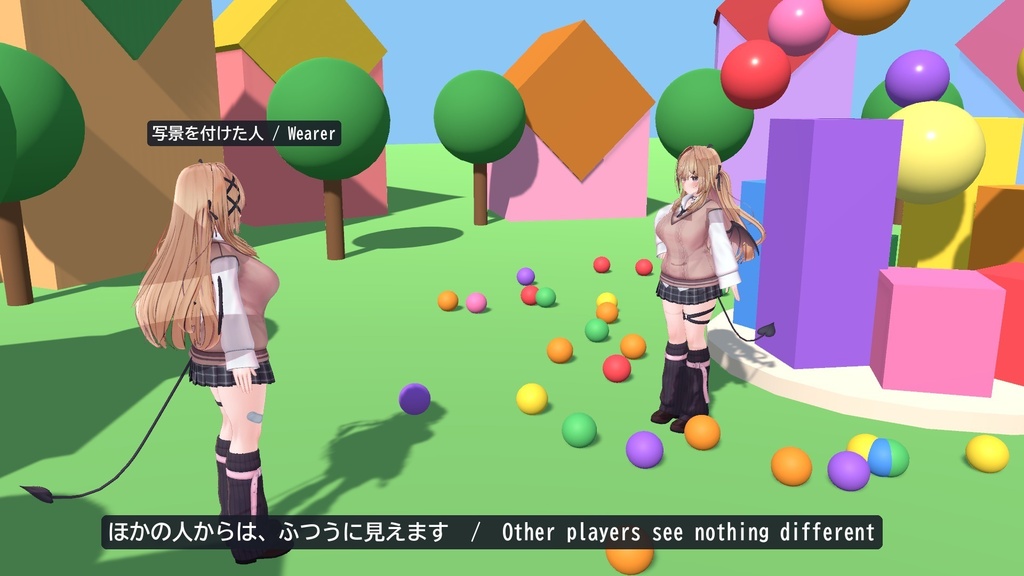
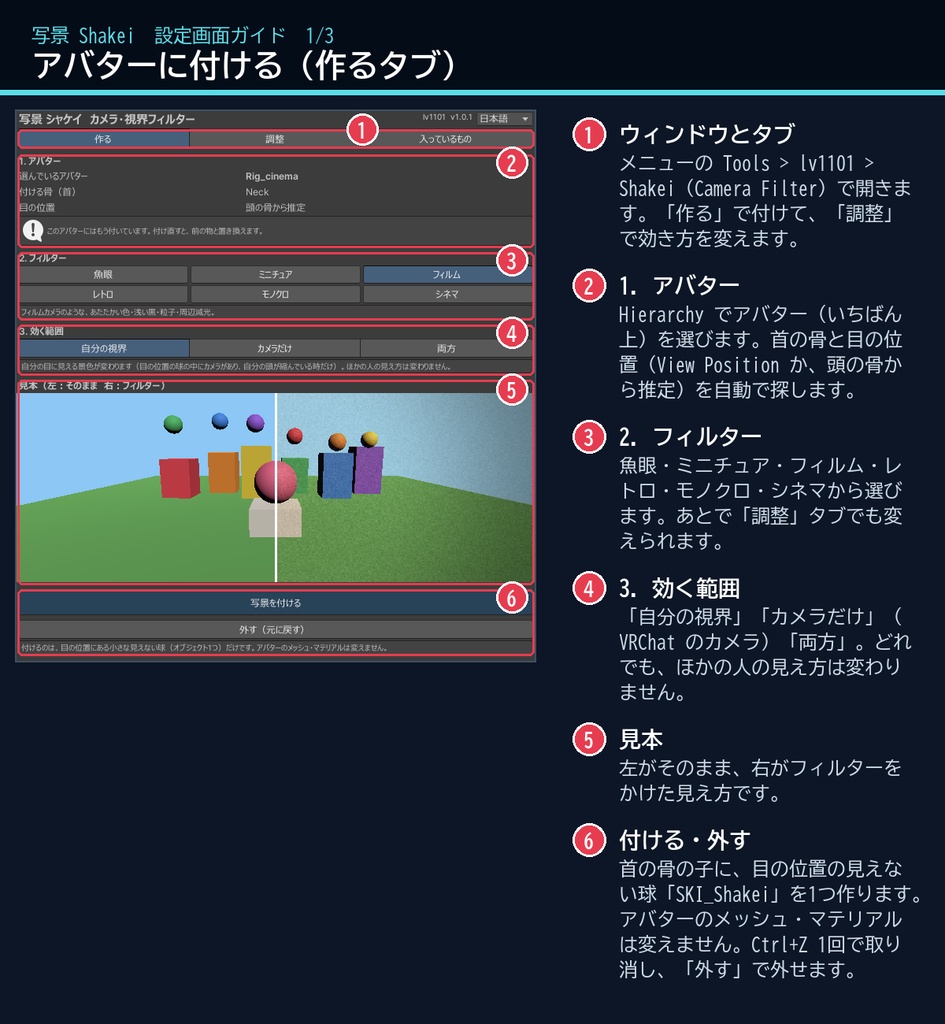
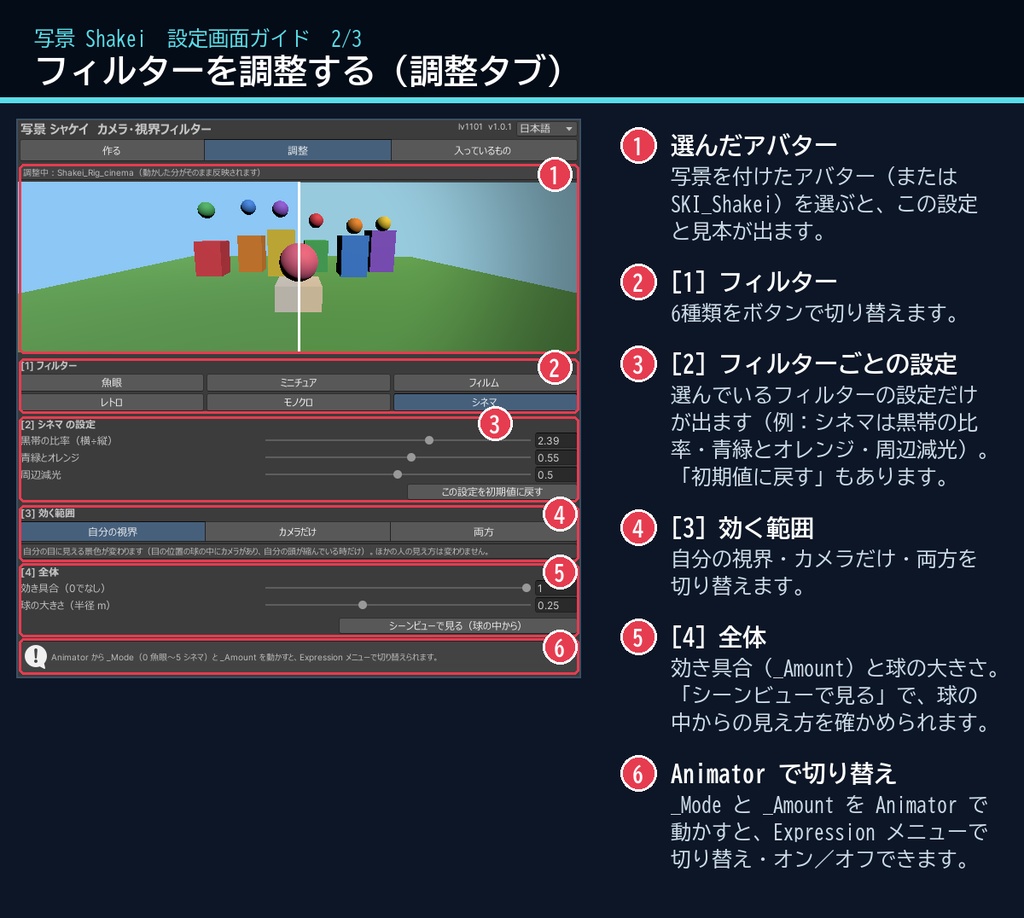
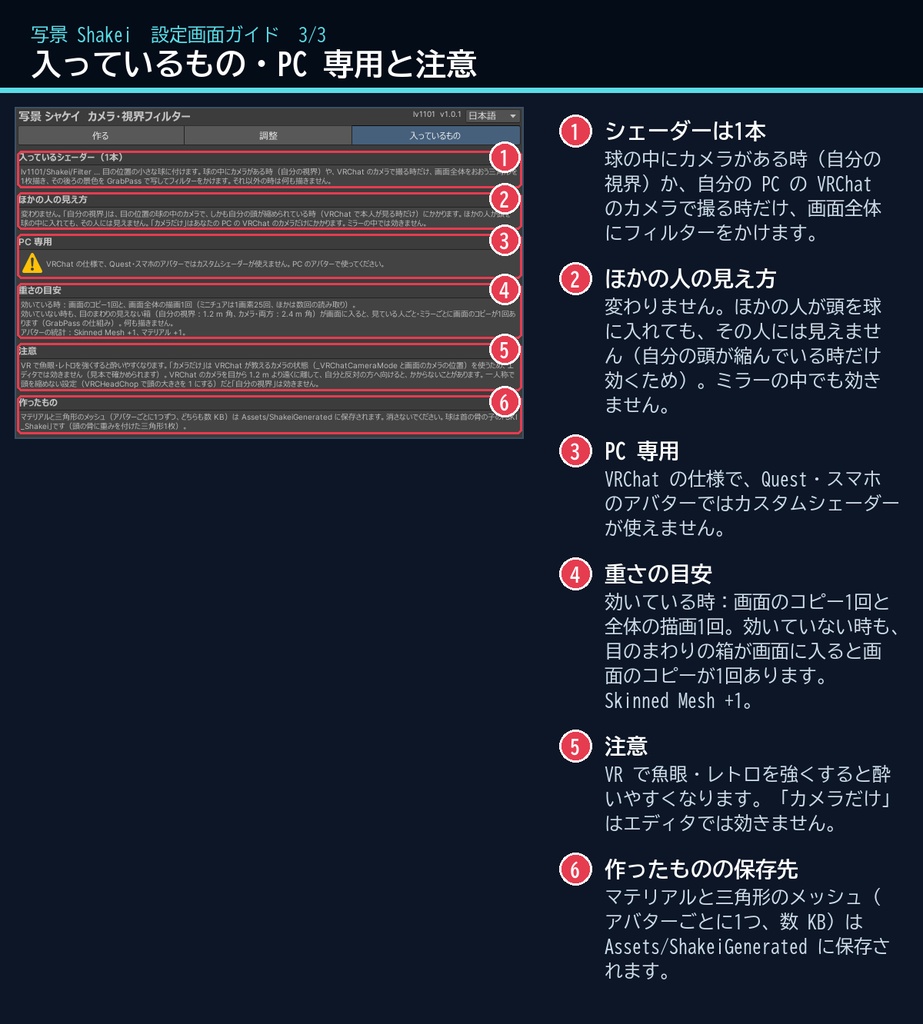
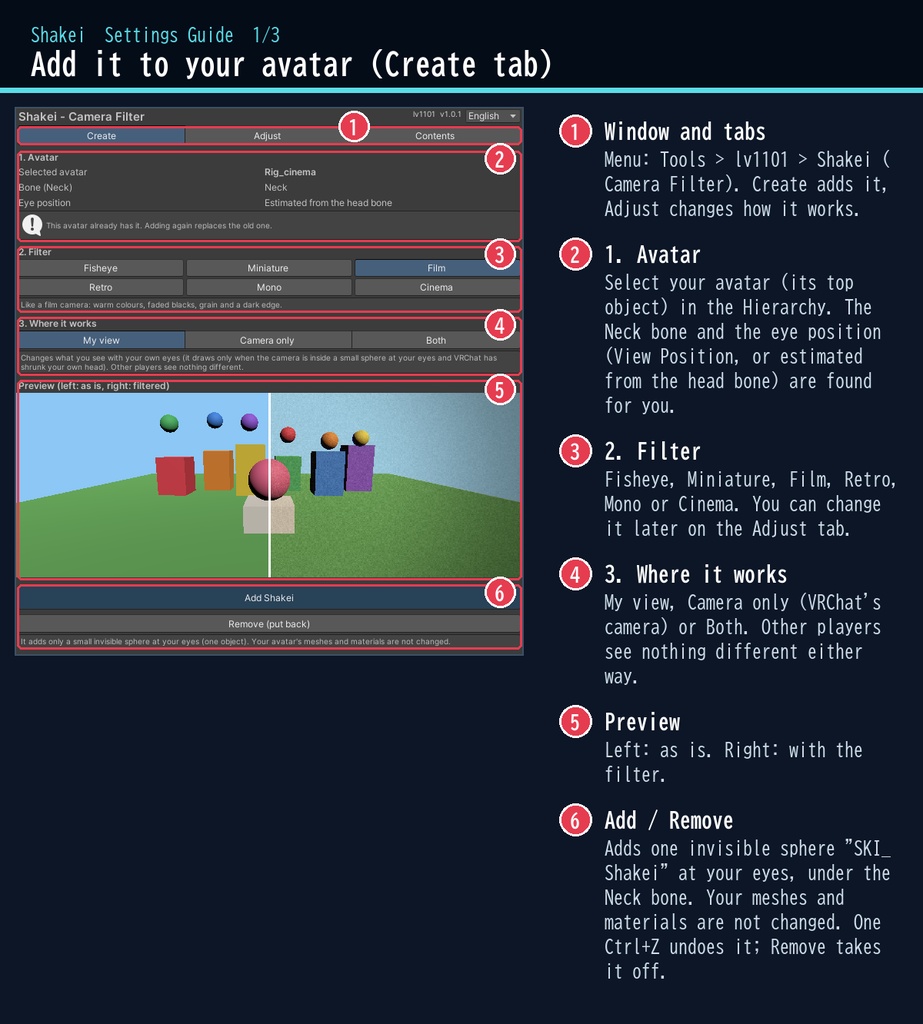
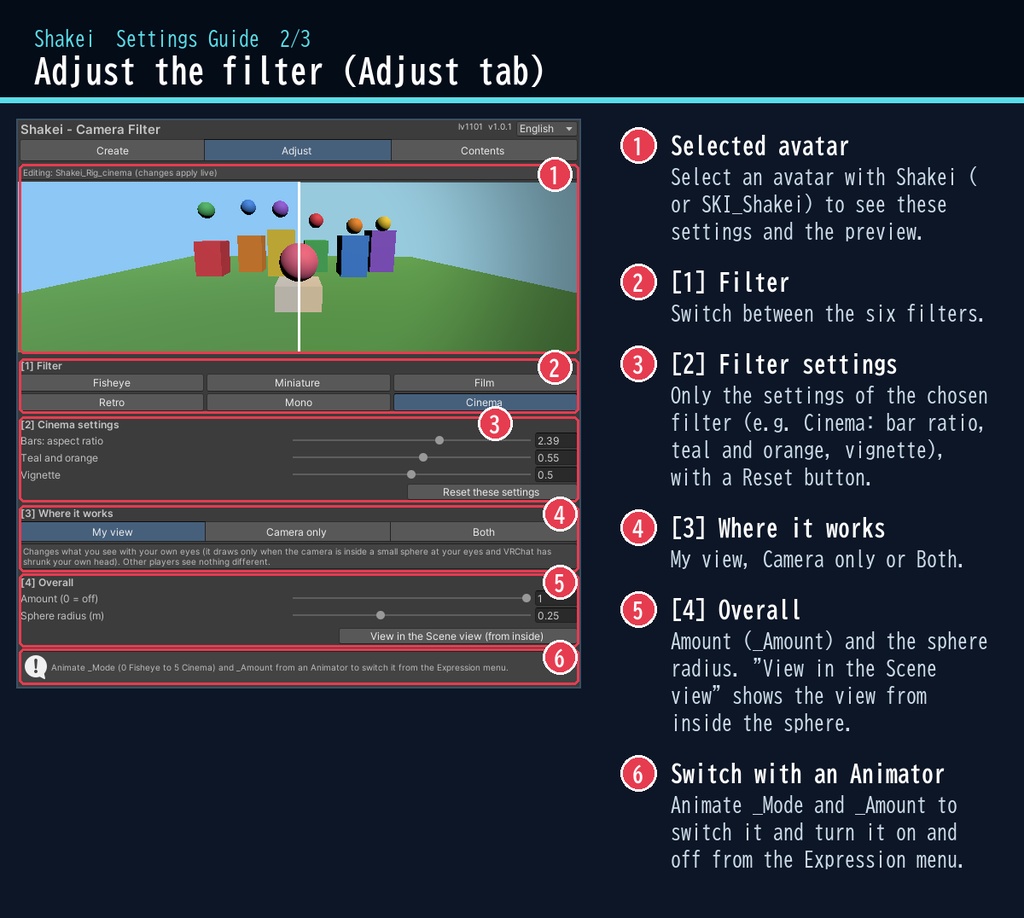
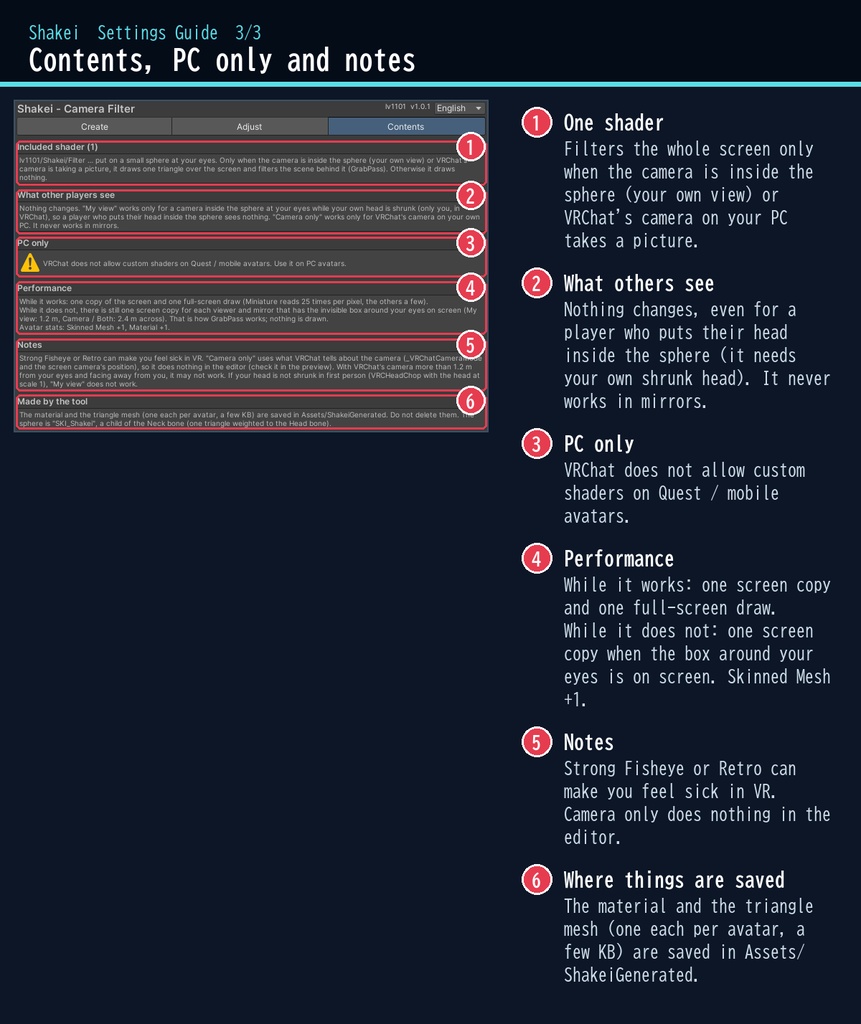


VRChat アバター向けの、カメラ・視界フィルターのシェーダーです。PC のアバター専用です。 魚眼・ミニチュア(ティルトシフト)・フィルム・レトロ(ドット/ブラウン管)・モノクロ・シネマ(上下の黒帯)の6種類を、自分の視界か、VRChat のカメラで撮る時だけにかけられます。 ほかの人の見え方は変わりません。目の位置の小さな見えない球の中にカメラがあり、自分の頭が縮められている時(VRChat で本人が見る時だけ)や、あなたの PC の VRChat のカメラが撮っている時だけ描くしくみです。ほかの人が頭を球の中に入れても、その人には見えません。 VRChat の色空間(Linear)で、色・明るさを確認済みです。 スクリプト(U#)なしで動きます。 日本語 / English の専用ウィンドウで、アバターを選んでフィルターを選び、ボタン1つで付けられます。 ■ できること ・魚眼:まん中がふくらみ、まわりが丸く暗くなる魚眼レンズ風 ・ミニチュア:上下をぼかして色を濃くし、景色を模型のように(ピントの高さ・幅を調整) ・フィルム:あたたかい色・浅い黒・粒子・周辺減光 ・レトロ:大きなドット・少ない色・走査線・丸いブラウン管の画面 ・モノクロ:白黒・セピア(コントラストと色味を調整) ・シネマ:映画のような上下の黒帯と、青緑とオレンジの色合い ・効く範囲:「自分の視界」/「VRChat のカメラだけ」/「両方」 ・Animator から _Mode と _Amount を動かして、Expression メニューで切り替え・オン/オフ ・非破壊:首の骨の子にオブジェクトを1つ足すだけ。アバターのメッシュ・マテリアルは変えません ・「外す(元に戻す)」ボタンで外せます。付けるのも Ctrl+Z 1回で取り消せます ■ 動作環境 ・Unity 2022.3(VRChat で使うバージョン) ・ビルトイン レンダーパイプライン ・PC 専用(VRChat の仕様で、Quest・スマホのアバターではカスタムシェーダーが使えません) ・VRChat SDK3 Avatars(なくてもコンパイルできます。Modular Avatar も不要です) ■ 導入 1. unitypackage を Unity にドラッグ&ドロップしてインポート 2. メニューの Tools > lv1101 > Shakei (Camera Filter) でウィンドウを開く 3. Hierarchy でアバターを選び、フィルターと効く範囲を選んで「写景を付ける」を押す 詳しい使い方は同梱の README_ja.txt をご覧ください。 設定画面の説明は、商品画像の「設定画面ガイド」(日本語・英語)にあります。 ウィンドウ右上で 日本語 / English を切り替えられます(Auto は PC の言語に合わせます)。 ■ 重さの目安 効いている時は、画面のコピー1回と画面全体の描画1回(ミニチュアは1画素25回、ほかは数回の読み取り)。 効いていない時も、目のまわりの見えない箱(自分の視界:1.2 m 角、カメラ・両方:2.4 m 角)が画面に入ると、見ている人ごと・ミラーごとに画面のコピーが1回あります(GrabPass の仕組み。何も描きません)。 アバターの統計:Skinned Mesh +1、マテリアル +1。 ■ 内容物 ・Shakei_1.0.1.unitypackage(README_ja.txt / README_en.txt 入り) ・利用規約.txt / TermsOfUse_en.txt ※商品ページの画像の景色は、動作確認用の見本です(商品に含みません)。 ※画像のアバター:ゆめか Yumeka(©Arka_X / https://booth.pm/ja/items/8672657 )。商品には含みません。 ※VR で魚眼・レトロを強くすると酔いやすくなります。弱めから試してください。 ※ミラーの中では効きません。一人称で頭を縮めない設定(VRCHeadChop で頭の大きさを 1 にする)だと「自分の視界」は効きません。 ※「カメラだけ」は VRChat が教えるカメラの状態を使うため、Unity のエディタでは効きません(ウィンドウの見本で確かめられます)。VRChat のカメラを目から 1.2 m より遠くに離して自分と反対へ向けると、かからないことがあります。 ■ 利用規約(概要) ・VRChat のアバター(Public/商用・有料イベントでの使用を含む)で使えます ・改変できます ・シェーダー・スクリプトの再配布、転売はできません(改変したものも含む) ・クレジット表記は任意です(書いていただけると嬉しいです) 詳しくは同梱の 利用規約.txt をご覧ください。 ―――――――――――――――― ■ English Shakei is a camera / view filter shader for VRChat avatars (PC only, Built-in RP, Unity 2022.3). Six filters: Fisheye, Miniature (tilt-shift), Film, Retro (pixels / tube TV), Mono and Cinema (black bars), on your own view or only when VRChat's camera takes a picture. Other players see nothing different: it draws only when the camera is inside a small invisible sphere at your eyes while your own head is shrunk (only you, in VRChat), or when VRChat's camera on your own PC is taking a picture. A player who puts their head inside the sphere sees nothing. Checked in VRChat's Linear colour space. No Udon / U# needed. Select your avatar in the dedicated window, choose a filter and where it works, and press one button. It is non-destructive: one object is added under the Neck bone; your meshes and materials are not changed. "Remove" takes it off. Each filter has its own settings (bend, focus, blur, warmth, grain, vignette, pixel size, colour levels, scanlines, contrast, tint, bar ratio...). Animate _Mode and _Amount to switch it from the Expression menu. PC avatars only: VRChat does not allow custom shaders on Quest / mobile avatars. Performance: while it works, one screen copy and one full-screen draw; while it does not, one screen copy for each viewer and mirror that has the invisible box around your eyes on screen (1.2 m for My view, 2.4 m for Camera / Both; GrabPass). Avatar stats: Skinned Mesh +1, Material +1. Avatar in the images: Yumeka (©Arka_X), not included. • Full English UI: switch Auto / 日本語 / English at the top right of the window • English README (README_en.txt) and Terms of Use (TermsOfUse_en.txt) included • English settings guide images are included in the product images Install: import the unitypackage, open Tools > lv1101 > Shakei (Camera Filter), select your avatar, choose a filter and press "Add Shakei". Terms (summary): usable on VRChat avatars, including public use, commercial use and paid events; modification allowed; redistribution or resale of the shader / scripts (including modified versions) is not allowed; credit is optional. ■ 更新履歴 / Version history 1.0.0 最初の版 / First release 1.0.1 Linear(VRChat)で色・明るさを Gamma と同じに。ほかの人が頭を球に入れても見えないように。カメラ用の範囲を小さく / Same look in Linear (VRChat); never shown to other players, even with their head in the sphere; smaller box for the camera scopes