

【VRChat】接触影シェーダー 撫影 ナデカゲ Nadekage Contact Shadow(アバター向け)
- ダウンロード商品¥ 600
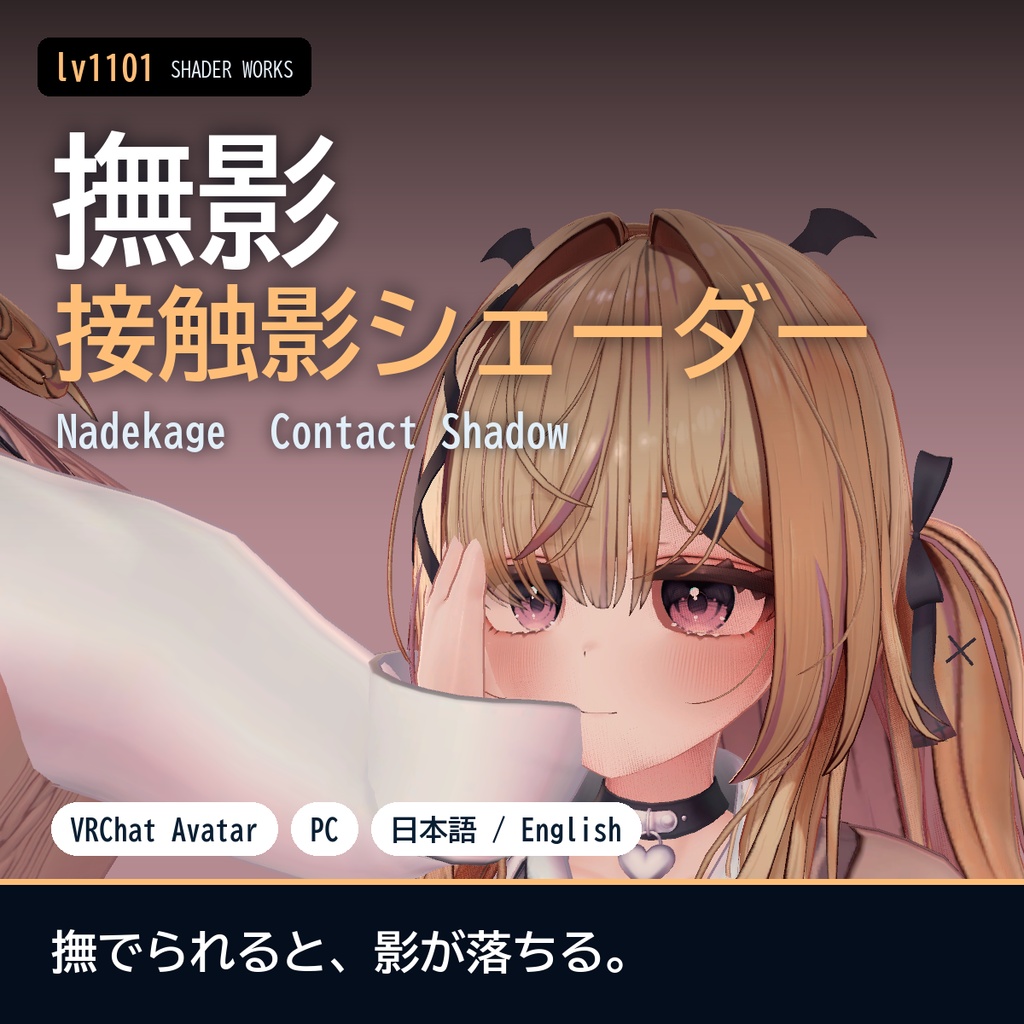
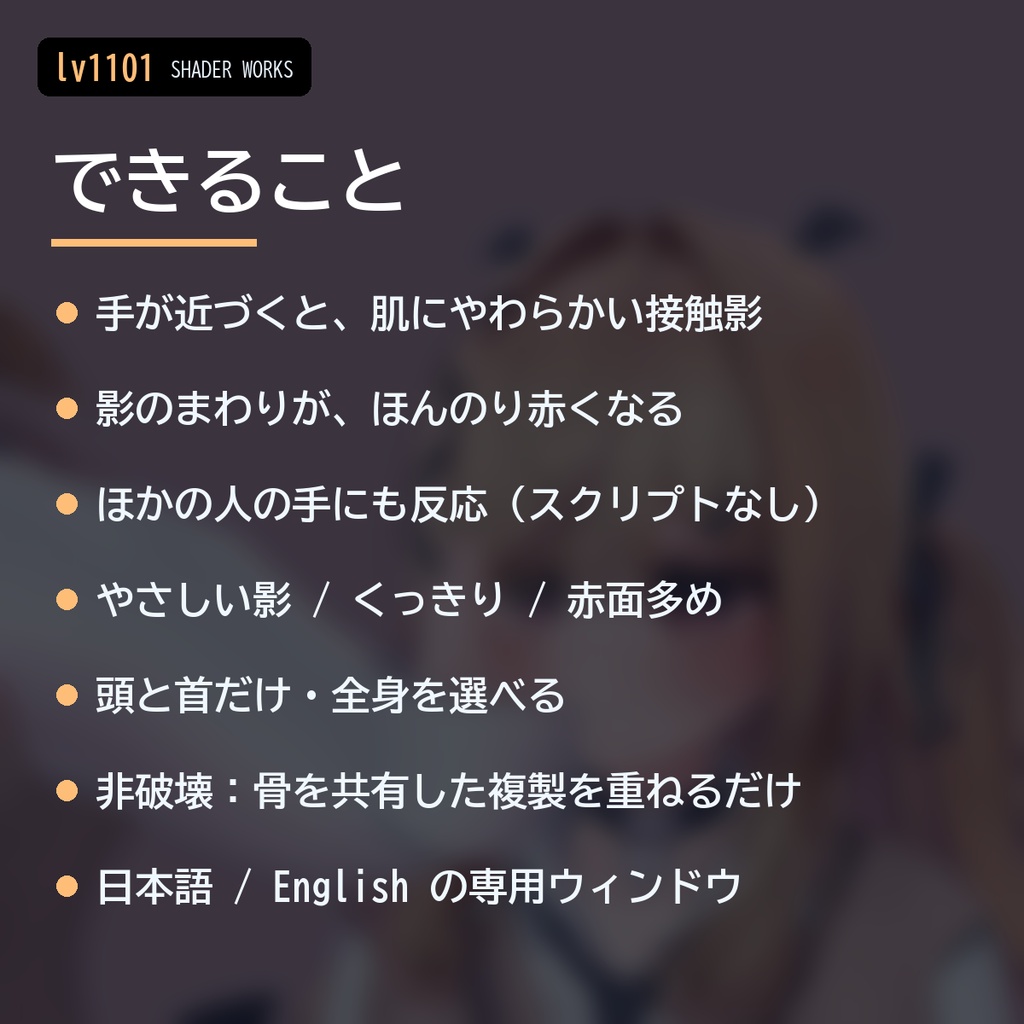
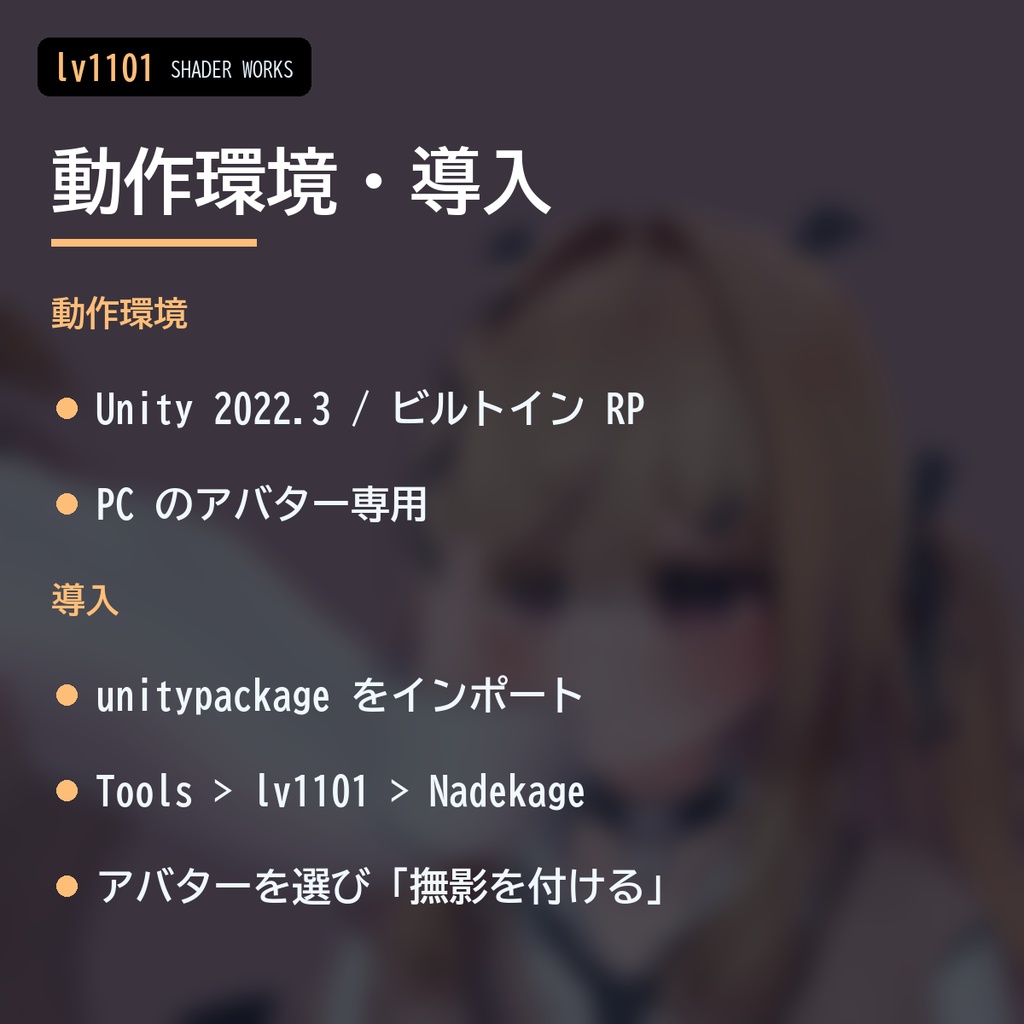
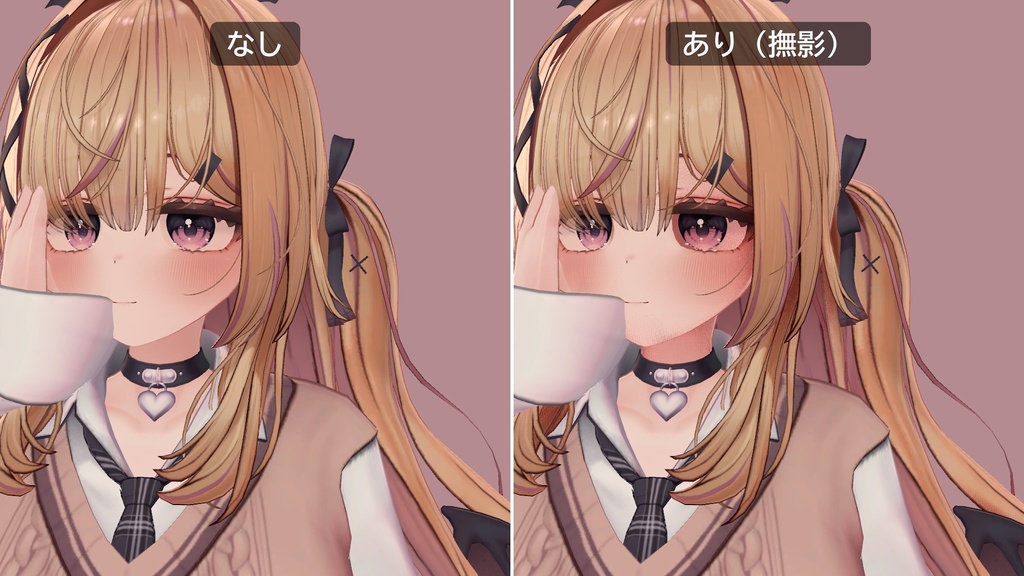
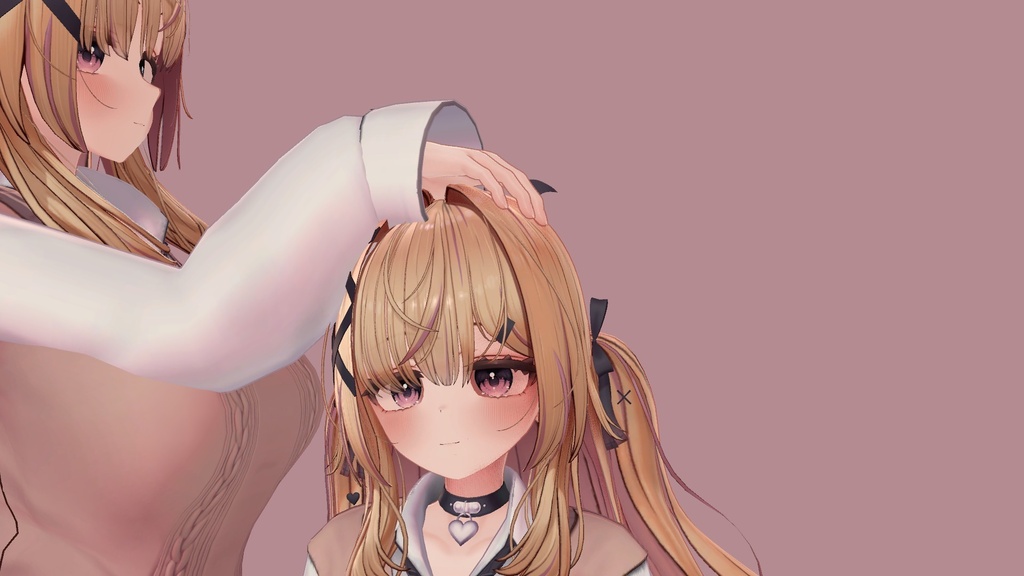
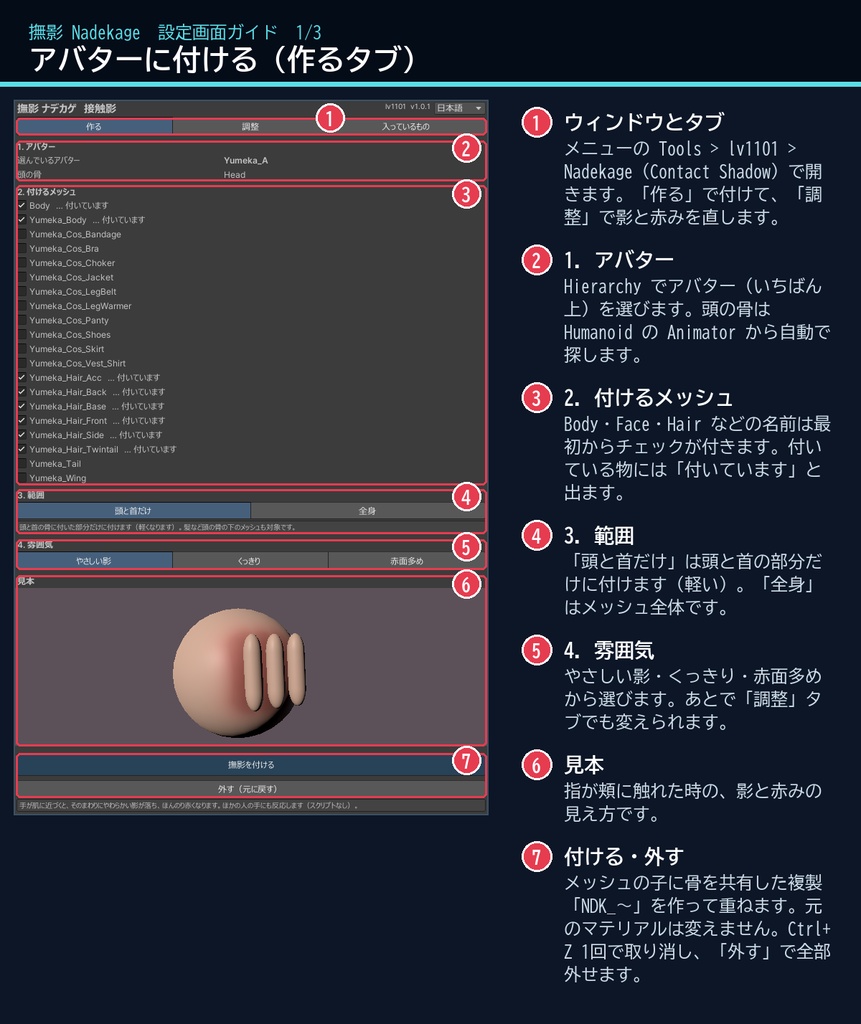
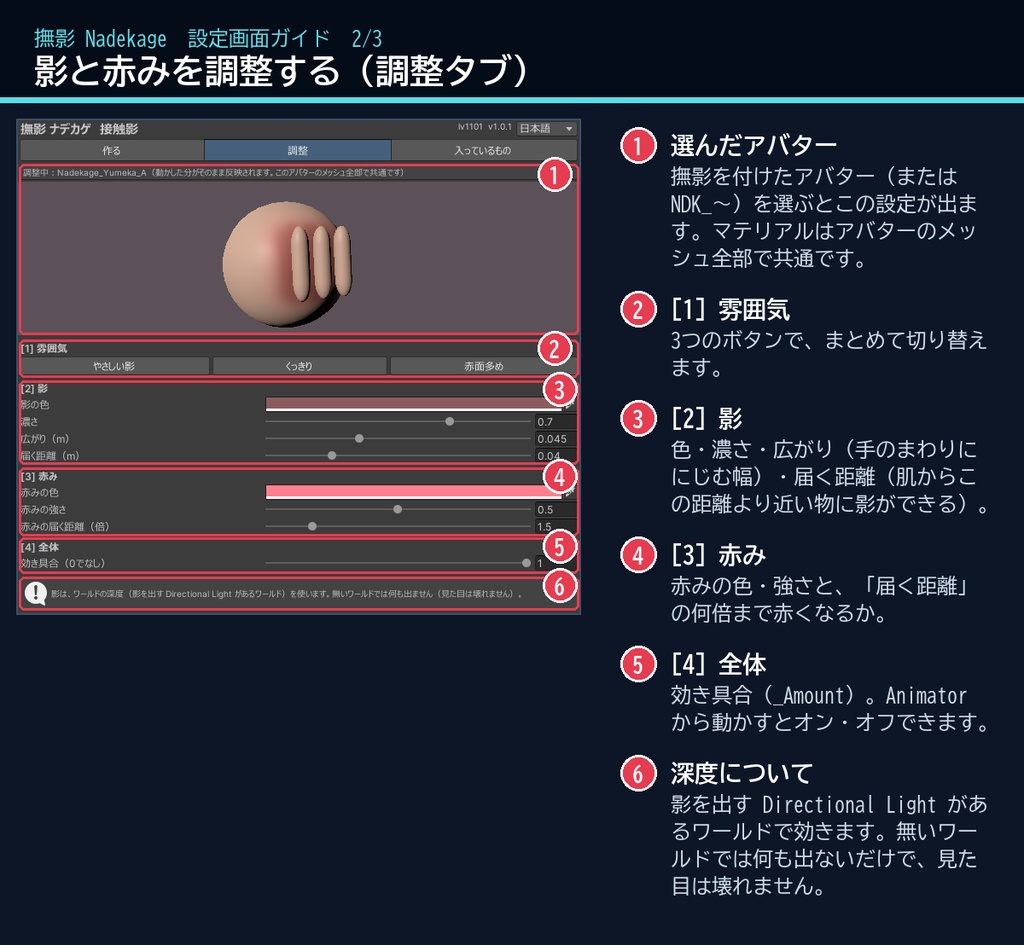
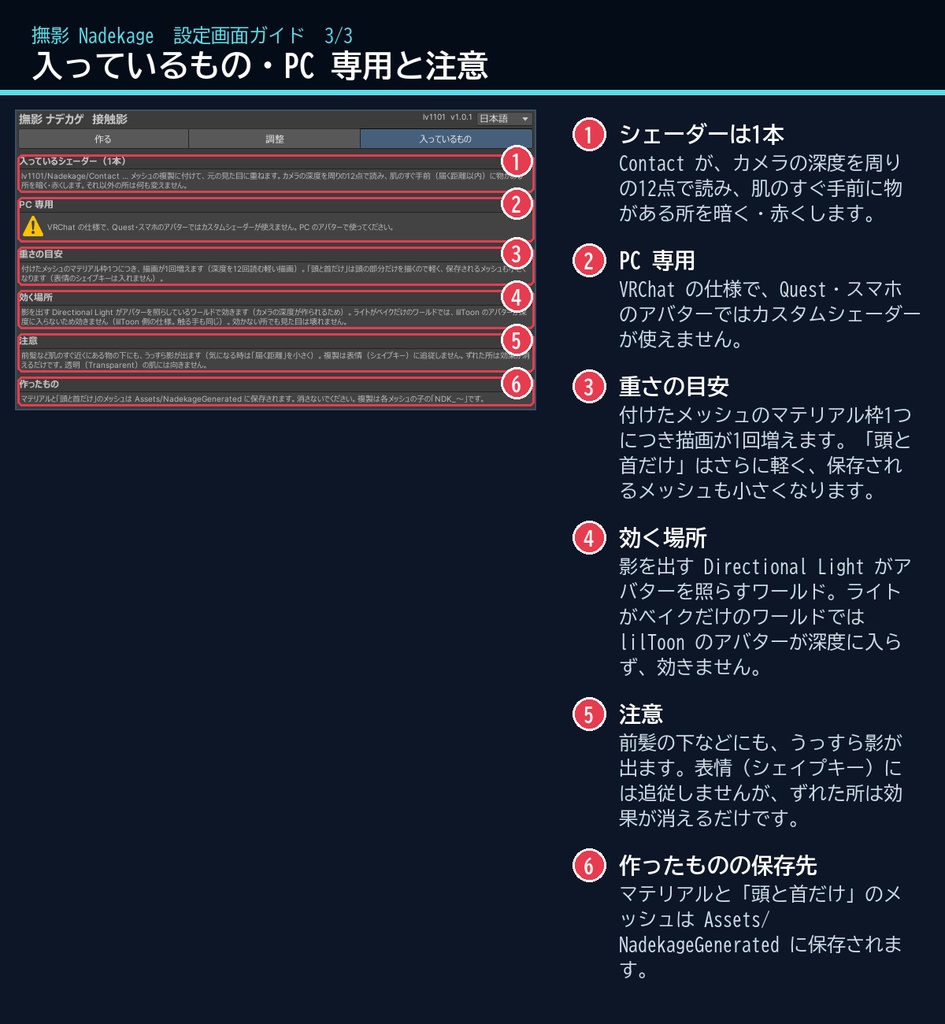
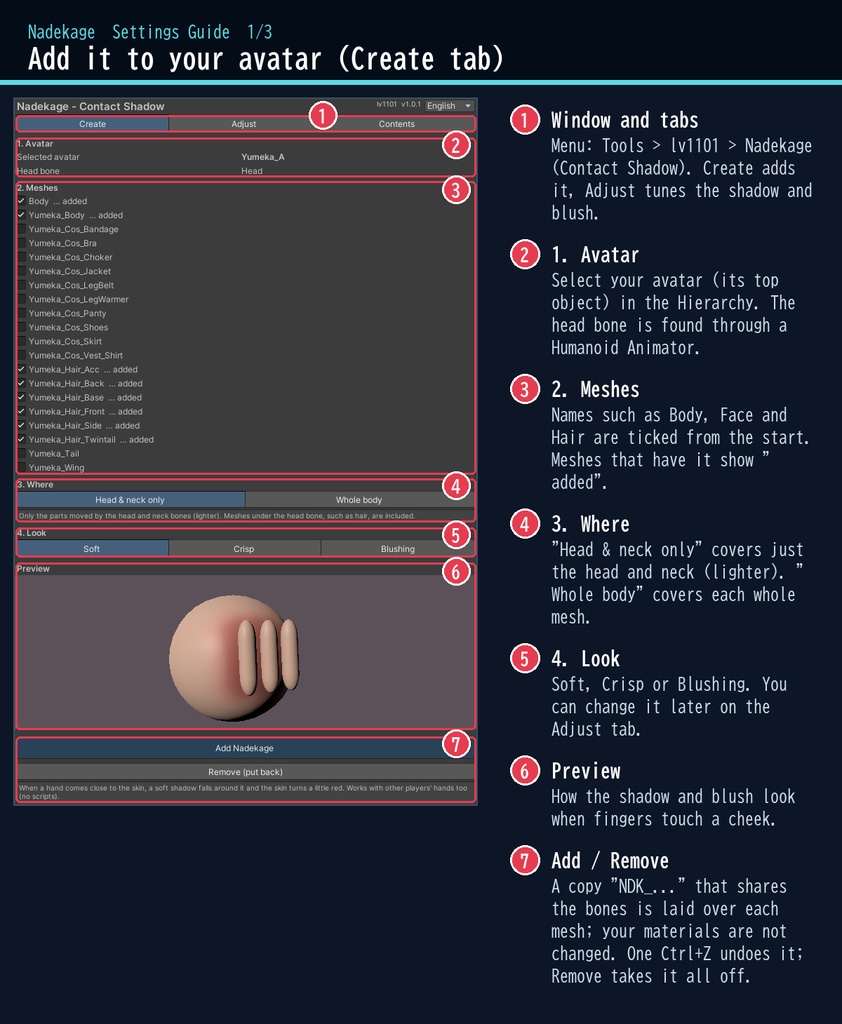
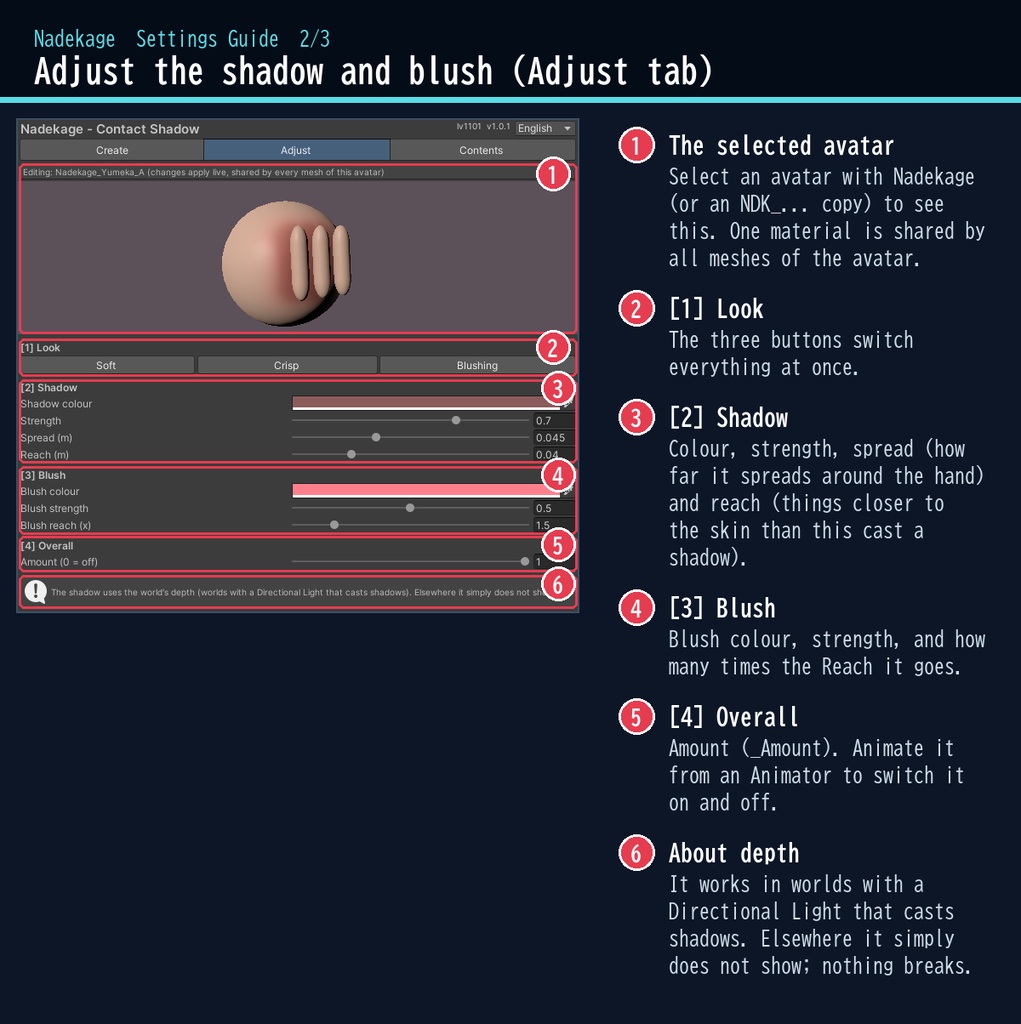
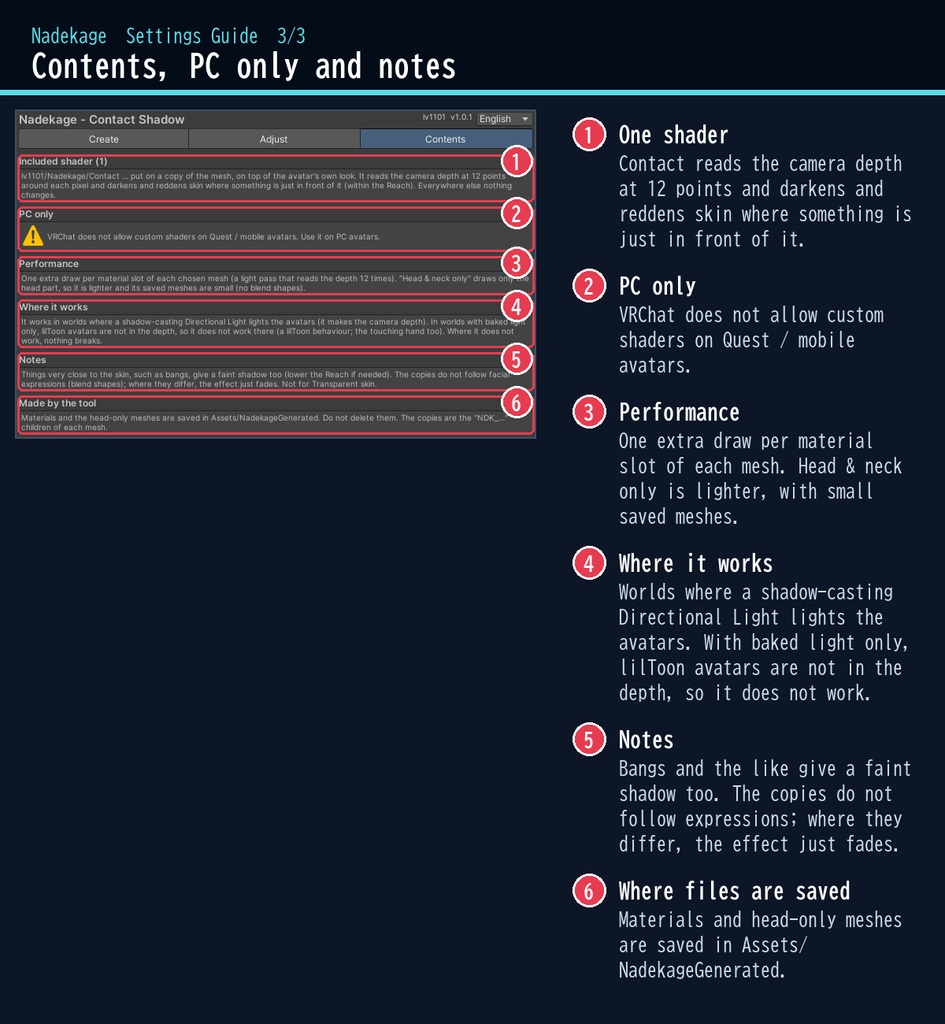


VRChat アバター向けの、接触影(せっしょくかげ)のシェーダーです。PC のアバター専用です。 撫でる手が顔や体に近づくと、肌にやわらかい影が落ち、ほんのり赤くなります。 シェーダーがカメラの深度から「肌のすぐ手前にある物」を見つけるので、自分の手にも、ほかの人の手にも反応します。 スクリプト(U#)なしで、見ている全員に同じ見え方になります。 日本語 / English の専用ウィンドウで、アバターを選んで、付けるメッシュにチェックを付け、ボタン1つで付けられます。 ■ できること ・接触影:手が近づいた所のまわりに、やわらかい影が落ちます(近いほど濃く) ・赤み:影のまわりの肌が、ほんのり赤くなります ・調整:影の色・濃さ・広がり・届く距離、赤みの色・強さ・届く距離 ・プリセット:やさしい影 / くっきり / 赤面多め ・範囲:「頭と首だけ」(軽い)または「全身」。頭の骨は Humanoid の Animator から自動で探します ・Animator から「効き具合」(_Amount)を動かして、オン・オフもできます ・非破壊:選んだメッシュの子に骨を共有した複製を作って重ねる方式。元のマテリアル・テクスチャは変えません ・「外す(元に戻す)」ボタンで全部外せます。付けるのも Ctrl+Z 1回で取り消せます ■ 動作環境 ・Unity 2022.3(VRChat で使うバージョン) ・ビルトイン レンダーパイプライン ・PC 専用(VRChat の仕様で、Quest・スマホのアバターではカスタムシェーダーが使えません) ・VRChat SDK3 Avatars(なくてもコンパイルできます。Modular Avatar も不要です) ・影は、影を出す Directional Light がアバターを照らしているワールドで効きます(カメラの深度を使うため)。ライトがベイクだけのワールドでは、lilToon のアバターが深度に入らないため効きません(lilToon 側の仕様で、撫でる手が lilToon の時も同じです)。効かない所でも見た目は壊れません ■ 導入 1. unitypackage を Unity にドラッグ&ドロップしてインポート 2. メニューの Tools > lv1101 > Nadekage (Contact Shadow) でウィンドウを開く 3. Hierarchy でアバターを選び、付けるメッシュにチェックを付けて「撫影を付ける」を押す 詳しい使い方は同梱の README_ja.txt をご覧ください。 設定画面の説明は、商品画像の「設定画面ガイド」(日本語・英語)にあります。 ウィンドウ右上で 日本語 / English を切り替えられます(Auto は PC の言語に合わせます)。 ■ 重さの目安 付けたメッシュのマテリアル枠1つにつき描画が1回増えます(深度を12回読む軽い描画)。例:ゆめかに「頭と首だけ」で付けると 8 メッシュ・描画 10 回。 「頭と首だけ」は頭の部分だけを描くのでさらに軽く、保存されるメッシュも小さくなります(ゆめかで約 3 MB)。 ■ 内容物 ・Nadekage_1.0.1.unitypackage(README_ja.txt / README_en.txt 入り) ・利用規約.txt / TermsOfUse_en.txt ※商品ページの画像に映っているアバター・衣装などは商品に含みません。 ※画像のアバター:ゆめか Yumeka(©Arka_X / https://booth.pm/ja/items/8672657 )。商品には含みません。 ※前髪や横の髪など、肌のすぐ近くにある物の下や髪の重なりにも、うっすら影が出ます(髪の影のように見えます。「届く距離」で調整できます)。 ※複製は表情(シェイプキー)に追従しません。ずれた所は効果が出ないだけです。ミラーの中では効き方が変わることがあります。 ※肌が透明(Transparent)のマテリアルには向きません。 ■ 利用規約(概要) ・VRChat のアバター(Public/商用・有料イベントでの使用を含む)で使えます ・改変できます ・シェーダー・スクリプトの再配布、転売はできません(改変したものも含む) ・クレジット表記は任意です(書いていただけると嬉しいです) 詳しくは同梱の 利用規約.txt をご覧ください。 ―――――――――――――――― ■ English Nadekage is a contact shadow shader for VRChat avatars (PC only, Built-in RP, Unity 2022.3). When a hand comes close to the face or body, a soft shadow falls on the skin around it and the skin turns a little red. The shader finds things just in front of the skin from the camera depth, so it reacts to your own hands and to other players' hands. No Udon / U# needed: everyone sees the same. Select your avatar in the dedicated window, tick the meshes and press one button. It is non-destructive: a copy of each mesh that shares its bones is laid on top; your materials and textures are not changed. "Remove" takes it all off. Adjust the shadow colour, strength, spread and reach, and the blush colour, strength and reach. Presets: Soft / Crisp / Blushing. Head & neck only (lighter) or whole body. Animate _Amount to switch it on and off. PC avatars only: VRChat does not allow custom shaders on Quest / mobile avatars. The shadow works in worlds where a shadow-casting Directional Light lights the avatars (it makes the camera depth). In worlds with baked light only, lilToon avatars are not in the depth, so it does not work there (a lilToon behaviour; the same for a lilToon hand). Where it does not work, nothing breaks. Performance: one extra draw per material slot of each chosen mesh (a light pass that reads the depth 12 times); e.g. Yumeka, head & neck only: 8 meshes, 10 draws. Head & neck only saves small meshes (about 3 MB for Yumeka). • Full English UI: switch Auto / 日本語 / English at the top right of the window • English README (README_en.txt) and Terms of Use (TermsOfUse_en.txt) included • English settings guide images are included in the product images • Avatar in the images: Yumeka (©Arka_X), not included. Install: import the unitypackage, open Tools > lv1101 > Nadekage (Contact Shadow), select your avatar, tick the meshes and press "Add Nadekage". Terms (summary): usable on VRChat avatars, including public use, commercial use and paid events; modification allowed; redistribution or resale of the shader / scripts (including modified versions) is not allowed; credit is optional. ■ 更新履歴 / Version history 1.0.0 最初の版 / First release 1.0.1 VRChat(Linear)で影が弱く見えていたのを直した・「頭と首だけ」の保存メッシュを小さくした(約 80 MB → 約 3 MB)・効くワールドの説明を詳しくした / Shadow strength fixed for VRChat (Linear); much smaller saved head meshes (about 80 MB -> 3 MB); clearer notes on where it works