

【VRChatワールド用】のぞくと立体に見える額縁・窓「奥行絵」【PC/Quest対応】
- ダウンロード商品¥ 500
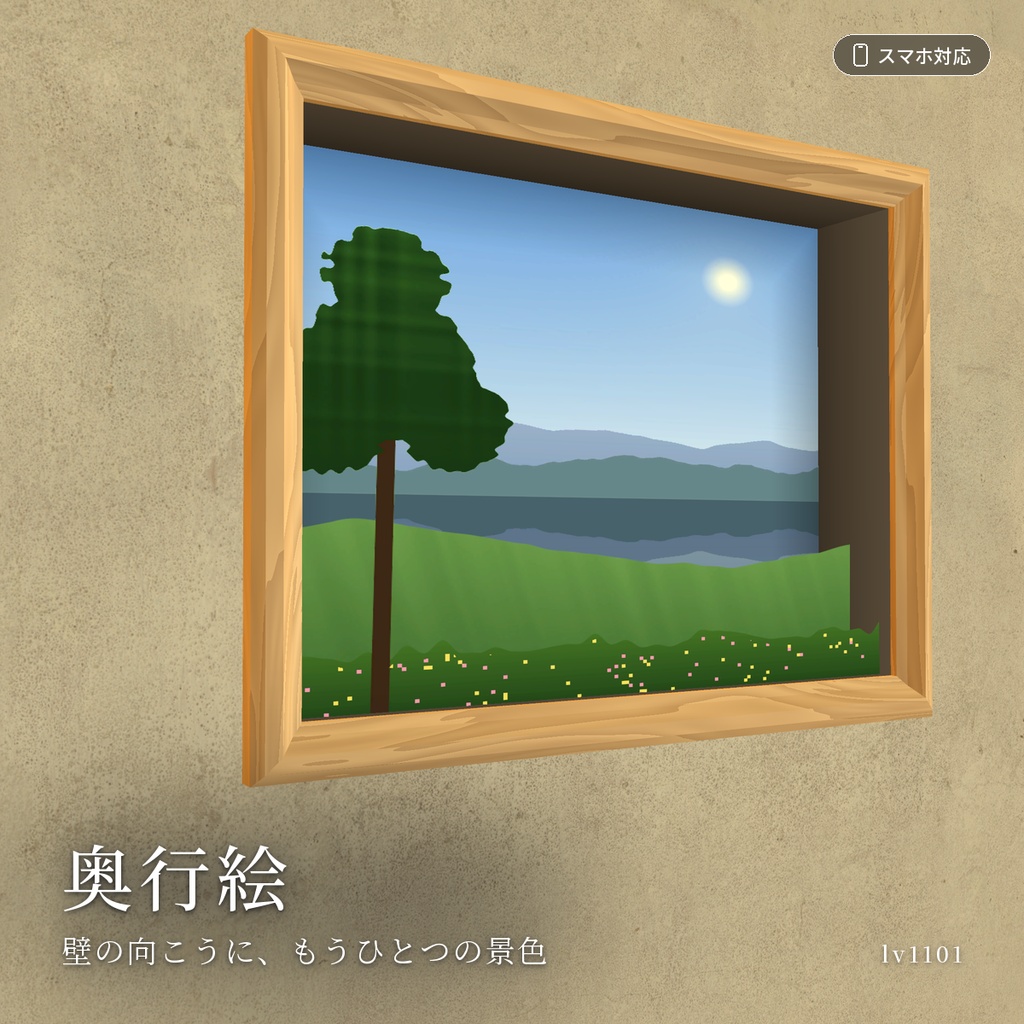
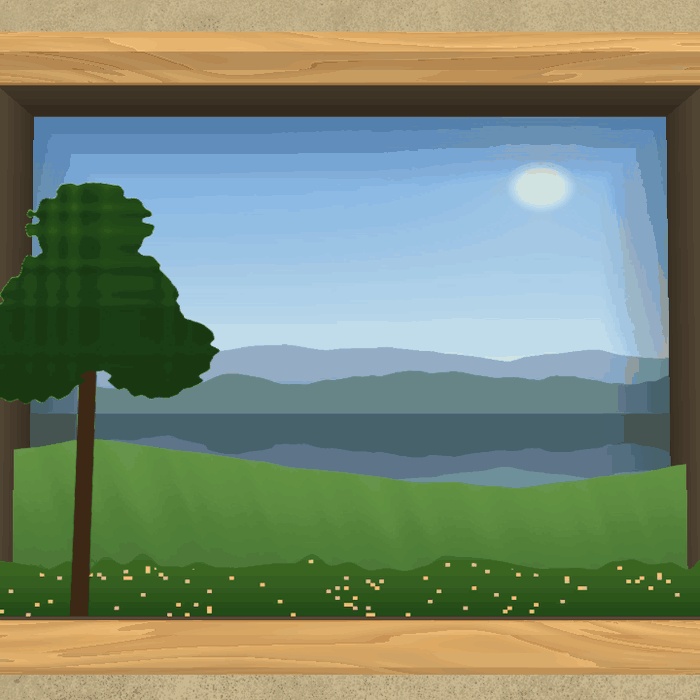
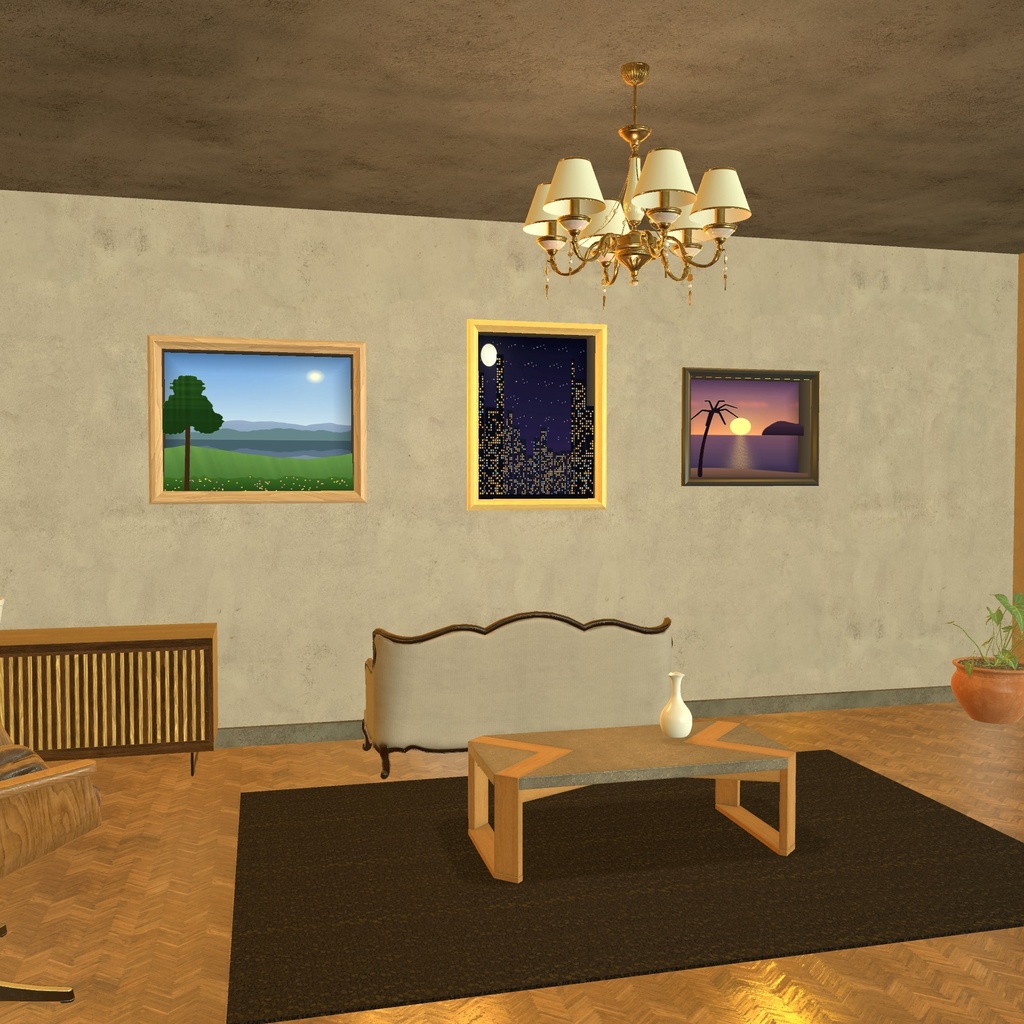
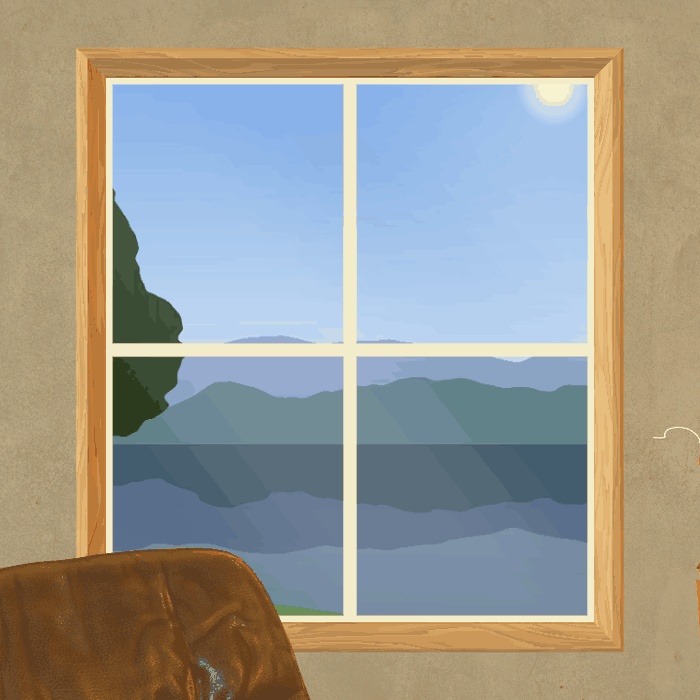
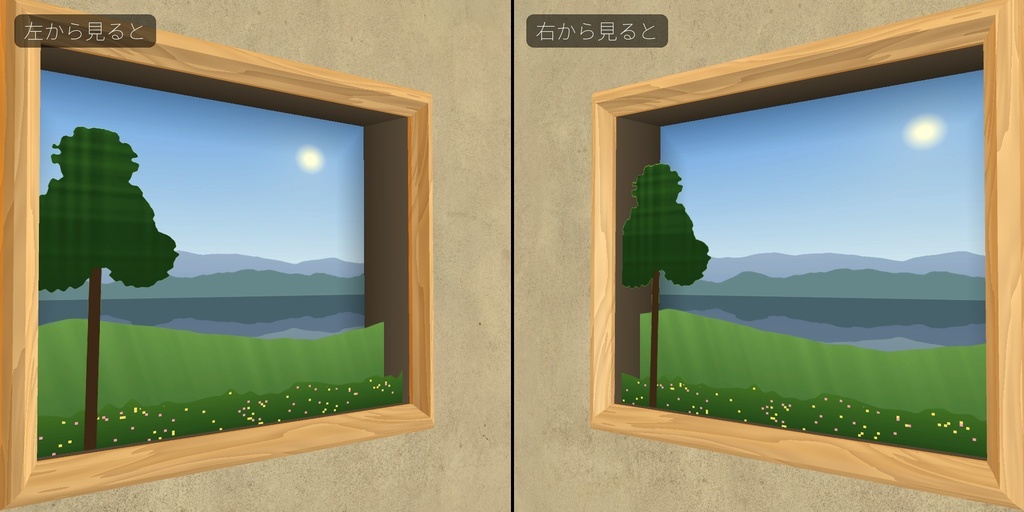
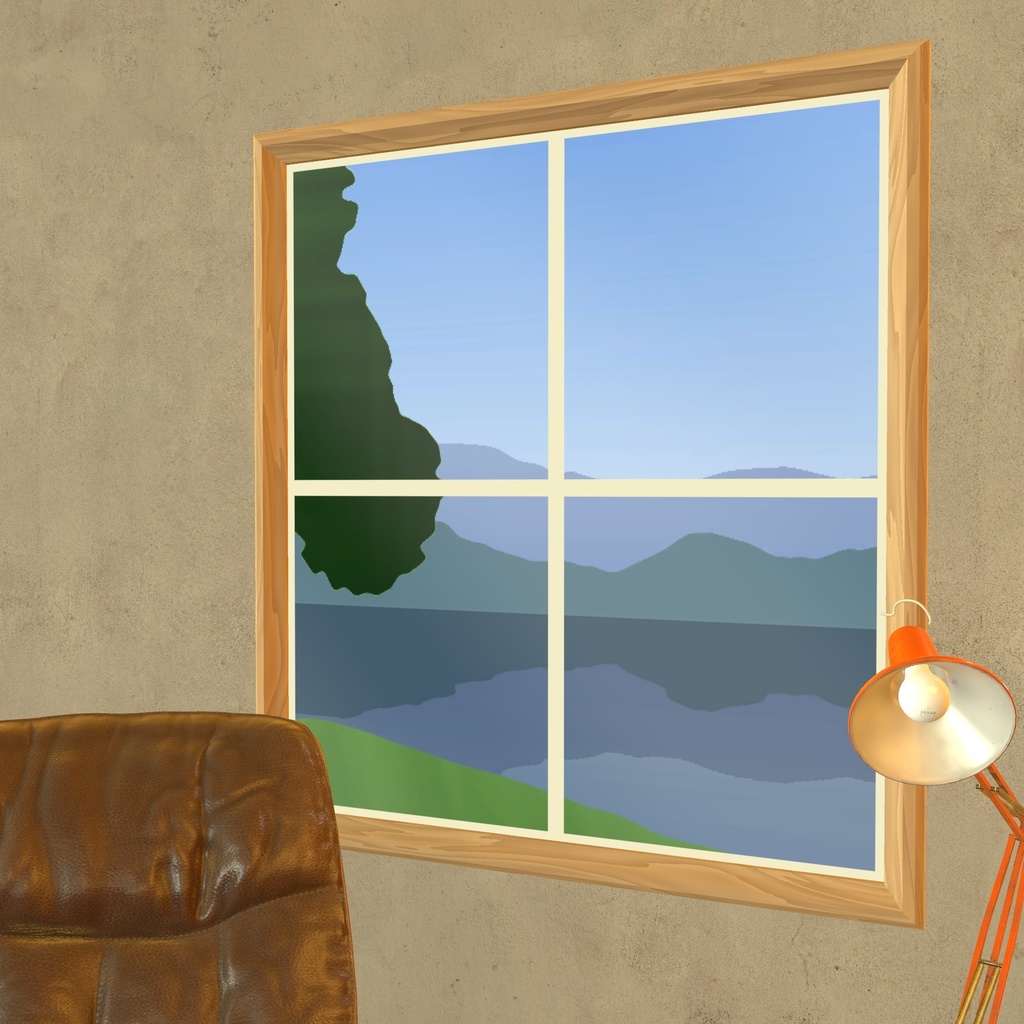
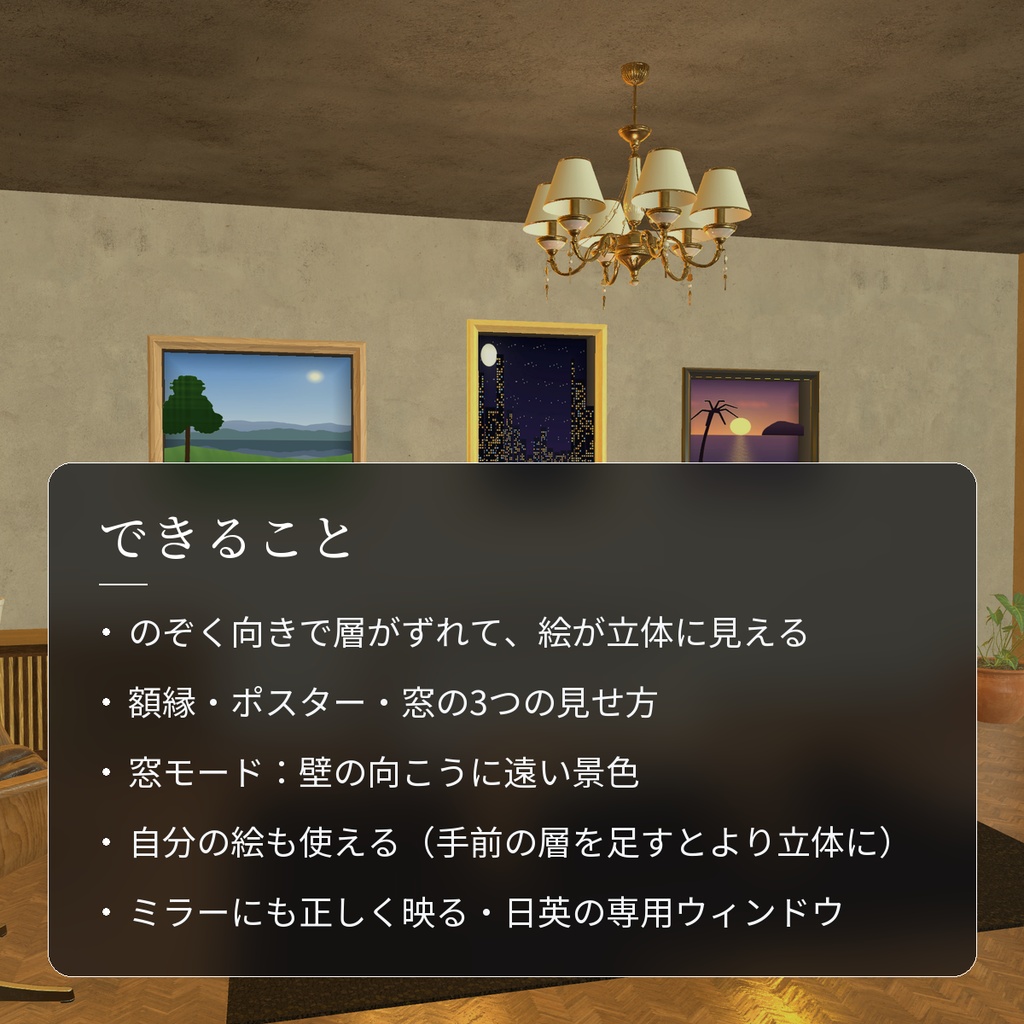
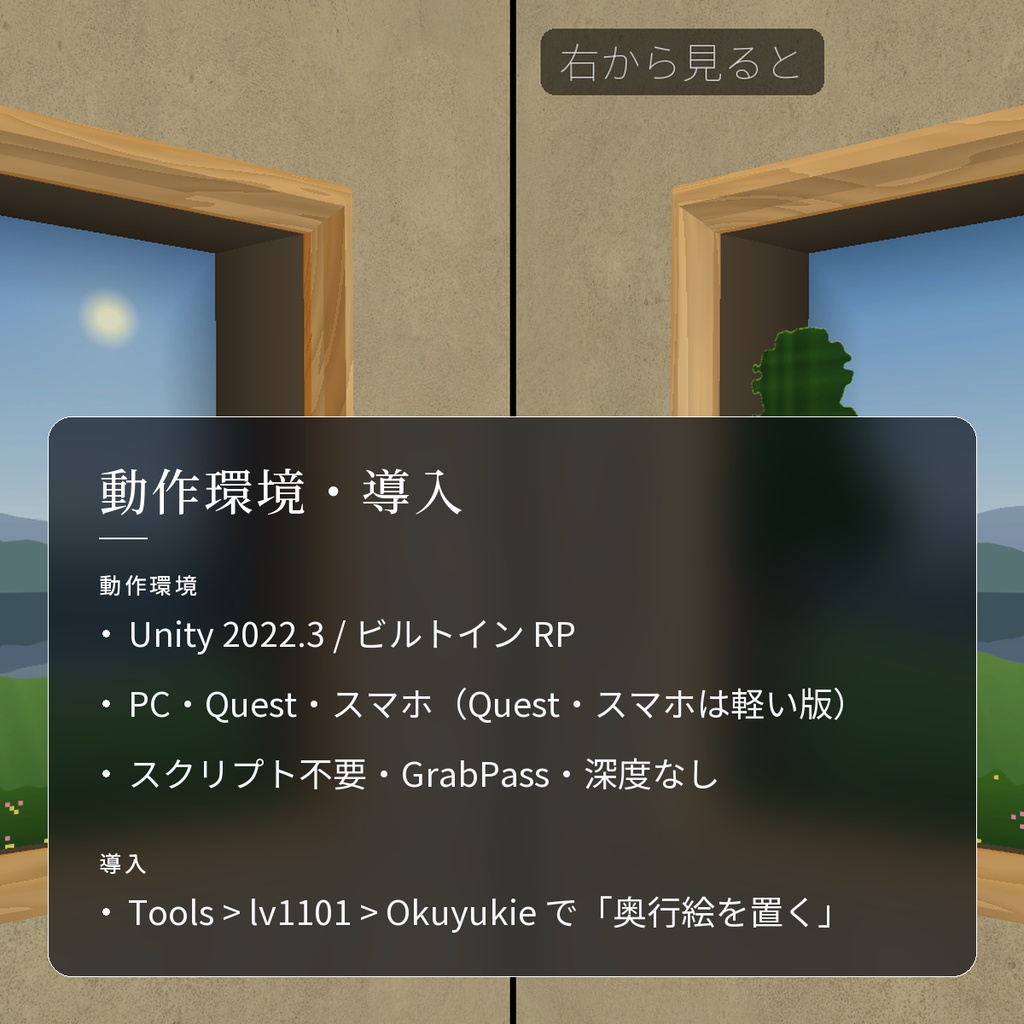
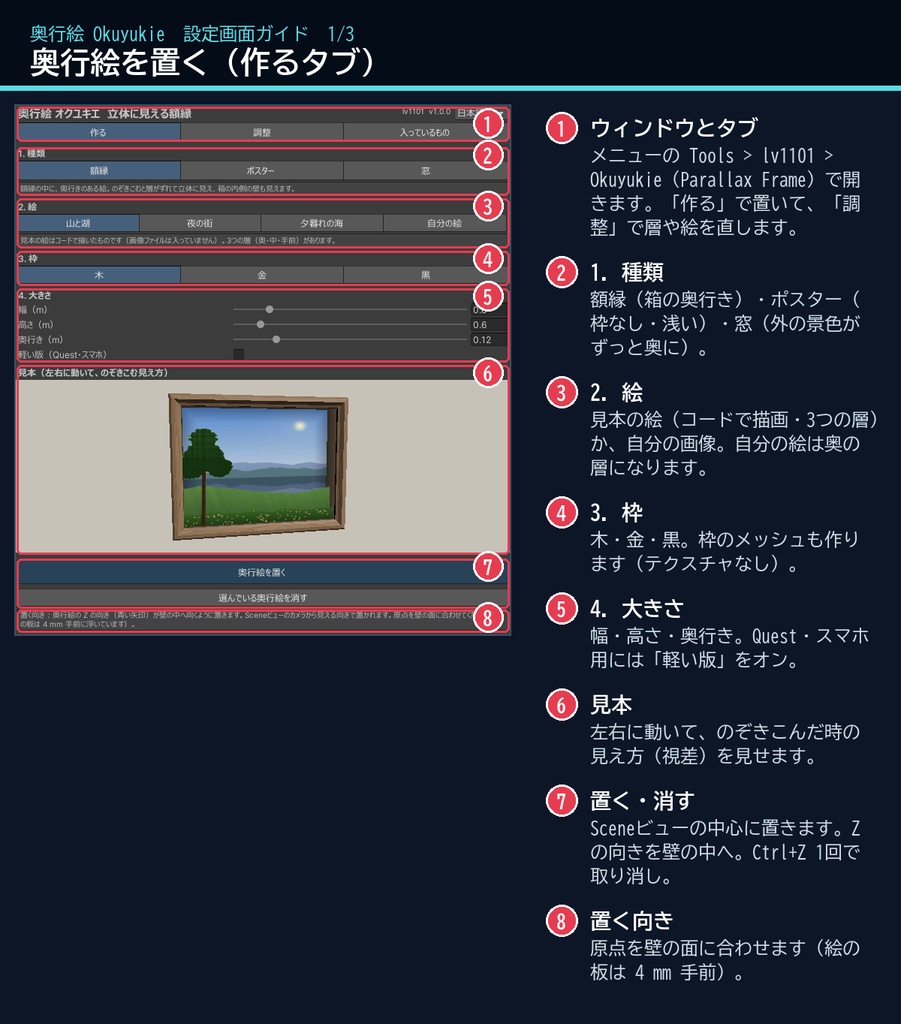
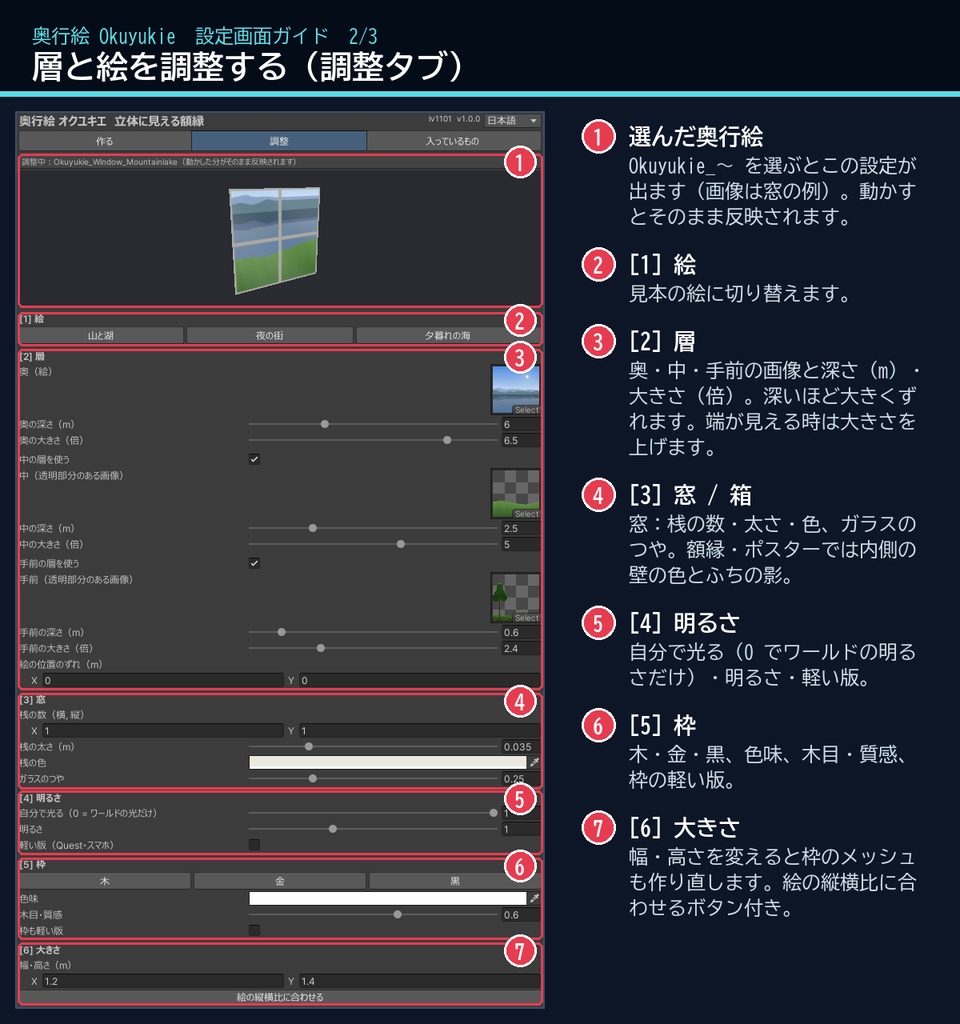
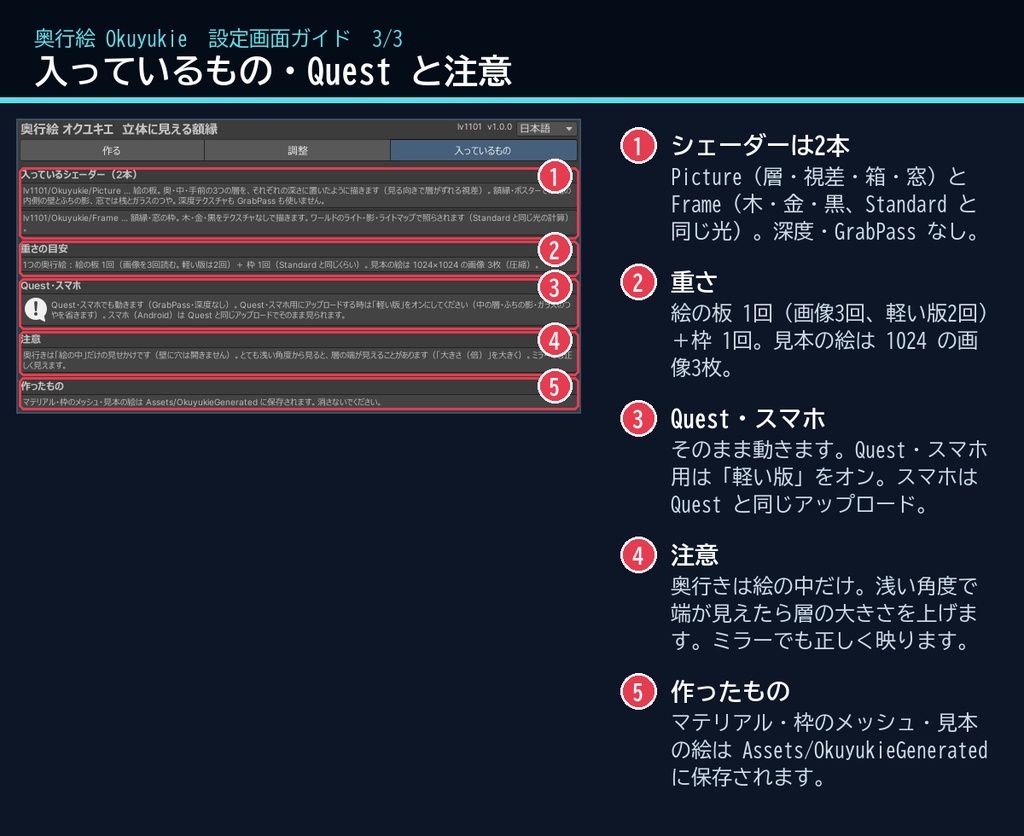
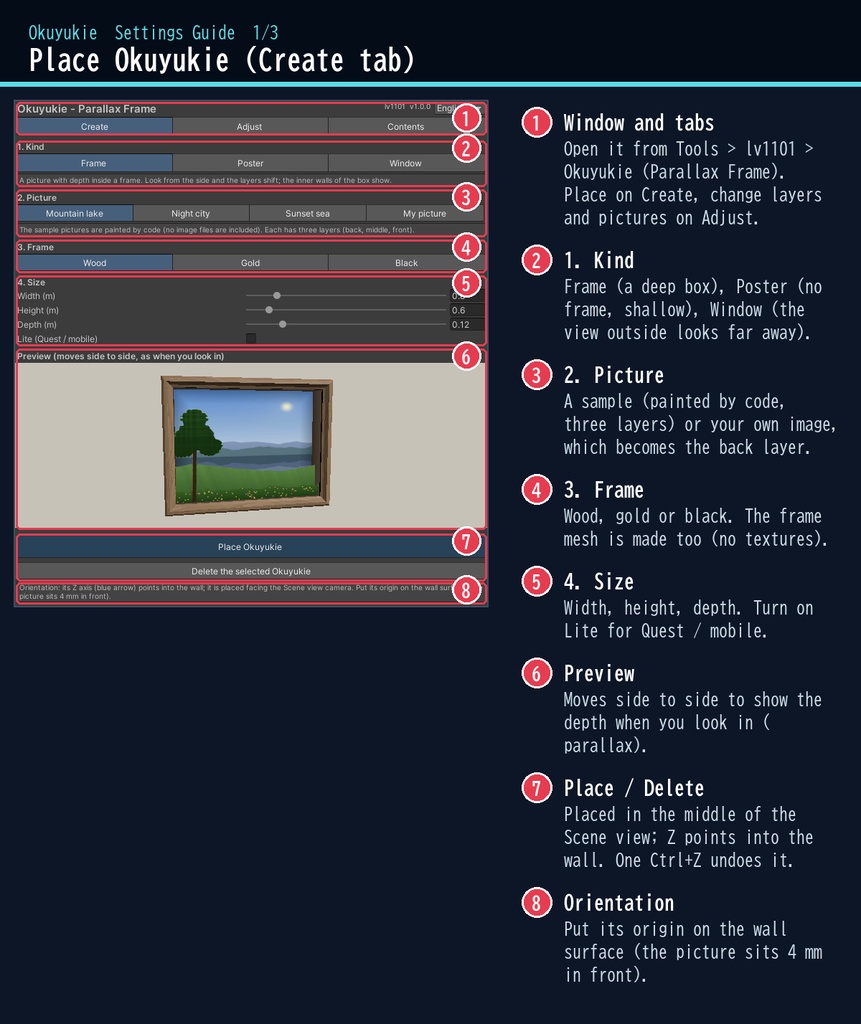
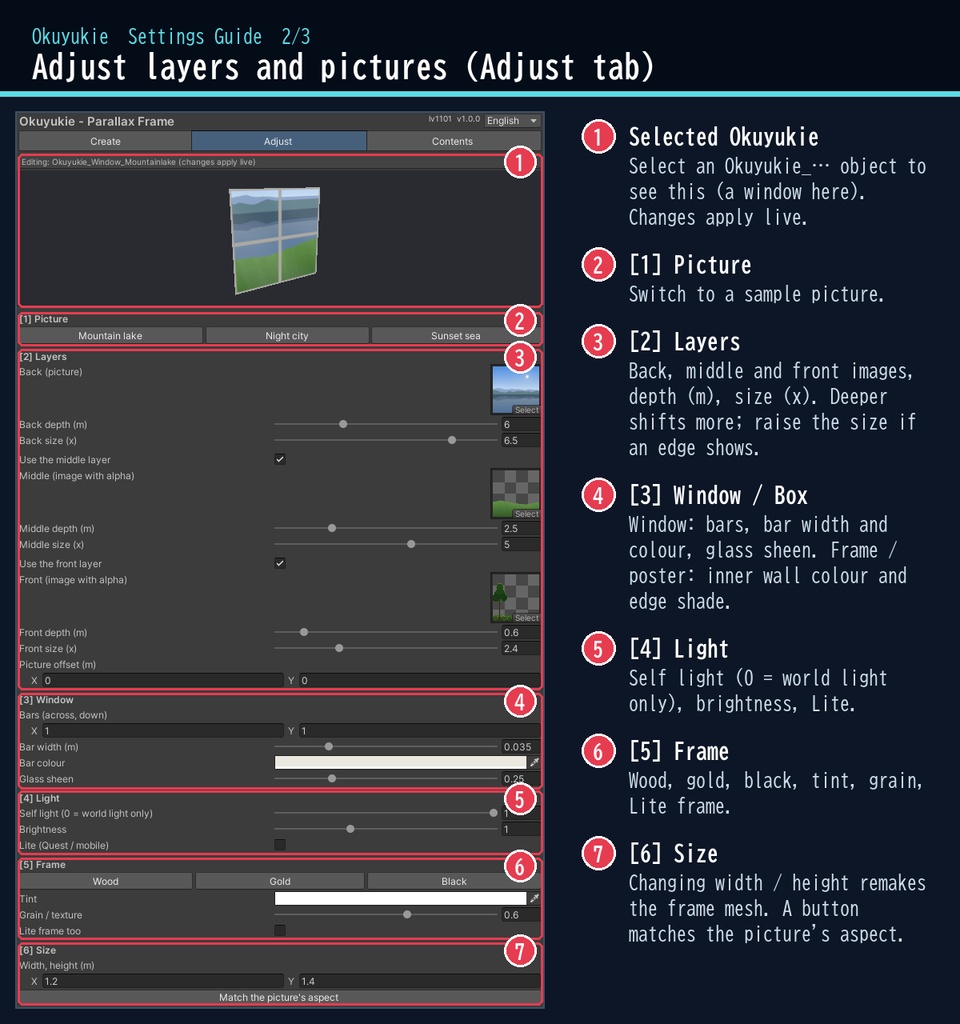
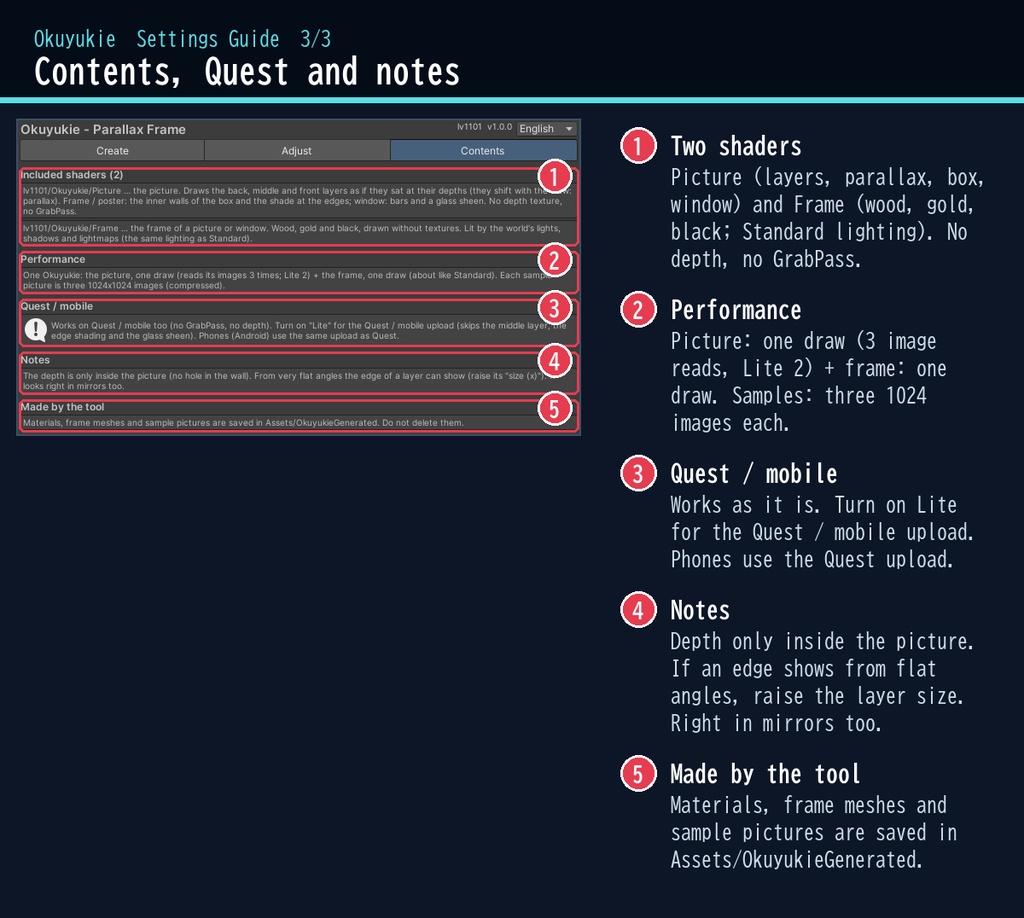


部屋の壁に掛けた1枚の絵。横に歩くと、木と山がずれて、奥に湖が広がる。 「奥行絵」は、VRChat ワールドの額縁・ポスター・窓に奥行きを付けるシェーダーです。1枚の絵(+手前・中の層)を、額縁の奥に置いたように描きます。 窓モードなら、壁の向こうに何も作らなくても、外の景色がずっと遠くにあるように見えます。 ■ ポイント ・のぞきこむと層がずれて(視差)、絵が立体に見える ・額縁/ポスター/窓、3つの見せ方。額縁は木・金・黒をボタン1つで ・自分の絵も使える。透明部分のある手前の層を足すと、より立体に ・スクリプトなしで全員に同じ見え方。ミラーにも正しく映る ・PC / Quest / スマホ対応(軽い版つき)、日本語と英語の専用ウィンドウ ↓ 動きは2枚目の GIF で。くわしくは下へ。 ■ くわしく ・奥行きのある絵:奥・中・手前の3つの層を、それぞれの深さに置いたように描きます ・額縁モード:箱の内側の壁と、ふちの影も見えます ・ポスターモード:枠なし・浅い奥行き ・窓モード:外の景色がずっと奥に。窓の桟とガラスのつや付き ・額縁のメッシュを作るボタン(木・金・黒。テクスチャなしで描画) ・見本の絵 3種類(山と湖 / 夜の街 / 夕暮れの海。コードで描いたもので、画像ファイルは入っていません) ・層ごとの深さ・大きさ、明るさ(自分で光る / ワールドの光)、大きさの変更(枠も作り直し) ・ボタン1つで作成、Ctrl+Z 1回で戻せます。「消す」ボタン付き ※奥行きは「絵の中」だけの見せかけです(壁に穴は開きません)。とても浅い角度からは層の端が見えることがあります(層の大きさで調整できます)。 ※絵の板はライトマップを使いません(ライトプローブ・環境光と「自分で光る」で明るさが決まります)。枠は Standard と同じ光の計算です。 ※アバター向けではなく、ワールド向けのシェーダーです。 ■ 動作環境 ・Unity 2022.3(VRChat のバージョン)/ビルトイン レンダーパイプライン ・PC / Quest(Android)/ スマホ(Quest・スマホ用は「軽い版」をオン) ・スマホ(Android)は Quest と同じアップロードで見られます(OpenGL ES 3 / Vulkan で確認) ・VRChat SDK3 Worlds(なくても動きます) ■ 導入 1. unitypackage を Unity にドラッグ&ドロップ 2. メニューの Tools > lv1101 > Okuyukie (Parallax Frame) を開く 3. 種類(額縁 / ポスター / 窓)と絵を選んで「奥行絵を置く」を押し、壁に掛ける 使い方は同梱の README_ja.txt と、商品画像の「設定画面ガイド」(日本語・英語)にあります。ウィンドウ右上で 日本語 / English を切り替えられます。 ■ 重さの目安 ・1つの奥行絵:絵の板 1回(画像を3回読む。軽い版は2回)+ 枠 1回(Standard と同じくらい、三角形 48 枚) ・見本の絵は 1024×1024 の画像(圧縮)3枚ずつ。GrabPass・深度テクスチャは使いません ・軽い版は、中の層・ふちの影・ガラスのつやを省きます ■ 内容物 ・Okuyukie_1.0.0.unitypackage(README_ja.txt / README_en.txt 入り) ・利用規約.txt / TermsOfUse_en.txt ■ 利用規約(概要) ・VRChat のワールド(Public・商用・有料イベントを含む)で使えます ・改変できます ・シェーダー・スクリプトの再配布・転売はできません(改変したものも含む) ・クレジット表記は任意です くわしくは同梱の 利用規約.txt をご覧ください。 ※商品画像の部屋・家具などは商品に含みません(画像の絵は、商品のツールがコードで描いた見本の絵です)。 背景の素材:Poly Haven(CC0)。商品には含みません。 ■ English Okuyukie - Parallax Frame for VRChat worlds (Built-in RP, Unity 2022.3). It draws a picture (plus optional front and middle layers) as if it sat deep inside a frame: walk past it and the layers shift, so the picture looks 3D. Window mode makes the view outside look far away, with nothing built behind the wall. Frame (deep box with inner walls), Poster (no frame, shallow) and Window (bars, glass sheen) modes. A button makes the frame mesh (wood, gold, black; no textures). Three sample pictures painted by code (no image files), or your own image. Per-layer depth and size, self light / world light, resize. Lite setting for Quest and mobile. No Udon / U#: everyone sees the same. No GrabPass, no depth texture: PC, Quest, phones (Android uses the Quest upload, checked on OpenGL ES 3 and Vulkan), and correct in mirrors. The depth is an illusion inside the picture (no hole in the wall). Cost: the picture is one draw (3 image reads; Lite 2) + the frame one draw (about like Standard). Install: import the unitypackage, open Tools > lv1101 > Okuyukie (Parallax Frame), choose the kind and the picture, press "Place Okuyukie". Full English UI, README_en.txt, TermsOfUse_en.txt and English guide images included. Terms (summary): usable in VRChat worlds incl. public / commercial worlds and paid events; modification allowed; no redistribution or resale of the shader / scripts (incl. modified); credit optional. Product images: background assets from Poly Haven (CC0), not included. ■ 更新履歴 1.0.0 最初の版