

【VRChat・汎用】肌に汗の粒が流れる汗のシェーダー「汗雫」(アバター用・PC)
- ダウンロード商品¥ 600
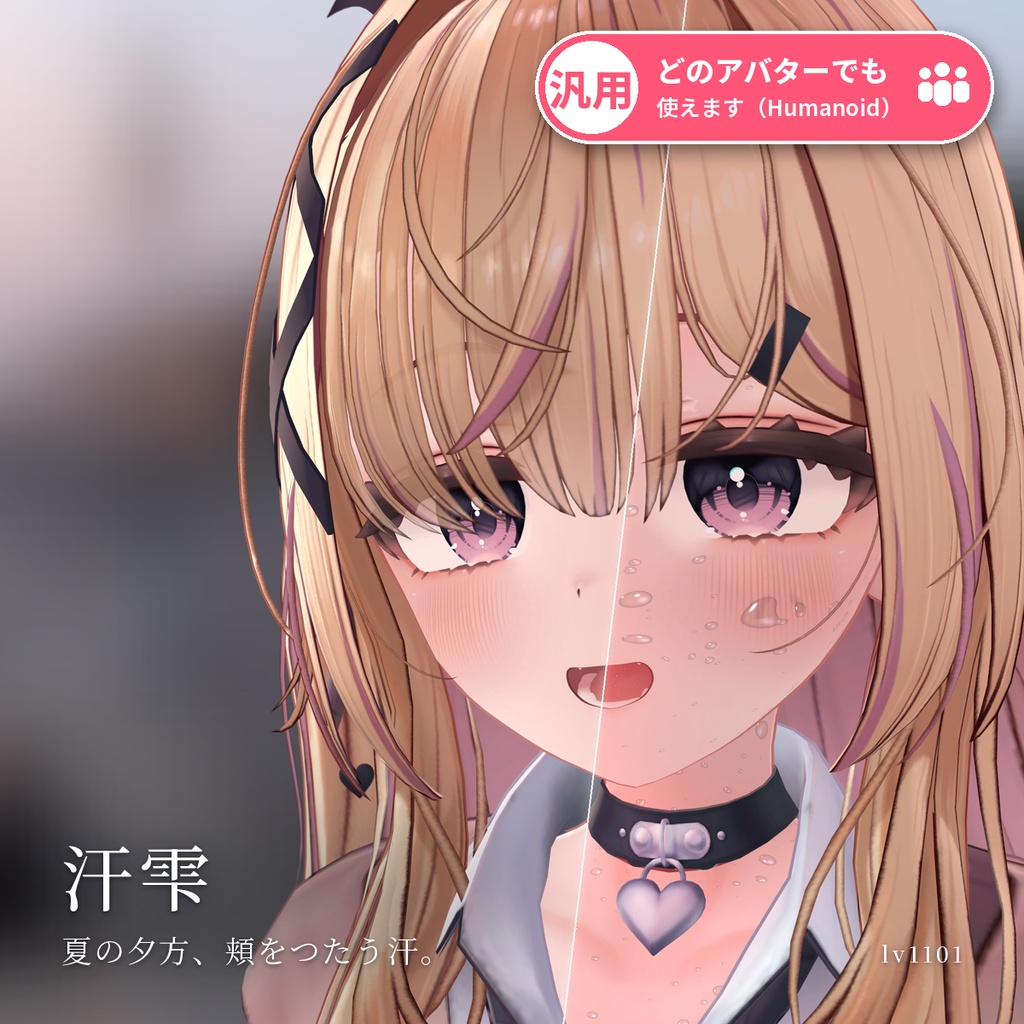
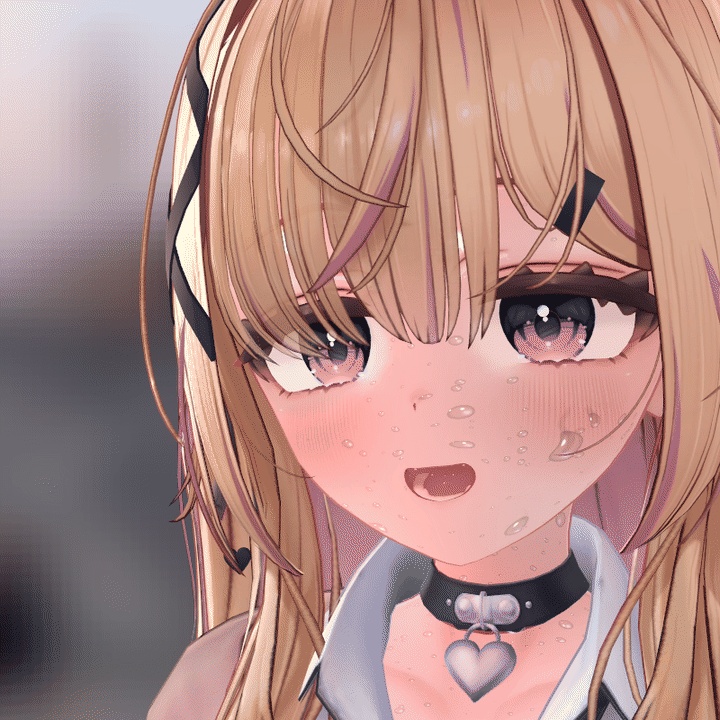
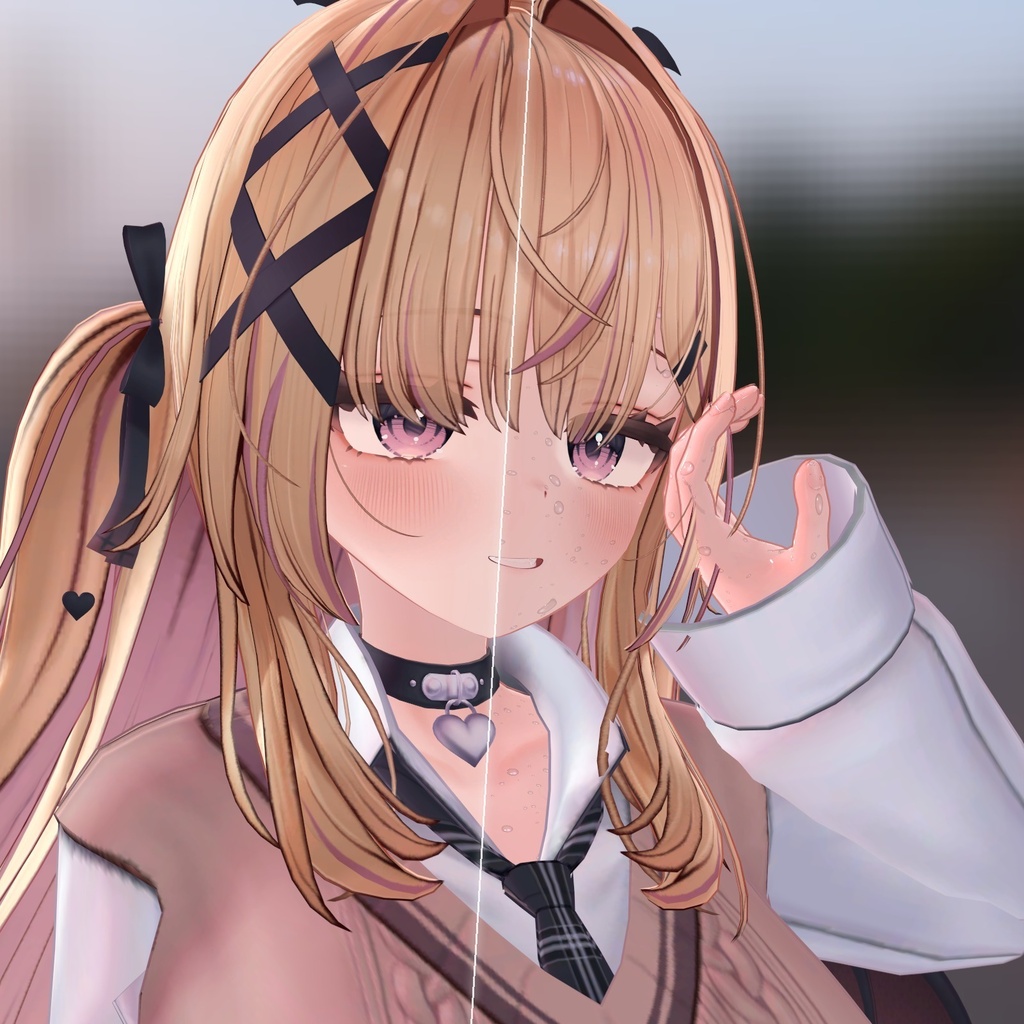
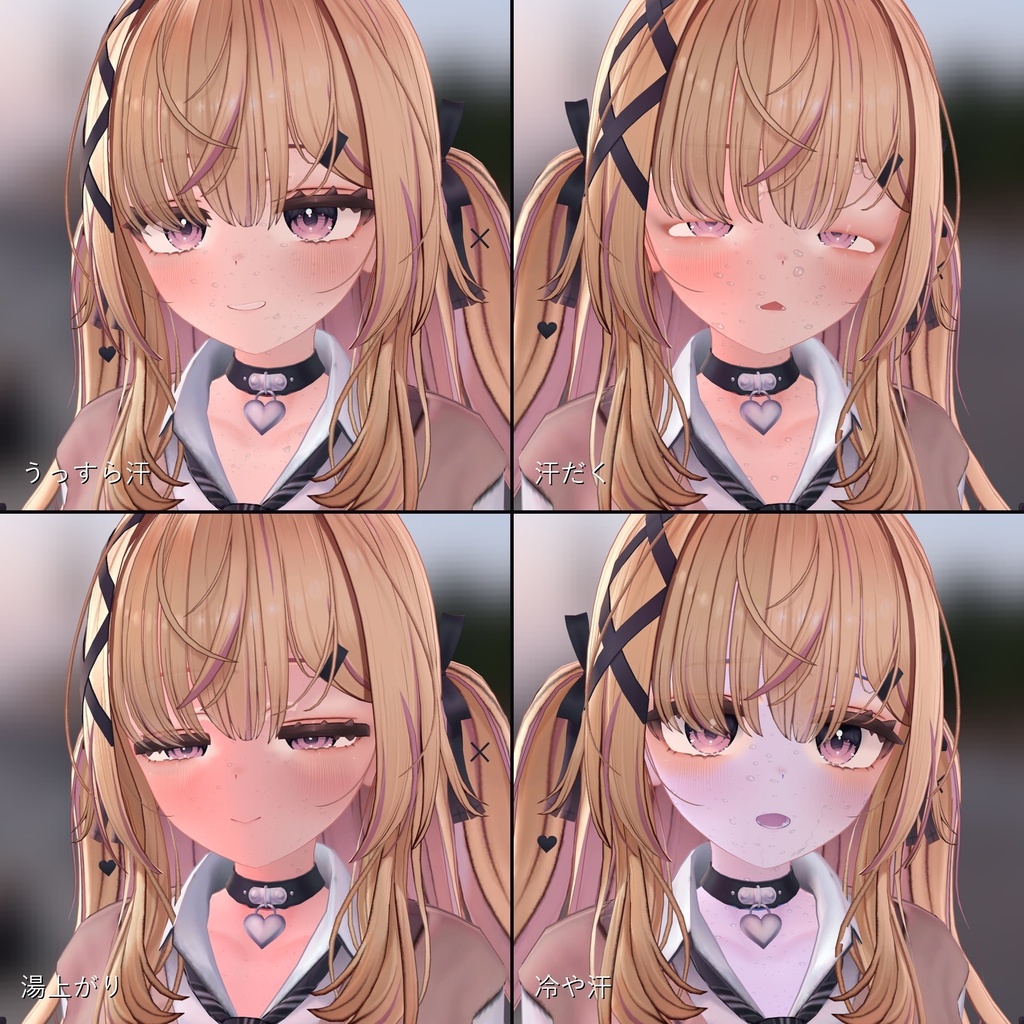
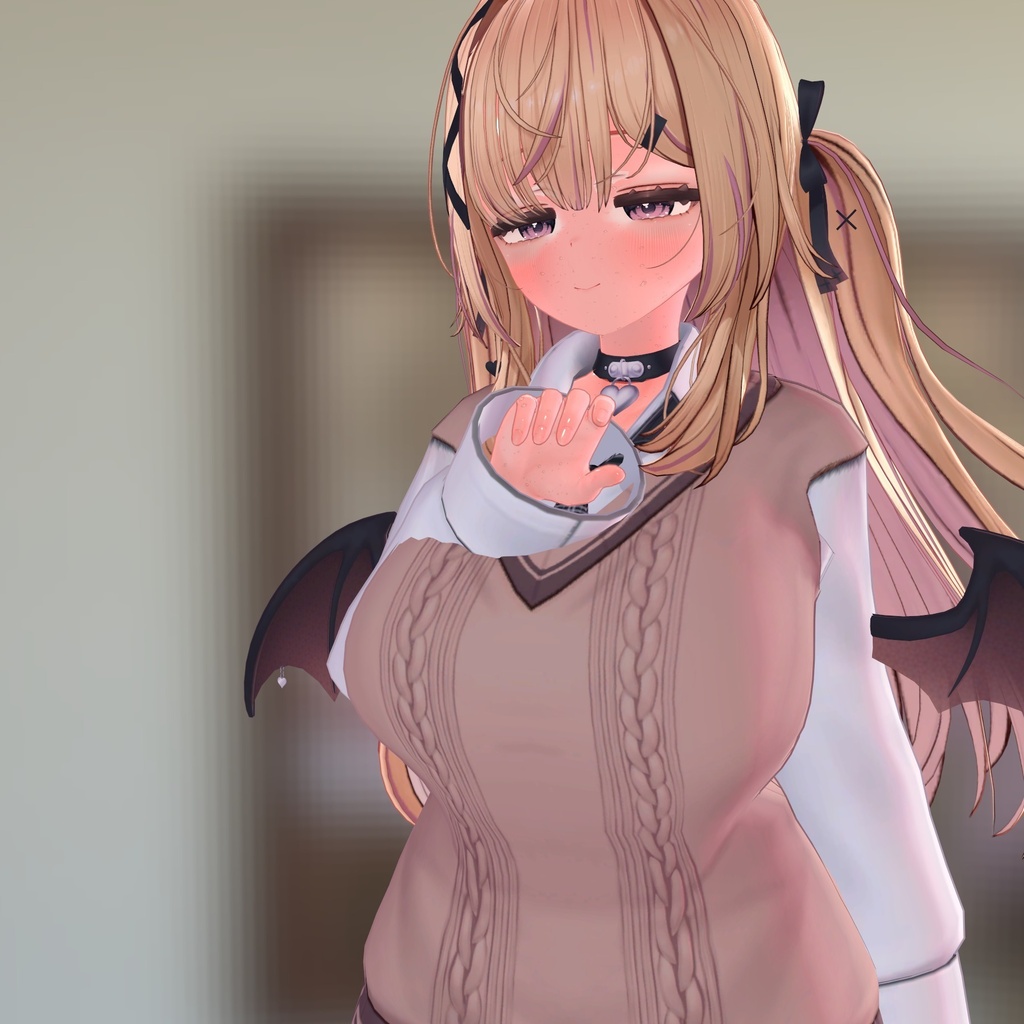
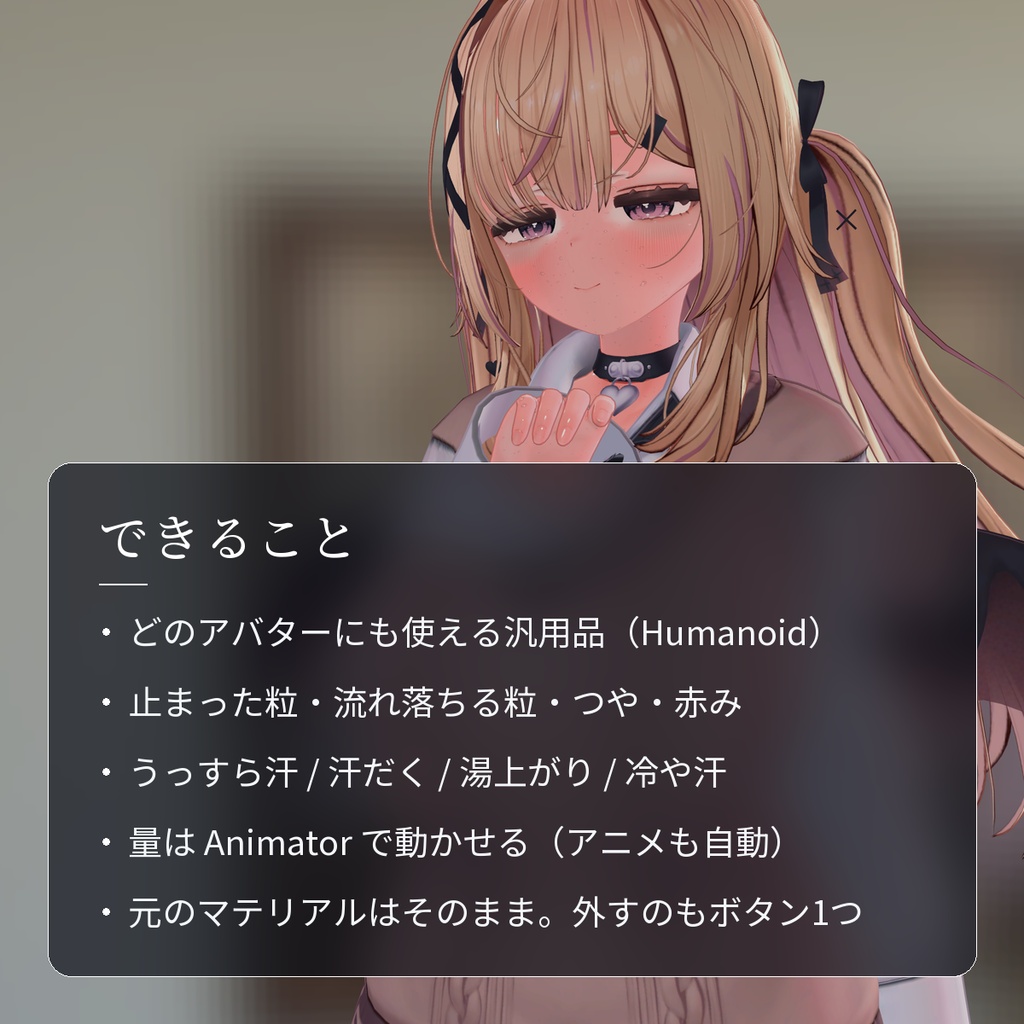
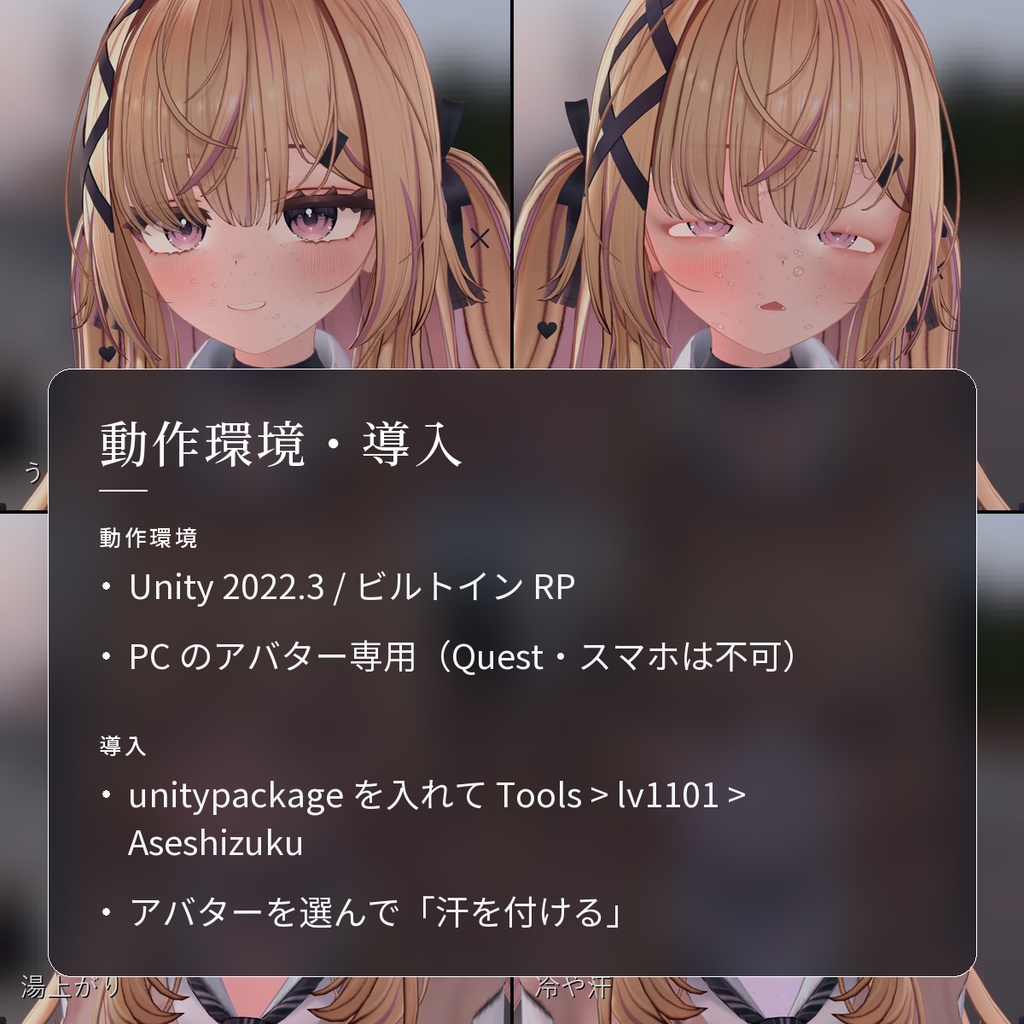
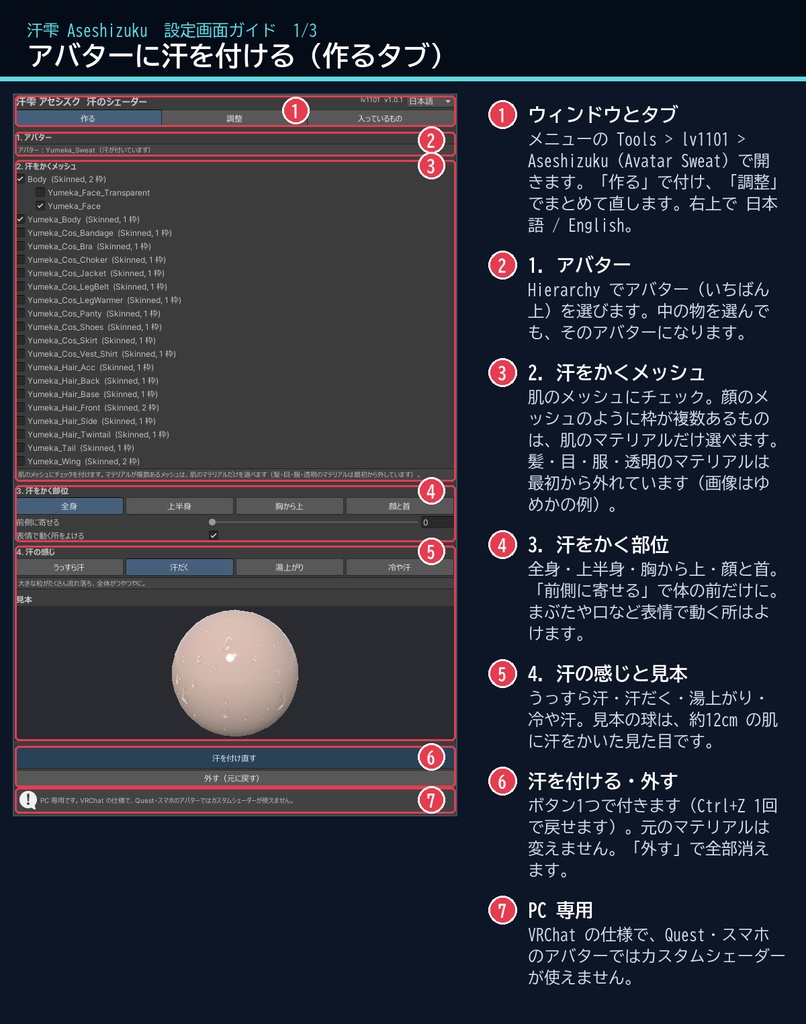
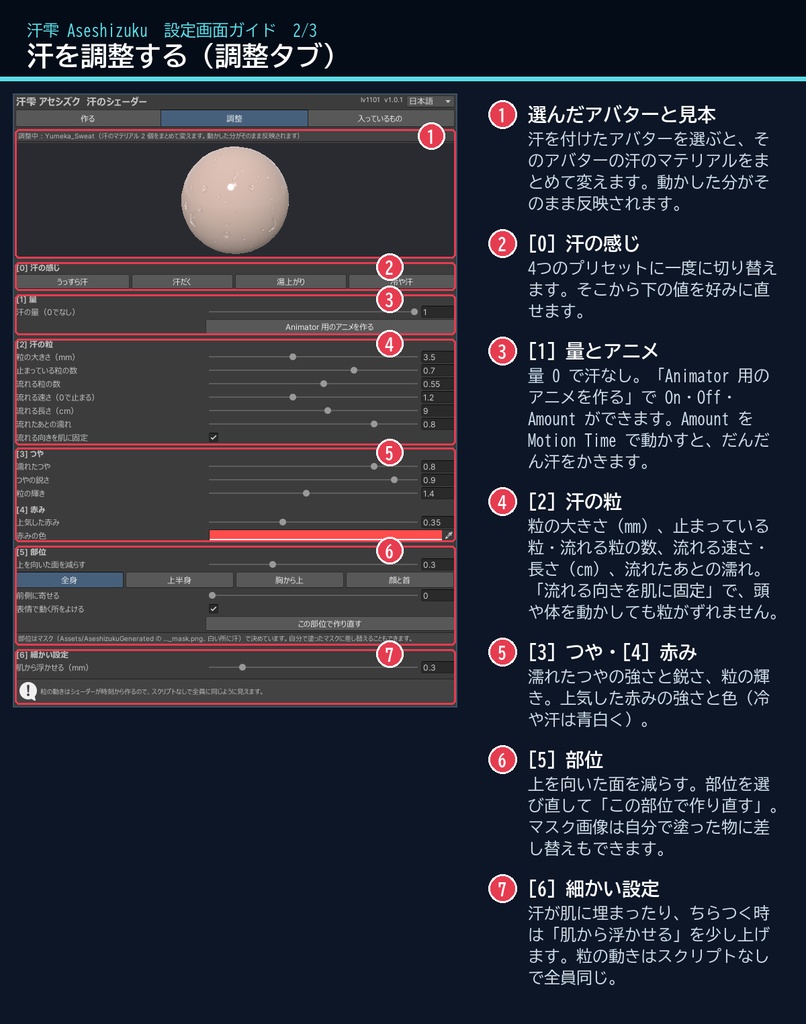
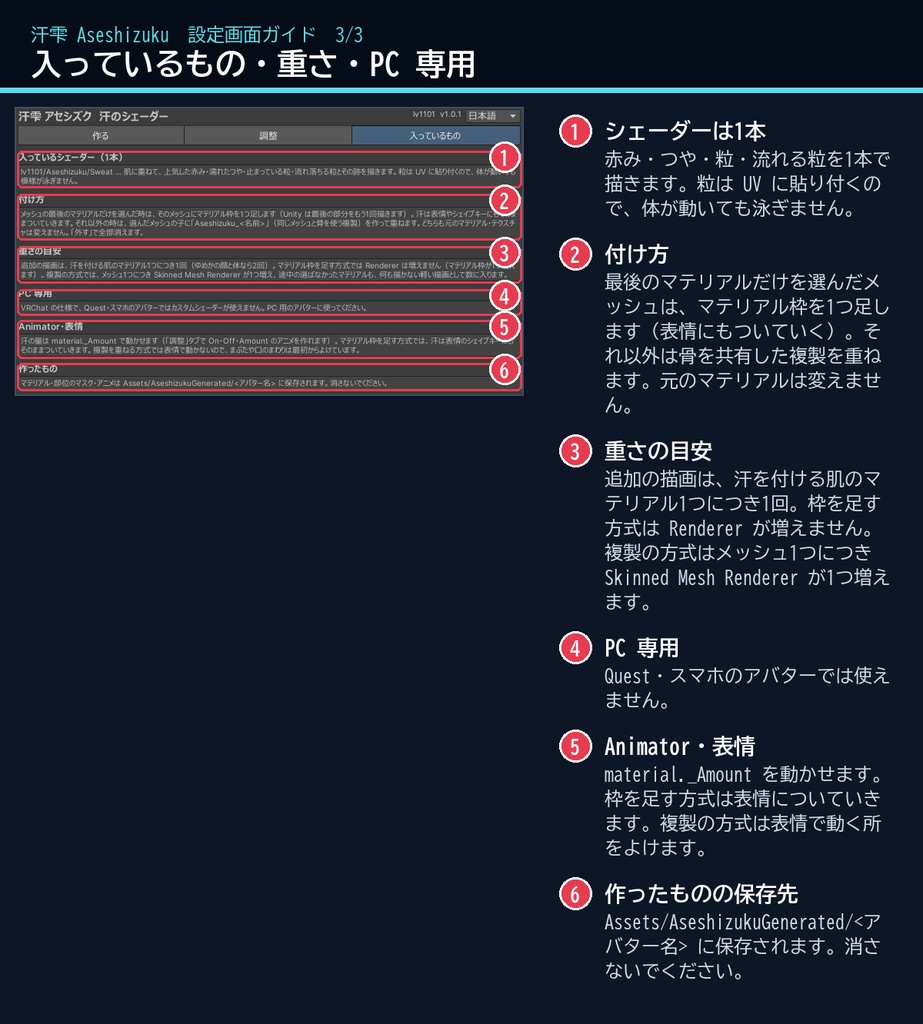
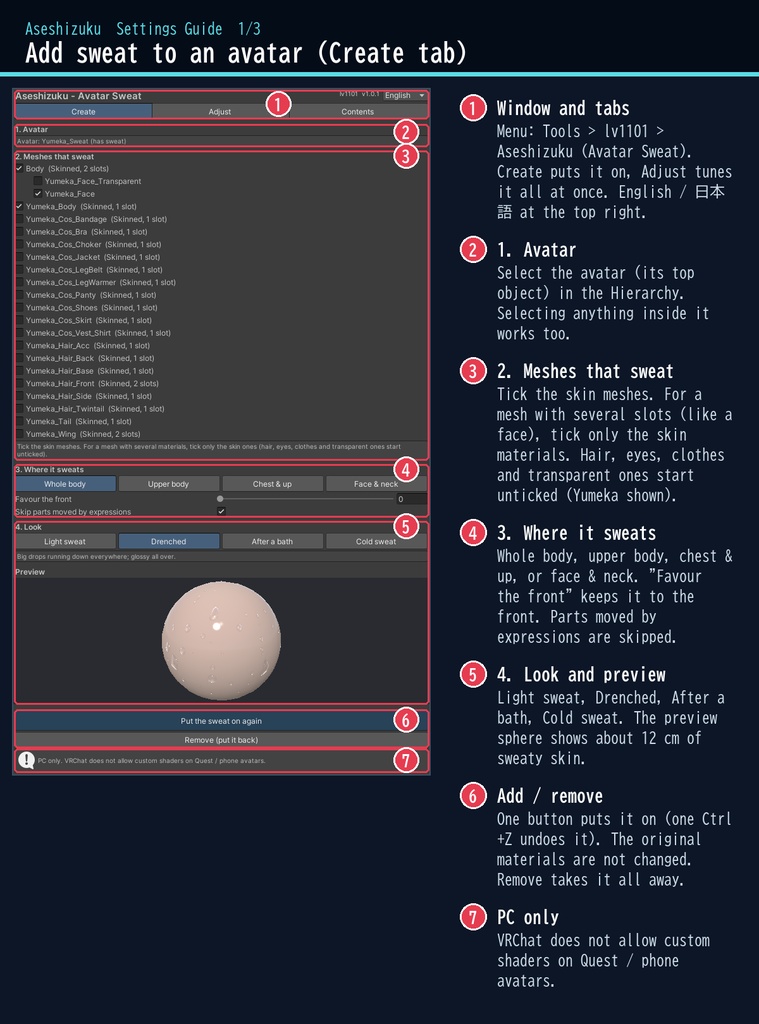
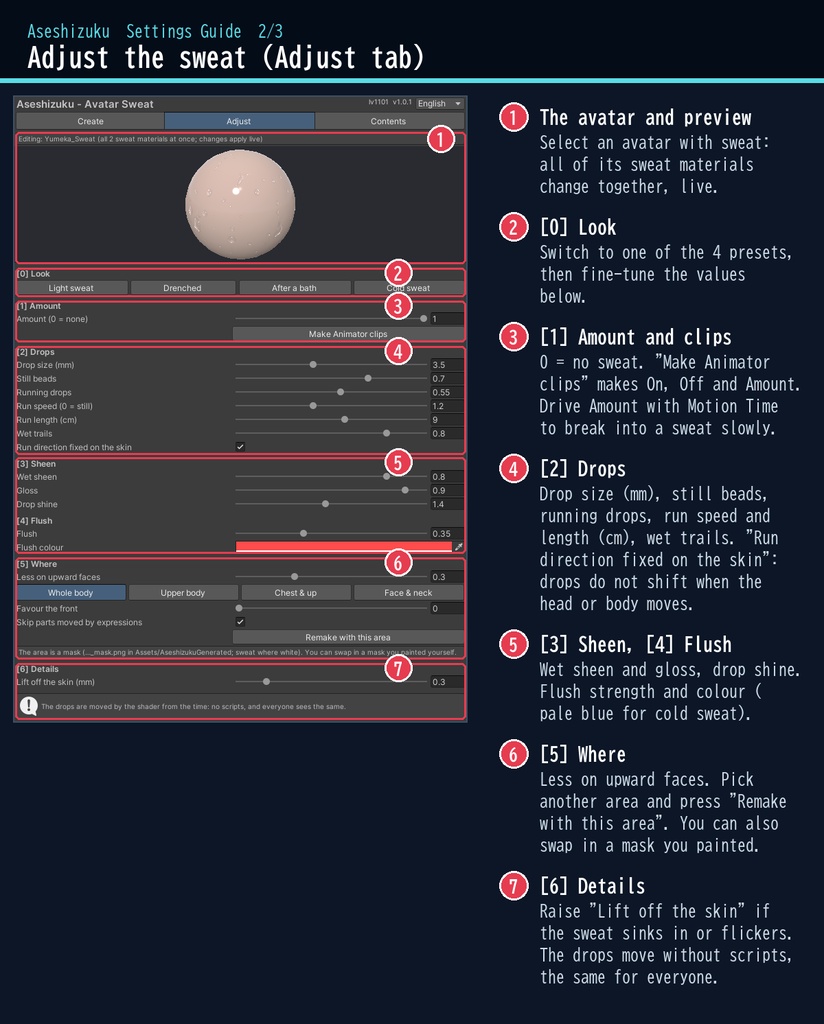
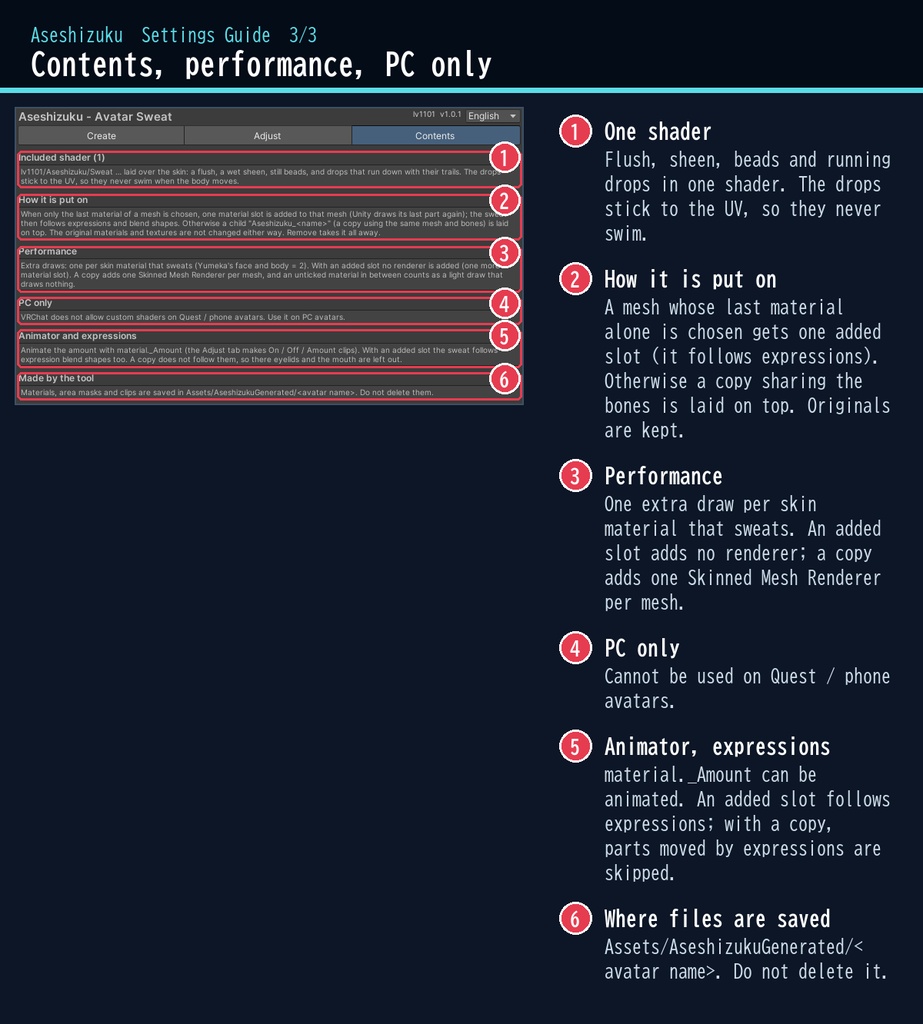


走ったあとも、湯上がりも、ひやっとした瞬間も。 「汗雫」は、VRChat のアバターの肌に汗を描くシェーダーです。 止まった汗の粒と、すっと流れ落ちる粒、しっとりしたつや、ほんのりした赤みが重なります。粒は肌に貼り付いて重力の向きに流れるので、ポーズを変えても自然です。夏のワールドや、ダンスのあとの撮影に。 ■ ポイント ・ゆめか専用ではありません。Humanoid のアバターなら、どのアバターにも使える汎用品です ・止まった粒と、流れ落ちる粒・つや・赤み ・うっすら汗 / 汗だく / 湯上がり / 冷や汗 ・量は Animator で動かせる(アニメも自動で作成) ・元のマテリアルはそのまま。外すのもボタン1つ ・日本語 / English の専用ウィンドウ ↓ 流れる様子は2枚目の GIF、くわしくは下へ。 ■ くわしく VRChat アバター向けの、汗のシェーダーです。PC のアバター専用です。 肌に重ねて、汗の粒(止まっている粒と、伝って流れ落ちる粒)・濡れたつや・上気した赤みを描きます。 粒の動きはシェーダーが時刻から作るので、スクリプト(U#)なしで、見ている全員に同じ見え方になります。 粒は UV に貼り付いているので、体が動いても模様が泳ぎません。粒の大きさはメッシュから自動で測って mm で合わせるので、どのアバターでもほぼ同じ大きさになります。 日本語 / English の専用ウィンドウで、アバターを選んで、汗をかくメッシュにチェックを付け、ボタン1つで付けられます。 ・流れる汗:粒がしばらく留まってから、肌を下へ伝って流れ落ち、濡れた跡を残します(向きは肌に固定なので、頭や体を動かしても粒がずれません) ・止まっている粒:大小の粒と細かい粒が、ゆっくりできては乾きます ・濡れたつや:まだらな濡れ感と、肌に映る光 ・上気した赤み:ほんのり赤く(色を変えれば冷や汗の青白さにも) ・プリセット:うっすら汗 / 汗だく / 湯上がり / 冷や汗 ・調整:粒の大きさ(mm)・止まっている粒と流れる粒の数・流れる速さと長さ・跡の濡れ・つや・粒の輝き・赤みの強さと色 ・部位:全身 / 上半身 / 胸から上 / 顔と首、「前側に寄せる」。Humanoid の Animator があれば骨の高さから自動で決めます(マスク画像は自分で塗った物にも差し替えられます) ・メッシュの最後のマテリアル(ゆめかの顔・体など)は、マテリアル枠を足す方式で表情のシェイプキーにもそのままついていきます。複製を重ねる時は、まぶたや口など表情で動く所を自動でよけます ・量(_Amount)は Animator で動かせます。On / Off / Amount(Motion Time 用)のアニメをボタン1つで作れます ・非破壊:マテリアル枠を1つ足すか、同じメッシュと骨を使う複製を子に作って重ねる方式。元のマテリアル・テクスチャは変えません ・「外す(元に戻す)」ボタンで全部外せます。付けるのも Ctrl+Z 1回で取り消せます ■ 動作環境 ・対応アバター:汎用。Humanoid のアバターならどれでも使えます(画像はゆめかで撮影。lilToon 2.3.4 で確認) ・Unity 2022.3(VRChat で使うバージョン) ・ビルトイン レンダーパイプライン ・PC 専用(VRChat の仕様で、Quest・スマホのアバターではカスタムシェーダーが使えません) ・VRChat SDK3 Avatars(なくてもコンパイルできます。Modular Avatar も不要です) ・深度テクスチャは使わないので、どのワールドでも同じように見えます ■ 導入 1. unitypackage を Unity にドラッグ&ドロップしてインポート 2. メニューの Tools > lv1101 > Aseshizuku (Avatar Sweat) でウィンドウを開く 3. Hierarchy でアバターを選び、汗をかくメッシュにチェックを付けて「汗を付ける」を押す 詳しい使い方は同梱の README_ja.txt をご覧ください。 設定画面の説明は、商品画像の「設定画面ガイド」(日本語・英語)にあります。 ウィンドウ右上で 日本語 / English を切り替えられます(Auto は PC の言語に合わせます)。 ■ 重さの目安 汗を付ける肌のマテリアル1つにつき、描画が1回増えます(ゆめかの顔と体なら2回)。 マテリアル枠を足す方式では Renderer は増えません。複製の方式では、メッシュ1つにつき Skinned Mesh Renderer が1つ増えます(パフォーマンスランクの数に入ります)。 ■ 内容物 ・Aseshizuku_1.0.1.unitypackage(README_ja.txt / README_en.txt 入り) ・利用規約.txt / TermsOfUse_en.txt ※画像のアバター:ゆめか Yumeka(©Arka_X / https://booth.pm/ja/items/8672657 )。商品には含みません。 ※背景の素材:Poly Haven(CC0)。商品には含みません。 ※複製を重ねる方式では、汗は表情(シェイプキー)に追従しないので、表情で動く所には汗を付けません。体型のシェイプキーは付けた時の値を引き継ぎます。 ※UV の継ぎ目では粒が切れて見えることがあります。 ※肌が透明(Transparent)のマテリアルには向きません。 ■ 利用規約(概要) ・VRChat のアバター(Public/商用・有料イベントでの使用を含む)で使えます ・改変できます ・シェーダー・スクリプトの再配布、転売はできません(改変したものも含む) ・クレジット表記は任意です(書いていただけると嬉しいです) 詳しくは同梱の 利用規約.txt をご覧ください。 ―――――――――――――――― ■ English Works with any avatar (universal, Humanoid avatars) - the images just use Yumeka. Aseshizuku is a sweat shader for VRChat avatars (PC only, Built-in RP, Unity 2022.3). Laid over the skin, it draws beads of sweat — still beads and drops that run down the skin, leaving wet trails (their path is fixed on the skin, so they do not shift when the head or body moves) — plus a wet sheen and a warm flush. No Udon / U# needed: the drops are driven by time, so everyone sees the same. The drops stick to the UV, so the pattern never swims when the body moves, and drop sizes are set in millimetres from the mesh, so they look the same on any avatar. Select your avatar in the dedicated window, tick the skin meshes and press one button. It is non-destructive: a material slot is added (the sweat then follows expressions too) or a copy of the mesh that shares its bones is laid on top; your materials and textures are not changed. "Remove" takes it all off. Presets: Light sweat / Drenched / After a bath / Cold sweat. Adjust drop size, still and running drops, run speed and length, trails, sheen, gloss, drop shine, flush strength and colour. Choose the area (whole body, upper body, chest & up, face & neck) from the bone heights; parts moved by expression blend shapes are skipped. Animate _Amount, with On / Off / Amount clips made by one button. PC avatars only: VRChat does not allow custom shaders on Quest / mobile avatars. No depth texture is used, so it looks the same in every world. Performance: one extra draw per skin material that sweats; an added slot adds no renderer, a copy adds one Skinned Mesh Renderer per mesh. Avatar in the images: Yumeka (©Arka_X), not included. Background assets: Poly Haven (CC0), not included. • Full English UI: switch Auto / 日本語 / English at the top right of the window • English README (README_en.txt) and Terms of Use (TermsOfUse_en.txt) included • English settings guide images are included in the product images Install: import the unitypackage, open Tools > lv1101 > Aseshizuku (Avatar Sweat), select your avatar, tick the meshes and press "Add sweat". Terms (summary): usable on VRChat avatars, including public use, commercial use and paid events; modification allowed; redistribution or resale of the shader / scripts (including modified versions) is not allowed; credit is optional. ■ 更新履歴 / Version history 1.0.0 最初の版 / First release 1.0.1 流れる粒の向きを肌に固定、顔・体は表情にもついていく方式に、Linear での見え方を修正 / Drops keep their path when the body moves, face/body sweat follows expressions, Linear look fixed