

【VRChat】ステージ照明シェーダー 舞台光 ブタイコウ Butaikou Stage Lights(ワールド向け)
- ダウンロード商品¥ 800
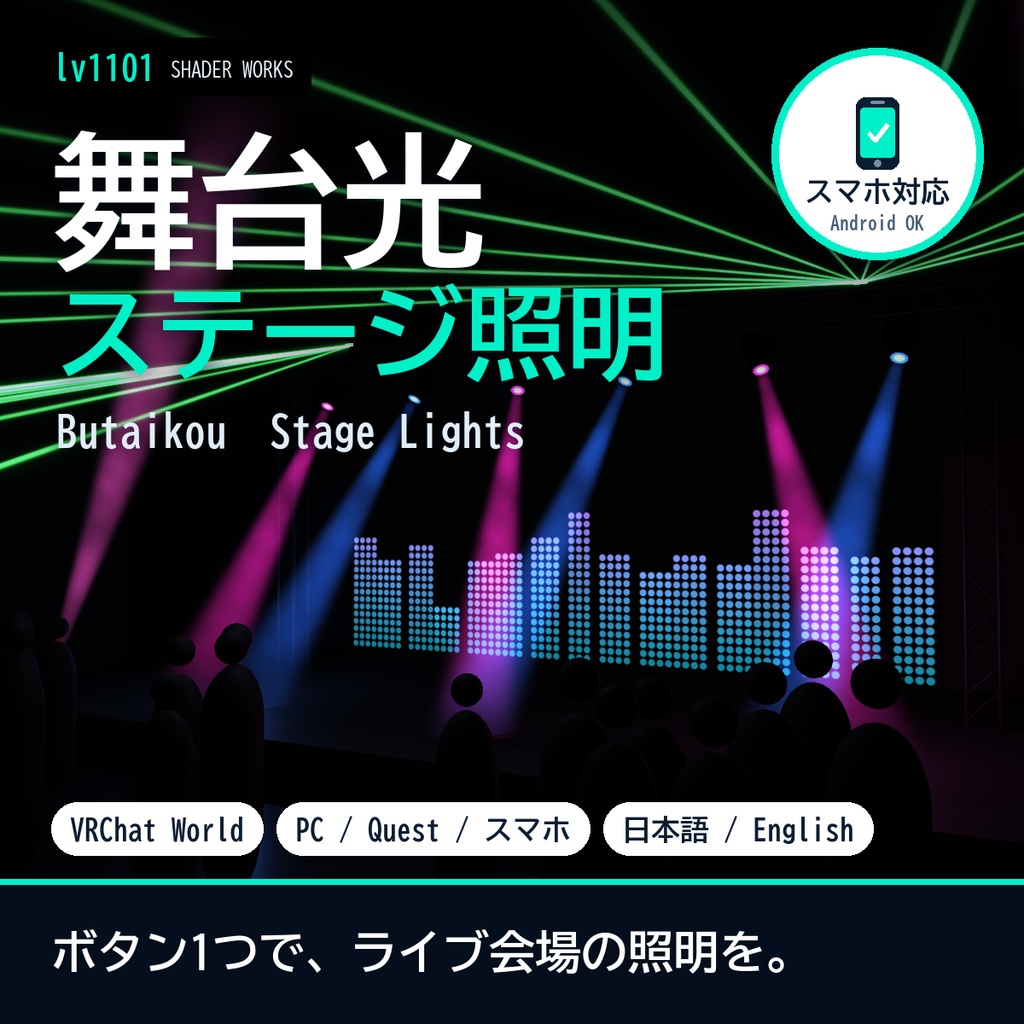
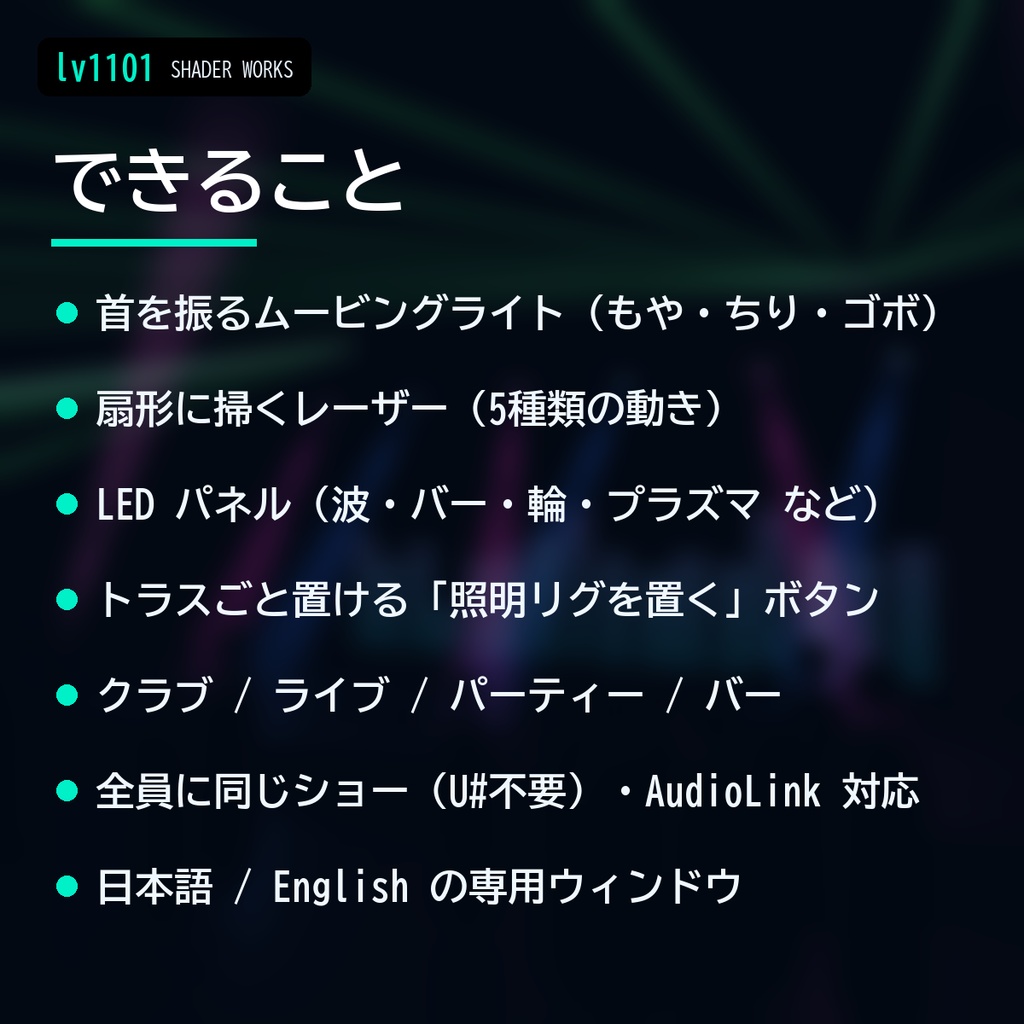
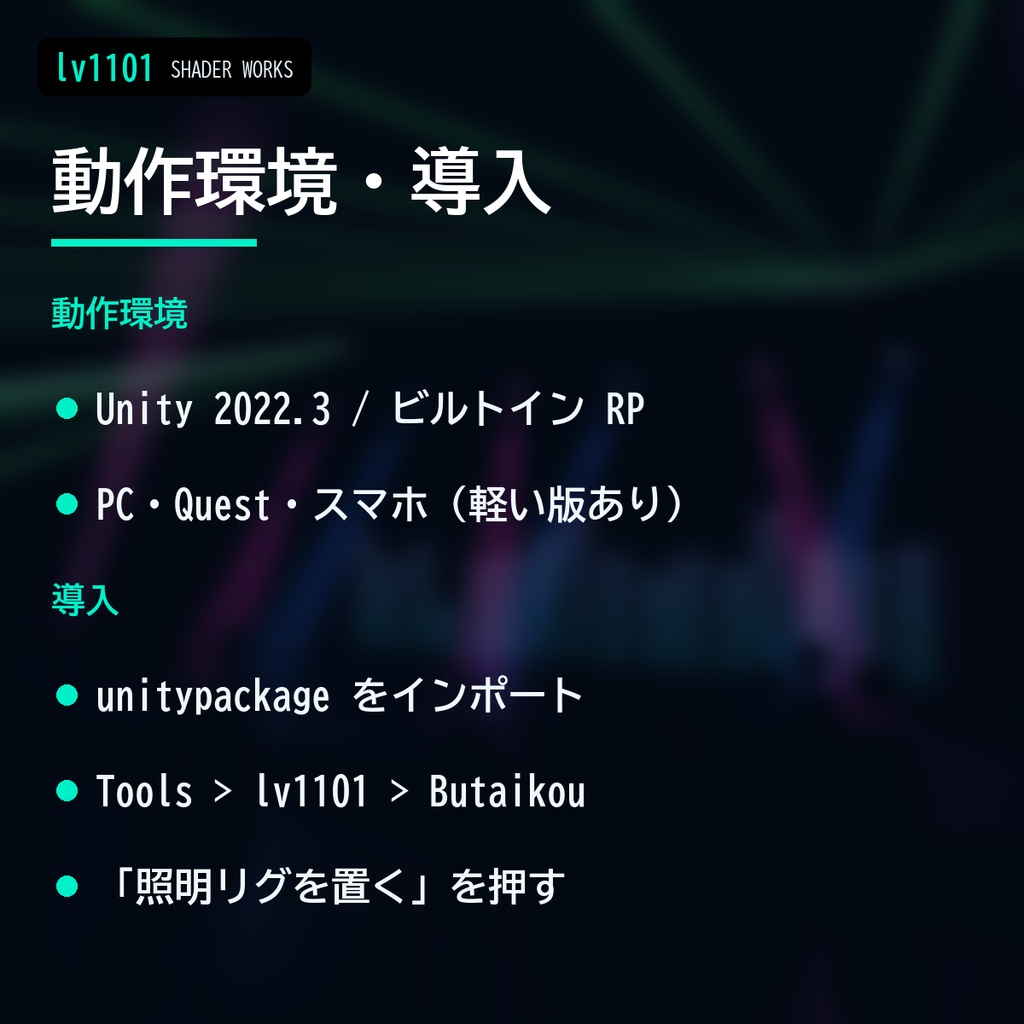
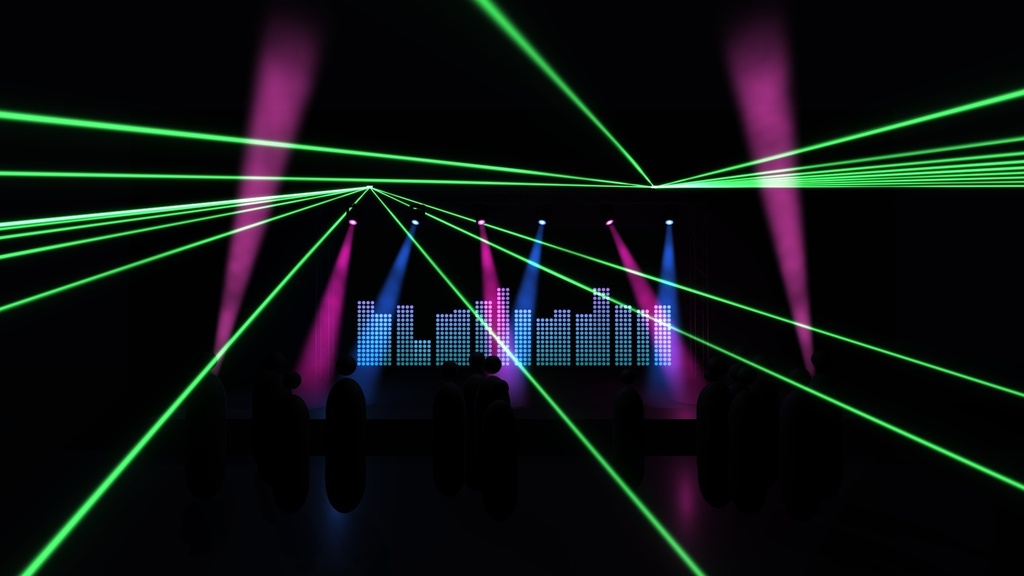
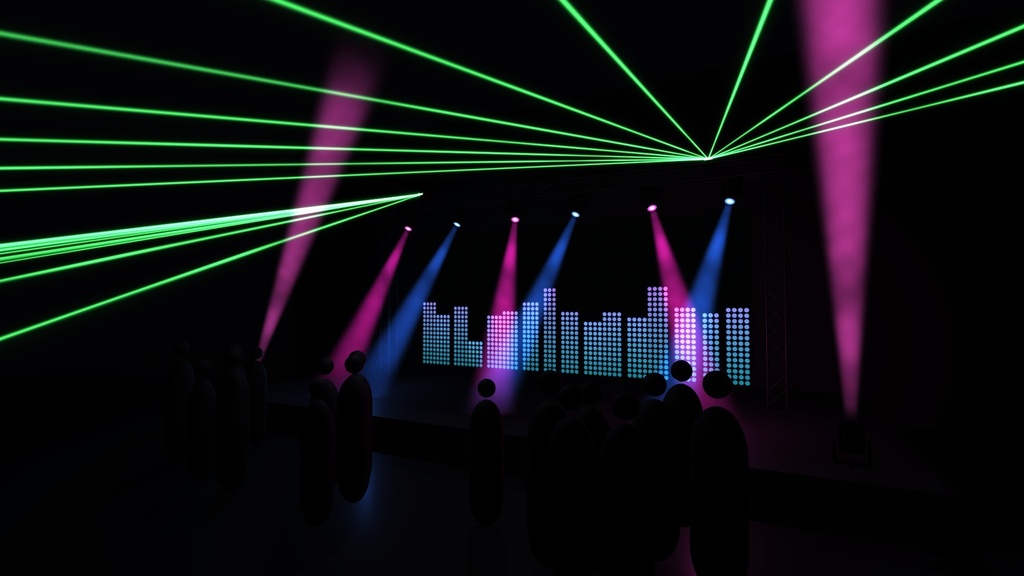
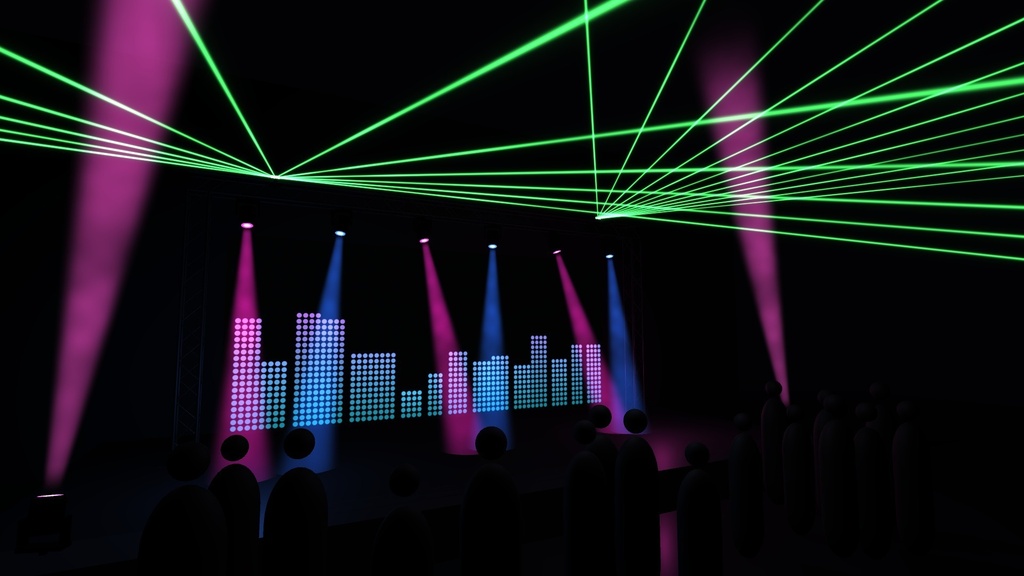
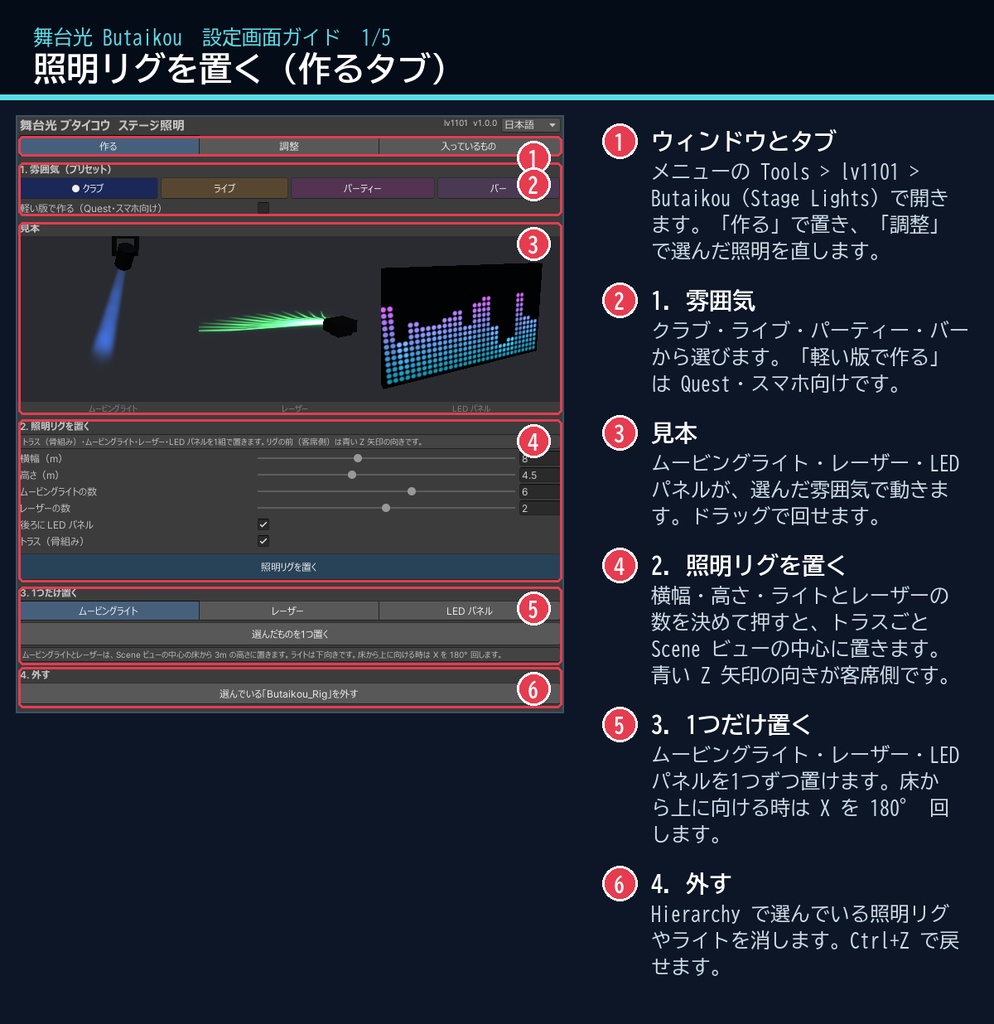
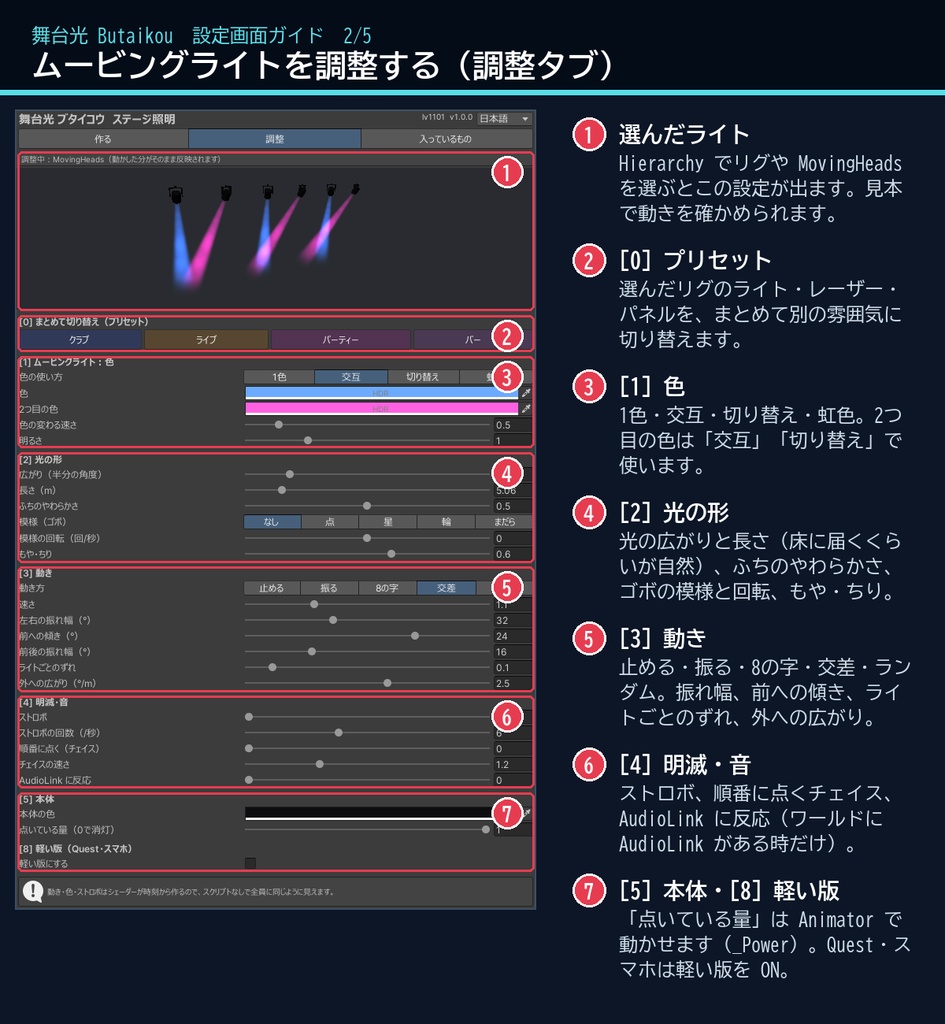
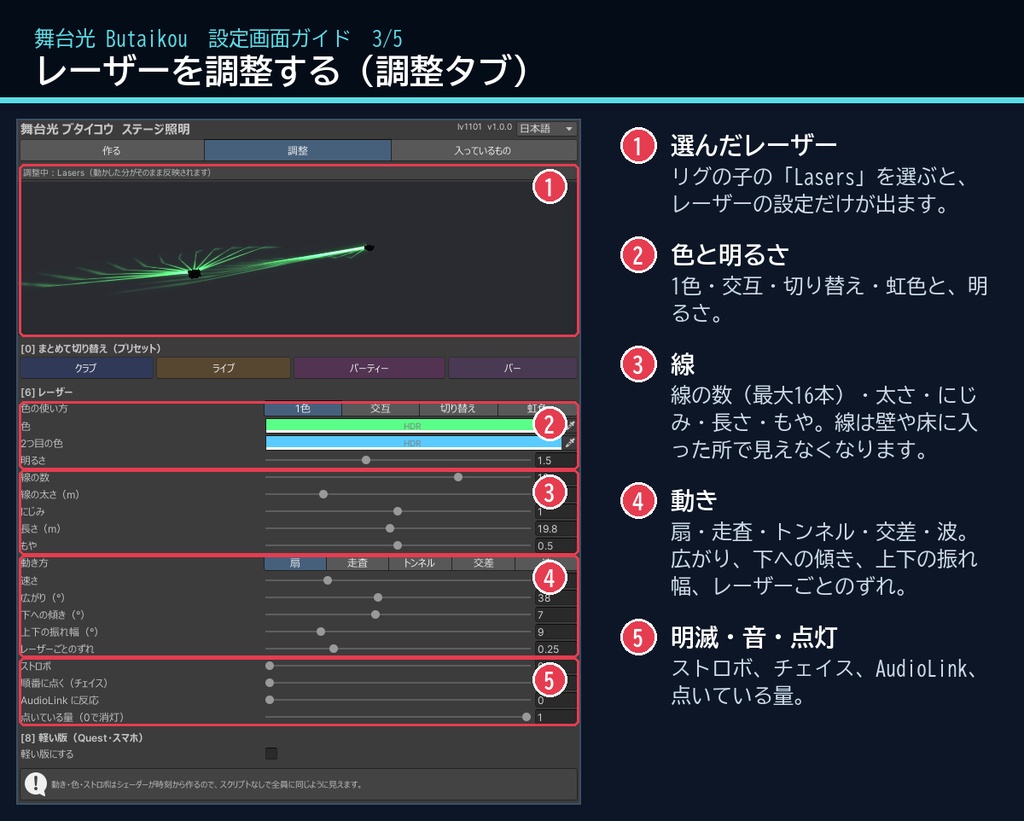
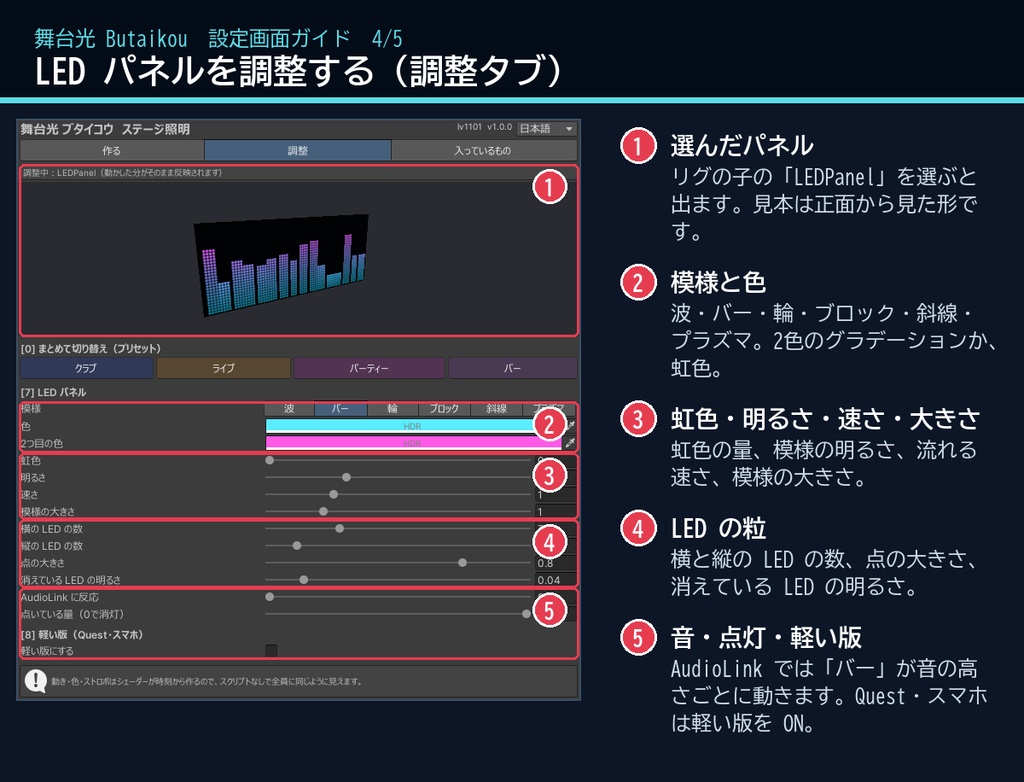
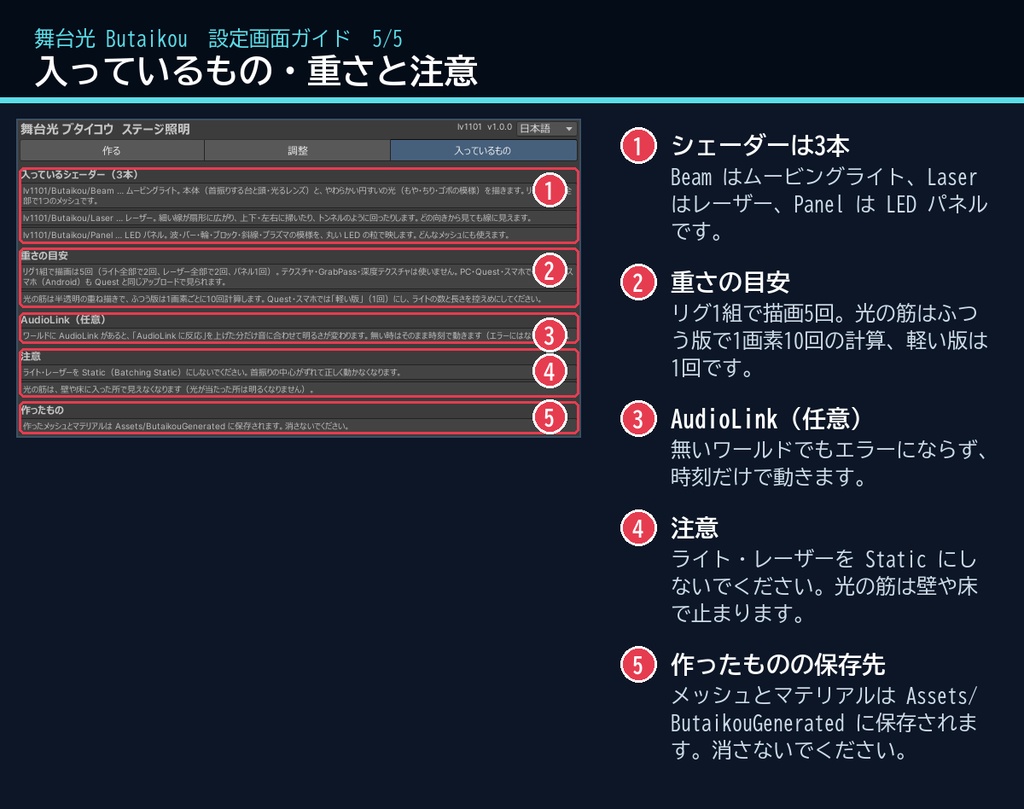
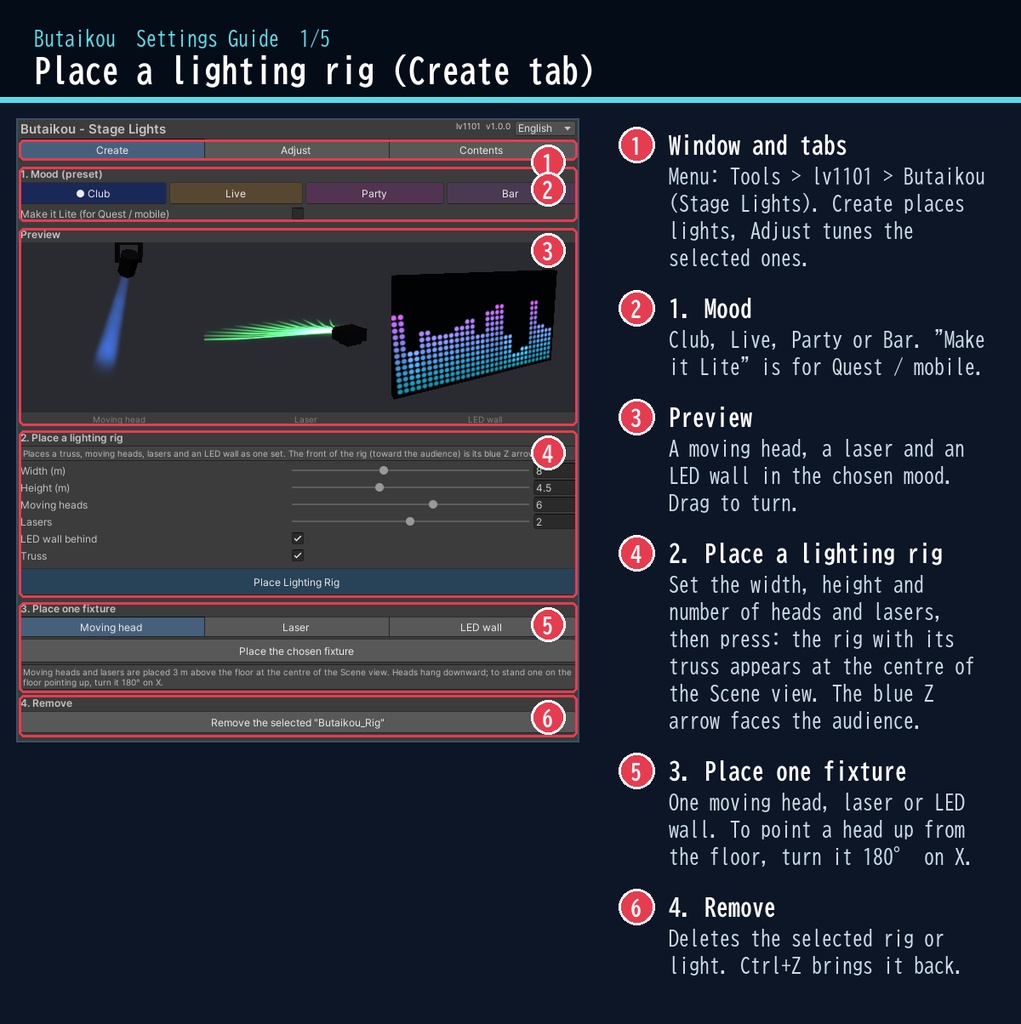
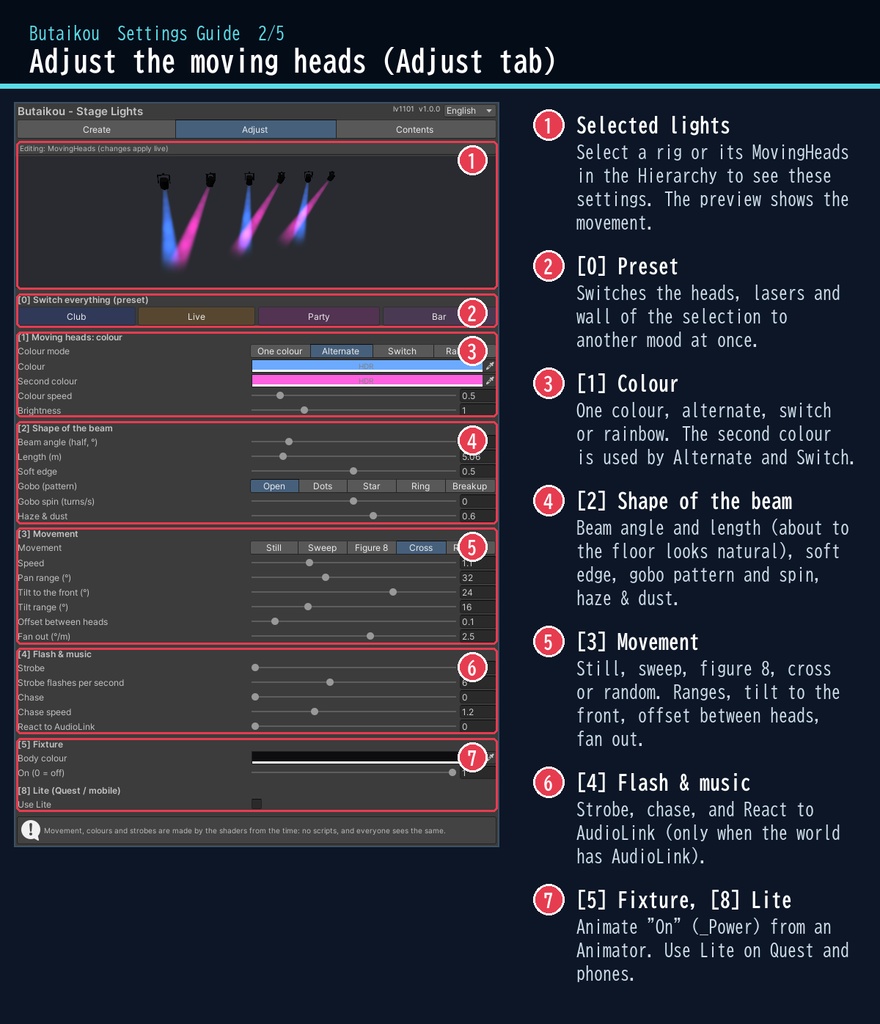
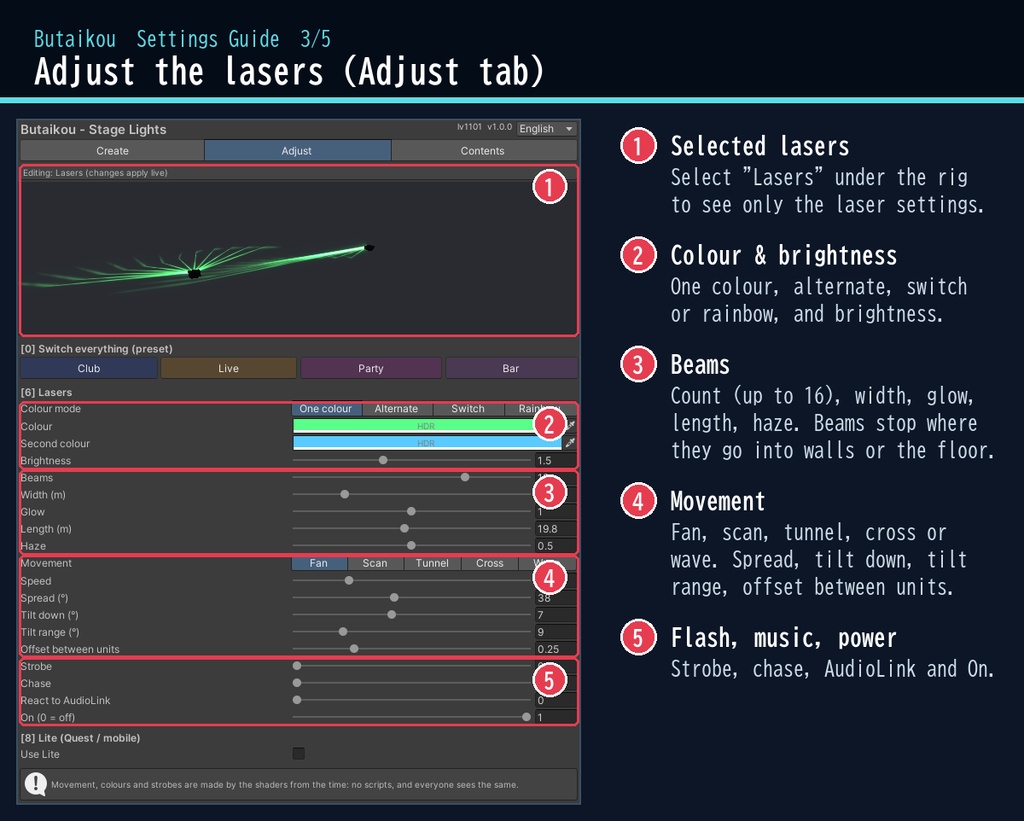
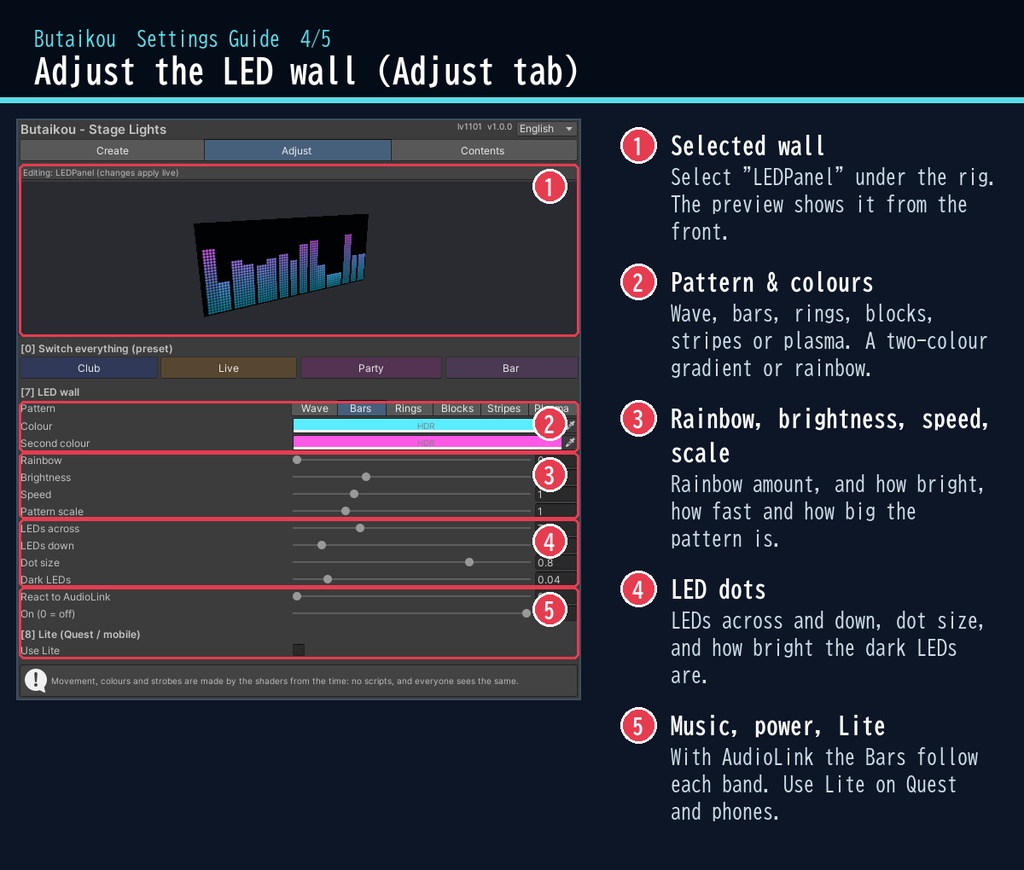
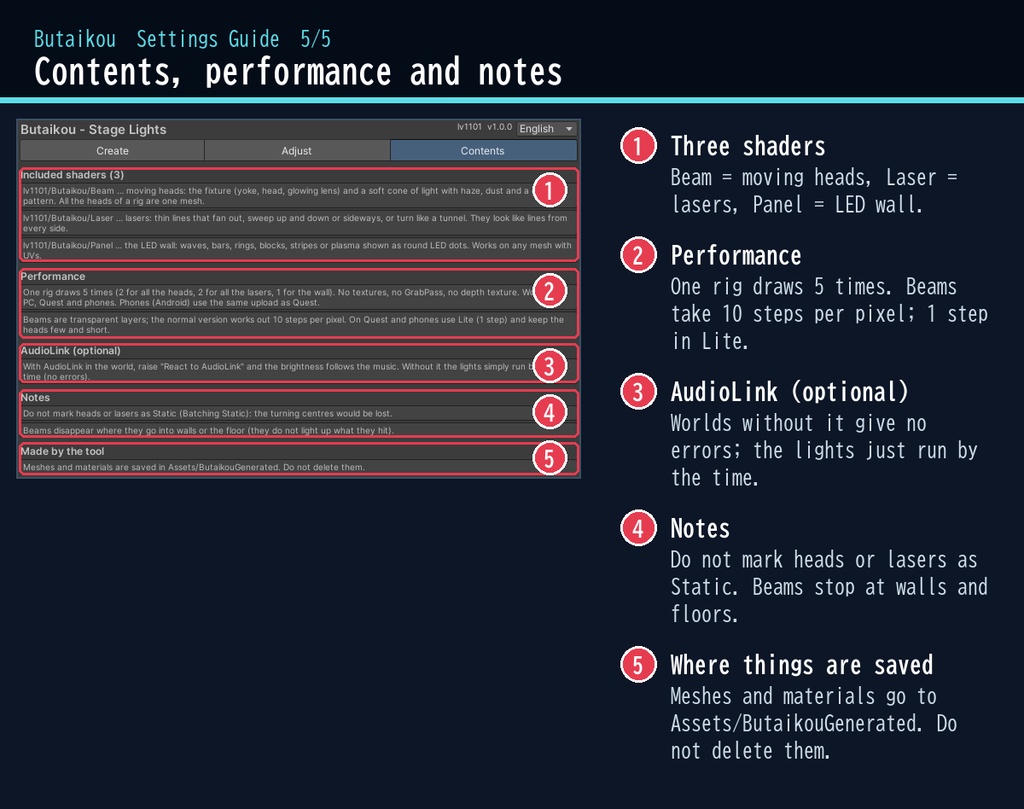


VRChat ワールド向けの、ライブ・クラブの照明セットです。 ムービングライト・レーザー・LED パネルを、トラス(骨組み)ごと専用ウィンドウのボタン1つで置いて、調整できます(日本語 / English 対応)。 照明の動き・色・ストロボはシェーダーが時刻から作るので、スクリプト(U#)なしで、ワールドにいる全員に同じショーが見えます。 「照明リグを置く」を押すだけで、首を振るムービングライト、扇形に掃くレーザー、模様が流れる LED パネルが並んだステージができます。 クラブ / ライブ / パーティー / バー のプリセットで、雰囲気をまとめて切り替えられます。 ■ できること ・ムービングライト:やわらかい円すいの光。もや・ちりが流れ、ゴボの模様(点・星・輪・まだら)が回ります ・首振り:振る / 8の字 / 交差 / ランダム。速さ・振れ幅・ライトごとのずれ・外への広がり ・色:1色 / 交互 / 切り替え / 虹色、ストロボ、順番に点くチェイス ・レーザー:細い線が扇・走査・トンネル・交差・波の動きで掃きます(線の数・太さ・にじみ・長さ)。どの向きから見ても線に見えます ・LED パネル:波・バー・輪・ブロック・斜線・プラズマの模様を丸い LED の粒で表示。自分のメッシュにも使えます ・トラスごと置ける「照明リグを置く」ボタン(横幅・高さ・ライトとレーザーの数を選べる)。1台だけ置くことも ・AudioLink(任意):ワールドにあれば音に合わせて明るさが変わります(無くても動きます) ・Animator から「点いている量」を動かして、点灯・消灯の演出も作れます ・Quest・スマホ向けの「軽い版」 ・リグ1組で描画5回(ライト全部で2回・レーザー全部で2回・パネル1回) ■ 動作環境 ・Unity 2022.3(VRChat で使うバージョン) ・ビルトイン レンダーパイプライン ・PC / Quest(Android)/ スマホ(Quest・スマホは「軽い版」を使ってください) ・スマホ(Android)は、Quest と同じアップロードでそのまま見られます(OpenGL ES 3 / Vulkan で動作確認済み) ・VRChat SDK3 Worlds(なくても動きます) ・AudioLink(任意) ■ 導入 1. unitypackage を Unity にドラッグ&ドロップしてインポート 2. メニューの Tools > lv1101 > Butaikou (Stage Lights) でウィンドウを開く 3. 雰囲気を選んで「照明リグを置く」を押す 詳しい使い方は同梱の README_ja.txt をご覧ください。 設定画面の説明は、商品画像の「設定画面ガイド」(日本語・英語)にあります。 ウィンドウ右上で 日本語 / English を切り替えられます(Auto は PC の言語に合わせます)。 ■ 内容物 ・Butaikou_1.0.1.unitypackage(README_ja.txt / README_en.txt 入り) ・利用規約.txt / TermsOfUse_en.txt ※商品ページの画像に映っているワールド・人の形などは商品に含みません。 ※アバター向けではなく、ワールド向けのシェーダーです。 ※光の筋は壁や床に入った所で見えなくなります(当たった所を照らす機能はありません)。音は入っていません。 ■ 利用規約(概要) ・VRChat のワールド(Public/商用・有料イベントを含む)で使えます ・改変できます ・シェーダー・スクリプトの再配布、転売はできません(改変したものも含む) ・クレジット表記は任意です(書いていただけると嬉しいです) 詳しくは同梱の 利用規約.txt をご覧ください。 ―――――――――――――――― ■ English Butaikou is a stage lighting set for VRChat worlds (Built-in RP, Unity 2022.3): moving heads, lasers and an LED wall, placed together with a truss in one click from a dedicated editor window. No Udon / U# needed: movement, colours and strobes are driven by time, so every player sees the same show. Moving heads draw a soft cone of light with drifting haze, dust and rotating gobo patterns, and pan / tilt in sweep, figure-8, cross or random moves. Lasers sweep as a fan, scan, tunnel, cross or wave, and look like lines from every side. The LED wall shows waves, bars, rings, blocks, stripes or plasma as round LED dots (works on your own meshes too). Presets: Club / Live / Party / Bar. Optional AudioLink reaction (works without it). One rig draws 5 times in total. PC / Quest / mobile supported (Lite setting for Quest and mobile). Phones (Android) use the same upload as Quest; checked on OpenGL ES 3 and Vulkan. • Full English UI: switch Auto / 日本語 / English at the top right of the window • English README (README_en.txt) and Terms of Use (TermsOfUse_en.txt) included • English settings guide images are included in the product images Install: import the unitypackage, open Tools > lv1101 > Butaikou (Stage Lights), pick a mood and press "Place Lighting Rig". Terms (summary): usable in VRChat worlds including public / commercial worlds and paid events; modification allowed; redistribution or resale of the shader / scripts (including modified versions) is not allowed; credit is optional. ■ 更新履歴 / Version history 1.0.1 Linear 色空間(VRChat と同じ)で色が白っぽく、光のにじみが広く見えていたのを修正 / Fixed pale colours and too wide glows in Linear colour space (as in VRChat) 1.0.0 最初の版 / First release