

【無料】【VRChat】【Quest対応】Argentum Quest Look-Match|PC版の見た目のままQuest版を作るマテリアル変換ツール
- 無料版 / Freeダウンロード商品¥ 0
- 支援版 / Support(内容は無料版と同じ・same files)ダウンロード商品¥ 500
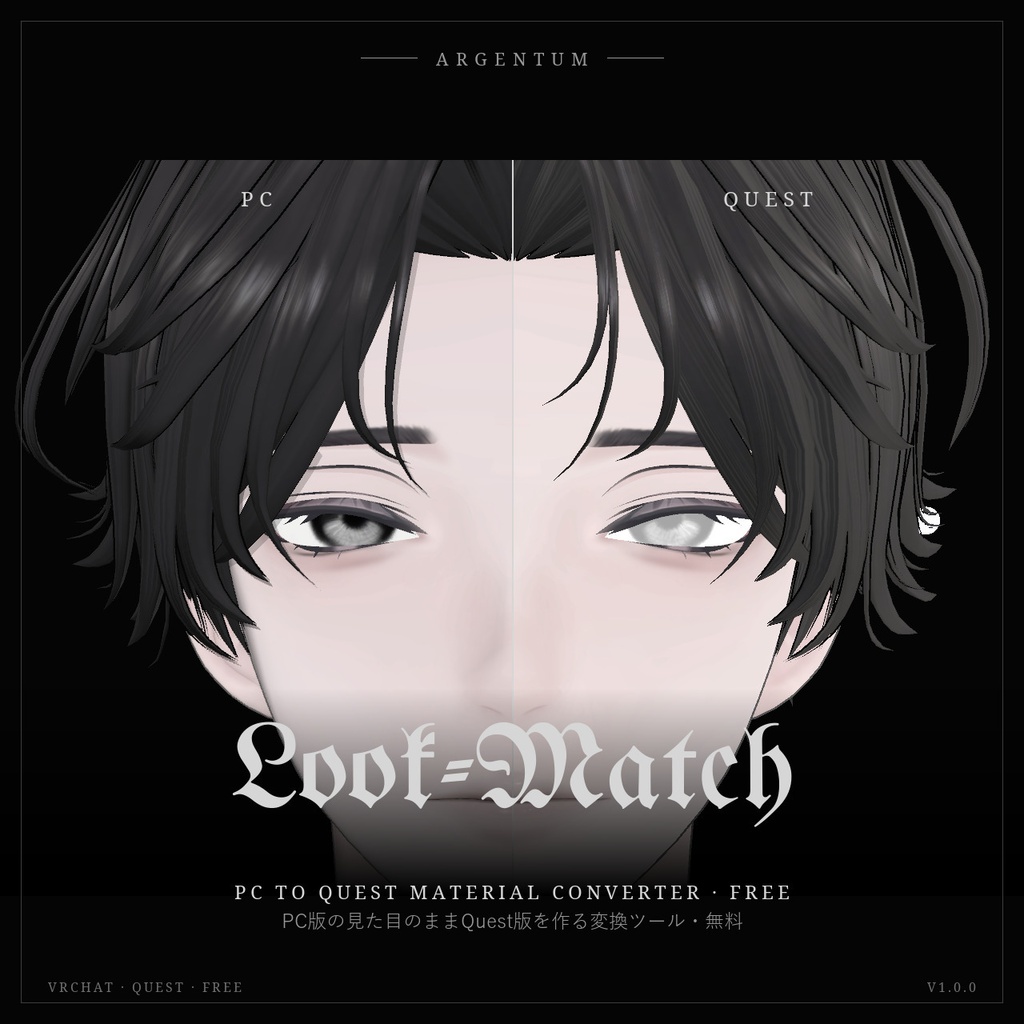
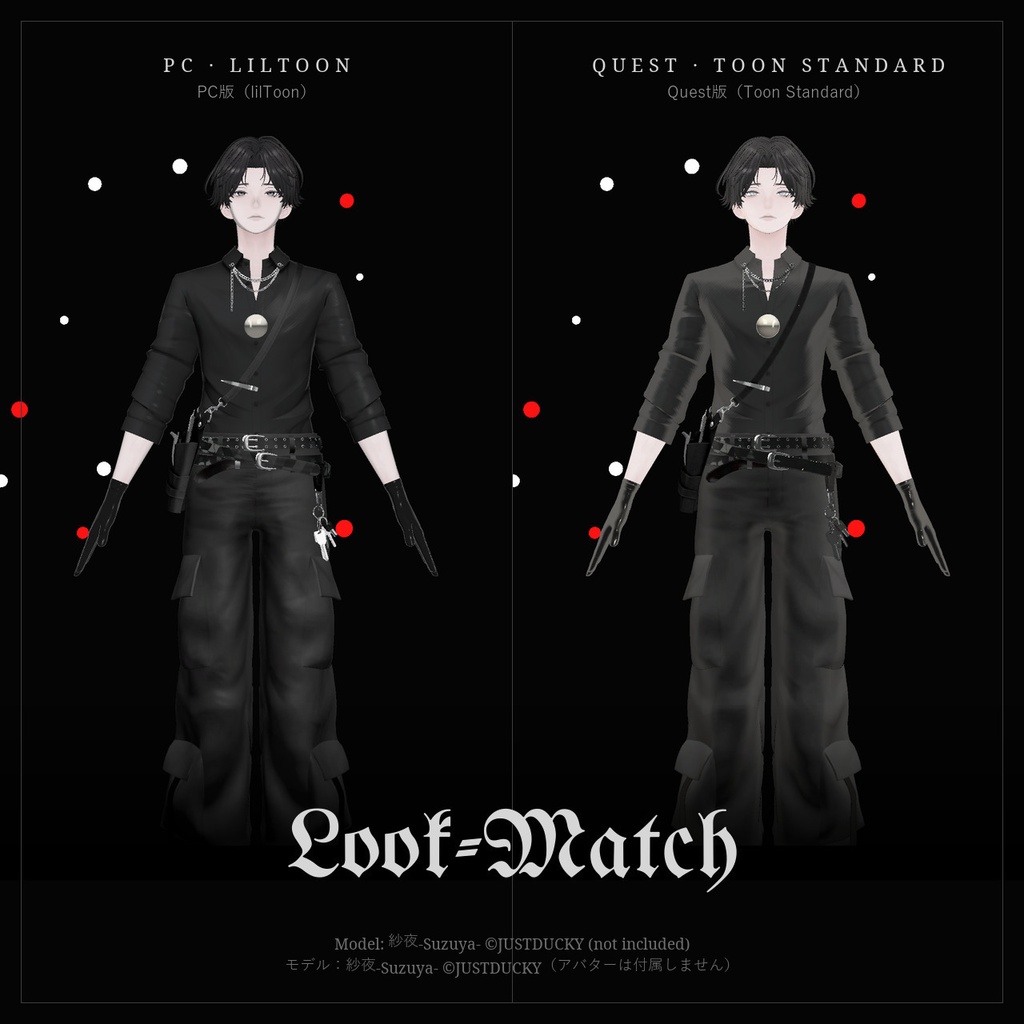
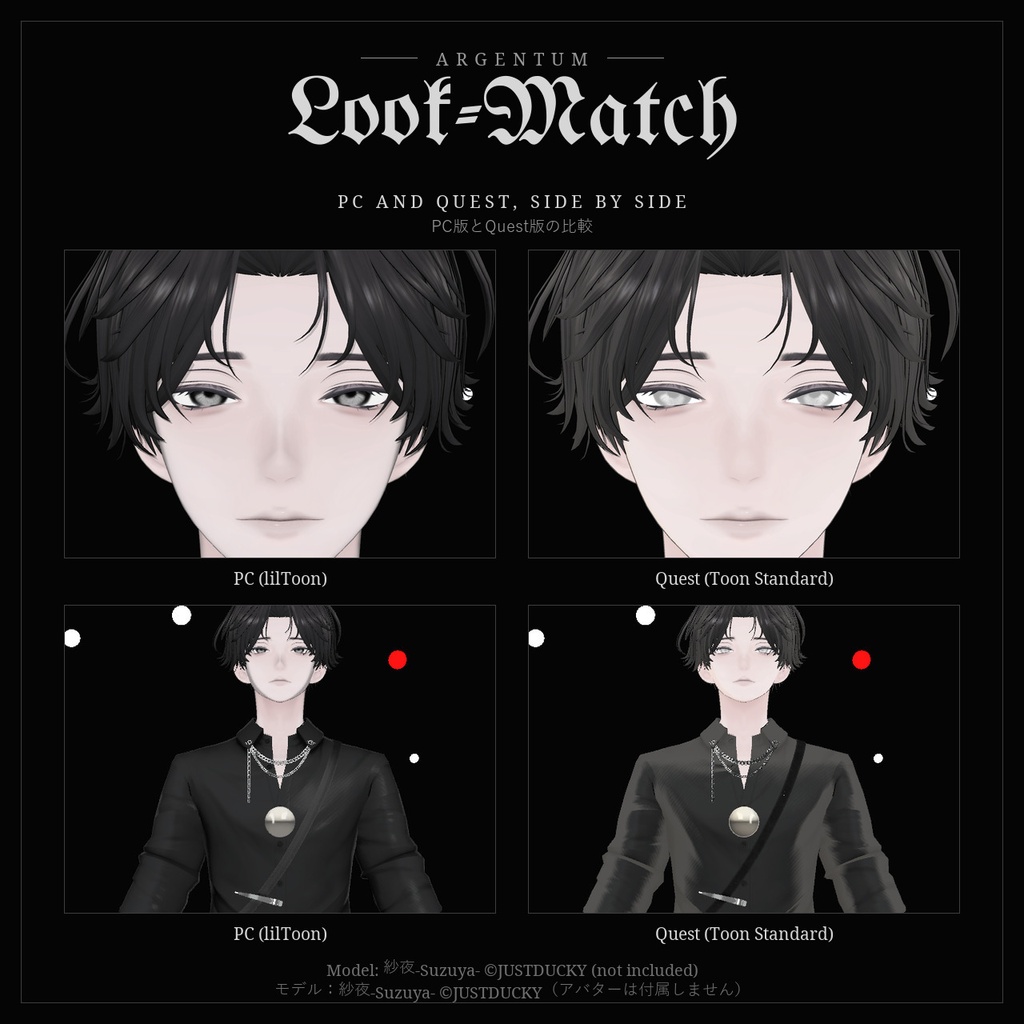


ワンクリックでQuest版アバターを作成。lilToonの影、マットキャップ、リムライト、発光、輪郭線を、VRChatのToon Standardへ引き継ぎます。 ■ 特長 ・PC版の隣に「アバター名 (Quest)」のコピーを作成。PC版は変更しません ・lilToonの影(1影・2影・3影の色、境界、ぼかし、強度、境界の色)をマテリアルごとのカラー影ランプに焼き込み、影の境界と色をPC版に合わせます ・色調補正、ノーマルマップ、メインカラー2nd、マットキャップ(色付き)、リムライト、反射、発光、輪郭線を引き継ぎ ・アバターが表示しうるすべてのマテリアルを変換:レンダラー、Modular Avatar・VRChatのコンポーネント、アニメーションで差し替わるマテリアル(アニメーターはコピーを作成し、元は変更しません) ・PC専用エフェクト(画面エフェクト)を取り除き、半透明のオーバーレイは不透明な形にせず非表示に ・Questで表示できないものをマテリアルごとに一覧表示。Questで無効になるコンポーネントも表示 ・コピーはBlueprint IDを引き継ぐので、同じアバターのQuest版としてアップロードできます ■ こんな用途に lilToonのアバターのQuest / Android版を、PC版と同じ見た目でアップロードしたい方に。 ■ 対応環境 ・Unity 2022.3.22f1(VRChatの現行バージョン)+Android Build Support ・Toon Standardを含むVRChat SDK(Avatars)。SDK 3.10.5、lilToon 2.3.4で動作確認 ・lilToonで最も効果を発揮します。Unity Standardも変換可能。その他のシェーダー(Poiyomiなど)は基本的な変換(メインテクスチャ、色、ノーマルマップ、発光、マットキャップ)になり、確認が必要なものとして表示します ・Modular Avatarを使ったアバターに対応。Modular Avatarがなくても動作します ■ 内容物 ・Argentum_LookMatch_v1.0.0.unitypackage ・ツール本体:Tools > Argentum > Quest Look-Match(アバターの右クリックメニューからも起動) ・README(英語・日本語)、利用規約、更新履歴 ■ 負荷 ・ゲーム内で動くものは追加しません。Quest版はVRChat純正のモバイル用シェーダーのみ。影ランプは256 × 4ピクセル。輪郭線はそのメッシュを2回描画します。 ・ポリゴン数・ボーン・テクスチャサイズは減らしません。Quest版のポリゴン数・マテリアルスロット数・メッシュ数を表示するので、QuestのPerformance Rankと比べてください。 ■ ご注意 ・Toon Standardは不透明です。毛先やまつ毛などの透ける部分は、Questでは不透明に描画されます。 ・(Quest)のコピーは、SDKでAndroidだけを選んだ状態でアップロードしてください(PC版と同じBlueprint IDです)。 ・無料です。応援していただける方は支援版(¥500、内容は同じ)をどうぞ。 ■ アップデート 購入者は無料でアップデートを受け取れます。BOOTHのライブラリから再ダウンロードしてください。 画像のアバター:紗夜-Suzuya-(JUSTDUCKY様)※アバターは付属しません ──────────────────── English ──────────────────── Argentum Quest Look-Match: PC → Quest Material Converter [VRChat / Free] One click makes the Quest version of your avatar, with your lilToon shadows, matcaps, rim light, emission and outlines carried over to VRChat's Toon Standard. ■ Features ・Makes a "<avatar> (Quest)" copy next to your PC avatar; the PC avatar isn't changed ・lilToon shadows (1st / 2nd / 3rd color, border, blur, strength, border color) baked into a color shadow ramp per material, so the shadow edge and colors match ・Carries over tone correction, normal map, 2nd texture, matcap (with its color), rim light, reflection, emission and outlines ・Converts every material the avatar can show: renderers, Modular Avatar / VRChat components, and materials swapped in by animations (animators are copied, never edited) ・Removes PC-only effects (screen effects) and hides transparent overlays instead of turning them into solid shapes ・Lists what Quest can't show per material, and the components VRChat disables on Quest ・The copy keeps your Blueprint ID, so it uploads as the Quest version of the same avatar ■ Use it for Anyone uploading a Quest / Android version of a lilToon avatar who wants it to look like the PC version. ■ Compatibility ・Unity 2022.3.22f1 (VRChat's current version) with Android Build Support ・VRChat SDK (Avatars) with Toon Standard. Tested with SDK 3.10.5 and lilToon 2.3.4. ・Best with lilToon. Unity Standard is converted too; other shaders (Poiyomi etc.) get a basic conversion (main texture, color, normal map, emission, matcap) and are marked for you to check. ・Works with Modular Avatar avatars; doesn't need Modular Avatar. ■ What's included ・Argentum_LookMatch_v1.0.0.unitypackage ・The tool: Tools > Argentum > Quest Look-Match (also on the avatar's right-click menu) ・README (English / Japanese), terms of use, changelog ■ Performance ・Adds nothing that runs in game: the Quest version uses only VRChat's mobile shaders. Shadow ramps are 256 × 4 px. Outlines draw their mesh twice. ・Polygons, bones and texture sizes are not reduced: the summary shows the Quest version's triangles, material slots and meshes to compare with VRChat's Quest rank. ■ Notes ・Toon Standard is opaque: see-through edges (hair tips, lashes) render solid on Quest. ・Upload the (Quest) copy only with Android selected in the SDK: it shares your PC Blueprint ID. ・Free. If you'd like to support Argentum Designs, the 支援版 (¥500) has the same contents. ■ Updates Free for buyers. Re-download from your BOOTH library. Avatar in the images: Suzuya by JUSTDUCKY (not included).
Terms of Service
・○ あらゆるアバターでのツールの使用(個人・商用) ・○ ツールが生成したもの(マテリアル、影ランプ、テクスチャ、アニメーターのコピー)を、アップロード・販売・配布するアバターに使うこと(依頼制作を含む) ・× ツール本体の再配布・転売(改変の有無を問わず、アバターやアセットのパッケージへの同梱を含む) ・規約の全文はダウンロードデータに同梱しています ──────────────────── ・OK: use the tool on any avatar, personal or commercial. ・OK: what the tool generates (materials, shadow ramps, textures, animator copies) can go into avatars you upload, sell or give away, including commissions. ・Not OK: redistributing or reselling the tool itself, modified or not, including inside avatar or asset packages. ・Full terms are included in the download.
Update information
・1.0.0 (2026-11-03): 初回リリース ・1.0.0 (2026-11-03): First release