

スカートスイング - スカートの揺れ設定を体型に合わせて入れ直す【JA,EN,KO】
- Digital700 JPY
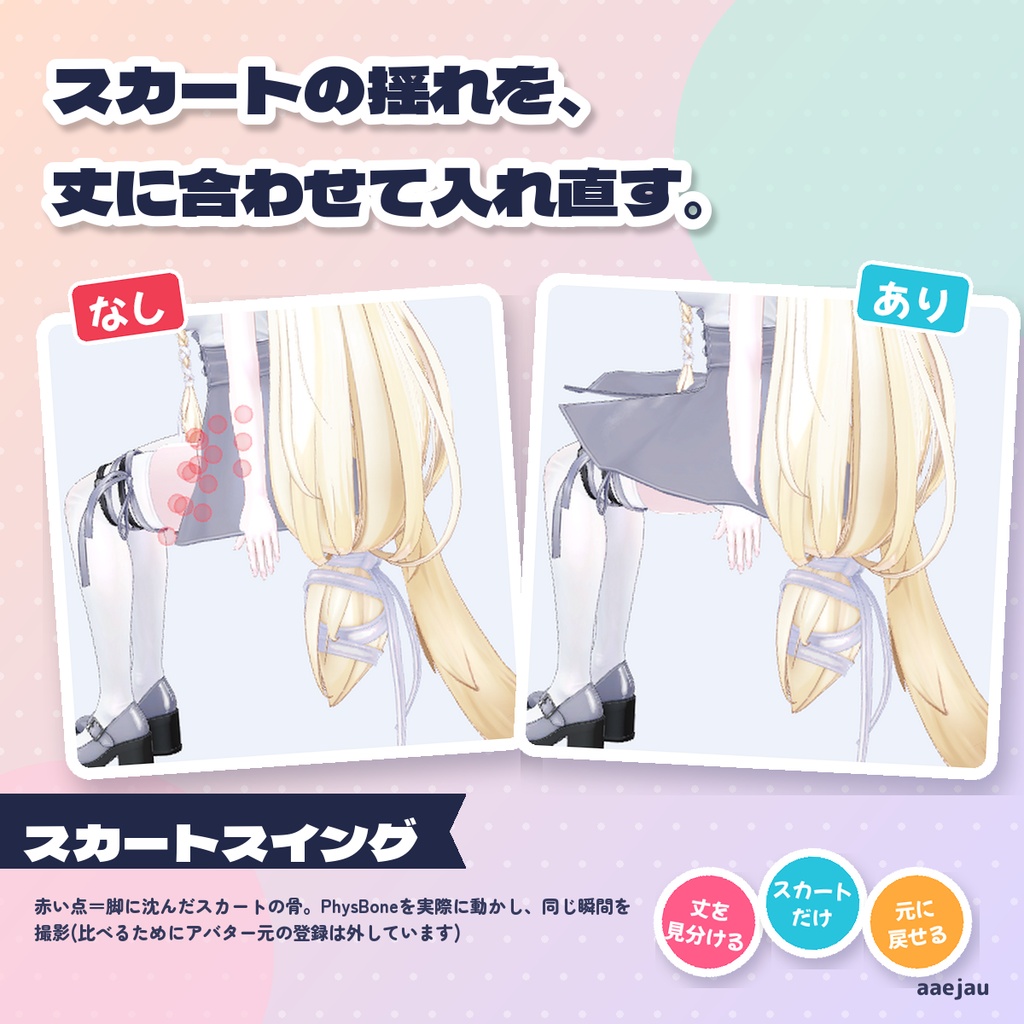
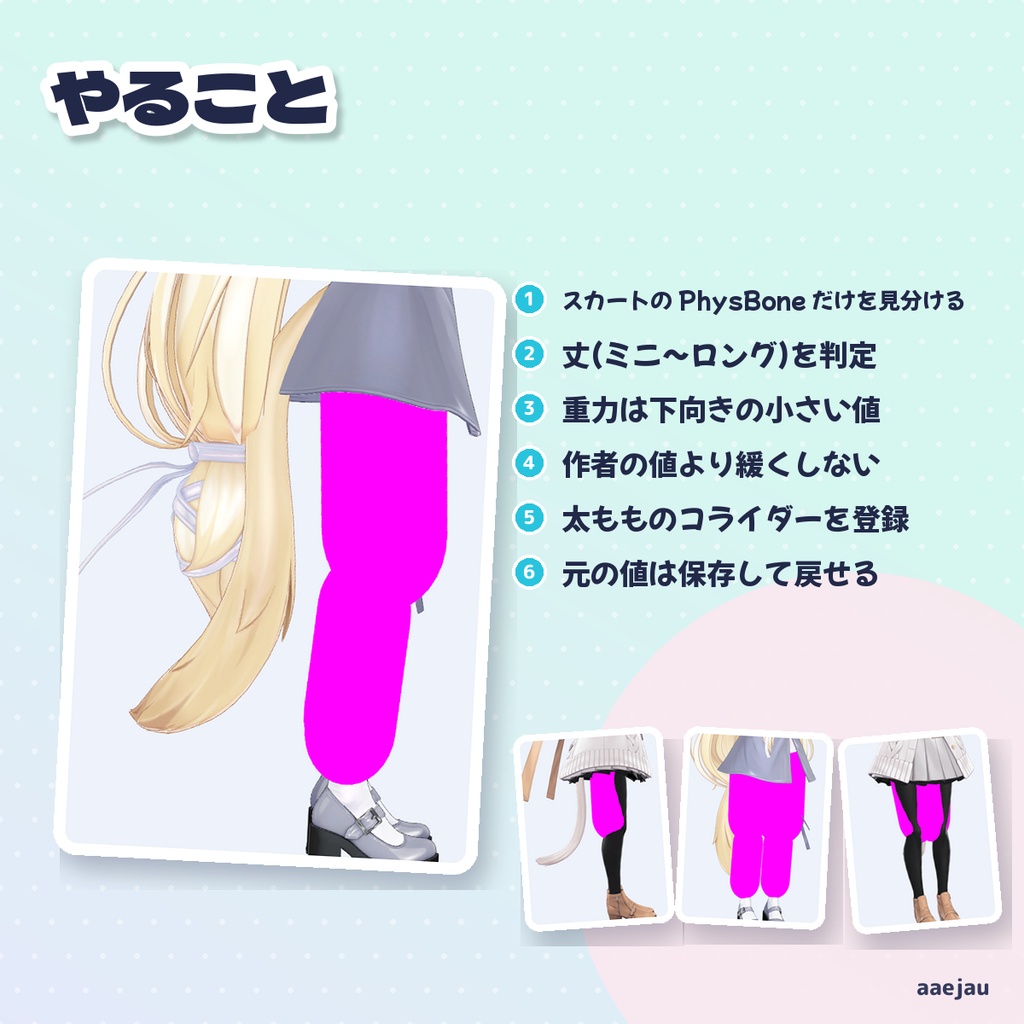
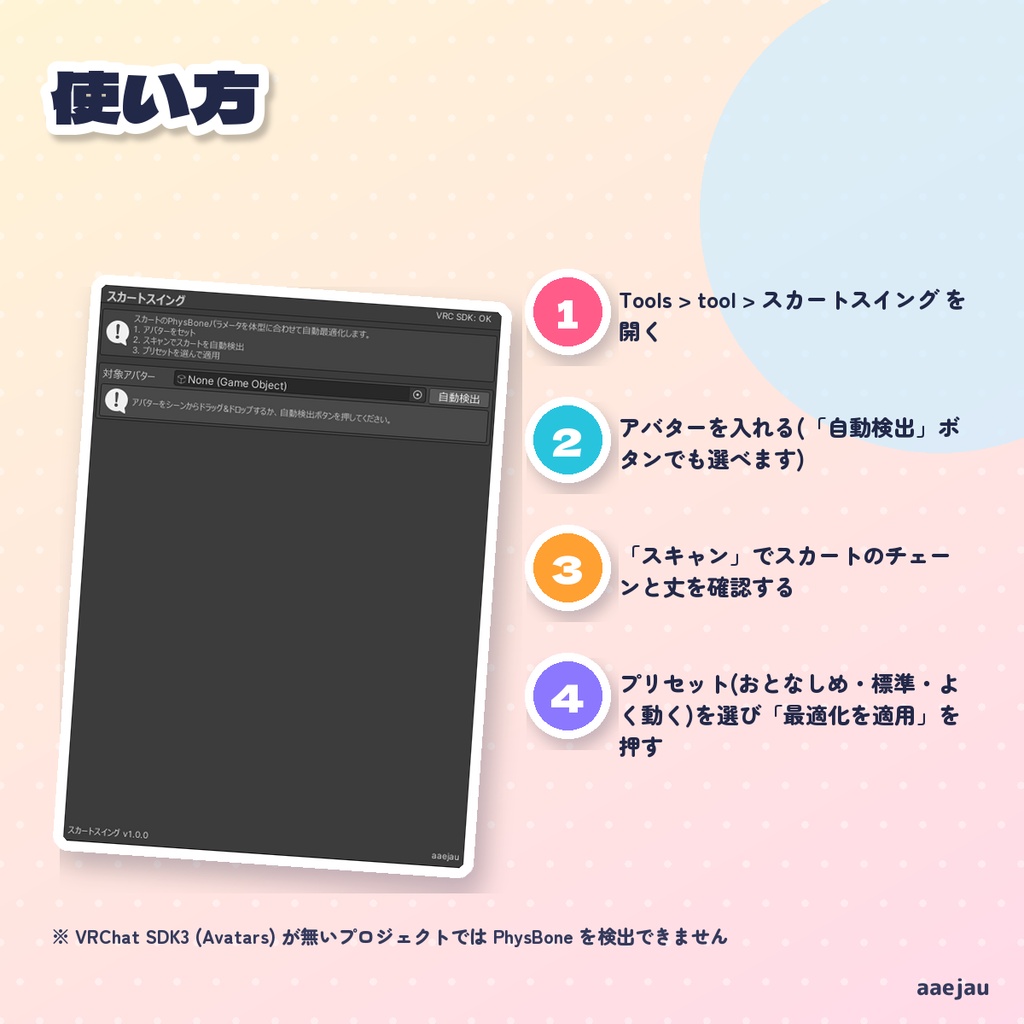
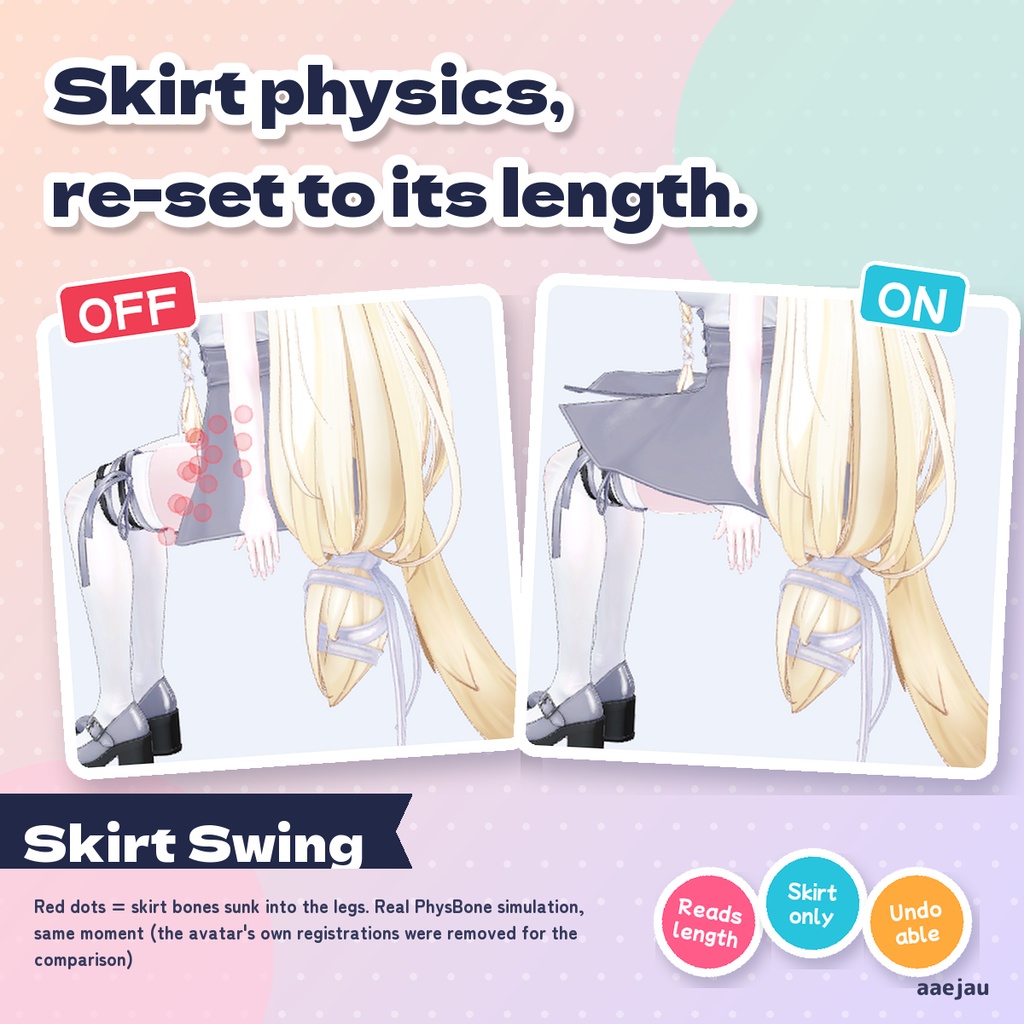
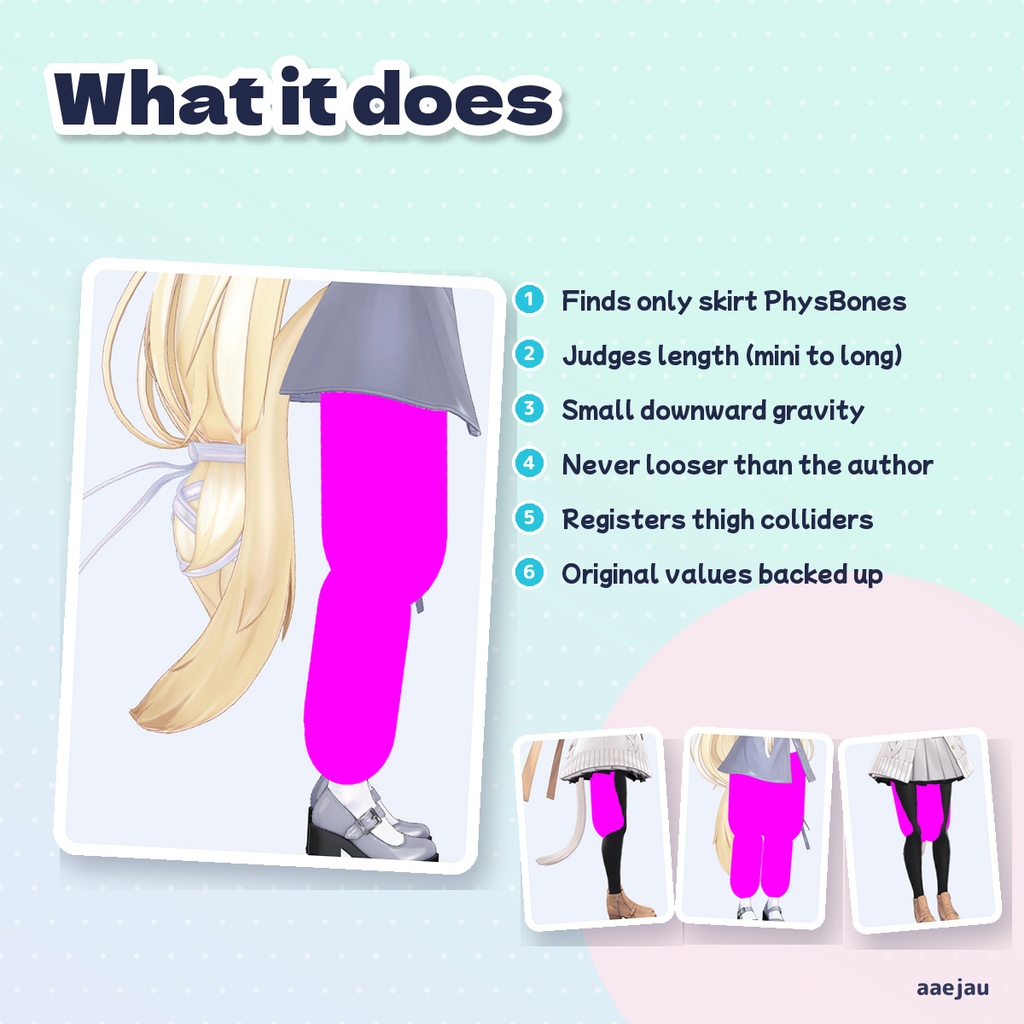
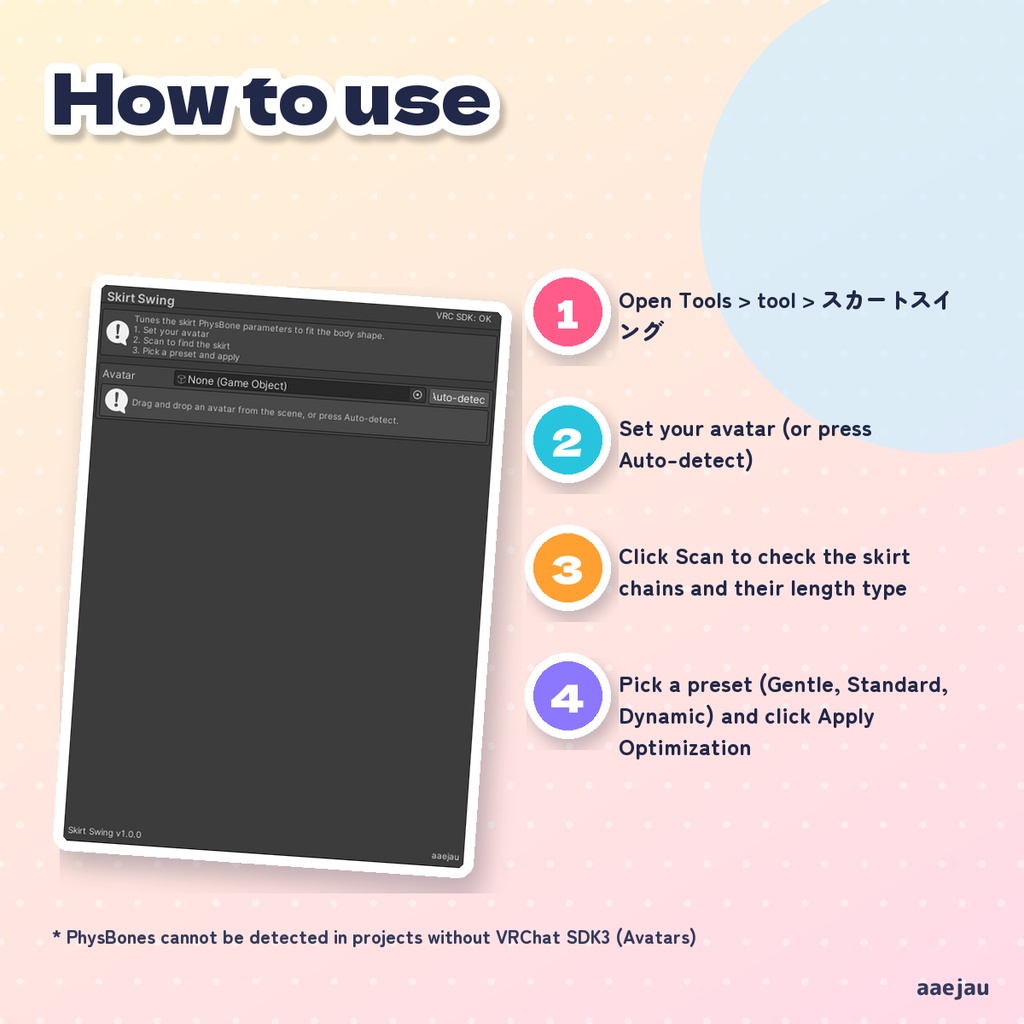
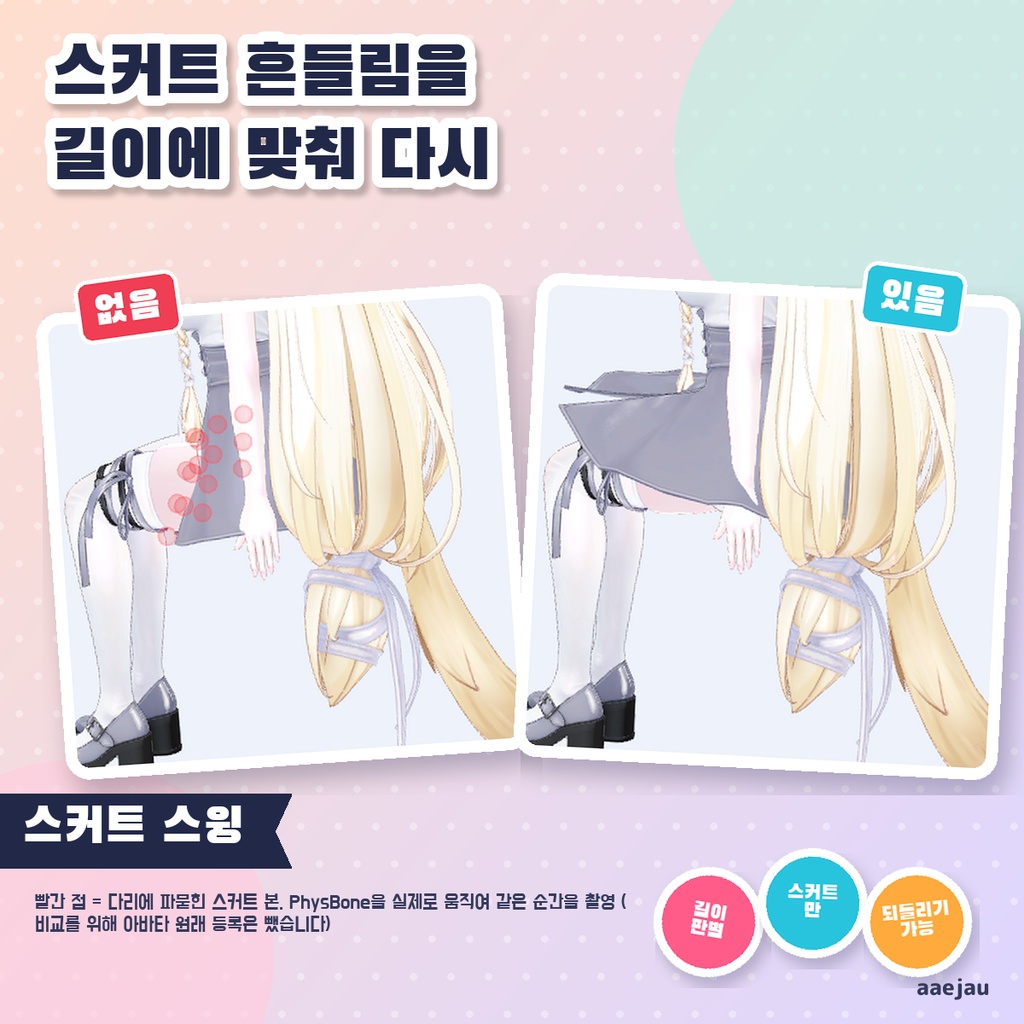
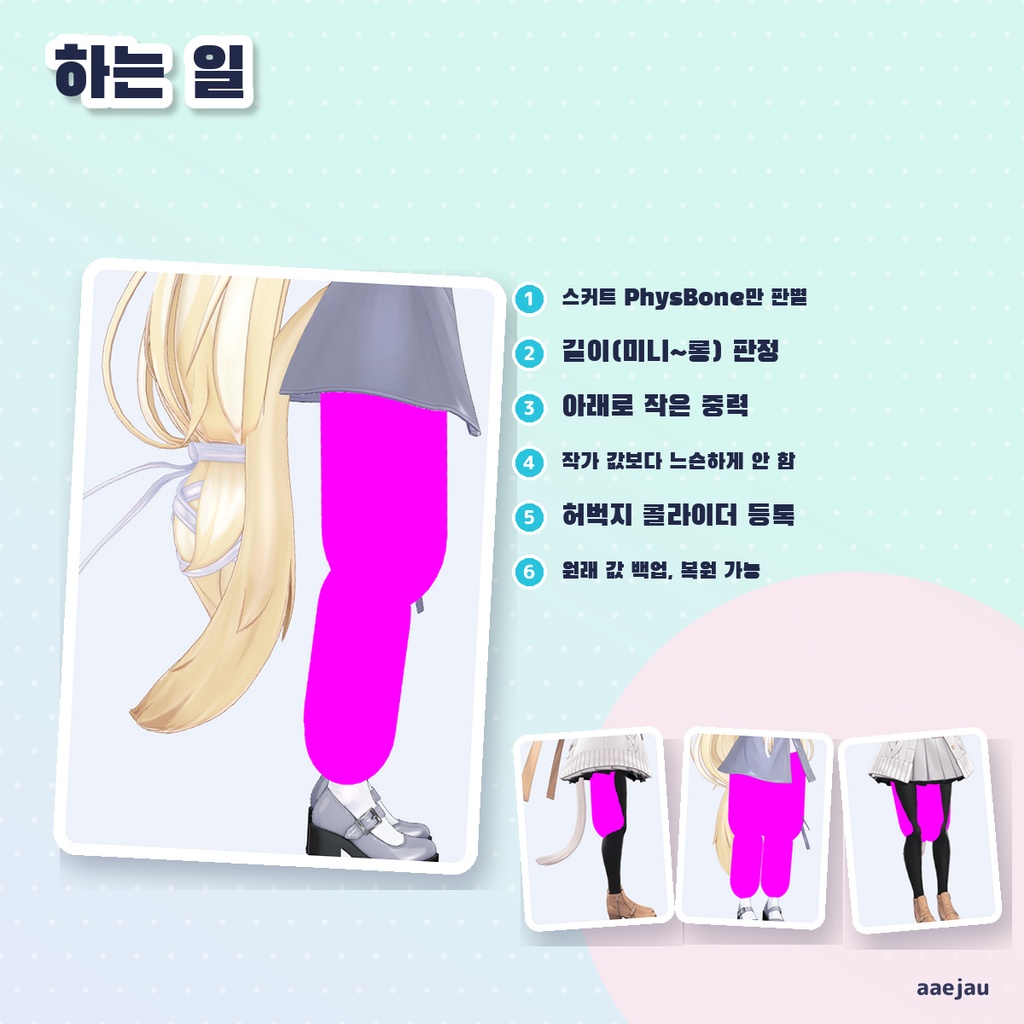
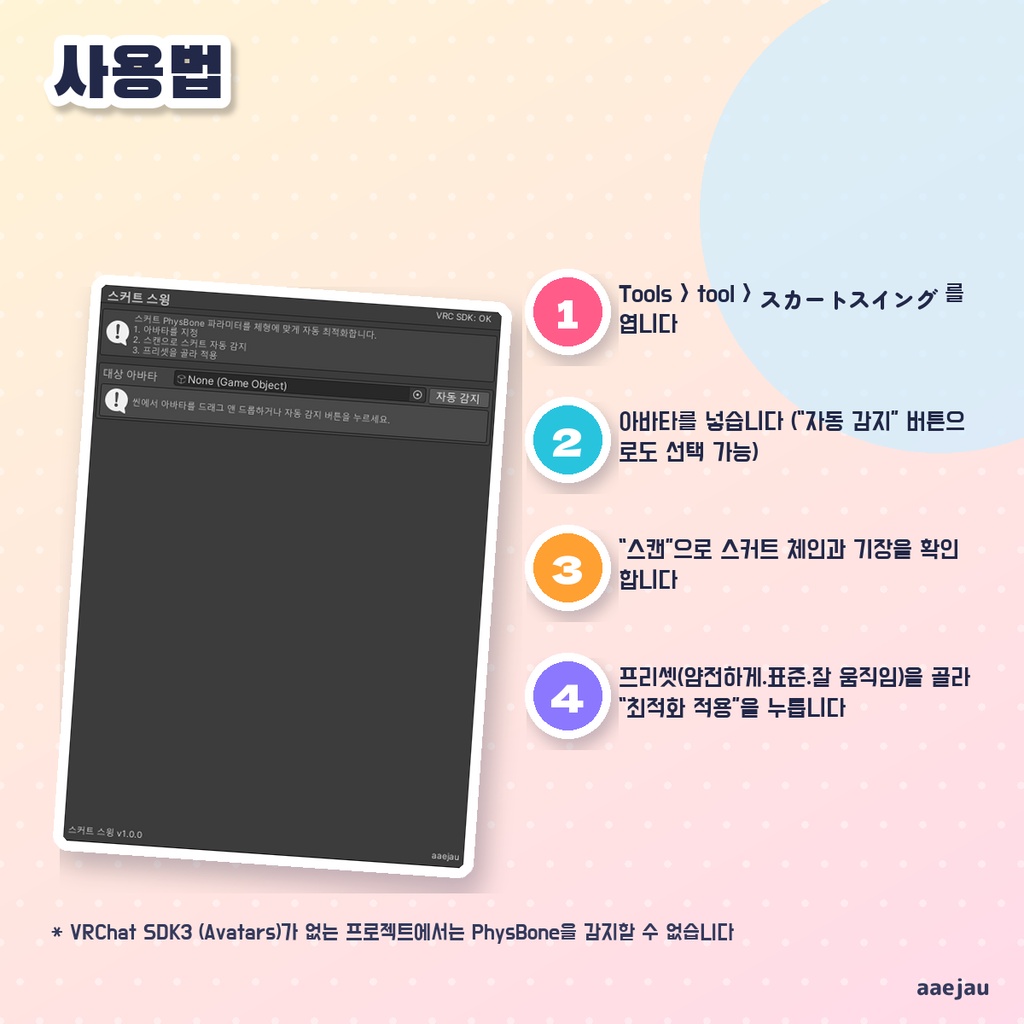


「スカートの揺れ方が、なんだか変。」 アバターのスカートの PhysBone を見つけ、脚の長さと比べた丈(ミニ・ショート・ミディアム・ロング)を判定して、Pull・Spring・Stiffness・Gravity などの値をプリセットに合わせて入れ直します。重力は下向き(正の値)の小さい値で、丈が長いほど少し強くします。太ももの骨から膝までのカプセル型コライダーを左右に置き(太さは体メッシュから実測)、スカートの PhysBone に登録します。太ももに作者のコライダーが既にあれば、それをそのまま登録します。 ◆ 使い方 1. Tools > tool > スカートスイング を開く 2. アバターを入れる(「自動検出」ボタンでも選べます) 3. 「スキャン」でスカートのチェーンと丈を確認する 4. プリセット(おとなしめ・標準・よく動く)を選び「最適化を適用」を押す 5. 気に入らなければ「元に戻す (パラメータ)」で元の値に戻す ◆ 必要環境 ・Unity 2022.3 ・VRChat SDK3 (Avatars) ・Humanoid のアバター(スカートの判定と太ももコライダーに必要) ※ VRChat SDK3 (Avatars) が無いプロジェクトでは PhysBone を検出できません ※ スカートと見なすのは、Hips の下(胸・首・頭・腕・脚の下ではない)にあり、腰より下まで垂れ、付け根が腰の周りにある PhysBone です。さらに名前がスカート系(skirt・スカート・裾・dress・ワンピ・frill など)か、3 方向以上に垂れている必要があります。名前に髪・しっぽ・胸・耳・袖・リボンを含む物は対象外です。スカートが一本ずつ別の PhysBone で名前もスカート系でない衣装は検出されないことがあります ※ 「半径カーブ自動生成」がオンのとき、スカートの PhysBone の半径と半径カーブ(付け根 0.4 → 裾 1.0)を上書きします ※ スカートの PhysBone の半径が 0 に近いとコライダーに当たらないため、その場合は 1cm 前後の半径を入れます ※ 太ももコライダーは太もも(膝まで)だけです。ロングスカートのふくらはぎ側は作りません ※ 「元に戻す (パラメータ)」は PhysBone の値(半径と半径カーブを含む)だけを戻します。変更前の値は Assets/AaejauGenerated/SkirtSwing に JSON で保存され、Unity を起動し直しても戻せます。追加した太ももコライダーとその登録は Ctrl+Z か手で消してください ※ 衣装のメッシュそのものの貫通は直しません。直すのは PhysBone の設定とコライダーです ※ 「ふんわり」「標準」では、作者が入れた値(Pull・Stiffness・Immobile)より緩くはしません。半径も作者の値より小さくしません。よく動かしたいときだけ「よく動く」を選んでください ※ MAYO・しなのを座らせて PhysBone を実際に動かし、脚に沈んだスカートの骨を数えました(比べるためにアバター元の登録は外しています): MAYO のべ 2,946 → 0、しなの 1,549 → 0。髪・胸・耳・しっぽは変えません(4体で確認) 内容物: unitypackage / README / CHANGELOG / TEST_REPORT / LICENSE / 画面のスクリーンショット ━━━━━━━━━━━━━━━━━━━━ English ━━━━━━━━━━━━━━━━━━━━ Finds the skirt PhysBones on your avatar, classifies the skirt length (Mini, Short, Medium, Long) against the leg length, and rewrites Pull, Spring, Stiffness, Gravity and related values from a preset. Gravity is a small downward (positive) value, slightly stronger for longer skirts. It places a capsule collider from each thigh bone to the knee (thickness measured from the body mesh) and registers them on the skirt PhysBones. If the thighs already have colliders from the avatar author, those are registered as they are. ◆ How to use 1. Open Tools > tool > スカートスイング 2. Set your avatar (or press Auto-detect) 3. Click Scan to check the skirt chains and their length type 4. Pick a preset (Gentle, Standard, Dynamic) and click Apply Optimization 5. If you do not like the result, click Revert (parameters) to restore the original values ◆ Requirements ・Unity 2022.3 ・VRChat SDK3 (Avatars) ・A Humanoid avatar (needed for skirt detection and thigh colliders) * PhysBones cannot be detected in projects without VRChat SDK3 (Avatars) * A PhysBone is treated as a skirt only if it is under Hips (not under the chest, neck, head, arms or legs), hangs below the hips, and starts around the hips. Its name must also look like a skirt (skirt, スカート, dress, frill, etc.) or it must hang in 3 or more directions. Names containing hair, tail, breast, ear, sleeve or ribbon are skipped. Skirts made of separate per-strip PhysBones without skirt-like names may not be detected * With Auto radius curve on, the skirt PhysBone radius and radius curve (0.4 at the root to 1.0 at the tip) are overwritten * A skirt PhysBone with a radius near 0 does not touch colliders, so in that case a radius of about 1 cm is set * Only thigh colliders (down to the knee) are added. Nothing is added for the calves under long skirts * Revert (parameters) only restores PhysBone values (including radius and radius curve). The original values are saved as JSON in Assets/AaejauGenerated/SkirtSwing, so they can be restored after restarting Unity. Remove the added thigh colliders and their links with Ctrl+Z or by hand * It does not fix mesh clipping of the outfit itself. It only changes PhysBone settings and colliders * Soft and Standard never make Pull, Stiffness or Immobile looser than the author's values, and never make the radius smaller. Choose Dynamic only if you want more movement * MAYO and Shinano were made to sit with real PhysBone simulation and skirt bones sunk into the legs were counted (the avatar's own registrations were removed for the comparison): MAYO 2,946 total → 0, Shinano 1,549 → 0. Hair, breast, ear and tail are not changed (checked on 4 avatars) Contents: unitypackage / README / CHANGELOG / TEST_REPORT / LICENSE / screenshot ━━━━━━━━━━━━━━━━━━━━ 한국어 ━━━━━━━━━━━━━━━━━━━━ 아바타의 스커트 PhysBone을 찾아 다리 길이와 비교한 기장(미니·쇼트·미디엄·롱)을 판정하고, Pull·Spring·Stiffness·Gravity 등의 값을 프리셋에 맞게 다시 입력합니다. 중력은 아래쪽(양수)의 작은 값이며, 기장이 길수록 조금 강하게 합니다. 허벅지 본에서 무릎까지 캡슐형 콜라이더를 좌우에 두고(굵기는 바디 메시에서 실측) 스커트 PhysBone에 등록합니다. 허벅지에 제작자의 콜라이더가 이미 있으면 그것을 그대로 등록합니다. ◆ 사용법 1. Tools > tool > スカートスイング 를 엽니다 2. 아바타를 넣습니다 (「자동 감지」 버튼으로도 선택 가능) 3. 「스캔」으로 스커트 체인과 기장을 확인합니다 4. 프리셋(얌전하게·표준·잘 움직임)을 골라 「최적화 적용」을 누릅니다 5. 마음에 들지 않으면 「되돌리기 (파라미터)」로 원래 값으로 되돌립니다 ◆ 요구 환경 ・Unity 2022.3 ・VRChat SDK3 (Avatars) ・Humanoid 아바타 (스커트 판정과 허벅지 콜라이더에 필요) ※ VRChat SDK3 (Avatars)가 없는 프로젝트에서는 PhysBone을 감지할 수 없습니다 ※ 스커트로 보는 것은 Hips 아래(가슴·목·머리·팔·다리 아래가 아님)에 있고, 허리보다 아래까지 늘어지며, 시작점이 허리 주변인 PhysBone입니다. 또한 이름이 스커트 계열(skirt·スカート·dress·frill 등)이거나 3방향 이상으로 늘어져야 합니다. 이름에 hair·tail·breast·ear·sleeve·ribbon 등이 들어간 것은 제외합니다. 스커트가 한 줄씩 별도 PhysBone이고 이름도 스커트 계열이 아닌 의상은 감지되지 않을 수 있습니다 ※ 「반경 커브 자동 생성」이 켜져 있으면 스커트 PhysBone의 반경과 반경 커브(시작 0.4 → 끝 1.0)를 덮어씁니다 ※ 스커트 PhysBone의 반경이 0에 가까우면 콜라이더에 닿지 않으므로, 그 경우 1cm 정도의 반경을 넣습니다 ※ 허벅지 콜라이더(무릎까지)만 추가합니다. 롱스커트의 종아리 쪽은 만들지 않습니다 ※ 「되돌리기 (파라미터)」는 PhysBone 값(반경과 반경 커브 포함)만 되돌립니다. 변경 전 값은 Assets/AaejauGenerated/SkirtSwing 에 JSON으로 저장되어 Unity를 다시 시작해도 되돌릴 수 있습니다. 추가된 허벅지 콜라이더와 등록은 Ctrl+Z 또는 직접 삭제하세요 ※ 의상 메시 자체의 관통은 고치지 않습니다. 바꾸는 것은 PhysBone 설정과 콜라이더입니다 ※ 부드럽게·표준에서는 작가가 넣은 값(Pull·Stiffness·Immobile)보다 느슨하게 하지 않고, 반경도 작가 값보다 작게 하지 않습니다. 더 움직이게 하고 싶을 때만 다이내믹을 고르세요 ※ MAYO·시나노를 앉히고 PhysBone을 실제로 움직여 다리에 파묻힌 스커트 본을 셌습니다(비교를 위해 아바타 원래 등록은 뺐습니다): MAYO 누적 2,946 → 0, 시나노 1,549 → 0. 머리·가슴·귀·꼬리는 바꾸지 않습니다(4체 확인) 내용물: unitypackage / README / CHANGELOG / TEST_REPORT / LICENSE / 스크린샷