

おなかシルエット - お腹の形をシェイプキーで調整。服もいっしょに動く【JA,EN,KO】
- Digital700 JPY
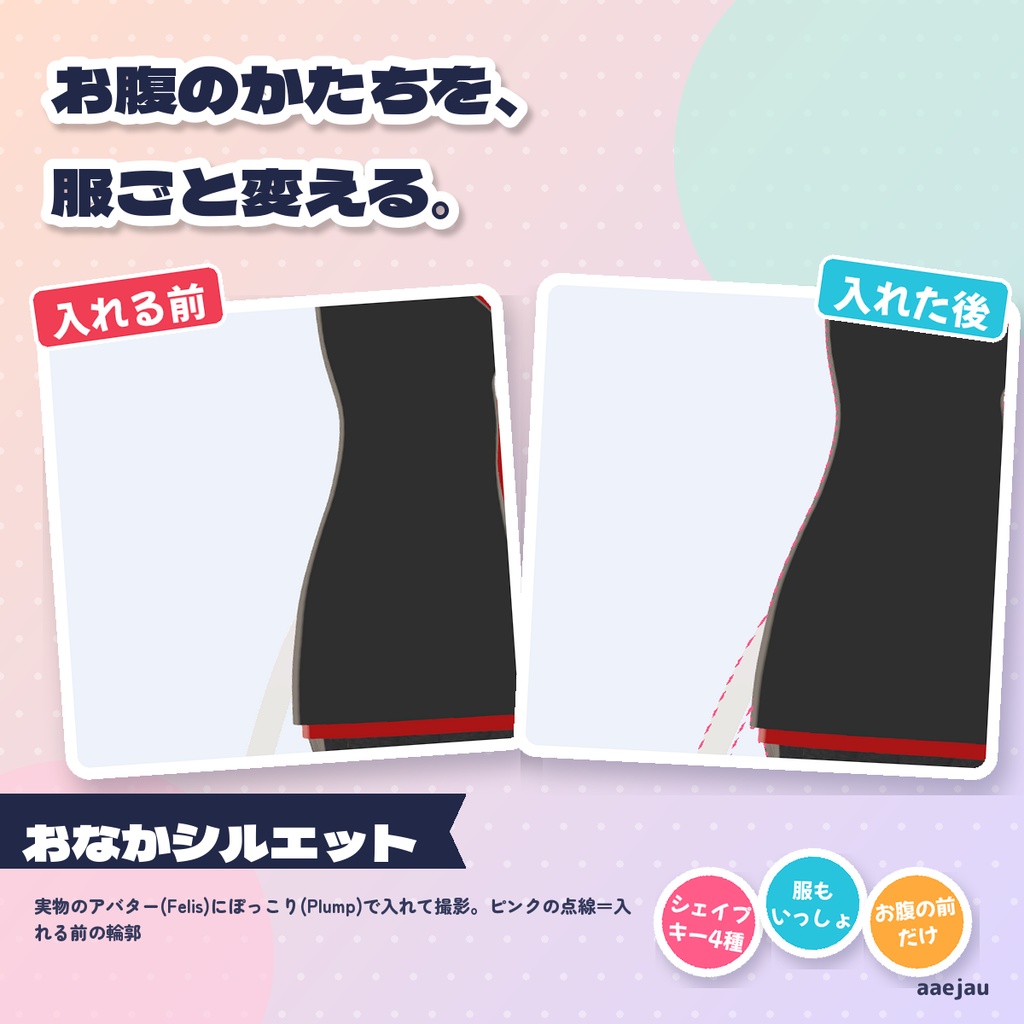
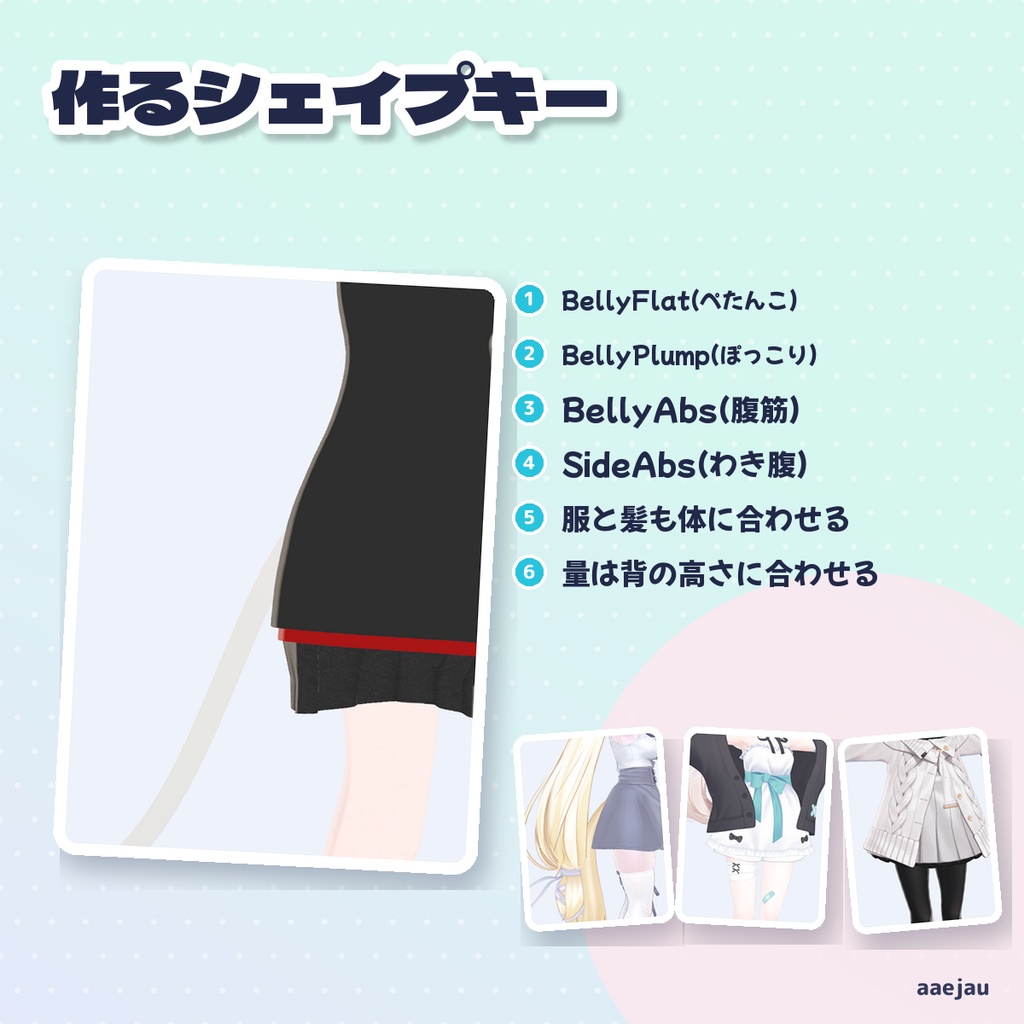
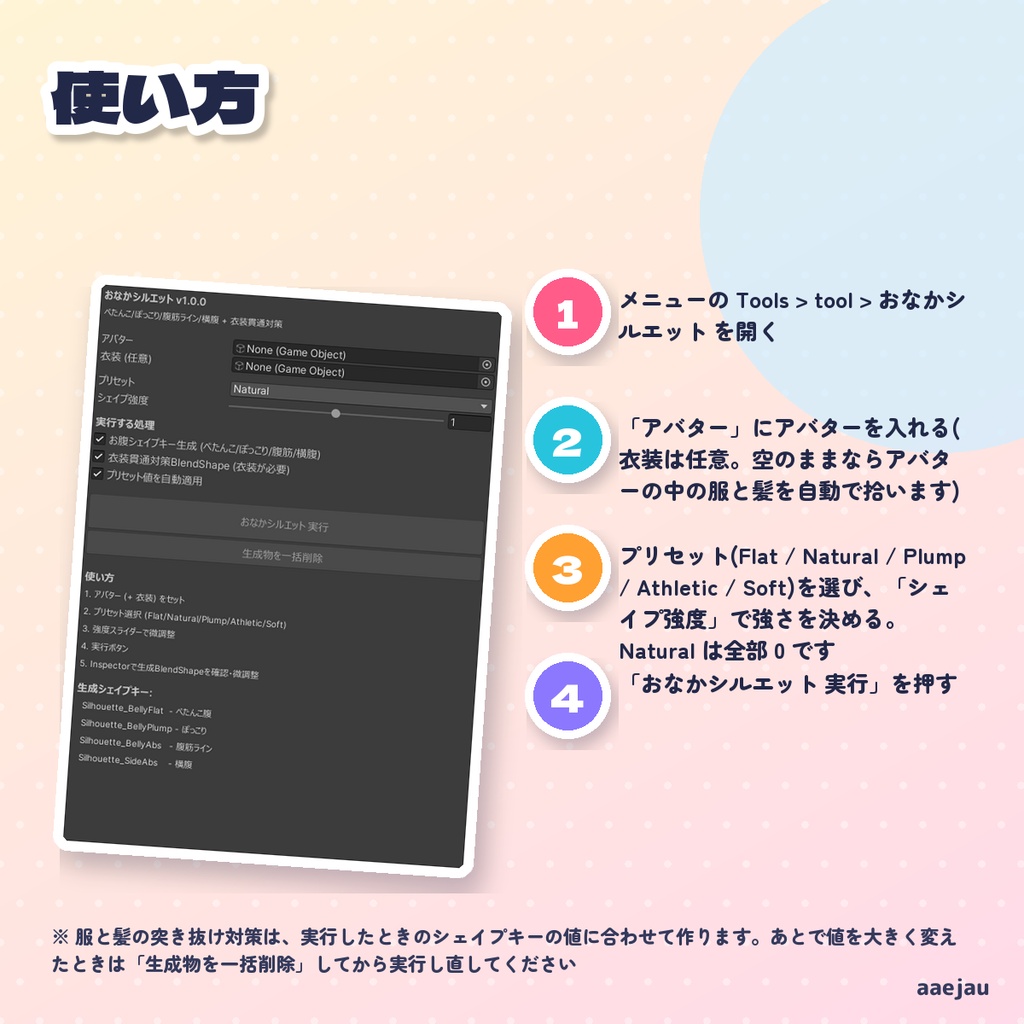
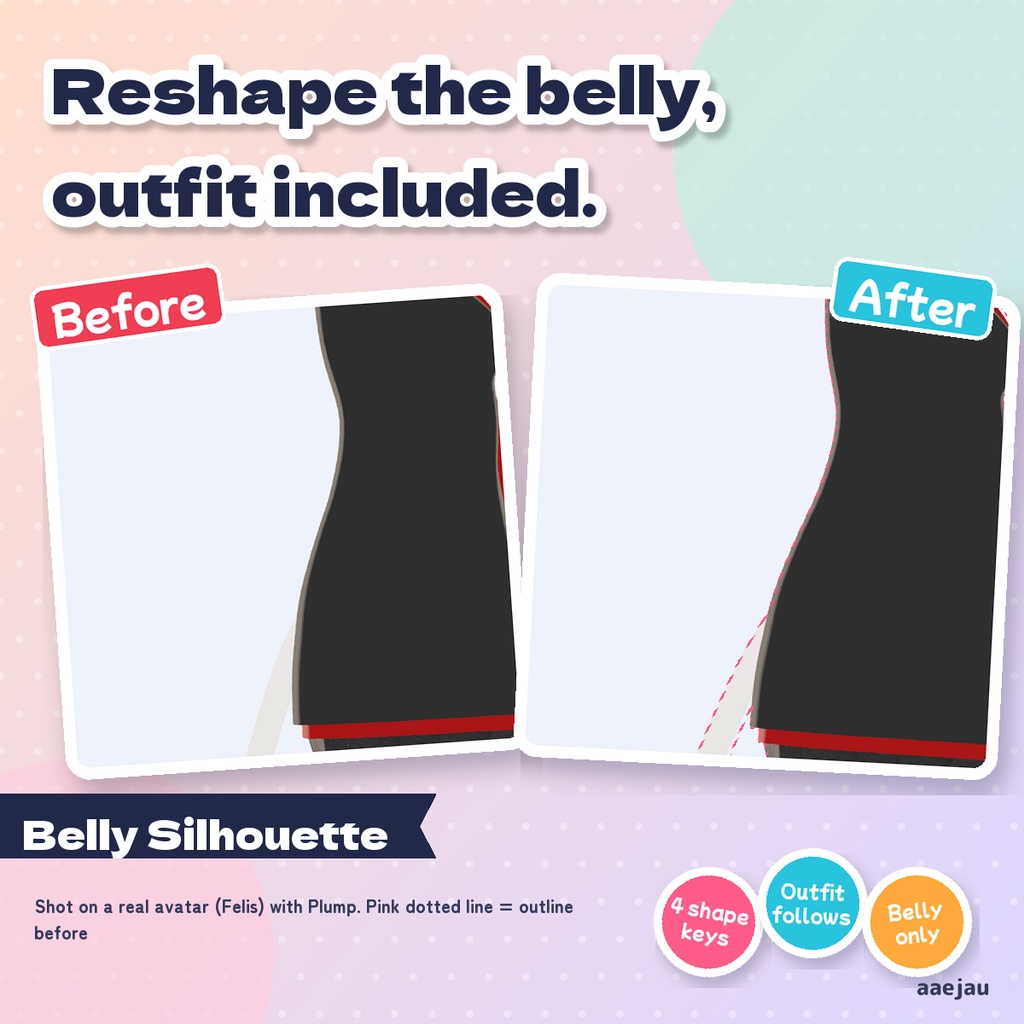
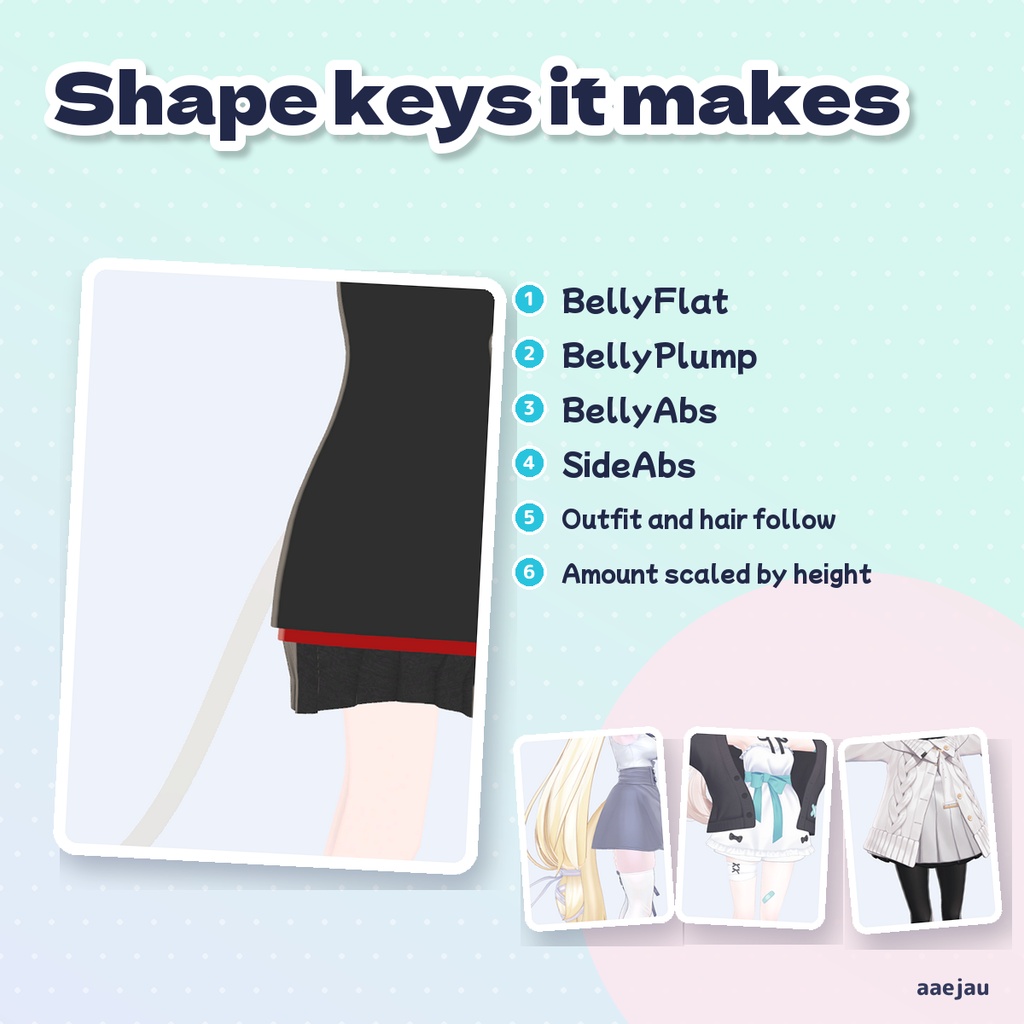
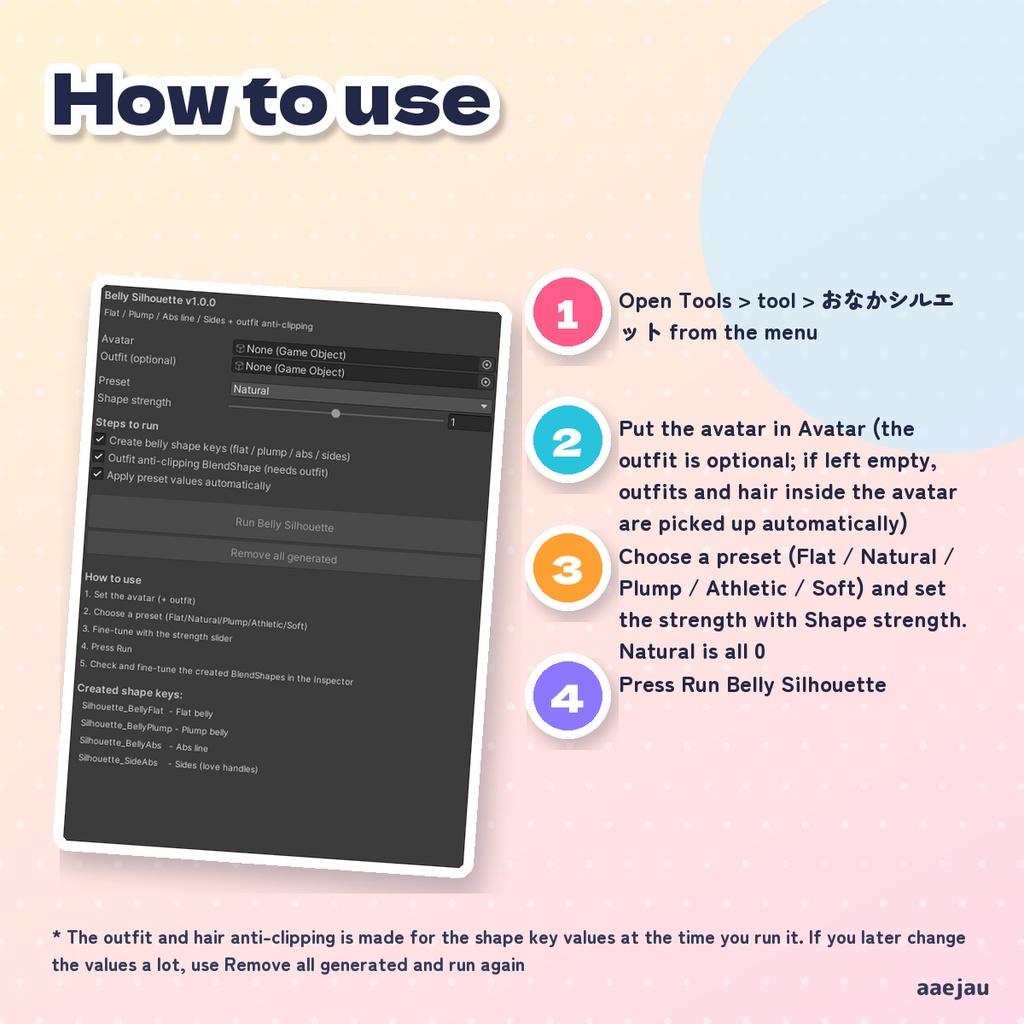
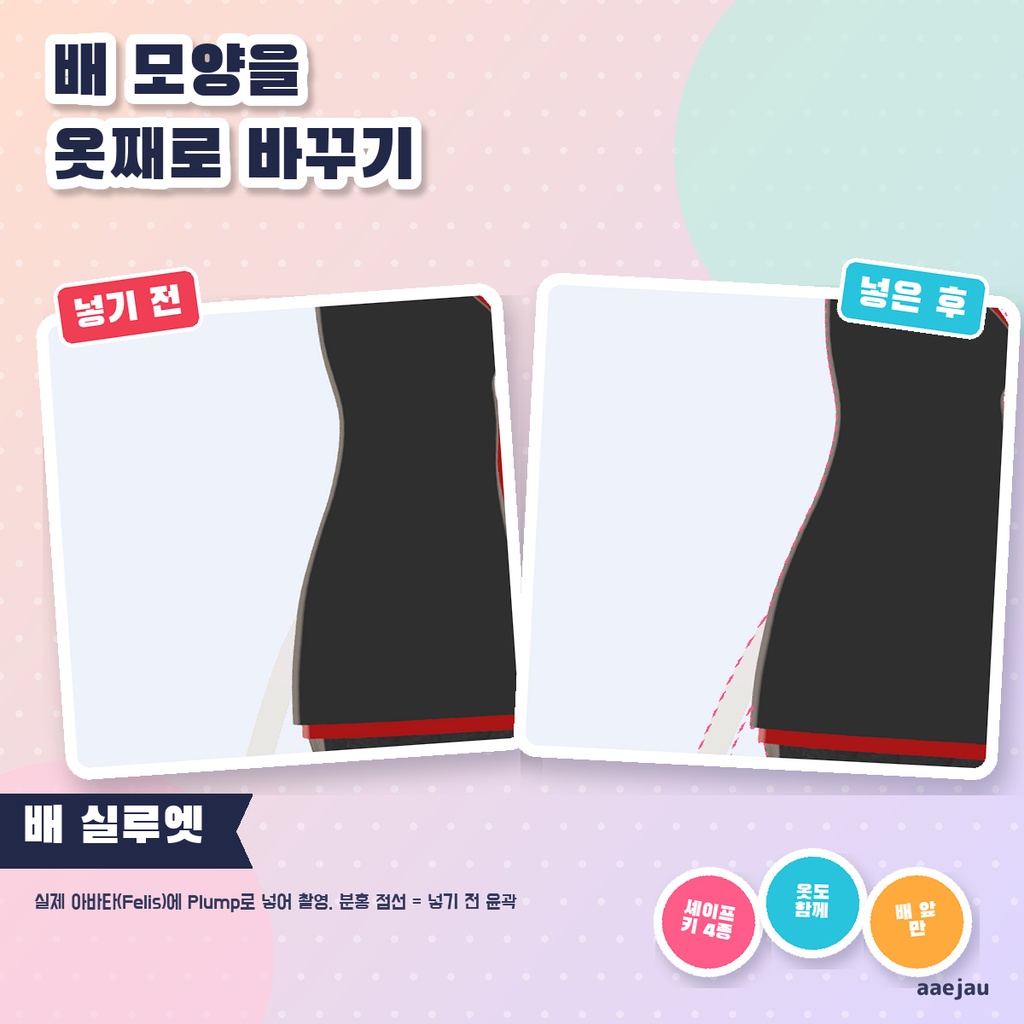
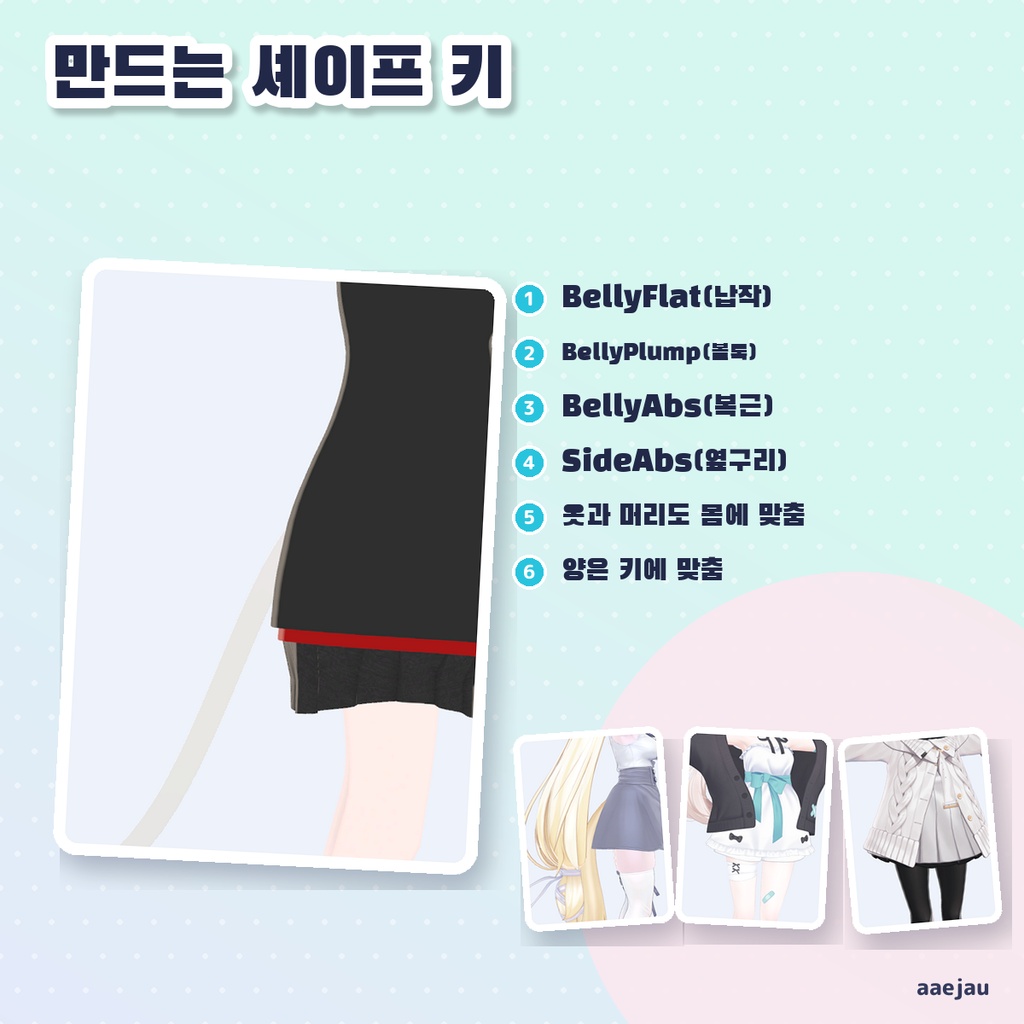
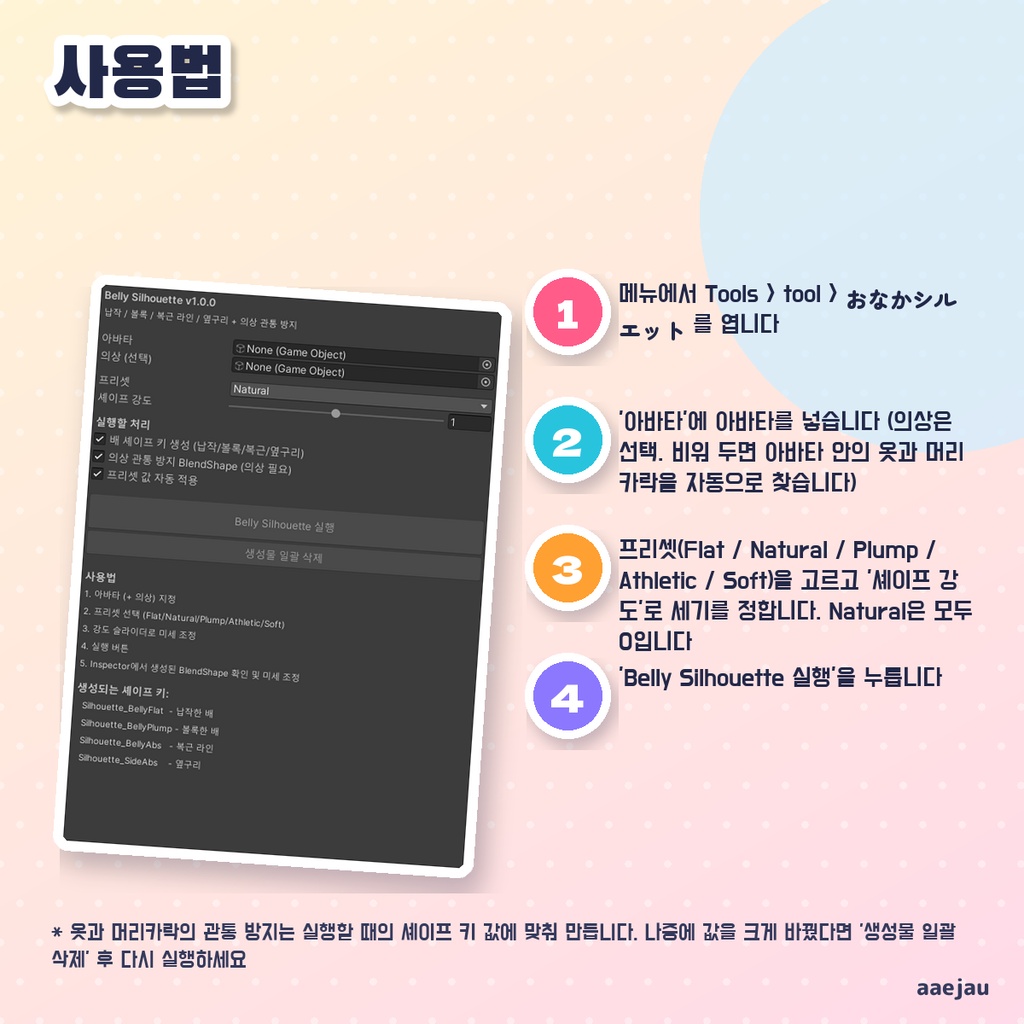


「お腹をぽっこりさせたり、ぺたんこにしたい。」 Blenderは使いません。Unityの中だけで終わります。 アバターの体のメッシュに、ぺたんこ・ぽっこり・腹筋ライン・横腹の4つのシェイプキーを作るエディタ拡張です。お腹の場所は、脚の付け根と胸の骨の高さ、体のいちばん前の面から決めるので、素体ごとの骨の向きや大きさに左右されません。腕・脚・胸に乗っている頂点は動かしません。服と髪には、体が動いた分だけ外へ逃げるシェイプキーも作り、値を入れた状態にします。 ◆ 使い方 1. メニューの Tools > tool > おなかシルエット を開く 2. 「アバター」にアバターを入れる(衣装は任意。空のままならアバターの中の服と髪を自動で拾います) 3. プリセット(Flat / Natural / Plump / Athletic / Soft)を選び、「シェイプ強度」で強さを決める。Natural は全部 0 です 4. 「おなかシルエット 実行」を押す 5. 体のメッシュの Inspector で、作られたシェイプキーの値を確かめて調整する。やり直すときは「生成物を一括削除」 ◆ 必要環境 ・Unity 2022.3 ・Humanoid 設定のアバター ※ 服と髪の突き抜け対策は、実行したときのシェイプキーの値に合わせて作ります。あとで値を大きく変えたときは「生成物を一括削除」してから実行し直してください ※ 画面の「衣装貫通対策BlendShape (衣装が必要)」は古い表示のままです。衣装を入れなくても、アバターの中の服と髪に作られます ※ 顔のメッシュ(vrc. で始まるシェイプキーを持つもの)と目は動かしません ※ 元の FBX は書き換えません。シェイプキーを足したメッシュの複製を Assets/aaejau/BellySilhouette/Generated に保存して差し替えます。「生成物を一括削除」はシェイプキーを消しますが、差し替えたメッシュは元に戻しません ※ Humanoid 設定で脚の骨があるアバターが必要です。胸の骨(Chest)が無い素体では、お腹の上の端を決まった高さで置きます ※ 腹筋ラインは浅い溝を入れるだけで、筋肉の凹凸を彫る物ではありません ※ しなの・Felis・MAYO・ミルフィに ぽっこり(Plump)で入れて、体で動いた頂点の 100% がお腹の前(脚の付け根〜胸の骨の高さ・体の中心線より前)にあること、服も一緒に動くこと、90度回して2倍にした複製でも同じ範囲になることを確かめました。変化は控えめで、厚手の上着の上からはほとんど見えません 内容物: unitypackage / README / CHANGELOG / TEST_REPORT / LICENSE / 画面のスクリーンショット ━━━━━━━━━━━━━━━━━━━━ English ━━━━━━━━━━━━━━━━━━━━ An editor extension that adds four shape keys to the avatar body mesh: flat belly, plump belly, abs line and sides. The belly area is placed from the upper leg joints, the height of the chest bone and the front-most body surface, so it does not depend on each body's bone axes or size. Vertices on the arms, legs and breasts are not moved. It also makes shape keys that move outfits and hair out by as much as the body moved, already turned on. ◆ How to use 1. Open Tools > tool > おなかシルエット from the menu 2. Put the avatar in Avatar (the outfit is optional; if left empty, outfits and hair inside the avatar are picked up automatically) 3. Choose a preset (Flat / Natural / Plump / Athletic / Soft) and set the strength with Shape strength. Natural is all 0 4. Press Run Belly Silhouette 5. Check and adjust the created shape keys in the body mesh Inspector. To start over, use Remove all generated ◆ Requirements ・Unity 2022.3 ・A Humanoid avatar * The outfit and hair anti-clipping is made for the shape key values at the time you run it. If you later change the values a lot, use Remove all generated and run again * The window still shows the old label "Outfit anti-clipping BlendShape (needs outfit)". It is also made for outfits and hair inside the avatar when no outfit is set * The face mesh (the one with shape keys starting with vrc.) and the eyes are never moved * The original FBX is not changed. A copy of the mesh with the new shape keys is saved in Assets/aaejau/BellySilhouette/Generated and swapped in. Remove all generated deletes the shape keys but does not swap the original mesh back * A Humanoid avatar with leg bones is required. On bodies without a Chest bone, the top of the belly area is placed at a fixed height * The abs line only adds shallow grooves; it does not sculpt muscles * Checked on Shinano, Felis, MAYO and Milfy with Plump: 100% of moved body vertices are on the front of the belly (between hip joints and chest bone, in front of the midline), outfits move along, and a copy rotated 90 degrees and scaled 2x gets the same area. The change is modest and barely visible under a thick jacket Contents: unitypackage / README / CHANGELOG / TEST_REPORT / LICENSE / screenshot ━━━━━━━━━━━━━━━━━━━━ 한국어 ━━━━━━━━━━━━━━━━━━━━ 아바타 몸 메시에 납작한 배, 볼록한 배, 복근 라인, 옆구리의 4가지 셰이프 키를 만드는 에디터 확장입니다. 배 위치는 다리 시작점과 가슴 본의 높이, 몸의 가장 앞쪽 면으로 정하므로 소체마다 다른 본 방향이나 크기에 좌우되지 않습니다. 팔·다리·가슴에 실린 정점은 움직이지 않습니다. 옷과 머리카락에는 몸이 움직인 만큼 바깥으로 비키는 셰이프 키도 만들어 값을 넣어 둡니다. ◆ 사용법 1. 메뉴에서 Tools > tool > おなかシルエット 를 엽니다 2. '아바타'에 아바타를 넣습니다 (의상은 선택. 비워 두면 아바타 안의 옷과 머리카락을 자동으로 찾습니다) 3. 프리셋(Flat / Natural / Plump / Athletic / Soft)을 고르고 '셰이프 강도'로 세기를 정합니다. Natural은 모두 0입니다 4. 'Belly Silhouette 실행'을 누릅니다 5. 몸 메시의 Inspector에서 생성된 셰이프 키 값을 확인하고 조정합니다. 다시 하려면 '생성물 일괄 삭제'를 누릅니다 ◆ 요구 환경 ・Unity 2022.3 ・Humanoid로 설정된 아바타 ※ 옷과 머리카락의 관통 방지는 실행할 때의 셰이프 키 값에 맞춰 만듭니다. 나중에 값을 크게 바꿨다면 '생성물 일괄 삭제' 후 다시 실행하세요 ※ 화면의 '의상 관통 방지 BlendShape (의상 필요)'는 예전 표시 그대로입니다. 의상을 넣지 않아도 아바타 안의 옷과 머리카락에 만들어집니다 ※ 얼굴 메시(vrc. 로 시작하는 셰이프 키가 있는 것)와 눈은 움직이지 않습니다 ※ 원본 FBX는 바꾸지 않습니다. 셰이프 키를 추가한 메시의 복제를 Assets/aaejau/BellySilhouette/Generated에 저장해 교체합니다. '생성물 일괄 삭제'는 셰이프 키를 지우지만 교체한 메시를 원래대로 되돌리지는 않습니다 ※ 다리 본이 있는 Humanoid 아바타가 필요합니다. 가슴 본(Chest)이 없는 소체에서는 배 영역의 위쪽 끝을 정해진 높이에 둡니다 ※ 복근 라인은 얕은 홈을 넣을 뿐이며 근육의 요철을 조각하지는 않습니다 ※ 시나노·Felis·MAYO·밀피에 Plump로 넣어, 몸에서 움직인 정점의 100%가 배 앞(다리 시작점~가슴 본 높이, 몸 중심선 앞)에 있는 것, 옷도 함께 움직이는 것, 90도 돌리고 2배로 키운 복제에서도 같은 범위가 되는 것을 확인했습니다. 변화는 작은 편이고 두꺼운 겉옷 위로는 거의 보이지 않습니다 내용물: unitypackage / README / CHANGELOG / TEST_REPORT / LICENSE / 스크린샷