
まげてもふっくら関節 - ひじ・ひざを曲げてもぺしゃんこにならない、手首をひねっても細くならない【JA,EN,KO】
- 日本語版ダウンロード商品¥ 700
- Englishダウンロード商品¥ 700
- 한국어판ダウンロード商品¥ 700
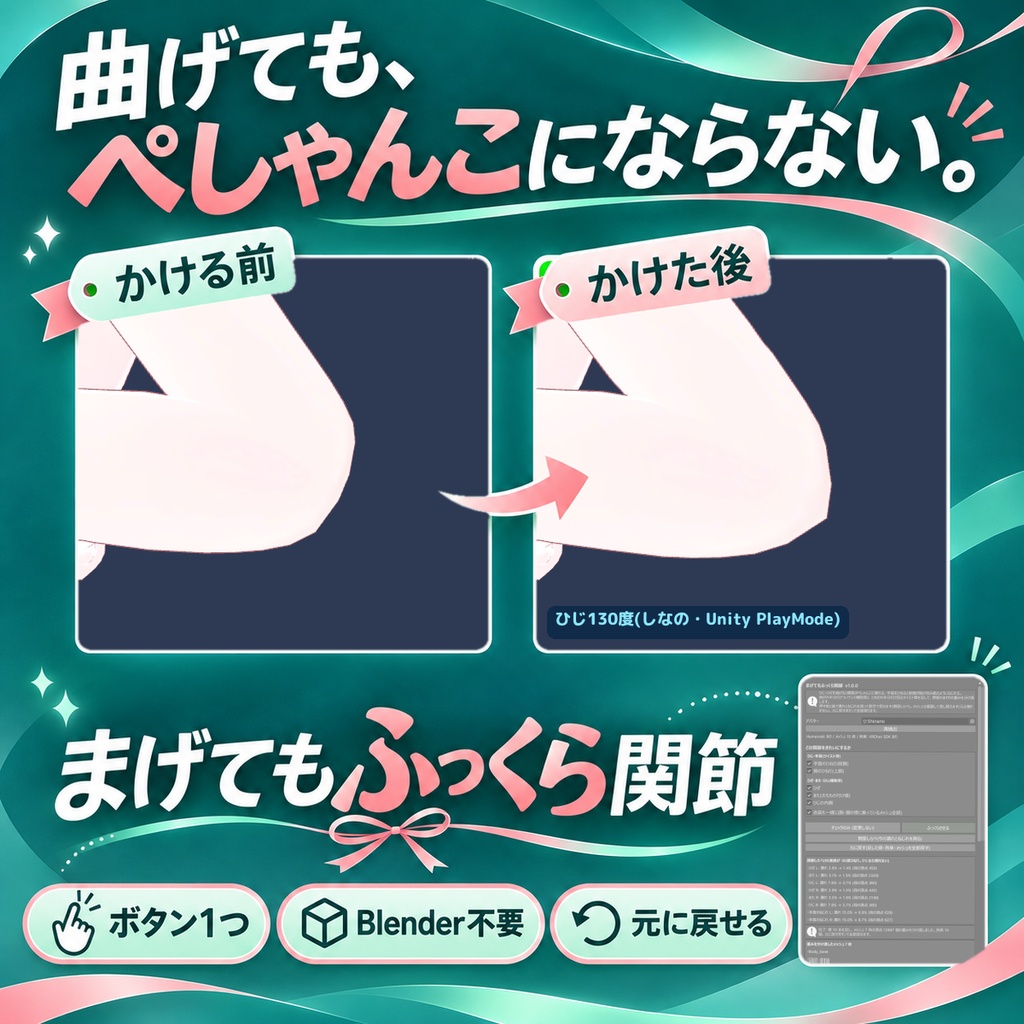
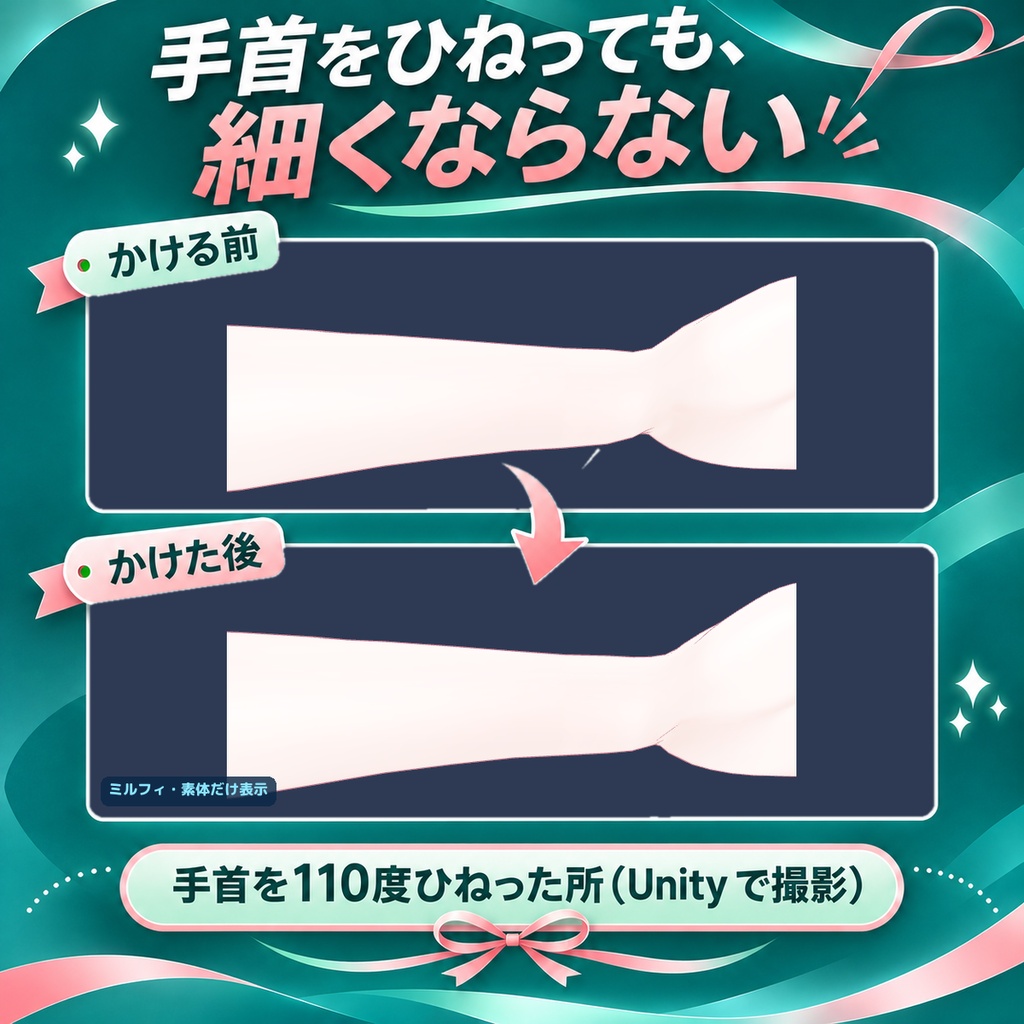
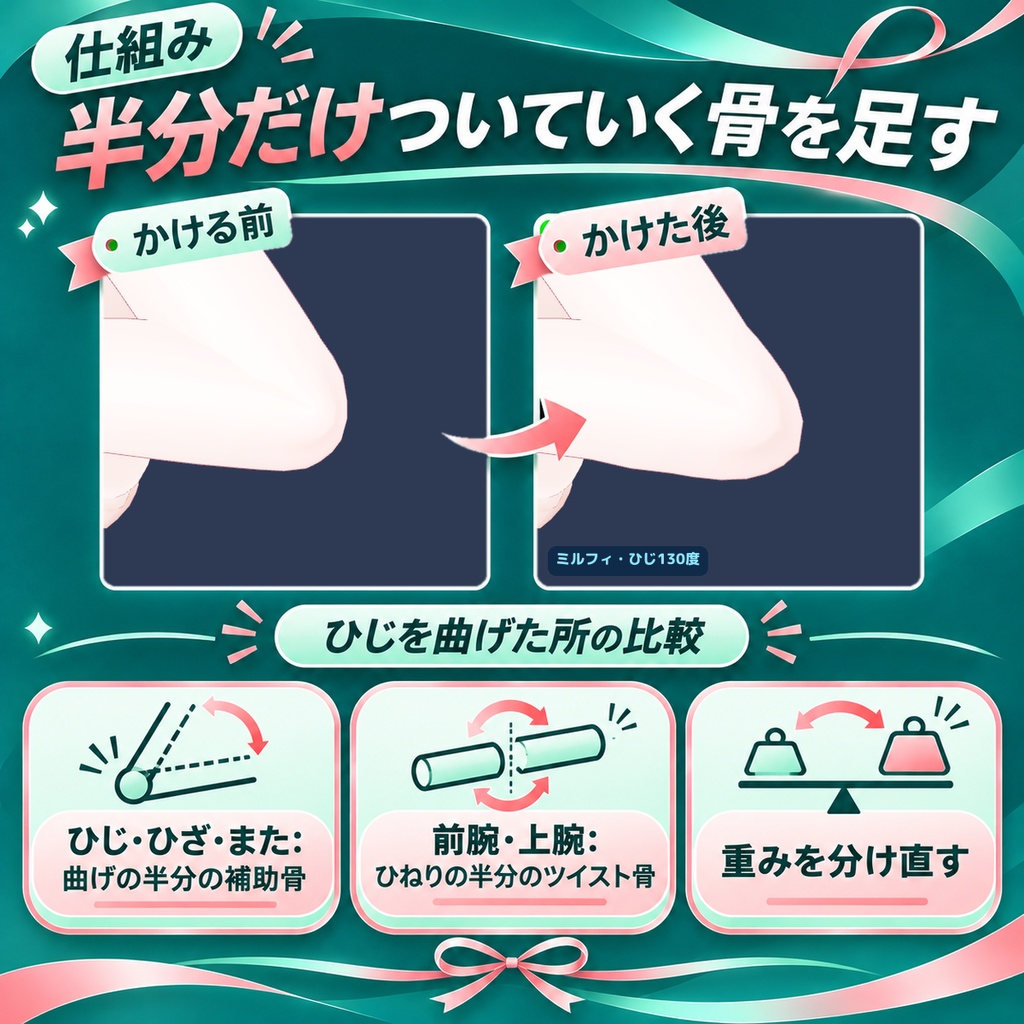
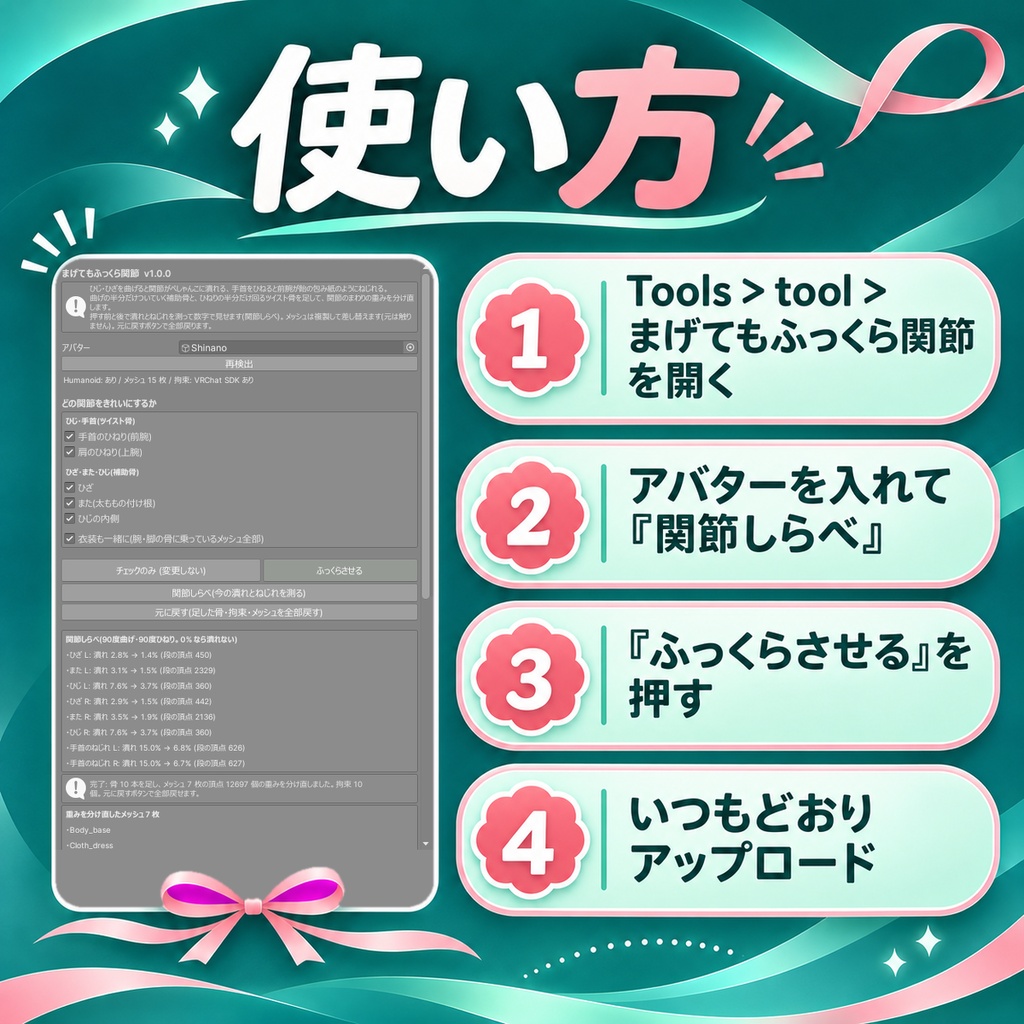
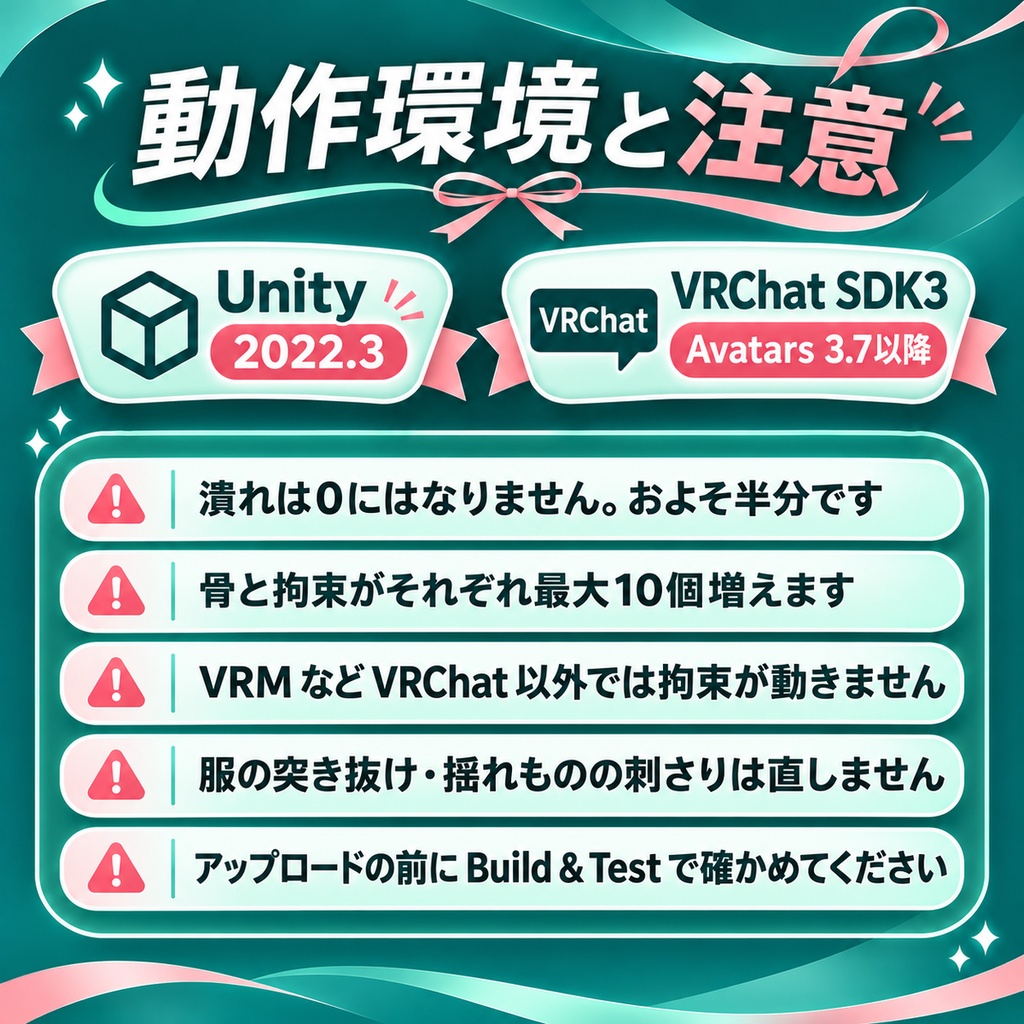
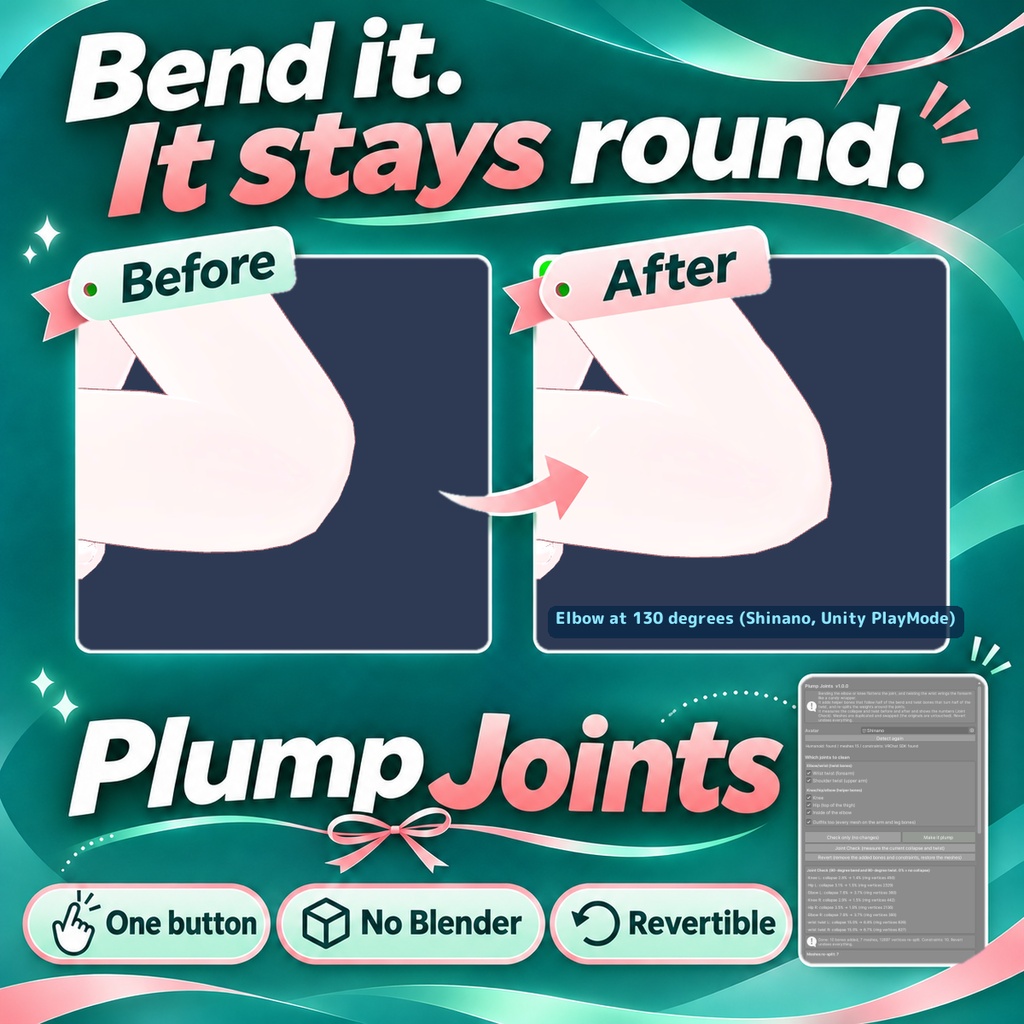
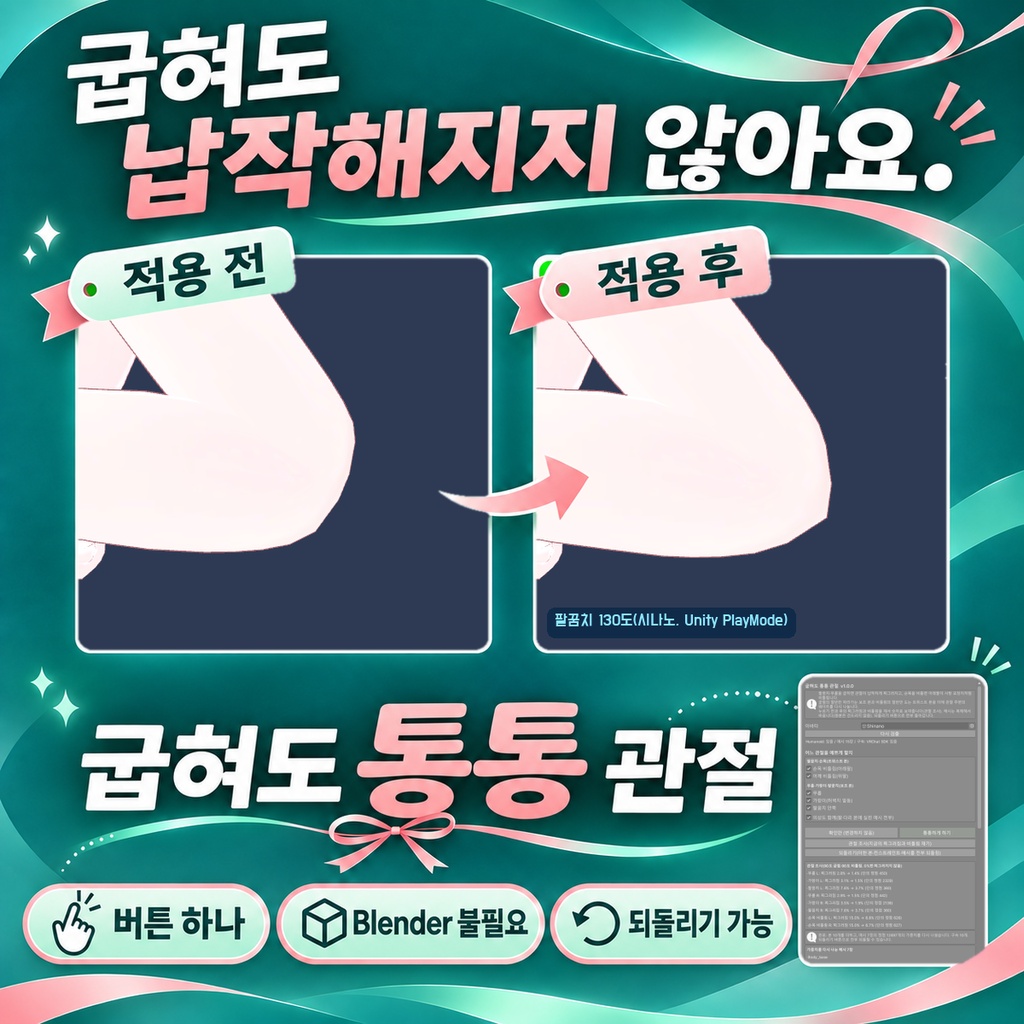


「ひじを曲げたらぺしゃんこ、手首をひねったら前腕が飴の包み紙」 まげてもふっくら関節は、ひじ・ひざ・また・手首を曲げたりひねったりしたときの潰れとねじれを減らす Unity Editor ツールです。アバターを入れて、ボタンを押すだけです。Blender は使いません。 ◆ 潰れるのは、関節のまわりで2本の骨の重みが混ざっているからです 曲げると、混ざった所の頂点は2本の骨の間をまっすぐ結ぶように動くので、ひじの外側がへこみ、内側がめり込みます。手首は前腕の手首側だけが回るので、包み紙のように絞られます。 ◆ 半分だけついていく骨を足します ・ひじ・ひざ・またに、曲げの半分だけ回る補助骨 ・前腕と上腕に、ひねりの半分だけ回るツイスト骨 ・混ざっている頂点の重みを、その骨へ分け直す 骨を回すのは VRChat の拘束(VRC Rotation Constraint)なので、アップロードした後もそのまま動きます。 ◆ 押す前と後を数字で見られます 「関節しらべ」は、90度曲げ・90度ひねりで関節の頂点が中心へ寄る割合を % で出します。押すだけなら何も書き換えないので、買う前に気になっていた関節が、自分のアバターでどれだけ潰れているかを先に確かめられます。 ◆ 対応表は要りません 骨は Humanoid の割り当てから、無ければ骨の名前から探します。腕と脚の骨に乗っている服・タイツ・手袋もまとめて直します。関節の重みがもともと混ざっていない素体には何もしません。 ◆ 元に戻せます ・メッシュは複製して差し替え、元のファイルは触りません ・「元に戻す」で足した骨と拘束を消し、メッシュを元に戻します ・メニューもパラメータも増えません。FX も触りません ◆ 使い方 1. アバターをシーンに置き(T ポーズのまま)、Tools > tool > まげてもふっくら関節 を開く 2. アバターを入れて「関節しらべ」を押す 3. 「ふっくらさせる」を押す。前と後の数字が並びます 4. いつもどおりアップロード ◆ 実物のアバターで測りました しなの・MAYO・ミルフィ・Felis と、その着せ替え・改変版の Prefab 43 個で、直せた 42 / 失敗 0 / 対象外 1。 関節しらべの中央値は、手首のねじれ 15.0% → 6.8%、ひじ 7.6% → 3.7%、ひざ 2.8% → 1.4%、また 3.5% → 1.9% でした。 Unity の PlayMode で腕と脚を実際に動かし、拘束が補助骨をちょうど曲げの半分だけ回すことも確かめています。自動テスト44件はすべて通っています。 ※ 潰れは0にはなりません。およそ半分です ※ 骨と拘束がそれぞれ最大10個増えます。パフォーマンスランクの境目にいるアバターは確かめてください ※ VRChat SDK 3.7 以降が要ります。VRM など VRChat 以外では拘束が動きません ※ 服が体から突き抜ける・揺れものが体に刺さる、は直しません。揺れものの突き抜けは「まるごと貫通ガード」で https://talcoewer.booth.pm/items/8913803 ※ アップロードの前に Build & Test で見え方を確かめてください 内容物: unitypackage / README / CHANGELOG / TEST_REPORT / LICENSE / 画面のスクリーンショット ━━━━━━━━━━━━━━━━━━━━ English ━━━━━━━━━━━━━━━━━━━━ "Bend the elbow and it goes flat. Twist the wrist and the forearm turns into a candy wrapper." Plump Joints is a Unity Editor tool that reduces the collapse and twist of elbows, knees, hips and wrists. Set the avatar and press one button. No Blender. ◆ Why joints collapse Around a joint, vertices blend the weights of two bones. When bent, they move along a straight line between the bones, so the outside dents and the inside sinks. The wrist turns only the end of the forearm, so it wrings like a wrapper. ◆ Bones that follow halfway - Helper bones at the elbows, knees and hips that turn half of the bend - Twist bones on the forearm and upper arm that turn half of the twist - The blended weights are re-split onto those bones They are driven by VRChat constraints (VRC Rotation Constraint), so they keep working after upload. ◆ See the numbers before and after Joint Check reports, at a 90-degree bend and twist, how far the joint ring moves toward the center in %. It writes nothing, so you can check your own avatar first. ◆ No support list needed Bones are found from the Humanoid mapping or by name. Clothes, tights and gloves on the arm and leg bones are fixed together. ◆ Revertible Meshes are duplicated and swapped; the original files are untouched. Revert removes the added bones and constraints. No menu, no parameters, no FX changes. ◆ How to use 1. Keep the avatar in T-pose and open Tools > tool > Plump Joints 2. Set the avatar and press Joint Check 3. Press "Make it plump" 4. Upload as usual ◆ Measured on real avatars 43 humanoid prefabs (Shinano, MAYO, Milfy, Felis and their variants): 42 fixed / 0 failed / 1 not applicable. Median: wrist twist 15.0% -> 6.8%, elbow 7.6% -> 3.7%, knee 2.8% -> 1.4%, hip 3.5% -> 1.9%. In PlayMode the constraints turned the helper bones exactly half the bend. 44 automated tests pass. * The collapse does not become 0. Roughly half * Up to 10 bones and 10 constraints are added. Check your performance rank * VRChat SDK 3.7 or later. Constraints do not run outside VRChat * It does not fix clothes poking through the body or swing bones sinking into it * Always check with Build & Test before uploading Contents: unitypackage / README / CHANGELOG / TEST_REPORT / LICENSE / screenshot ━━━━━━━━━━━━━━━━━━━━ 한국어 ━━━━━━━━━━━━━━━━━━━━ “팔꿈치를 굽히면 납작, 손목을 비틀면 아래팔이 사탕 포장지” 굽혀도 통통 관절은 팔꿈치·무릎·가랑이·손목을 굽히거나 비틀 때의 찌그러짐과 비틀림을 줄이는 Unity Editor 툴입니다. 버튼 하나로 끝납니다. Blender는 쓰지 않습니다. ◆ 절반만 따라가는 본을 더합니다 ・팔꿈치·무릎·가랑이에 굽힘의 절반만 도는 보조 본 ・아래팔과 위팔에 비틀림의 절반만 도는 트위스트 본 ・섞인 정점의 웨이트를 그 본으로 다시 나눔 VRChat 컨스트레인트로 움직이므로 업로드 후에도 그대로 동작합니다. ◆ 전후를 숫자로 확인 「관절 조사」는 아무것도 바꾸지 않고 지금의 찌그러짐을 %로 보여줍니다. ◆ 되돌릴 수 있습니다 메시는 복제해서 바꾸고 원래 파일은 건드리지 않습니다. 「되돌리기」로 전부 돌아갑니다. ◆ 사용법 1. T 포즈 그대로 Tools > tool > 굽혀도 통통 관절 열기 2. 아바타를 넣고 「관절 조사」 3. 「통통하게 하기」 누르기 ◆ 실제 아바타로 측정 Prefab 43개 중 고침 42 / 실패 0 / 대상 외 1. 중앙값: 손목 비틀림 15.0% → 6.8%, 팔꿈치 7.6% → 3.7%, 무릎 2.8% → 1.4%. 자동 테스트 44건 통과. ※ 찌그러짐이 0이 되지는 않습니다. 대략 절반입니다 ※ 본과 컨스트레인트가 각각 최대 10개 늘어납니다 ※ VRChat SDK 3.7 이상이 필요합니다 ※ 업로드 전에 Build & Test로 확인하세요 내용물: unitypackage / README / CHANGELOG / TEST_REPORT / LICENSE / 스크린샷
