

ゆらりボーン - 骨が無くて揺れないリボン・髪の房に、骨を作って揺らす【JA,EN,KO】
- 日本語ダウンロード商品¥ 700
- Englishダウンロード商品¥ 700
- 한국어ダウンロード商品¥ 700
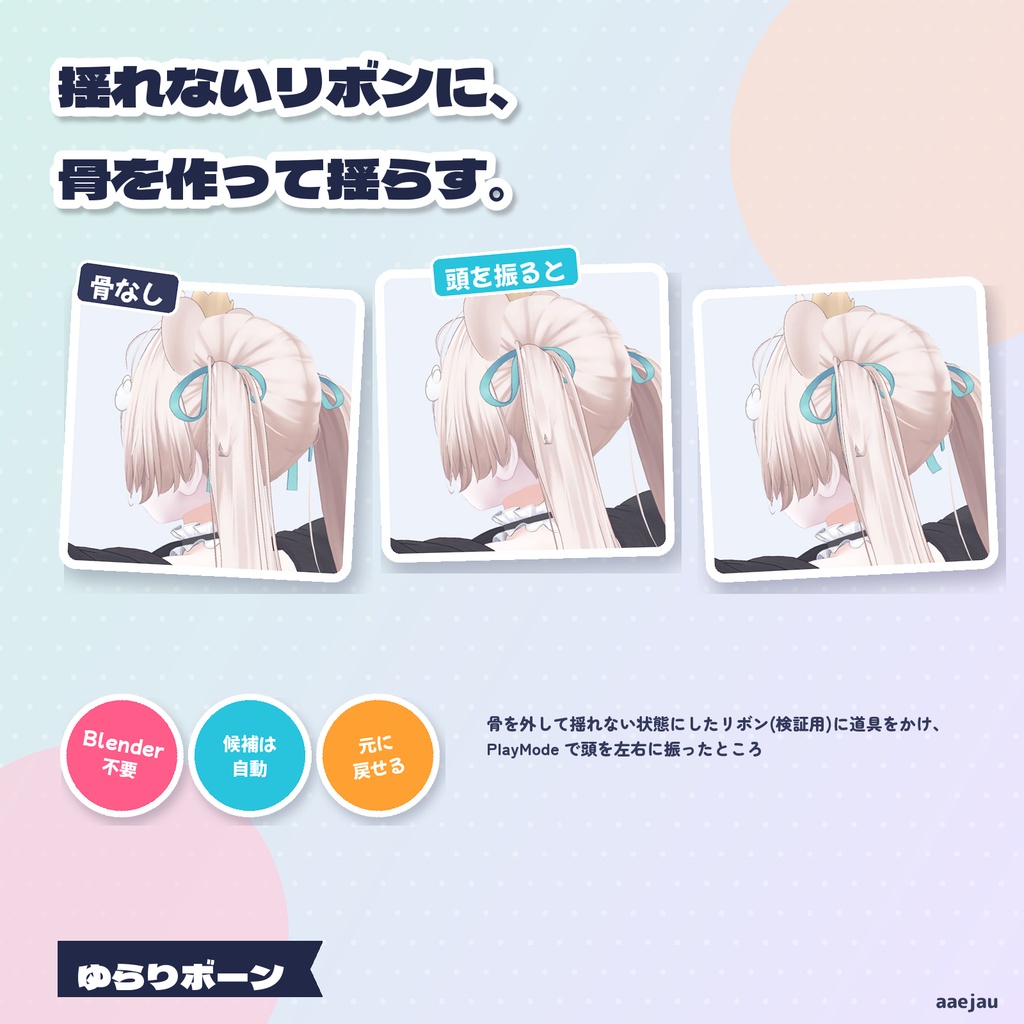
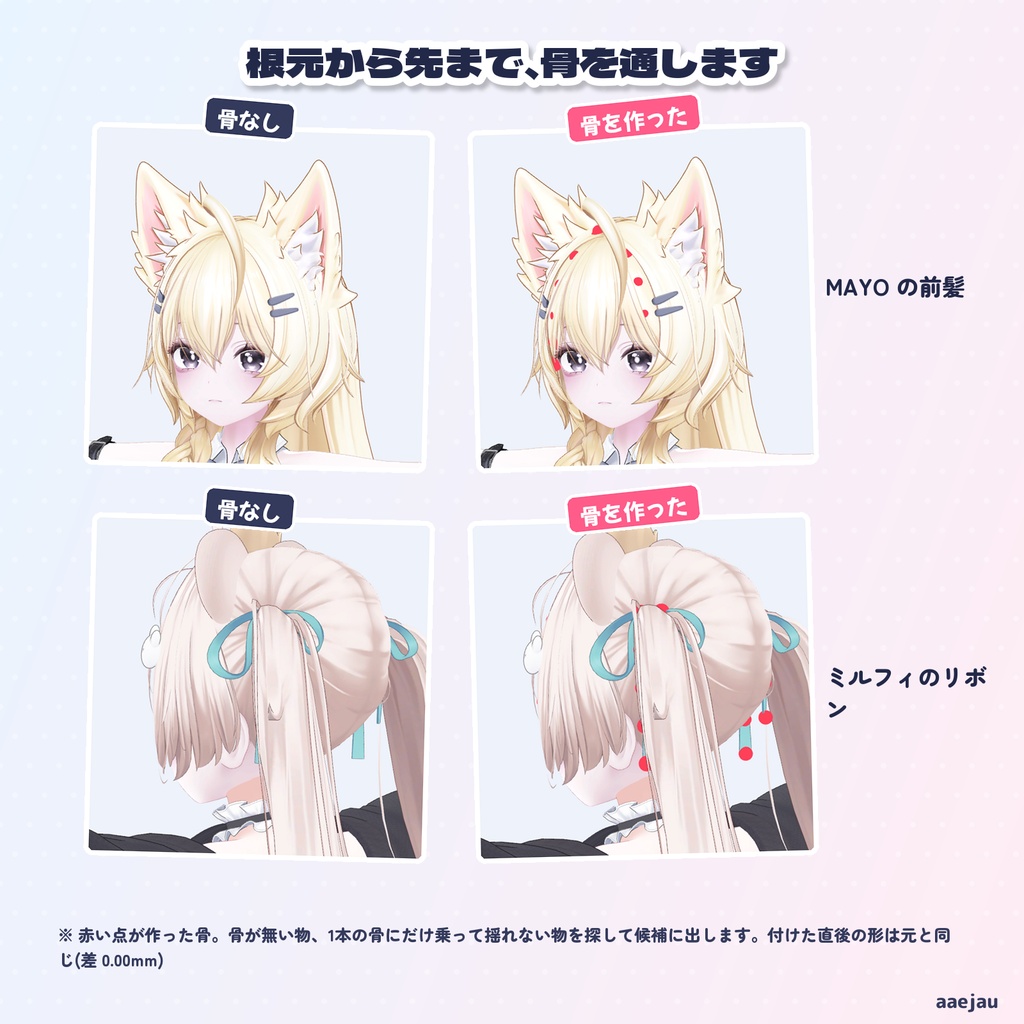
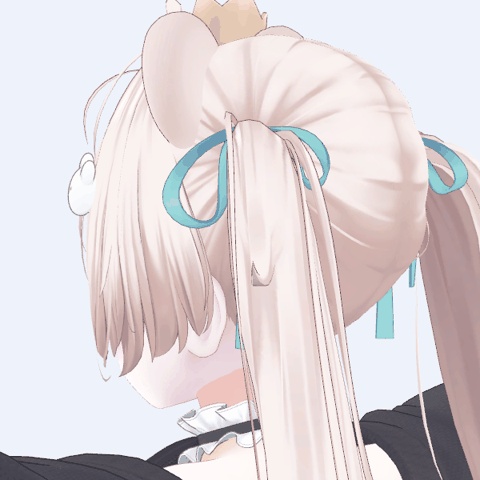
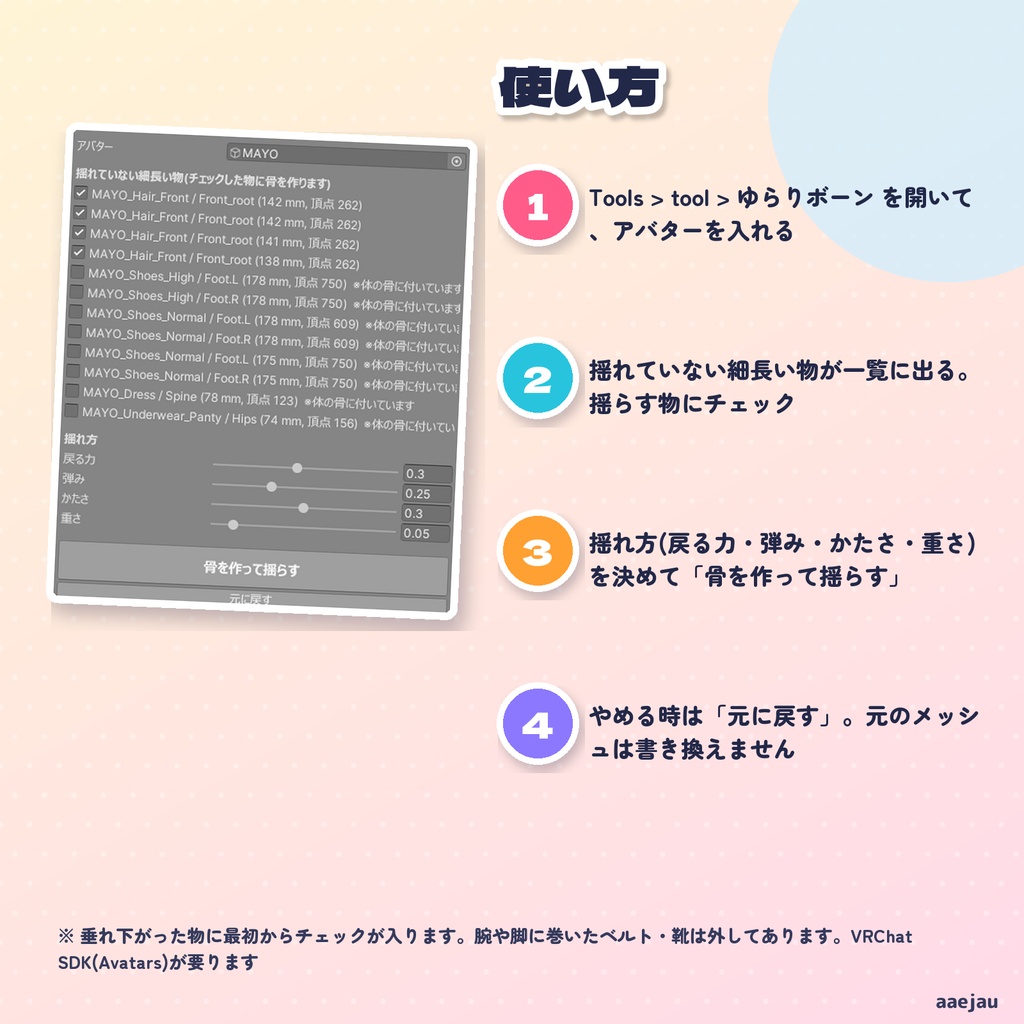
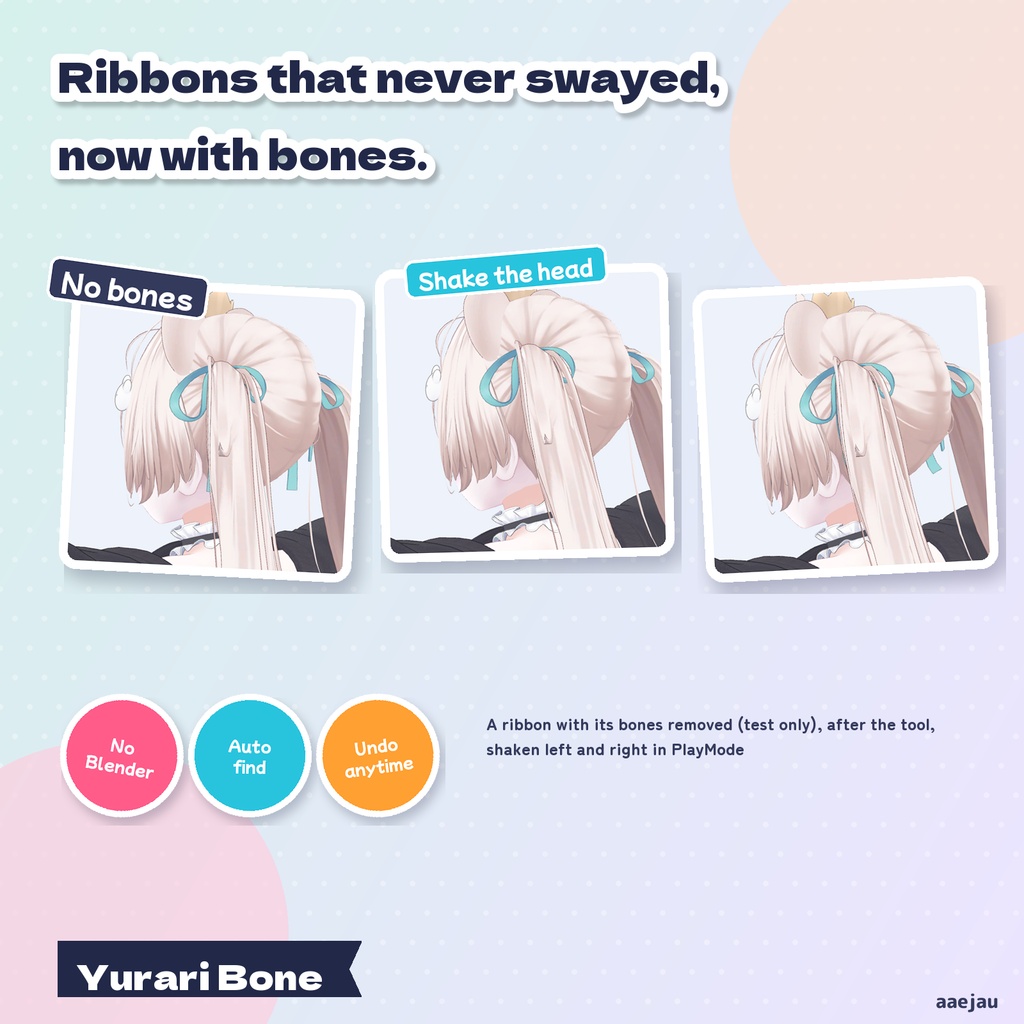
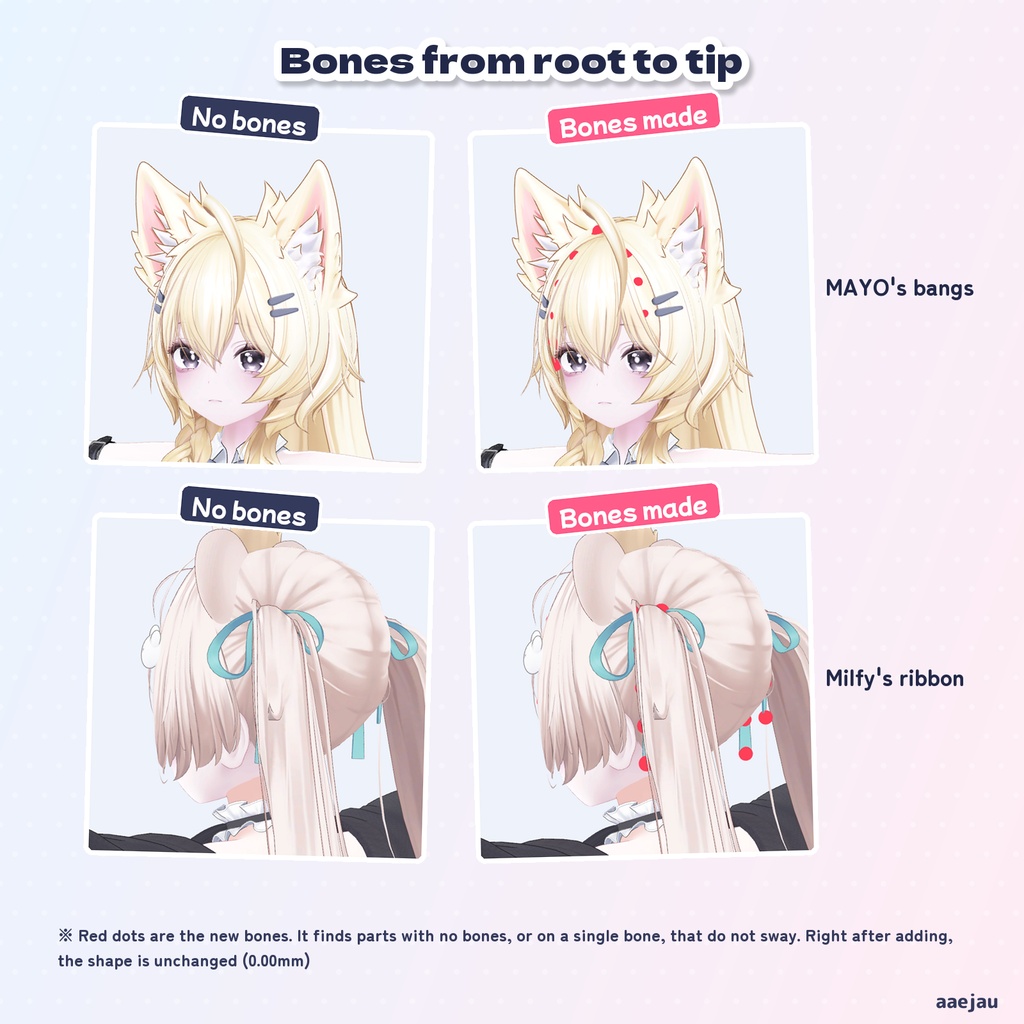
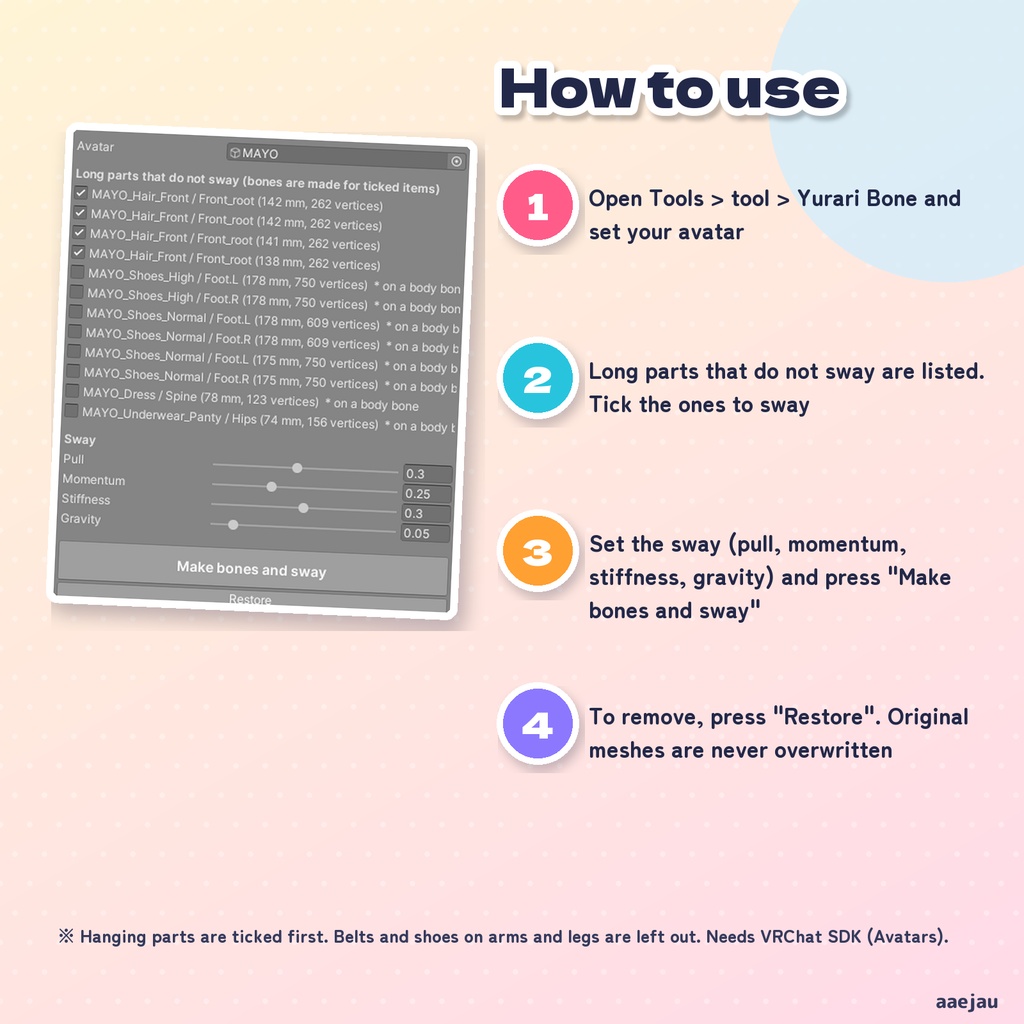
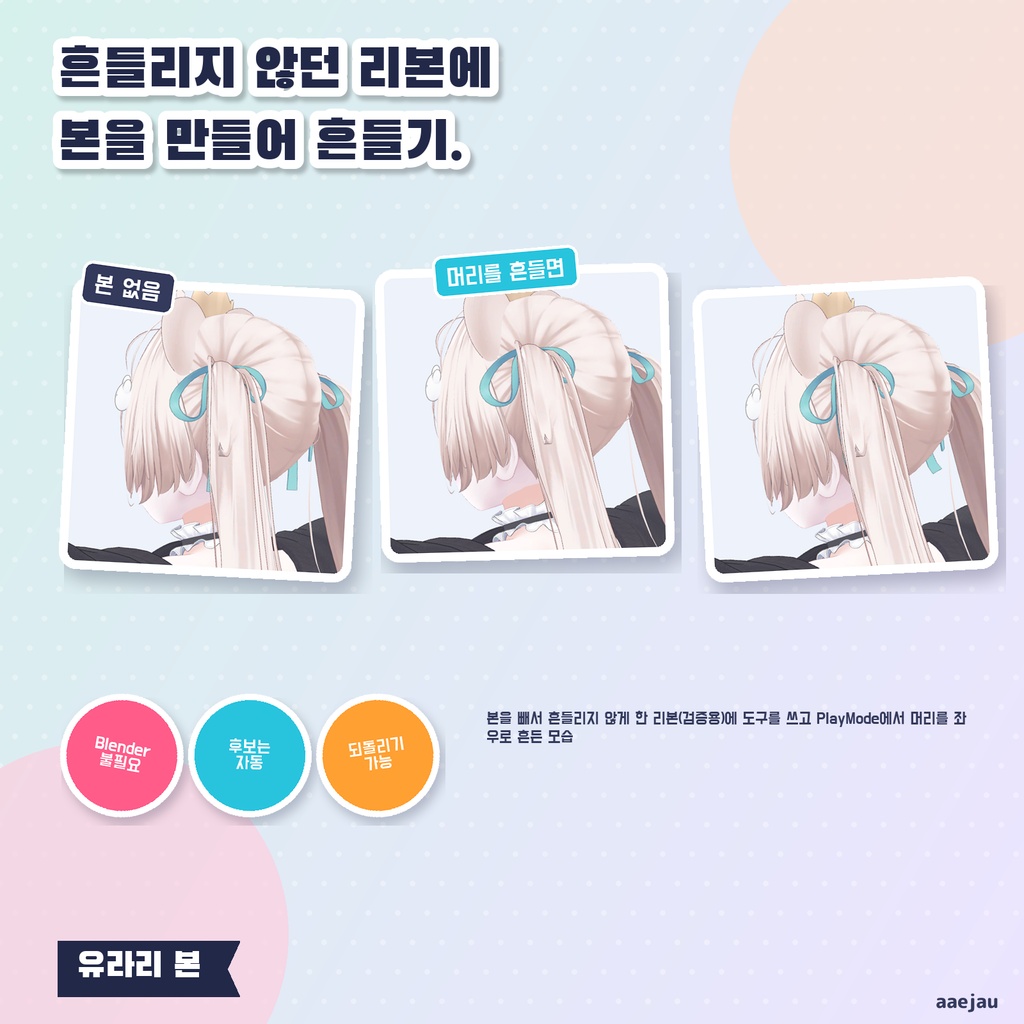
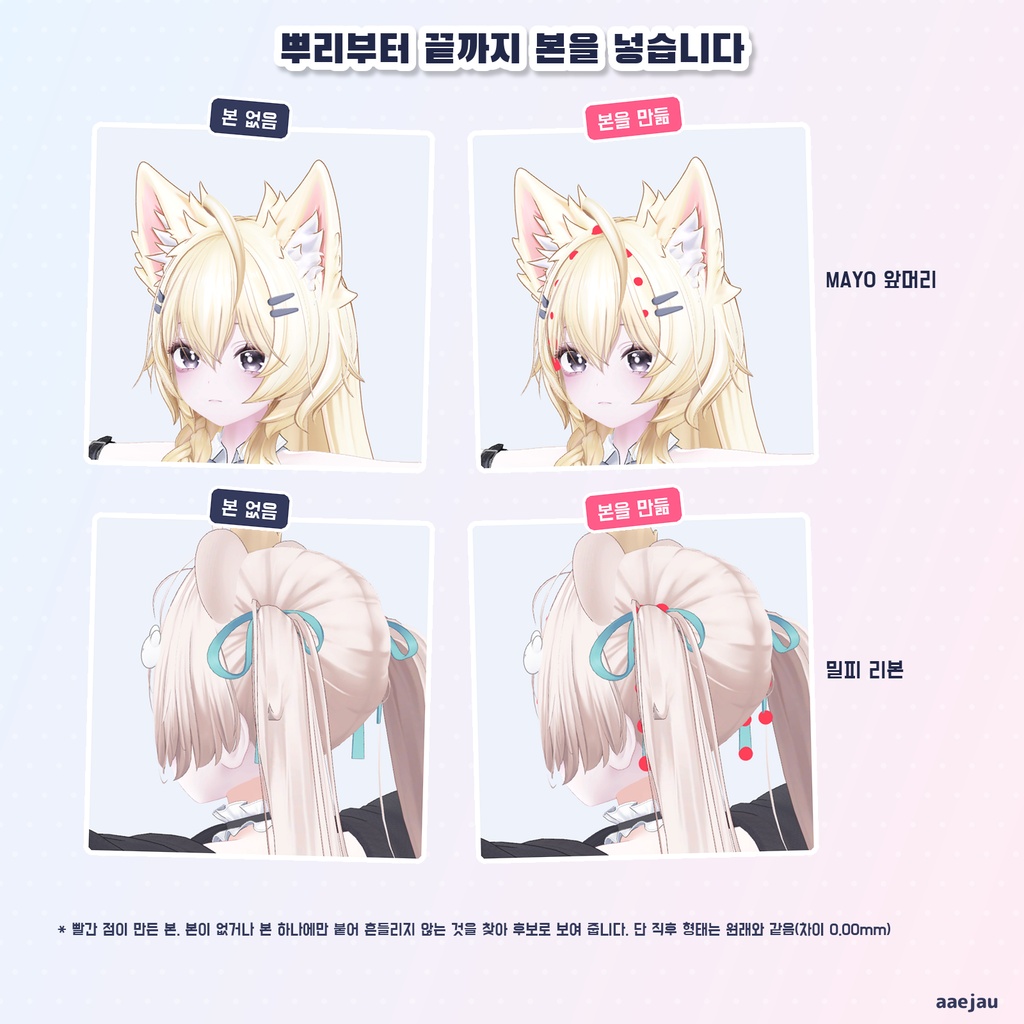
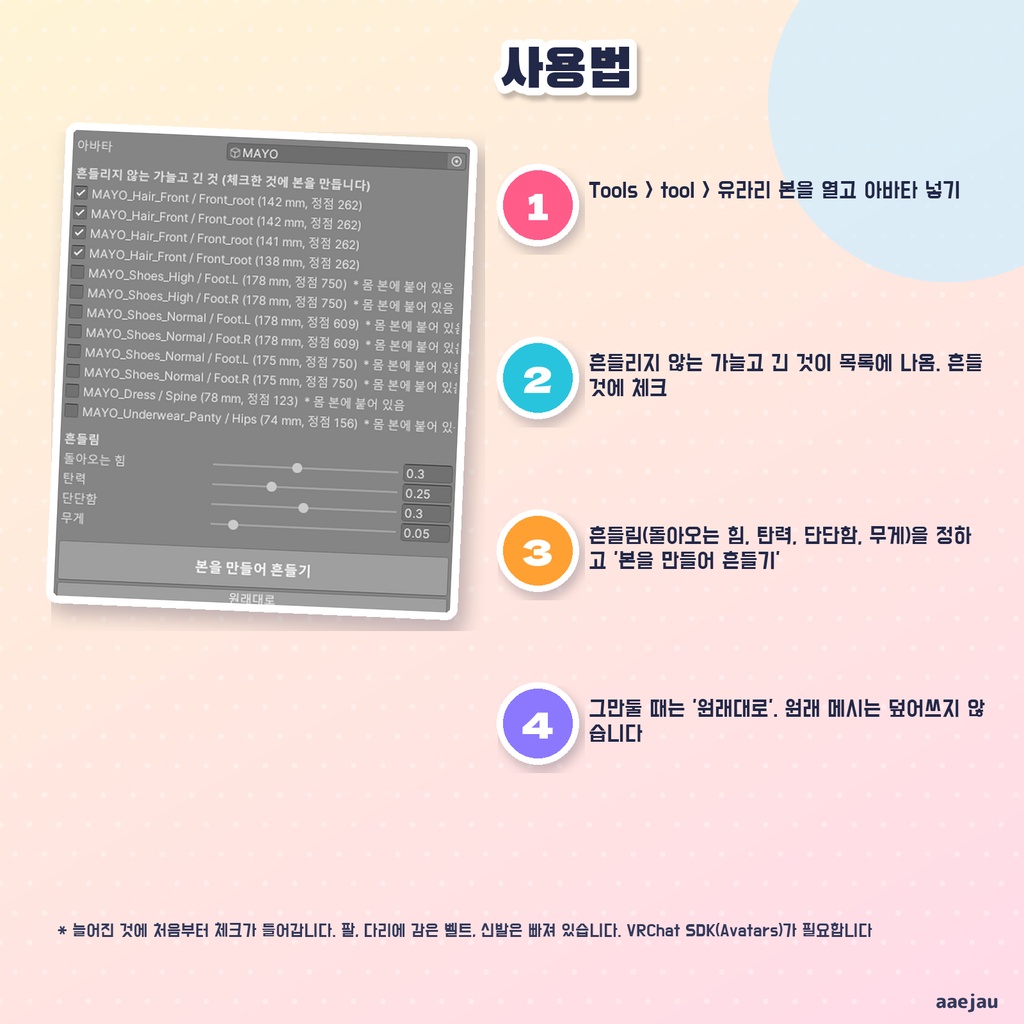


「かわいいリボンを付けたのに、頭を振っても1ミリも揺れない」 ゆらりボーンは、骨が無くて揺れないリボン・髪の房・飾りに、根元から先まで骨を作って PhysBone で揺らす Unity Editor ツールです。Blender は使いません。 ◆ 揺れない物を探して一覧に出します メッシュをつながった部品ごとに分け、「骨が無いか、1 本の骨にだけ乗っていて揺れていない、細長い部品」を探します。垂れ下がった部品には最初からチェックが入ります。腕や脚に巻いたベルト・靴、頭に沿った短い部品は外してあります。 ◆ 骨を作って、PhysBone を付けます チェックした部品の根元から先まで骨を 3〜6 本作り、頂点の重みをその骨へ移して、根元の骨に VRCPhysBone を付けます。付けた直後の形は元のままです。揺れ方(戻る力・弾み・かたさ・重さ)は窓で決められます。 ◆ 元に戻せます 元のメッシュは書き換えず、Assets/aaejau/YurariBone/Generated/ に作った複製へ差し替えます。「元に戻す」で、骨・PhysBone・メッシュを戻します。 ◆ 使い方 1. メニューの Tools > tool > ゆらりボーン を開き、アバターを入れる 2. 一覧から揺らしたい物にチェックを入れる 3. 「骨を作って揺らす」を押し、Play ボタンで揺れ方を確かめる ◆ 実物で確かめました しなの・Felis・MAYO・ミルフィで一覧を出し、MAYO の前髪と、検証用に骨を外して揺れない状態にしたミルフィのリボンに使いました。PlayMode で PhysBone を実際に動かし、アバターを左右に 10cm 振ると作った骨の先が 75〜157 mm 揺れ、止めて 2.5 秒で元の位置に戻りました。付けた直後の形の差は全頂点で最大 0.001 mm です。 ※ コライダーは付けません。体や服に当たる部品は、別に PhysBone コライダーを足してください ※ 1 つの部品に 1 本の骨の列を通します。結び目と垂れが一体のリボンは、垂れの部分を選んでください ※ すでに PhysBone で揺れている骨に乗った部品は一覧に出しません ※ SkinnedMeshRenderer ではない(MeshRenderer だけの)飾りは対象外です。VRChat SDK(Avatars)が要ります ※ アップロードの前に Build & Test で揺れ方を確かめてください 内容物: unitypackage / README / CHANGELOG / TEST_REPORT / LICENSE / 画面のスクリーンショット ━━━━━━━━━━━━━━━━━━━━ English ━━━━━━━━━━━━━━━━━━━━ "I put on a cute ribbon, and it does not move at all when I shake my head." Yurari Bone is a Unity Editor tool that makes bones from root to tip in ribbons, hair strands and ornaments that have no bones, and sways them with PhysBone. No Blender. ◆ It finds parts that do not sway It splits the meshes into connected parts and lists long parts that have no bones, or sit on a single bone, and do not sway. Hanging parts are ticked first. Belts and shoes on arms and legs, and short parts lying on the head, are left out. ◆ Bones and a PhysBone are added For ticked parts it makes 3-6 bones from root to tip, moves the vertex weights onto them and adds a VRCPhysBone to the root bone. The shape right after adding is unchanged. Sway (pull, momentum, stiffness, gravity) is set in the window. ◆ You can undo it Original meshes are never overwritten. "Restore" removes the bones, PhysBones and meshes. ◆ How to use 1. Open Tools > tool > Yurari Bone and set your avatar 2. Tick the parts you want to sway 3. Press "Make bones and sway" and check it with the Play button ◆ Checked on real avatars Listed on Shinano, Felis, MAYO and Milfy, and used on MAYO's bangs and on Milfy's ribbon with its bones removed for testing. With PhysBone running in PlayMode, moving the avatar 10cm left and right swung the new bone tips 75-157 mm, and they were back 2.5 seconds after stopping. The shape right after adding differs by at most 0.001 mm. * No colliders are added. Add PhysBone colliders separately for parts that touch the body or clothes * One bone chain per part. For a ribbon whose bow and tails are one piece, select the tail parts * Parts on bones already swayed by a PhysBone are not listed. MeshRenderer-only ornaments are not supported. Needs VRChat SDK (Avatars) * Always check with Build & Test before uploading Contents: unitypackage / README / CHANGELOG / TEST_REPORT / LICENSE / screenshot ━━━━━━━━━━━━━━━━━━━━ 한국어 ━━━━━━━━━━━━━━━━━━━━ 「귀여운 리본을 달았는데 머리를 흔들어도 1mm도 안 흔들린다」 유라리 본은 본이 없어 흔들리지 않는 리본·머리 다발·장식에 뿌리부터 끝까지 본을 만들어 PhysBone으로 흔드는 Unity Editor 툴입니다. Blender는 쓰지 않습니다. ◆ 흔들리지 않는 것을 찾아 목록으로 메시를 이어진 부품별로 나누어 「본이 없거나 본 하나에만 붙어 흔들리지 않는 가늘고 긴 부품」을 찾습니다. 늘어진 부품에는 처음부터 체크가 들어갑니다. 팔·다리에 감은 벨트·신발, 머리에 붙은 짧은 부품은 빠져 있습니다. ◆ 본을 만들고 PhysBone을 답니다 체크한 부품의 뿌리부터 끝까지 본 3~6개를 만들고 웨이트를 옮긴 뒤 뿌리 본에 VRCPhysBone을 답니다. 단 직후 형태는 그대로입니다. 흔들림은 창에서 정합니다. ◆ 되돌릴 수 있습니다 원래 메시는 덮어쓰지 않습니다. 「원래대로」로 본·PhysBone·메시를 되돌립니다. ◆ 사용법 1. Tools > tool > 유라리 본을 열고 아바타 넣기 2. 목록에서 흔들 것에 체크 3. 「본을 만들어 흔들기」를 누르고 Play 버튼으로 확인 ◆ 실물로 확인 시나노·Felis·MAYO·밀피에서 목록을 내고, MAYO 앞머리와 검증용으로 본을 빼서 흔들리지 않게 한 밀피 리본에 사용. PlayMode에서 PhysBone을 돌려 아바타를 좌우로 10cm 흔들면 본 끝이 75~157 mm 흔들리고, 멈추고 2.5초 뒤 원래 위치로 돌아왔습니다. ※ 콜라이더는 달지 않습니다. 몸이나 옷에 닿는 부품은 PhysBone 콜라이더를 따로 추가해 주세요 ※ 부품 하나에 본 한 줄. 매듭과 늘어진 부분이 한 덩어리인 리본은 늘어진 부분을 골라 주세요 ※ 이미 PhysBone으로 흔들리는 본에 붙은 부품은 나오지 않습니다. MeshRenderer만 있는 장식은 대상 외. VRChat SDK(Avatars) 필요 ※ 업로드 전에 Build & Test로 확인해 주세요 내용물: unitypackage / README / CHANGELOG / TEST_REPORT / LICENSE / 화면 스크린샷