

キメラでも表情そのまま - 頭を付け替えても、まばたき・口パク・表情が新しい顔で動く【JA,EN,KO】
- 日本語版ダウンロード商品¥ 700
- Englishダウンロード商品¥ 700
- 한국어판ダウンロード商品¥ 700
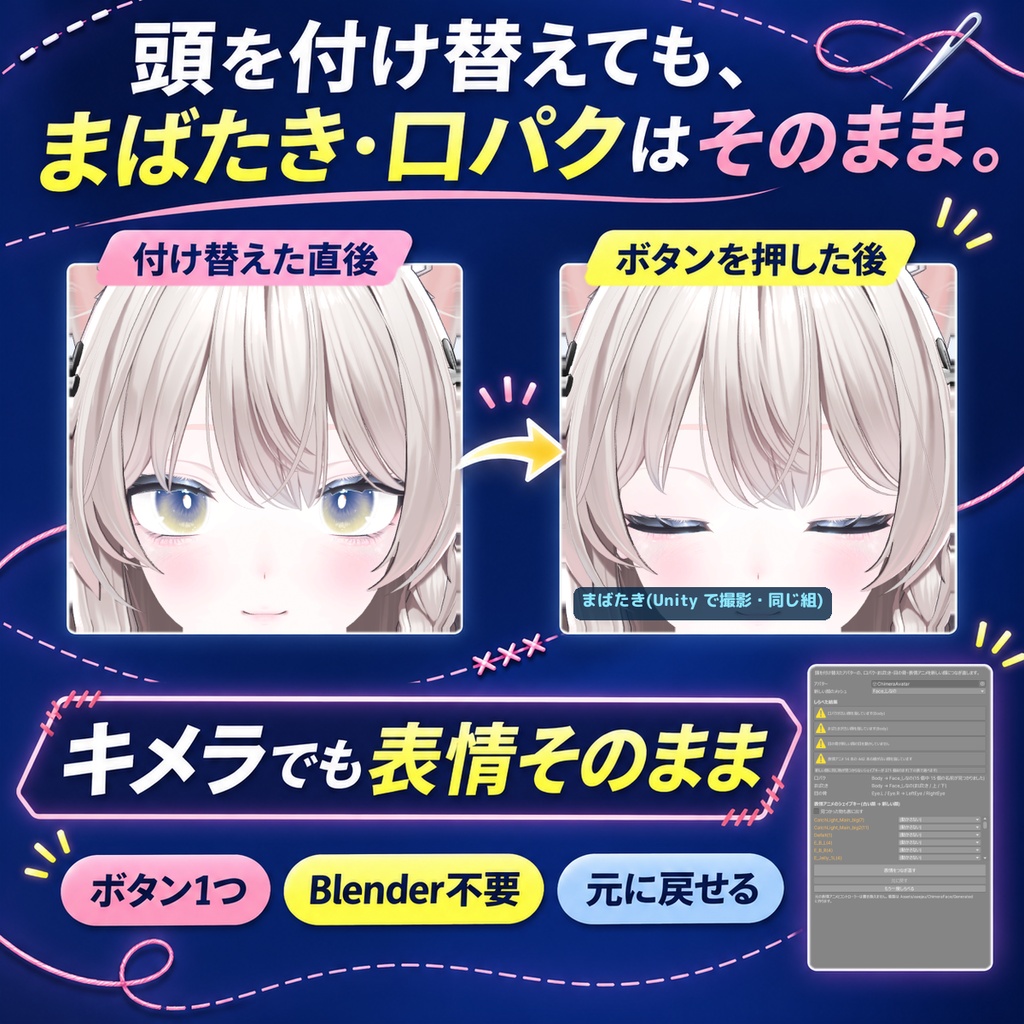
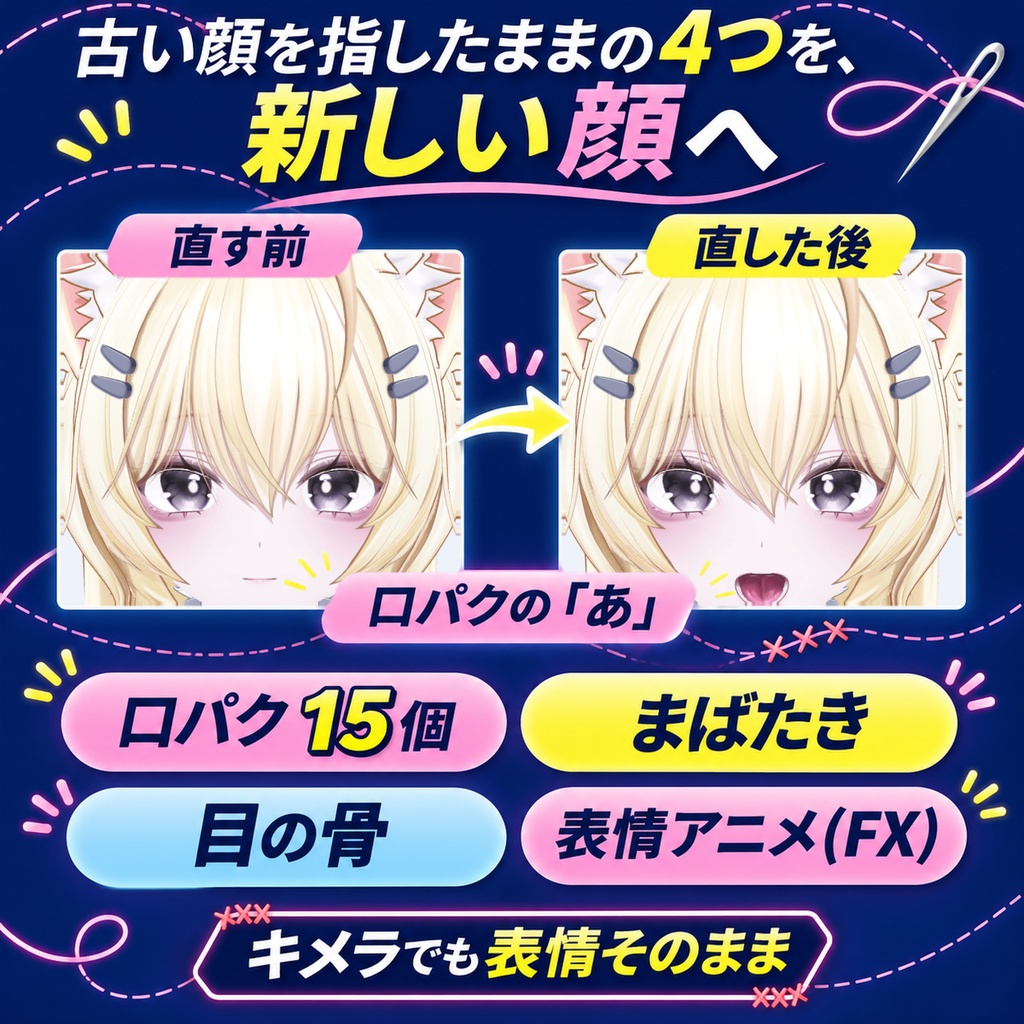
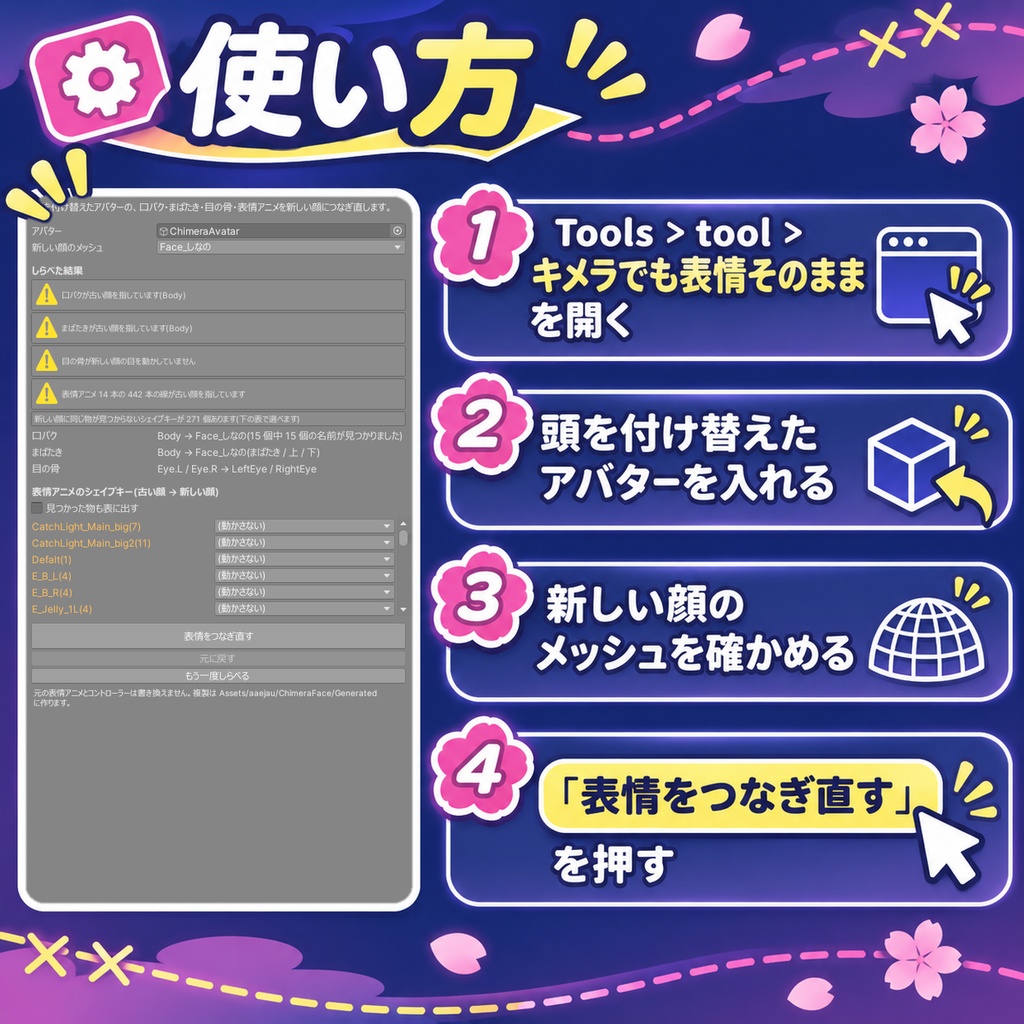
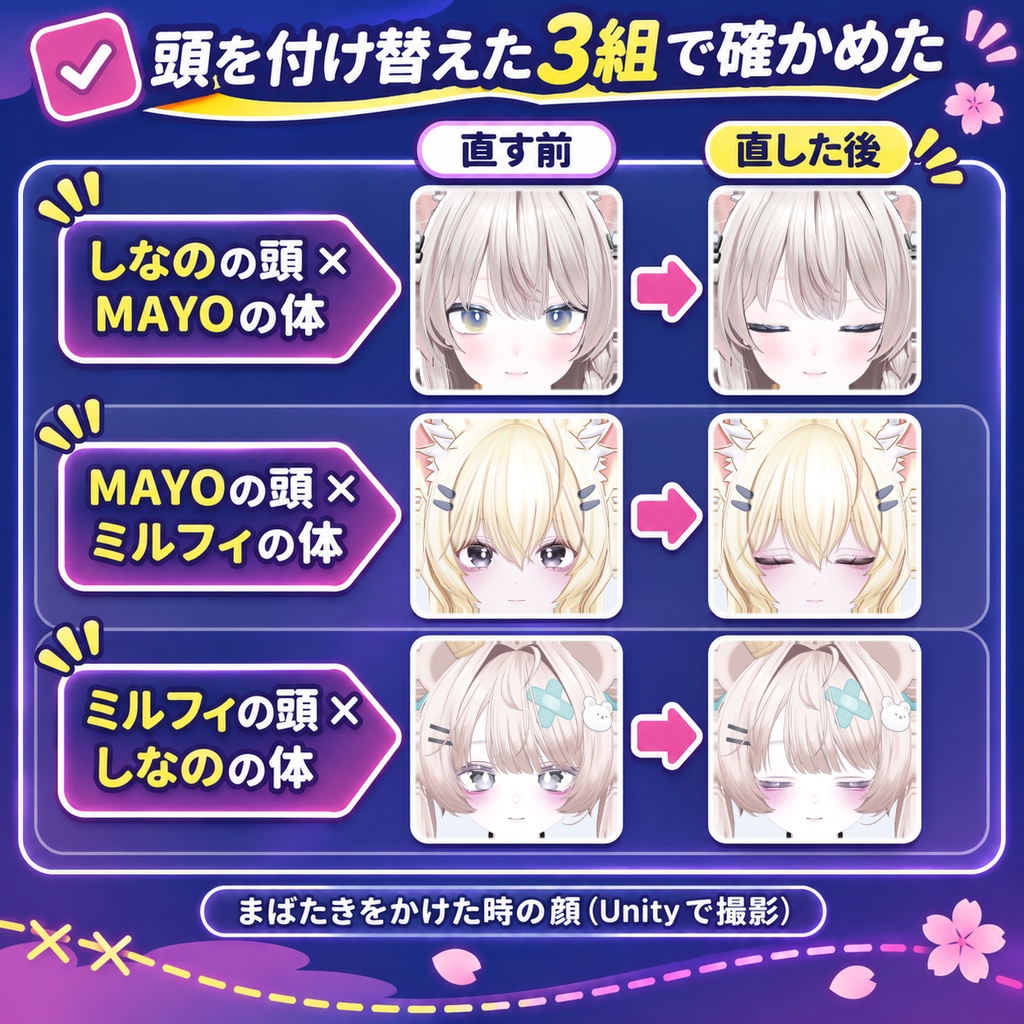
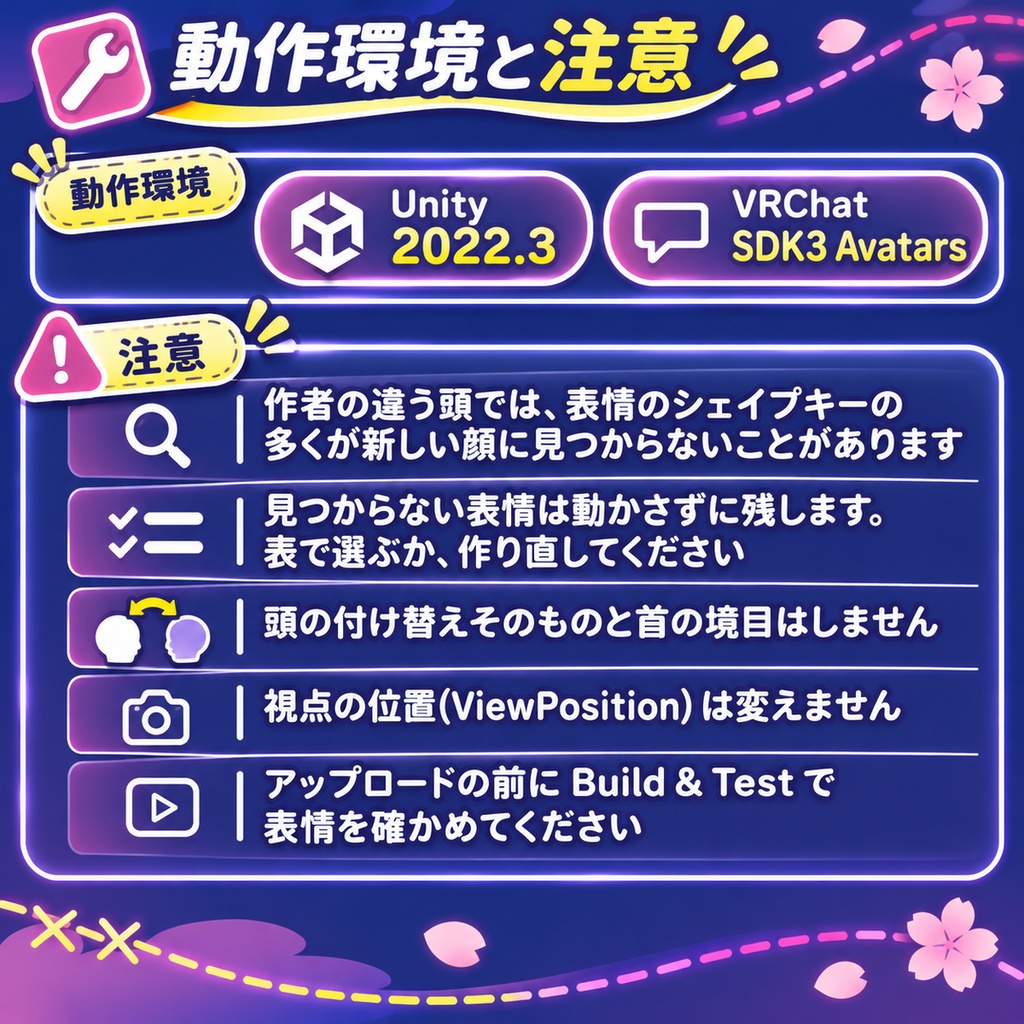
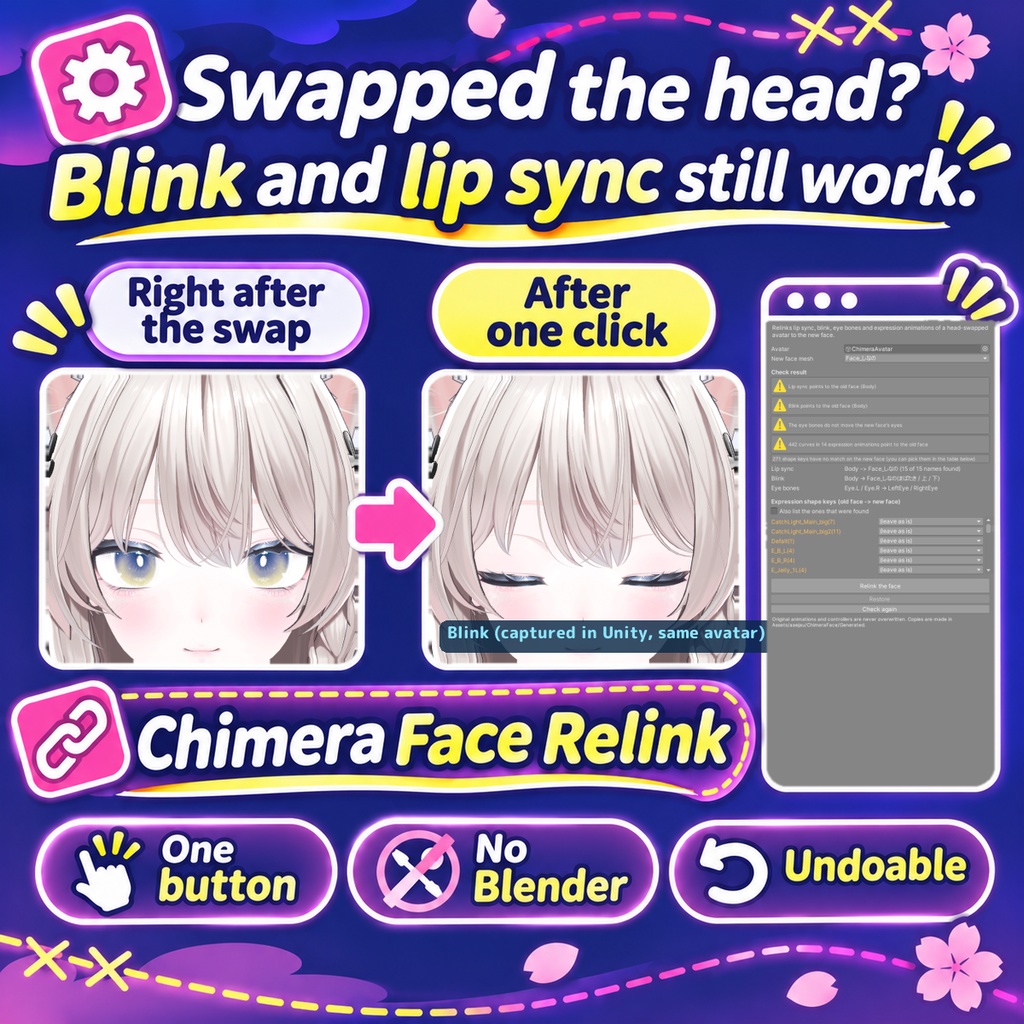
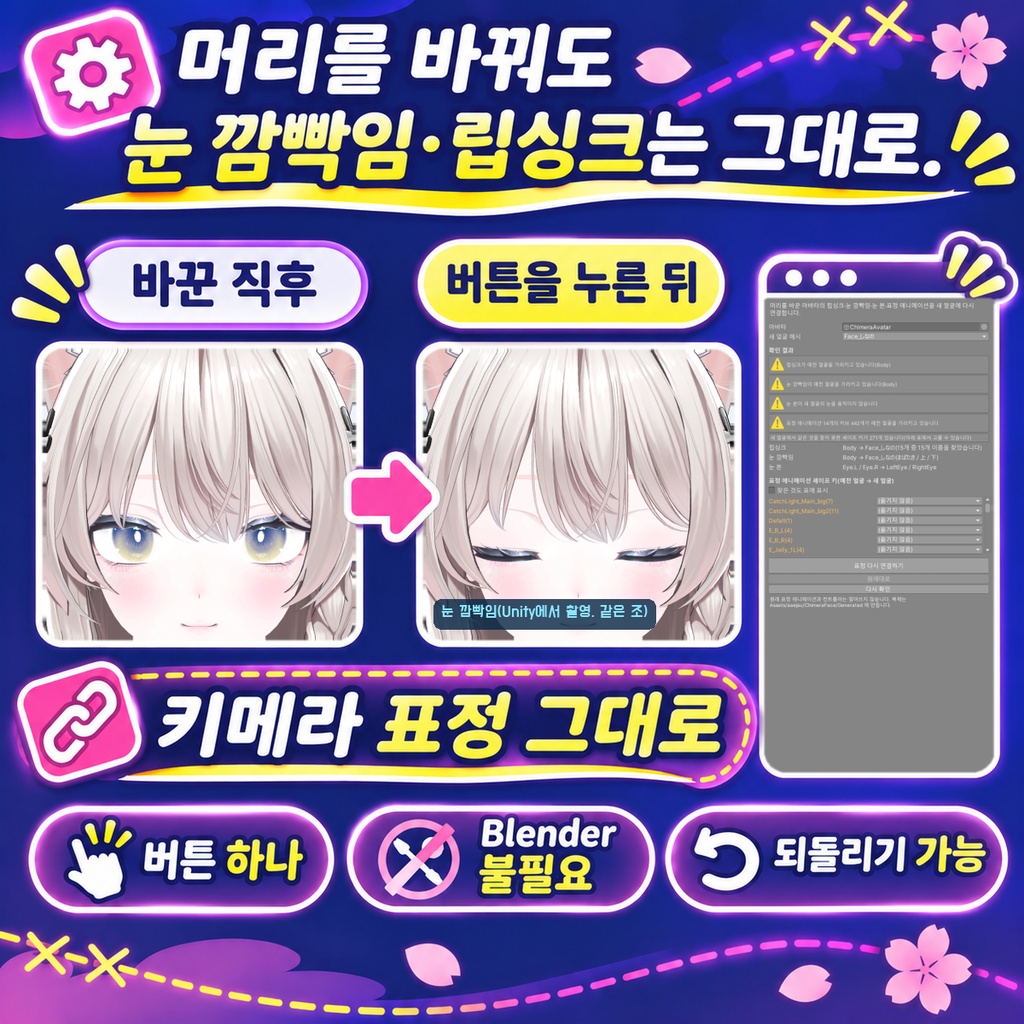


「好きな子の頭に付け替えたら、まばたきも口パクもしなくなった」 キメラでも表情そのままは、頭を付け替えたアバターの口パク・まばたき・目の骨・表情アニメを、新しい顔につなぎ直す Unity Editor ツールです。付け替えが済んだアバターを入れて、ボタンを押すだけです。Blender は使いません。 ◆ 動いているところ(16秒) https://www.youtube.com/watch?v=oijtgKvzqxc ◆ 動かなくなるのは、古い顔を指したままだからです アバターの設定(口パク・まばたき・目線)と、手のジェスチャーの表情アニメは、顔のメッシュの場所とシェイプキーの名前で顔を探します。頭を付け替えると、どれも古い顔を指したままになり、新しい顔は動きません。 ◆ 4つをまとめてつなぎ直します ・口パク(Viseme)の15個を新しい顔のシェイプキーへ ・まばたきのメッシュと「閉じる・上・下」のシェイプキーを新しい顔へ ・目の骨を、新しい顔が実際に重みを持っている目の骨へ ・FX などの表情アニメの線を、新しい顔の場所と名前へ書き換え(Modular Avatar の Merge Animator も) ◆ 名前が違うシェイプキーも探します 同じ名前、大文字小文字や記号だけの違い、言いかえ(vrc.v_aa と あ、blink と まばたき など)、よく似た名前の順に探します。確かでない物は勝手に移さず、候補を表に出すので選んでください。 ◆ 付け替えていないアバターでは何もしません 設定が今の顔を指していて名前も合っているアバターでは、何も書き換えません。しなの・MAYO・ミルフィ・Felis の素の状態で確かめました。 ◆ 元に戻せます ・元の表情アニメとコントローラーは書き換えません ・複製を Assets/aaejau/ChimeraFace/Generated/ に作り、アバターの方を差し替えます ・設定の変更は Undo でも、「元に戻す」でも戻せます ◆ 使い方 1. メニューの Tools > tool > キメラでも表情そのまま を開く 2. 頭を付け替えたアバターを入れる 3. 新しい顔のメッシュが合っているか見る 4. 「表情をつなぎ直す」を押す ◆ 頭を付け替えた3組で測りました しなの・MAYO・ミルフィの頭を別の体に付けた3組です。 ・口パク: 新しい顔を指す物 15個中 0 → 15(3組とも) ・目の骨が動かす新しい顔の頂点: 0 → 975 / 1,112 / 1,301 ・新しい顔を指す表情アニメの線: 0 → 396 / 986 / 31本 ・Unity の中で FX を回し、手のジェスチャー14通りで新しい顔が動いた数: 0 → 14 / 14 ・元のファイルで中身が変わった物: 0 自動テスト10件はすべて通っています。 ※ 作者の違う頭では、表情のシェイプキーの多くが新しい顔に見つからないことがあります(MAYO の表情を しなの の顔へ: 333個中62個) ※ 見つからない表情は動かさずに残すので、表で選ぶか、新しい顔に合わせて作り直してください ※ 頭の付け替えそのものと首の境目はしません。首の境目は「シームレスネック」で直せます https://talcoewer.booth.pm/items/8931355 ※ 視点の位置(ViewPosition)は変えません ※ アップロードの前に Build & Test で表情を確かめてください 内容物: unitypackage / README / CHANGELOG / TEST_REPORT / LICENSE / 画面のスクリーンショット ━━━━━━━━━━━━━━━━━━━━ English ━━━━━━━━━━━━━━━━━━━━ "I put my favorite head on my avatar, and now it never blinks or moves its mouth." Chimera Face Relink is a Unity Editor tool that relinks the lip sync, blink, eye bones and expression animations of a head-swapped avatar to the new face. Set the avatar and press one button. No Blender. ◆ Why it stops moving The avatar settings and the hand-gesture expression animations find the face by mesh path and shape key names. After a head swap they all still point to the old face. ◆ Four things at once - Lip sync (15 visemes) to the new face's shape keys - Blink mesh and its close / up / down shape keys to the new face - Eye bones to the ones the new face is actually weighted to - FX expression curves rewritten to the new face's path and names (Modular Avatar Merge Animator too) ◆ Different names are matched too Exact name, case or symbol differences, synonyms (vrc.v_aa and あ, blink and まばたき) and very similar names. Uncertain ones are not moved; candidates are listed so you can pick. ◆ Nothing changes on an avatar that was not swapped Checked on stock Shinano, MAYO, Milfy and Felis. ◆ You can undo it Original animations and controllers are never overwritten. Copies are made in Assets/aaejau/ChimeraFace/Generated/. Use Undo or "Restore". ◆ How to use 1. Open Tools > tool > Chimera Face Relink 2. Set the head-swapped avatar 3. Check the new face mesh 4. Press "Relink the face" ◆ Measured on 3 head-swapped avatars Lip sync on the new face: 0 -> 15 of 15. Eye bone vertices on the new face: 0 -> 975 / 1,112 / 1,301. Expression curves on the new face: 0 -> 396 / 986 / 31. Hand gestures that moved the new face in PlayMode: 0 -> 14 / 14. Original files changed: 0. 10 automated tests pass. * With a head from a different creator, many expression shape keys may have no match (62 of 333 in our test). Unmatched ones are left as they are * The tool does not do the head swap or the neck seam. For the neck seam, see Seamless Neck * The view position is not changed * Always check with Build & Test before uploading Contents: unitypackage / README / CHANGELOG / TEST_REPORT / LICENSE / screenshot ━━━━━━━━━━━━━━━━━━━━ 한국어 ━━━━━━━━━━━━━━━━━━━━ “좋아하는 아이의 머리로 바꿨더니 눈도 안 깜빡이고 입도 안 움직인다” 키메라 표정 그대로는 머리를 바꾼 아바타의 립싱크·눈 깜빡임·눈 본·표정 애니메이션을 새 얼굴에 다시 연결하는 Unity Editor 툴입니다. 버튼 하나로 끝납니다. Blender는 쓰지 않습니다. ◆ 4가지를 한 번에 ・립싱크 15개를 새 얼굴 셰이프 키로 ・눈 깜빡임 메시와 셰이프 키를 새 얼굴로 ・눈 본을 새 얼굴이 실제로 웨이트를 가진 눈 본으로 ・FX 등 표정 애니메이션 커브를 새 얼굴의 위치와 이름으로(Modular Avatar Merge Animator 포함) ◆ 이름이 달라도 찾습니다 확실하지 않은 것은 옮기지 않고 후보를 표에 보여 줍니다. ◆ 되돌릴 수 있습니다 원래 애니메이션과 컨트롤러는 덮어쓰지 않고, Undo나 「원래대로」로 되돌립니다. ◆ 사용법 1. Tools > tool > 키메라 표정 그대로 열기 2. 머리를 바꾼 아바타 넣기 3. 「표정 다시 연결하기」 누르기 ◆ 머리를 바꾼 3조로 측정 새 얼굴을 가리키는 립싱크 0 → 15개(3조 모두), 표정 커브 0 → 396 / 986 / 31개, 원래 파일 변경 0. 자동 테스트 10건 통과. ※ 다른 제작자의 머리에서는 표정 셰이프 키의 상당수를 찾지 못할 수 있습니다(333개 중 62개) ※ 머리 교체와 목 경계는 하지 않습니다 ※ 업로드 전에 Build & Test로 확인하세요 내용물: unitypackage / README / CHANGELOG / TEST_REPORT / LICENSE / 스크린샷